Feeling uncertain about what to expect in your upcoming interview? We’ve got you covered! This blog highlights the most important Database Management Software (e.g., Microsoft Access, FileMaker Pro) interview questions and provides actionable advice to help you stand out as the ideal candidate. Let’s pave the way for your success.
Questions Asked in Database Management Software (e.g., Microsoft Access, FileMaker Pro) Interview
Q 1. Explain the difference between a relational and non-relational database.
Relational databases (RDBMS) and non-relational databases (NoSQL) differ fundamentally in how they organize and access data. Think of it like this: a relational database is like a meticulously organized library with clearly defined shelves (tables) and cataloging systems (relationships), while a NoSQL database is more like a vast, open warehouse where information might be stored in various formats and locations.
Relational Databases (e.g., Microsoft Access, SQL Server): These databases store data in structured tables with rows and columns, enforcing relationships between tables using keys. They adhere to the ACID properties (Atomicity, Consistency, Isolation, Durability), guaranteeing data integrity and reliability. They’re excellent for applications requiring complex queries and data integrity, such as financial systems or inventory management.
Non-Relational Databases (e.g., MongoDB, Cassandra): These databases are more flexible and can handle various data formats, including unstructured or semi-structured data. They often prioritize scalability and performance over strict data consistency, making them suitable for applications like social media or large-scale data analytics where speed and flexibility are paramount. They often don’t adhere strictly to ACID properties.
In short: Relational databases offer structured, reliable data management, while NoSQL databases prioritize scalability and flexibility for handling diverse data types.
Q 2. Describe normalization and its benefits.
Normalization is the process of organizing data to reduce redundancy and improve data integrity. Imagine a spreadsheet with repeated information – that’s data redundancy. Normalization eliminates this by splitting the data into multiple tables and defining relationships between them. It’s like decluttering your home by organizing items into separate, themed boxes.
Benefits of Normalization:
- Reduced Data Redundancy: Minimizes storage space and ensures consistency. If you need to update a piece of information, you only need to change it in one place.
- Improved Data Integrity: Reduces the risk of data inconsistencies and anomalies caused by updates or deletions.
- Simplified Data Modification: Changes are easier to make and maintain, reducing the potential for errors.
- Enhanced Query Performance: Queries become faster and more efficient because they access less redundant data.
There are different levels of normalization (1NF, 2NF, 3NF, etc.), each addressing different types of redundancy. Higher normalization levels generally lead to more tables and more complex relationships, but also increased data integrity.
Q 3. What are primary and foreign keys, and how are they used?
Primary and foreign keys are crucial for establishing relationships between tables in a relational database. Think of them as the addressing system for your data.
Primary Key: A unique identifier for each record (row) in a table. It ensures that each record is distinct. For example, in a `Customers` table, the `CustomerID` would be the primary key. It must be unique and cannot be NULL (empty).
Foreign Key: A field in one table that refers to the primary key of another table. It establishes a link between the two tables. For example, in an `Orders` table, the `CustomerID` would be a foreign key referencing the `CustomerID` primary key in the `Customers` table, linking orders to specific customers.
How they’re used: They’re used to enforce relationships, ensuring data integrity by preventing orphaned records (records in one table that don’t have a corresponding record in the related table) and preventing duplicate data.
Q 4. How do you ensure data integrity in a database?
Ensuring data integrity is paramount in database management. It involves implementing various techniques to maintain accuracy, consistency, and reliability of data. Imagine a bank’s database – data integrity is critical to avoid financial errors.
Methods for Ensuring Data Integrity:
- Constraints: Defining rules on columns, such as `NOT NULL` (cannot be empty), `UNIQUE` (must be unique), `CHECK` (must meet specific criteria), and `DEFAULT` (assigns a default value if no value is provided).
- Data Validation: Implementing checks during data entry to ensure data meets predefined criteria (e.g., only numbers in a phone number field, specific date formats).
- Normalization: As discussed earlier, proper normalization minimizes redundancy and improves consistency.
- Primary and Foreign Keys: Enforcing referential integrity through these keys prevents orphaned records and maintains relationships between tables.
- Transactions: Grouping multiple database operations into a single unit of work; if one operation fails, the entire group is rolled back, preserving data integrity.
- Regular Backups: Creating regular backups safeguards against data loss due to hardware failure or other unforeseen issues.
Q 5. Explain different types of database relationships (one-to-one, one-to-many, many-to-many).
Database relationships define how data in different tables are connected. Think of them as the roads connecting different parts of a city.
One-to-One: One record in a table is related to only one record in another table. Example: A `Person` table and a `Passport` table – one person has one passport.
One-to-Many: One record in a table can be related to multiple records in another table. Example: A `Customer` table and an `Orders` table – one customer can have many orders.
Many-to-Many: Multiple records in one table can be related to multiple records in another table. This usually requires a junction table (also known as an associative entity). Example: A `Students` table and a `Courses` table – many students can take many courses. A `StudentCourses` table would link student IDs and course IDs.
Q 6. What are SQL queries? Give examples of SELECT, INSERT, UPDATE, and DELETE statements.
SQL (Structured Query Language) is the standard language for interacting with relational databases. It’s like the language you use to communicate with the database, telling it what to do with your data.
Examples of SQL statements:
SELECT: Retrieves data from a database.
SELECT * FROM Customers WHERE Country='USA';This retrieves all columns (*) from the `Customers` table where the `Country` is ‘USA’.
INSERT: Adds new data to a database.
INSERT INTO Customers (CustomerID, Name, Country) VALUES (101, 'New Customer', 'Canada');This adds a new customer record to the `Customers` table.
UPDATE: Modifies existing data in a database.
UPDATE Customers SET Country='Mexico' WHERE CustomerID=100;This updates the `Country` to ‘Mexico’ for the customer with `CustomerID` 100.
DELETE: Removes data from a database.
DELETE FROM Customers WHERE CustomerID=101;This deletes the customer with `CustomerID` 101.
Q 7. How do you handle data redundancy in a database?
Data redundancy, the repetition of data, is a major issue in databases. It wastes storage space, slows down queries, and increases the risk of inconsistencies. Imagine a phone book with multiple entries for the same person – that’s data redundancy.
Handling Data Redundancy:
- Normalization: The primary method for reducing redundancy, as explained earlier. It involves breaking down large tables into smaller, related tables.
- Data Warehousing: Consolidating data from multiple sources into a central repository. This can help to identify and eliminate redundant data, but doesn’t directly solve it within individual databases.
- Database Views: Creating virtual tables that combine data from multiple tables without storing the combined data physically. This can be useful for presenting data in a consolidated way without altering the underlying tables.
- Triggers and Stored Procedures: These can be used to enforce data integrity rules and prevent redundancy by automating data entry and update processes.
The best approach depends on the specific database design and application requirements. Normalization is usually the most effective way to address the root cause of data redundancy.
Q 8. Describe your experience with database design principles.
Database design is the art and science of planning and creating a database. It’s crucial for ensuring data integrity, efficiency, and scalability. My experience encompasses the entire design lifecycle, from initial requirements gathering to implementation and maintenance. I’m proficient in using techniques like normalization (reducing data redundancy) to create robust and efficient databases. For example, I designed a database for a small business using the third normal form (3NF), eliminating redundant information about customer addresses by storing them in a separate table and linking using a customer ID. This made updates much simpler and reduced the risk of inconsistencies. I also leverage entity-relationship diagrams (ERDs) to visually represent the relationships between different data elements, which aids in collaboration and understanding the database structure.
I have extensive experience working with various database management systems (DBMS), including Microsoft Access and FileMaker Pro, adapting my design approach to the specific strengths and limitations of each platform. For instance, in FileMaker Pro, I often utilize the relational capabilities to link related data efficiently and leverage FileMaker’s scripting capabilities for automating data entry and validation.
Q 9. Explain the concept of ACID properties in database transactions.
ACID properties are crucial for ensuring data consistency and reliability in database transactions. They stand for Atomicity, Consistency, Isolation, and Durability. Think of a bank transfer: you want the entire transaction to either complete successfully or not at all (Atomicity). The transaction should maintain the overall consistency of the database (Consistency). Multiple transactions shouldn’t interfere with each other (Isolation), and once committed, the changes should persist even if the system crashes (Durability).
- Atomicity: The entire transaction is treated as a single unit. Either all changes are made, or none are. If any part fails, the whole transaction is rolled back.
- Consistency: The transaction maintains the database’s integrity constraints. It moves the database from one valid state to another.
- Isolation: Concurrent transactions are isolated from each other, preventing conflicts and ensuring that each transaction sees a consistent view of the data.
- Durability: Once a transaction is committed, the changes are permanently stored, even in the event of a system failure.
In FileMaker Pro, the built-in transaction management ensures these properties are largely handled automatically. In Access, you can leverage VBA scripting and transactions for more granular control if needed.
Q 10. What are indexes, and how do they improve database performance?
Indexes are special lookup tables that the database search engine can use to speed up data retrieval. Simply put, they’re like the index in the back of a book – they allow you to quickly locate specific information without having to read every page. They work by creating a sorted list of values and their corresponding row locations in the database table.
Consider a large table of customer records. Searching for a specific customer by name would require the system to scan every row. An index on the ‘name’ column would dramatically speed this up, as the database can directly jump to the relevant portion of the index and locate the customer’s record.
However, indexes aren’t without trade-offs. Creating and maintaining indexes consumes disk space and adds overhead to write operations (inserting, updating, and deleting rows). Therefore, careful consideration is necessary when deciding which columns to index. Indexes are most beneficial on frequently queried columns, particularly those used in WHERE clauses.
Q 11. How do you optimize database queries for speed and efficiency?
Optimizing database queries is crucial for performance. Several strategies can significantly improve query speed and efficiency:
- Proper Indexing: As discussed earlier, creating indexes on frequently queried columns is critical.
- Query Analysis: Using database tools (like Access’s query analyzer or FileMaker’s data viewer) to identify bottlenecks. Slow queries often highlight areas for optimization.
- Avoid using
SELECT *: Only select the necessary columns to reduce the amount of data retrieved. - Efficient
WHEREclauses: Use appropriate comparison operators and avoid using functions within theWHEREclause if possible. - Proper Use of Joins: Choose the most efficient join type (INNER, LEFT, RIGHT, FULL) based on your data and query requirements.
- Data Type Optimization: Using the most appropriate data types for each column, as incorrect data types can lead to performance issues.
- Query Caching: Leveraging query caching mechanisms provided by the database system to store the results of frequently executed queries.
For example, instead of:
SELECT * FROM Customers WHERE UPPER(LastName) LIKE '%SMITH%';Consider:
SELECT CustomerID, FirstName, LastName FROM Customers WHERE LastName LIKE 'SMITH%';(Assuming an index on LastName and you only need those specific columns).
Q 12. Describe your experience with database backup and recovery procedures.
Database backup and recovery are crucial for ensuring data availability and preventing data loss. My experience involves implementing comprehensive backup and recovery procedures, including regular backups, testing recovery processes, and disaster recovery planning. I’m familiar with various backup methods, such as full backups, incremental backups, and differential backups, and I choose the optimal method based on factors like frequency, storage space, and recovery time objectives.
In Microsoft Access, I frequently use the built-in export functionality to create regular backups. In FileMaker Pro, I leverage FileMaker’s backup features, often combined with scheduled tasks to automate backups. I’ve also worked with cloud-based solutions for offsite backups, enhancing data protection. Crucially, I always test the recovery process to ensure it functions correctly. This verifies the integrity of the backups and validates the recovery strategy’s effectiveness. A real-world scenario involved recovering a database after a hardware failure. Because we had a recent, tested backup, the recovery was swift, minimizing downtime and data loss.
Q 13. What is data validation, and how do you implement it in Access/FileMaker?
Data validation ensures that only valid data is entered into the database. This prevents errors, inconsistencies, and improves data quality. In Access and FileMaker, data validation is implemented through various techniques:
- Input Masks: Defining specific formats for data entry (e.g., phone numbers, dates).
- Data Validation Rules: Setting conditions to restrict the type of data that can be entered (e.g., ensuring numbers are within a certain range, dates are in the past).
- Lookup Fields: Using lookup tables to restrict entries to a predefined set of values.
- Custom Validation Functions (VBA/FileMaker Scripting): Creating more complex validation logic using scripting languages for intricate rules.
For instance, in Access, you can create a data validation rule to ensure that the ‘Age’ field only accepts values between 0 and 120. In FileMaker, you could use a calculation field to validate email addresses using a regular expression.
Q 14. Explain your experience with database security measures.
Database security is paramount. My approach involves implementing multi-layered security measures to protect sensitive data. This includes:
- Access Control: Restricting access to the database based on user roles and permissions. This ensures that only authorized personnel can access sensitive information. In both Access and FileMaker, this is achieved through user accounts and assigned privileges.
- Data Encryption: Encrypting sensitive data at rest and in transit to protect it from unauthorized access. This might involve using database-level encryption features or integrating with encryption tools.
- Regular Security Audits: Performing regular security audits to identify vulnerabilities and ensure that security measures remain effective.
- Input Sanitization: Validating and sanitizing user inputs to prevent SQL injection and other attacks.
- Network Security: Implementing network security measures, such as firewalls and intrusion detection systems, to protect the database server from external threats.
For example, I’ve implemented user roles in a FileMaker database where different users had varying levels of access, preventing unauthorized modification of critical data. I also employed encryption for sensitive customer data stored in Access databases. Regular security reviews are paramount to my process.
Q 15. How do you troubleshoot database performance issues?
Troubleshooting database performance issues involves a systematic approach. Think of it like diagnosing a car problem – you wouldn’t just start replacing parts randomly! First, I’d identify the symptoms: slow query responses, high resource usage (CPU, memory, disk I/O), or frequent lock waits. Then, I’d use a combination of techniques.
Query analysis: I’d use the database’s query analyzer (like Access’s query design view or FileMaker’s Data Viewer) to examine slow queries. This involves looking at execution plans, identifying bottlenecks (e.g., missing indexes, inefficient joins), and rewriting queries for optimization. For example, if a query lacks an index on a frequently filtered column, adding one can dramatically improve speed.
Indexing: Indexes are crucial for speeding up data retrieval. Imagine a library – an index is like the card catalog. Properly indexing your tables ensures efficient data lookup. However, over-indexing can slow down data modification operations, so it’s a balancing act.
Data normalization: Redundant data leads to larger database sizes and slower queries. Normalizing the database involves organizing it efficiently to reduce redundancy and improve data integrity. This is like organizing a messy closet – it makes finding what you need much easier.
Resource monitoring: Tools within the DBMS (or external monitoring tools) can reveal resource usage patterns. High CPU usage might indicate a poorly optimized query, while high disk I/O could suggest a need for faster storage or improved indexing. In Access, I’d monitor performance through task manager or similar tools.
Data cleanup: Large amounts of unnecessary or outdated data can bog down the database. Regularly purging old data can significantly improve performance. Think of it like decluttering your computer’s hard drive – more space means faster processing.
In a real-world scenario, I once optimized a FileMaker database for a client managing inventory. By adding indexes to frequently queried fields and normalizing the data structure, I reduced query times from several minutes to a few seconds, significantly improving their workflow.
Career Expert Tips:
- Ace those interviews! Prepare effectively by reviewing the Top 50 Most Common Interview Questions on ResumeGemini.
- Navigate your job search with confidence! Explore a wide range of Career Tips on ResumeGemini. Learn about common challenges and recommendations to overcome them.
- Craft the perfect resume! Master the Art of Resume Writing with ResumeGemini’s guide. Showcase your unique qualifications and achievements effectively.
- Don’t miss out on holiday savings! Build your dream resume with ResumeGemini’s ATS optimized templates.
Q 16. Describe your experience with database migration.
Database migration is a complex process that requires careful planning and execution. I’ve been involved in numerous migrations, from small FileMaker databases to larger Access projects. My approach always includes:
Assessment: The first step is a thorough assessment of the source and target databases. This involves identifying data structures, data types, relationships, and any custom code. This is crucial to ensure data integrity during the migration.
Data mapping: I’d create a detailed data mapping document that shows how data from the source database will be mapped to the target database. Any data transformations or cleansing needed are documented here.
Testing: Thorough testing is paramount. I would conduct multiple rounds of testing on a staging environment to catch any issues before migrating the production data. This reduces the risk of data loss or corruption.
Data validation: After migration, I’d perform comprehensive data validation to confirm the accuracy and completeness of the migrated data. This usually involves comparing data counts and checksums between the source and target databases.
Tools and Techniques: I utilize various tools depending on the specific needs. For example, FileMaker provides import/export functionalities, while Access might leverage SQL queries for more complex migrations. Sometimes external ETL (Extract, Transform, Load) tools are necessary.
For instance, I migrated a client’s FileMaker Pro database to a cloud-based SQL database. This required a significant restructuring of the data model and the use of custom scripts to handle data transformations. The process involved meticulous planning, testing, and validation to ensure a smooth transition with no data loss.
Q 17. What is your experience with data modeling tools?
I have extensive experience with data modeling tools, both built-in and external. In Access, I use the built-in tools for creating relationships and designing tables. For larger or more complex projects, I leverage external tools such as ERwin Data Modeler or Lucidchart. These tools allow for the creation of visual representations of the database structure, enabling better understanding and communication among stakeholders.
Data modeling involves defining entities (tables), attributes (columns), and relationships between them. A well-designed data model is critical for database performance and integrity. It helps to prevent data redundancy and ensures data consistency. Think of it as the blueprint of a house – a well-designed blueprint leads to a well-built house, whereas a poorly designed one can result in structural problems.
In my experience, using modeling tools greatly improves collaboration. The visual representation of the database facilitates communication between developers, business users, and other stakeholders, ensuring everyone is on the same page. This minimizes misunderstandings and speeds up the development process.
Q 18. How familiar are you with different database management systems (DBMS)?
My experience encompasses several DBMSs, including Microsoft Access, FileMaker Pro, MySQL, and PostgreSQL. While my primary expertise lies in Access and FileMaker, I understand the fundamental concepts and differences between relational (like Access, MySQL, PostgreSQL) and non-relational (NoSQL) databases. I know how to adapt my approach based on the specific needs of the project.
Understanding different DBMSs enables me to choose the most appropriate solution for a given task. For example, for a small, single-user application, Access might be sufficient. However, for a larger, multi-user application requiring scalability and high performance, a relational DBMS like MySQL or PostgreSQL would be a better choice.
The key differences I consider include data modeling capabilities, query languages (SQL vs. FileMaker’s scripting language), scalability, and security features. This knowledge allows me to select the best technology stack and optimize database performance.
Q 19. What are your experiences with report generation in Access or FileMaker?
I have extensive experience in report generation using both Access and FileMaker. In Access, I use the built-in report design tools, creating a range of reports from simple summaries to complex, multi-layered reports. I am proficient in using queries as the basis for reports to filter and aggregate data effectively. I also leverage VBA (Visual Basic for Applications) to automate report generation and customize report formatting.
In FileMaker, I utilize the built-in report writer, but also employ custom layouts and scripting to create dynamic and interactive reports. For example, I can create reports that automatically update based on user input or filter data based on specific criteria. This enhances user interactivity and provides more relevant information.
A practical example would be a sales report I created in Access for a small business. This report aggregated sales data by product, region, and sales representative, allowing for efficient analysis of sales performance. Another instance involved creating a FileMaker report that tracked inventory levels in real-time, prompting alerts when stock reached low thresholds.
Q 20. How do you handle database concurrency issues?
Database concurrency issues arise when multiple users access and modify the same data simultaneously. This can lead to data inconsistencies or corruption if not handled properly. My strategies for handling concurrency include:
Locking mechanisms: Most DBMSs provide locking mechanisms (like row-level locks or table-level locks) to prevent concurrent access conflicts. These locks ensure that only one user can modify a specific record at a time. This is similar to a library book – only one person can borrow it at a time.
Optimistic locking: This approach verifies data integrity before committing changes. If the data has been modified by another user since it was initially retrieved, the update is rejected. This is less restrictive than pessimistic locking but requires careful handling.
Transactions: Using transactions ensures data consistency. A transaction is a sequence of operations that are treated as a single unit. If any operation fails, the entire transaction is rolled back, preventing partial updates. This is like a multi-step process – either all steps are completed successfully, or none are.
Database design: Proper database design can help minimize concurrency issues. For example, using smaller tables and normalizing data reduces the likelihood of concurrent access conflicts.
In a real-world scenario, I used optimistic locking in a FileMaker application to manage appointments. This prevented two users from booking the same appointment slot concurrently. The system automatically alerted the user if the appointment was already taken.
Q 21. What is your experience with scripting in Access or FileMaker?
I have significant experience with scripting in both Access (VBA) and FileMaker (using FileMaker’s built-in scripting language). I use scripting to automate tasks, enhance user interfaces, and create custom functionality. In Access, I use VBA for tasks like automating report generation, data validation, and creating custom menus. In FileMaker, I use the scripting language for similar tasks, as well as for creating custom dialogs, handling events, and integrating with external systems.
Here are some examples of my scripting work:
Automating data import: I wrote a VBA script in Access to automatically import data from a CSV file, ensuring data consistency and saving time.
Creating custom validation rules: I used FileMaker scripting to enforce specific data validation rules, preventing incorrect data entry and improving data quality.
Building custom user interfaces: I developed custom dialogs in both Access and FileMaker to enhance the user experience and streamline workflow.
Scripting is a powerful tool for extending the capabilities of these database systems and tailoring them to specific business needs. It allows for the creation of efficient, customized solutions that meet specific requirements.
Q 22. Explain the concept of views and stored procedures.
Views and stored procedures are powerful database objects that enhance efficiency and data management. A view is essentially a virtual table based on the result-set of an SQL statement. It doesn’t store data itself; instead, it provides a customized perspective or subset of data from one or more underlying tables. Think of it as a saved query that you can treat as a table. Stored procedures, on the other hand, are pre-compiled SQL code blocks that can accept input parameters, perform complex operations, and return results. They are stored within the database and can be executed repeatedly.
- Views: Imagine you need to regularly analyze sales data for a specific region. Instead of writing the same complex WHERE clause every time, you create a view that filters the sales table for that region. Now, querying this view is significantly faster and simpler than running the full query each time. This also enhances data security by limiting access to specific data subsets.
- Stored Procedures: Suppose you have a process to update customer information, validate data, and generate an audit trail. Instead of writing this logic multiple times within your application, you encapsulate it in a stored procedure. This improves code reusability, maintainability, and performance, as the database already optimizes the procedure’s execution plan.
In FileMaker Pro, you’d create a view by defining a find request and saving it as a view. In Access, you’d use SQL to create views and build custom functions that act similarly to stored procedures.
Q 23. How do you manage user access and permissions in a database?
Managing user access and permissions is crucial for data security and integrity. This involves defining different user roles and assigning specific privileges to each role. Different database systems implement this differently, but the core concepts remain the same.
- User Roles: We create roles like ‘administrator’, ‘data entry clerk’, ‘report viewer’, etc., each with specific permissions. For example, an administrator has full control, while a data entry clerk might only have permissions to insert and update data within specific tables.
- Permissions: These define what actions a user can perform on specific database objects (tables, views, stored procedures). Permissions can range from SELECT (read) to INSERT, UPDATE, DELETE, and EXECUTE (for stored procedures).
- Implementation: In Access, you manage security through user accounts and assigning permissions to tables and other objects. FileMaker Pro offers a robust system of access privileges, with granular control over specific fields and layouts. More complex systems like SQL Server use extensive role-based security models with potentially hundreds of roles and intricate permission sets.
A best practice is to follow the principle of least privilege, granting users only the minimum permissions necessary to perform their tasks. This minimizes the potential damage from security breaches.
Q 24. Describe your experience with data warehousing or ETL processes.
I have extensive experience with data warehousing and ETL (Extract, Transform, Load) processes. Data warehousing involves consolidating data from multiple sources into a central repository for analysis and reporting. ETL processes are the pipelines that move and transform data to populate the warehouse.
In a previous role, I was responsible for designing and implementing a data warehouse for a retail company. This involved extracting sales data from various point-of-sale systems, customer relationship management (CRM) systems, and inventory management systems. The transformation step involved cleaning and standardizing the data, handling inconsistencies, and converting data types. Finally, the load step involved efficiently loading the transformed data into the data warehouse, typically a relational database optimized for analytical queries. I utilized tools such as SQL Server Integration Services (SSIS) for this purpose. The result was a significantly improved ability to perform business intelligence analysis, providing valuable insights into sales trends, customer behavior, and inventory management.
My experience also extends to working with cloud-based data warehousing solutions, such as Snowflake and Amazon Redshift. These offer scalability and flexibility for handling massive datasets.
Q 25. What is your familiarity with NoSQL databases?
My familiarity with NoSQL databases is moderate. I understand their core principles and when they’re advantageous over traditional relational databases. NoSQL databases are designed for handling large volumes of unstructured or semi-structured data, often with high scalability requirements. They differ from relational databases in their data model and query mechanisms.
- Types of NoSQL Databases: I’m familiar with key-value stores (like Redis), document databases (like MongoDB), column-family stores (like Cassandra), and graph databases (like Neo4j). Each has its strengths and weaknesses, making them suitable for specific use cases.
- Advantages: NoSQL databases excel in scenarios demanding high scalability, flexibility in data models, and high availability. They are often used for applications like social media platforms, real-time analytics, and content management systems.
- Limitations: They typically lack the ACID properties (Atomicity, Consistency, Isolation, Durability) that are crucial in many transactional applications. Complex joins and relationships can be more challenging to manage than in relational databases.
While my primary experience is with relational databases, I recognize the growing importance of NoSQL databases and am keen to expand my knowledge in this area.
Q 26. Describe a time you had to solve a complex database problem.
I once encountered a performance bottleneck in a FileMaker Pro database used by a large sales team. Queries to retrieve customer information were extremely slow, impacting user productivity. After investigating, I discovered that the database lacked proper indexing, resulting in full table scans for every query. This was exacerbated by the fact that the customer table had grown substantially over time, and poorly-designed relationships further hampered performance.
My solution involved a multi-pronged approach:
- Analyzing Query Plans: I used FileMaker’s built-in tools and logging to identify the slow queries and pinpoint the performance bottlenecks.
- Creating Indexes: I carefully created indexes on the most frequently queried fields in the customer table and related tables. This dramatically reduced the amount of data the database needed to scan.
- Optimizing Relationships: I reviewed and refined the relationships between tables to ensure they were correctly defined and optimized for performance. Unnecessary or poorly-structured relationships were identified and improved.
- Data Cleanup: I identified and removed redundant or obsolete data from the database, reducing its overall size and improving query performance.
By implementing these changes, we saw a significant improvement in query performance, resolving the bottleneck and enhancing user productivity. This experience highlighted the importance of proper database design, indexing strategies, and regular performance tuning.
Q 27. How do you stay up-to-date with the latest trends in database management?
Staying current in database management requires a multifaceted approach:
- Industry Publications and Blogs: I regularly read publications like Database Journal, and follow blogs from leading database vendors and experts.
- Conferences and Webinars: I attend industry conferences and webinars to learn about the latest advancements and best practices.
- Online Courses and Certifications: I pursue online courses and certifications from platforms like Coursera and edX to deepen my expertise in specific areas like cloud databases or NoSQL technologies.
- Professional Networks: I actively participate in online forums and professional groups to engage with other database professionals and stay informed about emerging trends.
- Hands-on Projects: I work on personal projects that allow me to explore new technologies and apply my knowledge in practical settings.
This constant learning ensures that I am proficient in the latest techniques and technologies, allowing me to deliver effective and efficient database solutions.
Q 28. What are your salary expectations?
My salary expectations are in the range of $90,000 to $110,000 per year, depending on the specific benefits package and responsibilities of the role. I’m open to discussing this further based on a detailed job description.
Key Topics to Learn for Database Management Software (e.g., Microsoft Access, FileMaker Pro) Interview
- Database Design Fundamentals: Understanding relational database models, normalization, and designing efficient database structures. Consider ER diagrams and data modeling techniques.
- Querying and Data Manipulation: Mastering SQL or equivalent query languages specific to Access/FileMaker Pro. Practice writing complex queries involving joins, subqueries, and aggregate functions. Be prepared to discuss query optimization.
- Data Integrity and Validation: Implementing constraints, validation rules, and data types to ensure data accuracy and consistency. Discuss strategies for handling data errors and inconsistencies.
- Forms and Reports: Designing user-friendly forms for data entry and generating informative reports to visualize data. Understand how to customize the user interface and tailor it to specific needs.
- Data Security and Access Control: Implementing security measures to protect sensitive data, including user authentication, authorization, and encryption techniques. Discuss different levels of access and user privileges.
- Data Import and Export: Understanding how to import and export data from various sources (e.g., CSV files, spreadsheets, other databases). Discuss different import/export methods and potential challenges.
- Troubleshooting and Problem Solving: Be prepared to discuss common database issues, such as performance bottlenecks, data corruption, and error handling. Demonstrate your ability to diagnose and resolve database problems.
- Specific Software Features: Deepen your knowledge of specific features and functionalities unique to Microsoft Access or FileMaker Pro, depending on the job description.
Next Steps
Mastering database management software like Microsoft Access and FileMaker Pro is crucial for career advancement in numerous fields, opening doors to roles with increased responsibility and earning potential. A strong understanding of these tools showcases valuable technical skills and problem-solving abilities highly sought after by employers.
To maximize your job prospects, create an ATS-friendly resume that effectively highlights your skills and experience. ResumeGemini is a trusted resource to help you build a professional and impactful resume that gets noticed. We provide examples of resumes tailored to Database Management Software roles using Microsoft Access and FileMaker Pro to help you get started.
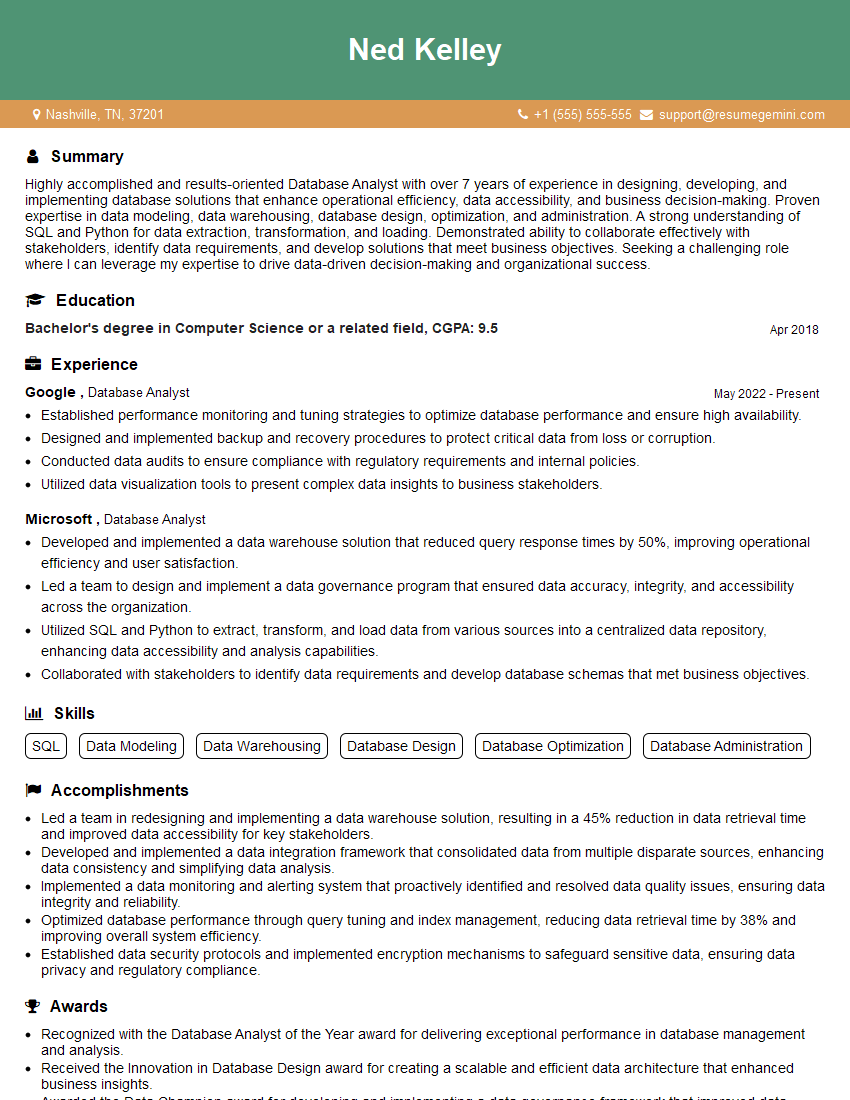
Database Analyst Resume Sample
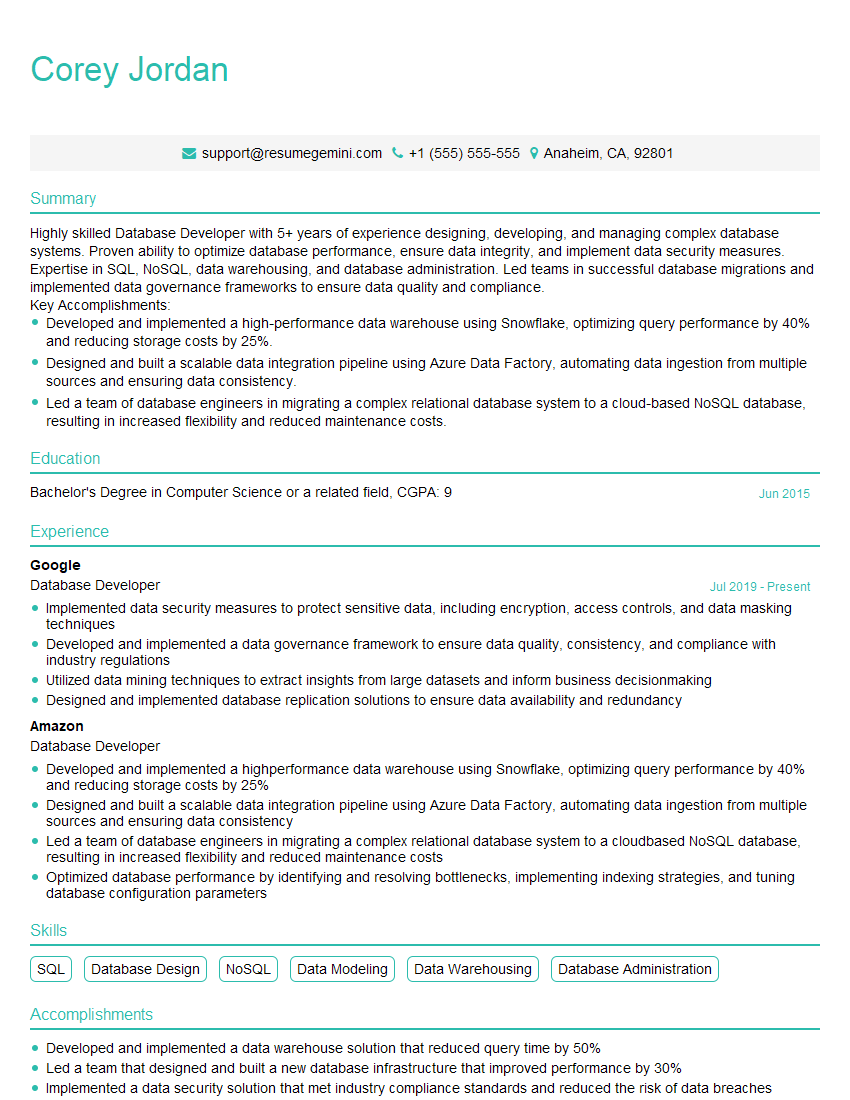
Database Developer Resume Sample
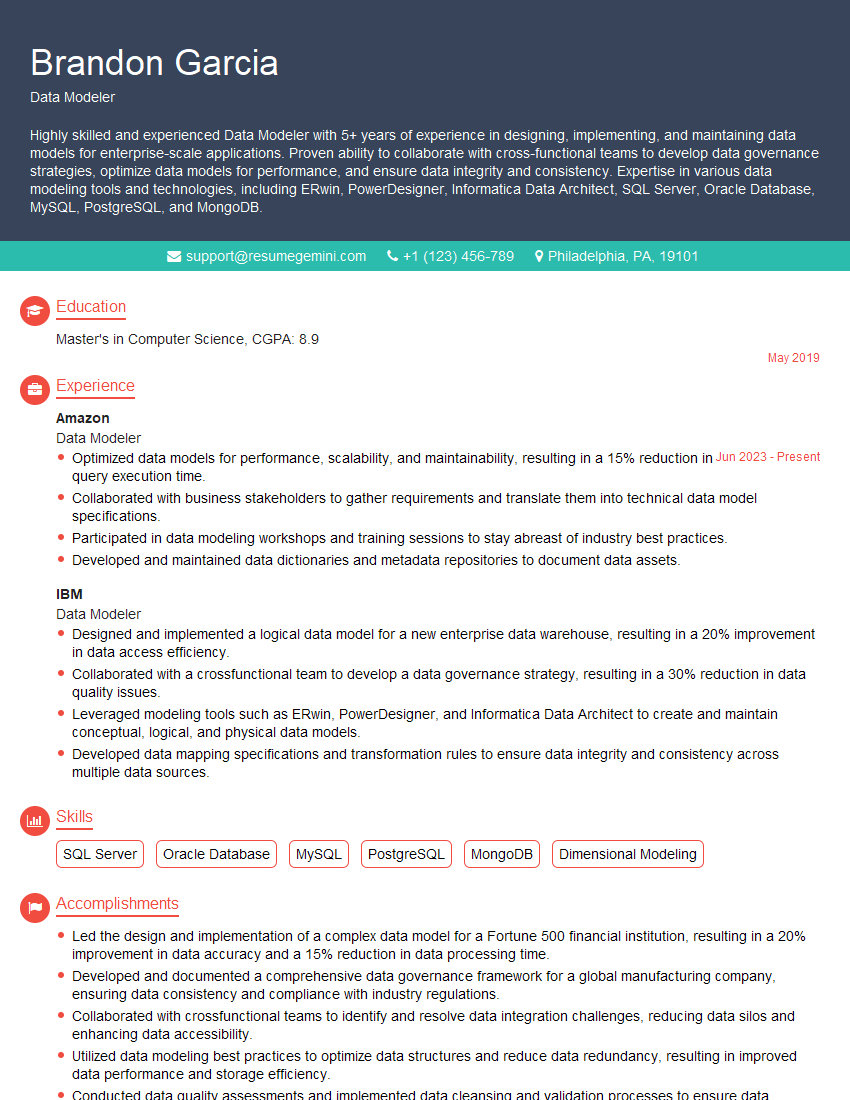
Data Modeler Resume Sample

Data Architect Resume Sample
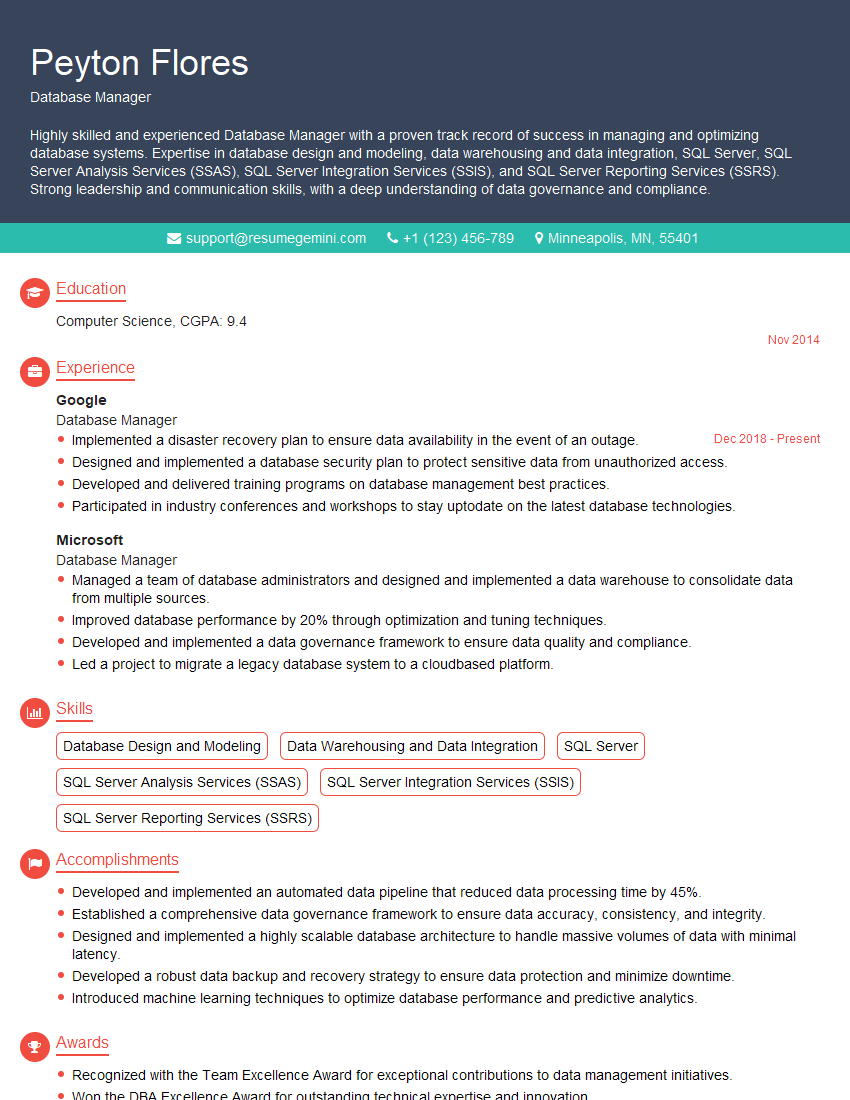
Database Manager Resume Sample

ETL Developer Resume Sample
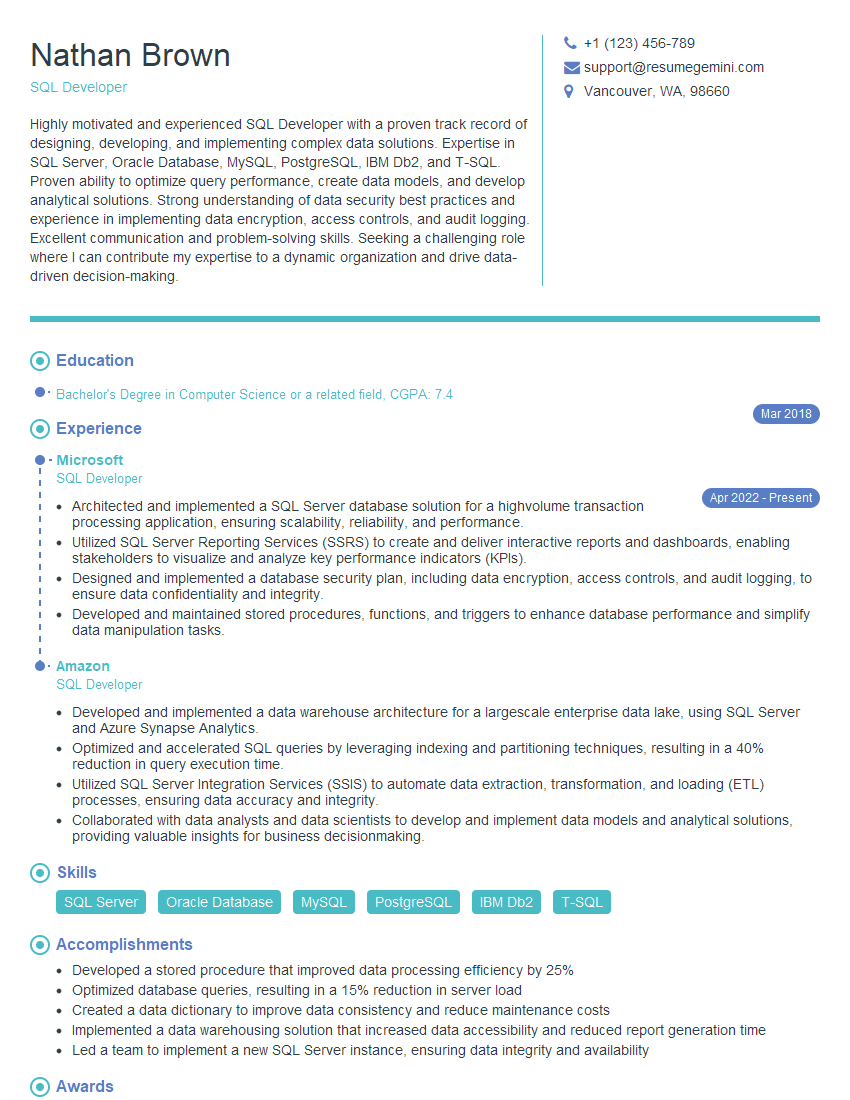
SQL Developer Resume Sample
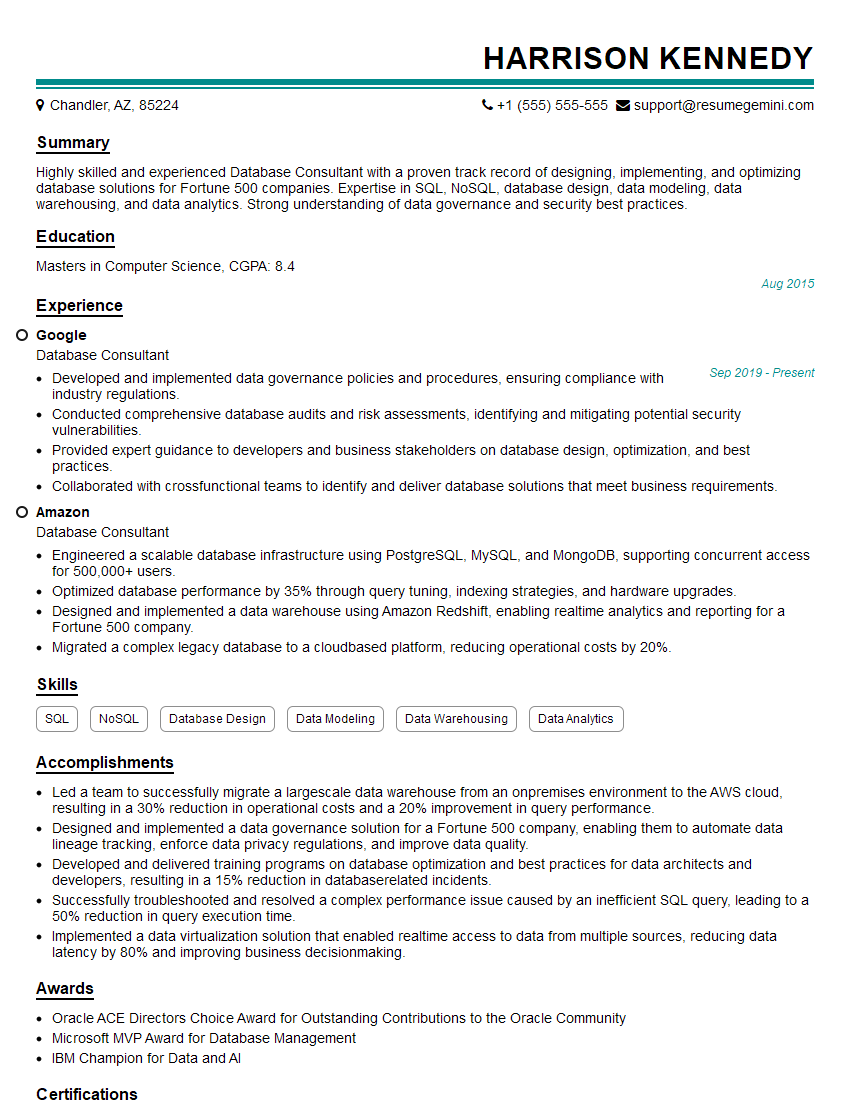
Database Consultant Resume Sample

Data Warehouse Developer Resume Sample

Business Intelligence Analyst Resume Sample
Explore more articles
Users Rating of Our Blogs
Share Your Experience
We value your feedback! Please rate our content and share your thoughts (optional).
What Readers Say About Our Blog
To the interviewgemini.com Webmaster.
Very helpful and content specific questions to help prepare me for my interview!
Thank you
To the interviewgemini.com Webmaster.
This was kind of a unique content I found around the specialized skills. Very helpful questions and good detailed answers.
Very Helpful blog, thank you Interviewgemini team.