Feeling uncertain about what to expect in your upcoming interview? We’ve got you covered! This blog highlights the most important Automation Technician Certification interview questions and provides actionable advice to help you stand out as the ideal candidate. Let’s pave the way for your success.
Questions Asked in Automation Technician Certification Interview
Q 1. Explain the difference between PLC and DCS systems.
PLCs (Programmable Logic Controllers) and DCSs (Distributed Control Systems) are both crucial in industrial automation, but they differ significantly in their architecture, application, and scale. Think of a PLC as the brain for a single machine or a small process, while a DCS is the brain for an entire plant or a very large and complex process.
- PLC: Primarily used for controlling smaller, discrete processes. They excel at handling on/off operations, logic-based control, and simple sequencing. Imagine a PLC controlling a single packaging machine on an assembly line – it manages the timing of the conveyor belts, sensors, and actuators to package the product correctly.
- DCS: Handles large-scale, continuous processes requiring precise control and sophisticated algorithms. They are often used in applications like refineries, chemical plants, and power generation where numerous interconnected loops and complex calculations are needed. Imagine a DCS controlling the temperature, pressure, and flow rates across an entire oil refinery – coordinating numerous PLCs and other devices to ensure smooth operation.
Key differences include: DCSs typically have redundancy built-in for higher reliability, are more scalable to handle vast amounts of data, and often utilize advanced control strategies like model predictive control (MPC) not typically found in PLCs. PLCs are generally simpler to program and less expensive for smaller applications.
Q 2. Describe your experience with ladder logic programming.
I have extensive experience with ladder logic programming, having used it for over eight years to program various PLC models from Allen-Bradley, Siemens, and Omron. I’m proficient in creating, debugging, and modifying ladder logic programs for diverse industrial applications. My experience encompasses everything from simple machine control to complex process automation scenarios.
For instance, I once developed a ladder logic program to optimize the timing of a robotic arm in a packaging facility. By carefully adjusting the timers and counters within the ladder logic, we managed to increase the packaging speed by 15% without compromising product quality. This involved careful consideration of safety interlocks and error handling routines within the program itself.
//Example Ladder Logic Snippet (Illustrative): //IF Input X1 IS ON THEN Output Y1 IS ON //IF Input X2 AND X3 ARE ON THEN Output Y2 IS ONI’m comfortable working with both simple and complex ladder logic programs, including those utilizing advanced functions like timers, counters, math functions, and data manipulation.
Q 3. How do you troubleshoot a malfunctioning PLC program?
Troubleshooting a malfunctioning PLC program requires a systematic approach. I typically follow these steps:
- Identify the problem: Carefully observe the machine’s behavior to pinpoint the exact malfunction. Is it a sensor issue, a faulty actuator, or a logic error in the program? Document all observations meticulously.
- Check the hardware: Ensure all wiring, sensors, actuators, and other hardware components are functioning correctly. Check for loose connections, damaged wiring, or faulty components. This often involves using multimeters and other diagnostic tools.
- Review the ladder logic program: Using the PLC programming software, examine the ladder logic for any errors or inconsistencies. I start by reviewing the section of code that directly relates to the malfunctioning part of the system. This may involve using the PLC’s built-in diagnostic tools to monitor the status of inputs, outputs, and internal variables.
- Use diagnostic tools: PLCs have internal diagnostic tools that provide valuable information about program execution and status of inputs/outputs. These tools can pinpoint areas of the program where errors occur. Force inputs or outputs to test specific parts of the program.
- Simulate the program: Some PLC programming software allows for program simulation. This helps in identifying errors without directly affecting the physical system.
- Implement the fix: Once the error is identified, modify the ladder logic program accordingly. Before deploying the changes to the live system, always back up the original program.
- Test and verify: After making changes, thoroughly test the program to ensure the problem is resolved and that no new issues have been introduced. This is often done in a test environment before deploying to production.
Q 4. What are the common communication protocols used in industrial automation?
Industrial automation relies on various communication protocols to exchange data between PLCs, sensors, actuators, SCADA systems, and other devices. The choice of protocol depends on factors like speed, distance, reliability, and cost.
- Profibus: A fieldbus protocol widely used in industrial automation for connecting various devices in a network. It’s known for its speed and reliability.
- Profinet: An Ethernet-based industrial networking standard that supports high-speed data transmission, real-time communication, and is widely used in process automation.
- Ethernet/IP: Another prominent Ethernet-based protocol developed by Rockwell Automation for connecting devices in industrial automation networks. It provides high bandwidth and robust performance.
- Modbus: A widely adopted serial communication protocol known for its simplicity and open standards. It is frequently found in legacy systems and is relatively inexpensive to implement.
- CANbus (Controller Area Network): Primarily used in automotive and industrial applications where real-time communication is critical; it’s robust and efficient.
In my experience, I’ve worked with all of these protocols in various projects, adapting my approach depending on the specific needs of each system. For example, in one project we used Profinet for its high-speed data transmission capabilities because it was crucial for efficient real-time control of a complex manufacturing process.
Q 5. Explain your experience with SCADA systems and HMI design.
I’ve worked extensively with SCADA (Supervisory Control and Data Acquisition) systems and HMI (Human-Machine Interface) design, integrating them into numerous automation projects. My experience includes designing, configuring, and maintaining SCADA systems using various software platforms such as Wonderware InTouch and Siemens WinCC.
HMI design is crucial for operator interaction and efficiency. I focus on creating intuitive and user-friendly interfaces that provide operators with clear, concise information and effective control over the process. This involves selecting the right graphics, alarms, and displays for optimal human-machine interaction. I typically utilize design principles that enhance human factors to ensure seamless interaction and reduce operational errors.
For instance, I designed an HMI for a water treatment plant that provided operators with a real-time overview of the entire process, including key parameters like flow rates, chemical levels, and water quality. This improved their ability to monitor and control the process, leading to increased efficiency and reduced downtime.
Q 6. Describe your experience with different types of sensors and actuators.
My experience encompasses a wide range of sensors and actuators commonly used in industrial automation. I’m familiar with their functionalities, limitations, and proper selection based on specific applications.
- Sensors: I have hands-on experience with various sensors, including proximity sensors (inductive, capacitive, photoelectric), temperature sensors (thermocouples, RTDs, thermistors), pressure sensors, flow sensors, and level sensors. I understand how to choose the right sensor based on factors like accuracy, response time, and environmental conditions.
- Actuators: My experience includes working with various actuators, such as pneumatic cylinders, hydraulic cylinders, electric motors (AC, DC, servo motors), and valves (solenoid valves, proportional valves). Understanding their characteristics and limitations is crucial for selecting the correct actuator for a particular application.
For example, in one project, I had to select the appropriate sensors and actuators for a robotic arm used in welding. This involved careful consideration of factors such as precision, speed, and durability, ultimately leading to the selection of servo motors for precise positioning and robust sensors for detecting weld quality.
Q 7. How do you ensure safety in an industrial automation environment?
Ensuring safety in an industrial automation environment is paramount. My approach incorporates multiple layers of safety measures, starting with design and extending to ongoing maintenance and training.
- Safe design practices: I follow stringent safety standards and guidelines during the design phase, including incorporating safety interlocks, emergency stop buttons, and light curtains to prevent accidents. Risk assessments are crucial at this stage.
- Hardware safety features: The selection and implementation of intrinsically safe equipment, proper grounding, and the use of protective devices like circuit breakers and fuses are all critical for minimizing electrical hazards.
- Software safety measures: Implementing proper error handling and fault detection routines in PLC programs is vital. Redundancy in critical systems can mitigate the impact of failures.
- Regular maintenance and inspection: Regular maintenance ensures that safety systems are functioning correctly. Inspections and testing of safety devices are performed according to a scheduled maintenance plan.
- Operator training: Comprehensive training programs for operators and maintenance personnel are crucial to promote safe operation and awareness of potential hazards.
- Lockout/Tagout procedures: Strict adherence to lockout/tagout (LOTO) procedures ensures that equipment is safely de-energized during maintenance to prevent accidents.
Safety is not an afterthought; it’s an integral part of every stage of my work in industrial automation.
Q 8. What are your experiences with preventive maintenance of automation equipment?
Preventive maintenance is crucial for ensuring the longevity and reliability of automation equipment. It involves regularly scheduled inspections, cleaning, lubrication, and minor repairs to prevent major breakdowns and costly downtime. My experience encompasses a wide range of activities, including:
- Regular inspections: Checking for loose connections, worn parts, leaks, and any signs of damage on robotic arms, PLC systems, sensors, and actuators. For instance, I routinely inspect the pneumatic lines on a robotic palletizer for leaks, ensuring efficient operation and preventing unexpected shutdowns.
- Lubrication: Applying appropriate lubricants to moving parts like bearings, gears, and shafts to reduce friction and wear. I meticulously follow manufacturer’s recommendations, choosing the right grease or oil for the specific component to avoid damaging seals or causing malfunctions.
- Cleaning: Removing dust, debris, and contaminants from equipment surfaces and internal components. This prevents electrical shorts, malfunctioning sensors, and reduced efficiency. For example, I’ve developed a cleaning procedure for a laser cutter involving specialized solvents and compressed air to maintain its precision and longevity.
- Calibration and Adjustment: Ensuring all sensors and actuators are properly calibrated and adjusted to maintain accuracy and precision. I routinely recalibrate the force sensors on a robotic assembly line to ensure consistent product quality.
- Part Replacement: Proactively replacing worn-out or damaged parts before they cause failure. This predictive approach minimizes the risk of unexpected downtime and costly repairs. I carefully track the service life of critical components to anticipate and schedule replacements effectively.
By diligently performing these tasks, I’ve significantly reduced equipment downtime and extended the operational life of automation systems in various industrial settings.
Q 9. Explain your troubleshooting methodology for complex automation systems.
My troubleshooting methodology for complex automation systems follows a systematic and structured approach. It’s akin to solving a detective mystery – we need to gather clues, analyze them, and formulate a solution. I typically follow these steps:
- Identify the Problem: Precisely define the issue. Is it a complete system failure, a sensor malfunction, or a process deviation? I document all observed symptoms and error codes.
- Gather Information: Collect data from various sources like PLC logs, sensor readings, HMI screens, and operator reports. For example, reviewing PLC logs helps me pinpoint the exact time of the failure and the sequence of events leading up to it.
- Isolate the Cause: Systematically check components to identify the root cause. This often involves using diagnostic tools, schematics, and ladder logic to track signals and identify faulty elements. If a robot is moving erratically, I might isolate the problem by checking its joint encoders, motor drivers, and communication links.
- Implement a Solution: Once the cause is identified, develop and implement a solution. This might involve replacing a faulty component, adjusting parameters, or rewriting a section of the PLC program. For example, a faulty sensor might require replacement, while a logic error in the PLC program requires a code correction.
- Verify and Test: Thoroughly test the implemented solution to ensure the problem is resolved. I closely monitor system performance and log the results to ensure the fix is effective and doesn’t introduce new problems.
- Document Findings: I meticulously document the entire troubleshooting process, including the problem, the steps taken, and the final solution. This documentation serves as a valuable reference for future troubleshooting and maintenance efforts.
This systematic approach ensures efficiency and prevents overlooking potential problems. It’s crucial in minimizing downtime and maintaining optimal system performance.
Q 10. Describe your experience with robotic systems, including programming and maintenance.
I have extensive experience with various robotic systems, including both their programming and maintenance. My experience covers several robot brands and architectures, including articulated robots, SCARA robots, and delta robots.
- Programming: I’m proficient in several robot programming languages, including RAPID (ABB), KRL (KUKA), and several proprietary languages. I’ve developed programs for various applications, including pick-and-place operations, welding, painting, and assembly. For instance, I recently programmed a collaborative robot (cobot) to assist human workers in a packaging line, using vision guided robotics to identify and pick up irregularly shaped items.
- Maintenance: My maintenance experience includes troubleshooting mechanical and electrical issues, performing periodic inspections, replacing worn components, and calibrating the robots’ sensors and actuators. I’m adept at diagnosing issues related to joint movement, end-of-arm tooling, and communication errors. For example, I recently solved an issue with a robot’s inaccurate positioning by recalibrating its encoders and fine-tuning the robot’s kinematic model.
- Safety: I understand and adhere to strict safety protocols when working with robotic systems, ensuring all necessary safety measures, such as light curtains and emergency stops, are in place and functional.
My experience ensures I can effectively program, maintain, and troubleshoot robotic systems to maximize their efficiency and safety.
Q 11. How familiar are you with different types of industrial networks (e.g., Ethernet/IP, Profibus)?
I’m familiar with a variety of industrial networks used in automation systems. Understanding these networks is critical for effective troubleshooting and system integration. My experience includes:
- Ethernet/IP: A common industrial Ethernet network used for communication between PLCs, I/O modules, and other devices. I understand its configuration, troubleshooting, and the use of CIP (Common Industrial Protocol) for data exchange. I’ve utilized Ethernet/IP for integrating robotic systems into larger production lines.
- Profibus: A fieldbus system widely used in industrial automation, particularly in Europe. I understand its different profiles (DP, PA, FMS) and their applications. I’ve worked with Profibus networks for connecting various sensors and actuators to PLCs.
- Profinet: Another popular industrial Ethernet network, known for its high speed and deterministic communication. I’ve worked with Profinet in high-speed applications, such as motion control systems.
- Modbus: A widely used serial communication protocol suitable for applications requiring simpler communication needs. I’ve successfully implemented Modbus communication for integrating older legacy devices with newer systems.
My knowledge of these protocols enables me to effectively design, integrate, and maintain various automation systems while ensuring seamless data flow between different components.
Q 12. What safety protocols are you familiar with (e.g., LOTO)?
Safety is paramount in industrial automation. I’m thoroughly familiar with various safety protocols, including:
- LOTO (Lockout/Tagout): This procedure is critical for preventing accidental energy release during maintenance or repairs. I’m trained in proper LOTO procedures and meticulously follow them to ensure worker safety. This includes properly locking out power sources, tagging equipment, and verifying the absence of energy before commencing work.
- Emergency Stop Procedures: I know how to identify and correctly use emergency stop buttons and switches, and I’m trained in responding to emergency situations involving automation equipment.
- Risk Assessments: I participate in risk assessments to identify potential hazards and implement appropriate safety measures. This includes understanding safety standards and regulations related to machinery safeguarding.
- Personal Protective Equipment (PPE): I always wear appropriate PPE, such as safety glasses, gloves, and hearing protection, when working with automation equipment. I understand the risks associated with various tasks and select the appropriate safety gear to mitigate those risks.
My commitment to safety ensures the well-being of myself and my colleagues while maintaining efficient and reliable automation systems.
Q 13. Describe your experience with data acquisition and analysis in automation systems.
Data acquisition and analysis are crucial for optimizing automation systems. My experience includes:
- Data Acquisition: I use various methods to collect data from automation systems, including PLCs, sensors, and other devices. This often involves using specialized software and hardware to log data from multiple sources simultaneously. For example, I’ve set up data acquisition systems to monitor production parameters like speed, temperature, and pressure in real-time.
- Data Analysis: I analyze collected data using various tools and techniques to identify trends, anomalies, and areas for improvement. I utilize statistical methods and data visualization tools to identify bottlenecks, predict potential failures, and optimize system performance. For example, I’ve used historical data to identify patterns in equipment failures, leading to predictive maintenance strategies and reduced downtime.
- Reporting: I create reports based on the analyzed data to communicate findings and recommendations to stakeholders. These reports help to inform decisions related to equipment upgrades, process optimization, and overall system improvements.
By effectively acquiring, analyzing, and reporting data, I contribute to significant improvements in automation system efficiency, reliability, and overall productivity.
Q 14. How do you handle emergency situations involving automation equipment?
Handling emergency situations involving automation equipment requires quick thinking and decisive action. My approach emphasizes safety and damage control:
- Prioritize Safety: My immediate priority is to ensure the safety of myself and others. This involves activating emergency stop buttons, evacuating the area if necessary, and contacting emergency services if required.
- Assess the Situation: Once the immediate danger is mitigated, I assess the situation to determine the extent of the problem. This includes identifying the source of the emergency and its potential impact.
- Take Corrective Action: Depending on the nature of the emergency, I take appropriate corrective action. This might involve isolating the faulty equipment, attempting to safely restart the system, or initiating a shutdown procedure according to established safety protocols.
- Document the Event: I meticulously document the details of the emergency situation, including the time, location, cause, and corrective actions taken. This documentation is vital for future incident investigation and preventing similar occurrences.
- Post-Incident Analysis: Following the emergency, I participate in a post-incident analysis to identify the root cause of the event and recommend preventative measures to mitigate the risk of similar incidents in the future.
My experience in handling various emergency scenarios has equipped me with the knowledge and skills to respond effectively, prioritizing safety while minimizing downtime and damage.
Q 15. What is your experience with HMI programming and configuration?
HMI programming and configuration are crucial for creating user-friendly interfaces for interacting with automation systems. My experience spans several HMI platforms, including Rockwell FactoryTalk View, Siemens WinCC, and Schneider Electric Vijeo Designer. I’m proficient in designing intuitive screens displaying real-time process data, creating alarm management systems, and implementing user controls for various automated processes. For example, in a recent project involving a bottling plant, I configured an HMI to display fill levels, pressure readings, and bottle count, allowing operators to monitor the entire process and respond to alarms efficiently. I also have experience with scripting within HMIs, using languages like VBA or IEC 61131-3 structured text to automate tasks like data logging or creating custom reports. This allows for more flexibility and advanced functionalities within the HMI beyond basic visualization.
Career Expert Tips:
- Ace those interviews! Prepare effectively by reviewing the Top 50 Most Common Interview Questions on ResumeGemini.
- Navigate your job search with confidence! Explore a wide range of Career Tips on ResumeGemini. Learn about common challenges and recommendations to overcome them.
- Craft the perfect resume! Master the Art of Resume Writing with ResumeGemini’s guide. Showcase your unique qualifications and achievements effectively.
- Don’t miss out on holiday savings! Build your dream resume with ResumeGemini’s ATS optimized templates.
Q 16. Explain your understanding of PID controllers and their tuning.
PID controllers are fundamental in industrial automation for regulating process variables like temperature, pressure, or flow rate. They use a proportional, integral, and derivative control algorithm to minimize the error between a setpoint and the actual process value. Understanding PID tuning is crucial for achieving optimal control performance. Imagine trying to fill a cup with water – a purely proportional controller might overshoot, a purely integral controller might be too slow, and a purely derivative controller might oscillate wildly. A well-tuned PID controller balances these three actions. I have experience using various tuning methods, including Ziegler-Nichols and auto-tuning features in PLCs. For instance, while working on a chemical reactor project, I used the auto-tuning feature on a PLC to optimize the PID controller responsible for maintaining the reactor temperature. The result was a stable and efficient process with minimal overshoot and settling time. Understanding the effects of each PID term (Kp, Ki, Kd) and how to adjust them based on process dynamics is critical for successful implementation.
Q 17. Describe your experience with different types of motor drives (e.g., VFDs).
My experience with motor drives, primarily Variable Frequency Drives (VFDs), is extensive. I’ve worked with various brands and types, including ABB, Siemens, and Rockwell Automation drives, across different applications. I’m comfortable with both configuring basic parameters like motor type, speed range, and acceleration/deceleration ramps, and implementing advanced functionalities such as vector control for precise torque control or sensorless vector control for applications where encoders might not be available. In a recent project involving conveyor systems, I used VFDs to precisely control the speed of multiple conveyor belts based on product demand, significantly improving efficiency and reducing product damage. I’ve also troubleshot various VFD issues, such as communication errors, overcurrent protection trips, and parameter misconfigurations, using both diagnostic tools embedded within the drives and external test equipment.
Q 18. How familiar are you with industrial communication protocols like Modbus?
I am highly familiar with Modbus, a widely used industrial communication protocol. My experience includes configuring Modbus RTU and Modbus TCP communication between various devices, including PLCs, HMIs, and other field devices. This involves setting up communication parameters such as baud rates, parity bits, and communication addresses. I’ve used Modbus to integrate different automation components into a cohesive system. For example, I utilized Modbus TCP to connect several PLCs across a network, allowing them to share data and coordinate actions. Understanding Modbus addressing and data types is crucial for successful implementation, and I’m adept at troubleshooting communication problems using diagnostic tools to pinpoint issues like cabling faults or incorrect addressing.
Q 19. Explain your experience with Programmable Logic Controllers (PLCs) from different manufacturers.
I have hands-on experience with PLCs from several manufacturers, including Allen-Bradley (Rockwell Automation), Siemens, and Mitsubishi. This includes programming using various programming languages like ladder logic, structured text, and function block diagrams. My experience encompasses a range of PLC applications, from simple machine control to complex process automation systems. While the programming languages and hardware may differ, the underlying principles remain the same. For instance, I’ve implemented safety circuits using different manufacturers’ PLCs, understanding how to configure safety relays and meet specific safety standards like IEC 61131-3. The ability to adapt to different PLC platforms is critical in my role, and I find this diversity enhances my problem-solving skills and ability to select the best solution for each application.
Q 20. How do you document your work and troubleshooting procedures?
Thorough documentation is essential for maintainability and troubleshooting. My documentation practices include creating detailed program comments within the PLC code, generating comprehensive wiring diagrams, and maintaining meticulous records of troubleshooting steps and solutions. I use a combination of electronic and paper-based methods, utilizing software such as Rockwell Automation’s FactoryTalk Asset Centre for storing and managing project documentation. In addition to technical documentation, I create user manuals and training materials to assist operators in safely and effectively utilizing the automated systems. Clear and concise documentation ensures efficient collaboration within a team and smooth handover to maintenance personnel.
Q 21. Describe your experience with using diagnostic tools for automation systems.
I’m proficient in using various diagnostic tools for automation systems. This includes utilizing PLC programming software for monitoring real-time data, analyzing program execution, and identifying faulty logic. I also use specialized tools such as oscilloscopes, multimeters, and communication testers to diagnose hardware issues and network problems. For example, I recently used an oscilloscope to troubleshoot a faulty signal in a high-speed control loop, isolating the problem to a faulty wiring connection. My ability to systematically apply diagnostic tools to isolate and resolve issues quickly is a critical skill that minimizes downtime and ensures efficient system operation. My approach to troubleshooting is methodical and systematic, beginning with a thorough analysis of the problem, followed by a step-by-step investigation to pinpoint the root cause.
Q 22. What is your experience with commissioning and startup of automation systems?
Commissioning and startup of automation systems is a critical phase where I ensure the seamless integration and operation of newly installed or upgraded systems. It involves a systematic process of testing, verifying, and validating all aspects of the system, from individual components to the entire integrated process. My experience encompasses this entire lifecycle.
For example, in a recent project involving a new packaging line, I was responsible for verifying the PLC program, configuring the HMI (Human Machine Interface), performing safety checks, calibrating sensors and actuators, and finally running test production runs to ensure performance met specifications. I meticulously document every step of the process, including any deviations and corrective actions. This ensures traceability and facilitates troubleshooting later on. This systematic approach minimizes downtime and ensures smooth transition to full operation.
- Verification: Testing individual components and modules to ensure they function according to specifications.
- Validation: Testing the entire system as a whole to confirm that it meets the overall project requirements and performs as expected.
- Documentation: Meticulously recording all test results, configurations, and any modifications made during the process.
Q 23. How do you stay updated with the latest advancements in automation technology?
The field of automation technology is constantly evolving, so continuous learning is vital. I employ several strategies to stay updated:
- Industry Publications and Journals: I regularly read trade publications like Control Engineering and Automation World to stay abreast of new technologies, trends, and best practices.
- Webinars and Online Courses: Many reputable organizations offer webinars and online courses covering various aspects of automation. I actively participate in these sessions to enhance my knowledge in specific areas.
- Manufacturer Training and Certifications: I actively participate in training provided by manufacturers of the equipment I work with – this helps to gain in-depth knowledge of specific products and their functionalities.
- Networking and Conferences: Attending industry conferences and networking events enables me to learn from experts and discuss real-world challenges with peers.
- Professional Organizations: Membership in professional organizations such as ISA (International Society of Automation) provides access to resources, training opportunities, and industry news.
By combining these methods, I ensure I remain proficient in the latest automation technologies and techniques.
Q 24. Describe a time you had to solve a challenging automation problem. What was your approach?
During the startup of a high-speed bottling line, we experienced intermittent stoppages due to a seemingly random error in the PLC program. The error message was vague, and initial troubleshooting yielded no clear cause. My approach was systematic:
- Data Analysis: I meticulously reviewed the PLC logs, looking for patterns or correlations between the errors and system variables.
- Simulation: I created a simulation of the system in the PLC programming software to reproduce the error. This helped isolate the problematic section of code.
- Code Review: I carefully reviewed the code, paying close attention to timing loops and inter-module communication. I found a race condition where two parts of the code were attempting to access and modify the same variable simultaneously.
- Solution Implementation: I implemented a solution by adding synchronization mechanisms (using semaphores) to prevent the race condition.
- Testing and Verification: After implementing the fix, I thoroughly tested the system under various conditions to confirm the problem was resolved. Extensive testing and validation were crucial for confidence in the solution.
This experience highlighted the importance of methodical troubleshooting, data analysis, and leveraging simulation tools in resolving complex automation problems.
Q 25. What are your strengths and weaknesses as an automation technician?
My strengths include a strong analytical approach to problem-solving, a commitment to continuous learning, and excellent communication skills. I am adept at understanding complex systems quickly and troubleshooting effectively. I also value teamwork and collaboration.
A weakness I’m working on is delegating tasks. I often tend to handle everything myself, which can be inefficient in larger projects. I am actively addressing this by focusing on better planning and prioritizing tasks, and entrusting others with appropriate responsibilities. I am confident this will improve my overall project management skills.
Q 26. What are your salary expectations?
My salary expectations are in line with the market rate for an experienced automation technician with my skills and experience in this region. I am open to discussing this further once I have a better understanding of the full scope of responsibilities and benefits package offered.
Q 27. Why are you interested in this specific automation technician position?
I am particularly interested in this position because of [Company Name]’s reputation for innovation in the automation field and its commitment to [mention specific company values or projects that appeal to you]. The opportunity to work on projects involving [mention specific technologies or industries] aligns perfectly with my skills and career goals. I am also excited about the prospect of contributing to a team with such a strong track record of success.
Q 28. Where do you see yourself in five years?
In five years, I see myself as a highly skilled and respected senior automation technician, potentially leading projects and mentoring junior colleagues. I aim to broaden my expertise in [mention specific area, e.g., advanced control systems, robotics, or specific industry] and take on more challenging assignments. I am also interested in exploring opportunities for professional development, such as pursuing advanced certifications or a leadership role within the organization.
Key Topics to Learn for Automation Technician Certification Interview
- PLC Programming: Understand ladder logic, function blocks, and various PLC programming languages (e.g., Allen-Bradley, Siemens). Practical application: Troubleshooting PLC code to identify and resolve errors in automated systems.
- Industrial Networking: Mastering communication protocols like Ethernet/IP, Profinet, and Modbus. Practical application: Configuring and troubleshooting industrial networks for efficient data transfer between devices.
- Robotics and Automation Systems: Gain a solid understanding of robotic systems, their components, and integration with other automation technologies. Practical application: Programming and maintaining robotic arms in manufacturing or logistics settings.
- Sensors and Actuators: Learn about various sensor types (e.g., proximity, photoelectric, pressure) and their applications in automation. Practical application: Selecting and installing appropriate sensors and actuators for a specific automation task.
- Safety and Standards: Familiarize yourself with relevant safety regulations and industry standards (e.g., OSHA, IEC). Practical application: Implementing safety measures to prevent accidents and ensure compliance.
- Troubleshooting and Diagnostics: Develop strong analytical and problem-solving skills to efficiently diagnose and fix issues in automated systems. Practical application: Utilizing diagnostic tools and techniques to identify the root cause of malfunctions.
- Preventive Maintenance: Understand the importance of routine maintenance and its impact on system uptime. Practical application: Developing and implementing preventative maintenance schedules for automated equipment.
- Human-Machine Interface (HMI): Learn how to design, configure, and troubleshoot HMIs for effective operator interaction. Practical application: Creating user-friendly interfaces for monitoring and controlling automated processes.
Next Steps
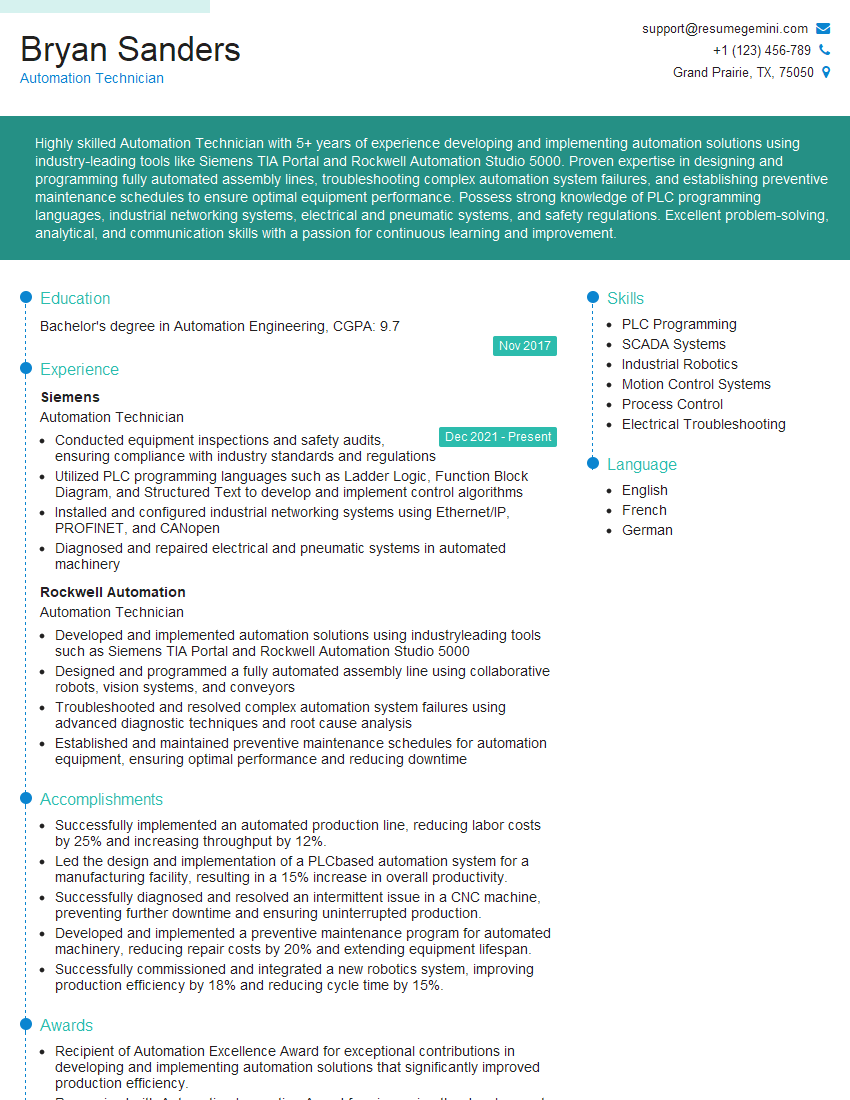
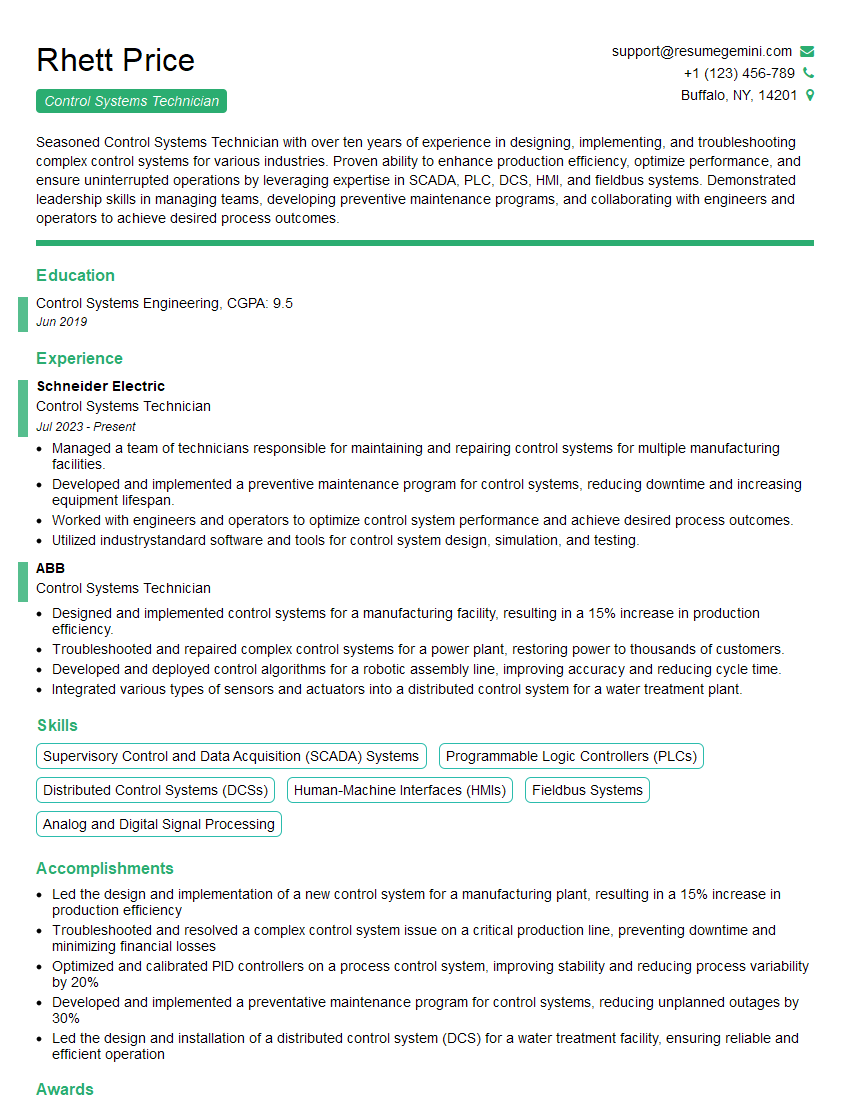
Mastering Automation Technician Certification significantly enhances your career prospects, opening doors to higher-paying roles and increased job security within the rapidly growing automation industry. To maximize your chances of landing your dream job, creating an ATS-friendly resume is crucial. This ensures your qualifications are effectively highlighted to recruiters and applicant tracking systems. We highly recommend using ResumeGemini to build a professional and impactful resume. ResumeGemini offers a streamlined process and provides examples of resumes tailored specifically to the Automation Technician Certification, helping you present your skills and experience in the best possible light.




Explore more articles
Users Rating of Our Blogs
Share Your Experience
We value your feedback! Please rate our content and share your thoughts (optional).
What Readers Say About Our Blog
To the interviewgemini.com Webmaster.
Very helpful and content specific questions to help prepare me for my interview!
Thank you
To the interviewgemini.com Webmaster.
This was kind of a unique content I found around the specialized skills. Very helpful questions and good detailed answers.
Very Helpful blog, thank you Interviewgemini team.