Are you ready to stand out in your next interview? Understanding and preparing for PLC Programming (Siemens, Allen-Bradley, Rockwell) interview questions is a game-changer. In this blog, we’ve compiled key questions and expert advice to help you showcase your skills with confidence and precision. Let’s get started on your journey to acing the interview.
Questions Asked in PLC Programming (Siemens, Allen-Bradley, Rockwell) Interview
Q 1. Explain the difference between a PLC and a PAC.
While both PLCs (Programmable Logic Controllers) and PACs (Programmable Automation Controllers) are used for industrial automation, they differ significantly in their capabilities and applications. Think of a PLC as a specialized muscle car – highly efficient at its core function (controlling logic and simple I/O), while a PAC is more like a luxury SUV – a more powerful, versatile system that can handle a broader range of tasks.
PLCs excel at discrete control tasks, like controlling machinery on an assembly line. They are optimized for high-speed input/output operations and are generally more rugged and designed for harsh industrial environments. They typically use ladder logic and have limited processing power for advanced functions.
PACs, on the other hand, integrate PLC functionality with advanced capabilities like motion control, process control, and sophisticated data handling. They are often used in more complex applications requiring greater computing power and advanced software tools such as high-level programming languages (C++, etc.). They provide a more integrated solution for managing an entire automation system.
In essence, the key difference lies in processing power and integrated functionality. PLCs focus on logic control, while PACs combine logic control with advanced capabilities in a single, unified platform.
Q 2. Describe your experience with ladder logic programming.
I have extensive experience with ladder logic programming across Siemens TIA Portal, Allen-Bradley RSLogix 5000, and Rockwell Automation Studio 5000 platforms. I’ve used it to design and implement control systems for diverse applications, from automated packaging lines to complex robotics systems. I’m comfortable working with both simple and intricate ladder logic programs, incorporating timers, counters, and various data manipulation instructions. For example, in a recent project using Allen-Bradley, I developed a ladder logic program to manage the synchronization of multiple conveyor belts, incorporating safety interlocks and error handling routines. I also regularly leverage structured text and function blocks for complex logic, improving program maintainability and readability.
My proficiency extends to optimizing ladder logic for efficiency and performance, utilizing techniques like code modularization, proper use of data types, and strategic use of data tables. For instance, I replaced a lengthy, inefficient ladder logic sequence with a well-structured function block, dramatically reducing execution time and improving overall system responsiveness.
Q 3. How do you troubleshoot a PLC program?
Troubleshooting a PLC program involves a systematic approach. My strategy typically follows these steps:
- Identify the symptom: Pinpoint the exact issue; is it a malfunctioning output, an unexpected value, or a complete system failure?
- Review the program: Examine the relevant sections of the ladder logic, looking for obvious errors in logic or incorrect configuration. I often use the PLC’s diagnostic tools to identify faults within the program.
- Check the I/O: Verify that all inputs and outputs are functioning correctly. This might involve checking wiring, sensors, and actuators. I’ll utilize multimeter and other test equipment here.
- Examine the hardware: Ensure that the PLC hardware, power supply, and communication network are all functioning properly. Replace faulty hardware components if required.
- Use monitoring tools: Employ the PLC’s online monitoring capabilities to observe the status of variables and signals in real-time. This allows for identifying unexpected conditions or inconsistencies.
- Simulate the problem: If the issue is intermittent or difficult to reproduce, I might use a PLC simulation environment to recreate the conditions that lead to the failure, helping isolate the root cause. This is particularly useful when working with complex programs.
- Consult documentation: Refer to the PLC’s manuals and technical documentation for any troubleshooting tips or known issues.
Throughout the process, meticulous record-keeping is crucial. Documenting each step and its results helps track progress and facilitates future troubleshooting.
Q 4. What are the different types of PLC addressing modes?
PLC addressing modes vary across manufacturers, but common types include:
- Symbolic Addressing: This uses meaningful names (e.g., `Motor_Start`, `Sensor_1`) for variables and I/O points, enhancing program readability and maintainability. This is the preferred method for larger projects.
- Numeric Addressing: This uses numerical addresses (e.g., I:0.0/0, O:2/3) directly referencing the PLC’s input/output modules. It’s generally used for lower-level programming or troubleshooting.
- Data Table Addressing: These are arrays of data, often used for storing large sets of data, enabling efficient data access and management. Access is done through an index or offset.
- Indirect Addressing: This allows dynamic access to memory locations, using the value of another variable to specify the memory location to be accessed. This is particularly helpful for creating flexible and reusable code.
For example, in Allen-Bradley, I:1/0 refers to the first bit of the first input module, whereas in Siemens, you might use a symbol like `%IX0.0`. Choosing the right addressing mode is critical for both program clarity and efficiency.
Q 5. Explain the function of timers and counters in PLC programming.
Timers and counters are essential elements in PLC programming, used for timing events and counting occurrences.
Timers measure elapsed time. Common types include:
- ON-Delay Timer: Turns ON after a specified time delay from the input becoming TRUE.
- OFF-Delay Timer: Turns OFF after a specified time delay from the input becoming FALSE.
- Retentive Timer: Remembers its accumulated time even if the input goes FALSE.
Example: An ON-delay timer might be used to activate a motor after a 5-second delay to ensure the system is fully initialized.
Counters count events or pulses. Types include:
- Up Counter: Increments with each pulse.
- Down Counter: Decrements with each pulse.
- Up/Down Counter: Increments or decrements based on the input signal.
Example: A counter might track the number of parts passing through a conveyor belt to trigger actions like batching or quality checks.
Effective use of timers and counters is crucial for creating robust and responsive automation systems.
Q 6. How do you handle data logging in a PLC?
Data logging in a PLC involves systematically recording data from the PLC’s variables and system parameters over time. This data is crucial for monitoring system performance, analyzing production trends, troubleshooting issues, and generating reports.
Methods for handling data logging include:
- Internal PLC Logging: Many PLCs have built-in logging capabilities, allowing you to specify variables to be recorded and the logging interval. This logged data can later be retrieved via communication protocols like Ethernet/IP or Profinet.
- External Data Logging System: More sophisticated systems might use a dedicated data acquisition (DAQ) system or a historian server to collect data from the PLC. This approach allows for more extensive data storage and analysis capabilities, handling larger data volumes and complex data structures.
- Database Integration: The logged data can be directly written to a database (e.g., SQL, MySQL) for easy storage, retrieval, and analysis using database management tools. This approach is advantageous when needing sophisticated querying and reporting.
- File System Logging: The PLC can log data to a local file system, which is then accessed for post-processing. However, this method might have limitations in terms of data volume and accessibility.
Data logging strategy depends upon the complexity of the application, the volume of data, and the requirements for data analysis. Often a combination of techniques is employed for optimal management.
Q 7. Describe your experience with HMI programming (e.g., PanelView, WinCC).
I have significant experience with HMI (Human-Machine Interface) programming using both PanelView (Allen-Bradley) and WinCC (Siemens). I’m proficient in designing and developing intuitive and user-friendly interfaces for various industrial applications.
PanelView experience includes creating and configuring screens for data visualization, alarm management, operator control, and recipe management. I’ve used various PanelView components, including graphic objects, trend displays, and custom scripts to create dynamic and informative operator interfaces. I’ve worked extensively with the PanelView Plus and PanelView SE platforms.
WinCC experience involves configuring and creating HMIs using the engineering software, developing and managing the alarm lists, and connecting to various PLCs using different communication protocols such as Profinet and Ethernet/IP. This includes designing custom screens, using scripting to enhance functionality and incorporating advanced features like web servers and remote access.
My HMI development emphasizes user experience and efficiency. I focus on creating clear, concise displays that provide operators with the essential information they need to monitor and control the process effectively. For instance, I’ve implemented color-coded alarm indicators to immediately highlight critical system events, and I’ve streamlined navigation to reduce operator confusion.
Q 8. What is the purpose of a PLC’s scan cycle?
The PLC’s scan cycle is the heart of its operation. Think of it as a continuous loop where the PLC systematically reads input signals, processes its program logic based on those inputs, and then writes the resulting output signals. This cycle repeats continuously, typically multiple times per second, allowing the PLC to react to changing conditions in real-time.
Let’s break it down: First, the PLC reads the state of all input devices – sensors, switches, buttons, etc. Then, it executes the user program, step-by-step, evaluating conditions and determining outputs. Finally, it updates the output devices – motors, valves, lights – based on the results of the program execution. The entire process takes a small but measurable amount of time, which is the scan time. A shorter scan time means faster response to changes, but it also increases the processing load on the PLC.
For example, imagine a conveyor belt controlled by a PLC. During the scan cycle, the PLC reads the sensor detecting a part’s presence. If a part is present (input = TRUE), the program logic activates the conveyor motor (output = TRUE). If no part is detected (input = FALSE), the motor remains off (output = FALSE). This happens repeatedly during each scan cycle, ensuring smooth conveyor operation.
Q 9. Explain different types of PLC communication protocols (e.g., Ethernet/IP, Profinet).
PLCs employ various communication protocols to interact with other devices and systems. The choice of protocol depends on factors like speed, distance, network topology, and the specific requirements of the application.
- Ethernet/IP (CIP): This is a widely used industrial Ethernet protocol by Allen-Bradley. It’s known for its robust performance and ability to handle various data types, including I/O data, configuration parameters, and complex control information. It allows for high-speed communication and supports various topologies, including line, star, and ring. Think of it as a high-speed expressway for industrial communication.
- Profinet: A popular protocol developed by Siemens, Profinet is also an Ethernet-based protocol that provides deterministic communication, crucial for real-time applications. Its features include high availability and redundancy capabilities, making it suitable for demanding industrial environments. It offers different modes of communication (isochronous, acyclic, cyclic) to cater to specific needs, allowing for both high-speed data transfer and precise timing.
- Modbus TCP/RTU: This is an older but still widely used protocol known for its simplicity and open standard nature. Modbus TCP uses Ethernet, while Modbus RTU uses serial communication. It’s often preferred for simple applications where interoperability between different vendor’s equipment is crucial.
In my experience, selecting the appropriate communication protocol is critical. A wrong choice can lead to system bottlenecks, communication failures, and even safety risks. A well-designed communication strategy enhances system efficiency, scalability, and maintainability.
Q 10. How do you handle alarms and error conditions in a PLC program?
Handling alarms and error conditions is paramount for ensuring safe and reliable PLC operation. A robust alarm and error-handling system informs operators of potential problems and prevents malfunctions from escalating into larger issues. We typically use a combination of approaches:
- Alarm Flags/Bits: Dedicated bits or words are set within the PLC program to indicate specific alarm conditions. This could be a sensor failure, high temperature, or exceeding a process limit.
- Error Codes: More complex error situations often use numerical error codes that provide more information about the nature of the problem. These codes are often linked to diagnostic messages.
- Alarm Logging: A logging system within the PLC or a connected HMI (Human Machine Interface) records timestamps, severity levels, and descriptions of the occurred errors and their source. This enables detailed post-event analysis.
- Operator Notification: Alarms are communicated to operators through various means, such as audible and visual alarms on the HMI, emails, or even SMS alerts for critical failures.
- Safety Shutdown Procedures: In critical applications, alarms trigger predefined safety shutdown procedures to mitigate risks associated with equipment failures. For instance, an emergency stop could activate if a safety sensor fails or the temperature exceeds a critical threshold.
Consider a bottling plant: If a bottle breaks, a sensor detects it. The PLC sets an alarm flag, logs the event, shuts down the filler, and alerts the operator via the HMI. The alarm history helps identify recurring issues, potentially pointing to a mechanical defect in the filling mechanism.
Q 11. Describe your experience with safety PLCs and safety standards.
I have extensive experience working with safety PLCs and implementing safety standards, primarily focusing on IEC 61131-3, IEC 61508, and related standards. Safety PLCs are designed to meet stringent safety requirements to prevent hazardous situations. They often incorporate features like redundant hardware, independent safety circuits, and diagnostics to ensure high reliability and fail-safe operation.
In my projects, I’ve utilized safety PLCs to control critical machinery in applications like robotics, automated guided vehicles (AGVs), and high-speed packaging lines. Key aspects I’ve focused on include:
- Safety Function Design: Developing safety functions and algorithms that meet the required performance level (PLr) as per risk assessment.
- Safety PLC Programming: Utilizing specialized safety programming languages and techniques to ensure deterministic and predictable behavior. This often involves structured programming and avoiding complex, potentially unpredictable code segments.
- Safety Circuit Design: Ensuring proper wiring and configuration of safety circuits, including emergency stops, light curtains, and pressure sensors.
- Testing and Validation: Implementing rigorous testing procedures, including functional safety testing, to verify the correct functioning of the safety system and to guarantee that the defined performance level is met.
- Documentation: Creating complete documentation that includes safety requirements, design specifications, and test results to comply with relevant standards.
I’ve worked on projects requiring safety integrity levels (SIL) up to SIL 3, demanding meticulous attention to detail and a thorough understanding of safety standards. My experience encompasses both the hardware and software aspects of safety systems, which are crucial for building safe and reliable industrial automation solutions.
Q 12. How do you implement PID control loops in a PLC?
PID (Proportional-Integral-Derivative) control is a widely used control algorithm for regulating process variables in industrial automation. PLCs offer excellent support for implementing PID control loops, enabling precise control of temperature, pressure, flow, and other process parameters.
A PID loop consists of three components:
- Proportional (P): The proportional term reacts to the current error (difference between the setpoint and the measured value). A larger error results in a larger corrective action.
- Integral (I): The integral term accounts for the accumulated error over time. It helps eliminate steady-state errors and ensures that the process variable reaches the setpoint, even if there’s a persistent offset.
- Derivative (D): The derivative term anticipates future changes in the error based on its rate of change. It helps to dampen oscillations and improve the speed of response.
In a PLC, a PID loop is often implemented using function blocks. These blocks usually take the setpoint, measured value, and tuning parameters (Kp, Ki, Kd) as inputs and output a control signal. The tuning parameters are crucial and need to be carefully adjusted to achieve optimal performance. The tuning process may involve methods such as Ziegler-Nichols or trial and error, adjusting the parameters to achieve a balance between speed of response, overshoot, and stability.
For instance, in a temperature control application, the PID loop in the PLC continuously monitors the temperature, calculates the error, and adjusts the heating element or cooling system to maintain the desired temperature. The I term corrects for drift, and the D term prevents overshooting the target.
Example (pseudo-code):
 ControlSignal := Kp * Error + Ki * Integral_of_Error + Kd * Derivative_of_Error;
Q 13. What is your experience with PLC programming software (e.g., TIA Portal, RSLogix 5000)?
I’m proficient in several PLC programming software packages. My experience includes:
- TIA Portal (Siemens): I’ve extensively used TIA Portal for programming Siemens PLCs, leveraging its integrated engineering environment for programming, configuring hardware, and commissioning projects. I’m familiar with various programming languages supported by TIA Portal (LAD, FBD, STL, SCL).
- RSLogix 5000 (Allen-Bradley/Rockwell Automation): I’ve worked extensively with RSLogix 5000 for developing applications on Allen-Bradley PLCs (ControlLogix, CompactLogix). I’m comfortable using ladder logic (LD), structured text (ST), and function block diagram (FBD) in this environment.
- RSLogix 500 (Allen-Bradley/Rockwell Automation): I have experience with RSLogix 500, particularly for smaller PLC applications using the SLC 500 series. This includes designing and implementing various control strategies, utilizing internal timers and counters, and managing digital and analog I/O.
Beyond the software itself, I’m adept at utilizing the debugging and diagnostic tools within these platforms to efficiently troubleshoot and optimize PLC programs. My experience covers creating structured and well-documented code, employing best practices for efficient program execution and maintainability. I also understand version control and backup procedures to ensure project integrity.
Q 14. Explain the concept of interrupt handling in a PLC.
Interrupt handling allows a PLC to respond to high-priority events asynchronously, without interrupting the regular scan cycle. Think of it as a ‘phone call’ interrupting your regular workflow. The PLC will briefly pause its normal scan cycle to handle the urgent request, and then resume its normal operation.
Interrupts are triggered by external events, such as high-speed counters, sensor signals indicating a critical event, or communication errors. When an interrupt occurs, the PLC immediately executes a dedicated interrupt service routine (ISR). This routine addresses the event, performing necessary actions such as setting flags, generating alarms, or taking immediate corrective action. Once the ISR is complete, the PLC resumes its regular scan cycle.
The advantage of interrupt handling is that it allows the PLC to react to time-critical events with very low latency, which is crucial for applications requiring precise timing or rapid response to safety-related events. For instance, a high-speed counter might be used to monitor the rotation of a motor shaft. If the speed falls below a safe limit, an interrupt is triggered, immediately stopping the motor to prevent damage or injury. Efficient ISR programming is vital to minimize the time it takes for the interrupt to be handled without disrupting the integrity of the main program logic.
Q 15. How do you perform data backups and restoration for PLC programs?
Data backup and restoration in PLCs is crucial for preventing data loss and ensuring smooth operation. Think of it like regularly backing up your computer – you wouldn’t want to lose all your work! The process varies slightly depending on the PLC manufacturer, but the core principles remain the same.
Siemens PLCs (TIA Portal): In Siemens TIA Portal, you can back up your project by simply selecting the ‘Save As’ option and choosing a suitable location. You can also use the integrated version control system or export the project to a specific format for archiving. Restoration is just a matter of opening the saved project file in TIA Portal.
Allen-Bradley PLCs (RSLogix 5000/Studio 5000): In Rockwell Automation’s software, you typically use the ‘Save As’ function to create backups. The software itself often includes features to manage different versions. Restoration involves opening the saved project file in RSLogix 5000 or Studio 5000.
Best Practices: Regardless of the brand, always maintain multiple backups in different locations (e.g., a local drive and a network drive or cloud storage). Implement a regular backup schedule (daily, weekly, etc.), and version control is highly recommended to track changes and revert if necessary. Clearly label your backups with dates and descriptions for easy identification. In a large industrial setting, a formal backup and restore procedure should be documented and included in the overall maintenance plan.
Career Expert Tips:
- Ace those interviews! Prepare effectively by reviewing the Top 50 Most Common Interview Questions on ResumeGemini.
- Navigate your job search with confidence! Explore a wide range of Career Tips on ResumeGemini. Learn about common challenges and recommendations to overcome them.
- Craft the perfect resume! Master the Art of Resume Writing with ResumeGemini’s guide. Showcase your unique qualifications and achievements effectively.
- Don’t miss out on holiday savings! Build your dream resume with ResumeGemini’s ATS optimized templates.
Q 16. Describe your experience with different types of PLC I/O modules.
My experience encompasses a wide range of PLC I/O modules, from analog and digital to specialized modules like those for communication protocols (e.g., Profibus, Ethernet/IP). Each module serves a specific purpose and selecting the correct one is essential for a properly functioning system.
- Digital I/O: These modules handle discrete signals, like on/off switches, push buttons, and limit switches. I’ve extensively worked with both sinking and sourcing types, understanding the crucial differences in wiring and configurations. For example, a sinking module requires an external power supply for the devices it’s connected to, whereas a sourcing module provides the power.
- Analog I/O: Analog modules deal with continuous signals, such as temperature, pressure, or flow measurements. I have practical experience with 4-20mA and 0-10V signals, including the proper scaling and conversion within the PLC program. For example, I’ve configured modules to accurately read and interpret signals from various sensors, correctly applying the necessary scaling factors.
- Specialized Modules: I’ve used specialized modules for communication with various devices like drives, robots, and HMIs. This includes working with communication protocols such as Profibus, Profinet, Ethernet/IP, and Modbus. For instance, I’ve configured a PLC to communicate with a robotic arm over Ethernet/IP, controlling its movements based on sensor readings.
Understanding the limitations and capabilities of different I/O modules is critical for designing a robust and reliable PLC system. I always ensure compatibility between modules and the chosen PLC, carefully considering factors like voltage, current ratings, and communication protocols.
Q 17. How do you perform PLC program version control?
PLC program version control is a cornerstone of effective PLC development, enabling efficient collaboration, easy rollback, and better management of project changes. It’s analogous to using version control systems like Git for software development.
Methods: Several methods exist, including:
- Manufacturer-provided tools: Many PLC programming environments have built-in revision control, allowing you to track changes, compare versions, and revert to older states.
- Third-party version control systems: Integrating systems like Git, Subversion (SVN), or others is also feasible. This requires creating a suitable workflow where the PLC project files are managed within the chosen version control system.
- Manual backup and versioning: While less efficient, manually saving copies of the project with a version number is a basic method; however, it’s prone to errors and lacks features such as comparing or merging changes.
Best Practices: A clear naming convention for files and versions is essential. Regular commits (saving changes with detailed descriptions) are vital. Using a branching strategy in a third-party system facilitates parallel development and feature integration. This helps in managing different versions of the program without causing conflicts.
I always prefer using integrated or third-party tools to ensure proper version management, improving project organization and reducing the risks associated with managing updates and rollbacks.
Q 18. What are the best practices for documenting PLC programs?
Proper documentation is the lifeblood of maintainable and reliable PLC programs. Imagine trying to understand a complex machine without any instructions – it would be a nightmare! Good documentation allows others to understand your code, troubleshoot issues, and make future modifications.
Best Practices:
- Program Comments: Add clear, concise comments within the program code itself. Explain the purpose of each section, complex logic, and any non-obvious operations.
- Variable and Tag Descriptions: Define all variables and tags with meaningful names and descriptions, explaining their data types and purposes.
- I/O List Documentation: Create a detailed I/O list showing each input and output, its physical location, and its function. Including wiring diagrams is incredibly helpful.
- System Architecture Diagram: A diagram illustrating the overall system architecture, including PLC, I/O modules, and connected equipment, provides context and clarity.
- Narrative Description: A high-level narrative describing the program’s overall functionality, control logic, and algorithms helps in understanding the code’s purpose.
- Version History: Document all major changes made to the program, including the date, author, and brief description of the modifications.
Using consistent formatting and a standardized template ensures readability and maintainability. The documentation should be stored securely along with the PLC program itself.
Q 19. How do you debug a PLC program using online monitoring tools?
Online monitoring tools are indispensable for debugging PLC programs. They allow you to observe the program’s behavior in real-time, identify issues, and trace the flow of data.
Debugging Steps:
- Access Online Mode: Connect to the PLC using the programming software and enter online mode.
- Force Values: Use the force feature to temporarily change the value of variables to simulate various scenarios and test the program’s response.
- Watch Variables: Monitor the values of key variables in real-time to track their behavior and identify unexpected changes.
- Step-by-Step Execution: Step through the program code line by line, observing variable changes to pinpoint errors in the logic.
- Use Breakpoints: Set breakpoints at specific points in the code to pause execution and inspect the program’s state at that point.
- Analyze Trend Data: Use the PLC’s trending capabilities to analyze variable values over time, identifying patterns and anomalies that may indicate problems.
- Utilize PLC Diagnostics: Use the PLC’s built-in diagnostics to identify any hardware or software errors.
Example: Let’s say a conveyor belt isn’t starting. Using online monitoring, I can check the status bits related to the start command, the motor driver enable signal, and the emergency stop. By observing these variables in real-time, I can quickly determine the cause of the problem, whether it’s a faulty sensor, a software bug, or a hardware failure.
Q 20. Explain the importance of using structured programming techniques in PLC development.
Structured programming techniques, such as using functions, function blocks, and well-defined program structures (like IF-THEN-ELSE statements), are paramount for creating easily maintainable, readable, and reliable PLC programs. Think of it like building with LEGOs – using standardized blocks makes construction easier, more efficient, and less prone to errors.
Benefits:
- Improved Readability: Structured code is significantly easier to read and understand, reducing debugging time and simplifying future modifications.
- Reduced Development Time: Using reusable functions and function blocks speeds up development and promotes consistency.
- Enhanced Maintainability: Well-structured code is easier to maintain and update, reducing the risk of introducing new errors during modifications.
- Improved Reliability: The modular nature of structured code promotes improved code testability and reduces the likelihood of errors.
- Better Collaboration: Organized code makes it much easier for multiple programmers to work collaboratively on a project.
Example: Instead of writing a long, complex piece of ladder logic to control a machine’s sequence of operations, I’d create separate functions or function blocks for each step. This modular approach makes the program easier to understand, debug, and modify. Each function can be tested independently, ensuring the overall system’s reliability.
Q 21. How do you ensure the safety and reliability of your PLC programs?
Ensuring the safety and reliability of PLC programs is critical, especially in industrial settings where failures can have serious consequences. This involves a multi-faceted approach.
Strategies:
- Redundancy: Implement redundant hardware and software components to ensure continued operation in case of failures. This can include dual PLCs, redundant I/O modules, or hot-swappable components.
- Safety Mechanisms: Incorporate safety features into the PLC program, such as emergency stops, safety interlocks, and protective circuits. These should be designed to fail-safe, meaning that a malfunction will result in a safe state.
- Testing: Thoroughly test the PLC program in a simulated environment before deploying it to the actual system. This helps to identify and correct potential errors before they can cause harm.
- Regular Maintenance: Conduct regular maintenance to ensure the continued operation of the PLC system. This includes checking wiring, cleaning I/O modules, and running diagnostics tests.
- Safety Standards Compliance: Adhere to relevant safety standards and regulations, such as IEC 61131-3, to ensure that the PLC system is designed and implemented safely.
- Proper Documentation: Comprehensive documentation, as described earlier, is essential for understanding the system and troubleshooting potential problems.
- Use of Structured Programming: The modular and organized approach of structured programming improves code readability and helps ensure reliable operation.
In every project, safety and reliability should be paramount. Using best practices, proper testing, and adherence to relevant standards are crucial for minimizing the risk of accidents and malfunctions.
Q 22. Describe your experience with sequential control programming.
Sequential control programming forms the backbone of many automation systems. It’s essentially a structured way of managing events in a specific order, much like a recipe. Think of a simple automated car wash: first, the car enters, then it’s pre-washed, then soaped, rinsed, and finally dried. Each step triggers the next, creating a sequence. In PLC programming, we use various methods to achieve this, most commonly state diagrams, function block diagrams (FBDs), or ladder logic (LD).
In Siemens PLCs, I often use Structured Text (ST) along with function blocks to implement state machines. This offers a clear and easily maintainable structure. For example, a state machine for a bottling process might have states like ‘Idle’, ‘Filling’, ‘Capping’, ‘Labeling’, and ‘Ejection’. Each state has specific actions and conditions that determine the transition to the next state. I’ve also extensively used Allen-Bradley’s ladder logic to implement sequential control, leveraging timers and counters to manage the timing of each step in the sequence. A simple example might involve a timer to control the duration of the soaping phase in the car wash.
My experience also covers handling error conditions and recovery within sequential control. This often involves incorporating error states into the state machine, allowing the system to gracefully handle unexpected situations and prevent cascading failures. For example, if a sensor detects a low soap level, the system would transition to an ‘Error: Low Soap’ state, alerting the operator and potentially halting the process until the issue is resolved.
Q 23. How do you handle data communication between multiple PLCs?
Data communication between multiple PLCs is crucial in larger automation systems. The methods employed depend on factors like distance, speed requirements, and the type of PLCs involved. I’ve worked with several communication protocols, including Ethernet/IP, PROFINET, Modbus TCP/IP, and Profibus.
For example, in a project involving multiple Allen-Bradley PLCs, I used Ethernet/IP to create a highly efficient communication network. This protocol is excellent for high-speed data transfer and is well-suited for applications like synchronized motion control. In a project with Siemens PLCs, PROFINET provided robust and reliable communication within a factory setting. It’s known for its real-time capabilities and deterministic behavior, critical for precise control.
When dealing with PLCs from different manufacturers, Modbus TCP/IP often provides a convenient solution. It’s a widely adopted standard, facilitating interoperability even across diverse systems. Careful consideration of data formats and addressing is crucial to ensure seamless data exchange. I often use data mapping tools to simplify this process and minimize the risk of errors.
Beyond the choice of protocol, effective communication design involves robust error handling and redundancy. Techniques like cyclic redundancy checks (CRC) ensure data integrity. In critical systems, I might implement redundant communication paths to prevent system failure due to a single point of communication failure.
Q 24. Explain your approach to designing and implementing a complex automation system.
Designing and implementing a complex automation system requires a structured approach. I typically follow a phased methodology, starting with a thorough understanding of the requirements and specifications. This involves close collaboration with engineers, operators, and other stakeholders to ensure that the system meets the intended needs and aligns with the overall production goals.
The next phase focuses on system architecture design. This includes selecting appropriate hardware (PLCs, sensors, actuators, HMI), defining the communication network, and outlining the control logic. I create detailed diagrams, such as I/O lists, network diagrams, and process flow charts, to document the system design. These diagrams serve as a roadmap for the implementation phase.
The implementation phase involves writing the PLC code, configuring hardware, and testing individual components and subsystems. Rigorous testing is critical to identify and resolve any errors or inconsistencies. This often includes unit testing, integration testing, and factory acceptance testing (FAT).
Finally, the system is commissioned at the customer site. This phase includes integrating the automation system into the existing production environment, training operators, and providing ongoing support. Throughout the entire process, I prioritize clear documentation, version control, and adherence to industry standards.
Consider a recent project involving an automated assembly line. We started with detailed process mapping and time studies, then selected the appropriate PLCs, robots, and vision systems. The communication network was meticulously designed to ensure optimal performance and minimize latency. The PLC code was modular, allowing for easier maintenance and troubleshooting. The final system achieved a significant increase in production efficiency and product quality.
Q 25. What are your experiences with different types of motion control applications?
My experience in motion control spans various applications, including point-to-point positioning, continuous motion, and coordinated motion control. I have worked with both servo and stepper motor technologies, leveraging their strengths based on the specific requirements of the application.
Point-to-point motion control, common in pick-and-place robots, involves moving an actuator from one precise location to another. I’ve used Allen-Bradley’s Kinetix drives and Siemens’ SINAMICS drives extensively for this type of control. These drives provide accurate positioning and speed control, often utilizing closed-loop feedback from encoders.
Continuous motion control is needed in applications such as conveyor belts and winding machines. Precise speed and torque control are critical here, and I’ve utilized PLC programming to implement various control algorithms, such as PID controllers to regulate speed and maintain constant tension.
Coordinated motion control is used in multi-axis systems where precise synchronization of multiple axes is required. Examples include robotic arms and CNC machines. I have programmed this using both proprietary motion control languages and the standard PLC programming languages, leveraging functionalities like inter-axis communication and synchronization functions within the PLC.
In one project, I used coordinated motion control to synchronize the movements of a robotic arm and a conveyor belt to precisely pick and place parts onto the belt. Precise timing and coordinated movements were essential for efficiency and to avoid collisions.
Q 26. How do you manage projects using Agile methodologies or other project management frameworks?
While I have experience with traditional project management methodologies, my recent projects have primarily utilized Agile frameworks like Scrum. This iterative approach is highly effective for managing complex automation projects, allowing for flexibility and adaptation to changing requirements. I have served as both a programmer and a Scrum team member, contributing to sprint planning, daily stand-ups, sprint reviews, and retrospectives.
In a Scrum context, I utilize user stories to clearly define tasks and their acceptance criteria. This enhances collaboration with stakeholders and ensures that the developed code meets their needs. We use tools like Jira or Azure DevOps to manage tasks, track progress, and facilitate communication within the development team. Regular sprint reviews allow for early feedback and adjustments, minimizing the risk of significant deviations from the desired outcome.
Agile methodologies also encourage continuous improvement. Retrospectives provide opportunities to reflect on the processes and identify areas for enhancement. This iterative approach helps in building robust and efficient automation systems that meet the evolving needs of the manufacturing environment.
For example, in a recent project, the client initially envisioned a simple system, but through iterative development and client feedback, we enhanced the system with additional features, ultimately delivering a more effective solution than originally conceived.
Q 27. What are your strategies for continuous learning and professional development within the PLC programming field?
Continuous learning is paramount in the rapidly evolving field of PLC programming. I actively pursue professional development through several avenues. I regularly attend industry conferences and webinars, keeping abreast of the latest advancements in hardware, software, and programming techniques.
Online learning platforms offer valuable resources. I use platforms such as LinkedIn Learning and Coursera to enhance my skills in specific areas, such as advanced motion control, network communication protocols, and cybersecurity best practices for industrial control systems. Certifications, such as those offered by Rockwell Automation and Siemens, demonstrate my commitment to maintaining high standards of proficiency.
Furthermore, I actively engage in online communities and forums, discussing challenges and sharing knowledge with other PLC programmers. This peer-to-peer learning is invaluable, exposing me to different perspectives and creative solutions to complex problems. Staying up-to-date with the latest industrial automation standards and best practices is also a critical part of my continuous learning strategy.
Finally, I actively seek opportunities to work on challenging projects, pushing my boundaries and expanding my expertise. Each new project offers a chance to learn and grow, refining my skills and broadening my understanding of the complexities of industrial automation.
Key Topics to Learn for PLC Programming (Siemens, Allen-Bradley, Rockwell) Interview
- Fundamental PLC Concepts: Understanding ladder logic, program organization, data types, and addressing modes across Siemens TIA Portal, Allen-Bradley Studio 5000, and Rockwell Automation Logix platforms.
- Input/Output (I/O) Modules and Configuration: Configuring and troubleshooting digital and analog I/O modules, understanding communication protocols (e.g., Ethernet/IP, Profibus), and handling I/O addressing. Practical application: Diagnosing and resolving I/O related issues in a simulated or real-world environment.
- Timers, Counters, and Data Manipulation: Mastering the use of timers and counters for process control and sequencing. Efficiently manipulating data using mathematical functions, data tables, and arrays. Practical application: Designing a control sequence for a conveyor system using timers and counters.
- Program Control Structures: Implementing jump instructions, subroutines, and function blocks for modular and efficient code. Understanding the use of structured text programming. Practical application: Creating a reusable function block for a specific industrial process.
- Troubleshooting and Debugging: Employing effective debugging techniques, including using online monitoring tools and understanding error codes. Practical application: Analyzing PLC program errors and developing solutions.
- Safety and Security Considerations: Understanding safety standards (e.g., IEC 61131-3) and implementing safety features in PLC programs. Implementing secure programming practices to protect against unauthorized access and cyber threats.
- Networking and Communication: Configuring and troubleshooting industrial communication networks (e.g., Ethernet/IP, Profibus DP) and integrating PLCs with other devices like HMIs and SCADA systems. Practical application: Setting up communication between a PLC and a supervisory control system.
- Advanced PLC Programming Techniques: Explore topics like PID control, motion control, and advanced data acquisition techniques based on your specific area of interest and experience. Practical application: Designing a closed-loop control system for temperature regulation.
Next Steps
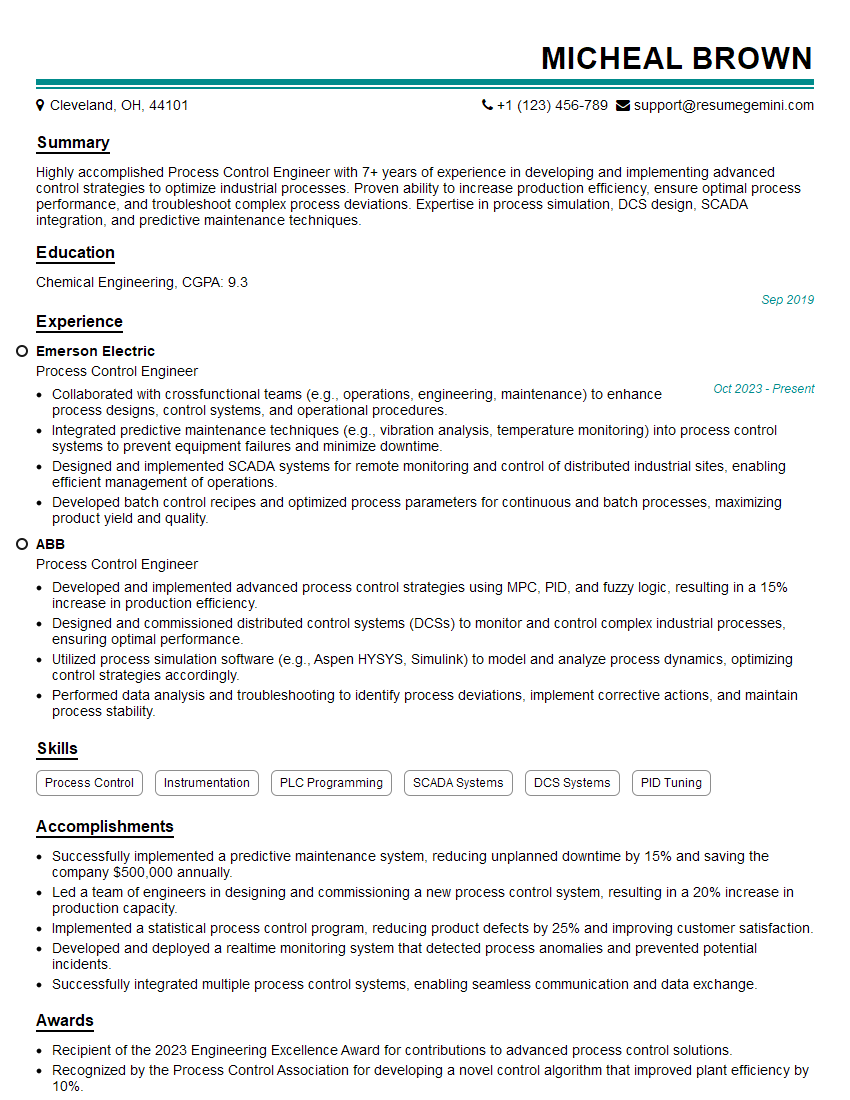
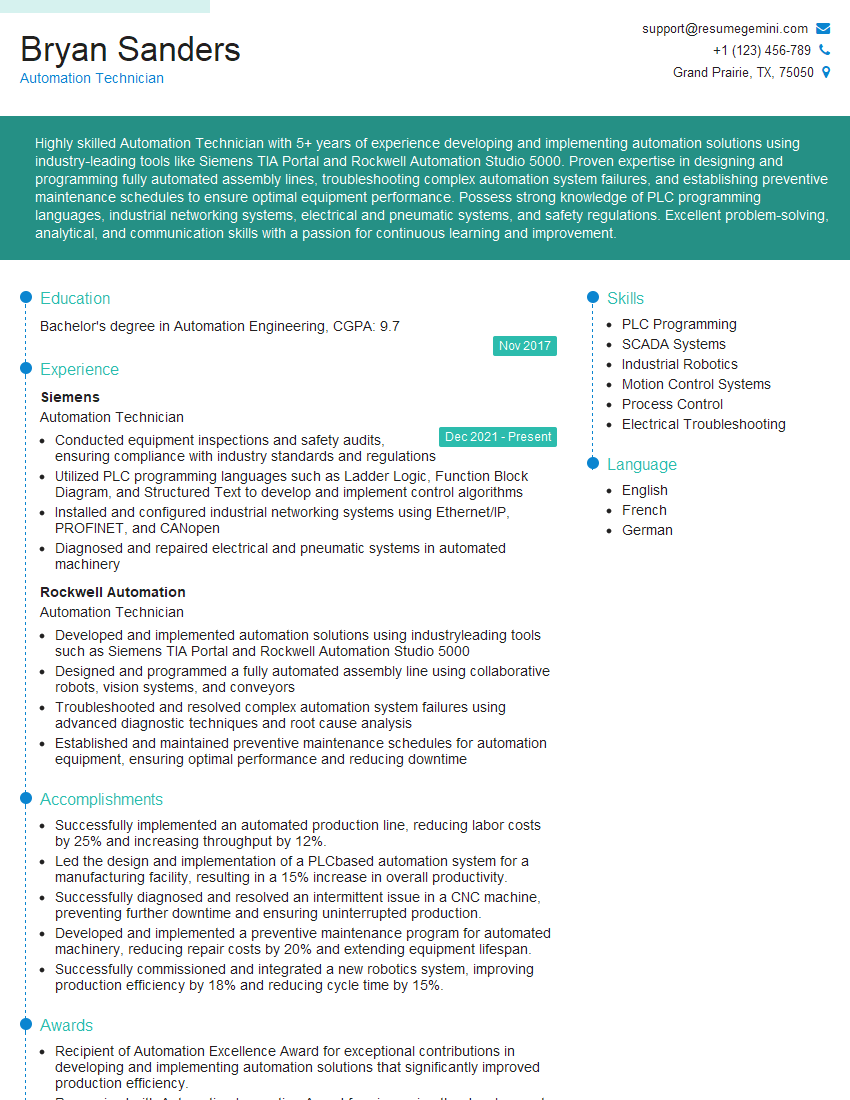
Mastering PLC programming with Siemens, Allen-Bradley, and Rockwell platforms opens doors to exciting and rewarding careers in automation and industrial control. A strong understanding of these systems is highly sought after by employers and ensures a competitive edge in the job market. To significantly boost your job prospects, invest time in creating a professional and ATS-friendly resume that highlights your skills and experience. ResumeGemini is a trusted resource that can help you build a compelling resume tailored to the specific requirements of PLC programming jobs. Examples of resumes tailored to PLC programming (Siemens, Allen-Bradley, Rockwell) are available to help you get started.





Explore more articles
Users Rating of Our Blogs
Share Your Experience
We value your feedback! Please rate our content and share your thoughts (optional).
What Readers Say About Our Blog
To the interviewgemini.com Webmaster.
Very helpful and content specific questions to help prepare me for my interview!
Thank you
To the interviewgemini.com Webmaster.
This was kind of a unique content I found around the specialized skills. Very helpful questions and good detailed answers.
Very Helpful blog, thank you Interviewgemini team.