Every successful interview starts with knowing what to expect. In this blog, we’ll take you through the top Python for Remote Sensing interview questions, breaking them down with expert tips to help you deliver impactful answers. Step into your next interview fully prepared and ready to succeed.
Questions Asked in Python for Remote Sensing Interview
Q 1. Explain the difference between raster and vector data in remote sensing.
Raster and vector data are two fundamental ways to represent geographic information in remote sensing. Think of it like this: raster data is like a mosaic tile, while vector data is like a detailed drawing.
Raster data represents geographic information as a grid of cells or pixels, each containing a value representing a particular attribute. Each pixel has a defined spatial location and value. Examples include satellite imagery, aerial photos, and digital elevation models (DEMs). The value could be spectral reflectance in different bands (for satellite images), elevation (for DEMs), or temperature (for thermal imagery).
Vector data represents geographic information as points, lines, and polygons. These geometric features have specific coordinates and can be associated with attributes. Examples include roads, rivers, buildings, and administrative boundaries. The attributes might describe the type of road, the water flow rate of the river, or the address of a building.
The choice between raster and vector depends on the application. Raster is suitable for continuous phenomena like elevation or temperature, while vector is better for discrete objects like buildings or roads. Many remote sensing workflows involve converting between raster and vector formats depending on the analysis being performed.
Q 2. Describe your experience with common remote sensing data formats (e.g., GeoTIFF, HDF5).
I have extensive experience working with various remote sensing data formats. GeoTIFF and HDF5 are two of the most common ones I encounter.
GeoTIFF is a widely used format for georeferenced raster data. It combines the TIFF image format with geospatial metadata, meaning the image is directly linked to a geographic coordinate system. This allows for seamless integration with GIS software and easy spatial analysis. I frequently use GeoTIFFs with libraries like GDAL and Rasterio in Python for tasks such as reading, writing, and manipulating satellite imagery.
HDF5 (Hierarchical Data Format version 5) is a more complex, self-describing file format that can store large, complex datasets. It’s particularly useful for storing hyperspectral imagery, which has many spectral bands, and ancillary data like metadata. I have utilized HDF5 in projects involving high-dimensional data, where its efficient data organization and handling of metadata were crucial. Python’s h5py library allows for easy interaction with HDF5 files.
Beyond these, I’m also familiar with other formats like ENVI, ERDAS Imagine, and NetCDF, selecting the optimal format based on the specific needs of the project and the capabilities of the tools available.
Q 3. How would you handle missing data in a remote sensing dataset using Python?
Missing data is a common problem in remote sensing datasets, often caused by cloud cover, sensor malfunction, or data acquisition errors. Handling these gaps is crucial for accurate analysis.
In Python, I typically use a combination of techniques to deal with missing data, depending on the nature and extent of the missing values. Common approaches include:
- Identification: First, I identify missing values. This often involves checking for specific values like -9999 (a common no-data value), NaN (Not a Number), or values outside the expected range.
- Removal: If the missing data is limited and doesn’t significantly affect the analysis, I might remove the affected pixels or regions entirely. This is simple but can lead to information loss.
- Interpolation: For more extensive missing data, I utilize interpolation methods. These estimate missing values based on surrounding pixels. Common methods include nearest neighbor interpolation (simple but can introduce artifacts), bilinear interpolation (better than nearest neighbor but still can smooth out features), and more sophisticated methods like cubic convolution or kriging (better for preserving features). Libraries like scikit-image and scipy provide efficient interpolation functions.
- Masking: I often create a mask to highlight the areas with missing data. The mask can be used to exclude those areas from further processing or analysis. GDAL and Rasterio provide functionalities to efficiently handle masks.
The best method depends on the specific dataset, the extent of missing data, and the goals of the analysis. It often involves careful consideration and experimentation to find the optimal strategy.
Here’s a simple example of using interpolation with Scikit-image:
from skimage.restoration import inpaint
import numpy as np
image = np.random.rand(100, 100)
image[20:30, 20:30] = np.nan  # Simulate missing data
filled_image = inpaint.inpaint_biharmonic(image, np.isnan(image))
Q 4. What Python libraries are you most proficient in for remote sensing tasks (e.g., GDAL, Rasterio, scikit-image)?
For remote sensing tasks in Python, my proficiency lies primarily in GDAL, Rasterio, and scikit-image. Each library has strengths in specific areas.
GDAL (Geospatial Data Abstraction Library) is a powerful and versatile library offering extensive capabilities for reading, writing, and manipulating various geospatial formats (including GeoTIFF and HDF5). I frequently use GDAL for its ability to handle diverse datasets, perform geoprocessing tasks such as reprojection and warping, and build custom workflows. It’s a foundational library for most of my remote sensing projects.
Rasterio provides a user-friendly Pythonic interface to GDAL. It simplifies many common tasks, making GDAL’s functionality more accessible. I find it particularly useful for efficient raster data reading, writing, and manipulation, particularly when focusing on the data itself rather than lower-level details.
scikit-image, while not exclusively focused on remote sensing, is excellent for image processing tasks such as filtering, segmentation, and feature extraction. Its functions are particularly useful for preprocessing remote sensing data to enhance image quality and prepare it for further analysis.
I also have experience with other libraries like NumPy for numerical computation and matplotlib for data visualization, which are essential companions in almost all remote sensing workflows.
Q 5. Explain your experience with image preprocessing techniques (e.g., atmospheric correction, geometric correction).
Image preprocessing is a critical step in remote sensing, ensuring the data is ready for accurate analysis. I have extensive experience with atmospheric correction and geometric correction.
Atmospheric correction compensates for the effects of the atmosphere on the sensor readings. The atmosphere scatters and absorbs light, altering the signal recorded by the sensor. Atmospheric correction aims to remove these atmospheric effects, resulting in “top-of-atmosphere” or “surface reflectance” values that accurately represent the ground features. I frequently use tools and algorithms like FLAASH (Fast Line-of-sight Atmospheric Analysis of Spectral Hypercubes) or 6S (Second Simulation of the Satellite Signal in the Solar Spectrum) that may be accessed through GDAL, or via dedicated Python packages. These methods often require ancillary data, such as atmospheric profiles.
Geometric correction improves the geometric accuracy of the imagery by correcting for distortions caused by sensor geometry, platform motion, or Earth’s curvature. This process involves aligning the image to a known reference coordinate system (like UTM or WGS84). Common techniques include using ground control points (GCPs) and applying transformation models such as polynomial or affine transformations. GDAL provides robust tools for geometric correction, including reprojection and warping capabilities. I’ve used these tools in many projects to align satellite images to a consistent map projection.
Q 6. Describe your experience with image classification techniques using Python.
Image classification is a core task in remote sensing, where we assign pixels to different categories based on their spectral characteristics. My experience encompasses a range of classification techniques, both supervised and unsupervised.
Supervised classification requires labeled training data – a set of pixels with known classes. The classifier learns from this data to assign classes to unlabeled pixels. I’ve extensively used algorithms like support vector machines (SVMs), random forests, and maximum likelihood classification. The scikit-learn library in Python provides excellent implementations of these algorithms. The choice of classifier depends on the dataset characteristics and the desired accuracy.
Unsupervised classification does not require labeled training data. The classifier groups pixels based on their spectral similarity. I frequently employ k-means clustering for unsupervised classification.
Q 7. How would you perform unsupervised classification (e.g., k-means clustering) on remote sensing imagery?
K-means clustering is a popular unsupervised classification technique. It aims to partition the data into k clusters, where each cluster is characterized by its mean (centroid). In remote sensing, this means grouping pixels with similar spectral signatures into distinct classes.
Here’s how I would perform k-means clustering on remote sensing imagery in Python:
- Data preparation: Load the imagery using a library like Rasterio. Convert the image into a suitable format (e.g., a NumPy array). You might want to pre-process the data (e.g., atmospheric correction, band selection).
- Feature selection: Decide which spectral bands (or other features) to use for clustering. This choice can significantly impact the results. For example, you might select specific bands known to be sensitive to certain land cover types.
- Clustering: Use the k-means algorithm from scikit-learn’s
clustermodule. The key parameter isn_clusters(the number of clusters). You’ll need to experiment to find a suitable number of clusters. The algorithm iteratively assigns pixels to the nearest centroid and updates the centroid’s position until convergence. - Visualization and interpretation: Visualize the resulting clusters as a classified image using a library like matplotlib. Examine the spectral characteristics of each cluster to assign meaningful class labels based on your domain knowledge (e.g., water, vegetation, urban areas).
Here’s a code snippet illustrating the process:
import rasterio
import numpy as np
from sklearn.cluster import KMeans
# Load imagery
with rasterio.open('image.tif') as src:
    image = src.read()
# Reshape to a 2D array (pixels x bands)
X = image.reshape((-1, image.shape[0]))
# Apply K-means
kmeans = KMeans(n_clusters=3, random_state=0).fit(X)
labels = kmeans.labels_.reshape(image.shape[1:])
# Visualize or save the classified image
Remember that selecting the optimal number of clusters (k) is crucial. Techniques like the elbow method or silhouette analysis can help determine an appropriate value for k.
Q 8. How would you perform supervised classification (e.g., Support Vector Machines, Random Forest) on remote sensing imagery?
Supervised classification uses labeled data to train a machine learning model to classify pixels in remote sensing imagery. Think of it like teaching a computer to identify different types of trees in an image by showing it examples of each type. Popular algorithms include Support Vector Machines (SVMs) and Random Forests.
Here’s how I’d approach it in Python using scikit-learn:
- Data Preparation: Load your imagery (e.g., using rasterio) and corresponding ground truth data (shapefile or raster). Convert the imagery into a suitable format (e.g., a NumPy array) and extract features. This might involve calculating spectral indices like NDVI or using texture features.
- Feature Selection (Optional): Reduce dimensionality by selecting the most relevant features using techniques like Principal Component Analysis (PCA) to improve model efficiency and accuracy.
- Model Training: Split your data into training and testing sets. Train a chosen classifier (SVM or Random Forest) using the training data. Scikit-learn provides straightforward implementations:
from sklearn.svm import SVC; model = SVC()orfrom sklearn.ensemble import RandomForestClassifier; model = RandomForestClassifier(). - Model Evaluation: Evaluate the model’s performance on the testing set using metrics such as accuracy, precision, recall, and F1-score. Adjust hyperparameters (e.g., C for SVM, n_estimators for Random Forest) to optimize performance.
- Classification: Apply the trained model to the entire image to generate a classified output raster. This might involve predicting class labels for each pixel using
model.predict(). - Output: Save the classified raster using a suitable library like rasterio.
For example, I once used this approach to map different land cover types (forest, urban, agriculture) in a region using Sentinel-2 data. Careful feature selection and hyperparameter tuning were crucial for achieving high classification accuracy.
Q 9. Explain your experience with object-based image analysis (OBIA) using Python.
Object-based image analysis (OBIA) focuses on analyzing image objects instead of individual pixels. It’s like grouping pixels with similar characteristics into meaningful entities (objects) and then analyzing those objects. This often leads to more accurate and robust results, especially when dealing with heterogeneous land cover.
In Python, I leverage libraries like rasterio for image I/O, scikit-image for segmentation (e.g., using watershed or region growing algorithms), and geopandas for vector data manipulation.
My experience involves using segmentation algorithms to identify objects, extracting features (e.g., shape, texture, spectral properties) from these objects, and then using machine learning (like Random Forests or SVM) for object classification. For instance, I’ve used OBIA to delineate individual trees in high-resolution imagery, which is much more efficient and accurate than pixel-based classification. The workflow generally involves these steps:
- Image Segmentation: Segment the imagery into meaningful objects using suitable algorithms.
- Feature Extraction: Compute both spectral and spatial features for each segmented object.
- Object Classification: Apply classification techniques to assign class labels to objects.
- Post-processing: Refine and validate the results.
# Example code snippet (Illustrative): import rasterio import geopandas as gpd # ... (load image, perform segmentation, extract features)... # ... (train a classifier using extracted features)... # ... (classify objects and output results as a shapefile using geopandas)...
Q 10. How would you use Python to perform change detection analysis on multi-temporal remote sensing data?
Change detection involves analyzing multi-temporal remote sensing data to identify changes over time. Imagine comparing satellite images from different years to see how a forest has changed or a city has grown.
In Python, I typically use libraries like rasterio for data handling and NumPy for array operations. Common approaches include:
- Image Differencing: Subtracting pixel values of two images to highlight differences. Positive values might indicate increases (e.g., building construction), and negative values indicate decreases (e.g., deforestation).
- Image Ratioing: Dividing pixel values to highlight proportional changes. This helps minimize the impact of variations in illumination.
- Post-Classification Comparison: Classifying each image separately and then comparing the classification results to identify changes.
- Bitemporal analysis: Comparing two images directly, e.g., by calculating change magnitude.
I’ve used change detection to monitor deforestation in the Amazon rainforest. By comparing Landsat images over several years, I identified areas of significant forest loss and analyzed the temporal patterns of deforestation. Careful preprocessing (e.g., atmospheric correction, geometric registration) is essential to ensure accurate change detection results. The workflow often looks something like this:
- Data Preprocessing: Ensure images are georeferenced and atmospherically corrected.
- Change Detection Algorithm: Select an appropriate method (differencing, ratioing, post-classification).
- Change Map Generation: Apply chosen algorithm and create a change map highlighting changes.
- Analysis and Interpretation: Interpret the change map and assess the spatial patterns and magnitude of change.
Q 11. Describe your experience with spatial analysis techniques using Python (e.g., buffer creation, overlay analysis).
Spatial analysis is crucial for extracting meaningful information from remote sensing data. It involves analyzing the spatial relationships between geographic features. Think of it as understanding ‘where’ things are and how they relate to each other.
In Python, I use geopandas extensively for vector data manipulation and shapely for geometric operations.
- Buffer Creation: Creating a polygon around a point or line feature at a specified distance (buffer). For example, creating a buffer around a river to analyze riparian zones.
- Overlay Analysis: Combining multiple spatial layers (e.g., intersecting, unioning). For example, overlaying a land cover map with a soil map to analyze the relationship between land cover and soil types.
- Proximity Analysis: Analyzing the distance between spatial features. For example, calculating the distance from buildings to roads.
For example, I used spatial analysis techniques to assess the impact of a wildfire on a residential area. I created buffers around the burned area and overlaid them with a population density map to estimate the number of people affected.
# Example code snippet (Illustrative): import geopandas as gpd from shapely.geometry import Polygon # ... (load vector data using geopandas)... # ... (create a buffer using gpd.buffer)... # ... (perform overlay analysis using gpd.overlay)...
Q 12. How would you use Python to generate thematic maps from remote sensing data?
Thematic maps display geographic information based on a particular theme or topic. For remote sensing data, this could be land cover, soil type, or vegetation health.
Using Python, I create thematic maps by combining classified raster data (from supervised classification or object-based analysis) with geospatial libraries. The process generally involves:
- Data Preparation: Ensure your classified raster is properly georeferenced.
- Map Creation: Use a library like
matplotliborrasterioto create the map. This involves defining a colormap (to represent different classes) and plotting the raster data. - Enhancements: Add titles, legends, scale bars, and other elements to improve clarity and readability.
- Export: Export the map as a suitable image format (e.g., PNG, JPG).
For instance, I generated a land cover map for a study area using Sentinel-2 data. I used a classification scheme and a custom colormap to represent different land cover types (e.g., forest, grassland, urban). Thematic maps are essential for communicating findings effectively to stakeholders.
Q 13. Explain your experience working with cloud-based remote sensing platforms (e.g., Google Earth Engine).
Google Earth Engine (GEE) is a powerful cloud-based platform for geospatial analysis. It provides access to petabytes of satellite imagery and tools for processing and analyzing this data. It is particularly helpful for processing large datasets that would be computationally expensive to handle locally.
My experience includes using GEE’s JavaScript API and Python API (earthengine-api) to perform various tasks, including:
- Image Processing: Applying atmospheric corrections, cloud masking, and other pre-processing steps on large datasets.
- Time-Series Analysis: Analyzing changes in vegetation health over time using time-series of satellite imagery.
- Classification: Performing pixel-based or object-based classification on large areas.
- Data Visualization: Creating interactive maps and visualizations.
For example, I used GEE to monitor agricultural yields across a large region over many years. The scalability and computational power of GEE were crucial for handling the vast amount of data involved.
Q 14. How familiar are you with different types of satellite imagery (e.g., Landsat, Sentinel)?
I’m very familiar with different types of satellite imagery, each with its own strengths and limitations. Here’s a summary:
- Landsat: Long history of data acquisition, providing valuable time-series data. Moderate spatial resolution, suitable for various applications. Landsat 8 and 9 offer improved spectral and spatial capabilities.
- Sentinel: European Space Agency’s satellites, offering high temporal and spatial resolution. Sentinel-2 is particularly useful for land cover mapping, while Sentinel-1 provides radar data (useful for cloud-covered areas).
- MODIS: Provides coarse spatial resolution but excellent temporal coverage, making it ideal for monitoring large-scale environmental changes.
- Other Sensors: I’m also familiar with data from other sensors like ASTER, WorldView, and QuickBird, each offering different spatial resolutions and spectral bands tailored to specific applications.
Understanding the characteristics of each sensor (spatial resolution, spectral range, temporal resolution) is key to selecting the most appropriate data for a specific project. For example, when mapping small features, high spatial resolution imagery (e.g., WorldView) is needed, while monitoring large-scale changes often benefits from high temporal resolution data (e.g., MODIS).
Q 15. Explain your experience using Python for data visualization in remote sensing (e.g., Matplotlib, Seaborn).
Data visualization is crucial in remote sensing for interpreting complex datasets and communicating findings effectively. I’ve extensively used Matplotlib and Seaborn in Python to create compelling visualizations of remote sensing data. Matplotlib provides the foundation for creating a wide variety of plots, from simple line graphs to complex image displays, while Seaborn builds upon Matplotlib, offering a higher-level interface for creating statistically informative and aesthetically pleasing visualizations.
For instance, I’ve used Matplotlib to display NDVI (Normalized Difference Vegetation Index) maps, generating color-coded images that show vegetation health across a landscape. This allows for quick identification of areas experiencing stress or exhibiting healthy growth. Seaborn has been invaluable for creating box plots to compare vegetation indices across different land cover types, facilitating statistical analysis and the generation of insightful reports.
Another project involved visualizing the spectral signatures of different materials using Matplotlib. By plotting reflectance values across various wavelengths, I could clearly distinguish between soil, vegetation, and water, a key step in material classification. In summary, my experience with Matplotlib and Seaborn has been instrumental in transforming raw remote sensing data into meaningful visual representations, allowing for easier interpretation and better communication of results.
Career Expert Tips:
- Ace those interviews! Prepare effectively by reviewing the Top 50 Most Common Interview Questions on ResumeGemini.
- Navigate your job search with confidence! Explore a wide range of Career Tips on ResumeGemini. Learn about common challenges and recommendations to overcome them.
- Craft the perfect resume! Master the Art of Resume Writing with ResumeGemini’s guide. Showcase your unique qualifications and achievements effectively.
- Don’t miss out on holiday savings! Build your dream resume with ResumeGemini’s ATS optimized templates.
Q 16. Describe your experience with georeferencing and coordinate systems.
Georeferencing is the process of assigning geographic coordinates (latitude and longitude) to points in a remotely sensed image, aligning it to a known coordinate system. Understanding coordinate systems, like UTM (Universal Transverse Mercator) and geographic coordinates (latitude/longitude), is fundamental for accurate spatial analysis. My experience encompasses working with various coordinate reference systems (CRS) and applying georeferencing techniques using Python libraries like GDAL and rasterio.
A common task is transforming images from one projection to another. For example, I’ve transformed satellite imagery from a geographic coordinate system (WGS84) to a UTM zone-specific projection to minimize distortion in distance measurements within a specific area. GDAL’s gdalwarp function is a powerful tool for this, allowing for on-the-fly reprojection. I’ve also used rasterio to read metadata containing the CRS information, facilitating accurate geospatial analysis. Proper georeferencing ensures accurate spatial analysis, allowing for the overlaying of different datasets and meaningful measurement of distances and areas. Incorrect georeferencing leads to inaccurate analysis and interpretation.
Q 17. What are some common challenges in remote sensing data analysis, and how have you addressed them?
Remote sensing data analysis presents numerous challenges. One significant hurdle is dealing with atmospheric effects, such as haze and cloud cover, which can obscure the Earth’s surface features. To mitigate this, I often utilize atmospheric correction techniques, employing pre-processed data from providers or using algorithms within Python libraries like SNAP (Sentinel Application Platform) or using atmospheric correction tools within ENVI. Another common challenge is the presence of noise and artifacts in the data, potentially stemming from sensor limitations or atmospheric conditions. I address this through various filtering techniques, like median filtering or wavelet transforms, implemented using libraries like scikit-image or OpenCV.
Another recurring challenge involves the enormous size of remote sensing datasets. Handling large datasets efficiently is critical. Strategies I employ include using cloud-based storage and processing (like Google Earth Engine or AWS), employing tiled processing, and utilizing memory-efficient data structures. Furthermore, data inconsistency across different sensors or acquisition times necessitates careful pre-processing and standardization procedures. Addressing these challenges is crucial for obtaining reliable and accurate results in remote sensing analysis.
Q 18. Explain your experience using version control (e.g., Git) in a remote sensing project.
Version control using Git is indispensable in any collaborative project, and remote sensing is no exception. I’ve used Git extensively throughout my projects to track changes, manage different versions of code and data, and facilitate collaboration among team members. I’m proficient in using Git commands for branching, merging, committing, and pushing changes to remote repositories such as GitHub or GitLab.
In a recent project involving land cover classification, Git allowed us to maintain separate branches for different classification methods, enabling parallel development and easier comparison of results. The ability to revert to previous versions if needed significantly reduced risks and ensured a smooth workflow. Using pull requests and code reviews further enhanced the quality of our code and collaboration process. Git integration with IDEs like PyCharm or VS Code significantly streamlined the version control workflow, making it seamless and intuitive.
Q 19. How would you write a Python script to extract pixel values from a specific location in a raster dataset?
Extracting pixel values from a specific location in a raster dataset is a fundamental task in remote sensing. Using the rasterio library in Python, this can be achieved efficiently. Rasterio provides a user-friendly interface for interacting with various raster formats.
import rasterio # Open the raster dataset with rasterio.open('path/to/your/raster.tif') as src: # Define the coordinates (x, y) in the dataset's coordinate system x, y = 100, 200 # Get the row and column indices corresponding to the coordinates row, col = src.index(x, y) # Read the pixel value at the specified location pixel_value = src.read(1)[row, col] # Assuming a single band raster print(f"Pixel value at ({x}, {y}): {pixel_value}")
This script opens the raster, transforms the x, y coordinates into row and column indices, then reads and displays the pixel value. Remember to replace ‘path/to/your/raster.tif’ with the actual path to your raster file. The src.index(x, y) function is crucial for converting geographic coordinates to pixel coordinates within the raster.
Q 20. How would you handle large remote sensing datasets efficiently in Python?
Efficiently handling large remote sensing datasets requires a multi-faceted approach. Simple strategies like directly loading the entire dataset into memory are often impractical. Instead, I leverage techniques to process data in chunks or tiles. Rasterio’s windowing capabilities allow for reading only portions of the dataset at a time, drastically reducing memory consumption.
For example, to process a large GeoTIFF file, instead of loading the entire image, I would read it in smaller tiles using src.read(window=window). This allows me to perform computations on manageable chunks. Dask, a parallel computing library, allows for lazy evaluation and efficient processing of very large arrays. By using Dask arrays, computations are performed on smaller parts in parallel, then aggregated, without loading the entire data into memory at once. Cloud computing platforms like AWS or Google Cloud provide scalable infrastructure for storing and processing these datasets, offering solutions tailored to handle petabytes of data.
Q 21. Explain your experience with parallel processing techniques in Python for remote sensing.
Parallel processing is essential for accelerating remote sensing data analysis, especially when dealing with large datasets or computationally intensive tasks. I have experience utilizing Python libraries like multiprocessing and joblib to implement parallel processing strategies. Multiprocessing allows for running multiple processes simultaneously, leveraging multiple CPU cores. Joblib provides a user-friendly interface for parallel execution, simplifying the process of parallelizing loops or function calls.
For instance, when performing a computationally expensive operation like image classification on a large image, I’ve used joblib to parallelize the processing of different image tiles. Each tile is processed in a separate process, and the results are then combined. This significantly reduces the overall processing time. For more complex workflows, I consider using distributed computing frameworks like Dask or Spark, which enable parallel processing across multiple machines, offering even greater scalability for extremely large datasets. The choice of parallel processing technique depends on the complexity of the task, the size of the data, and the available computational resources.
Q 22. Describe your experience using Python to integrate remote sensing data with other data sources (e.g., GIS data, weather data).
Integrating remote sensing data with other data sources is crucial for comprehensive analysis. Think of it like assembling a puzzle – remote sensing provides one piece (e.g., land cover), but combining it with GIS data (location, boundaries) and weather data (temperature, rainfall) gives you the complete picture. In Python, I leverage libraries like rasterio for reading and manipulating raster data (like satellite imagery), geopandas for working with vector data (like shapefiles), and pandas for tabular data (like weather station readings).
For example, I once integrated Landsat imagery with a shapefile of agricultural fields and daily weather data to assess crop yields. rasterio allowed me to extract pixel values representing vegetation indices from the Landsat image within each field polygon from geopandas. Then, pandas enabled me to correlate these indices with weather variables (temperature, rainfall) to model yield. This approach is much more powerful than analyzing the remote sensing data in isolation.
Another example involved using xarray to handle multi-dimensional datasets like those from weather models, which were then spatially aligned and analyzed alongside satellite-derived data using the aforementioned libraries. The process usually involves defining a common coordinate system and using resampling techniques to ensure compatibility between datasets of differing resolutions.
Q 23. How would you perform accuracy assessment of a remote sensing classification?
Accuracy assessment in remote sensing classification is vital to determine how well our classification results reflect reality. It’s like grading an exam – you need to compare the answers (classified image) to the correct answers (reference data). The most common method is to create a confusion matrix (also called an error matrix), which compares the classified land cover to a reference dataset (typically a high-resolution image or ground truth data).
Using Python, I would employ libraries like scikit-learn to generate the confusion matrix. From this matrix, we can calculate key metrics like overall accuracy, producer’s accuracy (how well each class was classified), user’s accuracy (how reliable each classified area is), and the Kappa coefficient (a measure of agreement that accounts for chance agreement).
import numpy as np
from sklearn.metrics import confusion_matrix, classification_report

# Example:
reference_data = np.array([1, 2, 1, 1, 3, 2, 1, 1, 2, 3])
classified_data = np.array([1, 2, 1, 3, 3, 2, 1, 1, 1, 3])

cm = confusion_matrix(reference_data, classified_data)
print(cm)
print(classification_report(reference_data, classified_data))
The classification_report provides a comprehensive summary of precision, recall, F1-score, and support for each class, giving a clear picture of the classification performance.
Q 24. Explain your experience with developing remote sensing applications using Python frameworks (e.g., Flask, Django).
I’ve used both Flask and Django to build web applications for remote sensing data visualization and analysis. Flask, being a microframework, is great for smaller, more focused applications. Imagine building a simple web tool to display satellite imagery and allow users to select regions of interest – Flask’s lightweight nature makes it ideal for this scenario. I would use it with libraries like folium to create interactive maps.
Django, on the other hand, is a full-fledged framework more suited for larger, complex applications with extensive user interaction. For example, I’ve used Django to create a web application that allows multiple users to upload and process their own remote sensing data, manage user accounts, and store processed results in a database. This requires a more robust structure and capabilities for data management and user authentication, which Django provides effectively. Both frameworks allow for the integration of Python libraries for data processing and visualization, extending their functionality for remote sensing needs.
Q 25. How would you use Python to automate a repetitive remote sensing task?
Automating repetitive tasks is essential for efficiency in remote sensing. For example, imagine having to pre-process hundreds of satellite images – manually doing this is time-consuming and prone to errors. Python shines here, leveraging its capabilities for scripting and automation.
A typical workflow would involve using libraries like rasterio, osgeo, and numpy. I might write a script that iterates through a directory of images, performs geometric corrections, atmospheric corrections (using packages like Py6S), and then saves the pre-processed images to a new directory.
import os
import rasterio

input_dir = 'path/to/input/images'
output_dir = 'path/to/output/images'

for filename in os.listdir(input_dir):
    if filename.endswith('.tif'):
        with rasterio.open(os.path.join(input_dir, filename)) as src:
            # Perform pre-processing steps here (e.g., geometric correction, atmospheric correction)
            # ...
            with rasterio.open(os.path.join(output_dir, filename), 'w', **src.profile) as dst:
                dst.write(processed_data)
This simple script showcases the power of automation. Such automation also allows for easier reproducibility and consistency in the processing workflow.
Q 26. What are your preferred methods for handling projections and coordinate transformations in Python?
Handling projections and coordinate transformations is fundamental in remote sensing. Different datasets often use different coordinate reference systems (CRS), making direct comparison impossible. In Python, I primarily use rasterio and pyproj for this purpose. rasterio readily handles CRS information within the metadata of raster files, and pyproj provides the tools for transforming coordinates between different CRS.
Imagine you have a satellite image in UTM Zone 10 and a shapefile in WGS84. To overlay them, you need to transform one to match the other. I’d use pyproj to define the source and target CRS and then use its transformation functions to reproject the coordinates of the shapefile (or the image, depending on which is more computationally efficient). rasterio‘s built-in functionality simplifies this by allowing re-projection during image reading and writing.
from pyproj import Transformer

src_crs = 'EPSG:4326'
dst_crs = 'EPSG:32610'

transformer = Transformer.from_crs(src_crs, dst_crs, always_xy=True)

# Example: Transform a single point
longitude, latitude = -122.4194, 37.7749
x, y = transformer.transform(longitude, latitude)
print(f'Transformed coordinates: ({x}, {y})')
This ensures that all datasets are referenced to a consistent CRS, enabling accurate spatial analysis and visualization.
Q 27. Describe a time you had to debug a complex remote sensing data processing script in Python.
One time, I was working with a script that processed a large number of Sentinel-1 images for change detection. The script involved several steps, including downloading, pre-processing, and then running a complex algorithm. It worked perfectly for smaller datasets, but when I scaled up to process the entire archive, I started getting unexpected errors related to memory allocation and handling of large arrays.
Debugging such a complex script involves a systematic approach. First, I used print statements strategically throughout the script to track variable values and identify the exact location of the error. Then, I employed Python’s interactive debugging tools to step through the code line by line, inspecting variables and understanding the program’s state. I discovered that the issue was in how the script was handling memory; it was loading entire images into memory at once. The solution was to process the images in chunks or tiles using rasterio‘s windowed reading capabilities, significantly reducing the memory footprint. This improved both efficiency and stability.
This experience highlighted the importance of modular code design, robust error handling, and mindful memory management when dealing with large remote sensing datasets. I also learned the value of using tools such as profilers to help detect performance bottlenecks.
Key Topics to Learn for Python for Remote Sensing Interview
- Fundamental Python for Data Science: Mastering NumPy for array manipulation, Pandas for data analysis, and Matplotlib/Seaborn for data visualization are crucial for handling remote sensing datasets efficiently.
- Working with Raster Data: Understand how to import, process, and analyze geospatial raster data using libraries like GDAL and Rasterio. Practical applications include image classification, band arithmetic, and atmospheric correction.
- Vector Data Handling: Learn to work with vector data using libraries like GeoPandas. This includes understanding spatial relationships, performing geometric operations, and integrating vector and raster data for comprehensive analysis.
- Remote Sensing Image Processing Techniques: Gain a solid understanding of common image processing techniques like image enhancement, filtering, and geometric correction, and how to implement them using Python libraries.
- Cloud Computing and Remote Sensing: Explore utilizing cloud platforms like Google Earth Engine or AWS for processing large remote sensing datasets. Familiarize yourself with relevant Python APIs and workflows.
- Machine Learning for Remote Sensing: Understand how to apply machine learning algorithms (e.g., classification, regression) to remote sensing data using libraries like scikit-learn. This includes data preparation, model training, evaluation, and interpretation.
- GIS Software Integration: Become familiar with integrating Python with GIS software packages (e.g., ArcGIS, QGIS) to streamline your workflow and leverage the strengths of both environments.
- Version Control (Git): Demonstrate proficiency in using Git for managing code and collaborating on projects. This is a highly valued skill in any software development role.
- Problem-Solving and Algorithm Design: Practice designing efficient algorithms and solving problems related to remote sensing data analysis. Be prepared to discuss your approach and reasoning.
Next Steps
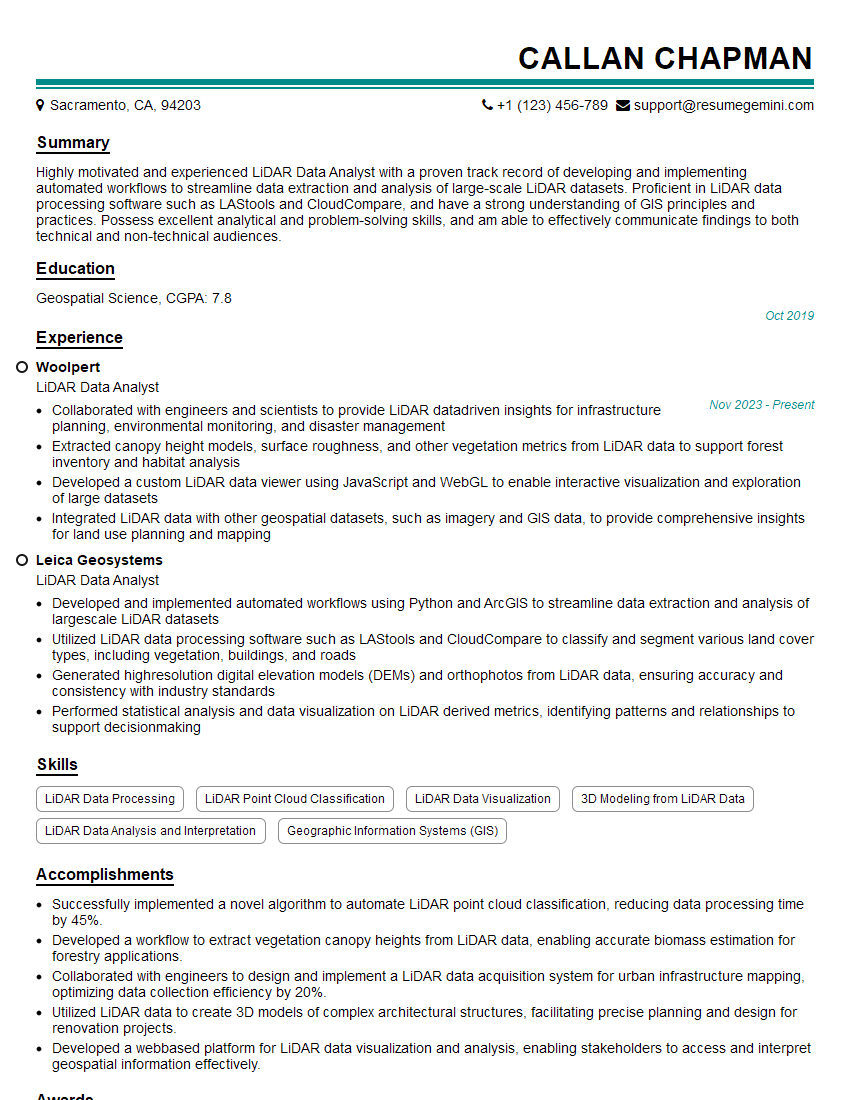
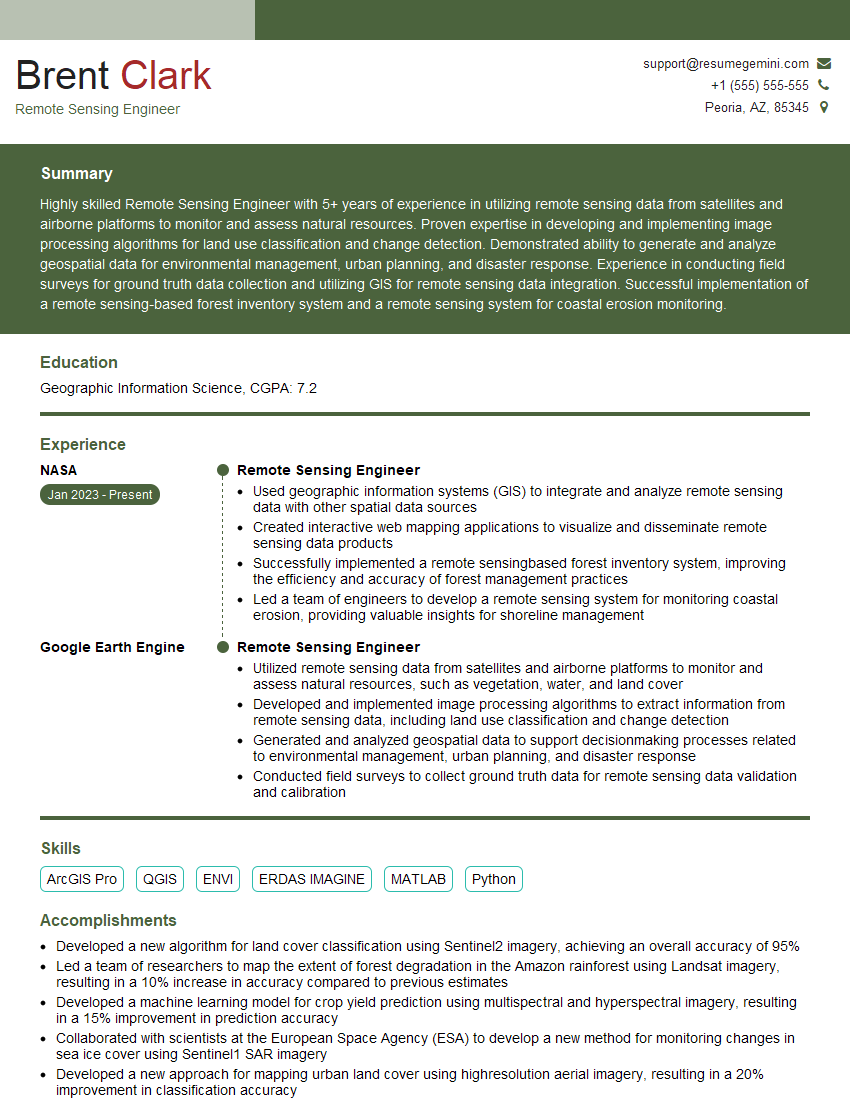
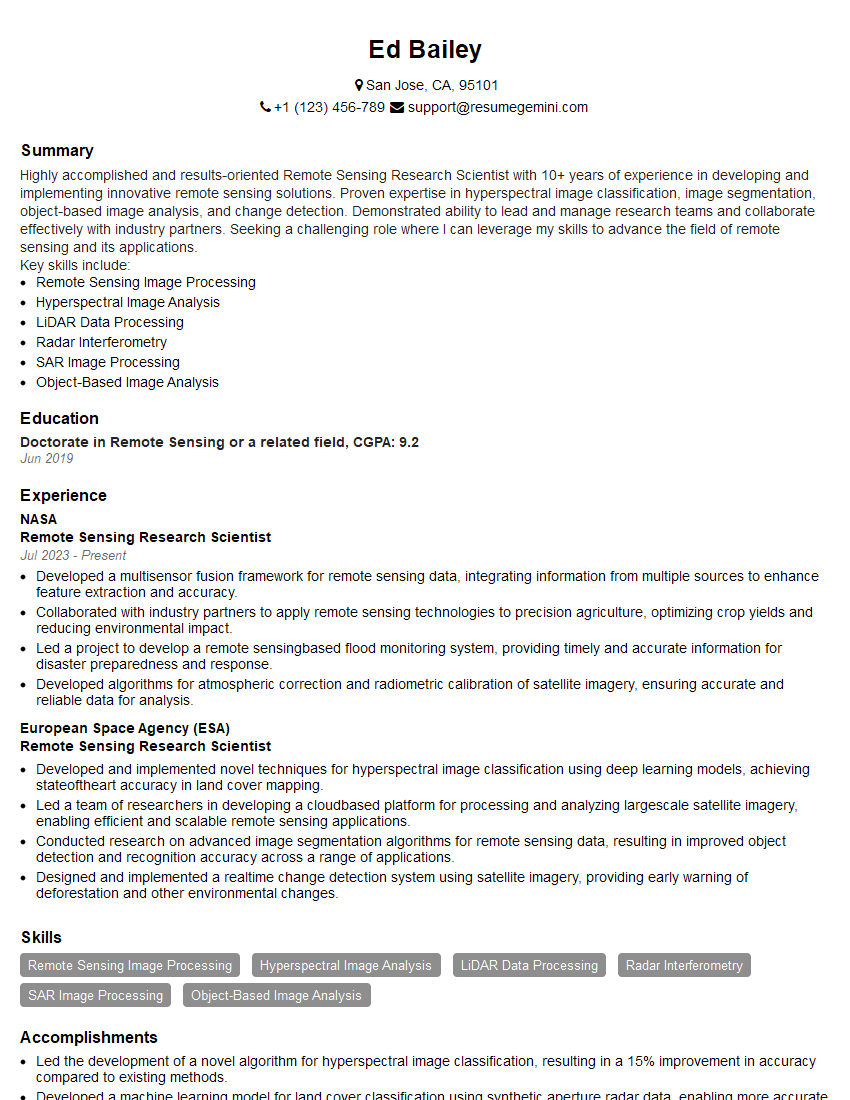
Mastering Python for remote sensing significantly enhances your career prospects, opening doors to exciting roles in environmental monitoring, precision agriculture, urban planning, and more. A well-crafted resume is key to showcasing your skills effectively. An ATS-friendly resume, optimized for Applicant Tracking Systems, dramatically increases your chances of getting your application noticed. We highly recommend using ResumeGemini to build a professional, impactful resume. ResumeGemini provides examples of resumes tailored to Python for Remote Sensing to help guide your resume creation process.
Explore more articles
Users Rating of Our Blogs
Share Your Experience
We value your feedback! Please rate our content and share your thoughts (optional).
What Readers Say About Our Blog
To the interviewgemini.com Webmaster.
Very helpful and content specific questions to help prepare me for my interview!
Thank you
To the interviewgemini.com Webmaster.
This was kind of a unique content I found around the specialized skills. Very helpful questions and good detailed answers.
Very Helpful blog, thank you Interviewgemini team.