Interviews are opportunities to demonstrate your expertise, and this guide is here to help you shine. Explore the essential Technology Proficiency (CIS, Naviance, Skyward) interview questions that employers frequently ask, paired with strategies for crafting responses that set you apart from the competition.
Questions Asked in Technology Proficiency (CIS, Naviance, Skyward) Interview
Q 1. Describe your experience with data migration in Skyward.
Data migration in Skyward involves transferring student, staff, and course information from one system (or version) to another. It’s a critical process that requires meticulous planning and execution to avoid data loss or corruption. My experience includes migrating data from a legacy system to a newer version of Skyward, as well as performing data cleansing and validation before, during, and after the migration.
The process typically starts with a thorough assessment of the existing data, identifying any inconsistencies or potential issues. This involves data profiling, understanding data structures, and mapping fields between the source and target systems. Next, we develop a detailed migration plan, including timelines, resource allocation, and rollback strategies. We usually perform a test migration to a staging environment before deploying the changes to the production system. Finally, post-migration validation is crucial to ensure data integrity and accuracy. This involves comparing data sets, running reports, and verifying system functionality.
For instance, in one project, we migrated data from a paper-based system to Skyward. This involved manually entering historical data and carefully verifying its accuracy against original documents. The whole process was broken down into smaller, manageable tasks, with regular checkpoints to monitor progress and identify potential problems early on.
Q 2. How do you troubleshoot common Skyward errors?
Troubleshooting Skyward errors involves a systematic approach. I typically start by identifying the error message, documenting the steps leading up to the error, and checking for any obvious system issues, such as network connectivity or server outages. Then I consult Skyward’s online documentation and knowledge base for solutions or workarounds. If the issue persists, I utilize Skyward’s support resources, including submitting a ticket or contacting their technical support team.
Common errors include database issues, permissions problems, or configuration errors. For database problems, I might check log files for clues, perform database maintenance tasks, or seek assistance from a database administrator. Permission issues often require careful review of user roles and access rights. Configuration errors might necessitate reviewing and adjusting settings within Skyward’s administrative interface. A crucial part of troubleshooting is documenting the entire process, including steps taken, results, and any resolutions found. This facilitates quicker problem solving in the future.
Q 3. Explain the process of creating custom reports in Naviance.
Creating custom reports in Naviance provides a powerful way to analyze student data and track progress. The process begins by selecting the desired data fields and defining the report’s scope (e.g., specific student groups, timeframes). Naviance offers a user-friendly interface with drag-and-drop functionality to build reports. You can choose from a variety of report types, such as tables, charts, and graphs, to visualize the data effectively.
For example, to create a report showing the number of students applying to each college, you would select the ‘College Applications’ data field, then choose to group the data by college name. You could then customize the report’s format, choosing to display the data as a table or a bar chart. Once the report is finalized, you can save it for future use and schedule it to run automatically at regular intervals. Advanced features allow for filtering, sorting, and the application of custom formulas for detailed analysis. The ability to export reports in various formats (e.g., PDF, CSV) is vital for sharing and further analysis outside of Naviance.
Q 4. How familiar are you with Naviance’s college planning features?
I am very familiar with Naviance’s college planning features. These features are central to the platform’s functionality and are designed to assist students throughout the college application process. My experience encompasses helping students explore college options, track applications, manage deadlines, and even prepare for financial aid.
I’ve assisted students with using Naviance’s college search tools to identify colleges that match their academic profiles and interests. I’ve also guided students through the process of creating college lists, tracking application deadlines, requesting letters of recommendation, and submitting applications. The financial aid section within Naviance is very helpful for students to explore their financial options, estimate college costs and complete financial aid applications. I’ve worked extensively with the reporting features to monitor student progress and identify any areas where they might need additional support.
Q 5. What are the key security considerations when managing a CIS system?
Security is paramount when managing a CIS (Comprehensive Information System) system. Key considerations include access control, data encryption, and regular security audits. Access control involves implementing strong password policies, limiting user access to only necessary data and functions, and using multi-factor authentication whenever possible. Data encryption protects sensitive student data, both in transit and at rest. Regular security audits ensure that the system remains secure and compliant with relevant regulations.
Examples of security practices include regularly patching the system software, employing firewalls and intrusion detection systems, and conducting regular vulnerability assessments. It’s also crucial to implement robust data backup and recovery procedures to protect against data loss due to security breaches or system failures. Furthermore, training staff on security best practices and implementing a clear incident response plan are essential for mitigating the impact of security incidents.
Think of a CIS system as a vault protecting highly sensitive information. Each security measure adds another layer of protection, making it increasingly difficult for unauthorized individuals to access or compromise the data.
Q 6. How do you ensure data accuracy within a student information system?
Ensuring data accuracy within a student information system is critical for its effective use. This involves a multi-faceted approach, including data validation, regular data cleansing, and implementation of data governance policies. Data validation ensures that data entered into the system is accurate and consistent, often through the use of automated checks and validation rules. Regular data cleansing involves identifying and correcting inaccurate or incomplete data. This can include manual review or the use of data cleansing tools. Data governance policies provide a framework for managing data quality, defining roles and responsibilities, and establishing procedures for data entry, modification, and deletion.
For instance, we might implement automated checks to ensure that student IDs are unique and that grade point averages fall within a valid range. Regular data audits are conducted to spot trends or anomalies that might indicate data inaccuracies. Training staff on proper data entry procedures is also crucial. In the event of data discrepancies, we have a clear process to investigate, verify, and correct the data. Maintaining a clear audit trail of all data changes enables us to identify and rectify any errors efficiently.
Q 7. Describe your experience with data backup and recovery in Skyward or Naviance.
Data backup and recovery is a crucial aspect of managing Skyward and Naviance. My experience includes implementing and maintaining backup strategies for both systems. These strategies incorporate both on-site and off-site backups to protect against data loss due to hardware failure, natural disasters, or cyberattacks. The frequency of backups is carefully considered to balance the need for data protection with system performance and storage capacity. Regular testing of the recovery process is vital to ensure that the backups can be effectively restored in the event of a failure.
For instance, in Skyward, we might schedule nightly full backups and incremental backups throughout the day. These backups are stored both on local servers and in a secure cloud storage location. We regularly test our recovery procedures by restoring data to a test environment. We document all backup and recovery procedures, including the location of backups, restoration steps, and contact information for support personnel. This ensures a clear and efficient process for recovering data in case of an emergency.
Q 8. How do you handle data discrepancies between different systems?
Data discrepancies between systems like CIS, Naviance, and Skyward are a common challenge. My approach involves a systematic investigation, starting with identifying the nature and extent of the discrepancy. This often involves comparing specific student records across the platforms, noting differences in fields like addresses, grades, or course enrollments.
Next, I would trace the data flow to pinpoint the source of the error. Was it a data entry mistake, an incomplete data migration, or a synchronization issue between the systems? For instance, a discrepancy in a student’s GPA might be due to a missing grade in Skyward, which hasn’t yet synced to Naviance.
Once the root cause is identified, I employ the appropriate corrective actions. This might include manual data correction in the source system (with careful documentation), implementing automated data validation rules to prevent future discrepancies, or working with IT to resolve synchronization problems. Regular data audits and reconciliation processes are crucial for preventing these issues in the first place.
Consider this example: A student’s address is different in CIS and Naviance. After investigation, I discover it was incorrectly updated in CIS during a recent address change. I then correctly update the address in CIS, triggering a successful resynchronization with Naviance, thus resolving the discrepancy.
Q 9. What are your experiences with implementing new features or upgrades in these systems?
Implementing new features or upgrades in these systems requires a methodical approach. I begin by thoroughly understanding the requirements of the new feature and its impact on existing workflows. This involves collaborating with stakeholders – teachers, counselors, administrators – to gather input and ensure the new feature aligns with their needs.
Next, I meticulously plan the implementation, including testing the new features in a sandbox environment to identify potential issues before deploying to the live system. This includes creating detailed test plans, documenting the steps involved, and running tests with representative data.
During the implementation phase, I coordinate closely with the IT department and vendors to ensure a smooth transition. This includes scheduling downtime, providing training to end-users, and closely monitoring the system after the launch. Post-implementation monitoring is key for addressing any unforeseen problems and gathering user feedback. For example, while implementing a new reporting feature in Naviance, we discovered a minor bug affecting data visualization. We quickly addressed it through a hotfix, ensuring minimal disruption to users.
Q 10. Explain your understanding of data privacy regulations as they apply to student data.
Data privacy regulations, such as FERPA (Family Educational Rights and Privacy Act) in the US, are paramount when handling student data. FERPA mandates that educational institutions protect the privacy of student information and only release it with parental consent or under specific legal circumstances. This means adhering to strict access control measures, limiting data exposure only to authorized personnel, and ensuring secure storage and transmission of data.
My understanding includes implementing security protocols to prevent unauthorized access, regularly auditing system logs to detect any suspicious activity, and implementing data encryption both in transit and at rest. We must also ensure compliance with any other relevant local or state regulations. Understanding these regulations is crucial in designing secure systems and developing secure data handling practices.
For example, I would ensure that only authorized personnel – like counselors and teachers with legitimate educational needs – have access to sensitive student data within Naviance or Skyward. Implementing role-based access control is crucial here, limiting user access based on their job responsibilities.
Q 11. How do you maintain data integrity within a SIS?
Maintaining data integrity within a Student Information System (SIS) requires a multi-faceted approach. It begins with establishing data validation rules at the point of data entry, preventing invalid or inconsistent data from being entered in the first place. This might involve using dropdown menus for standardized fields or implementing data type checks to ensure numerical data is entered correctly.
Regular data backups are critical for disaster recovery and data restoration in case of system failures or accidental data loss. These backups should be tested regularly to ensure they can be restored effectively. Furthermore, data reconciliation processes – regularly comparing data across different systems – can help identify and correct inconsistencies.
Data cleansing is also important. This involves identifying and correcting inaccurate, incomplete, or irrelevant data. This can be done manually or using automated data cleansing tools. Auditing the data regularly – comparing against external data sources when possible – allows for the early identification of errors. Finally, robust access control ensures only authorized personnel can modify data, minimizing the risk of accidental or malicious data corruption.
Q 12. Describe your experience with troubleshooting network connectivity issues impacting SIS access.
Troubleshooting network connectivity issues impacting SIS access involves a systematic approach. First, I would verify the issue isn’t localized to a single user or device by checking if other users are experiencing similar problems. I’d then check the basic things: is the internet connection working? Are there any reported outages from the internet service provider?
Next, I would examine network configuration settings: Are the necessary ports open? Are firewalls configured correctly? I’d also check the SIS server’s status – is it online and responsive? Using network monitoring tools, I would analyze network traffic to identify bottlenecks or unusual activity.
If the problem is on the network side, I would collaborate with the IT department to resolve it. This might involve checking server logs, router settings, or DNS configurations. If the problem is with the SIS application itself, I would work with the vendor or internal support team to address it. A recent example involved a network connectivity issue impacting Naviance access; working with the IT department, we identified a misconfiguration on our firewall, which was quickly resolved restoring access.
Q 13. How do you prioritize tasks when managing multiple system requests?
Prioritizing tasks when managing multiple system requests involves a structured approach. I typically use a prioritization matrix that considers urgency and importance. Urgency refers to the immediacy of the need – a system crash is more urgent than a minor software update. Importance refers to the impact of the request on the overall system or users – a request impacting many users is more important than one affecting a small group.
I would categorize requests using a system like MoSCoW (Must have, Should have, Could have, Won’t have) to clearly define priorities. I also maintain a detailed log of all requests, tracking their status and estimated completion times. Communication is key – regularly updating stakeholders on the progress and potential delays keeps them informed and builds trust.
For example, if I have several requests including a critical system error, a user training session request, and a minor data correction, I would prioritize the system error first due to its high urgency and impact, then the user training to maximize the system’s usability and then finally address the data correction.
Q 14. How proficient are you in SQL or other database query languages?
I am proficient in SQL and possess a strong understanding of database query languages. I use SQL regularly to perform data analysis, generate reports, and troubleshoot data issues within the SIS databases. My SQL skills allow me to retrieve specific data, perform data manipulation tasks, and optimize database queries for better performance.
I can write complex queries involving joins, subqueries, and aggregate functions to extract insightful information from large datasets. For example, I might use a query to identify students who are at risk of dropping out by analyzing their attendance records, grades, and disciplinary actions.
SELECT student_id, student_name FROM Students WHERE GPA < 2.0 AND absences > 10; This simple query illustrates my ability to pull data based on specific criteria to identify at-risk students. My experience also extends to data cleaning and manipulation, ensuring the accuracy and integrity of the database information.
Q 15. How would you train a new staff member on using Naviance or Skyward?
Training a new staff member on Naviance or Skyward involves a phased approach focusing on practical application. I begin with a high-level overview of the system’s purpose and key functionalities, emphasizing how it supports their specific role. For example, a counselor will focus on student progress tracking and college planning features in Naviance, while a registrar will concentrate on Skyward’s data management and reporting aspects.
Next, I provide hands-on training using a combination of guided tutorials, real-world examples (using anonymized student data, of course), and interactive exercises. We’ll work through common tasks together, such as creating a new student profile in Skyward or generating a college readiness report in Naviance. I always encourage questions and provide tailored support based on their learning style and pace.
Finally, I create a comprehensive training manual and checklist of frequently used functions. This resource serves as a valuable reference point, ensuring they can independently perform tasks confidently. Ongoing support through email, quick phone calls, or short follow-up training sessions ensures continued success and addresses any emerging challenges. I believe in fostering a supportive learning environment where staff feel comfortable seeking help and exploring the systems independently.
Career Expert Tips:
- Ace those interviews! Prepare effectively by reviewing the Top 50 Most Common Interview Questions on ResumeGemini.
- Navigate your job search with confidence! Explore a wide range of Career Tips on ResumeGemini. Learn about common challenges and recommendations to overcome them.
- Craft the perfect resume! Master the Art of Resume Writing with ResumeGemini’s guide. Showcase your unique qualifications and achievements effectively.
- Don’t miss out on holiday savings! Build your dream resume with ResumeGemini’s ATS optimized templates.
Q 16. Describe your experience with reporting and analytics within a SIS.
My experience with reporting and analytics within Student Information Systems (SIS) like Skyward is extensive. I’m proficient in extracting data to analyze student performance, attendance trends, and program effectiveness. For instance, I’ve used Skyward’s reporting tools to generate reports on student GPA distribution, identifying areas where students need additional support. I’ve also created custom reports analyzing graduation rates and college acceptance rates over time to inform school-wide improvement strategies.
Furthermore, I’m skilled in using the data to create visualizations like charts and graphs to communicate key findings effectively to stakeholders. For example, I’ve used data from Skyward to create a compelling presentation highlighting student success rates to the school board, emphasizing our commitment to student achievement. Understanding data analysis techniques is crucial for optimizing system usage and informing data-driven decision-making within the educational setting.
Q 17. How do you manage user access and permissions within these systems?
Managing user access and permissions in Naviance and Skyward is critical for data security and system integrity. I adhere to a principle of least privilege, granting users only the access necessary for their roles. This involves carefully configuring user roles within the system, assigning specific permissions to each role, and regularly reviewing these permissions to ensure they remain appropriate.
For example, counselors may have access to student profiles, college applications, and progress reports, while administrative staff might have broader access, including permission to modify student data. I use the systems’ built-in features for user management, but additionally I maintain a detailed spreadsheet documenting each user’s role, assigned permissions, and last access date. This helps track account activity and swiftly identify and address any security concerns. Regular audits and training on secure practices are key elements of my approach.
Q 18. What are your preferred methods for documenting system processes?
My preferred method for documenting system processes involves a combination of techniques to ensure clarity and accessibility. I start by creating flowcharts to visually represent the steps in a process. This provides a clear, concise overview that is easy to understand regardless of technical background. Then, I develop detailed step-by-step instructions, using screenshots to highlight key actions within the interface.
Additionally, I utilize a wiki or shared document that allows for collaborative editing and version control. This means that multiple individuals can contribute to the documentation, and changes are tracked over time. The documentation is stored in a centralized location, easily accessible to all authorized staff. Finally, I regularly review and update the documentation to reflect any system changes or updates, ensuring it remains accurate and up-to-date. This comprehensive approach ensures effective knowledge transfer and reduces reliance on individual staff members for system expertise.
Q 19. How do you identify and resolve system performance bottlenecks?
Identifying and resolving system performance bottlenecks requires a systematic approach. I begin by monitoring system performance metrics such as response times, CPU utilization, and memory usage. System-provided tools, along with third-party monitoring software, provide valuable data. I then analyze the data to pinpoint the areas where performance is lagging. For example, slow report generation might indicate an issue with database queries or insufficient server resources.
Once the bottleneck is identified, I investigate the root cause. This could involve checking for outdated software, excessive data volume, or inefficient code. Solutions might include optimizing database queries, upgrading hardware, or implementing caching mechanisms to improve performance. After implementing a solution, I closely monitor the system to ensure the changes have been effective and haven’t introduced new problems. This iterative process ensures continuous improvement and responsiveness of the system.
Q 20. Explain your approach to resolving complex technical issues.
My approach to resolving complex technical issues relies on a structured problem-solving methodology. I start by clearly defining the problem, gathering all relevant information from various sources, such as error logs, user reports, and system documentation. I then break down the complex problem into smaller, more manageable components, making the challenge less daunting.
Next, I systematically test and eliminate potential causes, employing a process of elimination. This involves researching similar issues online, consulting technical documentation, and potentially seeking assistance from colleagues or vendors if necessary. Throughout the process, I meticulously document my steps, findings, and solutions. This detailed record is helpful for future troubleshooting and ensures transparency and accountability. Once a solution is implemented, I rigorously test it to ensure its effectiveness and monitor the system for any recurrence of the issue.
Q 21. What experience do you have with integrating different software systems?
I have experience integrating different software systems, often working to bridge the gap between SIS (like Skyward) and other applications. For example, I’ve integrated Skyward with a learning management system (LMS) to automate student enrollment and provide seamless access to course materials. This involved configuring APIs (Application Programming Interfaces) to transfer data securely and efficiently between the two systems. This required a strong understanding of data structures and the ability to map data fields between different applications.
In another project, I integrated Naviance with a college application portal, streamlining the process of submitting college applications. This involved working closely with the vendors of both systems, ensuring that data flowed correctly between platforms. Successful integration requires careful planning, testing, and close collaboration, ensuring data integrity and system stability. My ability to adapt and work across systems allows for a streamlined and efficient workflow, enhancing productivity for all users.
Q 22. Describe your experience with data warehousing or business intelligence tools.
My experience with data warehousing and business intelligence (BI) tools centers around leveraging data from various school systems like Skyward and Naviance to gain actionable insights. I’m proficient in extracting, transforming, and loading (ETL) data into data warehouses using tools like SQL Server Integration Services (SSIS) or similar ETL platforms. This allows for creating comprehensive reports and dashboards that visualize student performance, attendance trends, resource allocation, and other key performance indicators (KPIs).
For example, in a previous role, I utilized data from Skyward’s student information system (SIS) and Naviance’s college and career readiness platform to build a BI dashboard showing the correlation between student GPA, standardized test scores, and college application success rates. This enabled administrators to identify at-risk students early and implement targeted interventions. I’m also familiar with using BI tools like Power BI or Tableau to create interactive visualizations making complex data easy to understand for both technical and non-technical audiences. This ensures data-driven decision making at all levels of the school district.
Q 23. How do you ensure data compliance within a school district’s technology environment?
Ensuring data compliance within a school district’s technology environment requires a multifaceted approach that aligns with FERPA (Family Educational Rights and Privacy Act), COPPA (Children’s Online Privacy Protection Act), and other relevant regulations. This starts with implementing robust access control measures, ensuring only authorized personnel have access to sensitive student data. This includes utilizing role-based access control (RBAC) within systems like Skyward and Naviance and regularly auditing access logs. Furthermore, we must establish data encryption both in transit and at rest to protect against unauthorized access. Regular data backups are essential for disaster recovery and data protection.
Employee training on data privacy and security is paramount. Regular training sessions reinforce appropriate data handling practices, emphasizing the importance of compliance and potential consequences of non-compliance. Finally, we should establish and regularly review data governance policies and procedures. These policies define data ownership, data retention schedules, and data disposal procedures, ensuring compliance and mitigating potential risks.
Q 24. What are your experiences with system audits and security assessments?
My experience with system audits and security assessments includes both conducting and participating in these processes. I understand the importance of regular vulnerability scans to identify and remediate security weaknesses in our systems. This includes utilizing penetration testing methodologies to simulate real-world attacks and identify security gaps in our network infrastructure and applications. The goal is to proactively identify and mitigate potential threats before they exploit any vulnerabilities.
During audits, I meticulously document findings and remediation efforts. This involves collaborating with internal and external auditors to ensure compliance with relevant standards and regulations. These findings are then used to improve our security posture and strengthen our defenses against future threats. For example, I’ve assisted in audits that assessed the security of our SIS (Skyward), ensuring the system adheres to data protection and access control requirements.
Q 25. Describe your experience working with diverse stakeholders, including teachers, administrators, and students.
Working with diverse stakeholders – teachers, administrators, and students – requires strong communication and interpersonal skills. I believe in fostering open and transparent communication, actively listening to their concerns, and tailoring my approach to meet their individual needs. For instance, when implementing a new technology, I provide comprehensive training sessions for teachers, tailored to their specific needs and tech proficiency levels. I also hold focus groups with students to gather feedback and make sure technology meets their learning styles.
With administrators, I focus on demonstrating the value proposition of technologies like Naviance and how they align with district goals. I provide regular reports showcasing the impact of these technologies on student outcomes and resource utilization. This proactive approach builds trust and ensures buy-in from all stakeholders. Addressing concerns promptly and effectively builds strong relationships and ensures collaborative success.
Q 26. How do you stay up-to-date with the latest technology trends in education?
Staying current in the ever-evolving landscape of educational technology requires a multi-pronged strategy. I actively participate in professional development opportunities, attending conferences and webinars focused on educational technology trends. This allows me to learn about new tools and best practices from industry experts and my peers. I also subscribe to relevant educational technology publications and actively follow educational technology influencers and organizations on social media.
Furthermore, I engage in self-directed learning through online courses and tutorials, focusing on specific technologies like the latest updates to Skyward or Naviance, new learning management systems (LMS) and relevant cybersecurity practices. This continuous learning ensures I remain a valuable asset, equipped to address evolving challenges and leverage the latest advancements in education technology.
Q 27. What are your strategies for proactively preventing system downtime?
Proactive prevention of system downtime is crucial for maintaining the smooth operation of a school district’s technology infrastructure. This involves a robust strategy incorporating preventative maintenance, regular system backups, and disaster recovery planning. We should perform regular system maintenance, including software updates, patching vulnerabilities, and hardware checks, according to a scheduled maintenance plan. This minimizes the risk of unexpected outages and improves system stability.
Regular backups of all critical data are essential. These backups should be stored securely in a separate location, ensuring data can be restored quickly in case of hardware failure or cyberattack. We should also develop and regularly test our disaster recovery plan, ensuring business continuity in case of unforeseen events. This plan should clearly outline procedures for restoring critical systems and data, minimizing disruption to educational activities.
Q 28. Describe your experience with providing technical support to end-users.
Providing technical support to end-users requires patience, empathy, and a strong problem-solving approach. I adopt a user-centered approach, focusing on understanding the user’s issue and explaining technical solutions in clear, non-technical terms. I strive to resolve issues efficiently and effectively, using a combination of remote support tools and on-site assistance, depending on the nature of the problem. This might involve troubleshooting network connectivity issues, software malfunctions, or providing guidance on using specific educational technology platforms like Naviance or Skyward.
I utilize a ticketing system to track and manage support requests, ensuring timely resolution and accountability. I also proactively develop and share knowledge base articles and FAQs to address commonly encountered issues, empowering users to resolve some issues independently. A strong emphasis on clear communication and follow-up ensures user satisfaction and builds trust in the IT support team.
Key Topics to Learn for Technology Proficiency (CIS, Naviance, Skyward) Interview
Landing your dream role requires a strong understanding of these systems. Focus your preparation on these key areas:
- Data Management within CIS, Naviance, and Skyward: Understand data entry, modification, and retrieval processes in each system. Practice navigating the interfaces and manipulating data efficiently.
- Reporting and Analytics: Master the creation of reports and the interpretation of data visualizations within each platform. Be prepared to discuss how you would use reports to identify trends and inform decision-making.
- Student Information System (SIS) Integration: Explore the interoperability between these systems and how data flows between them. Understanding data synchronization and potential challenges is crucial.
- Security and Compliance: Familiarize yourself with data privacy regulations and security protocols relevant to each system. Be ready to discuss best practices for maintaining data integrity and confidentiality.
- Troubleshooting and Problem-Solving: Practice identifying and resolving common issues encountered within each platform. Describe your approach to troubleshooting and resolving technical difficulties.
- System-Specific Features: Deepen your knowledge of unique features and functionalities within each system (e.g., Naviance’s college planning tools, Skyward’s communication modules). Highlight your practical experience with these features.
- Workflow Optimization: Consider how you can streamline processes and improve efficiency using these systems. Be prepared to discuss strategies for optimizing workflows within a school or district setting.
Next Steps
Mastering Technology Proficiency in CIS, Naviance, and Skyward significantly enhances your value to potential employers, opening doors to exciting career opportunities. To make your application stand out, focus on creating a compelling, ATS-friendly resume that showcases your skills and experience effectively. We highly recommend using ResumeGemini to build a professional resume that highlights your expertise in these critical systems. ResumeGemini provides tools and examples tailored to showcase your Technology Proficiency in CIS, Naviance, and Skyward, significantly increasing your chances of landing an interview. Examples of resumes tailored to these systems are available to help you get started.
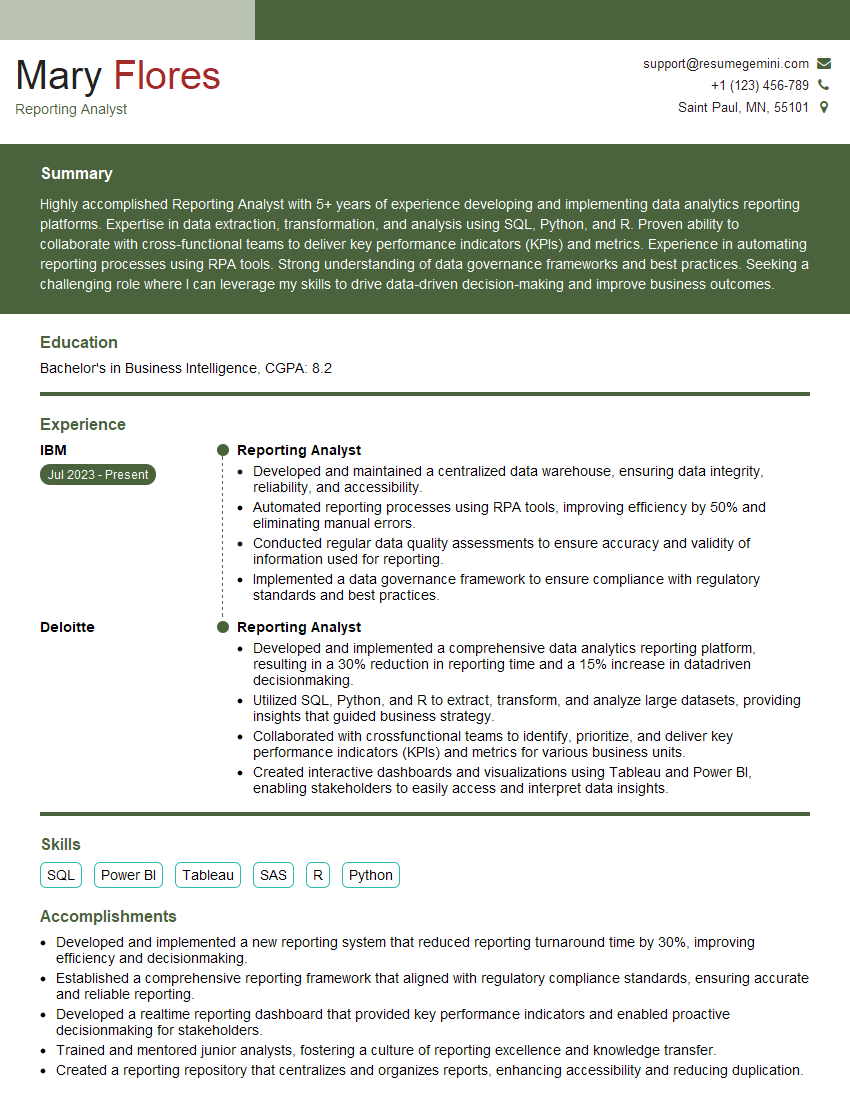
Reporting Analyst Resume Sample

Data Analyst Resume Sample

Network Administrator Resume Sample
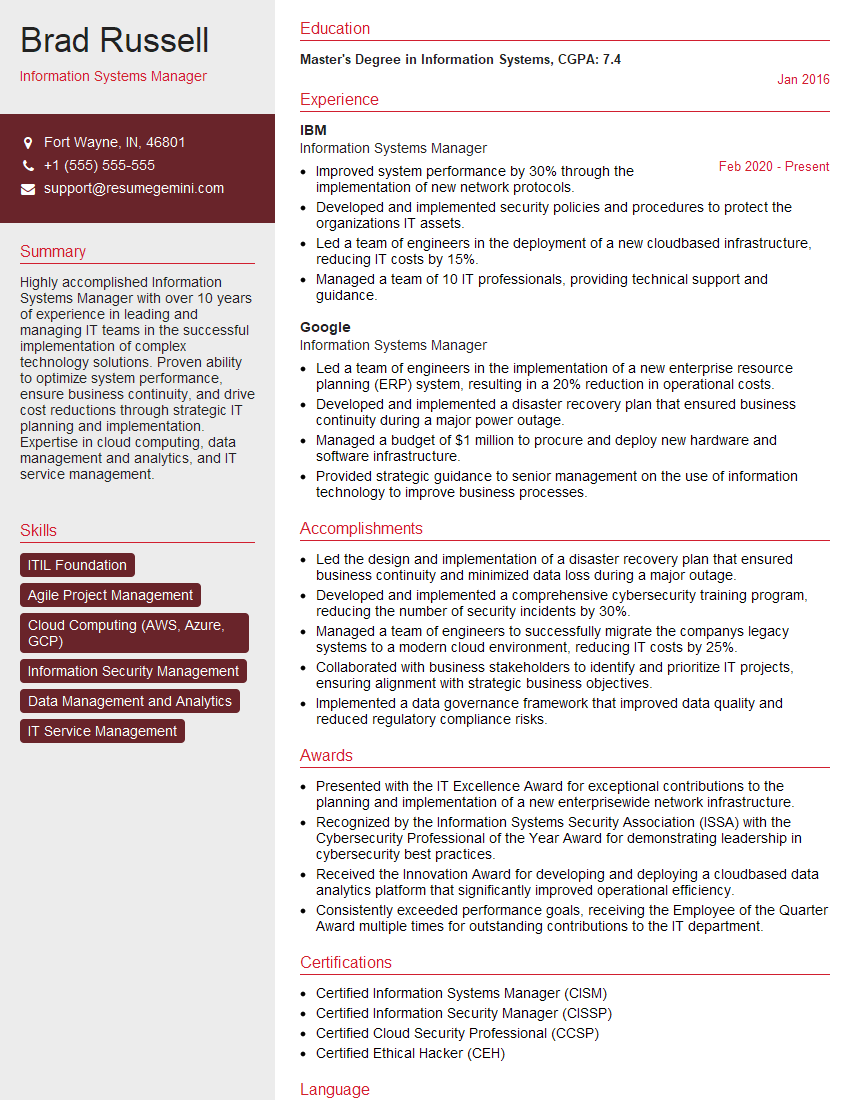
Information Systems Manager Resume Sample

System Administrator Resume Sample
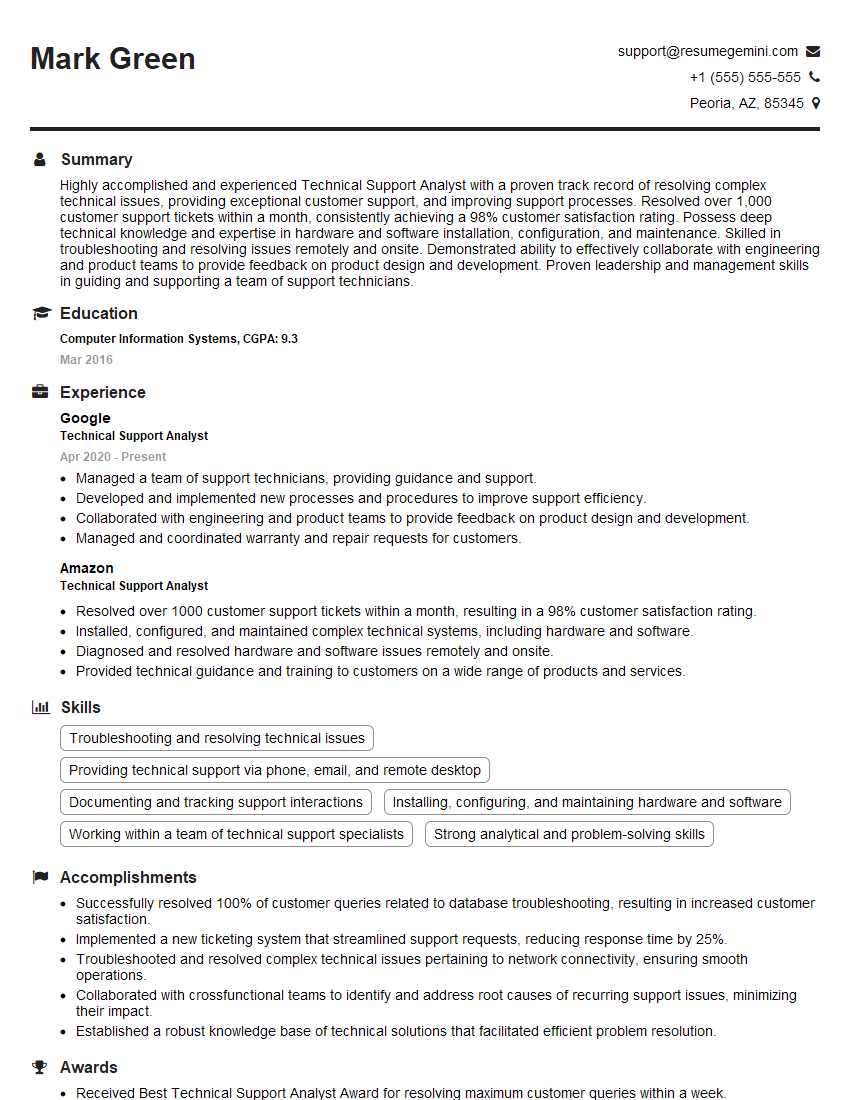
Technical Support Analyst Resume Sample
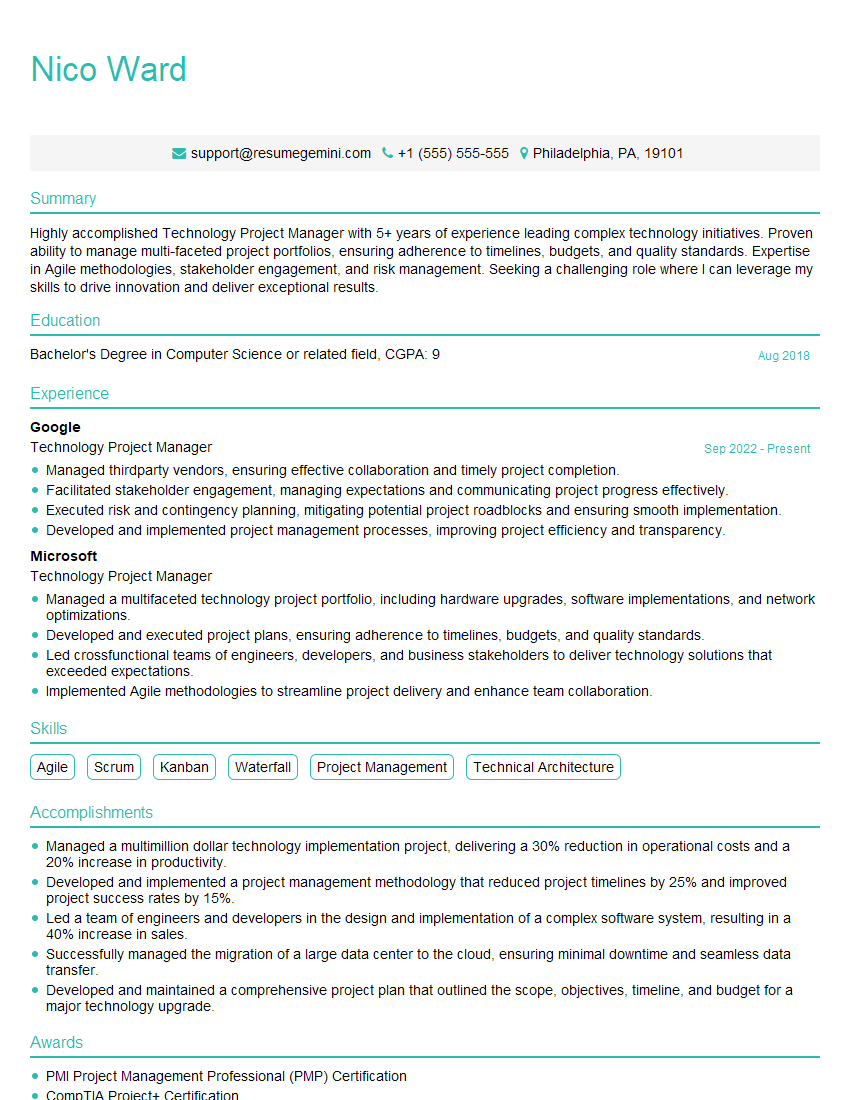
Technology Project Manager Resume Sample
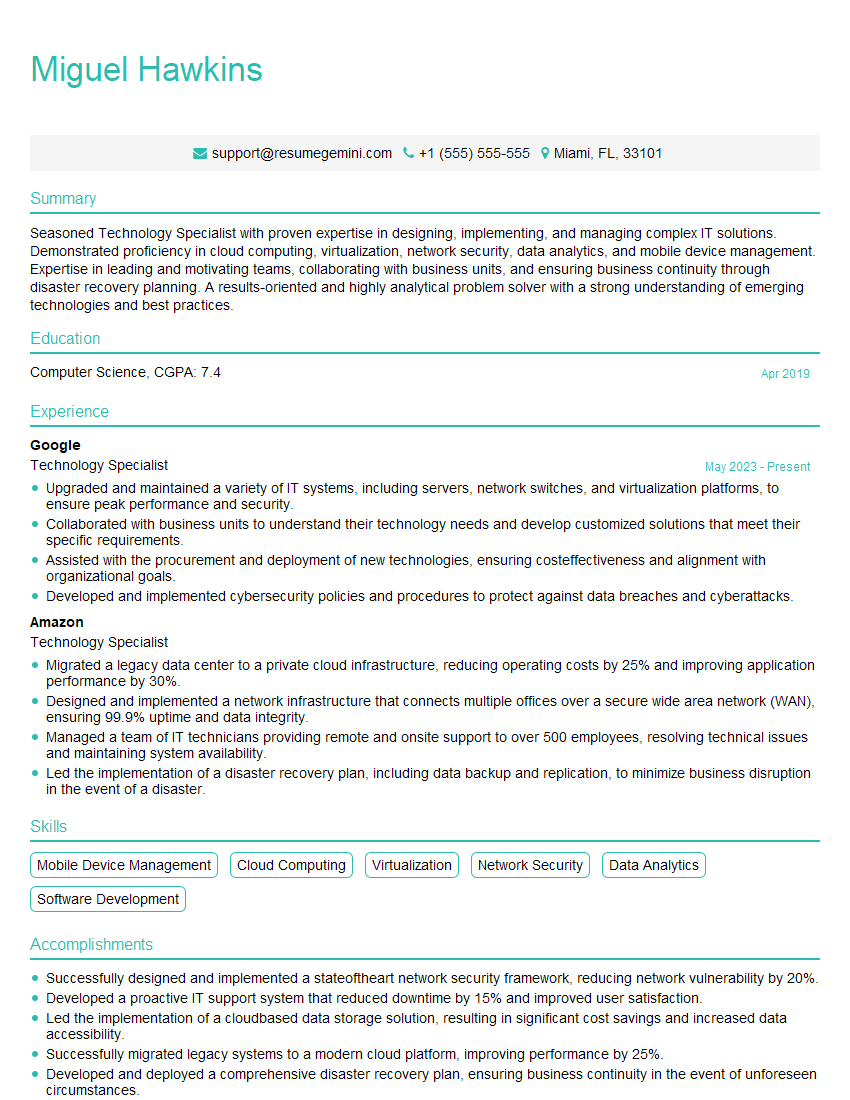
Technology Specialist Resume Sample

IT Support Specialist Resume Sample
Explore more articles
Users Rating of Our Blogs
Share Your Experience
We value your feedback! Please rate our content and share your thoughts (optional).
What Readers Say About Our Blog
To the interviewgemini.com Webmaster.
Very helpful and content specific questions to help prepare me for my interview!
Thank you
To the interviewgemini.com Webmaster.
This was kind of a unique content I found around the specialized skills. Very helpful questions and good detailed answers.
Very Helpful blog, thank you Interviewgemini team.