Cracking a skill-specific interview, like one for Elevation Extraction, requires understanding the nuances of the role. In this blog, we present the questions you’re most likely to encounter, along with insights into how to answer them effectively. Let’s ensure you’re ready to make a strong impression.
Questions Asked in Elevation Extraction Interview
Q 1. Explain the difference between a Digital Elevation Model (DEM) and a Digital Terrain Model (DTM).
While both Digital Elevation Models (DEMs) and Digital Terrain Models (DTMs) represent the Earth’s surface elevation, they differ in what they include. Think of it like this: a DEM is a broad overview, showing everything – buildings, trees, and the ground itself. A DTM, on the other hand, is a more refined representation, focusing solely on the bare earth. It removes all man-made objects and vegetation to reveal the underlying terrain.
DEM: Includes all surface features, including buildings, trees, and other objects. Useful for applications like visualizing landscapes and calculating viewsheds.
DTM: Represents only the bare earth surface, excluding all vegetation and man-made features. This is crucial for hydrological modeling, slope analysis, and other applications requiring accurate representation of the ground surface.
For example, a DEM of a city would show the height of buildings, while a DTM of the same city would show the elevation of the ground beneath the buildings.
Q 2. Describe the process of elevation extraction from LiDAR point cloud data.
Elevation extraction from LiDAR point cloud data is a multi-step process. LiDAR (Light Detection and Ranging) data provides a massive set of 3D points representing the Earth’s surface. The key is to efficiently process this data into a useful elevation model.
- Data Preprocessing: This step involves cleaning the point cloud, removing noise and outliers, and potentially classifying points into ground and non-ground categories using algorithms like progressive TIN densification or Cloth Simulation filtering.
- Ground Point Classification: This crucial step separates ground points from those representing objects like buildings and trees. This is often done using algorithms that identify points forming a continuous surface representing the ground.
- Interpolation: Once ground points are identified, various interpolation methods (discussed in a later question) are used to create a continuous surface from the discrete point cloud. This creates the actual DEM or DTM.
- Post-processing: This final stage often involves smoothing, filling in voids, and potentially correcting any remaining errors in the model. This might involve applying spatial filters or edge detection techniques.
Imagine trying to build a 3D model of a landscape using a pile of scattered pebbles. The preprocessing is like sorting the pebbles. Ground point classification is like separating the pebbles representing the ground from those representing rocks and other objects. Interpolation is like filling in the gaps between the pebbles to create a smooth surface, and post-processing is like refining the overall shape.
Q 3. What are the common sources of error in elevation extraction, and how can they be mitigated?
Several sources of error can affect elevation extraction. Let’s examine some common ones and how to address them:
- LiDAR Point Density: Low point density can lead to a less accurate representation of the terrain, particularly in areas with complex topography. Mitigation: Using higher-density LiDAR data or employing advanced interpolation techniques designed for sparse data.
- Occlusion: Features like dense vegetation can block the LiDAR signal, resulting in missing data or inaccurate measurements. Mitigation: Using multiple LiDAR flight lines or combining LiDAR data with other sources like imagery.
- Ground Classification Errors: Inaccuracies in classifying ground points from non-ground points can lead to errors in the resulting DEM/DTM. Mitigation: Using robust ground classification algorithms and manual quality control checks.
For example, a dense forest canopy can obscure the ground surface, leading to underestimation of elevation. Using techniques like waveform LiDAR can mitigate this issue by penetrating through the canopy to reach the ground.
Q 4. What are the different interpolation methods used in DEM creation, and what are their strengths and weaknesses?
Several interpolation methods are used to create DEMs from point cloud data. Each has strengths and weaknesses:
- Inverse Distance Weighting (IDW): Simpler method assigning weights based on the inverse distance to surrounding points. Strengths: Computationally efficient. Weaknesses: Can create artifacts near data edges and tend to oversmooth surfaces.
- Kriging: A geostatistical method that considers spatial autocorrelation among points to produce more accurate estimations. Strengths: Provides estimates of uncertainty and handles spatial autocorrelation. Weaknesses: More computationally intensive and requires careful parameter selection.
- Spline Interpolation: Uses smooth curves to fit through the data points, creating a continuous surface. Strengths: Produces smooth surfaces, particularly effective for representing gently sloping areas. Weaknesses: Can create artificial oscillations or overshoot in areas with sharp changes in elevation.
- Triangulated Irregular Network (TIN): Creates a network of triangles to approximate the surface. Strengths: Preserves sharp changes in elevation, making it suitable for complex terrain. Weaknesses: Can create unnatural-looking facets if not carefully constructed.
The choice of method depends on the specific application and characteristics of the data. For instance, Kriging is preferred when dealing with spatially correlated data like rainfall distribution, while TIN is more appropriate for highly variable terrain.
Q 5. How do you handle void areas or missing data in elevation datasets?
Handling void areas or missing data is crucial for creating a complete and useful elevation dataset. Several strategies can be used:
- Interpolation: Extrapolating values from surrounding points using one of the methods mentioned earlier. This is suitable if the missing data is relatively small and scattered.
- Gap Filling: Using alternative data sources, such as imagery or other DEMs with overlapping coverage, to fill in the missing areas. This might involve image processing techniques or data fusion.
- Spatial Prediction: Using advanced statistical techniques like regression or machine learning models trained on the available data to predict elevations in the missing regions. This approach is more sophisticated but can provide accurate results for larger gaps.
- Data Masking: Simply masking out or omitting the void areas from further analysis if the extent of missing data is substantial. This prevents the erroneous interpretation of data.
The best approach depends on the context. For instance, if a small section of a DEM is missing, interpolation might suffice. However, for larger missing areas, using a different data source or advanced statistical methods would be more suitable.
Q 6. Explain the concept of spatial resolution in elevation data and its importance.
Spatial resolution refers to the size of the grid cell or the spacing between data points in an elevation dataset. It essentially dictates the level of detail captured. A higher resolution (e.g., 1-meter resolution) means smaller grid cells and more detailed representation of the terrain, while a lower resolution (e.g., 30-meter resolution) means coarser representation with less detail.
The importance of spatial resolution is immense. Higher resolution data allows for a more precise representation of terrain features, better identification of small-scale changes in elevation, and higher accuracy in applications such as hydrological modeling, slope analysis, and volume calculations. However, higher resolution also means larger file sizes and increased computational demands. The choice of resolution depends on the application, budget, and available computational resources.
Imagine trying to map the elevation of a mountain range. A high-resolution DEM would accurately show the peaks and valleys, whereas a low-resolution DEM would only show a generalized shape, potentially missing crucial details.
Q 7. What are the different file formats used for storing elevation data?
Several file formats are used for storing elevation data, each with its own advantages and disadvantages:
- GeoTIFF (.tif, .tiff): A widely used format that supports georeferencing and various data types, including integer and floating-point elevations. It is highly versatile and widely compatible.
- ASCII Grid (.asc): A simple text-based format that stores elevation data in a matrix format. Easy to read and manipulate but can become large for high-resolution data.
- Erdas Imagine (.img): Proprietary format used by the Erdas Imagine software. Can store various types of geospatial data, including elevation data.
- HDF5 (.h5, .hdf5): A self-describing, hierarchical file format that can efficiently store large datasets. Suitable for very large DEMs.
- DEM files in various GIS software: Many GIS software packages have their own proprietary formats for storing DEMs. These are usually optimized for use within that specific software.
The choice of file format depends on several factors including the software used, the size of the dataset, and the need for specific metadata.
Q 8. Describe the process of orthorectification in relation to elevation extraction.
Orthorectification is a crucial step in elevation extraction, ensuring that the extracted elevation data is geometrically accurate and free from distortions caused by perspective and terrain relief. Imagine taking a picture of a mountain range from an airplane – the mountain tops appear closer together than they actually are due to the angle of the camera. Orthorectification corrects for this distortion using a Digital Elevation Model (DEM) and ground control points (GCPs).
The process involves:
- Geometric Correction: The raw image is first georeferenced, meaning we assign real-world coordinates to its pixels using known locations (GCPs).
- Elevation Adjustment: The DEM provides elevation information for each pixel. The software uses this elevation data to adjust the image geometry, removing the perspective distortions caused by terrain variations.
- Orthographic Projection: Finally, the corrected image is projected onto a plane, resulting in an orthorectified image where distances and shapes are accurately represented.
The orthorectified image can then be used for accurate elevation extraction, creating a DEM or other elevation products without the inherent errors of a non-orthorectified image.
Q 9. How do you assess the accuracy of extracted elevation data?
Assessing the accuracy of extracted elevation data involves several methods. We often use Root Mean Square Error (RMSE) to quantify the difference between our extracted elevations and known reference points. A lower RMSE indicates higher accuracy. We use various reference datasets for comparison, including:
- Ground Control Points (GCPs): High-precision GPS measurements of known points on the ground. These provide direct comparison points.
- LiDAR data: Light Detection and Ranging data offers very high accuracy elevation measurements, serving as an excellent benchmark.
- Existing DEMs: Comparing our extracted DEM to a previously established, reliable DEM of the same area offers a quick check of overall accuracy.
In addition to quantitative measures like RMSE, we visually inspect the results, looking for inconsistencies or obvious errors. This often involves overlaying different datasets to detect discrepancies. The appropriate method depends on the data source and the required level of accuracy for the application.
Q 10. What software packages are you proficient in for elevation extraction and processing?
My expertise spans several software packages crucial for elevation extraction and processing. I’m proficient in:
- ERDAS IMAGINE: A comprehensive GIS software suite with robust tools for image processing, orthorectification, and DEM creation.
- ArcGIS Pro: Another powerful GIS platform widely used for spatial data analysis, including elevation data processing and analysis.
- QGIS: A free and open-source GIS software that provides excellent functionality for DEM processing and analysis. It’s particularly useful for handling large datasets efficiently.
- Global Mapper: This software excels in working with various elevation data formats and offers powerful tools for data visualization and analysis.
My experience extends to using specialized plugins and extensions within these platforms to streamline workflows and enhance processing capabilities. My choice of software often depends on the project’s specifics, including data volume, available resources, and required outputs.
Q 11. Explain your experience with different coordinate reference systems (CRS) and their relevance to elevation data.
Coordinate Reference Systems (CRS) are fundamental to elevation data. They define how locations are represented on the Earth’s surface. Using an incorrect CRS can lead to significant inaccuracies in spatial analysis and calculations. For instance, using a projected CRS appropriate for a small area on a large-scale project will lead to distortions.
My experience includes working with various CRS, including:
- Geographic Coordinate Systems (GCS): Such as WGS84, defining locations using latitude and longitude.
- Projected Coordinate Systems (PCS): Like UTM, transforming latitude and longitude into planar coordinates for accurate distance measurements within a specific zone.
Selecting the appropriate CRS depends on the scale and area of the project. I always ensure consistency in CRS throughout the processing workflow to avoid errors. I meticulously document the CRS used for each dataset and in all project deliverables to ensure reproducibility and transparency.
Q 12. How do you handle vertical datum transformations?
Vertical datum transformations are essential for ensuring consistency in elevation data. Different vertical datums (like NAVD88 and NGVD29 in the US) define different reference surfaces for elevation measurements. Failing to convert between datums results in elevation errors.
I handle vertical datum transformations using geospatial software tools and dedicated transformation grids or equations. For example, in ArcGIS Pro, the ‘Project Raster’ tool allows for datum transformation. The choice of method often depends on the available data and accuracy requirements. High-accuracy transformations may necessitate using specialized software or service providers for conversion.
It’s critical to accurately document the original and transformed datums to maintain transparency and allow for future corrections or revisions. I use metadata rigorously to track datum changes at every stage.
Q 13. Describe your experience with processing large elevation datasets.
Processing large elevation datasets requires specialized techniques and tools. I have experience with handling datasets exceeding terabytes in size, using distributed processing techniques. This involves:
- Tile Processing: Breaking down the large dataset into smaller, manageable tiles that are processed individually and then recombined.
- Cloud Computing: Leveraging cloud-based platforms like AWS or Google Cloud to distribute processing tasks across multiple processors and efficiently handle massive data volumes.
- Specialized Software: Utilizing software like GDAL, which offers command-line processing for handling large datasets through scripting and automation.
Efficient data management and storage are also critical. I utilize compressed data formats and efficient file systems to optimize storage and transfer times. Careful planning and optimization are essential to ensure efficient processing without compromising accuracy or exceeding available resources.
Q 14. What is the role of ground control points (GCPs) in elevation extraction?
Ground Control Points (GCPs) are crucial for accurate elevation extraction, acting as known points on the ground with precise coordinates. They are essential for:
- Georeferencing: GCPs provide the link between the image or sensor data and the real-world coordinate system. This is foundational for accurate orthorectification and DEM generation.
- Accuracy Improvement: The more GCPs used, and the better their distribution, the more accurate the resulting DEM will be. GCPs essentially anchor the elevation data, minimizing errors.
- Error Detection: If GCPs show significant discrepancies, it indicates problems with the data or processing steps. This helps identify and rectify issues early in the process.
The quality and distribution of GCPs directly impact the accuracy of the extracted elevation data. Careful planning and meticulous field measurement are crucial for successful GCP acquisition. The number and placement of GCPs need to balance cost and accuracy requirements.
Q 15. Explain the concept of TIN (Triangulated Irregular Network) in relation to elevation modeling.
A Triangulated Irregular Network (TIN) is a powerful vector-based representation of a surface, commonly used in elevation modeling. Imagine connecting a set of points (representing elevation measurements) with triangles to create a continuous surface. That’s essentially a TIN. Unlike raster-based DEMs (Digital Elevation Models) which use a grid of equally spaced cells, a TIN adapts its density to the terrain’s complexity. In mountainous areas, triangles will be smaller and more numerous to capture the detail, whereas flatter areas might have larger triangles. This flexibility allows for efficient storage and accurate representation, especially in areas with significant elevation changes.
Each triangle in a TIN is defined by three points with known x, y, and z (elevation) coordinates. The edges of these triangles are created by connecting adjacent points. The elevation at any point within a triangle is interpolated from the elevations of its three vertices. This interpolation process is typically linear, but more sophisticated methods can be used for enhanced accuracy.
For example, imagine creating a TIN to model a hill. You’d strategically place points along the hill’s crest, slopes, and base. The TIN would then create a smooth, accurate representation of the hill’s shape, effectively capturing its contours and overall form. This adaptability makes TINs particularly useful for applications needing accurate representation of complex topography like hydrological modeling or slope analysis.
Career Expert Tips:
- Ace those interviews! Prepare effectively by reviewing the Top 50 Most Common Interview Questions on ResumeGemini.
- Navigate your job search with confidence! Explore a wide range of Career Tips on ResumeGemini. Learn about common challenges and recommendations to overcome them.
- Craft the perfect resume! Master the Art of Resume Writing with ResumeGemini’s guide. Showcase your unique qualifications and achievements effectively.
- Don’t miss out on holiday savings! Build your dream resume with ResumeGemini’s ATS optimized templates.
Q 16. What is your experience with different types of sensors used for elevation data acquisition?
My experience encompasses a wide range of sensors used for elevation data acquisition. I’ve worked extensively with LiDAR (Light Detection and Ranging), which uses laser pulses to measure distances and create highly accurate point clouds. LiDAR excels in capturing detailed elevation information, even in dense vegetation. I’ve also used photogrammetry, extracting elevation information from overlapping aerial or drone imagery. This technique is particularly cost-effective and allows for high-resolution data, though its accuracy might be slightly lower than LiDAR, especially in areas with less texture. In addition, I’m familiar with Interferometric Synthetic Aperture Radar (InSAR), a satellite-based technology that utilizes radar signals to measure surface deformation and derive elevation information over large areas. Each sensor has its strengths and limitations; the choice depends on the project requirements, budget, and desired accuracy.
For instance, in a project involving precise elevation mapping for infrastructure development, LiDAR would be the preferred choice. On the other hand, for large-scale environmental monitoring, InSAR’s ability to cover vast areas may be more advantageous despite its slightly lower resolution compared to LiDAR.
Q 17. How do you identify and correct outliers in elevation data?
Identifying and correcting outliers in elevation data is crucial for the integrity of the final elevation model. Outliers, which are points with abnormally high or low elevations, can be caused by various factors such as sensor errors, atmospheric effects, or ground features not properly accounted for (e.g., reflections from water). My approach typically involves a multi-step process.
First, I visually inspect the data using visualization tools to identify potential outliers. These points might appear as isolated spikes or dips in the elevation surface. Second, I employ statistical methods. For instance, calculating the standard deviation of elevation values within a moving window and flagging points exceeding a certain threshold (e.g., three times the standard deviation). Third, more sophisticated techniques like spatial filtering can smooth the elevation surface and mitigate the influence of outliers. For example, a median filter replaces each point’s elevation with the median value of its neighbors, reducing the impact of isolated extreme values. Lastly, after the outliers have been identified and corrected, I re-evaluate the overall model to ensure it is realistic and consistent.
For example, if a LiDAR point cloud exhibits a series of unexpectedly high elevation values in a flat area, I would investigate the possibility of a sensor glitch or misclassification. Based on context and visual inspection, I might filter these extreme values or correct them based on neighboring data.
Q 18. Describe your understanding of different types of DEMs (e.g., bare-earth, terrain).
Digital Elevation Models (DEMs) come in various types, each serving a distinct purpose. A bare-earth DEM represents the Earth’s surface without any vegetation, buildings, or other man-made objects. It’s the ‘raw’ elevation data, showing the underlying topography. A terrain DEM, on the other hand, includes all surface features – buildings, trees, etc. The choice between them depends entirely on the application. For example, hydrological modeling often requires a bare-earth DEM to accurately simulate water flow, while urban planning might use a terrain DEM to account for the presence of buildings and infrastructure.
Other types of DEMs include:
- High-resolution DEMs: Characterized by a fine spatial resolution (e.g., less than 1-meter spacing), providing highly detailed elevation information.
- Low-resolution DEMs: Possess a coarser spatial resolution (e.g., hundreds of meters) and are suitable for large-scale applications where high detail is not required.
- Filled DEMs: Have depressions or sinks filled to create a continuous surface, essential for hydrological modeling.
The choice of DEM type directly impacts downstream analyses. For example, using a terrain DEM for flood modeling could lead to inaccurate predictions by overestimating the water level.
Q 19. What are the applications of elevation data in different fields?
Elevation data has widespread applications across various fields. In hydrology, it’s crucial for watershed delineation, flood modeling, and simulating water flow. In environmental science, it’s used for habitat mapping, erosion analysis, and understanding landscape changes. In civil engineering, it’s fundamental for infrastructure planning, road design, and construction projects. It plays a crucial role in urban planning for building design, land-use analysis, and assessing environmental impact. Furthermore, elevation data is vital for creating 3D models for visualization, geographic information systems (GIS), and creating accurate terrain maps for navigation.
For example, a construction project would require accurate elevation data to ensure the stability of the foundation. Or, in environmental monitoring, elevation data is used to study the effects of deforestation on erosion patterns.
Q 20. How do you ensure the quality and consistency of your elevation extraction workflow?
Ensuring the quality and consistency of my elevation extraction workflow is paramount. I follow a rigorous process that begins with careful sensor selection, tailored to the project’s specific requirements, balancing accuracy, cost, and area coverage. Data processing involves a robust quality control (QC) phase including outlier detection and removal, as previously discussed, followed by data validation using independent sources (e.g., comparing with existing maps). I utilize various tools and software packages for data cleaning, processing, and analysis, and follow well-documented workflows to guarantee consistency and reproducibility.
Moreover, thorough documentation of every stage—from data acquisition to final product delivery—is essential for traceability and accountability. Regular checks are performed at different stages to ensure that the data meets the predefined quality standards. Finally, I always strive for transparency and clearly communicate the limitations and uncertainties associated with the extracted elevation data. For example, providing uncertainty estimates and acknowledging potential sources of errors helps users to interpret the data appropriately.
Q 21. Explain your experience with data visualization techniques for elevation data.
My experience with data visualization techniques for elevation data is extensive. I’m proficient in using various software packages to create visually appealing and informative representations of elevation data. Common techniques include contour maps, which show lines of equal elevation; hillshades, which simulate the illumination of the terrain; 3D surface models, which provide a three-dimensional view of the elevation data; and color-coded elevation maps, which assign colors to different elevation ranges. The choice of visualization technique depends on the specific objective and the audience. For instance, contour maps are helpful for understanding the general topography, while 3D models are effective for showcasing complex terrain features.
I also utilize interactive visualization tools that allow users to explore the data dynamically, such as zooming, panning, and rotating the 3D models. These interactive features greatly enhance the understanding and interpretation of complex elevation data. For example, creating interactive web maps for public access provides a more engaging and accessible way for people to interact with elevation information.
Q 22. Describe your approach to troubleshooting issues during elevation extraction.
Troubleshooting elevation extraction issues is a systematic process. I begin by identifying the nature of the problem – is it data-related, processing-related, or software-related?
- Data Issues: This could involve insufficient data coverage, noisy data (lots of outliers), or incorrect data projections. My approach is to inspect the raw data visually, using software like ArcGIS Pro or QGIS, to pinpoint areas of concern. I might need to gather additional data or perform data cleaning techniques like outlier removal or interpolation.
- Processing Issues: Problems here might stem from incorrect parameter settings in the processing software (e.g., wrong filter settings in LiDAR point cloud processing or inappropriate interpolation methods). I carefully review the processing steps, check the parameters used, and experiment with different settings or algorithms. I often compare the results obtained with different approaches.
- Software Issues: Rarely, the problem may lie in the software itself. In this case, I try different software packages, check for updates, and search for online solutions or consult the software’s documentation.
For example, once, I encountered unexpected spikes in elevation data in a DEM. Through careful visual inspection, I discovered a misalignment in the data stemming from a poorly registered LiDAR dataset. Correcting the registration resolved the issue. This highlights the importance of thorough data quality checks throughout the workflow.
Q 23. How do you handle different data formats and coordinate systems when integrating elevation data with other GIS datasets?
Integrating elevation data with other GIS datasets requires careful attention to data formats and coordinate systems. Inconsistencies can lead to misalignment and inaccurate analyses.
- Data Formats: I frequently work with various elevation data formats like GeoTIFF, ASCII grid, LAS (LiDAR), and DEMs. My workflow involves converting data to a common format, usually GeoTIFF, using tools such as GDAL or ArcGIS’s conversion utilities. This ensures compatibility and facilitates seamless integration.
- Coordinate Systems: Different datasets may use different coordinate reference systems (CRS). Before integration, I carefully determine the CRS of all datasets involved. If they differ, I use GIS software to project all datasets into a common, consistent CRS, usually a UTM zone appropriate for the study area. Failing to do this can result in spatial inaccuracies. For instance, using a dataset in geographic coordinates (latitude/longitude) with a dataset in a projected coordinate system will lead to incorrect spatial relationships.
Consider a scenario involving integrating a LiDAR-derived DEM with land-use data in shapefile format. Both are projected into a UTM zone before overlaying, allowing for accurate calculation of elevation values for specific land use types.
Q 24. What are some common challenges you have faced during elevation extraction projects?
Elevation extraction projects often present unique challenges. Here are some common ones I’ve faced:
- Data Gaps and Noise: Data gaps are common in elevation datasets, particularly those derived from LiDAR data. These can be caused by various factors such as vegetation, buildings or atmospheric conditions. Addressing these gaps requires careful interpolation using appropriate methods, considering the underlying terrain. Similarly, dealing with noisy data (outliers) requires the application of effective filtering techniques.
- Data Resolution and Accuracy: The resolution of the elevation data influences the accuracy of the extracted features. High-resolution data is generally better but might also be more computationally demanding. Balancing resolution needs with project constraints requires careful consideration.
- Computational Resources: Processing large elevation datasets, especially LiDAR point clouds, requires substantial computational power and memory. Efficient algorithms and appropriate hardware are essential for timely project completion.
- Data Acquisition and Processing Costs: Obtaining high-quality elevation data, particularly from sources like LiDAR surveys, can be quite costly. Careful planning and resource allocation are vital.
For example, working on a steep mountain region, the LiDAR data had significant gaps due to dense vegetation. We had to combine the LiDAR data with higher-resolution imagery to fill the gaps and improve overall accuracy.
Q 25. How do you ensure the accuracy of elevation data when using different data sources?
Ensuring accuracy when using multiple data sources requires a multi-pronged approach. It’s crucial to understand the limitations and characteristics of each data source.
- Data Source Evaluation: I assess the accuracy of each data source using available metadata (e.g., vertical accuracy information for DEMs). This allows for a realistic understanding of potential errors.
- Data Comparison and Validation: When using multiple sources, I compare the resulting elevation data to find discrepancies and outliers. This helps identify potential errors. Ground truthing or comparing with high-accuracy reference data is essential for validation.
- Data Fusion Techniques: In some cases, I employ data fusion techniques, combining information from multiple sources to produce a more accurate and complete elevation model. This can involve weighted averaging, or more sophisticated techniques depending on the datasets and the project’s needs.
- Error Propagation Analysis: Understanding error propagation is critical; errors in input data can be amplified during processing. Using techniques that minimize error propagation, careful consideration of appropriate interpolation methods, and robust statistical methods helps mitigate this risk.
For instance, in a project involving a combination of DEMs from different sources, I used a weighted average technique, assigning higher weights to the more accurate datasets based on their reported vertical accuracy.
Q 26. Explain your experience with automated elevation extraction techniques.
I have extensive experience with automated elevation extraction techniques, primarily using LiDAR data and DEM processing software.
- LiDAR Point Cloud Processing: I use software like LAStools, PDAL, and ArcGIS Pro to process LiDAR point clouds. Automated workflows involve steps such as ground classification, noise filtering, and interpolation to create DEMs. This significantly reduces manual effort and increases efficiency. For instance, I’ve developed automated scripts in Python using libraries like GDAL and laspy to automate LiDAR processing for large-scale projects.
- DEM generation and analysis: Software like ArcGIS Pro offers powerful tools to automate the generation of various DEM products from various sources (e.g., contours, breaklines). I also leverage its capabilities for automated analysis, such as slope, aspect, and hillshade calculation.
- Scripting and Automation: I extensively use scripting languages such as Python to automate repetitive tasks. This increases efficiency and consistency in the processing workflow.
A recent project involved processing several terabytes of LiDAR data. By implementing an automated workflow using Python and LAStools, we were able to generate high-resolution DEMs in a fraction of the time a manual approach would have taken.
Q 27. Describe your knowledge of different filtering techniques used in LiDAR point cloud processing for elevation extraction.
Filtering techniques in LiDAR point cloud processing are critical for accurate elevation extraction. These remove noise and unwanted points, improving the quality of the final DEM.
- Statistical Outlier Removal: This method identifies and removes points that deviate significantly from the average elevation in a local neighborhood. It’s effective for dealing with random noise.
- Spatial Filtering: Techniques like median filtering or moving average filtering smooth the point cloud data. These are useful for reducing high-frequency noise but can also blur important features if applied too aggressively.
- Progressive TIN densification: This method involves building a TIN (Triangulated Irregular Network) from the point cloud data iteratively, gradually increasing the density of triangles to improve the accuracy of the elevation surface.
- Classification-based Filtering: This is a crucial technique for filtering out non-ground points (e.g., vegetation, buildings). Algorithms classify points based on their characteristics, allowing the removal of non-ground points before elevation extraction. Common algorithms include progressive morphological filtering, Cloth Simulation Filtering and others. The choice of algorithm depends on factors such as point cloud density and terrain complexity.
The choice of filter depends on the specific characteristics of the point cloud and the desired level of detail. Overly aggressive filtering can lead to the loss of important features, while insufficient filtering may leave noise that impacts accuracy.
Key Topics to Learn for Elevation Extraction Interview
- Data Acquisition and Preprocessing: Understanding various methods for acquiring elevation data (e.g., LiDAR, photogrammetry, SRTM), and techniques for cleaning and preparing this data for analysis.
- Elevation Model Generation: Familiarity with different elevation model formats (e.g., DEM, DSM) and the processes involved in creating accurate and reliable models. This includes understanding interpolation techniques and error analysis.
- Spatial Analysis Techniques: Proficiency in using GIS software to perform spatial analysis on elevation data, such as slope analysis, aspect analysis, and hydrological modeling. Understanding the practical applications of these analyses in various fields (e.g., hydrology, urban planning).
- Error Detection and Correction: Identifying and mitigating errors in elevation data, including systematic and random errors. Understanding the impact of these errors on downstream analysis.
- Applications of Elevation Data: Understanding the diverse applications of elevation data in various fields like environmental science, civil engineering, and resource management. Being able to discuss specific examples and case studies.
- Software Proficiency: Demonstrating familiarity with relevant GIS software (e.g., ArcGIS, QGIS) and their capabilities related to elevation data processing and analysis.
- Data Visualization and Interpretation: Skill in effectively visualizing and interpreting elevation data through maps, charts, and other visual representations. Ability to communicate findings clearly and concisely.
Next Steps
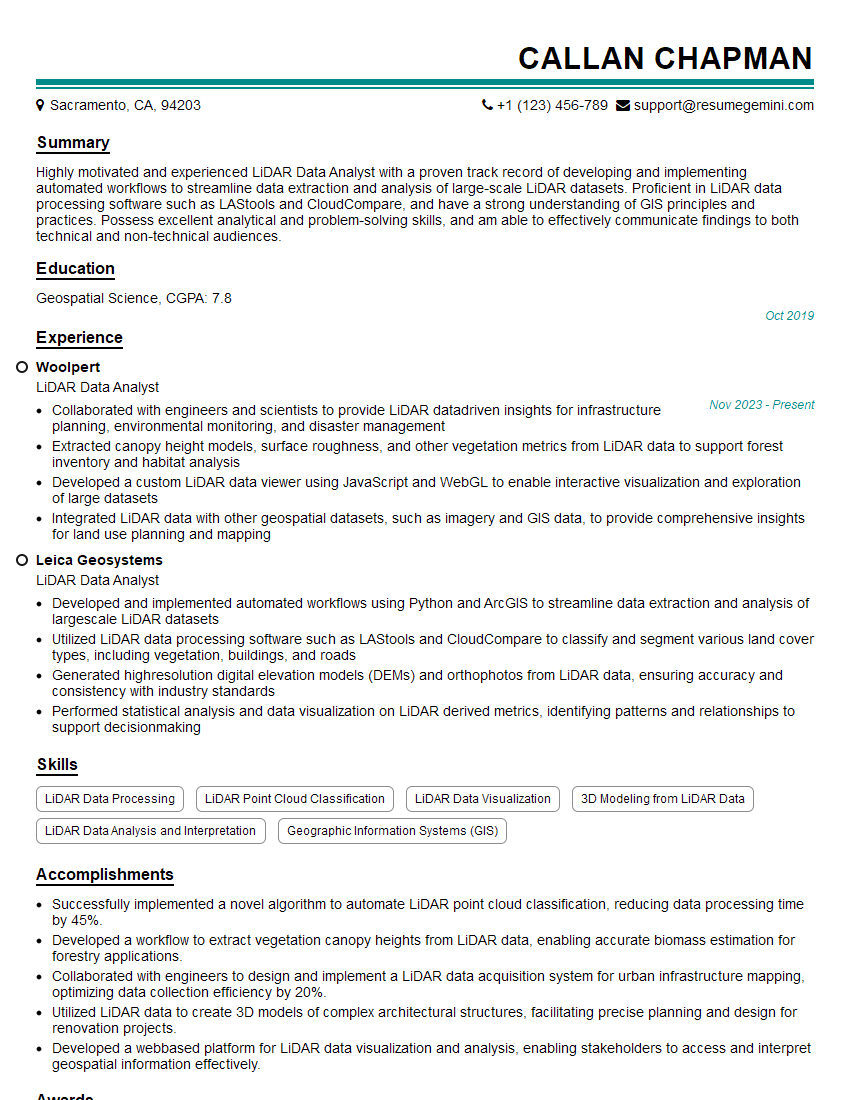
Mastering Elevation Extraction techniques is crucial for career advancement in many high-demand fields. A strong understanding of these concepts significantly enhances your value to potential employers. To maximize your job prospects, it’s essential to present your skills effectively. Creating an ATS-friendly resume is key to getting your application noticed. We highly recommend leveraging ResumeGemini, a trusted resource, to build a professional and impactful resume. Examples of resumes tailored to Elevation Extraction are available to help you get started.

Explore more articles
Users Rating of Our Blogs
Share Your Experience
We value your feedback! Please rate our content and share your thoughts (optional).
What Readers Say About Our Blog
To the interviewgemini.com Webmaster.
Very helpful and content specific questions to help prepare me for my interview!
Thank you
To the interviewgemini.com Webmaster.
This was kind of a unique content I found around the specialized skills. Very helpful questions and good detailed answers.
Very Helpful blog, thank you Interviewgemini team.