The right preparation can turn an interview into an opportunity to showcase your expertise. This guide to CAD 3D Modeling interview questions is your ultimate resource, providing key insights and tips to help you ace your responses and stand out as a top candidate.
Questions Asked in CAD 3D Modeling Interview
Q 1. Explain the difference between wireframe, surface, and solid modeling.
The three modeling techniques – wireframe, surface, and solid – represent different levels of 3D representation complexity. Think of building a house: wireframe is like the architect’s initial sketch showing only lines and points; surface modeling is adding the walls and roof, but without interior structure; solid modeling is the complete house, including all internal components.
- Wireframe modeling: This is the simplest form, using lines and points to define the edges and vertices of an object. It’s a skeletal representation lacking surface and volume information. It’s useful for quick conceptualization and early-stage design but lacks the detail for realistic visualization or analysis. Think of a simple line drawing of a car.
- Surface modeling: This technique focuses on creating surfaces defined by curves. It’s excellent for representing organic shapes and aesthetically-pleasing objects, particularly in fields like automotive and aerospace design. However, it doesn’t inherently define volume, making it unsuitable for tasks like stress analysis or mass property calculations. Imagine a highly polished car body – the surface is perfect, but you can’t see the engine or interior.
- Solid modeling: This is the most advanced method, defining objects based on their volume. It provides a complete representation, including both geometry and topology. Solid modeling is ideal for complex designs, simulations, and manufacturing processes because it provides complete geometrical information. Imagine a 3D model of a fully assembled car, complete with engine, interior, and all parts represented with correct volume.
Q 2. What are the advantages and disadvantages of using parametric modeling?
Parametric modeling is a powerful technique where geometry is defined by parameters (variables) rather than fixed dimensions. Changing a parameter automatically updates the entire model. Think of it like a recipe: you can change the amount of sugar and the final cake will adjust accordingly.
- Advantages:
- Design flexibility: Easy modification and iteration. Changing one parameter automatically updates related features, streamlining the design process.
- Automation: Reduces manual work, enhancing efficiency and consistency.
- Design intent capture: Preserves the relationship between design features and parameters, improving understanding and facilitating design changes.
- Improved collaboration: Easier to share and manage design data.
- Disadvantages:
- Steeper learning curve: Mastering the parameterization process can take time and effort.
- Complexity: Overly complex parametric models can become difficult to manage and troubleshoot.
- Performance issues: Very large and complex parametric models can be slow to regenerate.
For example, imagine designing a box. In parametric modeling, you’d define parameters like length, width, and height. Changing the height automatically resizes the entire box. In non-parametric modeling, you’d have to manually adjust each dimension independently.
Q 3. Describe your experience with different CAD software packages (e.g., SolidWorks, AutoCAD, Revit).
I’ve extensive experience with SolidWorks, AutoCAD, and Revit, each catering to different design needs. My proficiency extends beyond basic modeling to advanced techniques such as FEA (Finite Element Analysis) integration and rendering.
- SolidWorks: My primary focus has been on SolidWorks for its powerful solid modeling capabilities, ideal for mechanical design and product development. I’ve used it for everything from designing intricate mechanisms to generating detailed manufacturing drawings. I am proficient in simulations using SolidWorks Simulation.
- AutoCAD: AutoCAD has been crucial for 2D drafting and detailed drawings, often used to create production drawings from 3D models. I am experienced with creating and managing custom libraries and utilizing its automation features.
- Revit: I’ve used Revit extensively for building information modeling (BIM) projects, particularly focusing on architectural and structural design. Its collaboration tools and data management capabilities are invaluable in large-scale construction projects.
Each software has its strengths: SolidWorks excels in detailed 3D modeling, AutoCAD is unmatched for 2D drafting, and Revit provides the comprehensive BIM platform for building design.
Q 4. How do you handle complex assemblies in CAD software?
Handling complex assemblies efficiently requires a systematic approach. I use a combination of techniques, including top-down and bottom-up assembly methods, constraint management, and component organization.
- Top-down assembly: Starting with the main component and gradually adding sub-assemblies and individual parts.
- Bottom-up assembly: Creating sub-assemblies and then combining them to form the complete assembly.
- Constraint management: Defining mating conditions (constraints) between components to ensure proper assembly and avoid conflicts.
- Component organization: Using folders and assembly structures to logically group components, enhancing manageability.
- Simplification: Employing techniques like component suppression or lightweight components to improve performance when working with extremely large assemblies.
For instance, in designing a car engine, I might first assemble the cylinder block and head as a sub-assembly, then add other sub-assemblies like the crankshaft and camshaft before finally integrating them into the complete engine assembly. Utilizing constraints ensures proper alignment and fit of all parts.
Q 5. Explain your process for creating detailed 3D models from 2D drawings.
My process for creating 3D models from 2D drawings involves careful analysis, precise dimension extraction, and effective feature creation. I usually follow these steps:
- Analysis: Thoroughly review the 2D drawing to understand its features, dimensions, and tolerances.
- Sketching: Create 2D sketches based on the drawing’s critical dimensions and geometry.
- Feature creation: Use CAD software’s features (extrusions, revolves, sweeps, etc.) to build the 3D model based on the sketches.
- Verification: Regularly compare the 3D model to the 2D drawing to ensure accuracy.
- Refinement: Add details, fillets, and chamfers as needed, referring back to the 2D drawing for guidance.
For example, if the 2D drawing shows a cylindrical part, I would create a circle sketch in my CAD software, then use the extrusion feature to define the cylinder’s height. I’d continuously check my progress against the original drawing to make sure that dimensions, alignments, and features are perfectly matching.
Q 6. How do you manage large CAD files efficiently?
Managing large CAD files efficiently requires a multi-pronged strategy, combining file optimization, data management, and hardware upgrades where necessary.
- File simplification: Remove unnecessary data, such as hidden geometry or history, using the software’s tools.
- Data management: Utilize a Product Data Management (PDM) system to manage revisions and versions of files, preventing duplication and confusion.
- Component reuse: Create and store reusable components in a library, avoiding repeated modeling of common parts.
- Lightweight components: Convert high-detail components into simplified representations for assemblies. This preserves the visual representation while significantly reducing file size.
- Hardware upgrades: Increase RAM, upgrade to a solid-state drive (SSD), and consider a more powerful computer if processing speeds become a bottleneck.
By implementing these strategies, we can significantly reduce file sizes, improve performance and manage large and complex projects effectively.
Q 7. Describe your experience with different file formats (e.g., STEP, IGES, STL).
I have experience working with various file formats, each with its own strengths and limitations. Understanding these differences is crucial for seamless data exchange.
- STEP (Standard for the Exchange of Product data): A neutral, widely used format for exchanging 3D CAD data between different software packages. It preserves most of the design intent.
- IGES (Initial Graphics Exchange Specification): Another neutral format, similar to STEP, but generally considered less robust in preserving complex data. It is often used for simpler models.
- STL (Stereolithography): A widely used format for 3D printing, representing the model as a collection of triangles. It’s a less accurate representation than STEP or IGES, but is specifically suited for manufacturing processes such as additive manufacturing.
The choice of format depends on the application. STEP or IGES are preferred for design collaboration and data exchange between CAD systems, while STL is specifically used for manufacturing outputs like 3D printing. Understanding these nuances avoids potential data loss or incompatibility issues.
Q 8. How do you ensure the accuracy and precision of your 3D models?
Ensuring accuracy and precision in 3D modeling is paramount. It’s like building a house – you wouldn’t want the walls to be crooked! This involves a multi-pronged approach.
Precise Input Data: I always start with accurate source data. This might include precise measurements from blueprints, laser scans, or even reverse engineering existing parts. Any inaccuracy at this stage will propagate throughout the model.
Constrained Geometry: I heavily rely on constraints within the CAD software. These are mathematical relationships (like specifying dimensions, angles, or relationships between surfaces) that prevent accidental alterations and maintain geometrical integrity. For instance, instead of manually positioning a hole, I’d constrain it to be centered on a specific face and at a precise distance from an edge.
Consistent Units: Maintaining consistent units (millimeters, inches, etc.) throughout the entire modeling process is crucial. Mixing units can lead to significant errors.
Regular Checks and Validation: Throughout the process, I regularly perform checks. This might involve comparing my model to the original design, analyzing the model for inconsistencies using built-in CAD tools, or even creating cross-sections to visually inspect internal geometry.
Use of References: Utilizing reference geometry and models helps ensure alignment and accuracy, especially when working with assemblies. For example, when designing a component that needs to fit into a pre-existing assembly, referencing that assembly helps guarantee proper fit.
For example, I once worked on a project designing a complex medical implant. By meticulously using constraints and validating the model against MRI scans of the patient’s anatomy, we ensured the implant would fit perfectly and function as intended, minimizing the risk of surgical complications.
Q 9. What are some common challenges you face during the 3D modeling process?
3D modeling, while rewarding, presents several challenges. Think of it as sculpting with digital clay – it’s not always easy!
Complex Geometry: Modeling intricate shapes with many curves and surfaces can be time-consuming and require advanced techniques. Optimizing the model for efficient rendering and manufacturing is crucial.
Data Management: Managing large files, multiple versions, and collaboration with others can be a significant hurdle. A robust data management system is essential to avoid confusion and version conflicts.
Software Limitations: Even the best CAD software has limitations. You may encounter issues with specific features, unexpected bugs, or compatibility problems.
Tolerance and Fit Issues: Ensuring parts fit together perfectly within specified tolerances is a recurring challenge, especially in assemblies. Tight tolerances might require detailed analysis to avoid interference.
Client Communication and Feedback Integration: Interpreting client feedback and translating design changes into accurate model modifications can be difficult, requiring clear communication and thorough understanding of the design intent.
One time, I faced a significant challenge while modeling a highly intricate engine component. The initial model, while visually appealing, proved difficult to manufacture due to its complexity. We had to simplify the geometry while maintaining the functional integrity, requiring iterative design and analysis.
Q 10. How do you troubleshoot errors and resolve issues in your CAD models?
Troubleshooting is a critical skill in 3D modeling. It’s like detective work – finding clues to solve the mystery of a faulty model.
Systematic Approach: I approach troubleshooting systematically. First, I isolate the problem area. Then, I review my modeling steps, checking for inconsistencies in geometry, constraints, or dimensions. I frequently use the CAD software’s diagnostic tools to identify specific errors.
Visual Inspection: A thorough visual inspection using different views (orthographic, perspective, sections) often helps identify problems. Sometimes a simple visual cue can reveal a hidden error.
Constraint Analysis: Checking the constraints applied to the geometry is crucial. Over-constrained or under-constrained geometry can lead to errors.
Reference Models: Comparing the model to reference models or blueprints helps identify discrepancies.
Software Help and Forums: Utilizing the software’s help documentation and online forums can provide solutions to common problems and insights from experienced users.
For instance, I once encountered a rendering error in a complex assembly. By systematically checking the model’s components, I discovered a very small gap between two parts that caused the software to struggle with rendering. Closing that gap solved the issue.
Q 11. Describe your experience with CAD rendering and visualization techniques.
Rendering and visualization are crucial for communicating design ideas. It’s like showing a potential client a beautiful photograph of their future home instead of just blueprints.
I’m proficient in various rendering techniques, including:
Ray Tracing: This technique produces photorealistic images with accurate lighting and reflections. It’s great for showcasing final designs.
Rasterization: This faster method is ideal for interactive visualization and real-time rendering during the design process.
Animation: I often use animation to demonstrate the movement of mechanical parts or the assembly process, enhancing client understanding.
Different Viewports: I utilize different viewports to present orthographic projections, sections, and detailed views to ensure complete understanding of the design.
I’ve used these techniques to create compelling presentations for clients, helping them visualize complex designs and make informed decisions. For instance, I created an animated rendering of a robotic arm to showcase its range of motion to potential investors.
Q 12. Explain your understanding of tolerance and dimensioning in CAD.
Tolerance and dimensioning are fundamental to manufacturing. Imagine trying to build a LEGO castle where the bricks don’t fit together perfectly – it would be a mess! Tolerances define the allowable variation in dimensions, and dimensioning specifies the nominal dimensions.
In CAD, I use:
Geometric Dimensioning and Tolerancing (GD&T): GD&T uses symbols and notations to specify tolerances and their location precisely. It’s essential for complex parts where accurate fit and function are critical.
Dimensional Constraints: I use dimensional constraints in CAD software to ensure dimensions are maintained within tolerances. This helps prevent errors during the manufacturing process.
Tolerance Analysis: I sometimes perform tolerance analysis to determine the overall impact of individual tolerances on the assembled part. This helps optimize the design to reduce manufacturing costs while maintaining functionality.
For example, I recently worked on a project where precise tolerances were vital for a high-precision instrument. By carefully specifying tolerances using GD&T, we ensured the components fit perfectly and the instrument functioned as designed.
Q 13. How do you use CAD software for design analysis and simulation?
CAD software is far more than just a modeling tool; it’s a powerful platform for analysis and simulation. It’s like having a virtual testing ground before building the real thing.
I use CAD software for:
Finite Element Analysis (FEA): FEA helps predict how a part will behave under stress, vibration, or thermal loading. This is crucial for ensuring the structural integrity of components.
Computational Fluid Dynamics (CFD): CFD simulates fluid flow around or through parts, which is important for aerodynamic design or fluid handling systems.
Kinematic and Dynamic Simulations: These simulations analyze the motion of mechanical parts in an assembly, ensuring that moving parts will function correctly.
In a project involving a bicycle frame, I used FEA to analyze stress points under various loading conditions. This helped optimize the frame’s design for strength and weight reduction. By simulating the interactions between components during pedaling, we improved the overall efficiency and performance of the design.
Q 14. Describe your experience with CAD-related data management systems.
Effective data management is crucial in CAD, especially on large projects. It’s like organizing a well-stocked library – you need a system to find the right book (model) quickly.
My experience includes working with:
Product Data Management (PDM) systems: These systems manage files, revisions, and metadata, ensuring version control and efficient collaboration.
Cloud-based storage: Cloud storage provides accessibility and collaboration capabilities, allowing multiple team members to access and modify files from anywhere. It is essential for remote collaboration.
I’m familiar with best practices for data organization, naming conventions, and version control. In a recent project, the PDM system streamlined the collaboration between design, engineering, and manufacturing teams, reducing errors and ensuring everyone worked with the most up-to-date files. This significantly improved project efficiency.
Q 15. How do you collaborate with other team members using CAD software?
Collaboration in CAD is crucial for successful projects. We leverage several methods, depending on the software and team size. Common approaches include:
- Version Control Systems (VCS): Software like Autodesk Vault or similar systems allow multiple users to work on the same project simultaneously, tracking changes and preventing conflicts. Think of it like Google Docs for 3D models – you see who’s editing what and can merge changes smoothly.
- Cloud-Based Collaboration Platforms: Platforms like Fusion 360 offer built-in cloud collaboration features, allowing real-time editing and feedback. This fosters agile development and reduces reliance on local file sharing.
- Data Management Systems (DMS): For larger projects or enterprises, a robust DMS manages the entire lifecycle of CAD data, from design to manufacturing, enabling controlled access and version history.
- Direct File Sharing (Less Ideal): While less efficient, sharing files directly through email or network drives can be used for smaller projects or simple component sharing, but it’s prone to errors and version control issues.
In my experience, combining a VCS with a cloud-based platform provides the best balance of control, accessibility, and real-time collaboration. For example, on a recent project designing a complex robotic arm, our team used Autodesk Vault to manage file versions and Fusion 360 for real-time collaboration on sub-assemblies. This streamlined the process, reduced errors, and ensured everyone had access to the latest design data.
Career Expert Tips:
- Ace those interviews! Prepare effectively by reviewing the Top 50 Most Common Interview Questions on ResumeGemini.
- Navigate your job search with confidence! Explore a wide range of Career Tips on ResumeGemini. Learn about common challenges and recommendations to overcome them.
- Craft the perfect resume! Master the Art of Resume Writing with ResumeGemini’s guide. Showcase your unique qualifications and achievements effectively.
- Don’t miss out on holiday savings! Build your dream resume with ResumeGemini’s ATS optimized templates.
Q 16. Explain your understanding of different types of CAD constraints and relationships.
CAD constraints and relationships are the backbone of parametric modeling, allowing for dynamic and flexible design. They define geometric relationships between model elements, ensuring consistency and automaticity. They are broadly categorized as:
- Geometric Constraints: These define the spatial relationships between elements. Examples include:
Coincident: Two points or surfaces are exactly the same location.Parallel: Two lines or planes are parallel.Perpendicular: Two lines or planes are perpendicular.Tangent: Two curves or surfaces touch at a single point, sharing a common tangent.Concentric: Two circles or arcs share the same center point.- Dimensional Constraints: These specify precise distances, angles, or radii. Examples include:
Distance: Sets the distance between two points or surfaces.Angle: Specifies the angle between two lines or planes.Radius: Defines the radius of a circle or arc.Diameter: Defines the diameter of a circle or arc.- Relationship Constraints: Define the functional relationships between different model components, often used in assemblies. These might include:
Mate Constraints: Used to connect parts in an assembly, defining how they move relative to each other (fixed, revolute, prismatic etc.).Insert Constraints: Similar to mate constraints, but typically used for inserting one part into another (e.g., a screw into a hole).
Proper constraint management is key to efficient design and avoiding conflicts. For instance, over-constraining can lead to a model that is unsolvable, while under-constraining can result in a model that is too flexible and inconsistent.
Q 17. How do you create and manage design revisions in CAD?
Managing design revisions is crucial for maintaining version control and traceability. CAD software typically handles this through revision control systems, often integrated into the software or through external systems (like Vault, as mentioned before). The process generally involves:
- Creating Revisions: Each change or iteration of the design is saved as a new revision, often identified by a revision number or letter (e.g., Rev A, Rev B). This preserves a history of changes, allowing easy comparison between iterations.
- Naming Conventions: Consistent file naming conventions are essential to track different revisions efficiently (e.g., `PartName_RevA.sldprt`).
- Revision History: The software records details on each revision, including the date, time, user, and a description of the changes. This is crucial for auditing and ensuring accountability.
- Change Management Processes: Formal processes should be in place to review and approve changes before they are implemented, ensuring design integrity and minimizing errors.
- Data Backup: Regular backups of the project are essential to avoid data loss and ensure business continuity.
For example, if I were designing a car part, each modification (like adjusting a bolt hole diameter or changing a curve) would be saved as a separate revision with descriptive notes explaining the change. This allows easy rollback if needed and enables a clear audit trail of the design’s evolution.
Q 18. What is your experience with creating detailed technical drawings from 3D models?
Generating detailed technical drawings from 3D models is a fundamental aspect of CAD. The process generally involves:
- Selecting appropriate views: Choosing the necessary orthographic views (front, top, side) and auxiliary views, as needed, to accurately represent the design.
- Adding dimensions: Precisely dimensioning the model to ensure accurate manufacturing and assembly. This includes linear dimensions, angular dimensions, and other relevant geometric information.
- Creating sections and details: Generating cross-sections to reveal internal features and creating detailed drawings for specific areas that need clarification.
- Adding annotations and notes: Including any necessary annotations, material specifications, tolerances, surface finish requirements, and other critical information for the manufacturing process.
- Generating BOM (Bill of Materials): Creating a bill of materials that lists all the components of the assembly.
- Using drawing standards: Following established drawing standards (e.g., ASME Y14.5) to ensure clarity and consistency.
My experience includes creating detailed drawings for everything from simple mechanical parts to complex assemblies, consistently adhering to industry standards. I’m proficient in using various CAD software’s drawing generation capabilities to create professional, manufacturing-ready documentation.
Q 19. Explain your knowledge of different manufacturing processes and their impact on CAD modeling.
Understanding manufacturing processes is crucial for effective CAD modeling. The choice of manufacturing method directly influences the design’s feasibility, cost, and quality. Here’s how different manufacturing processes impact CAD modeling:
- Casting: Requires designing for draft angles (allowing easy removal from the mold), considering the material properties, and anticipating potential shrinkage.
- CNC Machining: Needs consideration of tool access, avoiding undercuts, and ensuring sufficient wall thickness. CAD models need to account for the limitations of the machine tools.
- Additive Manufacturing (3D Printing): Offers greater design freedom, but requires understanding the limitations of the printing process, such as layer thickness, support structures, and material properties.
- Injection Molding: Design requires consideration of draft angles, parting lines, ejector pin locations, and the flow of molten plastic within the mold.
- Sheet Metal Fabrication: Requires creating designs that consider bend radii, flange lengths, and other sheet metal-specific parameters.
For example, a part designed for casting needs draft angles that CNC machining doesn’t require. My experience incorporates a deep understanding of these processes, allowing me to create CAD models that are optimized for manufacturability and cost-effectiveness.
Q 20. How do you use CAD software to create prototypes?
CAD software plays a vital role in prototype creation, allowing for rapid iteration and testing before committing to full-scale production. The process usually involves:
- 3D Printing: Exporting the CAD model for direct 3D printing, enabling quick production of physical prototypes for testing and evaluation.
- CNC Machining: Using the CAD model to generate toolpaths for CNC machining, producing prototypes with higher accuracy and precision than 3D printing.
- Simulation and Analysis: Employing simulation software (often integrated with the CAD system) to virtually test the prototype’s performance under various conditions, identifying potential issues before physical prototyping.
- Rapid Prototyping Services: Utilizing external rapid prototyping services that can offer a variety of prototyping methods, depending on the project’s needs and budget.
In a recent project, we used 3D printing to create several iterations of a phone case design, allowing us to evaluate ergonomics and functionality before moving to CNC machining for a higher-fidelity prototype. This iterative approach allowed for significant design improvements before final production.
Q 21. Describe your experience with reverse engineering using CAD software.
Reverse engineering using CAD involves creating a 3D model of an existing physical object. The process generally involves:
- Scanning: Utilizing 3D scanners (optical, laser, or CMM) to capture the object’s geometry. This produces a point cloud data set.
- Point Cloud Processing: Cleaning and processing the point cloud data to remove noise and inaccuracies, often using specialized software.
- Surface Reconstruction: Creating a 3D surface model from the processed point cloud data.
- Feature Recognition: Identifying and extracting key features (holes, curves, surfaces) from the surface model to create a more readily usable CAD model.
- Solid Modeling: Converting the surface model into a solid model, allowing for further modification and analysis.
I have experience reverse engineering various components, from small mechanical parts to larger assemblies. The accuracy and quality of the resulting CAD model depend heavily on the scanning equipment and the expertise in post-processing and surface reconstruction. For example, I once reverse-engineered a vintage clock mechanism to create a digital model, which was then used for producing high-quality replicas.
Q 22. Explain your understanding of different types of 3D printing technologies.
3D printing, or additive manufacturing, encompasses several technologies, each with its own strengths and weaknesses. The choice of technology depends heavily on the desired material properties, part complexity, production volume, and budget.
- Fused Deposition Modeling (FDM): This is a common and relatively inexpensive method. It works by melting thermoplastic filament and extruding it layer by layer to build the object. Think of it like a hot glue gun, but much more precise. FDM is great for prototypes and functional parts, but surface finish can be rough.
- Stereolithography (SLA): SLA uses a UV laser to cure liquid resin, solidifying it layer by layer. It produces highly accurate parts with excellent surface detail, but the resin can be more expensive and requires post-processing to remove supports.
- Selective Laser Sintering (SLS): SLS uses a high-powered laser to fuse powdered material (plastics, metals, ceramics) together. It’s capable of creating complex geometries and strong parts, but it’s generally more expensive and requires post-processing to remove excess powder.
- Selective Laser Melting (SLM): Similar to SLS, but uses a laser to melt metal powder, producing very strong and precise metallic parts. It’s ideal for high-strength applications but is a costly process.
- Digital Light Processing (DLP): DLP uses a projector to cure liquid resin, curing an entire layer at once, making it faster than SLA for similar results. It also offers excellent detail and surface finish.
For example, I’d choose FDM for a quick prototype of a plastic housing, SLA for a detailed miniature model, and SLM for a high-strength metal component for a specialized machine.
Q 23. How do you optimize 3D models for 3D printing?
Optimizing 3D models for printing is crucial for ensuring a successful print. It involves several key steps:
- Orientation: Choosing the optimal orientation minimizes support structures and reduces printing time. For example, placing a part with a large flat surface on the build plate reduces the need for supports.
- Support Structures: Overhanging features require support structures to prevent sagging. Properly designing these structures ensures easy removal and avoids damaging the part. Most slicer software offers various support structure options to optimize for ease of removal.
- Wall Thickness: Sufficient wall thickness is needed for strength and dimensional accuracy. Too thin walls can lead to weak parts, while excessively thick walls waste material and increase printing time.
- Resolution and Layer Height: Higher resolution (smaller layer height) leads to smoother surfaces and greater detail but increases printing time. Choosing the appropriate layer height balances detail and efficiency.
- File Repair: Before printing, it’s essential to check the model for errors and repair any imperfections using software like Netfabb or Meshmixer. This prevents failures during the printing process.
For instance, I once optimized a complex model by carefully rotating it to minimize support usage by 40%, drastically reducing printing time and material costs.
Q 24. What is your experience with creating animations or simulations using CAD software?
I have extensive experience creating animations and simulations using CAD software such as SolidWorks, Autodesk Inventor, and Fusion 360. This capability is invaluable for visualizing designs, performing kinematic analyses, and demonstrating functionality.
In one project, I used SolidWorks Motion to simulate the movement of a robotic arm, identifying potential collisions and optimizing its design for smoother operation. In another project, I used Fusion 360’s animation features to create a compelling walkthrough of a product design for client presentations, showcasing the product’s features and aesthetics.
I’m also proficient in rendering high-quality visuals for marketing and documentation purposes, enhancing the communication of design ideas.
Q 25. How do you stay up-to-date with the latest advancements in CAD technology?
Staying current in CAD technology is crucial. I employ several strategies to achieve this:
- Industry Publications and Websites: I regularly read industry publications and websites like SolidWorks’ blog, Autodesk’s website, and others, keeping abreast of the latest software updates, new features, and emerging trends.
- Webinars and Online Courses: I participate in webinars and online courses offered by software vendors and industry professionals to learn new techniques and best practices.
- Conferences and Workshops: Attending industry conferences and workshops provides invaluable networking opportunities and exposure to the latest advancements.
- Professional Communities: Engaging with online forums and professional communities allows me to learn from experienced CAD users and share knowledge.
- Experimentation and Practice: I regularly experiment with new software features and techniques, practicing them on personal projects.
This continuous learning ensures that my skills are constantly improving and I’m equipped to handle any challenges presented by advanced projects.
Q 26. Describe a time you had to solve a complex 3D modeling problem.
I once faced a challenge modeling a highly intricate jewelry design with numerous delicate, interwoven elements. The initial CAD model was extremely complex and difficult to manipulate. My approach involved a combination of strategies:
- Decomposition: I broke down the design into smaller, more manageable components, modeling each individually.
- Boolean Operations: I used Boolean operations (union, difference, intersection) to combine and modify the individual components, efficiently creating the intricate design.
- Reference Geometry: I utilized reference geometry to maintain consistency and symmetry throughout the model, ensuring precise alignment of components.
- Iteration and Refinement: The process involved multiple iterations of modeling, testing, and refining to ensure accuracy and manufacturability.
This approach allowed me to create a highly detailed and accurate 3D model suitable for 3D printing, which was later successfully manufactured and received positive feedback from the client.
Q 27. How would you approach modeling a part with intricate details and complex curves?
Modeling parts with intricate details and complex curves requires a methodical approach. I would typically use a combination of techniques:
- Curve Creation: Start by precisely creating the complex curves using splines or other appropriate tools, ensuring smoothness and accuracy.
- Surface Modeling: Employ surface modeling techniques to build the part’s geometry. This allows for the creation of smooth, organic shapes with precise control over curves and contours. Tools like lofting, sweeping, and revolving are valuable here.
- Subdivision Surface Modeling: For extremely organic shapes, I might use subdivision surface modeling to create a smooth, high-resolution model from a low-resolution base mesh. This allows for more organic shapes without excessive polygon count.
- Reference Images: Using high-resolution reference images as a guide helps maintain accuracy and detail throughout the modeling process.
- Mesh Refinement: Regularly refine the mesh to ensure smoothness and accuracy, especially in areas with sharp curves and intricate details.
The key is to work iteratively, constantly evaluating and refining the model to achieve the desired level of detail and accuracy. Remember that even with sophisticated tools, patience and attention to detail are paramount for successful modeling.
Key Topics to Learn for Your CAD 3D Modeling Interview
Landing your dream CAD 3D Modeling job requires a strong understanding of both theory and practice. Focus your preparation on these key areas:
- Software Proficiency: Mastering at least one major CAD software package (SolidWorks, AutoCAD, Inventor, Fusion 360, etc.) is crucial. Practice modeling various geometries, assemblies, and utilizing advanced features like simulations and rendering.
- Modeling Techniques: Understand different modeling methodologies (solid modeling, surface modeling, wireframe modeling) and their appropriate applications. Be ready to discuss the strengths and weaknesses of each approach and when you might choose one over another.
- Dimensioning and Tolerancing: Demonstrate a firm grasp of GD&T (Geometric Dimensioning and Tolerancing) principles. This is vital for communicating design intent accurately and ensuring manufacturability.
- Design for Manufacturing (DFM): Show your understanding of how design choices impact manufacturing processes. Discuss considerations like material selection, assembly methods, and cost-effectiveness.
- Data Management and Collaboration: Be prepared to discuss your experience with CAD data management systems (PDM) and collaborative workflows. Highlight your ability to work effectively within a team environment.
- Problem-Solving and Troubleshooting: Interviewers will assess your ability to diagnose and solve modeling challenges. Prepare examples showcasing your problem-solving skills and your approach to overcoming technical hurdles.
- Technical Drawing Interpretation: Practice interpreting 2D technical drawings and translating them into 3D models. This demonstrates your understanding of design communication and your ability to work from existing documentation.
Next Steps: Unlock Your Career Potential
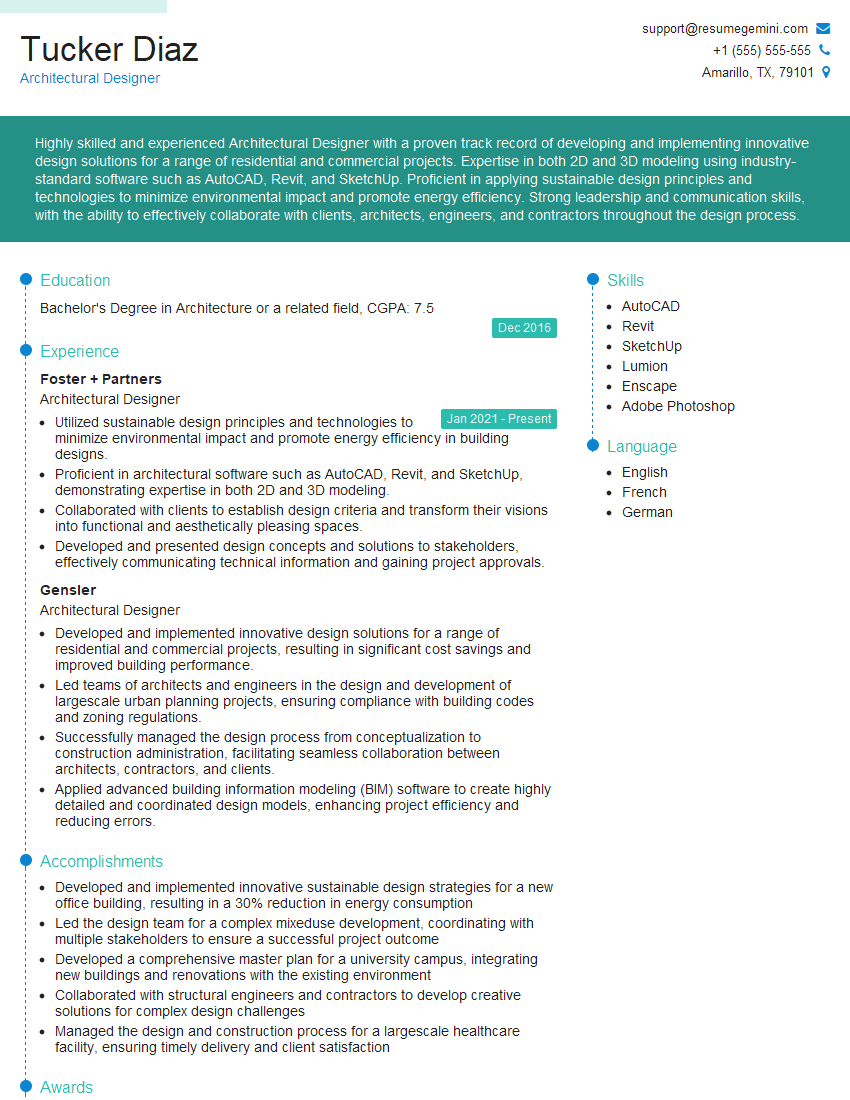
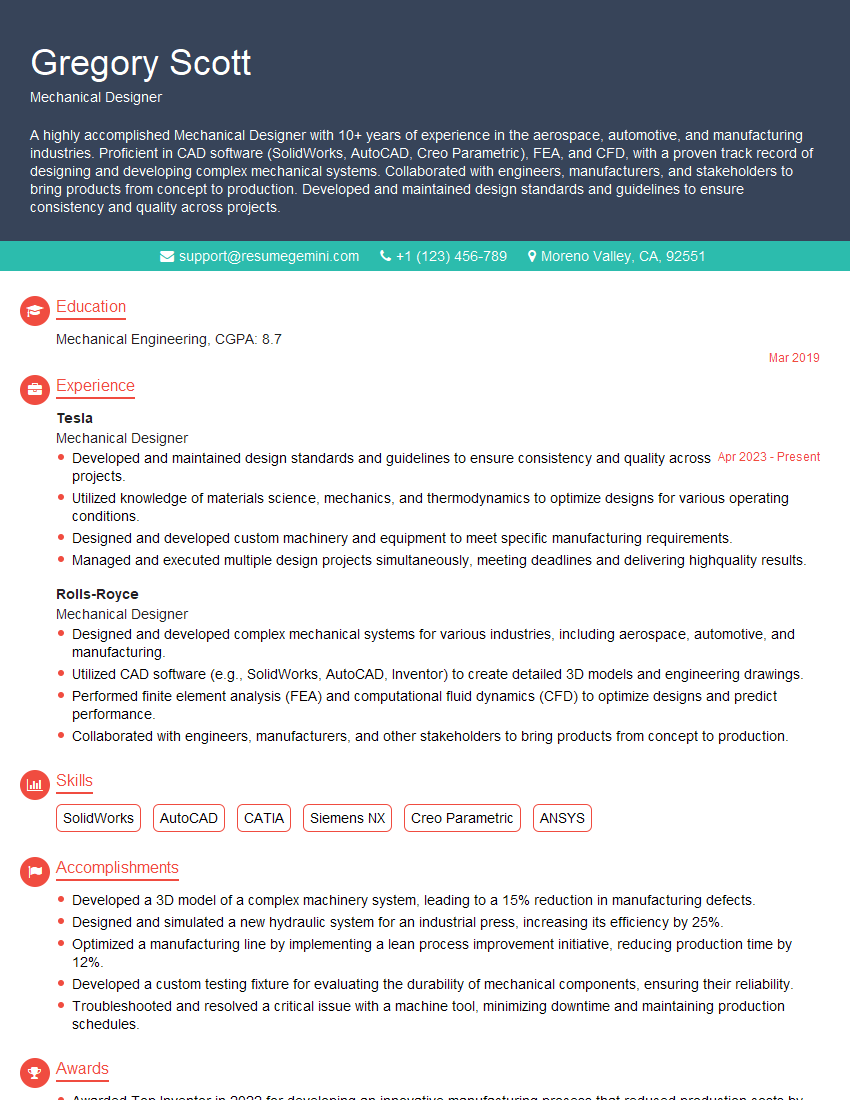
Mastering CAD 3D Modeling opens doors to exciting and rewarding career opportunities. To maximize your chances of success, invest time in crafting a compelling, ATS-friendly resume that highlights your skills and experience effectively. ResumeGemini is a trusted resource that can help you build a professional resume tailored to the CAD 3D Modeling industry. We provide examples of resumes specifically designed for this field to give you a head start. Take the next step toward your dream job – build a resume that truly showcases your abilities!






Explore more articles
Users Rating of Our Blogs
Share Your Experience
We value your feedback! Please rate our content and share your thoughts (optional).
What Readers Say About Our Blog
To the interviewgemini.com Webmaster.
Very helpful and content specific questions to help prepare me for my interview!
Thank you
To the interviewgemini.com Webmaster.
This was kind of a unique content I found around the specialized skills. Very helpful questions and good detailed answers.
Very Helpful blog, thank you Interviewgemini team.