Feeling uncertain about what to expect in your upcoming interview? We’ve got you covered! This blog highlights the most important Computer training interview questions and provides actionable advice to help you stand out as the ideal candidate. Let’s pave the way for your success.
Questions Asked in Computer training Interview
Q 1. Explain the ADDIE model of instructional design.
The ADDIE model is a widely used instructional design framework, an acronym for Analysis, Design, Development, Implementation, and Evaluation. It provides a systematic approach to creating effective training programs.
- Analysis: This initial phase involves identifying the training needs, target audience, learning objectives, and available resources. For example, if we’re designing training for a new software, we’d analyze the software’s features, the users’ existing skill levels, and the business goals the software aims to achieve.
- Design: Here, we create a blueprint for the training, outlining the content, learning activities, assessment methods, and overall instructional strategy. This might include deciding on a blended learning approach—combining online modules with in-person workshops—and designing interactive exercises to reinforce learning.
- Development: This stage focuses on creating the actual training materials, including presentations, handouts, online modules, videos, and assessments. For our software training, this could involve developing interactive tutorials, creating short explainer videos, and designing quizzes to check for understanding.
- Implementation: This phase involves delivering the training program to the target audience. This might involve scheduling training sessions, providing technical support, and monitoring participant progress. We would ensure the learning environment is conducive to learning and provide opportunities for learners to ask questions.
- Evaluation: Finally, we assess the effectiveness of the training program using various methods, such as pre- and post-tests, surveys, and observations. This helps to determine if the training achieved its objectives and identify areas for improvement. For example, we might measure the improvement in user performance after completing the software training.
The ADDIE model ensures a structured and well-thought-out approach, increasing the likelihood of a successful and impactful training program.
Q 2. Describe your experience with different learning management systems (LMS).
I have extensive experience with various Learning Management Systems (LMS), including Moodle, Canvas, Blackboard, and TalentLMS. My experience encompasses everything from course creation and content management to user administration and performance tracking. For instance, while working on a project for a large corporation using Moodle, I designed and implemented a comprehensive training program on cybersecurity best practices. This involved creating engaging online modules, scheduling online workshops, tracking participant progress via quizzes and assignments, and using the LMS’s reporting features to generate performance data for the client.
I’m proficient in utilizing the features of each LMS, including features like creating different user roles, setting up communication channels like forums and announcements, integrating with other systems (like video conferencing platforms), and customizing the learning experience to cater to different learning styles. I understand the importance of user-friendly interfaces and seamless navigation within the LMS for optimal learner engagement.
Q 3. How do you assess the effectiveness of a computer training program?
Assessing the effectiveness of a computer training program involves a multi-faceted approach, combining quantitative and qualitative data. We use a combination of methods to obtain a comprehensive understanding of the training’s impact.
- Pre- and Post-tests: These measure knowledge and skills before and after the training, providing quantifiable data on learning gains.
- Surveys and Feedback Forms: These gather learner perceptions on various aspects of the training, including content relevance, instructional methods, and overall satisfaction. This allows us to understand if the learners feel their time was well spent and if the training successfully addressed their learning needs.
- Performance-Based Assessments: These involve practical tasks or simulations to assess learners’ ability to apply newly acquired skills in real-world scenarios. For instance, if it’s a software training, learners would perform tasks using the software.
- Observation and On-the-Job Performance Tracking: This approach involves observing learners in their work environment to assess their performance and identify areas where they still need support. This feedback allows for improvement in future training sessions.
By analyzing the data collected from these methods, we can determine whether the training program achieved its learning objectives, identify areas for improvement, and demonstrate the return on investment (ROI) of the training.
Q 4. What are some common challenges in delivering online computer training, and how do you overcome them?
Delivering effective online computer training presents unique challenges. Here are some common ones and strategies to overcome them:
- Maintaining Engagement: Online learning can be less engaging than in-person training. We counter this by incorporating interactive elements like quizzes, polls, discussions, and gamification techniques to keep learners motivated and involved.
- Technical Issues: Problems with internet connectivity, software compatibility, or hardware can disrupt the learning process. We address this by providing robust technical support, offering alternative access methods, and thoroughly testing the online platform and materials before launching the training.
- Learner Isolation: The lack of face-to-face interaction can lead to feelings of isolation. We mitigate this by creating opportunities for interaction through online forums, discussion boards, group projects, and virtual live sessions.
- Difficulties in Assessing Learning: It can be challenging to ensure learners are actually engaging with the material and learning effectively in an online environment. This can be addressed through various forms of assessment as mentioned in the previous answer, and monitoring learner activity within the learning platform.
Proactive planning and the use of appropriate technology and techniques are crucial in effectively addressing these challenges and creating a positive and successful online learning experience.
Q 5. What different training methodologies are you familiar with (e.g., blended learning, gamification)?
I’m familiar with a variety of training methodologies, including:
- Blended Learning: This approach combines online learning with in-person instruction, leveraging the strengths of both methods. For example, we could deliver theoretical concepts online through videos and readings, then provide hands-on practice during in-person workshops.
- Gamification: This involves incorporating game-like elements like points, badges, leaderboards, and challenges to increase learner motivation and engagement. This could involve awarding points for completing modules and awarding badges for mastering specific skills within the training software.
- Microlearning: This delivers training in short, focused bursts, making it easier for learners to fit training into their busy schedules. We could break down a large training topic into smaller, digestible modules.
- Just-in-Time Training: This method delivers training when learners need it, often directly within a software application or workflow. For example, providing context-sensitive help or tooltips.
- Social Learning: This approach encourages learners to collaborate, share knowledge, and learn from each other through online forums, discussion groups, or collaborative projects.
Choosing the most effective methodology depends on the specific training objectives, target audience, available resources, and the learning environment.
Q 6. How do you adapt your training style to different learning styles?
I adapt my training style to accommodate different learning styles, recognizing that learners process and retain information differently. I utilize a variety of techniques to cater to visual, auditory, and kinesthetic learners:
- Visual Learners: I use visuals like diagrams, charts, presentations, and videos to present information clearly. These methods help the learner learn through seeing.
- Auditory Learners: I incorporate audio elements like narrations, discussions, and podcasts. For these learners, hearing the information is beneficial.
- Kinesthetic Learners: I design hands-on activities, simulations, and practical exercises to allow learners to experience and apply what they are learning. This allows the learner to learn by doing.
I also vary my delivery methods within each session to cater to different preferences. For example, I might combine a lecture with a hands-on activity followed by a group discussion.
Furthermore, I provide diverse learning materials, such as printable guides for visual learners and audio recordings for auditory learners, catering to the individual needs of all learners within the group.
Q 7. Describe your experience creating training materials (e.g., presentations, manuals, videos).
I have extensive experience creating various types of training materials. I’m proficient in using presentation software (PowerPoint, Google Slides) to create engaging and informative presentations, incorporating visuals, animations, and interactive elements. I also develop comprehensive training manuals, incorporating clear instructions, illustrations, and real-world examples.
My video production experience includes scriptwriting, filming, editing, and producing instructional videos using software like Adobe Premiere Pro and Camtasia. I focus on creating concise and easily digestible videos that reinforce key concepts, ensuring clarity and high-quality production values. Recently, I created a series of short video tutorials explaining the functionality of a new software program; these videos incorporated screen recordings, animations, and on-screen text to maximize learning outcomes.
I’m equally comfortable creating online modules and interactive exercises using various authoring tools, ensuring my materials are accessible, engaging, and effective for online learning.
Q 8. How do you handle difficult or disruptive learners in a training session?
Handling disruptive learners requires a proactive and multi-faceted approach. It starts with creating a positive and engaging learning environment from the outset. This includes clear expectations, a structured curriculum, and opportunities for participation. However, some learners might still require additional attention.
My strategy involves:
- Early Identification: I actively observe learner behavior throughout the session. Quietly addressing minor disruptions early on often prevents escalation.
- Individualized Attention: If a learner is consistently disruptive, I might address them privately, understanding the underlying cause (e.g., lack of understanding, personal issues). A quick check-in can often solve the problem.
- Positive Reinforcement: I focus on praising positive behavior and participation, creating a more positive learning atmosphere and encouraging others to follow suit.
- Collaboration: If the disruption is significantly impacting the learning environment, I might seek assistance from other instructors or management, particularly in cases of persistent or aggressive behavior.
- Re-Engagement Strategies: For learners who are disengaged, I try to make the material more relevant or engaging, perhaps through interactive exercises, group work, or real-world examples.
For example, in a recent training session on spreadsheet software, one participant consistently interrupted with unrelated questions. A private conversation revealed they felt overwhelmed. By providing tailored one-on-one assistance and breaking down the material into smaller, more manageable chunks, I was able to re-engage them and improve their overall learning experience.
Q 9. How do you stay up-to-date with the latest technologies and trends in computer training?
Staying current in the rapidly evolving field of computer training demands a proactive and continuous learning approach. I leverage several methods to ensure I’m always up-to-date:
- Professional Development Courses: I regularly participate in workshops, seminars, and online courses offered by reputable organizations, focusing on new software releases, updated teaching methodologies, and emerging technologies.
- Industry Publications and Blogs: I subscribe to relevant tech journals, newsletters, and blogs that provide insights into new trends and developments in computer technology and training practices.
- Conferences and Networking: Attending industry conferences allows me to engage with peers, learn from experts, and explore the latest innovations in computer training.
- Online Communities and Forums: Engaging in online forums and communities provides a platform to share knowledge, ask questions, and stay informed about the latest developments.
- Hands-on Experience: I actively experiment with new software and technologies, ensuring my practical skills remain sharp and current.
For instance, to stay updated on the latest advancements in cloud computing, I recently completed a specialized course on AWS and actively follow industry blogs dedicated to cloud technologies. This ensures I can effectively integrate the newest tools and techniques into my training programs.
Q 10. Explain your experience with needs analysis for computer training programs.
Needs analysis is the cornerstone of effective computer training. It’s the process of systematically identifying the learning needs of a specific audience to tailor a training program that addresses those needs precisely. This avoids wasted time and resources on irrelevant content.
My process typically includes:
- Identifying the Target Audience: Understanding the learners’ existing skills, experience levels, and learning styles is paramount. This might involve surveys, interviews, or focus groups.
- Defining Learning Objectives: Based on the identified needs, I define specific, measurable, achievable, relevant, and time-bound (SMART) learning objectives. For example, “Participants will be able to create a basic database using MySQL within 2 hours.”
- Assessing Current Skill Levels: I use pre-tests, surveys, or knowledge assessments to determine the learners’ current competencies and identify skill gaps.
- Analyzing Performance Data: If applicable, analyzing existing performance data (e.g., error rates, productivity metrics) can help pinpoint specific areas for improvement.
- Considering the Context: The overall organizational goals and the specific job roles of the learners influence the content and focus of the training program.
In a recent needs analysis for a large accounting firm, I discovered that their employees needed training on a specific financial software package. By conducting interviews and reviewing their work processes, I identified specific areas requiring focused training, leading to a more efficient and impactful program.
Q 11. What software or tools do you use for creating training content?
I utilize a variety of software and tools for creating engaging and effective training content. My selection depends on the specific needs of the training program, but typically includes:
- Authoring Tools: Articulate Storyline 360, Adobe Captivate, and Lectora are powerful tools for developing interactive e-learning modules, including scenarios, quizzes, and simulations.
- Presentation Software: PowerPoint and Google Slides are widely used for creating engaging presentations, incorporating multimedia elements to enhance learning.
- Video Editing Software: Adobe Premiere Pro and Final Cut Pro are essential for creating high-quality video tutorials and screencasts, effectively demonstrating software applications and techniques.
- Graphic Design Software: Adobe Photoshop and Illustrator are used to create visually appealing graphics, infographics, and other visual aids to supplement the training materials.
- Learning Management Systems (LMS): Moodle, Canvas, and Blackboard are used to host and manage online training courses, tracking learner progress and providing feedback.
For example, when developing a training program on project management software, I used Articulate Storyline 360 to create interactive modules, incorporating videos created with Adobe Premiere Pro to demonstrate key features and functionalities. The final product was hosted on our company’s LMS for easy access and progress tracking.
Q 12. How do you measure the ROI of a computer training program?
Measuring the ROI of a computer training program requires a multifaceted approach that goes beyond simple satisfaction surveys. It involves quantifying the tangible and intangible benefits.
Key metrics include:
- Increased Productivity: Measuring improvements in task completion time, output quality, or efficiency following the training.
- Reduced Errors: Tracking a decrease in errors or mistakes made after completing the training program.
- Improved Employee Satisfaction: Conducting surveys and gathering feedback to gauge employee satisfaction with the training and its impact on their job performance.
- Cost Savings: Quantifying any cost savings resulting from the training, such as reduced support calls, improved process efficiency, or reduced employee turnover.
- Return on Investment (ROI): Calculating the return on investment by comparing the cost of the training program to the benefits derived.
For instance, in a training program for customer service representatives, we measured the reduction in average call handling time after the training. This, coupled with improved customer satisfaction scores and a decrease in support tickets, allowed us to demonstrate a significant positive ROI for the program.
Q 13. Describe your experience with developing and delivering training on a specific software application.
I have extensive experience developing and delivering training on various software applications, including Microsoft Excel. My approach always focuses on meeting the specific needs of the learners.
For Excel training, I typically structure the program around practical applications relevant to the participants’ roles. For example, a training program for financial analysts would emphasize advanced functions like financial modeling and data analysis, while a program for administrative staff might focus on data organization, formatting, and basic formula creation.
The training usually includes:
- Needs Assessment: I begin by assessing the learners’ existing skills and identifying their specific needs and goals.
- Modular Design: The training is broken down into manageable modules, each focusing on a specific skill or function. This allows learners to build upon their knowledge progressively.
- Hands-on Exercises and Activities: I incorporate plenty of hands-on exercises, case studies, and real-world examples to reinforce learning and allow learners to apply their new skills immediately.
- Assessments and Feedback: Regular quizzes and assessments, coupled with personalized feedback, help learners track their progress and identify areas where they need extra support.
- Follow-up Support: Post-training support, including FAQs, reference materials, and dedicated support sessions, helps learners maintain and extend their new skills.
Recently, I developed an Excel training program for a marketing team focused on data visualization and reporting. The feedback was extremely positive, with participants reporting significant improvements in their ability to create effective reports and presentations.
Q 14. How would you design a training program for a group of novice computer users?
Designing a training program for novice computer users requires a patient, supportive, and highly structured approach. The focus should be on building fundamental skills and confidence.
My approach would include:
- Start with the Basics: Begin with the absolute fundamentals – turning on the computer, using a mouse and keyboard, navigating the operating system, and understanding basic file management.
- Hands-on Activities: Incorporate numerous hands-on activities and exercises. Simple tasks like creating folders, copying files, and using basic applications are crucial in building confidence.
- Gradual Progression: Introduce new concepts and software gradually, building upon previously learned skills. Avoid overwhelming learners with too much information at once.
- Visual Aids and Demonstrations: Use visual aids, clear instructions, and demonstrations to support learning. Screen recordings can be very helpful.
- Positive Reinforcement and Encouragement: Create a supportive learning environment where learners feel comfortable asking questions and making mistakes. Positive feedback is vital.
- Real-World Applications: Connect the learning to the learners’ everyday lives or work tasks to increase motivation and engagement.
- Variety of Learning Methods: Use a variety of teaching methods, including lectures, demonstrations, group work, and individual practice, to cater to different learning styles.
For example, I’d begin with a session focusing on basic mouse and keyboard skills, followed by exploring the file system and creating folders. Subsequent sessions might cover basic word processing and email, gradually building up to more complex applications.
Q 15. How would you handle a situation where a trainee is struggling to grasp a particular concept?
When a trainee struggles, I first assess the root cause. Is it a lack of prerequisite knowledge, a misunderstanding of the concept, or perhaps a learning style mismatch? I use a multi-pronged approach. I might start with revisiting the foundational concepts, using simpler analogies or real-world examples to relate the abstract ideas to their experience. For instance, if explaining complex network protocols, I might relate it to a postal service system, making it more intuitive. I then offer different learning materials – videos, interactive exercises, or one-on-one tutorials, catering to varied learning styles. I also encourage active participation through questions and discussions, fostering a safe environment where trainees feel comfortable asking for clarification. Finally, I provide personalized feedback and support, adjusting my teaching methods as needed to ensure they comprehend the material.
For example, if a trainee is struggling with the concept of recursion in programming, I might start with a simple, relatable example like a set of Russian nesting dolls. Then, I’d move to a simpler coding example before progressing to the more complex material. If that doesn’t work, I might pair them with another trainee who understands the concept to facilitate peer learning.
Career Expert Tips:
- Ace those interviews! Prepare effectively by reviewing the Top 50 Most Common Interview Questions on ResumeGemini.
- Navigate your job search with confidence! Explore a wide range of Career Tips on ResumeGemini. Learn about common challenges and recommendations to overcome them.
- Craft the perfect resume! Master the Art of Resume Writing with ResumeGemini’s guide. Showcase your unique qualifications and achievements effectively.
- Don’t miss out on holiday savings! Build your dream resume with ResumeGemini’s ATS optimized templates.
Q 16. What are the key differences between instructor-led training and e-learning?
Instructor-led training (ILT) and e-learning both aim to deliver knowledge and skills, but differ significantly in their delivery method and learning experience. ILT involves a live instructor guiding a group of trainees through the material, offering immediate feedback and interaction. E-learning, on the other hand, is self-paced and delivered through digital platforms, allowing learners to access the material at their convenience. ILT excels in fostering interaction and immediate clarification, while e-learning offers flexibility and scalability, reaching a larger audience at a lower cost per trainee. The choice between them depends on the learning objectives, budget, and the learners’ needs and preferences. Some training programs even blend both methods for a more comprehensive approach.
- ILT: Higher interaction, immediate feedback, better for complex or hands-on topics, more expensive.
- E-learning: Flexible, scalable, cost-effective, suitable for independent learners, potentially less engaging for some.
Q 17. What are some best practices for creating effective online training modules?
Creating effective online training modules requires careful planning and design. Here are some best practices:
- Clear learning objectives: Each module should have specific, measurable, achievable, relevant, and time-bound (SMART) objectives.
- Chunked content: Break down information into smaller, manageable modules to prevent cognitive overload. Use short videos, interactive exercises, and quizzes to keep learners engaged.
- Multimedia approach: Incorporate diverse media like videos, audio, images, and interactive simulations to cater to different learning styles.
- Engaging activities: Include interactive elements like quizzes, games, and simulations to reinforce learning and boost engagement.
- Regular assessments: Integrate formative assessments (e.g., quizzes) throughout the module and summative assessments (e.g., final exams) at the end to track learning progress and identify areas for improvement.
- Accessibility considerations: Ensure the modules are accessible to learners with disabilities by following WCAG guidelines (e.g., providing alternative text for images, using clear font sizes, and offering transcripts for videos).
- Personalized learning paths: Tailor the learning experience to individual needs by allowing learners to choose their learning paths based on their strengths and weaknesses.
Q 18. How do you ensure accessibility in your training materials for learners with disabilities?
Accessibility is paramount in training materials. I ensure accessibility by adhering to the Web Content Accessibility Guidelines (WCAG) standards. This involves using alt text for all images, providing captions and transcripts for videos, ensuring sufficient color contrast for readability, and using structured HTML for better screen reader compatibility. I also offer multiple formats for the materials, such as text-only versions, audio recordings, and large-print versions. For example, instead of relying solely on visual diagrams, I provide equivalent textual descriptions. I also use assistive technologies myself to test the materials’ accessibility, ensuring a seamless learning experience for all learners regardless of their abilities.
Q 19. What experience do you have with performance support tools?
I have extensive experience with performance support tools, such as job aids, online help systems, and knowledge bases. I’ve integrated these tools into training programs to provide learners with readily available assistance when they need it in their workplace. I understand the importance of designing these tools to be easily accessible, searchable, and contextually relevant. In a past role, I developed a comprehensive knowledge base for a customer service team, significantly reducing the time spent searching for information and boosting their efficiency. I’ve also incorporated interactive tutorials and simulations within performance support systems to provide practical, just-in-time support.
Q 20. Describe your experience in conducting training evaluations.
My training evaluations are comprehensive and multifaceted, utilizing both formative and summative assessment methods. Formative evaluations are conducted throughout the training process, such as using quizzes and feedback forms to identify areas for improvement. Summative evaluations, such as post-training tests and surveys, measure the overall effectiveness of the training after completion. These assessments include measuring knowledge gained, skill development, and changes in attitudes or behaviors. I also gather feedback from trainees on the quality of the training materials, instructor effectiveness, and the overall learning experience. I analyze the data gathered from all these sources to determine the effectiveness of the training program and identify areas for improvement in future iterations. I utilize statistical analysis to provide objective insights. For example, I might calculate the average score on a post-training test to measure knowledge retention and analyze qualitative feedback for themes and trends.
Q 21. How do you incorporate feedback into your training programs?
Feedback is vital for continuous improvement. I incorporate feedback through various channels, including post-training surveys, informal discussions, and observation during training sessions. Trainee feedback is invaluable for understanding their learning experiences and identifying areas where the training can be enhanced. I carefully analyze both qualitative and quantitative feedback to pinpoint areas needing improvement. This includes assessing the clarity of explanations, the relevance of the content, and the effectiveness of the training methods. For instance, if trainees consistently struggle with a particular concept, I revise the training materials or teaching methods to address that challenge. I then document the changes made and their impact, creating a feedback loop to ensure continual enhancement of the training program.
Q 22. What are your strengths and weaknesses as a computer trainer?
My greatest strength as a computer trainer lies in my ability to adapt my teaching style to diverse learning needs. I excel at breaking down complex concepts into easily digestible components, using relatable analogies and real-world examples to ensure understanding. I’m also highly proficient in utilizing various training methodologies, including hands-on activities, group discussions, and individual coaching, fostering a collaborative learning environment. For example, when teaching database management, I’d start with a simple analogy to a library cataloging system, making the concepts of tables, records, and fields instantly understandable.
A weakness I’m actively working on is delegating tasks more effectively. While I strive for perfection and enjoy the process of creating comprehensive training materials, I sometimes struggle to relinquish control and trust others to assist. I’m addressing this through improved time management techniques and actively seeking opportunities to mentor and empower junior colleagues.
Q 23. How do you motivate and engage learners in your training sessions?
Motivating and engaging learners requires a multi-faceted approach. I begin by creating a welcoming and inclusive atmosphere, making sure each participant feels comfortable asking questions and sharing their experiences. I use a variety of interactive techniques such as games, quizzes, and group projects to keep the session dynamic and prevent monotony. For instance, I might use a friendly competition to reinforce newly learned skills, like a timed race to complete a specific task in a software program. I also incorporate storytelling and real-world case studies to illustrate the practical applications of the concepts being taught. Regularly soliciting feedback and adjusting my teaching strategy based on learner needs is crucial for maintaining engagement.
Furthermore, I emphasize the practical relevance of the training, showing learners how the skills they are acquiring can directly benefit their professional lives and careers. Celebrating achievements, both individual and collective, reinforces positive learning experiences and boosts motivation.
Q 24. Describe a time you had to troubleshoot a technical issue during a training session.
During a training session on network administration, several participants experienced connectivity issues while attempting a practical lab exercise. The problem stemmed from a misconfiguration in the virtual network environment I had set up. Instead of panicking, I systematically troubleshooted the issue, first verifying the network settings on each participant’s machine and then checking the virtual network configuration. I discovered that a crucial firewall rule was blocking access to a necessary server.
I calmly explained the issue to the class, showing them the troubleshooting steps I was taking. This provided a valuable learning opportunity, demonstrating real-world problem-solving techniques. We collaboratively corrected the firewall rule, and I used the experience to emphasize the importance of meticulous configuration and systematic troubleshooting in network administration. The unexpected problem ultimately transformed into a powerful learning experience.
Q 25. How do you manage your time effectively when planning and delivering multiple training programs?
Effective time management is paramount when delivering multiple training programs. I utilize project management tools to meticulously plan each program, defining clear objectives, timelines, and deliverables. I break down large projects into smaller, manageable tasks, assigning deadlines to each. Prioritization is key; I focus on the most critical tasks first and delegate where possible. I also build in buffer time to account for unforeseen delays and unexpected issues.
For instance, using a Gantt chart helps me visualize the timeline for each training program, ensuring that resources and deadlines are appropriately allocated. Regular review of my schedule, combined with proactive communication with stakeholders about potential challenges or delays, enables me to stay on track and deliver high-quality training consistently.
Q 26. What are your salary expectations?
My salary expectations are commensurate with my experience, skills, and the requirements of this position. I am open to discussing a competitive salary range based on market standards and the specifics of the job description. I am more interested in a position that offers professional growth opportunities and a challenging environment than in a specific salary figure.
Q 27. Why are you interested in this position?
I’m highly interested in this position because it aligns perfectly with my passion for computer training and my desire to contribute to a dynamic and innovative organization. The opportunity to work with [mention company name or team name] and contribute to [mention a specific aspect of the company or role that excites you] is particularly appealing. Your company’s commitment to [mention company values, mission, or a project that resonates with you] resonates deeply with my professional goals. I believe my skills and experience would be a valuable asset to your team.
Q 28. What are your long-term career goals in computer training?
My long-term career goals involve becoming a leading expert in computer training, specializing in [mention area of specialization]. I aspire to develop innovative training programs that incorporate cutting-edge technologies and methodologies. I’m also keen on mentoring and developing future generations of computer trainers. Ultimately, I aim to contribute significantly to the advancement of computer literacy and empower individuals to thrive in the digital age. This could involve creating my own training consultancy, developing online courses, or leading training initiatives within a large organization.
Key Topics to Learn for Your Computer Training Interview
- Operating Systems Fundamentals: Understanding the core principles of operating systems like Windows, macOS, or Linux. This includes file systems, processes, and resource management. Practical application: Troubleshooting common OS issues and explaining your approach to problem-solving.
- Networking Concepts: Grasping basic networking principles like IP addressing, subnetting, and common network protocols (TCP/IP). Practical application: Explaining how networks function and troubleshooting simple network connectivity problems.
- Hardware Components and Functionality: Familiarizing yourself with the components of a computer system (CPU, RAM, storage, etc.) and their interrelationships. Practical application: Diagnosing potential hardware issues based on symptoms and explaining your troubleshooting methodology.
- Software Applications & Productivity Tools: Demonstrating proficiency in commonly used software applications like Microsoft Office Suite, Google Workspace, or other relevant industry-standard tools. Practical application: Showcasing your ability to efficiently use these tools to complete tasks and solve problems.
- Data Management & Security: Understanding data organization, backup strategies, and basic cybersecurity practices. Practical application: Explain how to ensure data integrity and security in different scenarios.
- Troubleshooting and Problem-Solving: Developing a systematic approach to identifying, analyzing, and resolving technical issues. This is crucial in many computer training roles. Practical application: Describe your process for addressing a complex technical problem.
- Customer Service and Communication Skills: While technical knowledge is paramount, remember that strong communication skills are essential for interacting with clients and colleagues effectively. Practical application: Prepare examples of how you’ve communicated technical information clearly and concisely to non-technical audiences.
Next Steps
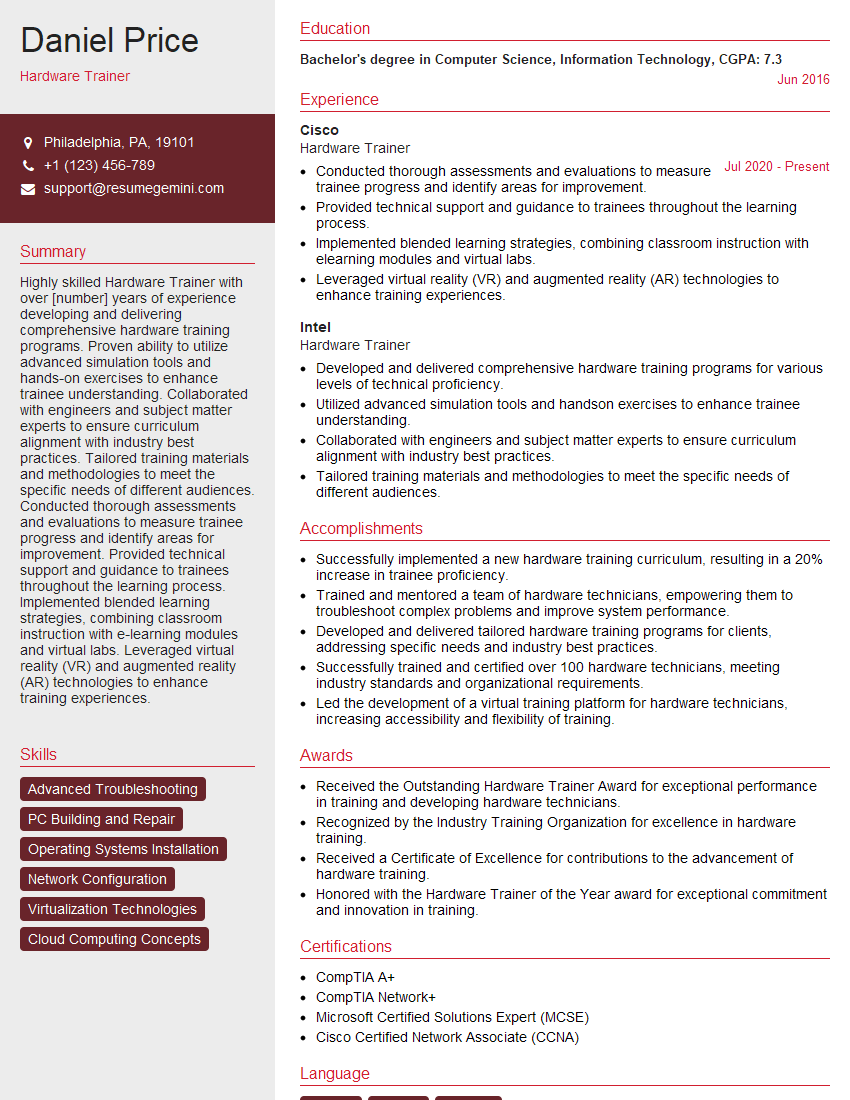
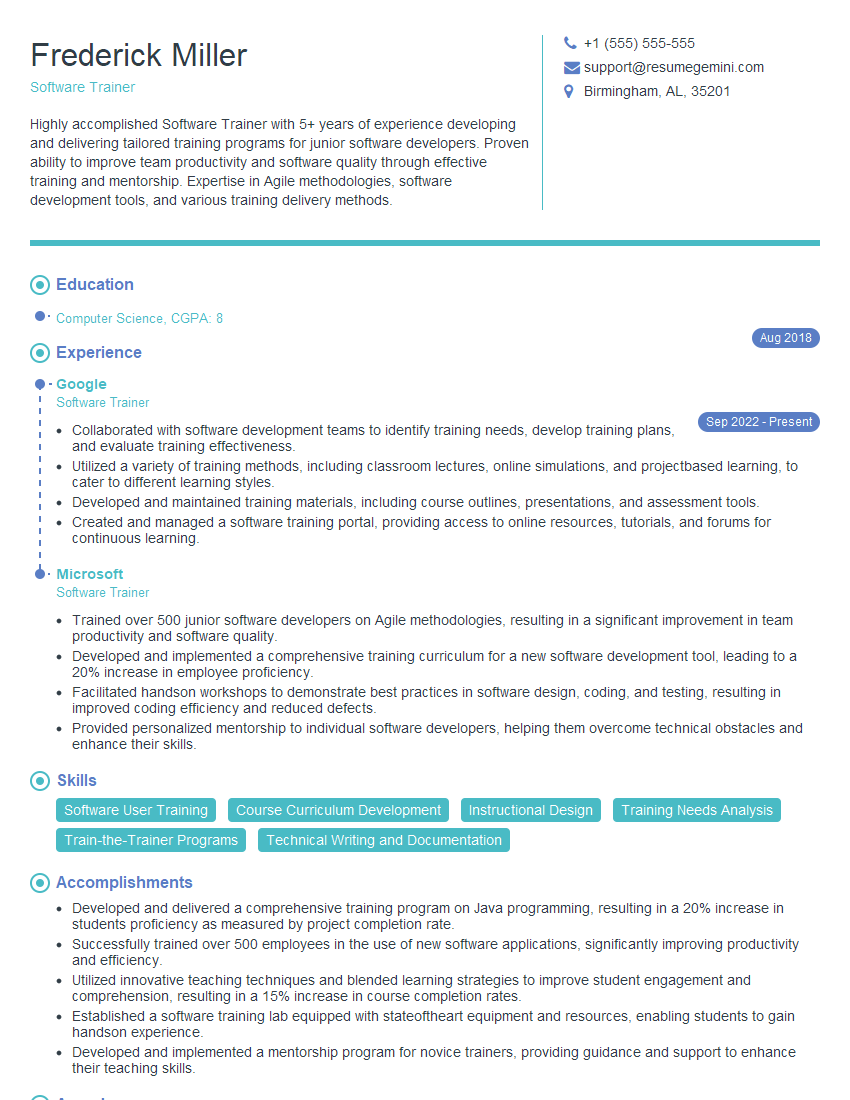
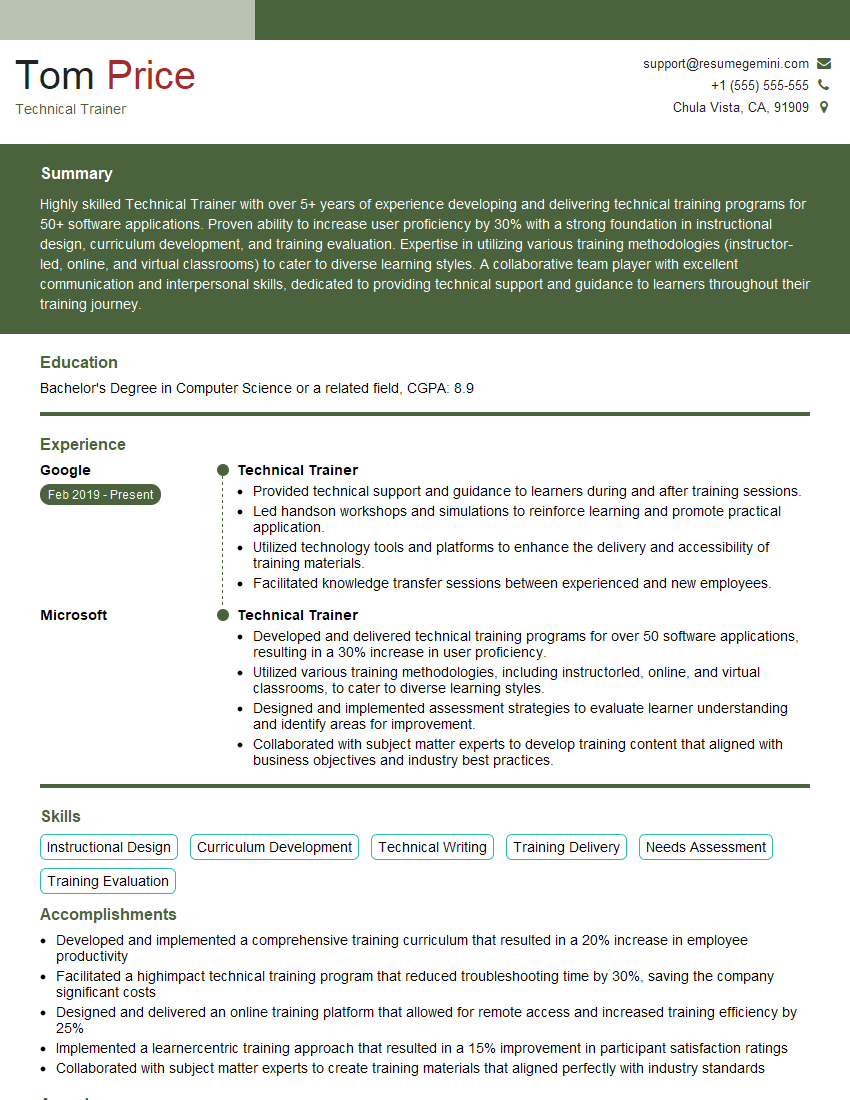
Mastering these key areas in computer training significantly enhances your career prospects, opening doors to diverse and rewarding opportunities. To maximize your chances, creating an ATS-friendly resume is critical. A well-structured resume that highlights your skills and experience effectively will increase your visibility to potential employers. We strongly encourage you to leverage ResumeGemini, a trusted resource for building professional resumes, to craft a compelling document that showcases your abilities. Examples of resumes tailored to Computer training are available to help guide you.
Explore more articles
Users Rating of Our Blogs
Share Your Experience
We value your feedback! Please rate our content and share your thoughts (optional).
What Readers Say About Our Blog
To the interviewgemini.com Webmaster.
Very helpful and content specific questions to help prepare me for my interview!
Thank you
To the interviewgemini.com Webmaster.
This was kind of a unique content I found around the specialized skills. Very helpful questions and good detailed answers.
Very Helpful blog, thank you Interviewgemini team.