Cracking a skill-specific interview, like one for Data Storytelling and Visualization, requires understanding the nuances of the role. In this blog, we present the questions you’re most likely to encounter, along with insights into how to answer them effectively. Let’s ensure you’re ready to make a strong impression.
Questions Asked in Data Storytelling and Visualization Interview
Q 1. Explain the difference between data visualization and data storytelling.
Data visualization and data storytelling are closely related but distinct concepts. Data visualization is the technical act of representing data graphically, using charts, graphs, and maps. It’s about transforming raw data into a visual format that’s easier to understand. Data storytelling, however, takes this a step further. It uses visualization as a tool to craft a narrative around the data, providing context, insights, and a compelling message. Think of it this way: data visualization is the *what*, showing the data; data storytelling is the *why*, explaining its meaning and significance.
For example, a bar chart showing sales figures across different regions is data visualization. A presentation that uses that same bar chart to explain why sales are higher in one region than another, potentially highlighting marketing campaigns or economic factors, is data storytelling.
Q 2. Describe your process for choosing the right chart type for a given dataset.
Choosing the right chart type is crucial for effective data visualization. My process involves considering several key factors:
- Type of data: Is it categorical, numerical, temporal? Categorical data (e.g., colors, names) might be best suited for bar charts or pie charts. Numerical data (e.g., sales figures, temperatures) could use line charts, scatter plots, or histograms. Temporal data (e.g., stock prices over time) often benefits from line charts.
- Message to convey: What’s the main takeaway you want the audience to understand? If you want to show changes over time, a line chart is ideal. To compare different categories, a bar chart works well. To show correlation between two variables, a scatter plot is appropriate.
- Audience: Consider the audience’s familiarity with different chart types. Sometimes a simpler chart, like a bar chart, is more effective than a complex one.
- Data size: Very large datasets might require different techniques like heatmaps or other summary visualizations to avoid clutter.
For instance, if I wanted to show the proportion of different age groups in a population, a pie chart would be appropriate. To show the trend of website traffic over the last year, a line chart would be the better choice. I always prioritize clarity and ease of understanding when making these decisions.
Q 3. How do you handle outliers in your visualizations?
Outliers, data points significantly different from the rest, can skew visualizations and mislead interpretations. My approach is not to simply remove them, but to handle them thoughtfully:
- Identify and investigate: I first identify outliers using statistical methods like box plots or z-scores. Then, I investigate the cause. Are they errors in data entry? Are they legitimate extreme values representing unique situations?
- Visual representation: I often highlight outliers directly in the visualization using different colors or shapes, drawing attention to them. This allows the audience to see the unusual data points and understand their potential influence.
- Separate treatment: In some cases, it makes sense to present the data with and without outliers, showing the impact of these extreme values. Perhaps two visualizations are needed: one with all data points and one showing a trimmed dataset focusing on the typical values.
- Transformations: If the outliers are influencing the overall scale of the visualization making typical values difficult to interpret, transformations such as logarithmic scales can be applied.
The key is transparency. It’s crucial to acknowledge the presence of outliers and explain how they’ve been handled in the visualization.
Q 4. What are some common pitfalls to avoid when creating data visualizations?
Many pitfalls can compromise the effectiveness of data visualizations. Here are some common ones to avoid:
- Chartjunk: Excessive decorations, unnecessary grids, or distracting elements clutter visualizations and make them harder to interpret. Keep it clean and simple, focusing on the data.
- Misleading scales and axes: Manipulating scales or axes to exaggerate or downplay trends is unethical and misleading. Always maintain a consistent and appropriate scale.
- Poorly chosen chart type: Using the wrong chart type can obscure insights and confuse the audience. Match the chart type to the data and the message.
- Lack of context: Data without context is meaningless. Always provide titles, labels, and clear explanations to help the audience understand the visualization.
- Ignoring the audience: Failing to consider the audience’s background and knowledge can lead to visualizations that are incomprehensible or ineffective. Tailor visualizations to your audience.
Avoiding these pitfalls ensures the creation of clear, accurate, and impactful visualizations.
Q 5. How do you ensure your visualizations are accessible to a wide audience?
Accessibility is paramount. To ensure my visualizations are accessible to a wide audience, including those with disabilities, I follow these guidelines:
- Colorblind-friendly palettes: Using colorblind-safe palettes prevents those with color vision deficiencies from misinterpreting the data.
- Sufficient contrast: Ensure adequate contrast between text, data points, and the background to improve readability.
- Alternative text for images: Provide descriptive alternative text for all images and charts so screen readers can convey the information to visually impaired users.
- Clear and concise labels: Use clear and concise labels for all axes, legends, and data points to aid comprehension.
- Interactive elements and tooltips: Interactive elements allow users to explore the data at their own pace, improving understanding. Tooltips can provide additional context when needed.
- Data tables: Always provide the underlying data in a tabular format, allowing users to analyze the information in detail.
By adhering to these principles, I can create visualizations that are inclusive and understandable to everyone, regardless of their abilities.
Q 6. Describe a time you had to explain complex data to a non-technical audience.
During a project for a non-profit organization, I had to explain the complex financial data of their fundraising campaigns to the board members, most of whom lacked a strong financial background. Instead of using complicated spreadsheets and jargon, I created a series of simple bar charts and line graphs to illustrate key trends over time. I used clear, concise labels and avoided technical terms whenever possible. I presented the information in a narrative form, telling a story about their successes and areas for improvement. This approach made the data more accessible and engaging for the audience, leading to a productive discussion and better strategic decision-making.
Q 7. What are your preferred tools for creating data visualizations?
My preferred tools depend on the project’s needs and the complexity of the data. For simple visualizations, I often use tools like Tableau or Power BI for their user-friendly interface and drag-and-drop functionality. For more complex visualizations or custom designs, I utilize Python libraries such as Matplotlib, Seaborn, and Plotly, providing greater flexibility and control. I also find R with packages like ggplot2 very useful for statistical analysis and visualization. The choice of tool always hinges on balancing the level of customization required with the time constraints of the project.
Q 8. How do you evaluate the effectiveness of your data visualizations?
Evaluating the effectiveness of data visualizations isn’t just about aesthetics; it’s about measuring their impact on the audience. I use a multi-faceted approach. Firstly, I assess clarity: Does the visualization accurately represent the data, and is it easily understandable by the intended audience? Ambiguity is the enemy. I look for clear labeling, appropriate chart types, and a logical flow of information. Secondly, I measure engagement: Did the visualization capture the audience’s attention and hold their interest? This involves observing their reactions, conducting surveys, or analyzing interaction data if the visualization is interactive. Did they grasp the key insights? Thirdly, I evaluate actionability: Did the visualization lead to informed decision-making or a change in behavior? Did it inspire further investigation or discussion? Finally, I consider impact: Did the visualization achieve its intended purpose? For example, did it successfully communicate a specific message, persuade stakeholders, or reveal a critical trend? This involves tracking key performance indicators (KPIs) related to the visualization’s objectives. I often employ A/B testing to compare different versions of a visualization to see which performs best.
For instance, if my visualization aims to show a decrease in customer churn, I would track the number of users who understand the decline and whether this led to changes in customer retention strategies. A successful visualization not only presents data but also drives action.
Q 9. Explain the concept of visual hierarchy in data visualization.
Visual hierarchy in data visualization is crucial for guiding the viewer’s eye through the information presented. It’s all about controlling the order in which elements are perceived, ensuring the most important information stands out first. Think of it like a story; you start with the main point and then provide supporting details. We achieve visual hierarchy using several techniques.
- Size: Larger elements are perceived as more important.
- Color: Using contrasting or vibrant colors to draw attention to key data points.
- Position: Elements placed at the top or center of the visualization are generally seen first.
- Typography: Using bold fonts, different font sizes, or contrasting colors to emphasize certain words or labels.
- Spacing: Strategic use of white space helps isolate and highlight elements.
For example, in a bar chart, the tallest bar would naturally draw attention first. By making it a different color and placing it prominently, you further reinforce its significance. Ignoring visual hierarchy leads to cluttered, confusing visualizations where the key insights get lost in the noise. It’s like trying to read a poorly organized essay; the message gets lost in a tangle of words.
Q 10. How do you incorporate narrative and context into your data visualizations?
Incorporating narrative and context is vital for transforming data into compelling stories. Data visualization is not just about charts and graphs; it’s about communicating insights. I begin by defining the narrative arc – the overarching story I want to tell. Then, I strategically select and arrange the visualizations to support this narrative. Context is crucial. This is achieved through several methods:
- Clear Titles and Captions: Concise and descriptive titles and captions that set the stage and provide essential background information.
- Supporting Text and Annotations: Using concise text, annotations, or callouts to highlight specific data points and explain their significance.
- Visual Cues: Employing visual elements such as arrows, labels, or legends to guide the viewer and connect data points to the overall narrative.
- Data Tables and Additional Information: Providing supplementary data tables or additional context for viewers who want to delve deeper.
For example, if presenting sales data, I wouldn’t just show a line chart of sales figures. I would contextualize it by showing the correlation with marketing spend, seasonal trends, or competitor activity. A compelling narrative, coupled with insightful visualizations, enables audiences to engage with the data and extract meaningful takeaways, rather than just passively viewing charts.
Q 11. What are some ethical considerations in data visualization?
Ethical considerations in data visualization are paramount. Misrepresenting data, even unintentionally, can have serious consequences. Key ethical considerations include:
- Data Integrity: Ensuring the data is accurate, complete, and unbiased. Manipulating data to support a specific narrative is unethical and misleading.
- Transparency: Being open and honest about data sources, methodologies, and any limitations. The audience needs to understand how the data was collected and analyzed.
- Context and Interpretation: Presenting the data in a fair and balanced manner, avoiding selective presentation or biased interpretations.
- Accessibility: Designing visualizations that are accessible to all users, including those with disabilities. This includes providing alternative text for images and using color palettes that are colorblind-friendly.
- Avoiding Misleading Visuals: Choosing appropriate chart types and avoiding techniques that distort or misrepresent data, such as truncating the y-axis or using exaggerated 3D effects.
For instance, choosing a chart type that exaggerates a small difference to mislead the audience is unethical. Transparency ensures that the audience can trust the data and the interpretations presented. Ethical data visualization is essential for building trust and promoting informed decision-making.
Q 12. How do you handle conflicting data points or interpretations?
Conflicting data points or interpretations require careful handling. It’s crucial to be transparent and acknowledge the discrepancies. Instead of ignoring or hiding conflicting information, I use several strategies:
- Present All Data: Show all relevant data points, even those that contradict the primary narrative. This promotes transparency and allows the audience to form their own informed conclusions.
- Highlight Uncertainties: Use visual cues such as error bars or shading to represent uncertainty or variability in the data.
- Separate Visualizations: If the data sets are vastly different or lead to conflicting interpretations, it might be best to present them in separate visualizations, clearly labeling each.
- Explain Discrepancies: Provide context and explanations for any discrepancies, exploring possible reasons for the differences.
- Data Filtering and Aggregation: Consider aggregating or filtering the data to focus on the most relevant subset, but again, be transparent about any filtering or aggregation steps taken.
For example, if comparing sales data across two regions, and one region shows unexpectedly low sales, I wouldn’t simply exclude it. I would highlight this anomaly, possibly investigate potential reasons (e.g., a temporary market disruption), and present this information alongside the other sales data.
Q 13. Describe your experience with interactive data visualizations.
I have extensive experience with interactive data visualizations, using tools like Tableau, Power BI, and D3.js. Interactivity allows for deeper exploration and engagement with the data, enabling users to uncover patterns and insights that might be missed in static visualizations. This includes features like:
- Filtering and Selection: Allowing users to filter data based on different criteria or select individual data points for detailed examination.
- Zooming and Panning: Enabling users to zoom in on specific areas of the visualization or pan across large datasets.
- Tooltips and Pop-ups: Providing additional context or detailed information upon hovering over data points.
- Drill-downs and Roll-ups: Enabling users to drill down into lower levels of detail or roll up data to higher levels of aggregation.
- Interactive Charts and Maps: Using dynamic charts and maps that respond to user interactions.
For example, I developed an interactive dashboard for a financial institution, allowing users to filter transaction data by date, location, and transaction type. This interactive nature empowered users to identify fraudulent transactions more easily and efficiently than with static reports.
Q 14. What are some best practices for designing dashboards?
Designing effective dashboards involves careful consideration of user needs, data organization, and visual design principles. Key best practices include:
- Clearly Defined Objectives: Before designing a dashboard, define its purpose and the key performance indicators (KPIs) it should track.
- User-Centric Design: Consider the needs and skills of the intended users. Design the dashboard to be intuitive and easy to use.
- Data Hierarchy and Prioritization: Prioritize the most critical information and organize it logically, using visual hierarchy to guide the user’s eye.
- Consistent Design Language: Maintain consistency in terms of fonts, colors, and chart types throughout the dashboard.
- Effective use of Visualizations: Choose the most appropriate chart type for each metric to maximize clarity and understanding.
- Data Density and White Space: Balance data density with sufficient white space to avoid visual clutter. Overcrowding makes the dashboard ineffective.
- Interactivity and Drill Downs: Consider incorporating interactive elements such as drill-downs and filters to allow users to explore the data in more depth.
- Regular Maintenance and Updates: Ensure the dashboard is regularly updated and maintained to reflect current data and ensure accuracy.
For instance, a sales dashboard should prioritize key metrics like total sales, sales by region, and conversion rates, using charts appropriate for each metric. The layout should be clean and uncluttered, guiding the user smoothly through the key insights. A poorly designed dashboard can be more detrimental than no dashboard at all, so careful planning is crucial.
Q 15. How do you ensure data accuracy and integrity in your visualizations?
Data accuracy and integrity are paramount in data visualization. A misleading chart can have severe consequences. My approach is multi-faceted, starting with rigorous data validation and cleaning. I meticulously check data sources for inconsistencies, outliers, and errors. This often involves using scripting languages like Python with libraries like Pandas to automate checks and transformations. For instance, I might use Pandas’ .describe() function for quick summary statistics and identify potential problems like unexpectedly high standard deviations.
Next, I implement robust data governance practices, documenting data sources, cleaning methods, and transformations. This ensures traceability and allows for easy auditing. Version control, using tools like Git, is crucial for tracking changes to the data and visualization code. Finally, I always include clear annotations and explanations in my visualizations, making it transparent how data is processed and represented. This might include displaying the data source, the date of the last update, and a note on any data transformations that could have an impact on the interpretation.
Career Expert Tips:
- Ace those interviews! Prepare effectively by reviewing the Top 50 Most Common Interview Questions on ResumeGemini.
- Navigate your job search with confidence! Explore a wide range of Career Tips on ResumeGemini. Learn about common challenges and recommendations to overcome them.
- Craft the perfect resume! Master the Art of Resume Writing with ResumeGemini’s guide. Showcase your unique qualifications and achievements effectively.
- Don’t miss out on holiday savings! Build your dream resume with ResumeGemini’s ATS optimized templates.
Q 16. How do you stay current with the latest trends in data visualization?
Staying current in this rapidly evolving field involves a blend of active learning and community engagement. I regularly read industry blogs and publications like Towards Data Science and follow influential data visualization experts on platforms like Twitter and LinkedIn. Attending conferences and webinars are also valuable for networking and learning about cutting-edge techniques and tools.
Furthermore, I actively experiment with new visualization libraries and software. This hands-on experience is crucial in understanding the strengths and limitations of different approaches. I also participate in online communities and forums dedicated to data visualization, both to learn from others and to contribute my own insights. This constant exploration and knowledge sharing is vital for staying on top of the latest trends.
Q 17. Explain your understanding of color theory in data visualization.
Color theory is fundamental to effective data visualization. The goal is to use color strategically to highlight patterns and guide the viewer’s eye, not to distract or mislead. I leverage the principles of color harmony, contrast, and accessibility. This involves understanding color palettes – for example, using sequential palettes (e.g., light to dark blue) to represent numerical scales, or diverging palettes (e.g., blue to red) to showcase differences around a central point.
Accessibility is paramount, ensuring visualizations are usable by everyone, including those with color blindness. This involves choosing color combinations with sufficient contrast, employing clear labels, and using alternative methods for encoding information beyond color alone (e.g., shapes, sizes). Tools like the Coblis color blindness simulator can help in testing the accessibility of a color scheme before deployment.
Q 18. How do you use annotations and labels effectively in your visualizations?
Annotations and labels are crucial for context and clarity. They bridge the gap between the data and the viewer’s interpretation. I use annotations sparingly but effectively, focusing on highlighting key insights or explaining anomalies. For example, I might use callouts to point to specific data points of interest or add textual annotations to explain trends. Labels are used to clearly identify axes, legends, and data series.
The style and placement of annotations and labels should be considered carefully. They should be legible, concise, and well-integrated into the design, without cluttering the visualization. I often use interactive elements where appropriate, allowing users to hover over data points for more detailed information. The goal is to make the information readily accessible without overwhelming the viewer.
Q 19. What are some common design principles you follow when creating visualizations?
Several key design principles guide my work. Clarity is foremost – the message should be immediately apparent. Simplicity means avoiding unnecessary complexity; less is more. Accuracy ensures that the visualization reflects the data faithfully, without distortion or manipulation. Relevance mandates that the visualization addresses the specific question or story being told. Consistency is crucial for maintainability and a professional appearance. Consistent use of fonts, colors, and styles helps create a cohesive narrative.
Furthermore, I strive for Accessibility, making visualizations usable by everyone. Engagement involves employing interactive elements and dynamic visuals to keep the viewer’s attention. Finally, Ethical considerations are always paramount, ensuring visualizations are truthful and avoid misleading interpretations.
Q 20. Describe your experience with different data visualization libraries (e.g., D3.js, Tableau, Power BI).
I have extensive experience with various data visualization libraries. Tableau and Power BI are excellent for creating interactive dashboards and reports, suitable for business intelligence and data exploration. I’ve used them to build dashboards tracking key performance indicators and interactive maps visualizing geographical data. D3.js, a JavaScript library, provides greater control and customization for highly complex and custom visualizations, allowing for creating bespoke visualizations for specific needs. I’ve used D3.js for creating interactive network graphs and custom chart types unavailable in other tools.
My choice of tool depends on the project requirements and the level of customization needed. For rapid prototyping and standard reports, Tableau or Power BI often suffice. For complex and custom visualizations requiring fine-grained control, D3.js or similar libraries offer the flexibility needed. I’m proficient in leveraging the strengths of each tool to achieve the best possible result.
Q 21. How do you select the appropriate level of detail for your visualizations?
Selecting the appropriate level of detail is crucial for effective communication. Too much detail can overwhelm the viewer, while too little can obscure important patterns. My approach starts with understanding the audience and the purpose of the visualization. For a high-level overview, a simple summary chart might suffice. For a detailed analysis, a more granular visualization with drill-down capabilities would be appropriate.
I use a data-driven approach, analyzing the data’s granularity and the insights to be conveyed. For instance, visualizing yearly sales trends might require a line chart, whereas showing sales performance across individual products might necessitate a bar chart or a more interactive tool. Iterative prototyping and feedback are also important. I typically start with a simpler visualization and progressively add detail as needed, always ensuring the added detail enhances clarity without overwhelming the viewer.
Q 22. How do you use data visualization to support decision-making?
Data visualization isn’t just about creating pretty charts; it’s about translating complex data into actionable insights. I use visualization to support decision-making by simplifying data, highlighting key trends, and revealing patterns that might otherwise be missed. For example, instead of presenting a massive spreadsheet of sales figures, I might create an interactive map showing sales performance by region, instantly revealing underperforming areas or identifying opportunities for growth. Another example would be using a line chart to track customer churn over time, allowing stakeholders to quickly assess the impact of recent marketing campaigns or product changes and make informed decisions about future strategies. Ultimately, effective data visualization helps stakeholders understand the ‘story’ the data is telling, enabling them to make quicker, better-informed decisions.
Q 23. Explain your understanding of different chart types and their appropriate uses.
Choosing the right chart type is crucial for effective communication. Different charts excel at visualizing different types of data. For example:
- Bar charts are excellent for comparing discrete categories, such as sales figures across different product lines.
- Line charts are ideal for showing trends over time, such as website traffic or stock prices.
- Pie charts effectively represent proportions of a whole, such as the market share of different companies.
- Scatter plots are useful for exploring relationships between two continuous variables, such as height and weight.
- Heatmaps are great for visualizing large matrices of data, revealing patterns of correlation or intensity.
- Geographic maps are essential for visualizing location-based data, such as crime rates or customer demographics.
The key is to select the chart type that best aligns with the data and the message you want to convey. Misusing a chart type can lead to misinterpretations and ineffective communication.
Q 24. How do you incorporate storytelling techniques into your data presentations?
Data storytelling is about weaving a narrative around data. It’s not just about presenting numbers; it’s about creating an engaging experience that resonates with the audience. I incorporate storytelling techniques by:
- Establishing a clear narrative arc: Start with a compelling introduction, build to a climax (the key insights), and provide a satisfying conclusion with recommendations or next steps.
- Using strong visuals: Charts and graphs should support the narrative, not just be random data displays. I ensure they are visually appealing, easy to understand, and relevant to the story.
- Emphasizing the human element: Connect the data to real-world implications and the people affected. For example, instead of saying ‘sales increased by 10%’, I might say ‘This 10% increase in sales means we can hire five new employees and expand our community outreach program.’
- Using a conversational tone: Avoid technical jargon and use clear, concise language that everyone can understand.
By combining data with a compelling narrative, I can make data more engaging and memorable for the audience, ultimately increasing the impact of the presentation.
Q 25. What is the role of context in effective data storytelling?
Context is paramount in effective data storytelling. Without context, data is just numbers; it lacks meaning and relevance. Providing context involves:
- Defining the problem or question: Clearly state what the data is trying to answer.
- Explaining the data source and methodology: Build trust and credibility by showing how the data was collected and analyzed.
- Providing relevant background information: Help the audience understand the broader picture and the importance of the data.
- Highlighting limitations and caveats: Be transparent about any biases or uncertainties in the data.
For instance, presenting unemployment rates without considering factors like population growth or changes in the labor force participation rate would paint an incomplete and potentially misleading picture. Context provides the framework within which the data can be interpreted accurately and meaningfully.
Q 26. How do you tailor your visualization approach to different audiences?
Tailoring my visualization approach to different audiences is crucial for effective communication. I consider several factors:
- Technical expertise: I avoid technical jargon and use simpler visuals for audiences with limited data literacy. For expert audiences, I can use more advanced visualizations and delve into more complex analyses.
- Prior knowledge: I adjust the level of detail and background information based on the audience’s existing knowledge. I don’t need to explain basic concepts to someone already familiar with the topic.
- Stakeholder interests: I tailor the message and visualizations to highlight the aspects most relevant to each stakeholder group. A marketing team might be more interested in customer engagement metrics, while a finance team might focus on revenue and profitability.
For example, I might present a simple bar chart to a board of directors, but a more interactive dashboard with drill-down capabilities to a team of data analysts. The goal is always to deliver the right information in the right way to the right audience.
Q 27. How do you measure the success of a data storytelling project?
Measuring the success of a data storytelling project isn’t just about how pretty the charts look. It’s about its impact. I measure success using a combination of quantitative and qualitative metrics:
- Quantitative metrics: These include things like the number of people who viewed the presentation, the time spent engaging with the visuals, and the number of questions asked. Website analytics can also be useful if the data story is presented online.
- Qualitative metrics: These include feedback from the audience, such as surveys or informal conversations. Did the audience understand the message? Did the presentation influence their decisions? Did they find it engaging and memorable?
Ultimately, the most important measure is whether the data storytelling project achieved its intended outcome – influencing decisions, driving action, or improving understanding.
Q 28. Describe a situation where you had to overcome a challenge in data visualization.
I once faced a challenge visualizing highly correlated data for a client in the financial sector. The data, relating to various market indicators, showed strong linear relationships, making it difficult to discern individual impact. Simply plotting everything on a scatter plot resulted in an incomprehensible mass of points.
To overcome this, I employed a combination of techniques: First, I performed a Principal Component Analysis (PCA) to reduce the dimensionality of the data and extract the most significant underlying factors. Then, I visualized these principal components using a combination of biplots and parallel coordinate plots, allowing the client to see the relationships between the variables in a much more manageable and interpretable way. It was crucial to clearly explain the PCA process and the meaning of the principal components to ensure the client understood the analysis and could trust the findings. The result was a clearer understanding of the relationships within the data, leading to better informed investment strategies.
Key Topics to Learn for Data Storytelling and Visualization Interview
- Data Visualization Principles: Understanding the various chart types (bar charts, line graphs, scatter plots, etc.), choosing the right visualization for different data types and storytelling needs, and effectively communicating insights through visual representation.
- Data Storytelling Techniques: Crafting compelling narratives around data, identifying key insights, structuring your presentation logically, and tailoring your message to your audience. This includes understanding the importance of context, cause and effect, and clear communication.
- Data Wrangling and Preparation: Cleaning, transforming, and preparing data for visualization. This includes handling missing values, outliers, and ensuring data accuracy and consistency for effective analysis and visualization.
- Tool Proficiency: Demonstrating expertise in popular data visualization tools such as Tableau, Power BI, or Python libraries like Matplotlib and Seaborn. Be prepared to discuss your experience with specific tools and their functionalities.
- Interactive Visualization: Designing interactive dashboards and visualizations that allow users to explore data dynamically and gain deeper insights. Understanding the benefits and considerations of interactive elements is crucial.
- Ethical Considerations: Understanding the ethical implications of data visualization, including avoiding misleading representations, ensuring data accuracy and transparency, and presenting data fairly and objectively.
- Advanced Techniques: Exploring more advanced concepts like geographic mapping, network graphs, and animation to enhance storytelling and understanding.
Next Steps
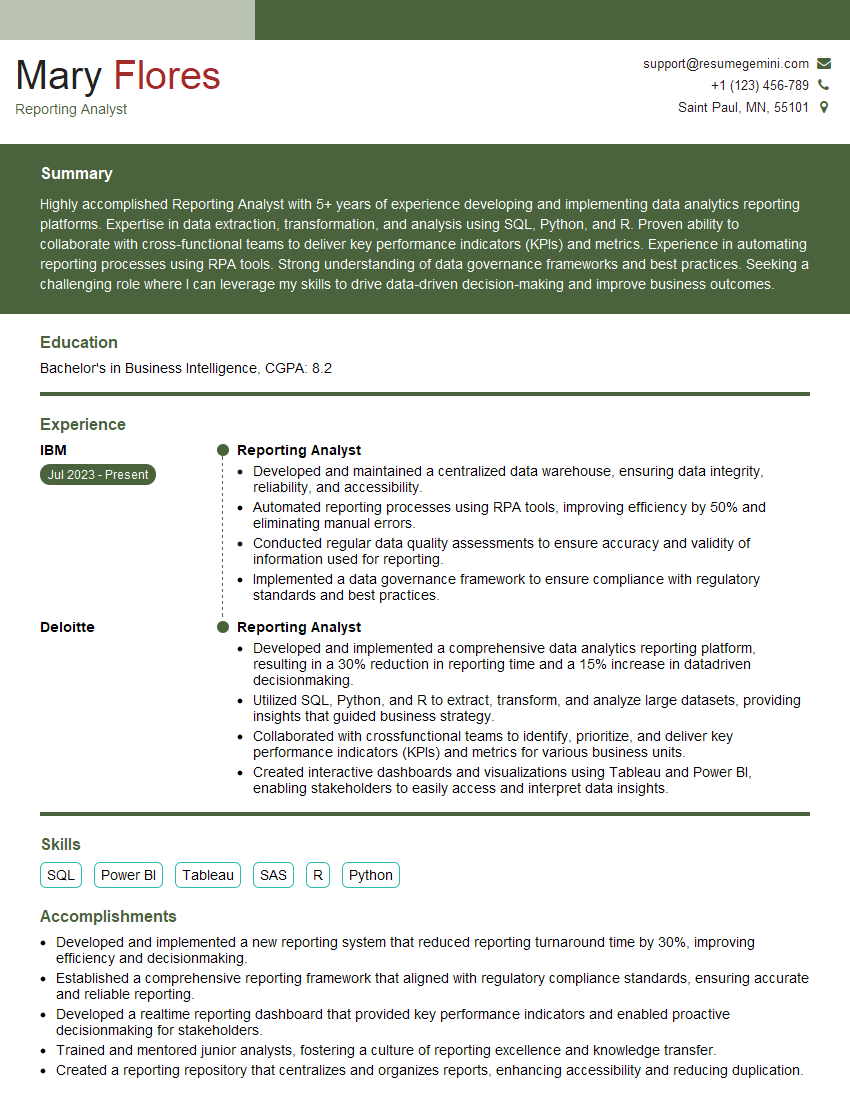
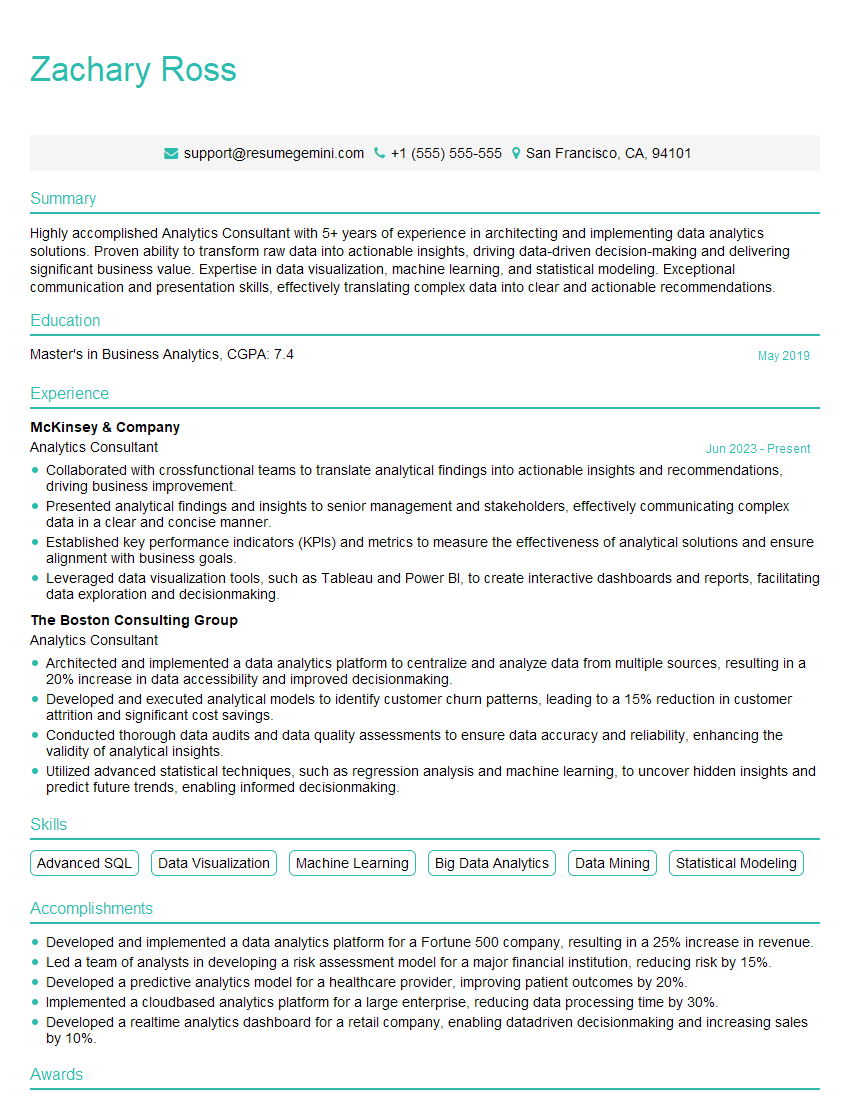
Mastering Data Storytelling and Visualization is crucial for career advancement in today’s data-driven world. These skills are highly sought after, opening doors to exciting roles and increased earning potential. To maximize your job prospects, it’s vital to present your skills effectively. Creating an ATS-friendly resume is paramount. We recommend using ResumeGemini, a trusted resource, to build a professional resume that highlights your unique skills and experience. ResumeGemini provides examples of resumes tailored specifically to Data Storytelling and Visualization roles to help you create a compelling application.



Explore more articles
Users Rating of Our Blogs
Share Your Experience
We value your feedback! Please rate our content and share your thoughts (optional).
What Readers Say About Our Blog
To the interviewgemini.com Webmaster.
Very helpful and content specific questions to help prepare me for my interview!
Thank you
To the interviewgemini.com Webmaster.
This was kind of a unique content I found around the specialized skills. Very helpful questions and good detailed answers.
Very Helpful blog, thank you Interviewgemini team.