Cracking a skill-specific interview, like one for Experience with 3D Modeling Software, requires understanding the nuances of the role. In this blog, we present the questions you’re most likely to encounter, along with insights into how to answer them effectively. Let’s ensure you’re ready to make a strong impression.
Questions Asked in Experience with 3D Modeling Software Interview
Q 1. What 3D modeling software are you proficient in?
I’m proficient in several industry-standard 3D modeling software packages. My core expertise lies in Blender, a powerful open-source option offering incredible versatility and a vast community resource. I also have significant experience with Autodesk Maya, particularly for its robust animation and character modeling tools, and experience with ZBrush for high-poly sculpting and detailing. I’ve used Cinema 4D for projects requiring a more streamlined, user-friendly workflow, especially for architectural visualization.
Q 2. Describe your experience with polygon modeling.
Polygon modeling is the foundation of many 3D models. It involves creating a mesh of interconnected polygons (triangles, quads, etc.) to define the shape and form of an object. My experience ranges from creating simple low-poly models for game development, where optimization is key, to more complex, high-poly models for animation and visual effects, requiring meticulous attention to detail. For example, I recently modeled a character for a short film using a combination of box modeling and edge looping techniques to achieve the desired level of anatomical accuracy and smooth surfaces. I understand the importance of edge flow, ensuring that the polygons are oriented efficiently to avoid problems with shading and deformation in animation.
Q 3. Explain the difference between NURBS and polygon modeling.
NURBS (Non-Uniform Rational B-Splines) and polygon modeling are two fundamentally different approaches to 3D modeling. NURBS modeling uses mathematical curves and surfaces to create smooth, precise shapes. Think of it like sculpting with perfectly smooth clay. It’s ideal for creating highly accurate representations of organic forms or precise mechanical parts. Polygon modeling, on the other hand, uses a mesh of polygons to approximate the shape. Imagine building a sculpture from many small blocks. While it can also create smooth forms, the level of smoothness is determined by the density of the polygons. NURBS models are generally smoother and more easily manipulated, but they can be more computationally intensive, while polygon models are more versatile for complex topologies but require more attention to detail in achieving smoothness.
In practice, I often use a hybrid approach, leveraging the strengths of both. For instance, I might use NURBS to create the basic shape of a car body, then switch to polygon modeling to add detailed features like the headlights and grill.
Q 4. How do you optimize 3D models for game engines?
Optimizing 3D models for game engines is crucial for performance. The primary goal is to reduce polygon count, texture size, and draw calls without significantly sacrificing visual quality. My optimization process typically involves:
- Level of Detail (LOD) modeling: Creating multiple versions of the same model with varying polygon counts. The engine renders a lower-poly version from a distance, switching to higher-poly versions as the camera gets closer.
- Mesh simplification: Using decimation tools to reduce the polygon count of high-poly models while preserving the overall shape.
- Texture compression: Reducing the size of textures without significant loss of visual quality. Different compression algorithms (like DXT, BC7) are utilized depending on the target platform and engine.
- UV unwrapping optimization: Ensuring that UV maps are efficiently laid out to minimize texture seams and wasted space.
- Material optimization: Using efficient shaders and minimizing the number of materials used.
For example, when optimizing a character model for a game, I might start with a high-poly sculpt in ZBrush, then use a retopology process in Blender to create a low-poly game-ready mesh. This low-poly model is then UV unwrapped and textured, followed by baking normal maps from the high-poly model to retain surface detail without requiring a massive polygon count.
Q 5. Describe your experience with UV mapping and texturing.
UV mapping is the process of projecting a 2D image (texture) onto a 3D model’s surface. It’s like wrapping a piece of cloth around a sculpture. My experience includes creating efficient and clean UV layouts to minimize stretching and distortion in textures. Proper UV mapping is critical for realistic and seamless texturing. I’m proficient in various unwrapping techniques, from automatic unwrap algorithms to manual UV editing. I also have experience with creating and editing textures in programs like Substance Painter and Photoshop. This often involves creating seamless textures, using normal maps for detail, and adjusting parameters like roughness and metallicness to create realistic materials. For example, in a recent project, I carefully planned the UV layout of a building’s facade to minimize texture seams, ensuring a photorealistic final render.
Q 6. Explain your workflow for creating a 3D model from a concept sketch.
My workflow for creating a 3D model from a concept sketch generally follows these steps:
- Reference Gathering and Analysis: I start by gathering reference images and studying the concept sketch to understand the overall form, proportions, and details. This is a crucial step to ensure accuracy and consistency.
- Blocking Out the Model: Using basic primitives (cubes, spheres, cylinders), I create a rough, low-resolution version of the model, focusing on the overall shape and proportions. This stage allows for quick iteration and adjustment.
- Refining the Model: I progressively refine the model by adding details, using edge loops, extruding faces, and sculpting (if needed) to achieve the desired level of detail and accuracy.
- UV Unwrapping and Texturing: Once the model is refined, I unwrap the UVs and create or apply textures to give the model a realistic or stylized appearance.
- Final Rendering: Finally, I render the model using appropriate lighting and rendering techniques to create a final presentation.
For instance, if I were creating a 3D model of a fantasy sword from a concept sketch, I’d first block out the basic shape using simple primitives, then iteratively refine it by adding details like the hilt, blade curvature, and engravings. I would then unwrap the UVs, ensuring clean seams, and create a texture with appropriate metallic and roughness properties.
Q 7. How do you handle complex geometry in your modeling process?
Handling complex geometry requires a structured approach. I often break down complex models into smaller, manageable sections. This allows for easier editing and troubleshooting. I also utilize tools like Boolean operations (union, subtraction, intersection) to combine or subtract simple shapes to create complex forms. Efficient topology is crucial – I always strive for a clean edge flow to avoid problems with deformation and shading. When dealing with extremely high-poly models, I often employ techniques like retopology to create lower-poly game-ready meshes while maintaining the detail through normal and displacement mapping. My experience working with models containing thousands or even millions of polygons means I understand the importance of efficient workflow and organization to manage complexity effectively.
Q 8. What are your preferred methods for creating realistic materials?
Creating realistic materials in 3D modeling involves understanding the interplay of various properties like color, texture, roughness, reflectivity, and subsurface scattering. My preferred methods leverage the power of procedural textures and physically-based rendering (PBR) workflows. Instead of manually painting textures, I utilize procedural generators within software like Substance Designer or Blender’s node-based material system to create intricate, repeatable textures with subtle variations. This ensures consistency and efficiency, particularly for complex projects.
For example, to create a realistic wooden texture, I might use procedural noise generators to mimic wood grain, followed by applying color variations and bump maps to define the wood’s surface details. For metals, I’d employ PBR shaders, defining parameters like metallic, roughness, and normal maps to accurately simulate the material’s response to light. This ensures the material looks believable under different lighting conditions, critical for achieving realism. I also heavily rely on reference images and HDRI (High Dynamic Range Image) lighting to guide my material creation, ensuring accuracy and visual fidelity.
Furthermore, I often utilize material libraries and online resources to find pre-made materials that I can then adapt and refine based on project requirements. This saves time and ensures consistency. In short, my approach centers on a blend of procedural generation, PBR, and careful reference material to craft materials that look and behave convincingly.
Q 9. Describe your experience with rigging and animation.
My experience with rigging and animation spans several years and various software packages, including Autodesk Maya, Blender, and 3ds Max. Rigging is crucial for bringing life to 3D models, and my approach focuses on creating robust and intuitive rigs that are easily manipulated and animated. I’m proficient in various rigging techniques, including forward and inverse kinematics (FK/IK) to create a range of motion for characters and objects. I understand the importance of maintaining a clean and organized rig structure to ensure ease of animation and prevent unexpected issues during production.
For example, in a recent project involving a complex character with intricate clothing, I utilized a modular rigging approach, separating the body, limbs, and clothing into separate but interconnected rigs. This made posing and animating the character much more efficient and manageable, preventing conflicts between different parts of the model.
My animation skills encompass various techniques, including keyframing, motion capture (MoCap) integration, and procedural animation. I’m comfortable with different animation styles, from realistic character animation to stylized, cartoonish movement. I understand the importance of timing, spacing, and weight shifting in creating believable and engaging animation. I regularly utilize reference footage to inform my animation and ensure natural-looking movement.
Q 10. How do you troubleshoot common 3D modeling issues?
Troubleshooting 3D modeling issues is a common part of my workflow. My approach is systematic and focuses on identifying the root cause before applying a solution. I start by systematically examining the problem, focusing on these key areas:
- Model Geometry: I look for issues like overlapping faces, non-manifold geometry (edges shared by more than two faces), or excessively high polygon counts which can lead to rendering issues or slowdowns.
- UV Mapping: Incorrect or poorly-defined UV maps (the 2D representation of a 3D model’s surface) frequently cause texture stretching or distortion.
- Materials & Shaders: Problems with material settings, shader assignments, or texture paths are common. Checking for incorrect settings, missing textures or faulty shader configurations often resolves issues.
- Software Bugs & Settings: Sometimes, the issue stems from the software itself or incorrect settings. Restarting the software, checking update logs, or resetting user preferences can be helpful.
- Rendering Engine: Rendering problems can be due to faulty render settings, lighting issues, or outdated drivers.
For instance, if a model renders with strange artifacts, I would systematically check the geometry for errors, the UV mapping for distortions, the material settings for inaccuracies, and finally, look at the render engine settings. I also often consult online forums and communities for solutions to specific, unusual problems. My experience has taught me to remain organized and patient, approaching problems step-by-step, often starting with the simplest solutions before moving towards more complex ones.
Q 11. What is your experience with 3D printing workflows?
My experience with 3D printing workflows extends to the entire process, from model preparation to post-processing. I understand the importance of creating watertight models (models with no holes or gaps) and ensuring that the geometry is suitable for 3D printing. This involves checking for minimum wall thicknesses, overhangs, and supports necessary for successful printing. I am proficient in using slicing software such as Cura or PrusaSlicer, to generate the necessary G-code instructions for the 3D printer.
I’m familiar with various 3D printing technologies, including FDM (Fused Deposition Modeling) and SLA (Stereolithography), and I understand how the choice of technology and printer settings affects the final printed output. For example, when preparing a model for FDM printing, I carefully orient the model on the build plate to minimize support structures, maximizing print quality and minimizing print time. I also optimize the model’s geometry to account for layer lines and minimize the risk of warping or failure. My workflow includes conducting thorough inspections of the final print and utilizing appropriate post-processing techniques, like sanding, painting, or resin curing, to achieve the desired finish.
Q 12. Explain your knowledge of different file formats (.obj, .fbx, .stl, etc.)
Understanding different 3D file formats is crucial for effective collaboration and workflow efficiency. Here are some of the most common formats and their characteristics:
- .obj (Wavefront OBJ): A simple, widely supported format primarily storing geometry (vertices, faces, normals). It typically doesn’t contain texture or material information. It’s good for basic geometry exchange.
- .fbx (Autodesk FBX): A versatile, proprietary format capable of storing geometry, textures, materials, animations, and even camera data. Excellent for cross-application compatibility, especially within the Autodesk ecosystem.
- .stl (Stereolithography): A format primarily used for 3D printing. It’s a simple format representing the model’s surface as a collection of triangles. It lacks texture or material data.
- .blend (Blender): Blender’s native format. It’s a comprehensive format capable of storing all project data, including models, textures, materials, animations, and scene settings. It is however, not universally compatible.
Choosing the correct format depends on the intended application. For 3D printing, .stl is often the standard. For transferring models between applications while retaining material and animation information, .fbx is frequently preferred. .obj is commonly used when only the geometry is important. Understanding the strengths and limitations of each format ensures efficient data exchange and minimizes compatibility issues.
Q 13. How do you manage large 3D model files?
Managing large 3D model files requires employing several strategies to maintain efficiency and avoid performance bottlenecks. Firstly, I optimize the polygon count of the model. High-poly models are detailed but computationally expensive. I use techniques like decimation (reducing the number of polygons) or retopology (recreating the model with fewer polygons while maintaining its shape) to simplify the geometry without significantly sacrificing visual quality.
Secondly, I utilize proxy geometry. This involves replacing high-detail models with low-resolution placeholders during the early stages of the project, focusing on optimizing the scene’s overall performance. Only the final rendering utilizes the high-resolution model.
Thirdly, I leverage instance geometry. If several instances of the same object are required in the scene (like multiple trees in a forest), instead of creating multiple copies, I utilize instances. This reduces memory usage significantly. Finally, I organize my project files systematically. A well-structured file system prevents clutter and speeds up loading times. I regularly save incremental versions of my projects to avoid data loss and allow easy reversion to earlier states. Employing a combination of these strategies makes working with complex scenes much more efficient and feasible.
Q 14. Describe your experience with sculpting software (e.g., ZBrush, Mudbox).
I have extensive experience with sculpting software, particularly ZBrush and Mudbox. These tools are invaluable for creating high-resolution organic models and detailed characters. My workflow typically involves blocking out the initial form using simple primitives, then progressively refining the model through sculpting techniques such as adding details, smoothing surfaces, and creating complex shapes using various brushes and tools.
ZBrush’s strengths lie in its powerful sculpting tools and high-resolution capabilities, making it ideal for detailed characters and intricate organic forms. Mudbox, on the other hand, excels at creating high-quality models suitable for game development and production pipelines, offering a smooth workflow with efficient tools. In both programs, I employ techniques like masking, layering, and subtools to manage complexity and refine the model iteratively. My workflow always begins with clear reference imagery to guide the sculpting process, ensuring anatomical accuracy and visual appeal. Post-sculpting, I often retopologize the high-resolution sculpt to create a lower polygon model optimized for animation or game development. The combination of sculpting in ZBrush or Mudbox and subsequent retopology allows me to create detailed models that are suitable for various applications while maintaining performance.
Q 15. What are your preferred methods for creating realistic lighting?
Realistic lighting is crucial for creating believable 3D scenes. My preferred methods involve a multi-pronged approach, combining global illumination techniques with strategically placed point, directional, and area lights. I start by setting up a global illumination solution, such as using path tracing or photon mapping within my chosen software (e.g., Arnold, V-Ray, Octane). This handles indirect lighting, bounces, and subtle ambient light beautifully, creating a natural, overall feel. Then, I carefully add targeted lights to highlight specific areas and create desired effects. For example, I might use a directional light to mimic sunlight, area lights to simulate soft window light, and strategically placed point lights to add highlights and focal points. I also heavily leverage HDRI (High Dynamic Range Image) maps for realistic environment lighting, providing accurate reflections and ambient illumination. Finally, I utilize techniques like light baking and light probes to optimize performance while preserving quality in final renders.
For instance, when creating a forest scene, I’d use an HDRI of an overcast sky for global illumination, directional lights to represent sunlight filtering through the trees, and area lights to illuminate spaces beneath tree cover. This layered approach allows me to control the mood and realism of the scene effectively.
Career Expert Tips:
- Ace those interviews! Prepare effectively by reviewing the Top 50 Most Common Interview Questions on ResumeGemini.
- Navigate your job search with confidence! Explore a wide range of Career Tips on ResumeGemini. Learn about common challenges and recommendations to overcome them.
- Craft the perfect resume! Master the Art of Resume Writing with ResumeGemini’s guide. Showcase your unique qualifications and achievements effectively.
- Don’t miss out on holiday savings! Build your dream resume with ResumeGemini’s ATS optimized templates.
Q 16. Explain your understanding of normal maps and displacement maps.
Normal maps and displacement maps are both crucial for adding surface detail to 3D models without significantly increasing polygon count. They achieve this in different ways. A normal map stores information about the surface normals (the direction a surface is facing) at each point on a texture. This allows the renderer to simulate detail, such as bumps, scratches, or crevices, by manipulating how light interacts with the surface. Think of it like painting on a surface’s perceived depth rather than actually changing its shape.
A displacement map, on the other hand, directly alters the geometry of the 3D model. It moves vertices of the mesh based on the grayscale values in the map, creating actual three-dimensional detail. Darker areas are pulled inwards, and lighter areas are pushed outwards, resulting in a high-fidelity representation of the surface’s shape. This approach adds significantly more realism but comes at the cost of higher polygon counts and rendering times.
In essence, normal maps are faster and more efficient for subtle detail, while displacement maps are better suited for dramatic changes in geometry. I often use both in conjunction – a displacement map for major form changes and a normal map for finer details to achieve the best balance between visual fidelity and performance.
Q 17. How do you approach creating realistic human characters?
Creating realistic human characters is a complex process that requires a blend of artistic skill and technical knowledge. It begins with a strong base mesh, often sculpted using ZBrush or similar software. I typically start with a detailed anatomical understanding as a base, ensuring accurate proportions and musculature. I then utilize techniques like retopology to create a game-ready low-poly mesh from the high-resolution sculpt, optimizing for polygon count and minimizing texture stretching. Subdivision surface modeling plays a critical role in maintaining high-resolution detail while working with the low-poly model.
Next, I create high-resolution textures: diffuse (albedo), normal, specular, and possibly subsurface scattering maps. These textures are crucial for realism, and I often use photogrammetry or reference images for accuracy. Then, I meticulously sculpt and paint details, utilizing techniques like wrinkle maps and fine detail normal maps to mimic the complexities of human skin. Finally, I rig the character, ensuring realistic movement and poseability. This involves setting up a skeletal system and skinning the mesh, followed by weight painting to maintain realism during animation.
One project involved creating a realistic portrait of a historical figure. To ensure accuracy, I used historical portraits and sculptures as references, and I spent considerable time meticulously detailing the skin texture and facial features. The result was a character model that was both aesthetically pleasing and historically accurate.
Q 18. Describe your experience with creating 3D environments.
My experience with creating 3D environments spans various styles and scales, from stylized cartoon environments to photorealistic cityscapes. My process typically begins with conceptualization and planning. I create detailed blockouts to establish the overall layout and scale before diving into detailed modeling. I leverage tools like reference imagery, concept art, and sometimes even on-location photography to ensure realism and accuracy. I’m adept at using various modeling techniques, including box modeling, procedural modeling, and sculpting, depending on the specific needs of the project.
For example, when building a medieval village, I’d start with a basic blockout of the buildings and streets, then gradually add detail to the individual structures, creating realistic textures and materials. I might utilize techniques like modularity to create variations of buildings while maintaining consistency and efficiency. Then, I’d work on landscaping, incorporating details such as vegetation, terrain, and water effects, to create a believable atmosphere. Proper scene composition and lighting are equally important in creating a convincing environment, and I always pay close attention to these details.
Q 19. How do you ensure your models are optimized for rendering?
Optimizing models for rendering is critical for ensuring smooth performance in games or real-time applications. My approach involves a multi-step process. First, I aim for efficient polygon counts and topology. I avoid unnecessary geometry and ensure clean, evenly distributed polygons. I employ techniques like edge loops to facilitate animation and deformation without excessive distortion. Then, I optimize textures, choosing appropriate resolutions and compression methods to reduce file sizes without compromising visual quality. I often use normal maps and other baking techniques to displace detail from geometry to textures, significantly reducing the polycount.
I also pay close attention to UV unwrapping, ensuring that texture space is utilized efficiently and avoiding stretching or distortion. Finally, I use level of detail (LOD) systems to further optimize performance, switching to lower-poly models at distances where fine details are less noticeable. For example, in a game environment, trees far from the player might be represented with a simplified LOD, switching to a more detailed version as the player approaches.
Q 20. What is your process for creating game-ready assets?
Creating game-ready assets requires a focused approach that prioritizes optimization and efficient workflows. My process begins with concept art and reference gathering, followed by modeling the asset using appropriate techniques (box modeling, sculpting). Then, I meticulously retopologize my high-poly model to produce a low-poly mesh which can be easily animated and rendered in real-time. This process often involves careful consideration of polygon count and texture optimization.
UV unwrapping is a crucial step, ensuring clean and efficient texture mapping without distortions. Then comes texturing, using tools to create diffuse, normal, specular, and other maps. This often involves baking details from high-poly models onto low-poly counterparts for performance optimization. Finally, I rig the asset, if required, adding bones and weights for animation, and ensure that the final model meets the technical requirements of the game engine.
For example, when creating a game-ready sword, I would aim for a low poly-count model (around 1000-2000 triangles) with optimized UVs and high-quality normal and specular maps to convey the details of the metal without relying on high-poly geometry. This ensures it runs smoothly in the game engine without sacrificing visual fidelity.
Q 21. How do you collaborate with other artists on a 3D project?
Collaboration is essential in 3D projects. I believe in clear communication and efficient workflows to ensure seamless teamwork. My approach involves regular communication and reviews with the team. We use version control systems, such as Perforce or Git, to manage assets and track changes. This ensures that everyone is working with the most up-to-date versions and minimizes conflicts. We utilize project management software to assign tasks, track progress, and coordinate schedules. I find that regular meetings to review progress and address challenges are extremely valuable.
I prioritize open communication and active listening to foster a collaborative environment. I’m comfortable working with other artists, providing constructive feedback and incorporating feedback from others to improve the overall quality of the project. For instance, I might work closely with a texture artist to refine the look of a model, ensuring that the final product meets the artistic vision of the project.
Q 22. Describe a challenging 3D modeling project and how you overcame it.
One of the most challenging projects I tackled involved creating a highly realistic 3D model of a medieval castle for a video game. The complexity stemmed from the sheer scale and intricate detail required. The castle needed to be photorealistic, featuring thousands of individual stones, realistic weathering, and accurate architectural details based on historical references.
Overcoming this challenge required a multi-pronged approach. First, I broke down the project into smaller, manageable sections: individual towers, walls, courtyards, etc. This allowed for better organization and progress tracking. Second, I leveraged modularity extensively. I created reusable components like stone blocks, window frames, and roof tiles, which were then instanced throughout the scene. This significantly reduced polygon count and improved render times. Third, I employed a combination of high-poly modeling for detail and low-poly modeling for game engine optimization. High-poly models were used for rendering high-quality textures and normal maps, which were then baked onto the low-poly models for efficient in-game performance. Finally, I used a combination of ZBrush for sculpting and Maya for modeling and rigging to ensure maximum efficiency.
Q 23. What are your strengths and weaknesses as a 3D modeler?
My strengths lie in my ability to quickly grasp complex designs and translate them into efficient and high-quality 3D models. I’m proficient in various software packages (Maya, Blender, ZBrush, Substance Painter) and possess strong problem-solving skills, especially when optimizing models for different applications. I’m also a collaborative team player and adept at communicating technical details clearly to both technical and non-technical audiences.
My area for improvement is staying current with the newest procedural generation techniques. While I understand the basics, more in-depth knowledge in this area would allow me to enhance my efficiency and create even more complex models faster. I am actively working on this by dedicating time to online courses and experimenting with procedural modeling techniques in personal projects.
Q 24. What are your goals for your career in 3D modeling?
My career goals in 3D modeling are focused on continuous learning and growth within the industry. I aim to specialize in creating high-fidelity assets for video games, but my long-term aspirations involve contributing to cutting-edge projects that push the boundaries of realism and interactivity in virtual environments. I’m also interested in exploring the intersection of 3D modeling and emerging technologies like virtual reality and augmented reality.
Q 25. Explain your experience with version control systems (e.g., Perforce, Git).
I have extensive experience with Perforce, a version control system commonly used in large-scale game development projects. I understand the importance of branching, merging, and resolving conflicts effectively. For smaller projects or personal work, I also use Git, leveraging its flexibility and ease of use. I’m proficient in using both systems to manage multiple versions of assets, track changes, and collaborate efficiently with team members. For example, in a recent project, using Perforce’s branching capabilities allowed our team to work on different aspects of the model concurrently without overwriting each other’s changes. A clear understanding of check-in/check-out procedures and the ability to resolve merge conflicts efficiently are critical for smooth collaboration in a large-scale project.
Q 26. How do you stay up-to-date with the latest advancements in 3D modeling?
To stay current with the latest advancements, I regularly follow industry blogs, online forums (like Polycount), and subscribe to YouTube channels dedicated to 3D modeling and related fields. Attending webinars and conferences, when possible, provides valuable networking opportunities and access to the latest information. I also actively participate in online communities, engaging in discussions and learning from experienced professionals. Experimenting with new software updates and plugins helps me stay hands-on and adapt to changing industry standards. Reading industry publications and attending workshops on new techniques is also crucial to my ongoing development.
Q 27. What are your salary expectations?
My salary expectations are commensurate with my experience and skills, and competitive within the industry for a 3D Modeler with my level of expertise. I am open to discussing this further based on the specifics of the role and compensation package.
Q 28. Do you have a portfolio you can share?
Yes, I have a comprehensive online portfolio showcasing a range of my 3D modeling projects. It features examples of my work across various styles and applications, highlighting both my technical skills and artistic sensibilities. I would be happy to share the link with you. My portfolio includes detailed descriptions of the challenges faced and solutions implemented in each project, providing further insight into my problem-solving abilities and attention to detail.
Key Topics to Learn for Experience with 3D Modeling Software Interviews
- Software Proficiency: Deep understanding of at least one major 3D modeling software (e.g., Blender, Maya, 3ds Max, Cinema 4D). Demonstrate your skills in navigation, interface familiarity, and efficient workflow.
- Modeling Techniques: Mastery of polygon modeling, NURBS modeling, subdivision surface modeling, and sculpting techniques. Be prepared to discuss the strengths and weaknesses of each approach and when to apply them.
- Texturing and Materials: Showcase your knowledge of creating and applying realistic textures and materials. Understand different mapping techniques (UV unwrapping, procedural textures) and their impact on the final render.
- Lighting and Rendering: Explain your understanding of lighting principles (three-point lighting, ambient occlusion) and rendering techniques. Discuss experience with different render engines and their respective advantages.
- Workflow and Optimization: Articulate your approach to managing complex projects, optimizing models for performance, and collaborating effectively within a team environment.
- Problem-Solving: Be ready to discuss how you approach troubleshooting technical issues, overcoming modeling challenges, and finding creative solutions to design problems.
- Industry Standards and Best Practices: Demonstrate familiarity with industry-standard file formats, modeling pipelines, and best practices for creating efficient and high-quality 3D models.
- Portfolio Presentation: Prepare to discuss your portfolio, highlighting your strongest projects and the challenges you overcame during their creation. Be ready to explain your design choices and technical decisions.
Next Steps
Mastering 3D modeling software is crucial for career advancement in fields like animation, game development, architecture, and product design. A strong understanding of these skills significantly increases your job prospects. To maximize your chances, create an ATS-friendly resume that highlights your key accomplishments and technical skills. ResumeGemini is a trusted resource that can help you build a professional and effective resume tailored to your experience. Examples of resumes tailored to 3D Modeling Software experience are available to guide you.
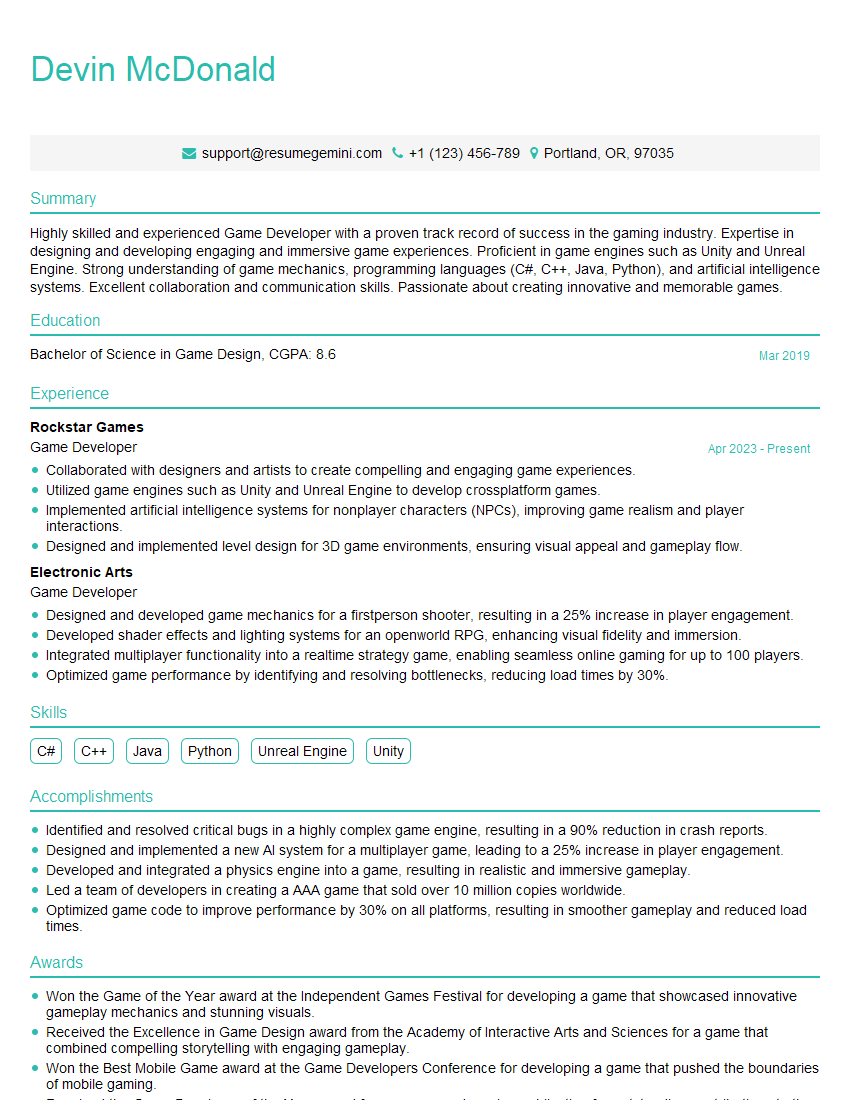
Game Developer Resume Sample

Product Designer Resume Sample
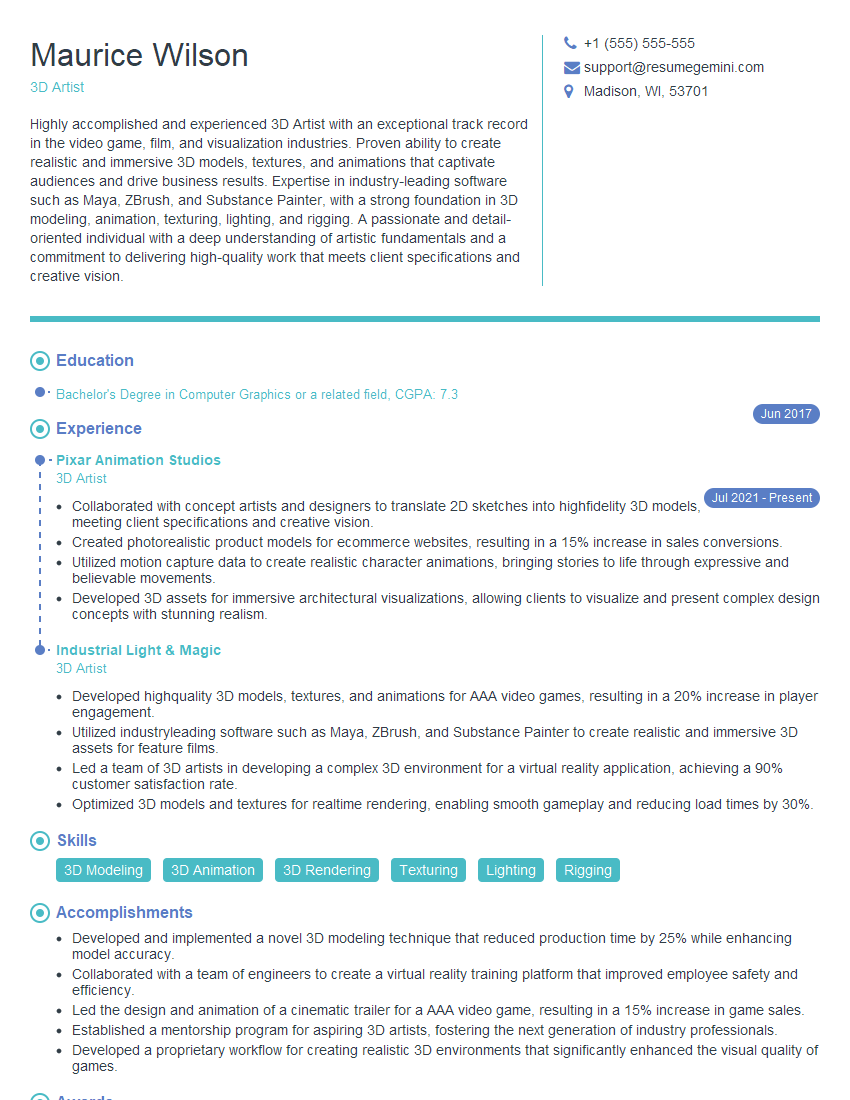
3D Artist Resume Sample

Technical Artist Resume Sample

Texture Artist Resume Sample

3D Animator Resume Sample

3D Modeler Resume Sample

Animator Resume Sample

Motion Graphics Artist Resume Sample
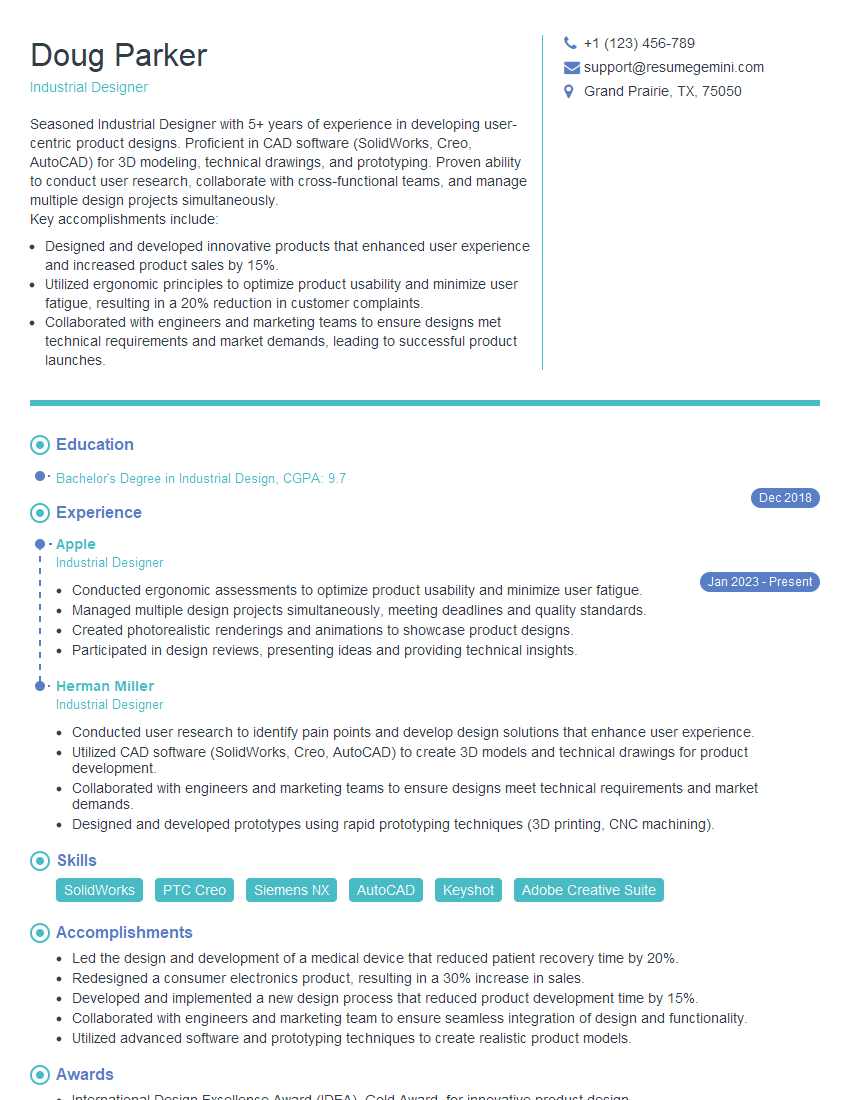
Industrial Designer Resume Sample
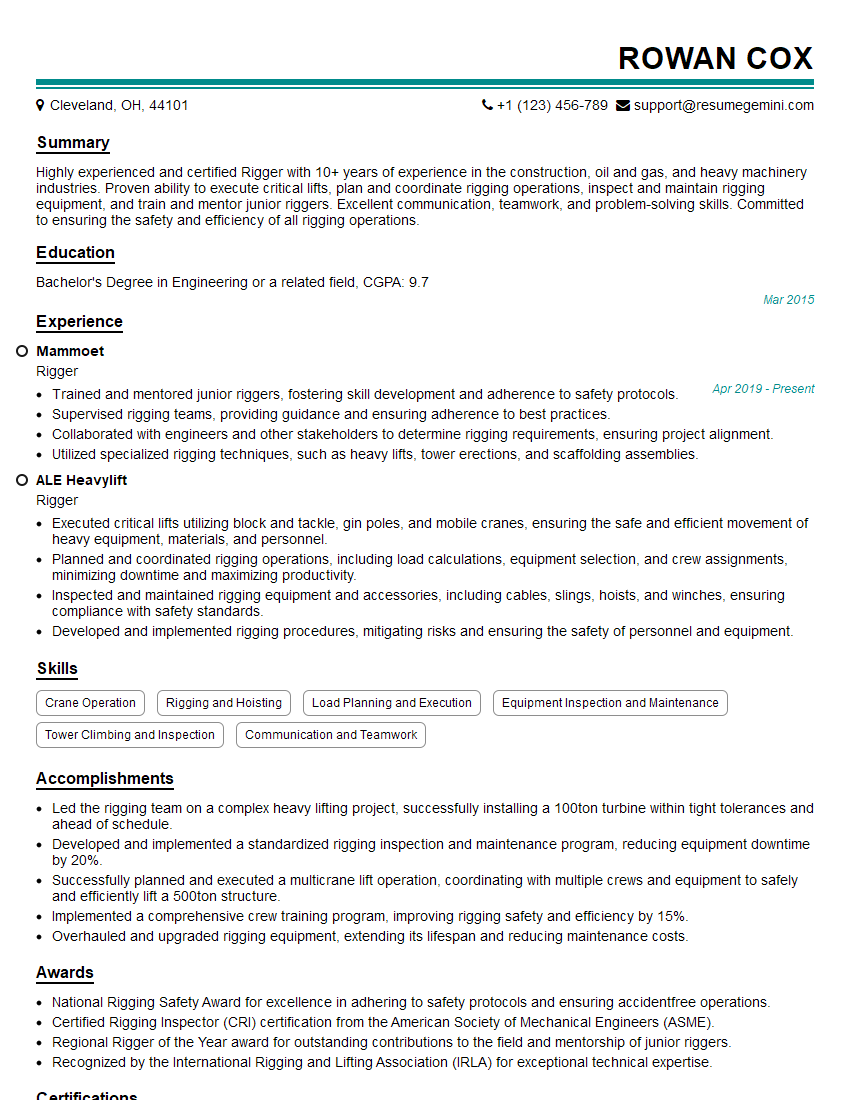
Rigger Resume Sample
Explore more articles
Users Rating of Our Blogs
Share Your Experience
We value your feedback! Please rate our content and share your thoughts (optional).
What Readers Say About Our Blog
To the interviewgemini.com Webmaster.
Very helpful and content specific questions to help prepare me for my interview!
Thank you
To the interviewgemini.com Webmaster.
This was kind of a unique content I found around the specialized skills. Very helpful questions and good detailed answers.
Very Helpful blog, thank you Interviewgemini team.