Every successful interview starts with knowing what to expect. In this blog, we’ll take you through the top Familiar with GIS and GPS Technologies interview questions, breaking them down with expert tips to help you deliver impactful answers. Step into your next interview fully prepared and ready to succeed.
Questions Asked in Familiar with GIS and GPS Technologies Interview
Q 1. Explain the difference between GIS and GPS.
GPS (Global Positioning System) and GIS (Geographic Information System) are often used together, but they serve distinct purposes. Think of GPS as the ‘where’ and GIS as the ‘what’ and ‘why’.
GPS is a technology that uses a constellation of satellites to determine the precise location (latitude, longitude, and altitude) of a receiver on Earth. It’s like having a super accurate compass that tells you exactly where you are at any given moment. Your smartphone’s navigation app relies on GPS data.
GIS, on the other hand, is a system designed to capture, store, manipulate, analyze, manage, and present all types of geographical data. It’s a powerful software tool that takes location data (like that from GPS) and combines it with other information – such as population density, land use, elevation, or even historical records – to create maps and perform analyses. For example, a GIS system could be used to identify areas at risk of flooding by overlaying elevation data with flood plain maps and population data.
In short: GPS provides location; GIS uses location data to understand and solve problems.
Q 2. What are the different types of map projections and when would you use each?
Map projections are methods used to represent the three-dimensional surface of the Earth on a two-dimensional map. Because it’s impossible to perfectly flatten a sphere, all projections involve some degree of distortion. Different projections minimize different types of distortion, making some better suited for certain tasks than others.
- Mercator Projection: This is a cylindrical projection that preserves direction and shape at the expense of area distortion. Areas near the poles appear much larger than they actually are. It’s commonly used for navigation because it allows for accurate plotting of compass bearings.
- Albers Equal-Area Conic Projection: This conic projection preserves area, meaning that the relative sizes of different areas on the map are accurate. However, shapes near the edges of the map are distorted. This is ideal for mapping large areas at mid-latitudes, such as countries or continents, where area accuracy is crucial.
- Lambert Conformal Conic Projection: This projection balances area and shape distortion. It is often used for mapping regions that extend in both the east-west and north-south directions, like states or countries. It’s good for general-purpose maps where both area and shape accuracy are relatively important.
- Robinson Projection: This pseudo-cylindrical projection is a compromise projection that aims to minimize distortion across the entire map. It is often used for world maps because it shows the globe in a relatively visually appealing and balanced manner, although all types of distortions are present.
The choice of projection depends entirely on the application. If you need accurate measurements of area, you’d choose an equal-area projection. If you need accurate navigation, a Mercator is better. A general-purpose map might benefit from a projection that balances different distortions.
Q 3. Describe your experience with various GIS software (e.g., ArcGIS, QGIS).
I have extensive experience with both ArcGIS and QGIS, having used them for various projects across different sectors. My ArcGIS experience spans several years, from basic mapping to advanced spatial analysis using ArcPy for automation. I’ve worked on projects involving creating and managing geodatabases, performing spatial joins, and generating thematic maps. One project involved using ArcGIS to model optimal locations for new community centers based on demographic and accessibility data, which required advanced spatial analysis techniques.
QGIS has become a valuable tool in my workflow, particularly for open-source projects and when working with large datasets where ArcGIS can become resource-intensive. I’m proficient in utilizing its processing toolbox for geoprocessing tasks and its various plugins extending its functionality. For example, I used QGIS in a volunteer project to map deforestation in a remote region, leveraging its ability to handle raster data effectively and integrate remote sensing data.
In both environments, I’m comfortable using various data formats and implementing different spatial analysis techniques. My preference between the two often depends on the project’s scope, budget, and the specific tools needed. For enterprise-level projects with advanced licensing requirements, ArcGIS provides robust functionality. QGIS is preferable for projects requiring a flexible open-source solution.
Q 4. How do you handle spatial data errors and inconsistencies?
Handling spatial data errors and inconsistencies is a critical aspect of GIS work. These errors can stem from various sources: data entry mistakes, inconsistencies in projection or coordinate systems, and inaccuracies in data acquisition methods (like GPS errors).
My approach involves a multi-step process:
- Data Validation and Cleaning: I start by thoroughly inspecting the data for obvious errors, using tools within the GIS software to identify inconsistencies in attribute tables or geometry. This might involve checking for duplicate records, null values, or spatial overlaps.
- Spatial Consistency Checks: Ensuring data is in a consistent coordinate system and projection is paramount. I use tools to reproject data into a unified system if needed. This eliminates discrepancies caused by different geographic references.
- Topology Rules: Many GIS software packages allow setting topology rules to enforce spatial integrity. For example, lines should not overlap, polygons should be closed, and there should be no gaps between adjacent polygons. Applying and fixing errors flagged by topology checks can significantly improve data quality.
- Error Propagation Analysis: Understanding how errors can propagate through analysis is vital. I employ techniques like error ellipses (for GPS data) to estimate the uncertainty associated with location measurements, and this uncertainty is carried through any subsequent analysis.
- Data Transformation and Interpolation: If data is missing, I explore various methods, such as spatial interpolation techniques (like Kriging or IDW), to estimate values based on the surrounding data points. However, I always acknowledge that this introduces uncertainty.
Documentation of all error correction steps is key, ensuring transparency and traceability. A well-documented process is essential for maintaining data integrity and allows for a repeatability check to ensure data quality.
Q 5. What are some common data formats used in GIS?
GIS uses a variety of data formats, each suited to different data types and applications.
- Shapefiles (.shp): A widely used, vector-based format for storing geographical features like points, lines, and polygons. It’s a simple format, but it requires several files to store complete data.
- Geodatabases (.gdb): Esri’s proprietary format for storing, managing, and editing GIS data. It’s much more efficient and can manage very complex data structures.
- GeoPackage (.gpkg): An open, self-contained format that can hold both raster and vector data, popular for its efficiency and portability.
- Raster formats (e.g., .tiff, .jpg, .geotiff): These formats store image-like data, such as aerial photographs or satellite imagery, representing data as a grid of cells (pixels).
- KML/KMZ (Keyhole Markup Language): These XML-based formats are used for representing geographical data in Google Earth and other applications. They often used for sharing map information.
- CSV (Comma Separated Values): While not inherently spatial, it’s often used to store attribute data associated with GIS features. However, it requires linking the CSV file to the feature data using unique identifiers for a usable GIS application.
Understanding these formats and their strengths and weaknesses is critical for choosing the appropriate format for different tasks. For example, shapefiles are good for simple data sharing but lack the organizational capabilities of a geodatabase.
Q 6. Explain the concept of georeferencing.
Georeferencing is the process of assigning geographic coordinates (latitude and longitude) to points on a map or image that doesn’t already have them. Think of it as giving a location a precise address in the world.
This is crucial for integrating various data sources into a GIS. For instance, you might have a scanned historical map with no coordinate information. Georeferencing this map involves identifying points on the map that have known coordinates (often from a reference map or GPS data). The GIS software then uses these control points to transform the map into a georeferenced coordinate system, effectively placing it within a geographic context.
The accuracy of georeferencing relies heavily on the number and distribution of control points. More control points, particularly those spread across the map, lead to better accuracy. Methods like polynomial transformations are commonly used to align the map to the geographic coordinate system.
Once georeferenced, the historical map can be overlayed with modern data, allowing for comparisons and analysis that reveal changes over time. For instance, you could overlay the historical map with current land use data to see how the area has evolved.
Q 7. What is spatial analysis and how is it used in GIS?
Spatial analysis involves applying analytical techniques to location-based data to answer questions about patterns, relationships, and distributions. It’s a core function of GIS, allowing us to move beyond simply displaying geographic data to understanding the ‘why’ behind spatial patterns.
Examples of spatial analysis techniques include:
- Buffering: Creating zones around geographic features (e.g., finding all homes within 1km of a school).
- Overlay analysis: Combining multiple layers of spatial data to identify areas meeting specific criteria (e.g., overlaying a flood plain map with a land use map to identify areas at risk).
- Network analysis: Finding the optimal paths or routes within a network (e.g., determining the shortest route for a delivery truck).
- Proximity analysis: Calculating distances and measuring proximity between features (e.g., finding the nearest hospital to each residence in a city).
- Spatial interpolation: Estimating values at unsampled locations based on nearby known values (e.g., predicting rainfall amounts in areas with no rain gauges).
In practice, spatial analysis can be used to address diverse issues. For example, it can be used to model the spread of diseases, optimize transportation networks, assess environmental risks, or plan urban development. The specific techniques used depend entirely on the problem being addressed.
Q 8. Describe your experience with different types of GPS receivers.
My experience encompasses a wide range of GPS receivers, from basic handheld units used for recreational navigation to highly precise geodetic receivers employed in surveying and mapping projects. I’ve worked extensively with:
- Handheld GPS receivers: These are portable, user-friendly devices ideal for fieldwork where precise positioning isn’t critical. I’ve used them for tasks such as trail mapping and site location reconnaissance. Their accuracy is typically within a few meters.
- DGPS receivers: Offering centimeter-level accuracy, these are crucial for applications demanding higher precision, like cadastral surveying or precision agriculture. I’ve used these extensively to create accurate basemaps and perform detailed land surveys.
- Real-Time Kinematic (RTK) GPS receivers: Providing real-time, sub-centimeter accuracy, these are the gold standard for high-precision surveying and mapping. They require a base station and rover for optimal performance. I’ve used RTK GPS extensively in infrastructure projects and asset mapping.
- GNSS receivers: Going beyond just GPS, these receivers incorporate signals from multiple global navigation satellite systems like GLONASS, Galileo, and BeiDou, leading to improved reliability and availability, especially in challenging environments with signal obstruction.
Each receiver type has its own strengths and limitations, and selecting the appropriate receiver depends heavily on the project’s specific accuracy requirements, budget, and operational environment.
Q 9. How does GPS work, and what are its limitations?
GPS, or the Global Positioning System, works by using a constellation of satellites orbiting the Earth. These satellites transmit signals containing precise time and location data. A GPS receiver on the ground receives these signals from at least four satellites (more for better accuracy), and by using trilateration (measuring distances from multiple known points), it calculates its precise three-dimensional position (latitude, longitude, and altitude).
However, GPS has limitations:
- Atmospheric Effects: The ionosphere and troposphere can affect signal propagation, causing errors in positioning.
- Multipath Errors: Signals bouncing off buildings or other surfaces can create inaccurate readings.
- Obstructions: Thick foliage, tall buildings, or even tunnels can block satellite signals, leading to signal loss or weakened signals.
- Satellite Geometry (GDOP): The geometric arrangement of the satellites in the sky affects the accuracy of the position calculation. A poor geometry can lead to lower accuracy.
- Selective Availability (SA): While no longer active, SA was a deliberate degradation of GPS accuracy for civilian users.
Understanding these limitations is critical for choosing appropriate GPS technologies and applying corrective measures like DGPS or RTK.
Q 10. What is Differential GPS (DGPS) and how does it improve accuracy?
Differential GPS (DGPS) improves GPS accuracy by correcting for errors inherent in the standard GPS signal. It uses a known reference station (a receiver with a precisely known location) that receives the same satellite signals as the rover (the receiver whose position we want to determine). The reference station compares its known position to the position calculated using the raw GPS data and identifies any errors. These error corrections are then transmitted to the rover, which applies them to its own GPS measurements, resulting in significantly improved accuracy.
DGPS can improve accuracy from several meters to within a few centimeters, depending on the quality of the correction signals and the distance between the rover and the reference station. It’s commonly used in applications requiring higher precision, such as surveying, precision agriculture, and construction. For example, in surveying, DGPS ensures that property boundaries are defined accurately, minimizing potential disputes.
Q 11. Explain the concept of coordinate systems and datums.
Coordinate systems and datums are fundamental concepts in GIS. A coordinate system is a reference system used to define the location of points on the Earth’s surface. It’s essentially a grid system that allows us to assign unique coordinates (x, y, and z) to any location.
A datum is a reference surface (model of the Earth) used to define the coordinate system. Since the Earth is not a perfect sphere, different datums use different models to represent the Earth’s shape, leading to slight differences in coordinate values for the same location. For example, NAD83 and WGS84 are two common datums used in North America. Choosing the right datum is crucial for ensuring positional accuracy and consistency in GIS projects. Using incompatible datums can lead to significant positional errors.
Imagine trying to put together a jigsaw puzzle. The coordinate system is like the grid on the puzzle box, helping you find the correct piece. The datum is the slightly irregular shape of the actual puzzle pieces – the way that the pieces fit together depends on their shape.
Q 12. How do you perform spatial queries in GIS?
Spatial queries allow us to ask questions about the spatial relationships between geographic features in a GIS database. This can include finding features based on their location, proximity, or overlap with other features.
Different types of spatial queries include:
- Point-in-polygon: Determining if a point lies within a polygon (e.g., determining if a house falls within a designated flood zone).
- Line-in-polygon: Determining if a line intersects a polygon (e.g., determining which roads cross a particular watershed).
- Polygon-in-polygon: Determining if one polygon overlaps another (e.g., identifying parcels of land that fall within a protected area).
- Proximity queries (buffering): Finding features within a specific distance of another feature (e.g., finding all buildings within 1 kilometer of a school).
In most GIS software, spatial queries can be performed using graphical user interfaces (GUIs) or through spatial query languages like SQL. For example, in a SQL query, we might use functions like ST_Intersects or ST_DWithin to perform spatial operations.
Q 13. Describe your experience with spatial interpolation techniques.
Spatial interpolation techniques estimate the values of a variable at unsampled locations based on its known values at nearby sampled locations. This is crucial when working with spatial data that isn’t uniformly sampled. I have experience using several methods:
- Inverse Distance Weighting (IDW): This method assigns weights to nearby data points based on their inverse distance from the unsampled location. Points closer to the unsampled location have higher weights, resulting in a smoother interpolation.
- Kriging: A geostatistical method that considers both the spatial autocorrelation (the correlation between values at different locations) and the uncertainty associated with the estimates. Kriging provides both interpolated values and estimates of their uncertainty.
- Spline interpolation: This method fits a smooth curve (a spline) to the known data points, providing a continuous surface. There are different types of splines, each with varying degrees of smoothness.
The choice of interpolation method depends on the nature of the data, the desired level of accuracy, and the computational resources available. For instance, IDW is computationally simple and relatively fast, while Kriging is more computationally intensive but provides more accurate and robust estimates, particularly when dealing with spatially autocorrelated data. I would choose the appropriate method depending on the specific application.
Q 14. What is a geodatabase and what are its advantages?
A geodatabase is a structured database specifically designed for managing geographic data. It provides a powerful framework for storing, managing, and analyzing spatial data, offering significant advantages over other data storage methods.
Advantages of using a geodatabase include:
- Data Integration: Allows integration of various types of spatial and attribute data within a single framework. For example, a geodatabase can store both the polygon representing a parcel of land and its associated attribute data, such as ownership and address.
- Data Integrity: Provides mechanisms to enforce data integrity, ensuring data consistency and accuracy. This includes enforcing data type constraints, implementing domain rules and relationships between tables.
- Data Management: Offers efficient data management tools, including versioning, allowing multiple users to work simultaneously without data conflicts. It’s similar to a version control system used in software development.
- Spatial Analysis: Facilitates efficient and powerful spatial analysis tools. The geodatabase structure is optimized for spatial operations such as querying, overlaying, and buffering.
- Scalability: Can scale to handle large and complex datasets, making it suitable for large-scale GIS projects.
In essence, a geodatabase is a superior method for organizing geographic information, ensuring data quality and facilitating efficient analysis, compared to storing data in disparate files or simple tables.
Q 15. How do you create and manage layers in a GIS?
Creating and managing layers in a GIS is fundamental to organizing and visualizing geographic data. Think of it like organizing files on your computer – you wouldn’t keep everything in one folder, right? Layers allow us to work with different types of data simultaneously, each with its own properties and symbology.
Creating Layers: Most GIS software (like ArcGIS, QGIS) allows you to add layers from various sources. This includes:
- Shapefiles (.shp): Vector data representing points, lines, and polygons (e.g., roads, buildings, parcels).
- Geodatabases: A structured database storing various vector and raster data.
- Raster data (e.g., .tif, .img): Pixel-based data like satellite imagery or elevation models.
- CSV files with geographic coordinates: These can be converted into point layers.
- Online services: Many online platforms offer map layers (e.g., OpenStreetMap, Google Maps).
Managing Layers: Once added, layers can be manipulated extensively. This includes:
- Symbology: Changing colors, sizes, and styles of features to improve visual clarity and communication.
- Labeling: Adding text to features (e.g., city names, street addresses).
- Visibility: Turning layers on or off to control what’s displayed.
- Ordering: Stacking layers to manage overlap; a layer on top obscures layers below.
- Data Editing: Modifying features within layers (adding, deleting, moving features).
- Layer Properties: Accessing and modifying data attributes associated with the layer.
For instance, in a project mapping urban infrastructure, I might have separate layers for roads, power lines, water pipes, and buildings. Each layer can be styled differently to enhance readability and analysis. Managing their visibility and order is crucial for focusing on specific aspects of the infrastructure during analysis.
Career Expert Tips:
- Ace those interviews! Prepare effectively by reviewing the Top 50 Most Common Interview Questions on ResumeGemini.
- Navigate your job search with confidence! Explore a wide range of Career Tips on ResumeGemini. Learn about common challenges and recommendations to overcome them.
- Craft the perfect resume! Master the Art of Resume Writing with ResumeGemini’s guide. Showcase your unique qualifications and achievements effectively.
- Don’t miss out on holiday savings! Build your dream resume with ResumeGemini’s ATS optimized templates.
Q 16. Describe your experience with cartographic design principles.
Cartographic design principles are crucial for creating effective and aesthetically pleasing maps. It’s about communicating spatial information clearly and efficiently, not just displaying data. My experience encompasses a range of principles, including:
- Visual Hierarchy: Using size, color, and placement to emphasize important features and guide the viewer’s eye. For example, major roads might be thicker and darker than smaller streets.
- Color Schemes: Selecting colors that are visually appealing, easy to distinguish, and appropriate for the type of data. Colorblind-friendly palettes are essential for accessibility.
- Typography: Choosing appropriate fonts and sizes for labels and titles to ensure readability.
- Map Scale and Projection: Understanding the implications of scale on map detail and the distortion introduced by different map projections (like Mercator or UTM). I always choose the most appropriate projection based on the study area and its characteristics.
- Legend and Title: Creating clear and concise legends and titles that explain the map’s content and purpose.
- Simplicity and Clarity: Avoiding clutter and unnecessary detail to ensure the map is easy to understand.
In a recent project mapping deforestation, I used a graduated color scheme to represent the density of tree cover, with darker colors indicating denser forests. I also incorporated a clear legend and employed a UTM projection to minimize distortion within the study area. The result was a map that effectively communicated the extent and severity of deforestation.
Q 17. How do you ensure data quality and integrity in a GIS project?
Data quality and integrity are paramount in any GIS project. Inaccurate or inconsistent data can lead to flawed analysis and incorrect decisions. My approach to ensuring data quality includes:
- Data Source Evaluation: Carefully assessing the reliability and accuracy of data sources. Are they from trusted organizations? What are their methodologies? I always investigate data metadata thoroughly.
- Data Cleaning and Preprocessing: Identifying and correcting errors, inconsistencies, and outliers in the data. This might involve checking for spatial inconsistencies (e.g., overlapping polygons), attribute errors (e.g., missing values, incorrect data types), and fixing any geometrical issues.
- Data Validation and Verification: Using various techniques to check the accuracy and consistency of the data, including visual inspection, spatial queries, and statistical analysis. Fieldwork is frequently incorporated for ground-truthing data.
- Metadata Management: Documenting the data’s source, processing steps, accuracy, and limitations using comprehensive metadata. This ensures data transparency and traceability.
- Data Transformation and Projection: Ensuring all data is in a consistent coordinate system to avoid errors in spatial analysis.
For example, in a project mapping floodplains, I used LiDAR data to create a high-resolution digital elevation model (DEM). Before using the data for flood modeling, I carefully checked for data artifacts (noise, outliers) and corrected them using appropriate filtering techniques. I meticulously documented the entire process in the metadata.
Q 18. What is remote sensing and how is it integrated with GIS?
Remote sensing involves acquiring information about the Earth’s surface without physical contact. This is typically done using sensors mounted on satellites, aircraft, or drones. The acquired data is then processed and analyzed to extract meaningful information. Think of it like taking a picture of the Earth from far away, but with much more sophisticated technology and detail.
Integration with GIS: Remote sensing data is seamlessly integrated with GIS. The processed images (e.g., satellite imagery, aerial photographs) are georeferenced, meaning they are assigned geographic coordinates, allowing them to be overlaid and analyzed with other GIS layers. This allows for powerful spatial analysis.
Examples of integration:
- Land cover classification: Using satellite imagery to identify different land cover types (forest, urban, agriculture).
- Change detection: Comparing images from different time periods to monitor changes (e.g., deforestation, urban sprawl).
- Environmental monitoring: Monitoring pollution levels, water quality, or vegetation health.
- Disaster response: Assessing damage after natural disasters (e.g., earthquakes, floods).
In a project analyzing urban heat islands, I used thermal infrared imagery acquired by a drone to map surface temperatures across a city. This data was then integrated with GIS layers showing building density and vegetation cover to identify areas most vulnerable to high temperatures.
Q 19. Describe your experience with spatial modeling techniques.
Spatial modeling involves using GIS to simulate and predict spatial phenomena. It involves applying mathematical models to geographic data to understand patterns, relationships, and processes. It’s like building a virtual model of a real-world system to test different scenarios or make predictions.
My experience includes using various spatial modeling techniques, including:
- Network analysis: Analyzing transportation networks, finding optimal routes, or modeling traffic flow.
- Spatial interpolation: Estimating values at unsampled locations based on nearby known values (e.g., estimating rainfall across a region based on measurements at weather stations).
- Overlay analysis: Combining different layers to identify areas that meet multiple criteria (e.g., identifying suitable locations for a new park based on proximity to residential areas and availability of land).
- Geostatistics: Analyzing spatially correlated data to understand patterns and uncertainty (e.g., analyzing the spatial distribution of soil contaminants).
- Agent-based modeling: Simulating the behavior of individual agents (e.g., people, animals) and their interactions to predict larger-scale patterns (e.g., modeling urban growth or wildlife movement).
For instance, in a project predicting the spread of invasive species, I used agent-based modeling to simulate the species’ dispersal patterns based on factors like habitat suitability and environmental conditions. This helped identify areas at high risk of invasion.
Q 20. How do you handle large datasets in GIS?
Handling large datasets in GIS requires efficient strategies and techniques. Working with massive amounts of data can be computationally intensive and require specialized approaches. My strategies include:
- Data Compression: Reducing the size of data files using compression techniques to reduce storage needs and improve processing speed. Lossless compression preserves data integrity, while lossy methods might introduce minor data loss but greatly reduce file size.
- Data Subsetting: Working with subsets of the data to reduce processing time and memory requirements for analysis. Focusing on a region of interest or a specific time period can drastically reduce the data volume.
- Database Management Systems (DBMS): Utilizing spatial databases (like PostGIS or Oracle Spatial) that are optimized for managing and querying large spatial datasets. These provide efficient storage, retrieval, and analysis capabilities.
- Geoprocessing Tools: Leveraging powerful geoprocessing tools offered within GIS software to perform operations on large datasets efficiently. Many operations can be parallelized to speed up processing.
- Cloud Computing: Utilizing cloud-based GIS platforms (like Amazon Web Services or Google Cloud Platform) for processing and storage of large datasets. Cloud computing offers scalability and distributed processing capabilities.
In a project mapping global deforestation patterns, I used a combination of cloud computing and geoprocessing tools to efficiently process terabytes of satellite imagery and vector data. Data subsetting and optimized queries were crucial for effective analysis.
Q 21. Explain the concept of topology in GIS.
Topology in GIS refers to the spatial relationships between geographic features. It defines how features connect, overlap, or share boundaries. Think of it as the rules that govern how spatial objects interact. It’s more than just the visual representation; it’s about defining how features relate to each other in a structured way.
Key topological relationships include:
- Connectivity: How lines and polygons connect to form networks (e.g., road networks, river systems).
- Containment: One polygon being completely contained within another (e.g., a building within a city block).
- Adjacency: Features sharing a common boundary (e.g., adjacent parcels of land).
- Overlap: Features partially overlapping each other.
Importance of Topology:
- Data Integrity: Topology helps maintain data integrity by enforcing rules about feature relationships. For example, ensuring that polygon boundaries are closed and do not overlap inappropriately.
- Spatial Analysis: Topology enables more efficient and accurate spatial analysis, such as network analysis or proximity analysis.
- Data Editing: Topology can streamline data editing by automatically identifying and correcting inconsistencies.
For example, in a project mapping a utility network, topology is crucial for ensuring that pipes and cables are properly connected, and that there are no gaps or overlaps. Maintaining a topologically correct network is essential for accurate modeling of the network’s functionality.
Q 22. What are the ethical considerations when working with geospatial data?
Ethical considerations in geospatial data handling are paramount. We’re dealing with information that often represents real-world locations and can have significant impacts on individuals, communities, and the environment. Key ethical concerns include:
- Data Privacy and Security: Geospatial data can be highly sensitive, revealing personal locations or movements. It’s crucial to ensure data is anonymized or pseudonymized where appropriate, stored securely, and accessed only by authorized personnel. Compliance with regulations like GDPR is essential.
- Data Accuracy and Bias: Inaccurate or biased data can lead to unfair or discriminatory outcomes. We must strive for data quality and be aware of potential biases in data collection methods or sources. For instance, using only publicly available data might overlook marginalized communities.
- Data Transparency and Accessibility: Open data initiatives promote transparency and allow for independent verification, but it’s critical to balance this with security concerns. We must consider the potential misuse of data and the need for appropriate access controls.
- Responsible Data Use: Geospatial data should be used for its intended purpose and avoid contributing to harmful practices. For example, using location data to unfairly target specific demographics in advertising or surveillance applications is unethical.
- Attribution and Intellectual Property: Properly attributing data sources and respecting intellectual property rights are fundamental to maintaining integrity and avoiding plagiarism.
For example, imagine mapping crime hotspots. While helpful for law enforcement, releasing this data at a fine resolution could inadvertently stigmatize specific neighborhoods or individuals. Careful consideration of data aggregation and visualization techniques is crucial to avoid such ethical pitfalls.
Q 23. Describe your experience with GIS in a specific industry (e.g., environmental, transportation).
In my previous role with a major environmental consulting firm, I extensively used GIS to support environmental impact assessments for large-scale infrastructure projects. Specifically, I utilized ArcGIS Pro to:
- Analyze spatial relationships between proposed development sites and sensitive ecological areas: I overlaid project footprints onto habitat maps, identifying potential impacts on endangered species or protected wetlands. This involved using spatial analysis tools like buffer analysis and overlay operations.
- Model pollutant dispersion: I used GIS to input meteorological data and pollution source information to simulate the dispersion of air pollutants. This assisted in identifying areas at risk and informing mitigation strategies. Tools such as interpolation and network analysis played a key role here.
- Create visually compelling maps and reports: I generated maps illustrating project locations, environmental features, and projected impacts, communicating complex information effectively to clients and regulatory agencies. This involved cartographic design, symbol selection, and legend creation within ArcGIS Pro.
One memorable project involved assessing the potential impact of a new highway on a rare bird species. By overlaying bird habitat data with the proposed highway alignment, we identified potential habitat fragmentation and recommended mitigation measures like creating wildlife corridors. The use of GIS was instrumental in visualizing these impacts and communicating them effectively to decision-makers.
Q 24. What is your experience with Python scripting for GIS tasks?
I have significant experience using Python for GIS tasks, primarily leveraging libraries like geopandas, shapely, rasterio, and osmnx. This allows me to automate workflows, perform complex spatial analyses, and create customized GIS solutions that are not readily available through traditional GUI interfaces.
For example, I’ve used geopandas to perform spatial joins and overlays on large datasets, significantly speeding up analyses compared to manual methods in ArcGIS. I have also utilized rasterio to process and analyze raster data such as satellite imagery and elevation models. Specifically, I’ve written scripts for batch processing of satellite images, calculating zonal statistics, and creating custom visualizations.
osmnx has been invaluable for network analysis tasks, allowing me to import OpenStreetMap data, analyze street networks, and calculate shortest paths or travel times. This has been particularly useful for transportation planning projects. I’m also proficient in using libraries like matplotlib and seaborn to generate publication-quality maps and charts.
#Example of Geopandas spatial join:import geopandas as gpd
polygons = gpd.read_file('polygons.shp')
points = gpd.read_file('points.shp')
joined = gpd.sjoin(points, polygons, how='inner', predicate='intersects')
Q 25. How do you troubleshoot common GIS software issues?
Troubleshooting GIS software issues involves a systematic approach. My strategy typically involves:
- Identifying the Problem: Carefully document the error message, the steps leading to the error, and the software version. Understanding the specific context is crucial.
- Checking Data Integrity: Data issues (e.g., incorrect projections, invalid geometries, corrupted files) are common culprits. Tools within the GIS software, like data validation checks, can be helpful.
- Reviewing System Requirements: Ensure the software meets the minimum system requirements. Insufficient RAM or disk space can lead to crashes or slow performance.
- Searching for Solutions Online: Numerous online forums and help sites (e.g., Esri’s support community) often contain answers to common problems.
- Restarting the Software/Computer: A simple restart can sometimes resolve temporary glitches.
- Updating Software/Drivers: Outdated software or graphics drivers can cause compatibility issues. Regular updates are essential.
- Seeking Help from Experts: If the problem persists, don’t hesitate to consult with technical support or experienced colleagues.
For example, if a map projection is incorrect, I’d use the GIS software’s projection tools to reproject the data to the correct coordinate system. If facing memory issues with large datasets, I’d consider using techniques such as tiling or working with subsets of the data.
Q 26. Describe your experience with data visualization and map creation.
Data visualization and map creation are central to my work. I’m proficient in creating various map types, including:
- Choropleth maps: These use color shading to represent data values across different geographic areas, showing patterns and distributions effectively.
- Isoline maps: These connect points of equal value, often used to display elevation, temperature, or pollution levels.
- Dot density maps: These use dots to represent the frequency of a phenomenon, showing concentrations visually.
- Cartograms: These distort geographic areas to emphasize data values rather than maintaining accurate spatial relationships.
Beyond map types, I focus on design elements like color palettes, symbol selection, and labeling strategies to ensure clarity and visual appeal. I utilize ArcGIS Pro, QGIS, and Python libraries (matplotlib, seaborn) for creating high-quality maps and diagrams. In a recent project, I created a series of interactive maps that allowed users to explore different layers of information, such as population density, infrastructure, and environmental hazards. This proved extremely effective for presenting complex data in a user-friendly and understandable format.
Q 27. What is your experience with spatial statistics?
My experience with spatial statistics includes applying various techniques to analyze geospatial data and uncover patterns and relationships. I am familiar with:
- Spatial autocorrelation: Analyzing whether nearby locations exhibit similar values, helping to identify spatial clustering or dispersion. Tools like Moran’s I are used for this.
- Geographically Weighted Regression (GWR): Accounting for spatial non-stationarity, where relationships between variables vary across space.
- Point pattern analysis: Investigating the distribution of points in space, assessing randomness, clustering, or regularity.
- Kriging: Interpolation techniques for estimating values at unsampled locations based on spatial correlation.
For example, I used spatial autocorrelation analysis to identify hotspots of disease incidence in a public health study. The results guided targeted interventions by revealing spatial clusters of cases.
I typically leverage statistical software packages like R or Python libraries (spatstat, geoStats) for these analyses, integrating them seamlessly with GIS software for data preparation and visualization.
Q 28. Explain your understanding of different map scales and their implications.
Map scale refers to the ratio between a distance on a map and the corresponding distance on the ground. Different scales have significant implications for the level of detail and the types of analyses that can be performed.
- Large-scale maps (e.g., 1:10,000): These show a smaller geographic area with high levels of detail, suitable for applications like urban planning or cadastral mapping. You’ll see individual buildings, street segments, and other fine details.
- Small-scale maps (e.g., 1:1,000,000): These cover larger areas but with less detail. They are useful for national-level analysis, regional planning, or showing broad spatial patterns. Individual buildings might not be visible, but major roads and cities are easily discernible.
Choosing the appropriate scale is crucial. A small-scale map might be insufficient for detailed analysis at the local level, while a large-scale map could be too cluttered or impractical for regional-level studies. The choice of scale affects the level of generalization required and can influence the accuracy of spatial analysis results.
Imagine you’re planning a hiking trail. A large-scale map showing topographic details is needed for route planning and safety assessments. However, a small-scale map might be sufficient to plan the overall location of the trail within a larger park or forest.
Key Topics to Learn for a GIS and GPS Technologies Interview
- Geographic Coordinate Systems: Understanding latitude, longitude, UTM, and other coordinate systems; their transformations and applications.
- Map Projections: Knowledge of different map projections (Mercator, UTM, etc.) and their impact on spatial analysis and distance calculations. Practical application: Choosing the appropriate projection for a specific project based on its geographic extent and purpose.
- Spatial Data Models: Familiarity with vector (point, line, polygon) and raster data models, their strengths and weaknesses, and when to use each.
- GPS Technology Fundamentals: Understanding how GPS works, including satellite constellations, signal reception, and sources of error (e.g., atmospheric delays).
- GIS Software Proficiency: Demonstrating experience with common GIS software (ArcGIS, QGIS) including data management, spatial analysis tools, and map creation. Practical application: Describing a project where you used GIS software to solve a spatial problem.
- Spatial Analysis Techniques: Knowledge of common spatial analysis methods such as buffering, overlay analysis, proximity analysis, and network analysis. Practical application: Explaining how you’d use these techniques to address specific real-world scenarios (e.g., finding optimal locations for facilities, analyzing crime patterns).
- Data Visualization and Cartography: Creating effective and informative maps, choosing appropriate symbology and map layouts to communicate spatial information clearly.
- Geospatial Data Management: Understanding data quality, metadata, and best practices for managing large geospatial datasets.
- Remote Sensing Concepts (Optional but beneficial): Basic understanding of remotely sensed data (satellite imagery, aerial photography) and its applications in GIS.
Next Steps
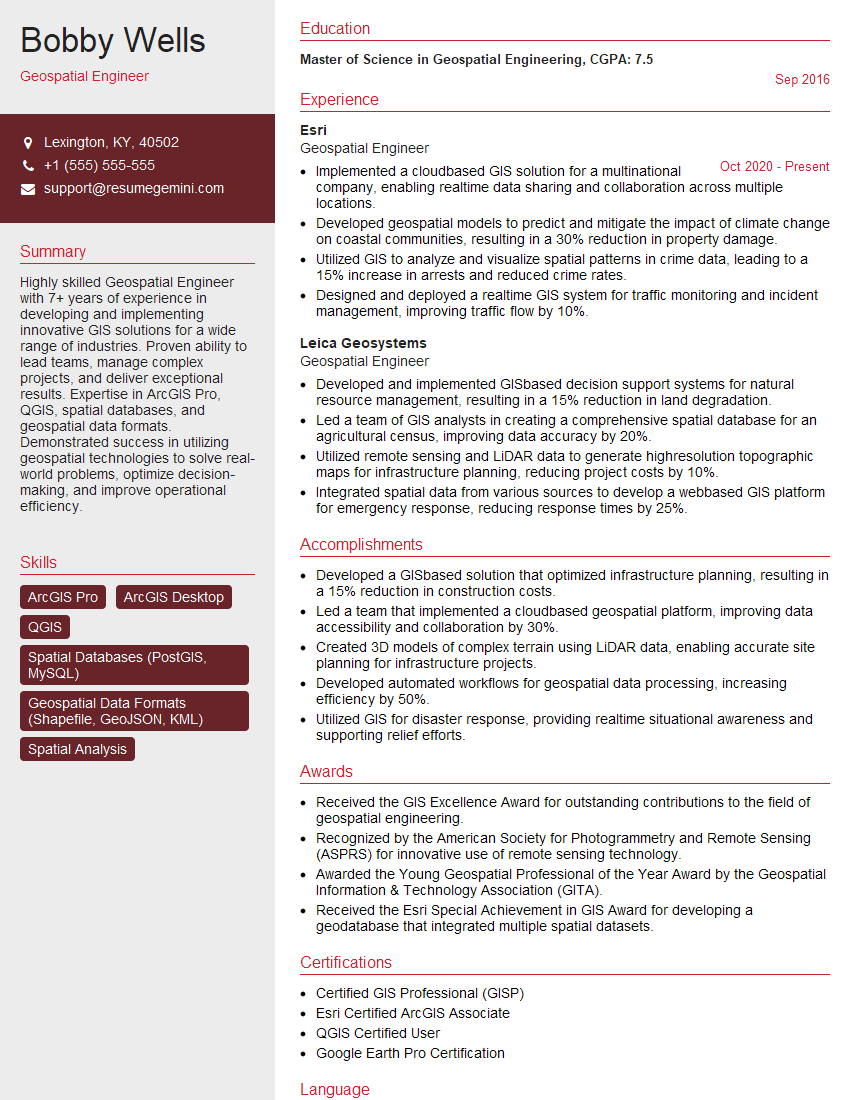
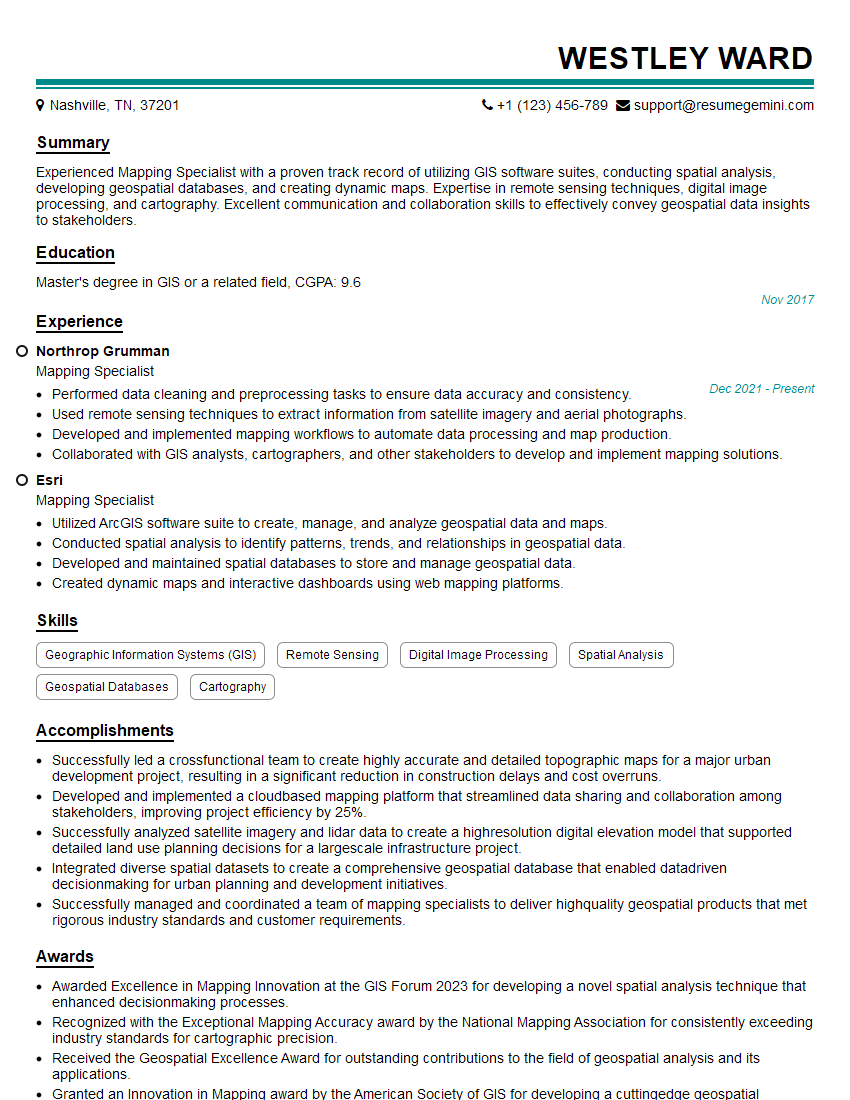
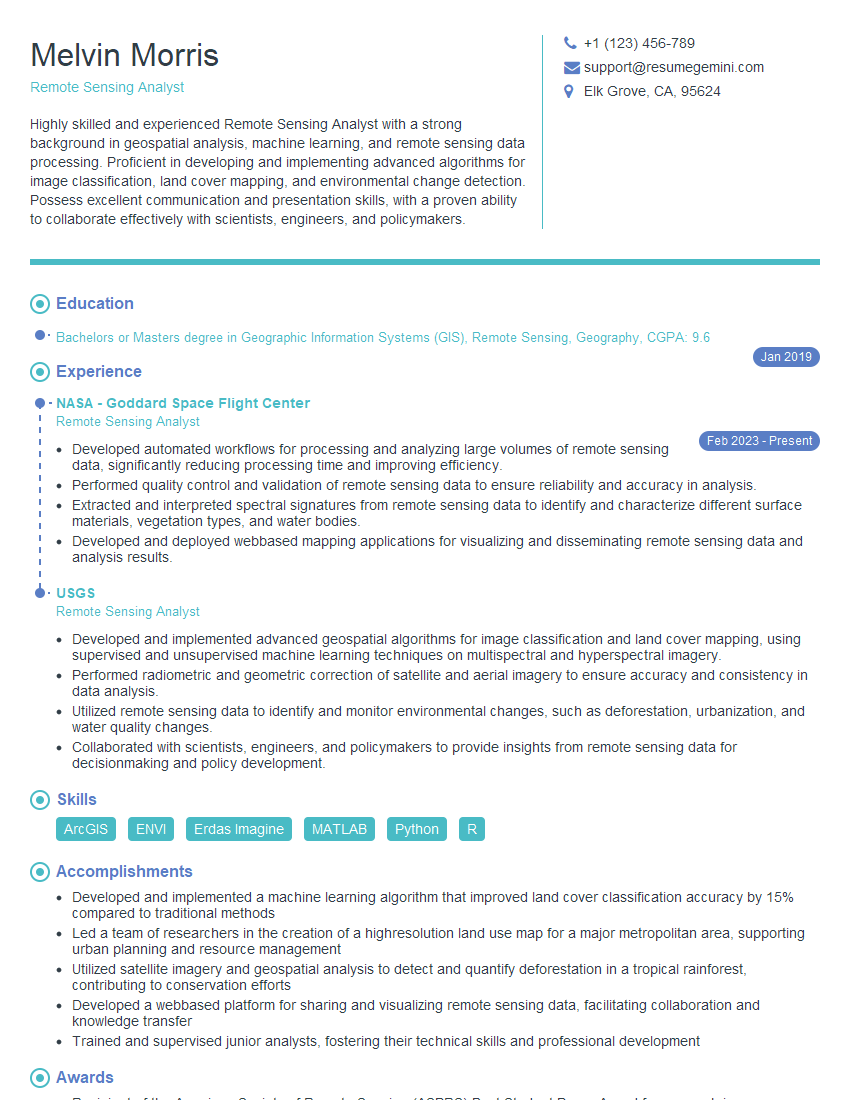
Mastering GIS and GPS technologies is crucial for a successful and rewarding career in fields like environmental science, urban planning, transportation, and many more. A strong understanding of these technologies opens doors to exciting opportunities and higher earning potential. To maximize your job prospects, it’s essential to create a resume that effectively highlights your skills and experience. An ATS-friendly resume is critical for getting your application noticed by recruiters and hiring managers. ResumeGemini is a valuable resource to help you build a professional and impactful resume tailored to the specific requirements of GIS and GPS roles. Examples of resumes specifically designed for GIS and GPS positions are available to help guide you through this process.


Explore more articles
Users Rating of Our Blogs
Share Your Experience
We value your feedback! Please rate our content and share your thoughts (optional).
What Readers Say About Our Blog
To the interviewgemini.com Webmaster.
Very helpful and content specific questions to help prepare me for my interview!
Thank you
To the interviewgemini.com Webmaster.
This was kind of a unique content I found around the specialized skills. Very helpful questions and good detailed answers.
Very Helpful blog, thank you Interviewgemini team.