Every successful interview starts with knowing what to expect. In this blog, we’ll take you through the top Router Setup and Optimization interview questions, breaking them down with expert tips to help you deliver impactful answers. Step into your next interview fully prepared and ready to succeed.
Questions Asked in Router Setup and Optimization Interview
Q 1. Explain the difference between static and dynamic routing.
The core difference between static and dynamic routing lies in how routes are learned and distributed across a network. Think of it like giving directions: static routing is like meticulously writing down every single turn and street name for a specific journey, while dynamic routing is like using a GPS that automatically calculates the best route based on real-time traffic conditions.
Static Routing: In static routing, network administrators manually configure each route on the router. This means specifying the destination network and the next hop router for each route. This is suitable for smaller, simpler networks where the network topology rarely changes. For example, a small office network with just a few connected devices might use static routing.
Dynamic Routing: Dynamic routing protocols automatically learn and distribute routing information across a network. Routers exchange routing information with each other, allowing them to adapt to changes in network topology. This is far more efficient for larger, complex networks where frequent changes are common. Examples include the widely used protocols RIP, OSPF, and BGP (explained further in the next question).
In Summary: Static routing is simple and manageable for small networks, but lacks scalability and adaptability. Dynamic routing is more complex to set up initially, but offers flexibility, automatic adaptation to network changes, and efficient routing for larger and dynamic networks.
Q 2. Describe the operation of RIP, OSPF, and BGP routing protocols.
RIP (Routing Information Protocol), OSPF (Open Shortest Path First), and BGP (Border Gateway Protocol) are three widely used dynamic routing protocols, each with its own strengths and weaknesses.
- RIP: RIP is a distance-vector protocol using a hop count metric. It’s simple to configure and manage, but it only supports networks with a maximum hop count of 15, limiting its scalability. Imagine a game of telephone – the message (routing information) might get distorted as it travels across many hops.
- OSPF: OSPF is a link-state protocol using a cost metric. Unlike RIP, it uses a sophisticated algorithm to calculate the shortest path to a destination, and it handles larger networks much more effectively. It’s a more robust and scalable solution, making it preferable for larger corporate networks. Think of it as Google Maps, which considers multiple factors to provide the optimal route.
- BGP: BGP is an exterior gateway protocol, primarily used for routing between different autonomous systems (ASes) on the internet. It’s the protocol that keeps the internet connected! It uses path vector routing and supports policy-based routing, allowing network operators to control how traffic flows between their networks. Imagine BGP as the global air traffic control system, coordinating the flow of planes (data) across continents.
The choice of routing protocol depends heavily on the network’s size, complexity, and specific requirements. Small networks often use RIP due to its simplicity, while larger networks usually opt for OSPF or even a combination of OSPF and BGP for internet connectivity.
Q 3. How do you troubleshoot connectivity issues on a router?
Troubleshooting connectivity issues on a router involves a systematic approach. Think of it as a detective solving a case – you need to gather clues and systematically eliminate possibilities.
- Check the Physical Connections: Ensure all cables are securely connected and that the router itself is powered on and functioning correctly. This might sound obvious, but often overlooked!
- Verify Router Configuration: Check the router’s configuration files for any misconfigurations, such as incorrect IP addresses, subnet masks, or default gateways. Tools like the router’s command-line interface (CLI) are your best friend here.
- Ping Tests: Use the
pingcommand to test connectivity between different devices and networks. If apingfails, it indicates a problem along the path. For instance,ping 8.8.8.8tests connectivity to Google’s public DNS server. - Traceroute: Use the
traceroute(ortracerton Windows) command to trace the path packets take to a destination. This helps identify where the connectivity problem lies. It’s like following the bread crumbs to the source of the problem. - Check Routing Tables: Examine the router’s routing tables to ensure it has the correct routes to reach the destination network. A missing route is a common culprit.
- Access Lists and ACLs: Check Access Control Lists (ACLs) to ensure they are not blocking traffic unnecessarily. Sometimes, an overly restrictive ACL might inadvertently cut off legitimate traffic.
- Analyze Logs: Review the router’s system logs for any error messages that might provide clues about the problem.
Using a combination of these techniques, along with understanding the network topology, often allows for quick and efficient identification and resolution of connectivity problems.
Q 4. Explain the concept of subnetting and its importance in network design.
Subnetting is the process of dividing a larger network (IP address range) into smaller, more manageable subnetworks. Think of it like dividing a large pizza into smaller slices – each slice represents a subnetwork.
Importance:
- Improved Network Organization: Subnetting allows for better organization and control of network traffic. This makes it easier to manage and troubleshoot issues.
- Increased Security: By segmenting the network into smaller subnets, you can improve network security by limiting the broadcast domain and controlling access between subnets.
- Efficient IP Address Utilization: Subnetting allows for more efficient use of IP addresses, especially crucial in larger networks.
- Scalability: As your network grows, subnetting allows you to expand the network more effectively without having to reconfigure the entire network.
Example: A class C network (192.168.1.0/24) can be subnetted into several smaller networks. For instance, you could create subnets like 192.168.1.0/25, 192.168.1.128/25, each with its own subnet mask. Each subnet would have fewer usable IP addresses, but offer better organization and security.
Q 5. What are the different types of access lists and how are they used?
Access lists (ACLs) are powerful tools used to control network traffic based on various criteria, acting like gatekeepers to your network. They are essentially rules that determine which packets are permitted or denied entry.
Types of Access Lists:
- Standard Access Lists: These ACLs filter traffic based solely on the source IP address. They are simple to configure but less granular in their control.
- Extended Access Lists: These ACLs provide more granular control, allowing filtering based on source and destination IP addresses, ports, and protocols. They are more complex to configure but offer far greater flexibility.
How they are used: ACLs are used for various security and network management purposes:
- Firewalling: Blocking unauthorized access to network resources.
- Network Segmentation: Controlling traffic flow between different parts of a network.
- Quality of Service (QoS): Prioritizing specific types of traffic.
- Security Auditing: Monitoring and logging network traffic.
Example: An extended ACL could be configured to allow only SSH traffic (port 22) from a specific IP address to a server, preventing unauthorized access to the server.
Q 6. How do you configure NAT on a router?
Network Address Translation (NAT) is a technique used to map private IP addresses to public IP addresses. This is crucial because most home and small business networks use private IP addresses (like 192.168.x.x) which are not routable on the internet. NAT acts as a translator, allowing multiple devices on a private network to share a single public IP address.
NAT Configuration: The specific configuration process varies depending on the router’s vendor and model. Generally, you’ll need to access the router’s configuration interface (usually through a web browser) and navigate to the NAT settings. Common NAT configurations include:
- Static NAT: Maps a specific private IP address to a specific public IP address. This is useful for servers or devices that need a consistent public IP address.
- Dynamic NAT: Uses a pool of public IP addresses to map multiple private IP addresses. It’s more efficient for networks with many devices.
- Port Address Translation (PAT): A form of dynamic NAT that maps multiple private IP addresses to a single public IP address using different port numbers. This is the most common type of NAT used in home networks.
The configuration typically involves specifying the private IP address range, the public IP address (or pool of addresses), and any additional port mapping rules if necessary.
Q 7. What are the best practices for router security?
Router security is paramount for protecting your network from unauthorized access and malicious activity. Think of it like securing your home’s front door – you wouldn’t leave it unlocked!
- Strong Passwords: Use strong, unique passwords for all router accounts. Avoid using default passwords provided by the manufacturer.
- Regular Firmware Updates: Keep your router’s firmware updated to the latest version to patch security vulnerabilities. This is like installing security patches on your computer.
- Enable Firewall: Enable the built-in firewall on your router to block unauthorized access attempts. The firewall acts like a gatekeeper, only allowing legitimate traffic to pass.
- Disable Unnecessary Services: Disable any unnecessary services or features on your router that you don’t need. Less open doors, less chance of intrusion.
- Use Access Lists (ACLs): Configure ACLs to control network traffic and block malicious activity. This adds an extra layer of protection.
- Enable Secure Protocols: Use secure protocols like HTTPS for managing your router’s settings and enable secure wireless protocols like WPA2/WPA3. Think of it like using encrypted messaging apps.
- Regular Security Audits: Regularly audit your router’s configuration and security settings to identify and address any potential vulnerabilities. This is your regular home security system check.
- Monitor Logs: Regularly review your router’s logs to identify any suspicious activity.
By following these best practices, you can significantly enhance the security of your network and protect your valuable data.
Q 8. Explain the concept of QoS (Quality of Service) and its implementation on a router.
QoS, or Quality of Service, is a crucial networking concept that prioritizes specific types of network traffic over others. Imagine a highway with different lanes – QoS is like assigning different speeds to those lanes based on the importance of the vehicles (data). For instance, video conferencing needs low latency (quick response time) and high bandwidth (data rate) to function smoothly. QoS ensures this type of traffic gets priority over lower-priority traffic, such as file downloads, preventing choppy video calls even when many users are downloading files simultaneously.
Implementing QoS on a router involves several techniques, commonly using features like:
- Bandwidth Allocation: Assigning specific bandwidth percentages to various applications or traffic classes (e.g., 20% for video conferencing, 10% for VoIP, 70% for general traffic).
- Traffic Shaping: Controlling the rate at which traffic flows, preventing bursts of data from overwhelming the network. This is achieved by delaying or discarding packets from non-priority traffic during congestion.
- Queue Management: Prioritizing certain types of traffic by using different queues with varying levels of priority. Packets in higher-priority queues will be processed before lower-priority ones.
- Classification: Identifying and categorizing network traffic based on factors such as port numbers (e.g., port 80 for web traffic), IP addresses, or protocol types (e.g., TCP, UDP).
For example, in a home network with children streaming videos and someone working remotely on a video conference, QoS can be configured to prioritize VoIP and video conferencing traffic over streaming to ensure smooth remote working. Many routers have built-in QoS settings with simple interfaces, while more advanced setups may require manual configuration of traffic classes and queues using command-line interface (CLI) tools.
Q 9. How do you monitor router performance and identify bottlenecks?
Monitoring router performance and identifying bottlenecks requires a multi-faceted approach. Think of it like monitoring the vital signs of a patient to detect problems. We use various tools and techniques.
- Router Logs: Regularly checking router logs provides insights into errors, dropped packets, and CPU/memory utilization. This is like checking a patient’s medical history for clues.
- Network Monitoring Tools: Software like SolarWinds, PRTG Network Monitor, or Nagios can provide real-time monitoring of bandwidth usage, latency, packet loss, and CPU/memory utilization of the router and network devices. These tools give us comprehensive data similar to a comprehensive blood test.
- SNMP (Simple Network Management Protocol): Using SNMP, you can remotely monitor and manage network devices, including routers, collecting performance metrics from multiple devices centrally. This is a centralized dashboard showing the health of all your network devices.
- Ping and Traceroute: Basic yet effective commands to check network connectivity and identify network paths, revealing potential slowdowns along the way. It’s like taking the patient’s pulse.
- Bandwidth Analysis: Analyzing bandwidth usage patterns can uncover applications or users consuming excessive bandwidth, revealing a potential bottleneck. This could be like figuring out the cause of rapid heart rate – is it exercise or illness?
Once you identify a bottleneck (like high CPU utilization or consistently high packet loss), you can address it by upgrading the router, optimizing network configurations (e.g., implementing QoS), or addressing issues with network cables or individual devices.
Q 10. Describe different types of VPNs and their configurations on a router.
VPNs, or Virtual Private Networks, create secure connections over public networks. Imagine it as creating a secure tunnel through a busy marketplace to keep your valuables safe. There are several types:
- IPsec VPN: A robust and widely used VPN protocol that provides strong security through encryption and authentication. It is often used for site-to-site connections (connecting two office networks) or remote access (connecting individual computers to the network). It requires more configuration than some simpler protocols.
- PPTP (Point-to-Point Tunneling Protocol): An older and less secure VPN protocol, simpler to set up but not recommended for high-security environments due to vulnerabilities. It has been largely superseded by more secure alternatives.
- L2TP/IPsec (Layer 2 Tunneling Protocol): Combines the features of L2TP (a tunneling protocol) with the security of IPsec. It provides good security and works well through NAT (Network Address Translation). It offers a balance between security and ease of setup.
- OpenVPN: A widely adopted open-source VPN protocol known for its flexibility, security, and strong encryption. Its open-source nature allows for community-based security enhancements and custom configurations.
Router VPN configuration varies depending on the type of VPN and the router’s firmware. Typically, you’ll need to specify the VPN server’s address, pre-shared keys, or certificates, and choose the desired VPN protocol. Many routers have user-friendly interfaces, guiding you through each step of the configuration. However, advanced configurations often require command-line interactions for greater control.
Q 11. Explain the importance of redundancy in router configuration.
Redundancy in router configuration is crucial for maintaining network availability and resilience. It’s like having a backup generator for your house – when one fails, the other takes over seamlessly. Without it, a router failure can cause significant downtime.
Common redundancy methods include:
- Redundant Routers (Hot Standby): Having two routers configured in a failover arrangement, with one actively handling traffic and the other on standby, ready to take over if the primary router fails. This ensures immediate switching with minimal disruption.
- Redundant Links (Link Aggregation): Combining multiple physical network connections into a single logical link, increasing bandwidth and providing redundancy. If one link fails, traffic can still flow through the remaining links. This is like having multiple roads leading to the same destination – if one is blocked, you can still take another.
- Virtual Router Redundancy Protocol (VRRP): A protocol that ensures high availability by assigning a virtual IP address to a group of routers, with one active router handling traffic. If the active router fails, another router in the group takes over, maintaining seamless network operation.
Implementing redundancy requires careful planning and configuration, considering factors like failover mechanisms, load balancing, and the potential for single points of failure. The choice of redundancy method depends on the network’s size, criticality, and budget.
Q 12. How do you troubleshoot routing loops?
Routing loops are a nightmare in networking, causing packets to endlessly circulate between routers without reaching their destination. Imagine a car endlessly driving around a roundabout without an exit. This consumes bandwidth, increases latency and causes network instability.
Troubleshooting routing loops involves:
- Checking Routing Tables: Examine the routing tables on affected routers to identify routes that create loops. A loop exists when a router’s routing table shows a path that leads back to the router itself.
- Analyzing Routing Protocols: Identify if there are configuration issues within the routing protocols (e.g., OSPF, BGP, RIP) used by the routers. Incorrect configuration can cause routes with loops to be advertised.
- Using Debugging Tools: Many routers offer debugging commands to trace packet paths and identify the point at which routing loops occur. This is like using a GPS tracker to find the point where the car started going in circles.
- Implementing Loop Prevention Mechanisms: Routing protocols have built-in mechanisms to prevent loops, such as split horizon (preventing the advertisement of routes back to the interface they arrived from), poison reverse (advertising a route with an infinite metric to prevent looping), and hop count limits (restricting the number of hops a packet can take).
- Verification of Network Connectivity: Check that cables and devices are correctly connected to prevent misconfigurations.
Effective troubleshooting requires a combination of systematic investigation, network monitoring, and understanding of routing protocols. It’s crucial to act quickly to prevent widespread network outages.
Q 13. What are the different methods for remote router management?
Remote router management is essential for administering networks remotely, offering convenience and flexibility. It’s like controlling your home’s thermostat from your smartphone. Several methods exist:
- SSH (Secure Shell): A secure command-line interface for accessing and configuring routers remotely. It provides encrypted communication, safeguarding against eavesdropping.
- Telnet: An older command-line interface, less secure than SSH because it transmits data unencrypted. It’s generally discouraged due to security risks.
- Web-Based Interfaces: Many routers have web-based interfaces that allow users to manage router settings through a web browser. They offer a user-friendly approach, usually with a graphical interface.
- SNMP (Simple Network Management Protocol): Allows remote monitoring and management of network devices using management applications. It enables centralized management of multiple routers and other network equipment.
- Router Management Software: Several software applications (e.g., Cisco Prime, SolarWinds) provide centralized management and monitoring capabilities for multiple routers within a network.
The best method depends on your security needs, technical skills, and the router’s capabilities. Security should always be a primary concern. Using SSH is strongly recommended for remote command-line access due to its strong encryption.
Q 14. How do you configure DHCP on a router?
DHCP, or Dynamic Host Configuration Protocol, automatically assigns IP addresses and other network configuration parameters to devices on a network. Imagine a hotel assigning room keys automatically – no manual assignment required. Configuring DHCP on a router involves these steps:
- Access Router Configuration: Log into your router’s administration interface, typically via a web browser.
- Locate DHCP Settings: Find the DHCP server settings within the router’s configuration menu; this is often under a heading like ‘LAN’, ‘Network’, or ‘DHCP’.
- Enable DHCP Server: Enable the DHCP server to activate the automatic IP address assignment feature.
- Configure IP Address Range: Define the range of IP addresses that the DHCP server will allocate to devices. This should be within your network’s subnet.
- Configure Subnet Mask: Specify the subnet mask corresponding to your network.
- Configure Default Gateway: Set the router’s IP address as the default gateway for devices on the network.
- Configure DNS Servers: Enter the IP addresses of your DNS servers (e.g., Google’s public DNS servers: 8.8.8.8 and 8.8.4.4).
- Configure DHCP Lease Time: Set the duration for which IP addresses are assigned to clients. A common setting is 24 hours, after which clients renew their leases.
- Save Settings: Save your changes to apply the DHCP configuration.
After configuration, devices connected to the network will automatically receive IP addresses, subnet masks, and other network settings from the DHCP server on your router. This simplifies network management by avoiding manual configuration on each device. It also facilitates changes, as updates are made in one place instead of across the whole network.
Q 15. Explain the concept of routing tables.
A routing table is like a city’s map for data packets. It’s a database maintained by a router that lists network destinations and the best path to reach them. Each entry, called a route, specifies a destination network, the next hop router (or directly connected interface) to forward packets to, and a metric representing the cost (e.g., hop count, latency) of that path. Imagine you’re sending a letter; the routing table helps the postal service determine the fastest and most efficient route to your recipient.
For example, a route entry might say: Destination Network: 192.168.1.0/24, Next Hop: 10.0.0.2, Metric: 1. This means that to reach any device on the 192.168.1.0/24 network, the router should forward the packet to the router with IP address 10.0.0.2, and the cost of this path is 1 (perhaps representing a single hop).
Routers use various protocols like RIP, OSPF, and BGP to learn and maintain their routing tables, constantly updating them based on network changes and connectivity.
Career Expert Tips:
- Ace those interviews! Prepare effectively by reviewing the Top 50 Most Common Interview Questions on ResumeGemini.
- Navigate your job search with confidence! Explore a wide range of Career Tips on ResumeGemini. Learn about common challenges and recommendations to overcome them.
- Craft the perfect resume! Master the Art of Resume Writing with ResumeGemini’s guide. Showcase your unique qualifications and achievements effectively.
- Don’t miss out on holiday savings! Build your dream resume with ResumeGemini’s ATS optimized templates.
Q 16. What are the common commands used for router configuration (Cisco IOS)?
Configuring Cisco IOS routers involves a range of commands. Here are some common ones, categorized for clarity:
- Interface Configuration:
interface GigabitEthernet0/0(selects interface),ip address 192.168.1.1 255.255.255.0(assigns IP address and subnet mask),no shutdown(enables the interface),description 'Connection to Server Room'(adds a descriptive label). - Routing Protocols:
router ospf 1(starts OSPF process 1),network 192.168.1.0 0.0.0.255 area 0(adds a network to OSPF). - Access Control Lists (ACLs):
access-list 100 permit ip 192.168.1.0 0.0.0.255 any(allows traffic from 192.168.1.0/24 to any destination),interface GigabitEthernet0/0,ip access-group 100 in(applies ACL 100 inbound on the interface). - Basic Commands:
enable(enters privileged mode),configure terminal(enters configuration mode),copy running-config startup-config(saves configuration),show ip interface brief(displays interface status),show ip route(displays routing table).
Remember, the exact commands and syntax will vary depending on the specific router model and desired configuration. Always consult the official Cisco documentation for the most accurate and up-to-date information.
Q 17. Describe different types of router interfaces.
Router interfaces are the points of connection between the router and other network devices. Think of them as the router’s ‘hands’ extending to other parts of the network. Different types cater to various connection technologies and speeds:
- Ethernet Interfaces: These are the most common interfaces, connecting to devices via Ethernet cables. They come in various speeds (e.g., 10 Mbps, 100 Mbps, 1 Gbps, 10 Gbps).
- Serial Interfaces: Used for point-to-point connections, often over long distances or to connect to other routers. Examples include ISDN BRI/PRI interfaces and older technologies.
- Wireless Interfaces: Used for wireless connections (Wi-Fi). These interfaces allow for wireless connectivity to clients.
- WAN Interfaces: Connect the router to the wider internet using technologies like DSL, cable modems, or leased lines.
- Loopback Interfaces: These are virtual interfaces primarily used for testing and routing purposes. They usually have a single IP address and only exist in software.
The type of interface you need depends on your network’s requirements. For example, connecting a server directly to the router would usually involve an Ethernet interface, while connecting to a distant branch office might utilize a serial interface or a VPN connection over the internet.
Q 18. How do you configure VLANs on a router?
VLANs (Virtual LANs) segment a physical network into multiple logical networks. Configuring VLANs on a router involves configuring both the router’s interfaces and the switches connected to it. The router acts as a router between these VLANs, allowing communication between them if correctly configured.
Here’s a simplified outline:
- Configure VLANs on the switch: This is usually done using switch-specific commands, creating VLANs with unique IDs (e.g., VLAN 10, VLAN 20). Then, assign ports to specific VLANs.
- Configure router interfaces: Create subinterfaces on router interfaces connected to the switch’s VLANs. Each subinterface represents a different VLAN. For example, on a router interface named ‘GigabitEthernet0/0’, you could create subinterfaces like
interface GigabitEthernet0/0.10(for VLAN 10) andinterface GigabitEthernet0/0.20(for VLAN 20). - Assign IP addresses: Assign an IP address and subnet mask to each subinterface, creating separate IP networks for each VLAN.
- Configure routing: If inter-VLAN routing is needed (communication between VLANs), you’ll need a routing protocol (like RIP or OSPF) to allow the router to route packets between the different VLANs.
Example (Cisco IOS):
interface GigabitEthernet0/0.10
ip address 192.168.10.1 255.255.255.0
encapsulation dot1Q 10
no shutdown
This creates a subinterface on GigabitEthernet0/0 for VLAN 10 and assigns it an IP address. The `encapsulation dot1Q 10` command indicates that this subinterface carries VLAN 10 traffic.
Q 19. Explain the differences between unicast, multicast, and broadcast traffic.
These three terms describe how data is transmitted on a network:
- Unicast: One-to-one communication. A single packet is sent from a single source to a single destination. This is the most common type of communication, like sending an email to a specific person.
- Multicast: One-to-many communication. A single packet is sent from a single source to multiple destinations that have subscribed to the multicast group. Think of a video conference or a software update being sent to many clients simultaneously.
- Broadcast: One-to-all communication. A single packet is sent from a single source to every device on a network. This is used for things like network discovery or ARP requests but should be used sparingly as it can generate significant network traffic.
The key difference lies in how the message is delivered and to whom. Unicast is targeted, multicast is group-based, and broadcast is network-wide.
Q 20. How do you troubleshoot slow network performance?
Troubleshooting slow network performance requires a systematic approach. Here’s a breakdown:
- Identify the bottleneck: Is the problem affecting the entire network, or just specific devices/applications? Use tools like ping, traceroute, and bandwidth monitoring to isolate the problem area. A slow download speed might indicate an issue with the internet connection, while slow internal network speeds point towards a problem within the local network.
- Check router resource utilization: High CPU or memory utilization on the router can cause performance degradation. Use the router’s CLI commands (
show process cpu,show memory) to check these metrics. If resources are maxed out, you may need to upgrade the router or optimize its configuration. - Analyze network traffic: Tools like network analyzers can reveal which applications or protocols are consuming the most bandwidth. This helps pinpoint the source of congestion.
- Check cabling and hardware: Poorly connected cables or failing hardware can severely impact performance. Inspect cables for damage and ensure all devices are properly connected.
- Examine router configuration: Check routing tables, ACLs, and other router configurations for potential issues that might be hindering traffic flow. Incorrectly configured ACLs, for instance, can dramatically restrict network speeds.
- Consider network congestion: Too much traffic for the network capacity can lead to slowdowns. You may need to upgrade your network infrastructure (e.g., faster switches, more bandwidth) or implement QoS (Quality of Service) policies to prioritize critical traffic.
Remember to document each step of the troubleshooting process, as this will assist in finding and resolving the issue.
Q 21. What are the key performance indicators (KPIs) for router performance?
Key Performance Indicators (KPIs) for router performance help assess its efficiency and identify potential issues. Important KPIs include:
- CPU Utilization: The percentage of CPU time used for processing network traffic. High CPU utilization can lead to packet loss and delays.
- Memory Utilization: The percentage of RAM used by the router. Similar to high CPU utilization, memory exhaustion can lead to performance problems.
- Interface Errors: Counters for errors (CRC errors, input/output drops) indicate issues with physical connections or network congestion.
- Packet Loss: The percentage of packets that fail to reach their destination. High packet loss directly impacts application performance.
- Latency: The delay experienced by packets as they traverse the network. High latency contributes to slow response times.
- Throughput: The amount of data processed per unit of time. It measures the overall capacity and efficiency of the router.
- Queue Lengths: The number of packets waiting to be processed in the router’s queues. Long queues suggest congestion.
Regularly monitoring these KPIs is crucial for proactive network management. Threshold alerts can be configured to notify administrators of potential performance issues before they significantly impact the network.
Q 22. Explain the concept of route aggregation.
Route aggregation, also known as route summarization, is a crucial technique in network routing that simplifies the routing table by combining multiple, smaller IP network prefixes into a single, larger summary route. Think of it like condensing a detailed map into a simplified overview – it reduces complexity while still providing essential information.
For instance, if you have several subnets like 192.168.1.0/24, 192.168.2.0/24, and 192.168.3.0/24, these can be aggregated into the summary route 192.168.0.0/22. This reduces the number of entries in routing tables on routers and reduces routing protocol overhead, improving performance and scalability. Routers receiving this summary route only need to remember the aggregated route, not each individual subnet, reducing processing power required and improving convergence speed.
Implementing route aggregation often involves using summarization commands within routing protocols like OSPF or BGP. The specific commands depend on the routing protocol and the router vendor (Cisco, Juniper, etc.), but the underlying principle remains the same: grouping similar IP addresses for efficient routing.
Q 23. How do you implement network segmentation?
Network segmentation is the practice of dividing a network into smaller, isolated broadcast domains. It’s like creating separate rooms within a building, each with its own access and security controls. This significantly enhances security by limiting the impact of security breaches and improving network performance by reducing congestion.
One common method is using VLANs (Virtual LANs). VLANs allow you to logically segment a physical network without requiring physical changes. Each VLAN acts as a separate broadcast domain, and devices within a VLAN can only communicate with other devices in the same VLAN unless explicitly routed. This is implemented through switches capable of VLAN tagging and configuring VLANs on the switch and routers connecting them.
Another method involves using firewalls and other security appliances to create logical boundaries between different network segments. This approach offers granular control over traffic flow between segments, allowing you to enforce security policies based on IP addresses, ports, and applications.
Example: A company might segment its network into VLANs for marketing, sales, and IT, each with its own security policies and access restrictions. This approach protects sensitive data and prevents unauthorized access between departments.
Q 24. What is BFD and its importance in high-availability networks?
Bidirectional Forwarding Detection (BFD) is a fast detection mechanism used to monitor the connectivity between network devices, greatly improving the speed of failure detection compared to traditional methods such as keepalive messages. Think of it as a faster heartbeat check between routers and switches.
In high-availability networks, quick detection of failures is critical. Traditional protocols might take several seconds to detect link failures, leading to significant network downtime. BFD can detect failures within milliseconds, substantially reducing the impact of link outages. It complements other protocols like OSPF, BGP, and MPLS by quickly announcing failures and allowing for faster failover.
Its importance stems from its ability to minimize downtime. For example, in a critical network application like banking, even a few seconds of downtime can have serious consequences. BFD ensures that link failures are detected and acted upon almost immediately, minimizing disruption to services.
Q 25. How do you configure access control lists (ACLs) for security?
Access Control Lists (ACLs) are sets of rules that control network traffic flow based on various criteria like source and destination IP addresses, ports, and protocols. They’re like security guards at the network’s gates, inspecting each packet and determining whether to allow or deny it based on predefined rules.
ACLs are configured on routers and firewalls to filter network traffic. You can create ACLs to permit or deny traffic based on source/destination IP addresses, ports (e.g., TCP port 80 for HTTP), protocols (e.g., TCP, UDP), and other parameters. These rules can be applied inbound or outbound on an interface or between VLANs.
Example (Cisco IOS):
access-list 100 permit tcp 192.168.1.0 0.0.0.255 any eq 80
This ACL (number 100) permits TCP traffic originating from the 192.168.1.0/24 subnet to any destination, only on port 80 (HTTP). Carefully designing ACLs is crucial to balance security and network functionality.
Misconfigured ACLs can disrupt network traffic, so thorough testing and validation are essential.
Q 26. Explain the concept of routing protocols convergence.
Routing protocol convergence refers to the process by which routers in a network exchange routing information and reach a consistent view of the network topology. Imagine it as all the routers agreeing on the best path to reach each destination. This process is vital for reliable network operation.
When a network topology changes (e.g., a link goes down), the routing protocols need to re-calculate the best paths and update their routing tables. Convergence time is the duration it takes for the routing tables to stabilize after a change. A shorter convergence time minimizes network disruption and packet loss.
Different routing protocols have varying convergence times. Some protocols, such as EIGRP and OSPF, are known for faster convergence compared to others like RIP. Factors influencing convergence time include network size, topology, and protocol configuration. A well-designed network minimizes convergence times through careful planning and appropriate protocol selection.
Q 27. Describe your experience with different router vendors (e.g., Cisco, Juniper).
I have extensive experience with both Cisco and Juniper routers, having worked on projects ranging from small office networks to large enterprise deployments. My Cisco experience includes configuring and troubleshooting various routing protocols (OSPF, EIGRP, BGP), implementing network security features (ACLs, firewalls), and managing network devices through Cisco IOS. I have worked with different Cisco router models, from entry-level to high-end platforms, demonstrating my ability to work with a range of equipment and configurations.
My experience with Juniper includes configuring Junos OS, working with their MPLS and VPN solutions, and implementing their security features, including firewalls and intrusion detection/prevention systems. I have found Juniper’s Junos OS to be a robust and flexible operating system, particularly well-suited for large-scale deployments and service provider networks.
In both cases, my focus has been on optimizing network performance, enhancing security, and ensuring high availability. I’m comfortable with both command-line interfaces and network management tools for both vendors, allowing for efficient troubleshooting and configuration management.
Q 28. How do you troubleshoot connectivity problems between different VLANs?
Troubleshooting connectivity issues between VLANs involves a systematic approach. First, verify that VLANs are correctly configured on the switches and that the devices are assigned to the appropriate VLANs.
Next, check the router configuration. Ensure that inter-VLAN routing is properly set up. This often involves creating sub-interfaces on the router, assigning them to the respective VLANs, and configuring a routing protocol (such as OSPF or RIP) or static routes to enable communication between the VLANs.
Use diagnostic tools like ping and traceroute to trace the path from a device in one VLAN to a device in another. If the ping fails, this indicates a connectivity issue. The traceroute will show where the path breaks down, pointing towards the specific failing component (e.g., router interface, switch port, cabling). Analyze switch and router logs for any error messages that may give clues. Check cable connections and port status on both switches and routers.
Finally, verify the security policies. ACLs on routers or firewalls might be blocking traffic between VLANs, so review these rules carefully. Often a simple misconfiguration is responsible for the lack of connectivity.
Key Topics to Learn for Router Setup and Optimization Interview
- Router Fundamentals: Understanding routing protocols (RIP, OSPF, BGP), routing table management, and basic router configuration.
- Network Addressing and Subnetting: Mastering IP addressing schemes (IPv4 and IPv6), subnet masks, and applying them to practical network scenarios. This is crucial for efficient network design and troubleshooting.
- Routing Protocol Configuration and Troubleshooting: Practical experience configuring and troubleshooting common routing protocols. Be prepared to discuss real-world scenarios and solutions.
- Quality of Service (QoS): Implementing and managing QoS policies to prioritize specific network traffic (e.g., voice over IP, video streaming). Understanding the impact of QoS on network performance is essential.
- Network Security: Implementing basic router security measures, such as access control lists (ACLs) and firewall rules. Knowing how to secure a router against common threats is a key skill.
- Performance Optimization: Techniques for optimizing router performance, including buffer management, interface tuning, and identifying and resolving bottlenecks. This shows an understanding of practical network optimization.
- WAN Optimization: Understanding and implementing techniques to optimize Wide Area Network (WAN) performance, including technologies like MPLS and VPNs.
- Monitoring and Logging: Using tools and techniques to monitor router performance and analyze log files for troubleshooting and capacity planning. This demonstrates proactive network management.
- Virtualization and Cloud Technologies: Familiarity with virtual routers and cloud-based networking solutions (e.g., AWS, Azure). This shows awareness of modern networking trends.
- Troubleshooting Methodologies: A structured approach to identifying and resolving network issues using tools like ping, traceroute, and network analyzers. This highlights problem-solving abilities.
Next Steps
Mastering Router Setup and Optimization is crucial for career advancement in networking, opening doors to higher-paying roles and more challenging projects. To significantly boost your job prospects, create an ATS-friendly resume that highlights your skills and experience effectively. ResumeGemini is a trusted resource to help you build a professional and impactful resume. They provide examples of resumes tailored to Router Setup and Optimization, ensuring your application stands out from the competition.

Security Engineer Resume Sample

Network Administrator Resume Sample

Network Engineer Resume Sample

Systems Administrator Resume Sample

Infrastructure Engineer Resume Sample

Network Analyst Resume Sample
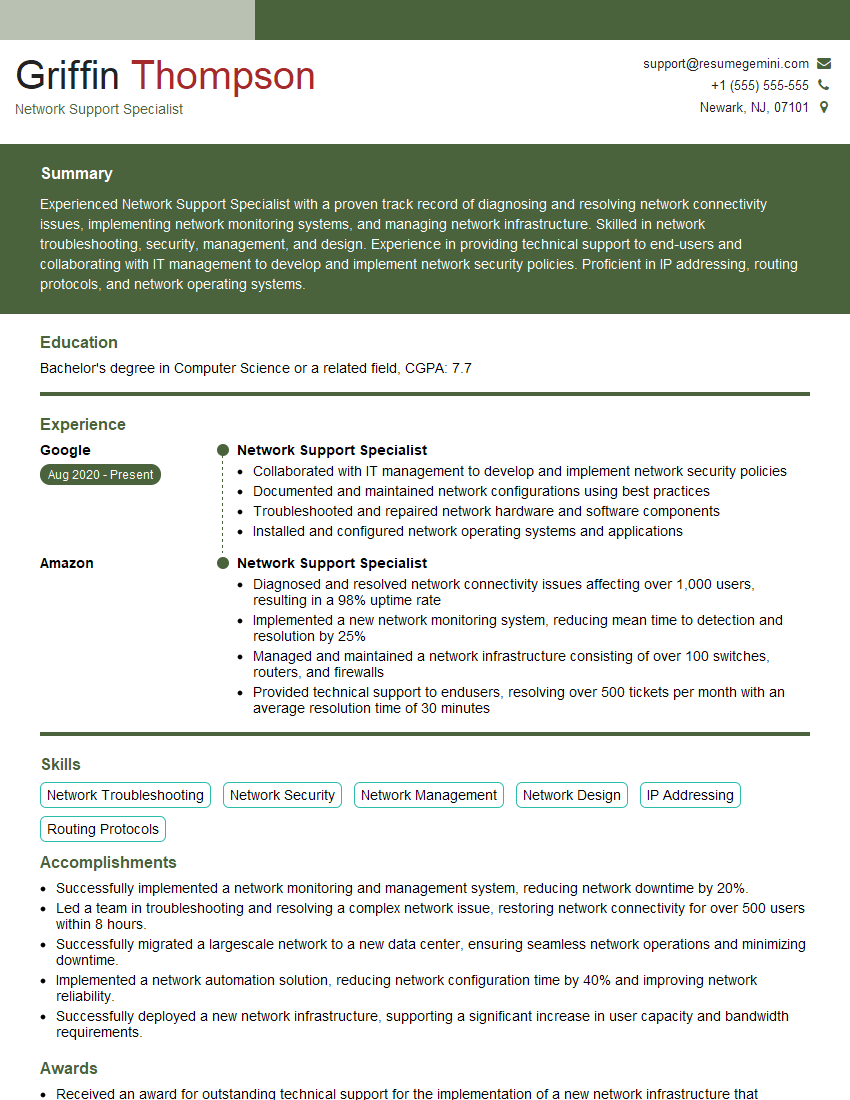
Network Support Specialist Resume Sample

Network Technician Resume Sample

Network Architect Resume Sample

Telecommunications Engineer Resume Sample

Wireless Network Engineer Resume Sample

IT Manager Resume Sample
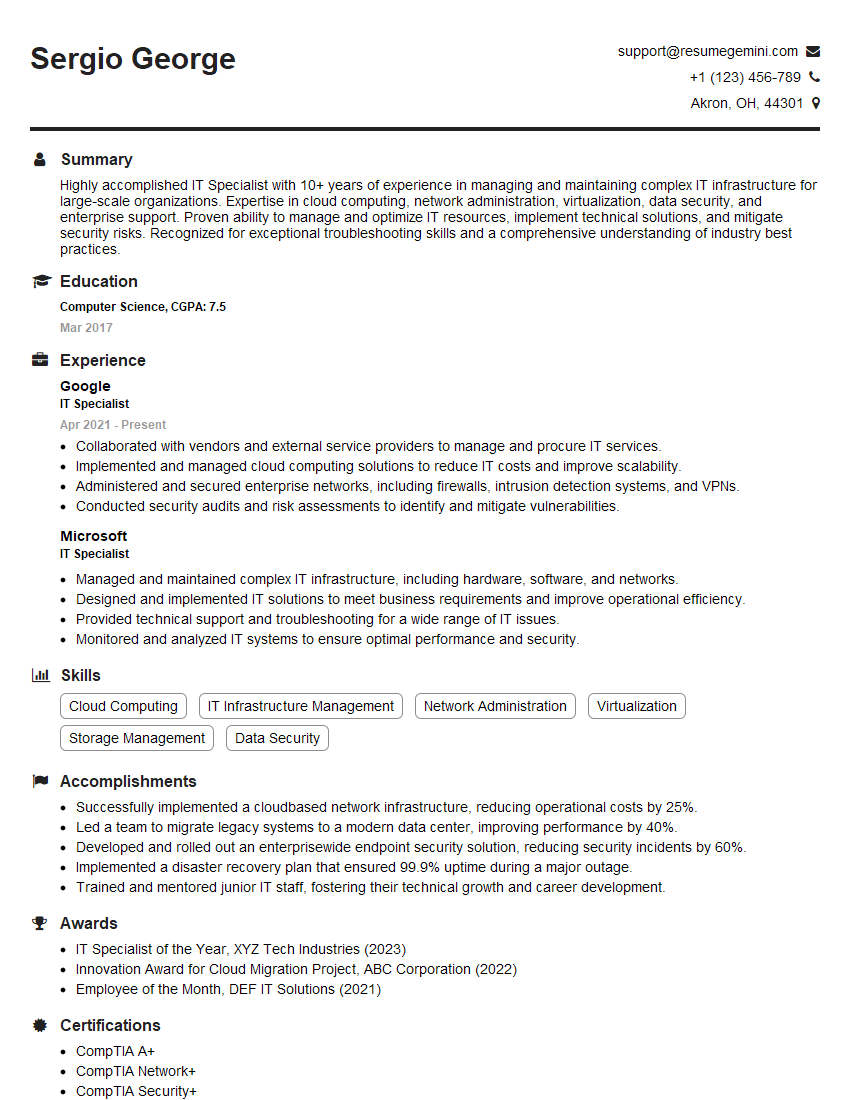
IT Specialist Resume Sample

Field Service Engineer Resume Sample

DevOps Engineer Resume Sample
- Security Engineer
- Network Administrator
- Network Engineer
- Systems Administrator
- Infrastructure Engineer
- Network Analyst
- Network Support Specialist
- Network Technician
- Network Architect
- Telecommunications Engineer
- Wireless Network Engineer
- IT Manager
- IT Specialist
- Field Service Engineer
- DevOps Engineer
Explore more articles
Users Rating of Our Blogs
Share Your Experience
We value your feedback! Please rate our content and share your thoughts (optional).
What Readers Say About Our Blog
To the interviewgemini.com Webmaster.
Very helpful and content specific questions to help prepare me for my interview!
Thank you
To the interviewgemini.com Webmaster.
This was kind of a unique content I found around the specialized skills. Very helpful questions and good detailed answers.
Very Helpful blog, thank you Interviewgemini team.