Are you ready to stand out in your next interview? Understanding and preparing for R for Remote Sensing interview questions is a game-changer. In this blog, we’ve compiled key questions and expert advice to help you showcase your skills with confidence and precision. Let’s get started on your journey to acing the interview.
Questions Asked in R for Remote Sensing Interview
Q 1. Explain the difference between raster and vector data in the context of remote sensing.
Raster and vector data are two fundamental ways to represent geographic information in remote sensing. Think of it like this: raster data is like a digital photograph – a grid of pixels, each with a value representing something like temperature, vegetation, or elevation. Vector data, on the other hand, is like a hand-drawn map – it uses points, lines, and polygons to represent features such as roads, rivers, or building boundaries. Each feature has associated attributes.
In remote sensing, satellite imagery is typically raster data, where each pixel holds spectral information. Vector data might be used to overlay geographic features onto that imagery, for example, to analyze vegetation cover within specific land-use zones. Raster data is good for continuous data, while vector data excels at representing discrete objects. Choosing the right data type depends entirely on the type of analysis you are performing.
Q 2. Describe your experience working with different R packages for remote sensing (e.g., raster, rgdal, sp).
My experience with R packages for remote sensing is extensive. I’ve worked extensively with the raster package for reading, manipulating, and analyzing raster data. This includes tasks like resampling, cropping, and calculating indices like NDVI. The rgdal package is crucial for handling vector data formats like shapefiles, allowing me to overlay geographic features on raster data for spatial analysis. The sp package provides foundational spatial data structures and functions, forming the basis for many geospatial operations in R. I frequently combine these packages for complex analyses. For instance, I might use rgdal to read a shapefile of forest boundaries, then use raster to extract average NDVI values within those boundaries from a Landsat image.
Beyond these core packages, I have also worked with packages like terra (a faster successor to raster) and sf (a modern successor to sp), leveraging their improved performance and functionalities in recent projects involving large datasets. I’m comfortable with various data formats, ensuring flexibility in handling data from diverse sources.
Q 3. How would you handle missing data in a remote sensing dataset using R?
Handling missing data, often represented as NA values in R, is critical for accurate analysis. Ignoring missing data can bias results. My approach involves a multi-step process:
- Identification: First, I visually inspect the data using functions like
plot()andsummary()to identify patterns of missing data. Are they random, or clustered in certain areas? - Imputation: Depending on the pattern, I choose an appropriate imputation method. For spatially autocorrelated data (common in remote sensing), techniques like kriging (using packages like
gstat) can be effective. For random missingness, simpler methods like mean/median imputation might suffice.raster::focal()can be used to smooth data and reduce the influence of individual missing pixels. - Masking: In some cases, it’s better to mask out areas with significant missing data rather than impute. This prevents the introduction of artificial data that could distort analysis. I would create a binary mask layer (1 for valid data, 0 for missing) and then apply it using the
mask()function in therasterpackage.
The best approach depends heavily on the nature and extent of the missing data, and the sensitivity of the analysis to these gaps. Documenting the method used is crucial for reproducibility and transparency.
Q 4. Explain your approach to atmospheric correction of satellite imagery using R.
Atmospheric correction is essential for accurate interpretation of satellite imagery, as atmospheric effects like scattering and absorption distort the spectral signatures of Earth’s surface. My approach depends on the available data and resources.
If atmospheric parameters (e.g., water vapor, aerosol optical depth) are available from ancillary data sources (e.g., MODIS), I might use empirical methods like FLAASH (Fast Line-of-sight Atmospheric Analysis of Spectral Hypercubes), often through dedicated software packages, which can then be integrated into an R workflow. The results would then be imported and processed in R.
If such data isn’t available, I’d explore dark object subtraction or other simpler methods implemented directly in R using the raster package. These methods are less accurate but can be useful when more sophisticated correction is impractical. Ultimately, the chosen method is always justified and documented in the analysis.
Q 5. How do you perform image classification using R? Describe a specific method.
Image classification in R is a powerful technique to categorize pixels in a satellite image into different land cover classes (e.g., forest, water, urban). I frequently use supervised classification, particularly maximum likelihood classification.
This method assumes that the spectral values for each class follow a multivariate normal distribution. First, I would select training samples – areas of known land cover – using tools like QGIS or directly in R with interactive visualization. Then, the train() function from the caret package (along with relevant pre-processing steps), trained using the training data, and then used for predicting the class of each pixel. The predict() function can then be used to apply the model to the entire image. The results can be further evaluated with metrics like overall accuracy and kappa coefficient.
library(raster) library(caret) # ... Load and preprocess the image and training data ... model <- train(x = training_data, y = training_labels, method = 'maxent') classification <- predict(image, model) plot(classification)
Q 6. How would you calculate NDVI (Normalized Difference Vegetation Index) from Landsat imagery in R?
Calculating the Normalized Difference Vegetation Index (NDVI) from Landsat imagery in R is straightforward. NDVI is a simple yet effective measure of vegetation health, calculated as (NIR – Red) / (NIR + Red), where NIR is the near-infrared band and Red is the red band.
library(raster) landsat <- stack('path/to/landsat_image.tif') # Load Landsat image nir <- landsat[[4]] # Assuming NIR is the 4th band red <- landsat[[3]] # Assuming Red is the 3rd band ndvi <- (nir - red) / (nir + red) plot(ndvi) This code assumes your Landsat image is a multi-band raster. Remember to adjust band numbers according to the specific Landsat product you’re using. Before calculating NDVI, it’s crucial to perform atmospheric correction (as discussed above) to ensure accurate results.
Q 7. Describe your experience with spatial data visualization in R.
Spatial data visualization is paramount for understanding remote sensing data. In R, I use a range of packages to create informative and compelling visualizations. The raster package itself provides basic plotting capabilities for raster data, allowing quick visualization of single bands or indices like NDVI.
For more advanced visualizations, I often use ggplot2, which offers greater control over aesthetics and allows the creation of sophisticated plots, maps, and charts. Combining ggplot2 with packages like ggspatial enhances the capabilities further, specifically for maps. I may also incorporate functions from other packages, depending on the specific needs. For example, the viridis package provides perceptually uniform color palettes, improving interpretability, and the tmap package simplifies the creation of thematic maps.
In a recent project, I used ggplot2 to create a series of maps showing NDVI trends over time, combining temporal and spatial information effectively. Visualizations are not just for presentations; they’re essential for exploratory data analysis, allowing me to identify patterns and anomalies.
Q 8. How do you handle large remote sensing datasets in R efficiently?
Handling large remote sensing datasets in R efficiently requires a multi-pronged approach focusing on data management, processing techniques, and leveraging R’s strengths. Imagine trying to process a massive image – you wouldn’t load the entire thing at once! Instead, you’d work with chunks.
- Raster Packages: Packages like
rasterandstarsare crucial. These allow you to read only portions of a large raster file (like a satellite image) into memory at a time using functions likereadGDAL()(raster) orread_stars()(stars). This avoids memory overload. You process each chunk and then combine the results. - Data Subsetting: Before any processing, carefully subset your data to the area of interest (AOI). Using spatial extents or polygon masks drastically reduces processing time. For example,
crop(raster_object, extent(polygon))will extract the relevant portion of a raster. - Parallel Processing: R’s parallel processing capabilities, particularly through packages like
foreachanddoSNOW, can be used to distribute the processing of different parts of the dataset across multiple cores. This significantly speeds up time-consuming tasks. - Data Storage: Consider storing your data in efficient formats like GeoTIFF or HDF5 which are optimized for large datasets. These formats allow for random access, making processing more efficient.
- Memory Management: Regularly check memory usage using functions like
gc()(garbage collection) to clear unused objects. Be mindful of object sizes.
Example: Processing a large Landsat image:
library(raster)
# Read only a portion of the large raster
large_raster <- brick("path/to/large_landsat.tif", band=1:7, xmin=..., xmax=..., ymin=..., ymax=...) # Specify your AOI
# Process in chunks
# ... processing steps ...
Q 9. Explain your experience with geoprocessing tasks using R.
Geoprocessing in R is a core strength, and I've extensively used it for tasks ranging from simple spatial transformations to complex analyses. I leverage packages like sf (for simple features), raster, rgdal (for GDAL/OGR integration), and sp (for spatial objects).
- Spatial Data Manipulation: I've worked with vector data (points, lines, polygons) for tasks like creating buffers, intersecting layers, dissolving polygons, and calculating spatial metrics using functions like
st_buffer(),st_intersection(), andst_area()(fromsf). - Raster Processing: This includes operations like resampling, reprojection, calculating zonal statistics, and performing overlay analysis of raster layers. For example, using
projectRaster()for reprojection orzonal()for zonal statistics. - Spatial Analysis: My work involved proximity analysis, spatial autocorrelation analysis, and spatial interpolation.
Example: Creating a buffer around a set of points representing sampling locations:
library(sf)
points <- st_read("path/to/points.shp")
buffer <- st_buffer(points, dist = 100) # Creates a 100-unit buffer
st_write(buffer, "path/to/buffer.shp")
In one project, I used these capabilities to analyze deforestation patterns by intersecting forest cover change maps with protected area boundaries.
Q 10. How do you perform image segmentation in R?
Image segmentation aims to partition an image into meaningful regions. In R, several approaches are available:
- Supervised Classification: This involves training a classifier (e.g., support vector machine, random forest) on labeled sample data. Packages like
caretprovide tools for training and evaluating classifiers. You would segment the image by assigning each pixel to a class based on its spectral characteristics. - Unsupervised Classification: Algorithms like k-means clustering group pixels based on spectral similarity without prior labeling. The
kmeans()function can be applied directly to the spectral data. - Object-Based Image Analysis (OBIA): This approach segments the image into objects based on both spectral and spatial characteristics. Packages like
EBImageoffer image processing functionalities that can be used as pre-processing steps for OBIA. Packages likeRStoolboxalso provide valuable tools for OBIA.
Example (k-means clustering):
library(raster)
# Load spectral data
imagery <- brick("path/to/image.tif")
# Convert to matrix
matrix_data <- as.matrix(imagery)
# Perform k-means clustering
kmeans_result <- kmeans(matrix_data, centers = 3) # 3 clusters
# Assign cluster labels to the raster
segmented_image <- raster(imagery)
segmented_image[] <- kmeans_result$cluster
The choice of method depends on the specific application and availability of labeled data. Supervised methods provide more accurate results if sufficient training data is available.
Q 11. Describe your experience with time series analysis of remote sensing data in R.
Time series analysis of remote sensing data is critical for monitoring changes over time. In R, I utilize packages like xts, zoo, and tseries, along with specialized packages for remote sensing data handling. My experience encompasses several key aspects:
- Data Preprocessing: This involves atmospheric correction, geometric correction to ensure consistent alignment across images, and potentially data normalization to account for variations in sensor characteristics.
- Trend Analysis: I use techniques like linear regression, smoothing (e.g., moving averages, LOESS), and time series decomposition to identify trends and patterns in vegetation indices (NDVI, EVI), land surface temperature, or other variables.
- Change Detection: This involves comparing data from different time points to identify changes. Techniques include time series segmentation, breakpoint analysis, and the use of change indices.
- Modeling: I've used time series models (ARIMA, SARIMA) to forecast future values or understand the underlying processes influencing the data.
Example (calculating a moving average):
library(zoo)
# NDVI time series data
ndvi_ts <- read.csv("path/to/ndvi_timeseries.csv", header = TRUE, row.names = 1)
# Calculate a 3-year moving average
moving_avg <- rollmean(ndvi_ts$NDVI, k = 3, align = "center")
I have used these methods to monitor crop growth, detect wildfire impacts, and track glacier retreat.
Q 12. How would you perform change detection using multi-temporal remote sensing data in R?
Change detection using multi-temporal data involves identifying differences between images acquired at different times. In R, I've employed various approaches:
- Image Differencing: A straightforward method is to subtract the pixel values of two images. Significant differences indicate change. This is simple but susceptible to noise.
- Image Ratioing: Dividing corresponding pixels can highlight changes, particularly useful for vegetation changes.
- Vegetation Indices: Calculating and comparing vegetation indices (NDVI, EVI) over time is effective for detecting vegetation changes.
- Post-Classification Comparison: Classify both images individually and then compare the classification results to identify changes.
- Advanced Techniques: More sophisticated methods involve using time series analysis (discussed previously) or object-based methods to identify changes and delineate change areas more accurately.
Example (image differencing):
library(raster)
image1 <- brick("path/to/image1.tif")
image2 <- brick("path/to/image2.tif")
difference <- image1 - image2
plot(difference)
Careful consideration of atmospheric effects, geometric errors, and sensor variations is essential for accurate change detection. I often use pre-processing steps like atmospheric correction and geometric rectification to minimize these errors.
Q 13. Explain your experience with object-oriented programming in R applied to remote sensing.
Object-oriented programming (OOP) in R enhances code organization, reusability, and maintainability, especially beneficial for complex remote sensing workflows. I utilize S3 or S4 classes and methods to represent remote sensing data and processes.
- S3 Classes: A simpler approach, ideal for creating classes to represent image objects, metadata, or processing steps. Methods are defined as functions that take the object as an argument.
- S4 Classes: More formal, suitable for larger projects requiring more structured code and inheritance. These classes define the structure and methods more rigorously.
Example (S3 class for a satellite image):
# S3 Class Definition
satelliteImage <- function(data, metadata) {
  structure(list(data = data, metadata = metadata), class = "satelliteImage")
}
# Method to display image metadata
print.satelliteImage <- function(obj) {
  cat("Satellite Image Metadata:\n")
  print(obj$metadata)
}
# Create an instance
myImage <- satelliteImage(data = brick("path/to/image.tif"), metadata = list(date = "2024-10-27", sensor = "Landsat 8"))
print(myImage)
OOP allows the creation of reusable modules that encapsulate specific functionalities, making code more modular and reducing redundancy. This is crucial for projects with multiple analysis steps or when collaborating with others.
Q 14. How would you handle different spatial projections in R?
Handling different spatial projections in R is essential due to the diverse coordinate reference systems (CRS) used in remote sensing. The sf and raster packages provide the primary tools.
- Projection Definition: Each spatial object needs a defined CRS, often represented using the EPSG code (e.g., EPSG:4326 for WGS 84). Functions like
st_crs()(sf) andcrs()(raster) are used to get or set the CRS. - Reprojection: If datasets have different projections, they must be transformed to a common projection before performing spatial operations.
st_transform()(sf) andprojectRaster()(raster) are essential for this. - Coordinate Transformation: When combining data from different sources, ensure consistent CRS. Using a consistent projection prevents errors during spatial analysis. It's important to select an appropriate projection based on the study area and type of analysis.
Example (Reprojecting a shapefile):
library(sf)
shp <- st_read("path/to/shapefile.shp")
# Reproject to UTM Zone 17N
reprojected_shp <- st_transform(shp, 32617) # EPSG code for UTM Zone 17N
st_write(reprojected_shp, "path/to/reprojected_shapefile.shp")
Ignoring projection differences can lead to inaccurate spatial results. Proper projection handling is paramount for maintaining the integrity and accuracy of spatial analyses.
Q 15. Describe your experience with creating interactive maps using R and remote sensing data.
Creating interactive maps from remote sensing data in R is a powerful way to visualize and explore geographic information. I leverage packages like leaflet and mapview extensively. leaflet offers highly customizable maps with interactive features like zoom, pan, and popups, allowing users to interact with the data directly. mapview provides a simpler, more intuitive interface for quick map creation.
For example, I've worked on projects mapping vegetation health indices derived from Landsat data. The process involves reading the data (e.g., using the raster package), calculating the NDVI, and then visualizing it using leaflet. I'd create a base map (e.g., OpenStreetMap), add the NDVI layer as a color-coded raster, and include pop-ups displaying NDVI values for each clicked location. This allows stakeholders to easily identify areas of high or low vegetation health.
Another project involved displaying points representing deforestation events overlaid on a satellite imagery basemap. This interactive map allowed for easy identification of deforestation hotspots and assessing temporal changes by incorporating multiple time series layers.
Beyond basic visualization, I incorporate interactive elements like time series animations using the animation package, enabling users to see changes in land cover or other phenomena over time. These interactive visualizations greatly improve data accessibility and understanding for both technical and non-technical audiences.
Career Expert Tips:
- Ace those interviews! Prepare effectively by reviewing the Top 50 Most Common Interview Questions on ResumeGemini.
- Navigate your job search with confidence! Explore a wide range of Career Tips on ResumeGemini. Learn about common challenges and recommendations to overcome them.
- Craft the perfect resume! Master the Art of Resume Writing with ResumeGemini's guide. Showcase your unique qualifications and achievements effectively.
- Don't miss out on holiday savings! Build your dream resume with ResumeGemini's ATS optimized templates.
Q 16. How do you evaluate the accuracy of a classification result in remote sensing using R?
Evaluating the accuracy of a classification result is crucial in remote sensing. In R, I primarily use error matrices (also known as confusion matrices) and derived metrics like overall accuracy, producer's accuracy, user's accuracy, and the Kappa coefficient. The caret package provides excellent tools for this.
Imagine classifying land cover types from a satellite image. First, I'd compare my classification results to a reference dataset (e.g., manually digitized ground truth data or high-resolution imagery). Then, I create the error matrix which shows the counts of correctly and incorrectly classified pixels for each class. From the error matrix, I can calculate the overall accuracy (proportion of correctly classified pixels), producer's accuracy (probability that a pixel classified as a certain class actually belongs to that class), user's accuracy (probability that a pixel that truly belongs to a certain class is classified as that class), and the Kappa coefficient (a measure of agreement that accounts for chance agreement).
# Example using caretlibrary(caret)confusionMatrix(reference_data, classified_data)
A high overall accuracy and Kappa coefficient indicate a better classification. However, it's essential to also examine the individual producer's and user's accuracies for each class, as this highlights class-specific errors. This detailed accuracy assessment enables identification of areas for improvement in the classification methodology, such as refining training data or improving the classification algorithm.
Q 17. Explain your experience with cloud computing and R for processing large remote sensing datasets.
Processing large remote sensing datasets often requires cloud computing resources. I have experience using R with cloud platforms like Google Earth Engine (GEE) and AWS. GEE provides a powerful platform for analyzing massive datasets without the need for local storage. I use the rgee package to interface with GEE from within R. This allows me to leverage GEE's capabilities for processing and analysis while retaining the familiarity and flexibility of R.
For instance, when working with time-series Landsat data covering a large area, I use rgee to perform cloud masking, atmospheric correction, and time-series analysis within the GEE environment. The results are then exported to R for further processing and visualization. This approach efficiently manages data storage and processing demands, significantly reducing computational time and cost compared to local processing. AWS offers similar capabilities, with R integration achieved via packages that interact with services like S3 for storage and EC2 for compute.
Using cloud computing enables scalability and efficient handling of large datasets, allowing for complex remote sensing analyses that would be impractical on a local machine. It's an essential skill for modern remote sensing work.
Q 18. How would you incorporate ancillary data into your remote sensing analysis using R?
Incorporating ancillary data significantly improves the accuracy and interpretation of remote sensing analysis. Ancillary data refers to data derived from sources other than satellite imagery. This data can include elevation models (DEM), land use maps, soil data, climate data, etc. I integrate this data in R using spatial data handling packages such as raster and sf.
For example, when classifying land cover, I often incorporate elevation data as a predictor variable. This is done by aligning the elevation data (DEM) spatially with the satellite imagery and using it as an input feature in a classification algorithm like Random Forest (implemented through the randomForest package). Areas with higher elevation might be associated with different land cover types than lower elevation areas. Similarly, soil maps can help differentiate between vegetation types better.
# Example: adding elevation to a raster stacklibrary(raster)sat_stack <- stack('image1.tif', 'image2.tif')dem <- raster('elevation.tif')stack_with_dem <- stack(sat_stack, dem)
By integrating ancillary data, I build more robust models that account for various environmental factors and achieve better classification results. The strategic use of ancillary data is crucial for improving the accuracy and context of remote sensing analyses.
Q 19. Describe your experience with different types of satellite imagery (e.g., Landsat, Sentinel).
My experience encompasses various satellite imagery types, including Landsat and Sentinel data. Landsat provides a long historical archive, crucial for time-series analyses and change detection. Sentinel, with its higher spatial and temporal resolution, is invaluable for monitoring rapidly changing features.
I'm proficient in working with both datasets in R, using packages like raster and stars to read, process, and analyze them. Landsat data, often requiring atmospheric correction and cloud masking, presents unique challenges that I've addressed using tools such as the RStoolbox package. Sentinel data, with its higher volume, benefits from cloud computing techniques as described earlier.
Each sensor has its own characteristics influencing data processing and analysis. For example, the spectral bands available differ between Landsat and Sentinel, influencing the choice of indices (e.g., NDVI, EVI) calculated to reflect specific land cover properties. The spatial resolution influences the scale at which analysis is appropriate. I understand these nuances and tailor my processing and analysis methods based on the specific sensor used and project requirements. My experience ensures I can extract the most useful information from any given dataset.
Q 20. Explain the concept of spatial autocorrelation and how to address it in your analysis.
Spatial autocorrelation refers to the dependence between observations located near each other in space. In remote sensing, neighboring pixels often exhibit similar values. Ignoring this spatial dependence can lead to inaccurate statistical inferences and unreliable results. Addressing spatial autocorrelation is crucial for robust analysis.
I use several methods to address spatial autocorrelation in R. One approach is to incorporate spatial weights matrices using the spdep package. This matrix defines the spatial relationships between observations (pixels). Methods like Moran's I can be used to quantify the level of spatial autocorrelation. By considering the spatial structure, more accurate and meaningful results can be obtained.
For example, in spatial regression modeling, I use spatially lagged models or generalized least squares (GLS) models that explicitly account for spatial autocorrelation through the spatial weights matrix, yielding more reliable coefficient estimates. Alternatively, I may use geographically weighted regression (GWR) allowing regression parameters to vary geographically.
In classification, spatial autocorrelation can be addressed using techniques like spatial filtering (e.g., smoothing) to reduce the impact of noise and clustering effects. Ultimately, acknowledging and appropriately addressing spatial autocorrelation leads to more valid statistical inferences and reliable conclusions in remote sensing analysis.
Q 21. How do you perform data quality assessment of remote sensing data?
Data quality assessment in remote sensing is critical to ensure the reliability of results. I conduct this assessment through several steps in R. This typically starts with visual inspection of the imagery using packages like rasterVis or mapview to identify obvious issues like cloud cover, striping, or other anomalies. This visual check is important for detecting major problems early on.
Quantitative assessment involves analyzing statistical properties of the data. I use tools to check for outliers, assess the distribution of pixel values, and calculate summary statistics (mean, standard deviation, etc.) for different bands. For example, I might check for unrealistic values or unexpected high standard deviations, which may indicate noise or errors. The raster package provides many useful functions for these operations.
Another critical aspect is atmospheric correction. I use appropriate methods, often implemented through packages specific to the sensor used (e.g., correcting for atmospheric effects using RStoolbox for Landsat data), to remove atmospheric distortions from the raw satellite imagery, improving data accuracy and consistency. For cloud masking, I use various techniques such as thresholding on specific bands or employing more sophisticated algorithms depending on the complexity of the imagery. Cloud masking is crucial, as clouds can obscure underlying features and introduce errors in classification or other analyses.
A thorough data quality assessment, combining visual inspection and quantitative analysis, ensures the reliability and validity of my remote sensing analysis, leading to more trustworthy interpretations and conclusions.
Q 22. Describe a challenging remote sensing project you worked on and how you overcame it using R.
One challenging project involved mapping deforestation in the Amazon using Landsat imagery. The challenge wasn't just the sheer volume of data – hundreds of gigabytes of multispectral imagery spanning several years – but also the presence of cloud cover and atmospheric effects, which significantly hampered accurate analysis. We needed to effectively handle data preprocessing, cloud masking, and atmospheric correction to obtain reliable deforestation estimates.
To overcome this, we leveraged R's powerful ecosystem. First, we used the raster package to efficiently handle the large raster datasets, allowing us to process the data in tiles to manage memory usage. The rgdal package facilitated the handling of geographic coordinates and projections. For cloud masking, we integrated algorithms from the cloudmaskr package and performed manual inspection of suspicious areas using the tmap package for interactive visualization. Atmospheric correction was accomplished using functions within the RStoolbox package. Finally, we employed supervised classification techniques (e.g., Random Forest using the randomForest package) to map deforestation, validating our results using ground truth data and assessing accuracy metrics like overall accuracy and Kappa coefficient.
This project highlighted the efficiency and flexibility of R for handling large remote sensing datasets and combining various functionalities within a single workflow. The modular nature of R's packages allowed us to address each aspect of the challenge systematically, leading to a robust and accurate deforestation map.
Q 23. Explain your understanding of different resampling methods used in remote sensing.
Resampling is crucial in remote sensing when you need to change the spatial resolution or projection of a raster dataset. Different methods exist, each with its strengths and weaknesses regarding accuracy and computational cost. Think of it like resizing an image – you want to do it without losing too much detail.
- Nearest Neighbor: This method assigns the pixel value of the nearest neighbor in the original image to the new pixel. It's computationally fast but can create a blocky or pixelated effect, especially with significant resolution changes. It's best suited when preserving the original pixel values is paramount.
- Bilinear Interpolation: This method calculates the new pixel value based on a weighted average of the four nearest neighbors. It’s smoother than nearest neighbor but can blur sharp features. It's a good compromise between speed and accuracy.
- Cubic Convolution: This method uses a cubic polynomial to interpolate the value, offering a smoother result than bilinear but requiring more computation. It's better at preserving fine details but might introduce artifacts if used improperly.
- Bicubic Interpolation: Similar to cubic convolution, but generally considered to produce slightly better results in terms of detail preservation and reducing artifacts.
The choice of method depends heavily on the specific application and the characteristics of the data. For example, a land cover classification might benefit from nearest neighbor to avoid mixing spectral signatures, while generating a continuous surface model might require cubic convolution for better smoothness.
Q 24. How would you perform a regression analysis with spatial data in R?
Performing regression analysis with spatial data in R requires considering the spatial autocorrelation – the tendency for nearby observations to be more similar than those farther apart. Ignoring this can lead to biased and inefficient results.
I would typically use the spdep package to create spatial weights matrices, which define the spatial relationships between observations. These matrices are then used in spatial regression models. For example, a spatial error model (SEM) accounts for spatial autocorrelation in the error term, while a spatial lag model (SLM) includes a spatially lagged dependent variable. The choice between these models depends on the nature of the spatial autocorrelation.
Here’s a simplified example using a spatial error model with the spatialreg package:
library(spdep)
library(spatialreg)
# Assuming your data is in a SpatialPointsDataFrame called 'data'
w <- nb2listw(poly2nb(as.SpatialPolygons.ppp(coordinates(data))))
model <- spautolm(dependent_variable ~ independent_variable, data = data, listw = w, family = 'gaussian')
summary(model)
This code snippet demonstrates a basic SEM. The actual implementation will vary greatly depending on the specific data and research questions. It’s essential to check for spatial autocorrelation in the residuals to confirm the model's adequacy and possibly consider alternative approaches like geographically weighted regression (GWR).
Q 25. Describe your familiarity with using R Markdown for reporting remote sensing results.
R Markdown is indispensable for creating reproducible and well-documented reports of remote sensing analyses. Its ability to seamlessly integrate R code, its output, and formatted text makes it ideal for sharing results and methods with colleagues or clients.
I use R Markdown extensively to create reports that include:
- Data descriptions and visualizations using
ggplot2 - Details of preprocessing steps, including code snippets and explanations.
- Results from spatial analyses, presented with maps and tables generated by
tmapandkableExtra - Discussion and interpretation of the findings
- Conclusions and recommendations
The ability to generate various output formats (HTML, PDF, Word) adds to its flexibility, allowing for tailoring the reports to different audiences. For instance, a client might need a concise PDF report, while collaborators might find an HTML report with interactive elements more useful.
R Markdown enhances reproducibility by making it easier to track changes and re-run analyses, which is essential for transparency and validity in scientific research.
Q 26. Explain your understanding of spatial statistics relevant to remote sensing.
Spatial statistics plays a vital role in analyzing remote sensing data, as it accounts for the spatial dependencies between observations. It allows us to go beyond simple descriptive statistics and understand the spatial patterns and processes reflected in the data.
Key concepts relevant to remote sensing include:
- Spatial Autocorrelation: This measures the degree to which nearby locations have similar values. It’s crucial to consider this when performing spatial analysis to avoid biased results.
- Spatial Interpolation: Techniques like kriging and inverse distance weighting estimate values at unsampled locations based on neighboring observations, allowing us to create continuous surfaces from point data.
- Geostatistics: This branch of spatial statistics deals with characterizing spatial variation and uncertainty, which is particularly important when dealing with remotely sensed data that may have inherent noise or error.
- Spatial Regression: As discussed before, models like SEM and SLM account for spatial autocorrelation in the data, leading to more robust and accurate results.
- Point Pattern Analysis: This deals with analyzing the spatial distribution of points, useful in applications like studying forest fragmentation or urban growth patterns.
Understanding these concepts is essential for accurate interpretation of remotely sensed data and drawing meaningful conclusions about spatial patterns and processes.
Q 27. How do you select appropriate R packages for a specific remote sensing task?
Selecting appropriate R packages for a remote sensing task involves a careful consideration of the task’s specific needs. It's not just about finding a package that can *do* something, but one that does it *well* and integrates seamlessly with other parts of your workflow.
My approach involves these steps:
- Define the task: What exactly needs to be done? Preprocessing? Classification? Change detection? The more specific the definition, the easier it is to find suitable packages.
- Identify key functionalities: What specific operations are required? Does it involve raster data manipulation? Spatial analysis? Statistical modeling? Time series analysis?
- Search CRAN and GitHub: The Comprehensive R Archive Network (CRAN) and GitHub are my go-to sources for R packages. I search for packages that specifically address the identified functionalities using relevant keywords.
- Review package documentation and examples: Thorough examination of the package documentation and examples is crucial to evaluate its suitability. Does it handle the data formats I'm using? Does it provide the necessary functions and features?
- Consider package interoperability: A good package integrates well with other packages. For example, a package for atmospheric correction should work well with packages for raster data manipulation and visualization.
- Test and compare: If multiple packages seem suitable, I test them on a small subset of data to assess their performance and ease of use.
This systematic approach ensures that the chosen packages are appropriate, efficient, and effectively integrated into the overall workflow.
Q 28. Explain your experience with parallel processing in R for remote sensing applications.
Parallel processing is crucial for handling the massive datasets typical in remote sensing. Processing large rasters sequentially can be incredibly time-consuming. R offers several ways to parallelize operations, significantly accelerating analysis.
I've extensively used the parallel package to implement parallel processing. For example, tasks like applying a function across numerous raster tiles or performing independent calculations on different subsets of data can be easily parallelized. The foreach and doParallel packages provide convenient tools for managing parallel loops.
Here's a conceptual example of parallelizing a function applied to multiple raster tiles:
library(parallel)
library(raster)
# Assuming 'myRaster' is a large raster
cl <- makeCluster(detectCores() - 1) # Use all cores except one
clusterExport(cl, varlist = c('myRaster', 'myFunction')) # Export necessary variables
result <- parLapply(cl, 1:nlayers(myRaster), function(i) { # Apply function in parallel
  myFunction(myRaster[[i]])
})
stopCluster(cl)
This code snippet divides the processing into multiple tasks, distributing them across available cores. The choice of parallelization strategy (e.g., parLapply, mclapply) depends on the operating system and the structure of the task. The key is to break down the work into independent units that can be executed concurrently, significantly reducing processing time for large remote sensing projects.
Key Topics to Learn for R for Remote Sensing Interview
- Data Import and Preprocessing: Understanding how to import various remote sensing data formats (e.g., GeoTIFF, ENVI) into R, perform atmospheric correction, and handle data projections.
- Spatial Data Manipulation: Working with spatial data objects (SpatialPoints, SpatialPolygons, RasterLayers) using packages like `sf` and `raster`. This includes subsetting, resampling, and reprojection.
- Image Processing and Analysis: Mastering techniques like image classification (supervised and unsupervised), band arithmetic, vegetation indices calculation (NDVI, EVI), and change detection analysis.
- Data Visualization: Creating informative and visually appealing maps and graphs using packages such as `ggplot2`, `tmap`, and `rasterVis` to effectively communicate results.
- Statistical Analysis: Applying statistical methods to remote sensing data, including regression analysis, time series analysis, and hypothesis testing to extract meaningful insights.
- Remote Sensing Packages: Familiarizing yourself with key R packages used in remote sensing, such as `raster`, `rgdal`, `sp`, `rgeos`, and `stars` and understanding their functionalities.
- Reproducible Research: Understanding the principles of reproducible research and using R Markdown to create well-documented and shareable analysis reports.
- Problem-Solving Approach: Demonstrating your ability to break down complex remote sensing problems into smaller, manageable tasks and efficiently use R to solve them. Practice troubleshooting common errors and debugging your code.
Next Steps
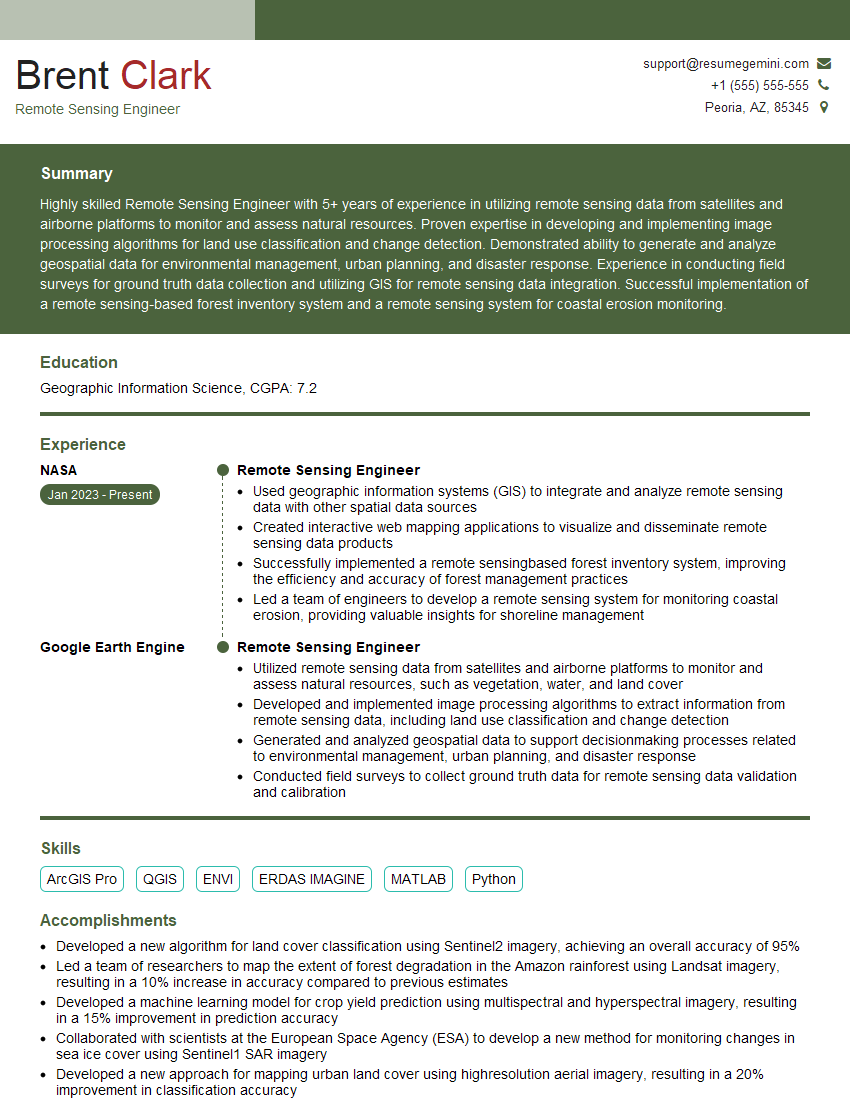
Mastering R for remote sensing significantly enhances your career prospects, opening doors to exciting opportunities in environmental monitoring, precision agriculture, urban planning, and many other fields. A strong understanding of R is highly valued by employers. To maximize your chances, invest time in creating a compelling and ATS-friendly resume that highlights your skills and experience. ResumeGemini is a trusted resource that can help you build a professional and impactful resume. Examples of resumes tailored specifically to R for Remote Sensing are available to guide your efforts.

Explore more articles
Users Rating of Our Blogs
Share Your Experience
We value your feedback! Please rate our content and share your thoughts (optional).
What Readers Say About Our Blog
To the interviewgemini.com Webmaster.
Very helpful and content specific questions to help prepare me for my interview!
Thank you
To the interviewgemini.com Webmaster.
This was kind of a unique content I found around the specialized skills. Very helpful questions and good detailed answers.
Very Helpful blog, thank you Interviewgemini team.