Preparation is the key to success in any interview. In this post, we’ll explore crucial 3D Mapping Systems interview questions and equip you with strategies to craft impactful answers. Whether you’re a beginner or a pro, these tips will elevate your preparation.
Questions Asked in 3D Mapping Systems Interview
Q 1. Explain the difference between LiDAR and photogrammetry.
LiDAR (Light Detection and Ranging) and photogrammetry are both powerful techniques for creating 3D models, but they differ significantly in their data acquisition and processing methods. LiDAR uses a laser scanner to measure distances to objects, directly generating a point cloud of 3D coordinates. Think of it like a highly accurate, rapid-fire rangefinder. Photogrammetry, on the other hand, relies on multiple overlapping photographs taken from different viewpoints. Sophisticated software then analyzes these images to extract 3D information, creating a model through image comparison and triangulation. Imagine reconstructing a 3D puzzle from many slightly different 2D pictures. LiDAR excels in generating highly accurate point clouds, especially in challenging environments with low light or dense vegetation. Photogrammetry produces visually rich models, capturing texture and color details beautifully, but requires more processing time and suitable image overlap.
Q 2. Describe the process of creating a 3D point cloud from LiDAR data.
Creating a 3D point cloud from LiDAR data involves several steps. First, the LiDAR sensor emits laser pulses, and the time it takes for these pulses to reflect back is measured. This time-of-flight measurement, combined with the sensor’s position and orientation (obtained through GPS and IMU data), allows us to calculate the 3D coordinates (X, Y, Z) of each point. This raw data is then processed to remove noise and artifacts. This might involve filtering out points based on intensity values or removing points that are statistically unlikely given the surrounding data. Geometric corrections, such as compensating for sensor movement and earth curvature, are also applied. Finally, the cleaned and georeferenced data is organized into a structured point cloud format ready for visualization and analysis. Software packages like LAStools, CloudCompare, and PDAL are commonly used for this processing, often involving command-line operations or custom scripts.
Q 3. What are the common file formats used for storing 3D spatial data?
Several common file formats are used for storing 3D spatial data. .LAS and .LAZ are popular formats specifically designed for LiDAR point cloud data. .LAZ is a compressed version of .LAS. .XYZ is a simple text-based format storing X, Y, and Z coordinates. .PLY (Polygon File Format) can store both point clouds and polygonal meshes. .OBJ (Wavefront OBJ) is another widely used mesh format. Then there are raster formats like GeoTIFF which can be used to store rasterized versions of point cloud data. The choice of format depends on factors like data size, desired level of detail, and compatibility with specific software. For example, .LAS is industry standard for LiDAR point clouds because of its metadata capabilities and efficiency, whereas .XYZ is simpler for direct exchange.
Q 4. How do you handle noise and outliers in 3D point cloud data?
Noise and outliers are inevitable in 3D point cloud data due to various factors, including sensor limitations, environmental conditions, and data acquisition errors. Handling these requires a multi-pronged approach. Statistical filtering methods, such as outlier removal based on standard deviation or median filtering, are effective in removing isolated points that deviate significantly from their neighbors. Spatial filtering techniques consider the spatial distribution of points; for example, removing points that are too far away from their k-nearest neighbors. Advanced algorithms such as RANSAC (Random Sample Consensus) can identify and remove outliers by fitting a model (e.g., a plane or line) to a subset of points and discarding points that don’t fit well. Visualization tools are also crucial; manual inspection of point clouds is frequently necessary to identify and remove obvious anomalies. The specific approach depends on the dataset, the type of noise, and the desired level of detail in the final product.
Q 5. Explain different types of coordinate systems used in 3D mapping.
3D mapping uses various coordinate systems to define the location of points in space. The most common are geographic coordinate systems (GCS), such as latitude, longitude, and ellipsoidal height (WGS84), which are based on the Earth’s surface. Projected coordinate systems (PCS), like UTM (Universal Transverse Mercator) and State Plane coordinates, project the curved Earth’s surface onto a flat plane, which simplifies calculations, but introduces distortions. Local coordinate systems are used for smaller-scale projects, often referencing a local datum or a specific point. Finally, we have object-centered coordinate systems that reference a specific object or scene as the origin, frequently used in robotic mapping or indoor environments. Understanding and transforming between these systems is essential for integrating data from different sources and applications. A mistake in coordinate system handling can result in inaccurate positioning of features.
Q 6. What are the advantages and disadvantages of using different 3D mapping software?
Different 3D mapping software packages offer a range of features and capabilities. Some are specialized for specific tasks like point cloud processing (e.g., LAStools, PDAL), while others provide integrated workflows for 3D modeling and analysis (e.g., ArcGIS Pro, QGIS). Open-source solutions like QGIS offer cost-effectiveness and community support, but might lack the advanced features or user-friendly interface of commercial options. Commercial options like ArcGIS Pro often provide advanced tools, superior customer support and potentially a more intuitive user experience, but come with a higher price tag. Cloud-based solutions offer accessibility and scalability but might have limitations regarding data control and security. The optimal choice depends on the project’s scope, budget, technical expertise, and specific needs. Consider factors like processing speed, user interface, and the availability of custom tools when making a decision.
Q 7. Describe your experience with georeferencing.
Georeferencing is a cornerstone of my work. My experience involves aligning 3D point clouds and other spatial data to a known coordinate system. This is crucial for integrating data from different sources and creating accurate maps. I have extensive experience using ground control points (GCPs) – points with known coordinates – to georeference LiDAR data using software like TerraScan and Pix4D. For example, on a recent project, we used a network of GCPs surveyed with high-precision GPS to georeference a large LiDAR dataset of a construction site. Accurate georeferencing ensured that the 3D model could be precisely overlaid onto existing maps and used for accurate volume calculations and planning. The quality of the georeferencing process is determined not only by the number and distribution of GCPs, but also their accuracy and the effectiveness of the alignment algorithms employed. I am adept at evaluating the accuracy of the georeferencing results and troubleshooting issues that may arise due to poor GCP distribution or measurement errors.
Q 8. How do you ensure the accuracy and precision of 3D mapping projects?
Ensuring accuracy and precision in 3D mapping is paramount. It involves a multi-faceted approach starting from data acquisition to final model refinement. Think of it like building a skyscraper – you need a solid foundation and meticulous construction practices.
- High-Quality Data Acquisition: This is the cornerstone. We use multiple sensors, including LiDAR (Light Detection and Ranging) for precise point cloud data, high-resolution aerial imagery for texture and detail, and even ground-based surveys for specific areas. The more data sources, the better the redundancy and the higher the accuracy.
- Data Processing and Filtering: Raw data is often noisy. We employ rigorous techniques to filter out outliers and errors – imagine removing stray pebbles from a meticulously laid foundation. This includes techniques like noise removal filters and point cloud classification to distinguish between ground, vegetation, and buildings.
- Ground Control Points (GCPs): These are known points on the ground with precisely surveyed coordinates. They act as anchors during the georeferencing process, aligning our 3D model to the real-world coordinate system. The more GCPs we have, and the better their distribution, the more accurate the alignment.
- Quality Control and Validation: Throughout the project, we perform rigorous quality checks. This involves visually inspecting the data, comparing it to existing maps, and using software to analyze positional accuracy. Think of this as a thorough inspection before handing over the keys to the completed skyscraper.
- Calibration and Orientation: For aerial imagery, we meticulously calibrate the cameras and perform accurate orientation using software that accounts for lens distortion and camera position. This is crucial for stitching together multiple images seamlessly.
For example, in a recent project mapping a historical site, the use of both aerial LiDAR and meticulously surveyed GCPs reduced positional errors to within a few centimeters.
Q 9. Explain your experience with different types of 3D visualization techniques.
My experience spans various 3D visualization techniques. Each method has its strengths and weaknesses, and the optimal choice depends on the project’s specific requirements and the desired level of detail.
- Point Clouds: This is the raw data from LiDAR, representing millions or billions of 3D points. It’s great for showing raw detail, but can be difficult to interpret visually without processing. Think of it as the blueprint of a building – many details, but requires interpretation.
- Mesh Models: These connect points into a surface, creating a more visually appealing and interpretable representation. Different meshing algorithms offer various levels of detail and smoothness. Imagine transforming the blueprint into an architect’s 3D model – easier to visualize.
- Raster Images: Orthorectified aerial images, providing a textured surface to the 3D model. These add realism and detail, making the model more relatable to the user. Think of adding photorealistic textures to the architect’s model – bringing it to life.
- 3D Models with textures and materials: Going further, we can incorporate different materials and textures to achieve a photorealistic representation. Think of adding realistic materials to the model like concrete, glass, and brick. This enhances realism and allows users to interact with the model.
- Interactive 3D Environments: For presentations and analyses, we can create interactive environments where users can zoom, pan, and explore the 3D model. These are particularly useful for applications such as urban planning and disaster response.
Q 10. Describe your workflow for processing and analyzing aerial imagery for 3D mapping.
My workflow for processing and analyzing aerial imagery for 3D mapping is systematic and iterative, ensuring quality and accuracy at each step:
- Data Acquisition Planning: Determine the flight plan, altitude, and sensor parameters to ensure adequate image overlap and ground sampling distance.
- Image Pre-processing: This includes radiometric correction (adjusting for variations in light intensity), atmospheric correction (removing the effects of the atmosphere), and geometric correction (removing distortions). Think of this as cleaning and preparing your ingredients before cooking.
- Image Orientation: Using software such as Pix4D or Agisoft Metashape, we perform georeferencing using GCPs. This aligns the images to a real-world coordinate system and creates a precise point cloud. This is the foundation, precisely aligning our ingredients.
- Point Cloud Processing: We filter and classify the point cloud to remove noise and unwanted points. Imagine carefully arranging your ingredients before starting to cook.
- Mesh Generation: We create a 3D mesh from the point cloud. The resolution of the mesh depends on the project’s requirements.
- Texture Mapping: We drape the orthorectified aerial images onto the 3D mesh, adding color and texture to the model. This is adding texture and detail to our final dish.
- Model Refinement: We review and refine the model to ensure accuracy and visual appeal. This is tasting and refining the dish to make it perfect.
- Data Delivery: We deliver the final 3D model in a suitable format for the client’s needs. This is serving the final dish.
Q 11. How do you handle large datasets in 3D mapping projects?
Handling large datasets is a common challenge in 3D mapping. We employ several strategies to manage them efficiently:
- Cloud Computing: We leverage cloud-based platforms like Amazon Web Services (AWS) or Google Cloud Platform (GCP) to store and process large datasets. This provides scalability and cost-effectiveness.
- Data Compression: Techniques like point cloud compression reduce the size of the datasets while preserving data quality. This is crucial for storage and efficient processing.
- Data Partitioning: We divide large datasets into smaller, manageable chunks for processing. Think of assembling a large puzzle – breaking down the task to be manageable.
- Optimized Algorithms: We utilize efficient algorithms for point cloud processing, mesh generation, and visualization that reduce memory and computational requirements.
- Progressive Rendering: Rendering techniques that display increasingly higher detail as the user zooms in are implemented to enhance performance.
- Database Management Systems: Appropriate database systems such as PostGIS are employed to efficiently manage, query, and analyze spatially-referenced data.
For instance, in a recent project involving a city-wide LiDAR survey, we used AWS to store and process the terabytes of data, allowing for efficient analysis and visualization.
Q 12. What is your experience with terrain modeling?
Terrain modeling is a crucial aspect of 3D mapping. It involves creating a digital representation of the Earth’s surface, including its elevation, slope, and aspect. My experience includes:
- Digital Elevation Models (DEMs): Creating DEMs from various data sources, including LiDAR, aerial imagery, and ground surveys. These models are fundamental for many applications, such as hydrological modeling and infrastructure planning.
- Digital Terrain Models (DTMs): Generating DTMs that represent the bare-earth surface, excluding vegetation and man-made features. This allows for accurate analysis of the earth’s underlying structure.
- Digital Surface Models (DSMs): Creating DSMs which represent the Earth’s surface with all features, both natural and man-made, included. These are useful for visualizing the complete surface, including buildings and trees.
- Terrain Classification: Categorizing the terrain into different classes, such as urban, forest, and water, to support analysis and visualization.
- Hydrological Modeling: Using terrain models to simulate water flow and drainage patterns for flood analysis, water management, and other applications.
For example, in a project involving landslide risk assessment, a high-resolution DTM proved crucial in identifying areas susceptible to landslides based on slope angles and drainage patterns.
Q 13. Explain different interpolation methods used in 3D mapping.
Interpolation methods are essential for estimating values at unsampled locations in a 3D point cloud or raster. Several methods are used, each with its advantages and disadvantages. Think of it like filling in the gaps in a jigsaw puzzle.
- Nearest Neighbor: This is the simplest approach. It assigns the value of the nearest data point. It’s fast but can lead to abrupt changes in elevation.
- Linear Interpolation: This method estimates the value based on a linear combination of the values of nearby data points. It’s smoother than nearest neighbor but can still produce artificial edges.
- Bilinear Interpolation: Extending linear interpolation to two dimensions. It creates a smoother surface than linear interpolation.
- Cubic Interpolation: Uses a cubic polynomial to estimate values, offering smoother and more natural-looking surfaces. However, it can be computationally more expensive.
- Kriging: A more sophisticated geostatistical method that considers the spatial correlation between data points. It’s excellent for creating smooth surfaces that honor the statistical properties of the data but can be computationally more demanding.
- Inverse Distance Weighting (IDW): Weighs the influence of nearby data points based on their distance, giving more weight to closer points. The parameter controlling the weighting power helps to manage smoothness.
The choice of interpolation method depends on the characteristics of the data and the desired level of smoothness. For example, in creating a DEM from sparse LiDAR data, Kriging might be preferred for a smooth, natural-looking result; while for a fast overview Nearest Neighbor might suffice.
Q 14. What are the challenges of creating 3D models of complex urban environments?
Creating 3D models of complex urban environments presents unique challenges, surpassing the challenges of simpler terrains:
- Data Acquisition Complexity: Dense urban areas often have limited accessibility for data acquisition using aerial methods, especially in areas with tall buildings or narrow streets. This may necessitate multiple data acquisition methods such as LiDAR, aerial photography, and terrestrial laser scanning.
- Occlusion: Buildings and other structures block the view of the ground and other objects, leading to data gaps and incomplete 3D models. This requires careful planning and potentially using additional data sources to fill in these gaps.
- High Density of Features: The density of features in urban environments is very high, creating immense data volumes. Efficient data processing and management become crucial.
- Data Variability: Data comes from various sources, and consistency and quality vary significantly. Careful data integration and quality control are critical to ensure accuracy.
- Computational Demands: Processing and rendering massive datasets representing complex urban geometry places high demands on computational resources.
- Geometric Complexity: The complex shapes of buildings, roads, and other features require robust modeling and rendering techniques.
Overcoming these challenges involves careful planning, using multiple data sources, employing sophisticated processing techniques, and optimizing workflows for efficiency. For example, we might use a multi-platform approach – aerial LiDAR for general topography and building footprints, terrestrial LiDAR for detailed building scans of areas of interest, and high-resolution imagery for texture and detail to accurately represent the city landscape.
Q 15. Describe your experience working with GIS software (e.g., ArcGIS, QGIS).
My experience with GIS software is extensive, encompassing both ArcGIS and QGIS. I’ve used ArcGIS Pro extensively for complex spatial analysis, data management, and cartography, including creating and manipulating geodatabases, performing spatial queries, and generating high-quality maps. My proficiency includes utilizing various ArcGIS extensions like the 3D Analyst extension for creating and working with 3D data.
In contrast, QGIS has been instrumental in open-source projects, leveraging its capabilities for raster and vector data processing, particularly in situations requiring greater flexibility and customization. I’m comfortable with both platforms and can choose the best tool depending on project requirements and budget constraints. For instance, I used QGIS for a recent project processing a large LiDAR dataset due to its efficient handling of large raster files, whereas ArcGIS Pro was ideal for the subsequent 3D visualization and integration with other geospatial data.
Career Expert Tips:
- Ace those interviews! Prepare effectively by reviewing the Top 50 Most Common Interview Questions on ResumeGemini.
- Navigate your job search with confidence! Explore a wide range of Career Tips on ResumeGemini. Learn about common challenges and recommendations to overcome them.
- Craft the perfect resume! Master the Art of Resume Writing with ResumeGemini’s guide. Showcase your unique qualifications and achievements effectively.
- Don’t miss out on holiday savings! Build your dream resume with ResumeGemini’s ATS optimized templates.
Q 16. How do you ensure data quality control throughout the 3D mapping process?
Data quality control is paramount in 3D mapping, and my approach is multi-faceted. It begins with careful source data assessment – verifying the accuracy and completeness of input data like LiDAR point clouds, aerial imagery, or ground surveys. I meticulously check for outliers, inconsistencies, and errors using various tools and techniques.
Throughout processing, I employ rigorous validation steps. For example, when generating DEMs (Digital Elevation Models), I visually inspect the results using various visualization techniques and apply filtering techniques to remove noise and artifacts. Regular data comparisons against reference data, when available, are crucial. Finally, comprehensive metadata documentation is maintained to ensure traceability and facilitate future analysis. A robust quality control system allows early detection and correction of errors, preventing issues from propagating through the workflow and compromising the final product’s integrity.
Q 17. Explain the concept of spatial resolution and its impact on 3D mapping.
Spatial resolution refers to the level of detail represented in a 3D map. It’s essentially the size of the smallest feature that can be reliably distinguished. High spatial resolution means smaller features are discernible, while low spatial resolution implies larger features only. Think of it like pixel size in an image; a higher resolution image shows much more detail.
In 3D mapping, spatial resolution significantly impacts accuracy and the usefulness of the data. High-resolution data, like that derived from high-density LiDAR, allows for detailed modelling of complex terrain, buildings, and vegetation. This is crucial for applications requiring precise measurements and fine-scale analysis, such as urban planning or landslide hazard assessment. Conversely, low-resolution data, for example, from older aerial photography, might be suitable for large-scale analyses but will lack detail needed for tasks that demand a high level of precision.
Q 18. What are the applications of 3D mapping in your field of expertise?
3D mapping finds broad application in my field. In urban planning, it helps visualize development projects, assess urban growth, and simulate the impact of proposed infrastructure changes. In environmental management, 3D models aid in analyzing deforestation, tracking changes in land cover, and assessing flood risks.
Furthermore, in mining, 3D mapping provides precise geological models assisting in resource extraction planning. In infrastructure management, it facilitates the inspection and maintenance of bridges, power lines, and other critical assets. Essentially, any application requiring a comprehensive, spatially accurate representation of the environment benefits from the use of 3D mapping techniques.
Q 19. How do you create accurate digital elevation models (DEMs)?
Creating accurate DEMs involves several steps. The most common approach uses LiDAR (Light Detection and Ranging) data, which provides a dense point cloud representing the terrain’s surface. These point clouds are then processed using specialized software to interpolate a surface model. This interpolation may involve various algorithms, such as kriging or TIN (Triangulated Irregular Network) generation.
The selection of the interpolation method depends on the characteristics of the data and the desired accuracy. After interpolation, the resulting DEM undergoes quality control, including visual inspection and error correction. Alternative methods include using aerial imagery with photogrammetry techniques, generating a 3D model from overlapping images, or employing survey data. The choice of method depends on data availability, cost, and desired accuracy.
Q 20. Explain your experience using different projection systems.
My experience encompasses a variety of projection systems, understanding their strengths and limitations. I’m proficient in using geographic coordinate systems (GCS) like WGS84, commonly used for global positioning, and projected coordinate systems (PCS) like UTM (Universal Transverse Mercator) and State Plane Coordinate Systems (SPCS), which are better suited for local area mapping to minimize distortion.
I understand the implications of choosing a particular projection and its impact on distance, area, and shape accuracy. For instance, a UTM projection is suitable for large-scale mapping where maintaining distance accuracy is critical, whereas a Lambert Conformal Conic projection might be better for mapping areas with significant east-west extents. The choice of projection is crucial for ensuring accuracy and consistency in spatial analysis and map creation.
Q 21. Describe your knowledge of different data formats for 3D models (e.g., OBJ, FBX, 3DS).
My knowledge of 3D model data formats includes common formats such as OBJ, FBX, and 3DS, as well as newer formats like glTF. OBJ is a simple, widely supported format ideal for exchanging mesh data. FBX is a more versatile format often used in game development and animation, offering support for additional data like animations and materials. 3DS is an older format, less commonly used now, but still seen in some legacy projects.
I understand the strengths and limitations of each format and can choose the appropriate one based on the project needs. For example, glTF is preferred for web-based applications due to its efficiency and ease of integration. The selection depends on the software used, the level of detail required, and the intended application of the 3D model. Proper understanding of data formats is crucial to avoid compatibility issues and ensure seamless data transfer between different software platforms.
Q 22. How do you handle data discrepancies between different data sources?
Data discrepancies between different data sources in 3D mapping are common. They arise from variations in sensor accuracy, different acquisition times, and differing processing techniques. Handling these inconsistencies requires a systematic approach. Think of it like piecing together a jigsaw puzzle where some pieces don’t quite fit.
- Data Fusion Techniques: We can employ techniques like weighted averaging or Kalman filtering to combine data points from multiple sources, assigning weights based on the reliability and accuracy of each source. This prioritizes more accurate data while incorporating information from less reliable sources.
- Error Detection and Correction: This involves identifying outliers or inconsistencies through statistical analysis. For example, we might use techniques like RANSAC (Random Sample Consensus) to identify and remove points that significantly deviate from the overall trend.
- Georeferencing and Transformation: Ensuring all datasets share a common coordinate system is crucial. This might involve applying coordinate transformations to align datasets that were acquired using different reference frames.
- Data Validation and Quality Control: Regular checks and validation procedures are essential. Visual inspection, comparing data against known ground truth information, and using quantitative metrics (like root mean square error) help us assess the accuracy and consistency of the final product.
For example, I once worked on a project integrating LiDAR data with aerial imagery. Discrepancies arose due to the different resolutions and acquisition angles. We used a rigorous georeferencing process and outlier removal techniques to successfully fuse the data into a highly accurate 3D model.
Q 23. Explain your experience with orthorectification of imagery.
Orthorectification is a crucial step in 3D mapping, especially when working with aerial imagery. It’s the process of correcting geometric distortions in aerial photographs caused by factors like camera tilt, terrain relief, and Earth curvature, essentially transforming a perspective view into an orthographic projection. Imagine straightening out a crooked photo to make it perfectly aligned with a map.
My experience includes using specialized software packages like ERDAS Imagine or ArcGIS Pro to perform orthorectification. This typically involves:
- Digital Elevation Model (DEM) Acquisition: A high-resolution DEM is essential to account for terrain variations. LiDAR data is often ideal for this purpose.
- Camera Calibration Parameters: Accurate camera parameters, including focal length, interior orientation, and exterior orientation, are crucial for accurate correction. These parameters are usually obtained through ground control points (GCPs).
- Ground Control Points (GCPs): GCPs are points with known coordinates in both the image and real-world coordinate systems. They act as reference points for the geometric transformation.
- Orthorectification Algorithm Application: The software uses these inputs along with sophisticated algorithms (like polynomial transformations or rational polynomial coefficients) to geometrically correct the image.
The result is an orthorectified image that is geometrically accurate and can be directly integrated into a Geographic Information System (GIS) or 3D modeling environment. This allows for accurate measurements and analysis, avoiding errors due to perspective distortions.
Q 24. What are your preferred methods for visualizing 3D spatial data?
Visualizing 3D spatial data effectively is key to understanding and communicating spatial information. My preferred methods depend heavily on the context and the specific data. However, I generally favor a multi-faceted approach.
- 3D Modeling Software: Software like ArcGIS Pro, QGIS, or specialized packages like Blender allow for interactive exploration, creating visually appealing models, and incorporating different data sources. They are great for producing high-quality visualizations for presentations or reports.
- Point Cloud Visualization: For massive datasets, dedicated point cloud viewers are indispensable. These tools can efficiently handle billions of points, providing various visualization options, including color-coded intensity, classification, and different point sizes to highlight specific features.
- Web-Based GIS Platforms: Platforms like CesiumJS or Google Earth allow for seamless integration of 3D data into web applications, making it accessible to a wider audience. These platforms often support interactive navigation and exploration, potentially incorporating layers of other geospatial data.
- Custom Visualizations: Depending on the specific needs of the project, I will often create custom visualizations using programming languages like Python with libraries like Matplotlib or Plotly. This enables the generation of tailored visualizations for specific analyses.
For instance, when visualizing a landslide event, I might use a point cloud viewer to analyze the raw LiDAR data, then use ArcGIS Pro to create a 3D model showcasing the affected area, and finally a web-based platform to allow stakeholders to explore the model interactively.
Q 25. Describe your problem-solving approach when dealing with errors in 3D mapping data.
My problem-solving approach to errors in 3D mapping data follows a structured methodology.
- Error Identification and Characterization: The first step is to systematically identify the type and location of errors. This often involves visual inspection, statistical analysis, and comparison with reference data. For example, unusually high point density in a LiDAR dataset may indicate a sensor malfunction, whereas misaligned points might suggest problems with georeferencing.
- Error Source Identification: This step aims to pinpoint the root cause of the errors. Were they introduced during data acquisition, processing, or integration? Identifying the source is critical for developing appropriate corrective measures.
- Error Correction Strategies: The chosen strategy depends on the error type and source. This might involve reprocessing the raw data, applying filtering techniques, performing georectification, or even removing erroneous data points.
- Validation and Quality Control: Once the corrections have been applied, a thorough validation process is necessary to ensure the accuracy and reliability of the updated data. This often involves comparing the corrected data with known ground truth or reference datasets, as well as statistical analysis to assess the improvements.
- Documentation: A clear record of the identified errors, the corrective actions taken, and the results of the validation process is crucial for maintaining data quality and for future troubleshooting.
For example, I once encountered significant errors in a DEM due to poor ground control point distribution. By strategically adding more GCPs in the affected areas and re-processing the DEM, I resolved the issue and greatly improved the accuracy of the final 3D model.
Q 26. How familiar are you with cloud-based 3D mapping platforms?
I am very familiar with cloud-based 3D mapping platforms. They’ve become increasingly important due to their scalability, collaborative features, and accessibility. Platforms like ArcGIS Online, Google Earth Engine, and others offer powerful tools for processing, analyzing, and sharing 3D spatial data.
My experience encompasses using these platforms for various tasks, including:
- Data Storage and Management: Cloud platforms offer efficient storage solutions for large datasets, eliminating the need for local storage and management.
- Data Processing and Analysis: Many platforms provide access to powerful geoprocessing tools, enabling cloud-based processing of 3D data without the need for high-performance computing resources locally.
- Collaboration and Data Sharing: Cloud-based platforms facilitate collaboration among multiple users, allowing for seamless data sharing and concurrent work on projects.
- Web-Based Visualization and Application Development: Cloud platforms streamline the development of web-based applications for visualization and analysis of 3D mapping data, enhancing accessibility and usability.
Specifically, I’ve leveraged Google Earth Engine for large-scale analysis of satellite imagery and LiDAR data, enabling projects that would be computationally infeasible with local processing capabilities. The collaborative features of ArcGIS Online have been instrumental in several team projects, facilitating seamless data sharing and progress tracking.
Q 27. Explain the concept of spatial indexing and its role in efficient data retrieval.
Spatial indexing is a fundamental concept in 3D mapping that significantly improves data retrieval efficiency. Think of it as creating a detailed index for a library, allowing you to quickly locate specific books (data points) rather than searching every shelf (the entire dataset).
It involves organizing spatial data in a way that facilitates rapid search and retrieval based on spatial location. Common spatial indexing methods include:
- R-trees: These tree-like structures partition space into rectangles (or higher-dimensional equivalents) to represent spatial objects. Searching involves traversing the tree, pruning branches that do not contain the query region.
- Quadtrees/Octrees: These recursively partition space into quadrants (2D) or octants (3D). They are particularly effective for uniformly distributed data.
- Grid-based indexing: This simple approach divides space into a regular grid. Searching involves determining the grid cell(s) that intersect the query region.
The role of spatial indexing in efficient data retrieval is significant, particularly for large datasets. Without spatial indexing, searching for data within a specific region would require a brute-force comparison of every data point against the query region, which can be extremely computationally expensive. Spatial indexing drastically reduces search time, making many 3D mapping applications feasible.
For example, consider searching for all buildings within a 1-kilometer radius of a specific location in a large city. Without spatial indexing, this would require checking every building’s coordinates. With an R-tree, the search would quickly focus on the relevant branches, significantly reducing the computation time.
Q 28. What are the ethical considerations involved in the use of 3D mapping data?
The use of 3D mapping data carries several ethical considerations, particularly concerning privacy, security, and potential misuse.
- Privacy Concerns: High-resolution 3D models can inadvertently capture sensitive information about individuals or properties. This raises concerns about unauthorized surveillance and the potential for misuse of personal data. Anonymization techniques and careful data management are crucial to mitigate these risks.
- Security Risks: 3D mapping data can be a target for cyberattacks, potentially leading to data breaches or manipulation. Robust security measures, access control, and data encryption are essential to protect the integrity and confidentiality of the data.
- Bias and Fairness: The way 3D mapping data is collected and used can reflect and perpetuate existing biases. For example, unequal data coverage in certain areas can lead to disparities in the quality of mapping and related services. Addressing these biases is crucial for ensuring fair and equitable outcomes.
- Transparency and Accountability: There needs to be transparency about how 3D mapping data is collected, processed, and used. This includes clear communication about data limitations and potential biases. Accountability mechanisms are needed to address potential misuse or harm.
- Data Ownership and Intellectual Property Rights: The ownership and usage rights of 3D mapping data need to be clearly defined to avoid conflicts and ensure proper attribution. Compliance with relevant regulations and licensing agreements is crucial.
For instance, when creating a 3D model of a residential area, it’s crucial to anonymize individual houses or employ techniques to avoid capturing identifiable features like license plates or faces, thereby safeguarding privacy. Similarly, open data policies and well-defined access control mechanisms can enhance transparency and address security concerns.
Key Topics to Learn for 3D Mapping Systems Interview
- Data Acquisition & Processing: Understanding various data sources (LiDAR, photogrammetry, satellite imagery), data preprocessing techniques (noise reduction, point cloud filtering), and their impact on final map accuracy.
- 3D Modeling Techniques: Familiarity with different 3D modeling approaches, including meshing, TIN generation, and surface reconstruction. Practical application: Discuss how you would choose the optimal technique for a specific project based on data and accuracy requirements.
- Coordinate Systems & Projections: Deep understanding of geographic coordinate systems (WGS84, UTM), map projections, and their implications for data accuracy and visualization. Consider how you’d handle coordinate transformations in a real-world scenario.
- Spatial Data Structures: Knowledge of various spatial data structures (quadtrees, R-trees, octrees) and their efficiency in storing and querying large 3D datasets. Explain the trade-offs between different structures.
- Visualization & Rendering: Experience with 3D visualization software and techniques for creating clear and informative 3D maps. Discuss different rendering methods and their suitability for different applications (e.g., terrain visualization, urban modeling).
- Software Proficiency: Showcase your expertise in relevant software packages (e.g., ArcGIS Pro, QGIS, Global Mapper, CloudCompare). Highlight projects demonstrating your skills and problem-solving abilities.
- Applications & Case Studies: Be prepared to discuss specific applications of 3D mapping systems, such as urban planning, environmental monitoring, autonomous driving, or infrastructure management. Think about how you’d tailor a 3D mapping solution to a specific problem.
- Problem-Solving & Algorithm Design: Demonstrate your ability to identify and solve problems related to data accuracy, processing efficiency, and visualization challenges. Practice designing algorithms for common tasks in 3D mapping.
Next Steps
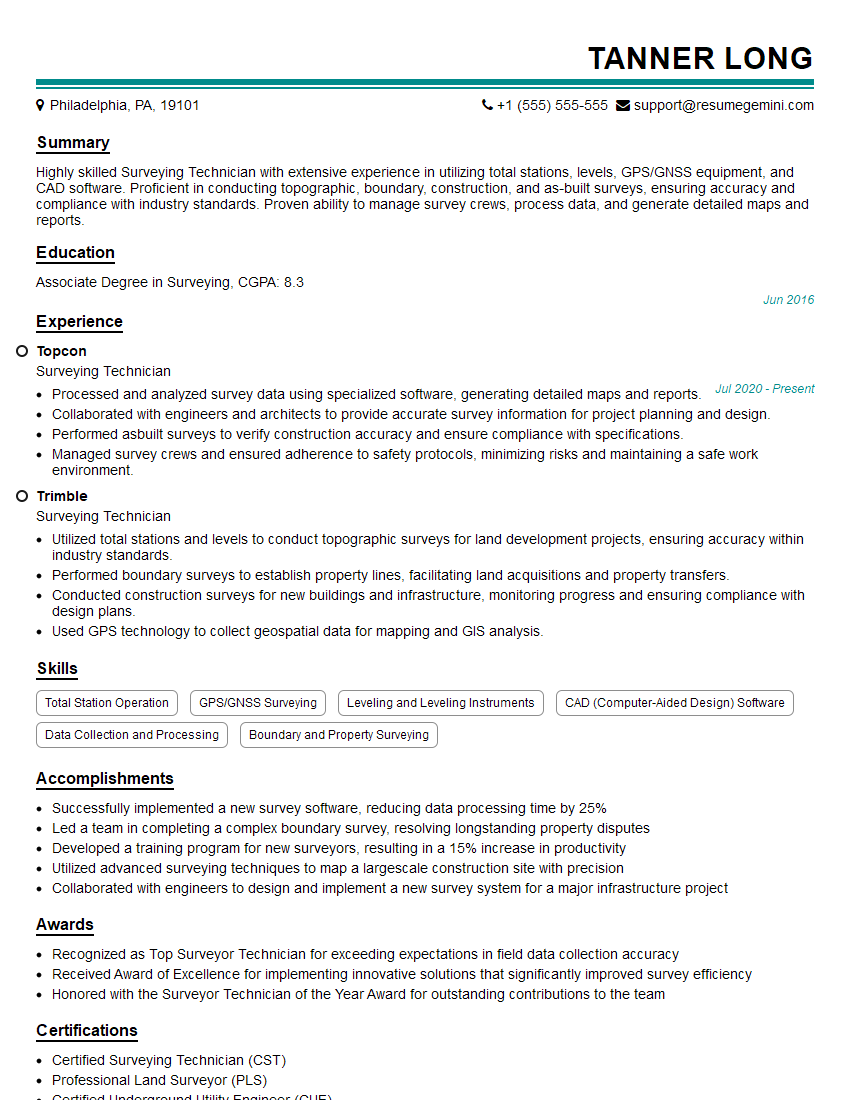
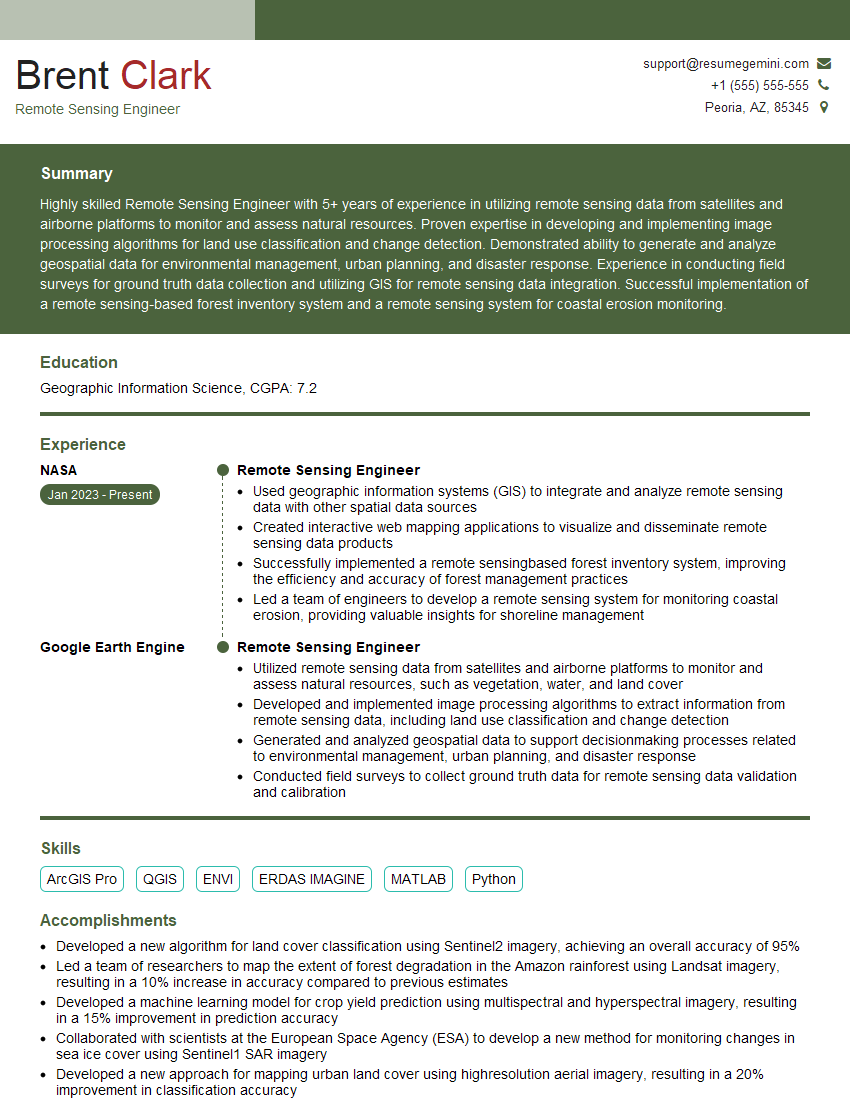
Mastering 3D Mapping Systems opens doors to exciting and rewarding careers in various high-demand industries. To maximize your job prospects, it’s crucial to present your skills effectively. Creating an ATS-friendly resume is key to getting your application noticed. ResumeGemini is a trusted resource that can help you build a professional and impactful resume, ensuring your qualifications shine. Examples of resumes tailored to 3D Mapping Systems are available to guide you.


Explore more articles
Users Rating of Our Blogs
Share Your Experience
We value your feedback! Please rate our content and share your thoughts (optional).
What Readers Say About Our Blog
To the interviewgemini.com Webmaster.
Very helpful and content specific questions to help prepare me for my interview!
Thank you
To the interviewgemini.com Webmaster.
This was kind of a unique content I found around the specialized skills. Very helpful questions and good detailed answers.
Very Helpful blog, thank you Interviewgemini team.