The right preparation can turn an interview into an opportunity to showcase your expertise. This guide to Exhibit Design Collaboration interview questions is your ultimate resource, providing key insights and tips to help you ace your responses and stand out as a top candidate.
Questions Asked in Exhibit Design Collaboration Interview
Q 1. Describe your experience collaborating with architects on exhibit design projects.
Collaborating with architects on exhibit design is crucial for integrating the exhibit seamlessly into its architectural context. It’s not just about aesthetics; it’s about ensuring structural integrity, accessibility, and effective flow. My experience involves close communication from the initial conceptual phase. I begin by understanding the architect’s vision for the overall space, including structural limitations, building codes, and existing infrastructure. We then collaboratively explore how the exhibit can complement or enhance the architecture, often through 3D modeling and site visits. For example, on a recent museum renovation, I worked closely with the architect to ensure that a large interactive screen wouldn’t overload the building’s electrical system, and that its placement wouldn’t obstruct essential fire exits. This involved iterative design adjustments and a thorough review of structural plans.
This synergistic approach often leads to innovative solutions. For instance, on another project, working with the architect, we incorporated an existing architectural feature—a stunning arched window—into the exhibit design itself, showcasing artifacts that highlighted the building’s historical significance. This level of integration elevates the exhibit beyond a standalone display, making it an integral part of the overall architectural narrative.
Q 2. Explain your process for incorporating client feedback into exhibit designs.
Incorporating client feedback is central to a successful exhibit design. My process emphasizes clear and consistent communication throughout the project lifecycle. We begin with detailed questionnaires and initial design presentations to establish a shared understanding of the client’s goals, target audience, and brand identity. Throughout the design process, we schedule regular feedback sessions using a combination of methods, including in-person presentations, online collaboration tools, and annotated design mockups. I actively encourage dialogue, not just feedback acceptance, fostering a collaborative environment.
I prioritize visual communication; using tools like annotated 3D models and interactive prototypes, I allow clients to directly experience the design. For instance, I might create a virtual tour of the exhibit using 360° rendering software, giving the client an immersive preview of the final product. I document all feedback, track revisions, and maintain transparent version control to ensure clarity and accountability. This meticulous approach prevents misunderstandings and allows for flexible iteration, ultimately leading to a final design that perfectly reflects the client’s vision.
Q 3. How do you manage competing priorities and deadlines in a collaborative exhibit design environment?
Managing competing priorities and deadlines in exhibit design requires a structured approach. I use project management tools like Asana or Trello to track tasks, milestones, and deadlines for all team members—architects, designers, fabricators, and more. These tools facilitate transparent communication and collaborative task management. I also hold regular project status meetings to proactively address potential conflicts and reallocate resources as needed.
Prioritization is key. We utilize a system of ranking tasks based on their impact and urgency, using methods like MoSCoW analysis (Must have, Should have, Could have, Won’t have). This approach helps us focus on essential elements while managing expectations on less critical aspects. For example, if a critical element like the fabrication of a large interactive display is behind schedule, we may need to adjust the timeline for less crucial components to stay on track for the overall exhibit launch.
Effective communication is essential. Proactive identification of potential delays and open communication with all stakeholders (clients, team members, etc.) is vital to adjusting the project plan and managing expectations appropriately.
Q 4. What software and tools are you proficient in for collaborative exhibit design?
Proficiency in a variety of software and tools is essential for effective collaborative exhibit design. My expertise spans several key areas:
- 3D Modeling: SketchUp, Revit, Rhino, 3ds Max – for creating detailed models and visualizations.
- Rendering and Visualization: V-Ray, Lumion, Enscape – for creating photorealistic renderings and virtual walkthroughs.
- Graphic Design: Adobe Creative Suite (Photoshop, Illustrator, InDesign) – for creating branding elements, signage, and informational graphics.
- Project Management: Asana, Trello, Monday.com – for task management, collaboration, and communication.
- Collaboration Platforms: Google Workspace (Docs, Sheets, Slides), Microsoft Teams – for sharing files, communicating, and collaborating with team members and clients.
My proficiency extends to using these tools to create interactive design presentations and virtual reality experiences, offering clients a comprehensive and immersive view of the final exhibit.
Q 5. How do you ensure design consistency across multiple exhibit components?
Maintaining design consistency across multiple exhibit components is achieved through meticulous planning and the use of a style guide. Before production begins, a comprehensive style guide is developed, outlining all aspects of the visual identity – colors, typography, imagery, and graphic elements. This guide serves as a single source of truth for all team members, ensuring consistency throughout the design process. For instance, we would define specific font sizes and styles for headings and body text, color palettes for different exhibit sections, and a consistent graphic language for wayfinding and information displays.
This approach isn’t just about aesthetics; it builds brand recognition and enhances the visitor experience. We leverage digital tools for asset management, keeping a central repository for all design files and specifications, making it easily accessible to all involved parties. Regular quality control checks throughout the production process are also crucial to catch and rectify any deviations from the established style guide.
Q 6. Describe your experience presenting design concepts to clients and stakeholders.
Presenting design concepts to clients and stakeholders requires a clear and engaging approach. I start by understanding the audience’s background and expectations. Presentations are meticulously crafted, utilizing visual aids like high-quality renderings, 3D models, and interactive prototypes to effectively convey the design vision. The narrative is structured logically, starting with the overall concept, highlighting key design decisions, and emphasizing the functionality and user experience. I avoid jargon, using clear and concise language that is easily understood by all stakeholders.
For example, I might start a presentation by showcasing a brief overview video of the exhibit, followed by a detailed walkthrough of the space using interactive 3D models, allowing clients to explore different areas and engage with the design elements. I always conclude with a Q&A session, allowing for open discussion and addressing any remaining concerns. Active listening and addressing feedback throughout the presentation are key to ensuring the client feels heard and understood.
Q 7. How do you resolve design conflicts within a collaborative team?
Resolving design conflicts within a collaborative team requires a structured and diplomatic approach. I facilitate open communication and encourage all team members to express their ideas and concerns. I often use collaborative design workshops and brainstorming sessions as a platform for resolving design conflicts. These sessions prioritize active listening, respectful dialogue, and a focus on finding mutually beneficial solutions. During these discussions, we utilize visual aids, like concept sketches and mood boards, to illustrate different design approaches and assess their strengths and weaknesses.
When disagreements persist, I guide the team through a structured decision-making process, weighing the pros and cons of different design choices and considering various criteria, such as budget, feasibility, and client requirements. Compromise and collaboration are crucial; we work together to find solutions that incorporate the best elements of competing ideas, often resulting in more innovative designs. Ultimately, the goal is to create a design that reflects the collective expertise of the team while meeting the client’s needs and project goals.
Q 8. Explain your approach to managing the budget for an exhibit design project.
Managing the budget for an exhibit design project requires a meticulous, phased approach. It starts with a comprehensive understanding of the client’s objectives and desired outcomes. This initial consultation helps determine the scope of the project, influencing the preliminary budget estimation.
Next, I break down the budget into clearly defined categories: design fees, fabrication costs (materials and labor), transportation and logistics, installation and dismantling, permits and insurance, and contingency funds (always crucial!). This detailed breakdown allows for transparent tracking and efficient resource allocation. I use project management software to meticulously track expenses against the allocated budget for each category, issuing regular reports to the client to maintain transparency and address potential cost overruns proactively. For example, if unexpected material cost increases arise, we explore alternative materials or adjust the design slightly to remain within budget without compromising the overall design concept.
Finally, I advocate for value engineering—identifying areas where cost savings can be achieved without significantly impacting the project’s overall quality or visual impact. This could involve exploring less expensive yet equally effective materials or streamlining certain design elements. The goal is to deliver a stunning exhibit that aligns perfectly with the client’s vision and financial constraints.
Q 9. How do you handle changes in project scope during the design process?
Handling scope changes is a critical aspect of exhibit design, and my approach centers around clear communication and a formal change management process. Any proposed changes are documented formally, outlining the impact on the timeline, budget, and overall design. This documentation then serves as the basis for a discussion with the client. I present them with a comprehensive analysis of the implications – both positive and negative – associated with the proposed modifications.
For instance, if a client requests a significant addition to the exhibit layout, we’ll carefully evaluate the cost implications, considering potential delays to the project timeline. We present them with several options, ranging from simply adjusting the existing plan to completely revising the scope of the exhibit with updated pricing. Transparency is crucial here; clients need to understand the full implications of any changes. Once the client approves the revised scope and budget, these changes are formally integrated into the project plan, and all stakeholders are informed of the updates. This ensures a smooth process with minimal disruption.
Q 10. What is your preferred method for tracking project progress in a collaborative setting?
In a collaborative environment, effective project tracking is paramount. My preferred method is a combination of project management software (like Asana or Trello) and regular team meetings. The software allows for centralized task assignment, progress monitoring, and real-time communication updates. Each task is assigned with clear deadlines and responsibilities, facilitating accountability. For example, a task could be ‘Finalize 3D renderings by [date]’, assigned to the designer. The software also allows for file sharing and version control, ensuring everyone works with the most up-to-date files.
Complementing the software, we hold weekly team meetings to discuss progress, address roadblocks, and ensure everyone remains aligned. These meetings provide an opportunity for open communication, problem-solving, and conflict resolution. Open communication and proactive problem-solving are key to ensuring the project stays on track. Using both software and regular face-to-face communication allows a comprehensive overview of the project, ensuring maximum efficiency and accountability.
Q 11. Describe your experience working with different types of fabrication vendors.
My experience encompasses working with various fabrication vendors, ranging from small, specialized shops to large-scale international companies. This diversity has given me valuable insights into their capabilities and strengths. Small, specialized shops often excel in custom work and offer a high level of attention to detail but might have limitations in production capacity. Large-scale vendors, on the other hand, offer economies of scale and can handle large-volume projects but may be less flexible in adapting to highly customized designs.
My approach is to select vendors based on the specific needs of the project. For intricate, bespoke designs, I would opt for a smaller, specialized shop capable of meticulous craftsmanship. For large-scale projects requiring high-volume production, I’d partner with a larger vendor capable of meeting the demands of the project. Before committing to any vendor, I conduct thorough due diligence, reviewing their portfolio, references, and past projects to ensure they align with the project’s quality and timeline expectations. I also carefully negotiate contracts, clearly outlining project specifications, payment terms, and deadlines to avoid potential misunderstandings or disputes.
Q 12. How do you ensure the exhibit design is accessible to all users?
Ensuring accessibility is a non-negotiable aspect of exhibit design. It’s about creating inclusive experiences that cater to all visitors, regardless of their abilities. My approach follows established accessibility guidelines, such as the ADA (Americans with Disabilities Act) standards. This means incorporating features like sufficient wheelchair access ramps and clear pathways, ensuring appropriate signage is clear and large enough to be readable by individuals with visual impairments, using a variety of visual and auditory cues, and providing tactile elements for visually impaired visitors.
For example, incorporating braille labels alongside printed labels or providing audio descriptions alongside visual displays ensures information is accessible to visitors with visual or auditory impairments. We also pay attention to color contrast ratios in graphics and text to ensure readability for individuals with color blindness. These measures aren’t just about compliance; they are about creating an enriching and welcoming experience for all attendees. From the initial design stages, accessibility considerations are integrated into every aspect of the project, ensuring the exhibit is truly inclusive and enjoyable for everyone.
Q 13. How do you prioritize design elements based on project goals and budget constraints?
Prioritizing design elements requires a balanced approach, carefully weighing the project goals against budget constraints. I begin by identifying the key objectives of the exhibit. What is the primary message? What experience should the visitor have? Then, I list every design element, assigning a priority level based on its contribution to achieving those objectives. This could be a simple ranking system (high, medium, low). For example, high-priority elements might include essential interactive displays that directly convey the key message, whereas lower-priority elements might be decorative features.
Next, I assess the cost of each element. Combining priority levels with cost estimations allows me to create a prioritized list, which helps allocate resources effectively. If budget constraints become apparent, we can start by trimming low-priority elements or finding cost-effective alternatives without compromising the exhibit’s core message or impact. For example, substituting a high-cost material with a more budget-friendly one that achieves the same visual effect. This ensures we deliver a visually appealing exhibit that remains within budget while fulfilling all of the primary project objectives.
Q 14. Explain your process for creating and managing a design style guide for an exhibit.
Creating and managing a design style guide is essential for maintaining consistency and brand identity throughout the exhibit. My process starts with defining the exhibit’s overall aesthetic and branding. This could involve specifying the color palette, typography, imagery style, and overall tone. These decisions are documented comprehensively in the style guide, acting as a visual reference for all team members and vendors. For example, we’d specify Pantone colors, define specific font families and sizes, and provide examples of appropriate imagery styles.
The style guide also outlines usage guidelines for these elements. It explains how to use the logo appropriately, specify image resolution requirements, and defines the acceptable variations in color and font usage. This helps ensure consistency across all elements of the exhibit, from brochures and signage to the physical display itself. The guide becomes a living document, updated as needed throughout the project, preventing inconsistencies and discrepancies as the design evolves. A well-defined style guide ensures a cohesive and professional look and feel for the entire exhibit, reinforcing the client’s brand identity.
Q 15. How do you incorporate sustainability considerations into exhibit design?
Sustainability is no longer a ‘nice-to-have’ but a crucial element in responsible exhibit design. We integrate sustainable practices throughout the entire project lifecycle, from material selection to post-show disposal.
- Material Selection: We prioritize using recycled and reclaimed materials whenever possible. For example, instead of new plywood, we might source reclaimed wood, giving it a new life and reducing the environmental impact. We also opt for sustainably sourced timber certified by organizations like the Forest Stewardship Council (FSC).
- Energy Efficiency: We design exhibits with energy-efficient lighting, such as LEDs, and consider the overall energy consumption of interactive elements. We aim to minimize the need for large power supplies, reducing the carbon footprint during the exhibition’s run.
- Modular Design: We favor modular designs that allow for easy disassembly and reuse of components for future exhibitions. This significantly reduces waste and minimizes the need for new materials for subsequent events.
- Transportation and Logistics: We carefully plan transportation to minimize fuel consumption, often optimizing shipping routes and consolidating shipments to reduce environmental impact. We consider the weight and dimensions of the exhibit to optimize transportation efficiency.
- Disposal and Recycling: A detailed plan for the responsible disposal or recycling of all materials is developed at the outset. This includes clearly labeling materials for proper sorting and recycling.
For instance, in a recent project for a science museum, we successfully incorporated recycled aluminum and sustainably harvested bamboo into the exhibit structure, resulting in a 30% reduction in carbon emissions compared to a conventional design.
Career Expert Tips:
- Ace those interviews! Prepare effectively by reviewing the Top 50 Most Common Interview Questions on ResumeGemini.
- Navigate your job search with confidence! Explore a wide range of Career Tips on ResumeGemini. Learn about common challenges and recommendations to overcome them.
- Craft the perfect resume! Master the Art of Resume Writing with ResumeGemini’s guide. Showcase your unique qualifications and achievements effectively.
- Don’t miss out on holiday savings! Build your dream resume with ResumeGemini’s ATS optimized templates.
Q 16. Describe your experience using virtual reality or augmented reality in exhibit design.
Virtual and Augmented Reality (VR/AR) offer incredible opportunities to enhance the visitor experience and create engaging, interactive exhibits. My team and I have utilized both technologies in several projects.
- VR: We’ve used VR to immerse visitors in historical recreations, allowing them to ‘walk’ through ancient cities or explore the inside of a functioning human heart. This provides a level of engagement that traditional methods can’t match.
- AR: We’ve integrated AR into museum exhibits to overlay digital information onto physical artifacts. For example, pointing a tablet at a dinosaur fossil could reveal a 3D model of the living creature, its habitat, and other relevant information. This enhances learning and discovery.
The key to successful VR/AR integration lies in seamless user experience and thoughtful integration with the overall exhibit design. It’s crucial to avoid overwhelming visitors with technology, and ensure the technology enhances – rather than distracts from – the core message. We typically conduct extensive user testing to ensure the AR/VR applications are intuitive and enjoyable.
Q 17. How do you measure the success of an exhibit design project?
Measuring the success of an exhibit goes beyond simply counting visitors. We use a multi-faceted approach focusing on both quantitative and qualitative data.
- Quantitative Data: This includes tracking visitor numbers, dwell time (how long visitors spend at specific sections of the exhibit), and interaction rates with interactive elements. We use visitor counters, heat maps generated from cameras (anonymously, of course, respecting visitor privacy), and analytics dashboards from interactive displays.
- Qualitative Data: This involves gathering feedback through surveys, focus groups, and observation. This helps us understand visitors’ comprehension of the exhibit’s message, their overall experience, and areas for improvement. We use open-ended questions to gain rich insight into visitor perception.
- Pre- and Post-Exhibit Surveys: We conduct surveys both before and after the exhibition to measure the change in visitor knowledge or attitudes related to the exhibition theme. This helps ascertain the impact of the exhibit on visitor understanding and knowledge.
By combining quantitative and qualitative data, we get a holistic view of the exhibit’s success and identify areas for improvement in future projects. A successful exhibit is one that effectively communicates its message, engages visitors, and leaves a lasting impression.
Q 18. How do you ensure the exhibit is properly installed and functions as intended?
Ensuring proper installation and functionality is critical. We employ a rigorous process to mitigate risk and guarantee a smooth launch.
- Detailed Installation Plans: We create comprehensive installation plans detailing the assembly process, including diagrams, specifications, and checklists. These plans are crucial for the installation team and are reviewed and updated as the project evolves.
- On-site Supervision: We provide on-site supervision during installation to ensure the exhibit is built according to specifications and that all components are functioning correctly. This often involves a dedicated project manager who remains onsite throughout the install.
- Thorough Testing: Before the exhibit opens to the public, we conduct rigorous testing of all interactive elements and technology. This ensures that everything is working seamlessly and addresses any potential glitches. We also plan for contingency in the event of equipment failure.
- Training: We provide comprehensive training to the client’s staff on the operation and maintenance of the exhibit. This equips them to handle minor issues and ensures the long-term functionality of the exhibit.
For example, in a recent trade show, we used a detailed checklist and on-site supervision to ensure the installation was completed within the 24-hour timeframe. This ensured minimal disruption and maximum efficiency.
Q 19. Describe your experience working with international clients on exhibit projects.
Working with international clients requires adaptability, cultural sensitivity, and a deep understanding of logistical challenges.
- Cultural Considerations: We carefully consider cultural nuances in design choices, including color palettes, imagery, and messaging. What may be acceptable in one culture might be offensive in another. Thorough research and client consultation are essential.
- Language Translation: Accurate and culturally appropriate translation of all text is crucial, ensuring the message is communicated effectively to the target audience. We frequently work with professional translators specialized in the relevant language and cultural context.
- International Logistics: Shipping, customs, and import/export regulations add complexity to international projects. We work closely with logistics providers who have experience in international shipping and can handle potential issues proactively. We plan well in advance and take into account potential import/export limitations.
- Communication: Clear and consistent communication is paramount. We utilize various communication channels, including video conferencing and project management software, to keep all stakeholders informed.
For instance, a recent project for a client in Japan required us to adapt the design to incorporate elements reflecting Japanese aesthetics and cultural values. We worked closely with a Japanese cultural consultant to ensure the exhibit was respectful and culturally sensitive.
Q 20. How do you adapt your design process for different types of exhibits (e.g., museum, trade show)?
The design process adapts significantly based on the exhibit type. While core principles remain consistent, the focus shifts.
- Museum Exhibits: These emphasize educational value and long-term durability. The design prioritizes clarity, accuracy, and accessibility for a diverse audience. We often focus on creating immersive and engaging narratives to enhance learning.
- Trade Show Exhibits: The primary goal here is to attract attention, generate leads, and build brand awareness. Designs are typically more dynamic, eye-catching, and interactive, focusing on creating a memorable experience and promoting brand messaging. We prioritize quick setup and takedown.
- Corporate Exhibits: These often showcase company history, products, or services. They balance branding with educational elements, aiming to build trust and showcase company culture. We need to integrate brand guidelines carefully.
For example, a museum exhibit would utilize detailed labels and interactive displays to educate, whereas a trade show exhibit might incorporate high-impact visuals, interactive games, and opportunities for lead capture.
Q 21. What is your experience with designing interactive exhibits?
Interactive exhibits are a key component of modern exhibit design. My experience encompasses a wide range of interactive elements.
- Touchscreens: We frequently incorporate touchscreens for interactive maps, quizzes, and information displays. We ensure responsive design for user-friendly interaction.
- Augmented Reality: AR applications overlay digital information onto physical objects, enhancing engagement. The applications can be customized according to the client’s needs and the topic of the exhibition.
- Games and Simulations: Interactive games and simulations can transform learning into an enjoyable experience. These elements need to be carefully designed to align with the exhibit’s educational objectives.
- Physical Manipulatives: Hands-on activities and physical manipulatives encourage active participation, particularly beneficial for younger audiences. The selection of physical manipulatives should follow safety guidelines and be appropriate to the target demographic.
We always prioritize intuitive design, user-friendly interfaces, and accessibility for visitors of all ages and abilities. We conduct thorough usability testing to ensure the interactive elements are enjoyable and effective in communicating the intended message.
Q 22. Describe your experience with designing for different audience demographics.
Designing for diverse audiences requires understanding their unique needs, preferences, and cultural backgrounds. It’s not a one-size-fits-all approach. I tailor my designs by considering factors like age, education level, cultural context, and the purpose of the exhibit. For example, an exhibit about space exploration for children would utilize bright colors, interactive elements, and simple language, while an exhibit targeting academic researchers might feature detailed scientific data, sophisticated visuals, and in-depth explanations. I also consider accessibility needs, ensuring the design is inclusive and welcoming to people of all abilities. In one project featuring a historical exhibit, we catered to different age groups by including interactive timelines for children, detailed textual panels for adults, and audio guides providing deeper context for all visitors. This multi-faceted approach ensured the exhibit resonated with a broad audience.
Q 23. How do you incorporate storytelling into exhibit design?
Storytelling is paramount in exhibit design; it transforms information into an engaging experience. Instead of simply presenting facts, we craft narratives that immerse visitors and leave a lasting impact. This involves defining a clear narrative arc with a beginning, middle, and end. We utilize various techniques, such as creating compelling characters (even if they’re historical figures or abstract concepts), building suspense, using dramatic visuals, and incorporating interactive elements that allow visitors to participate in the story. For instance, a museum exhibit about the history of a city could follow the journey of a fictional family through key historical moments, using interactive maps, personal letters, and even virtual reality to deepen engagement. A strong narrative creates emotional connections, making the information memorable and meaningful.
Q 24. What are your strategies for maintaining efficient communication within a design team?
Maintaining efficient communication in a design team is crucial for success. We rely heavily on a combination of tools and strategies. We utilize project management software (like Asana or Trello) to centralize communication, track progress, and manage tasks. Regular team meetings, both in-person and virtual, are essential to discuss progress, address challenges, and ensure everyone is aligned. Clear roles and responsibilities are defined from the outset, minimizing confusion. We also utilize design review sessions to offer and receive constructive criticism, fostering a collaborative environment. Open and honest communication is encouraged, with channels for addressing concerns promptly. Finally, using a shared cloud storage system for design files ensures everyone works with the most up-to-date versions, preventing version control issues.
Q 25. How do you manage risks and potential problems in exhibit design projects?
Risk management is a proactive process in exhibit design. We identify potential problems early through thorough planning and feasibility studies. This includes assessing budget constraints, logistical challenges (like transportation and installation), potential technical difficulties, and even unforeseen circumstances (like weather during outdoor events). We develop contingency plans for each identified risk, outlining alternative solutions. For example, if a key supplier experiences delays, we might have backup suppliers or adjust the timeline accordingly. Regular monitoring and communication throughout the project are crucial to identify and address emerging issues quickly. Post-installation evaluations help identify areas for improvement in future projects. A strong risk management approach minimizes disruptions and ensures the project stays on track.
Q 26. Describe your experience with 3D modeling and rendering software for exhibit design.
I have extensive experience with 3D modeling and rendering software, primarily using programs like SketchUp, Blender, and Cinema 4D. These tools are essential for creating detailed visualizations of exhibits, allowing clients to experience the design before construction. I utilize these programs to create realistic renderings, walkthroughs, and virtual reality experiences. This allows for early detection of design flaws, efficient client communication, and better collaboration with fabricators. For instance, using SketchUp, I can quickly model the layout of an exhibit space, incorporating accurate dimensions and materials. Then, using Cinema 4D, I can create high-quality renderings showcasing the final look and feel. This detailed visualization process is invaluable in minimizing errors and ensuring the final product meets client expectations.
Q 27. Explain your understanding of ADA compliance in exhibit design.
ADA (Americans with Disabilities Act) compliance is crucial for ensuring exhibit accessibility. This involves designing exhibits that are usable and enjoyable for people with disabilities. Key considerations include providing appropriate signage with contrasting colors and large fonts, ensuring clear pathways with sufficient width for wheelchairs and other mobility devices, incorporating audio descriptions and tactile elements for visually impaired visitors, and ensuring all interactive elements are accessible to people with various disabilities. We consult ADA guidelines thoroughly during the design process and work with accessibility consultants when needed. We prioritize designing inclusive experiences, ensuring everyone can participate and engage with the exhibit fully.
Q 28. How do you handle unexpected technical challenges during installation?
Unexpected technical challenges during installation are inevitable. My approach involves a combination of preparedness and problem-solving skills. We conduct thorough pre-installation checks, ensuring all components are functioning correctly. We maintain a well-stocked toolkit with essential equipment and spare parts. During installation, the team collaborates closely, leveraging each member’s expertise to address challenges quickly and efficiently. When faced with an unforeseen problem, we prioritize identifying the root cause, exploring potential solutions, and documenting the solution for future reference. Open communication with the client is essential, keeping them informed of any delays and ensuring they are comfortable with the resolution. Flexibility and a proactive attitude are vital in successfully navigating unexpected challenges.
Key Topics to Learn for Exhibit Design Collaboration Interview
- Understanding Client Needs: Analyzing client briefs, identifying target audiences, and translating business objectives into design solutions. Practical application: Developing a clear project scope document based on initial client communication.
- Collaborative Design Processes: Mastering Agile methodologies, utilizing project management tools (e.g., Trello, Asana), and effectively communicating design ideas and rationale within a team. Practical application: Presenting design options and justifying choices based on data and user experience principles.
- Visual Communication & Storytelling: Designing cohesive and engaging exhibit spaces that effectively communicate a brand’s message. Practical application: Developing mood boards and concept sketches to clearly convey design intent.
- Technical Specifications & Feasibility: Understanding printing processes, materials, and fabrication techniques. Practical application: Working within budget constraints and selecting appropriate materials for the exhibit’s longevity and aesthetic.
- Project Management & Budgeting: Developing realistic timelines, managing resources effectively, and adhering to budget constraints. Practical application: Creating a detailed project budget and timeline, tracking progress, and proactively addressing potential delays.
- Stakeholder Management: Effectively communicating with clients, internal teams, and external vendors. Practical application: Handling feedback constructively and navigating conflicting priorities amongst stakeholders.
- 3D Modeling & Visualization: Utilizing software (e.g., SketchUp, AutoCAD) to create realistic renderings and presentations. Practical application: Creating a compelling 3D model to showcase the final exhibit design to the client.
Next Steps
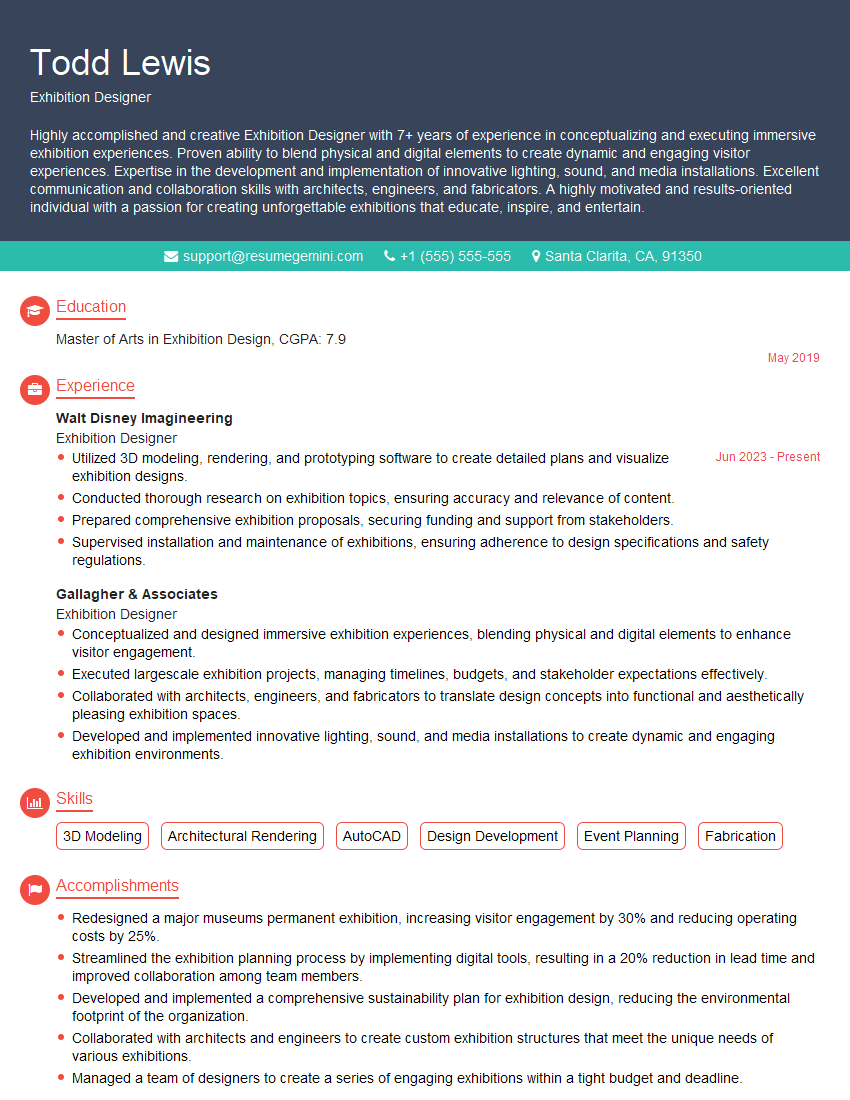
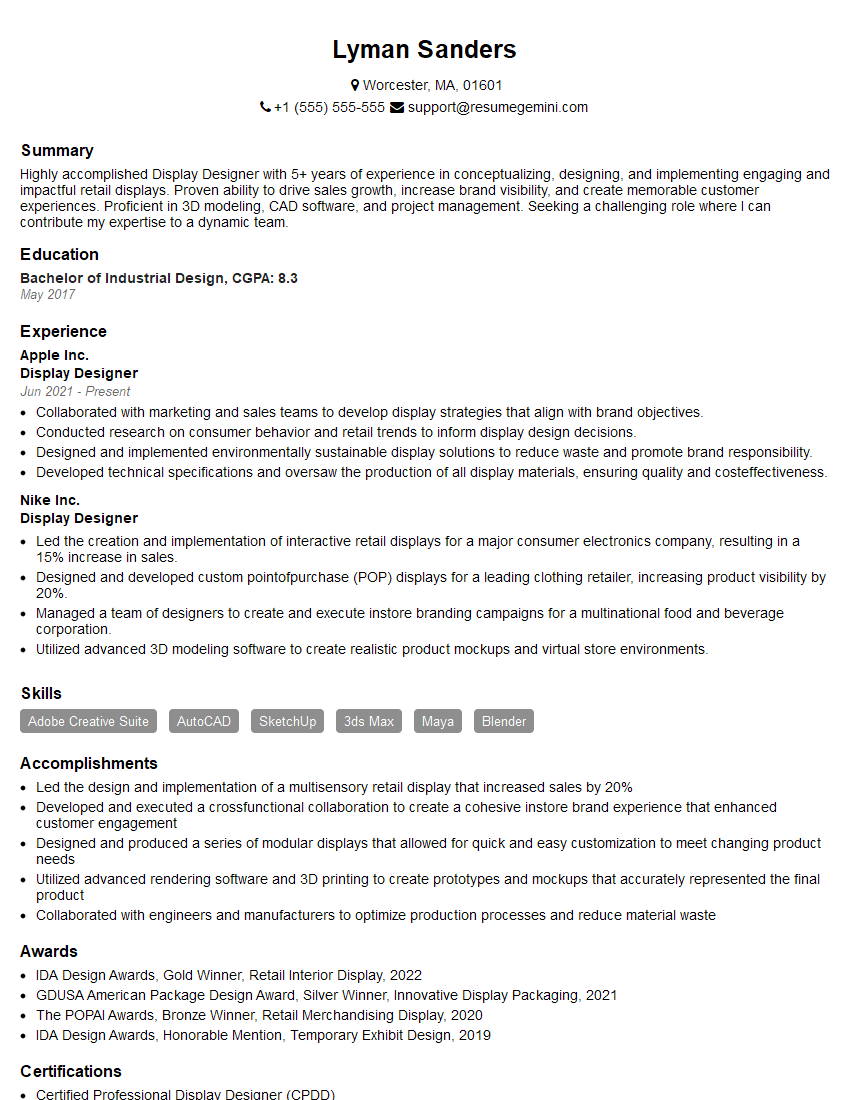
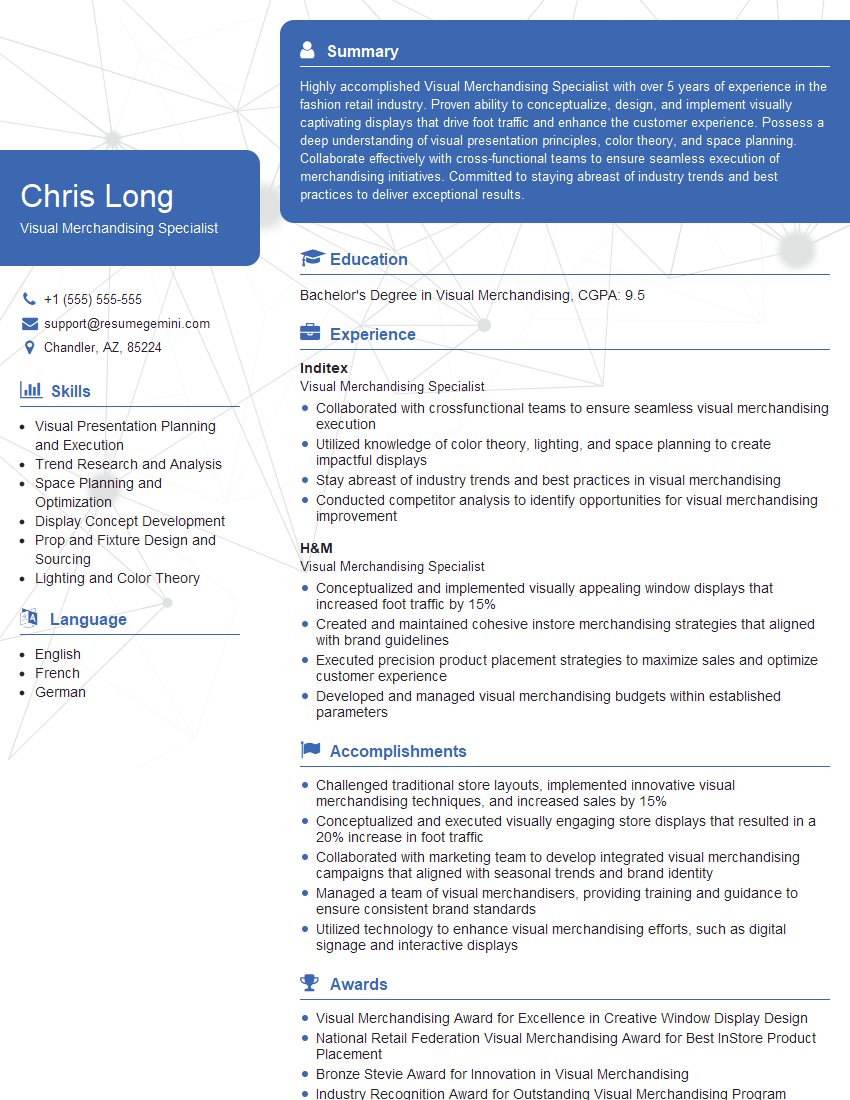
Mastering Exhibit Design Collaboration is crucial for career advancement in this dynamic field. Proficiency in teamwork, communication, and project management opens doors to leadership roles and higher earning potential. To maximize your job prospects, creating an ATS-friendly resume is essential. ResumeGemini offers a powerful platform to build a professional and impactful resume that highlights your skills and experience effectively. Examples of resumes tailored to Exhibit Design Collaboration are available within ResumeGemini to guide you in crafting a winning application.
Explore more articles
Users Rating of Our Blogs
Share Your Experience
We value your feedback! Please rate our content and share your thoughts (optional).
What Readers Say About Our Blog
To the interviewgemini.com Webmaster.
Very helpful and content specific questions to help prepare me for my interview!
Thank you
To the interviewgemini.com Webmaster.
This was kind of a unique content I found around the specialized skills. Very helpful questions and good detailed answers.
Very Helpful blog, thank you Interviewgemini team.