Feeling uncertain about what to expect in your upcoming interview? We’ve got you covered! This blog highlights the most important GIS Analysis and Mapping interview questions and provides actionable advice to help you stand out as the ideal candidate. Let’s pave the way for your success.
Questions Asked in GIS Analysis and Mapping Interview
Q 1. Explain the difference between vector and raster data.
Vector and raster data are the two fundamental ways to represent geographic information in a GIS. Think of it like this: vector data is like a detailed drawing, while raster data is like a mosaic or a photograph.
Vector Data: Represents geographic features as points, lines, and polygons. Each feature has precise coordinates. This is ideal for representing discrete objects like buildings, roads, or political boundaries. The advantage is its accuracy and ability to store attributes (data about the features). For example, a polygon representing a park can store attributes like its area, name, and type of vegetation.
Raster Data: Represents geographic information as a grid of cells or pixels, each with a value. This is ideal for representing continuous phenomena like elevation, temperature, or satellite imagery. Each pixel represents a value for that location. The advantage is its ability to represent continuous spatial variation. However, it can be less precise, especially at coarser resolutions.
Key Differences Summarized:
- Representation: Vector uses points, lines, polygons; Raster uses pixels/cells.
- Data Type: Vector stores discrete features; Raster stores continuous phenomena.
- Accuracy: Vector is generally more precise; Raster accuracy depends on resolution.
- Data Size: Vector data files are usually smaller; Raster data files can be very large.
Real-world Example: A city map showing individual buildings (vector) alongside a satellite image showing land cover (raster) integrated together to give a complete picture.
Q 2. What are the common coordinate reference systems (CRS) used in GIS?
Coordinate Reference Systems (CRS), also known as spatial reference systems, define how geographic locations are represented numerically. They are crucial for accurate spatial analysis and mapping because they ensure that different datasets can be overlaid and compared correctly. Common CRS include:
- WGS 84 (EPSG:4326): This is the most commonly used geographic coordinate system, using latitude and longitude. It’s based on Earth’s center and uses a spherical model. Think of GPS coordinates – they are typically in WGS 84.
- UTM (Universal Transverse Mercator): A projected coordinate system that divides the Earth into 60 zones. Each zone has its own projected coordinate system using meters as units. It’s a good choice for large-scale mapping because it minimizes distortion within each zone.
- State Plane Coordinate Systems (SPCS): These are projected coordinate systems designed for specific states or regions, optimizing for minimal distortion within the defined area. They are common in the USA for state-level projects.
- Web Mercator (EPSG:3857): This projected coordinate system is commonly used in web mapping applications like Google Maps. It’s a cylindrical projection that preserves shapes near the equator but distorts them significantly at higher latitudes.
Choosing the right CRS is crucial; using incompatible systems will lead to inaccurate spatial analyses and map overlays. The appropriate CRS depends on the geographic area and the scale of the project. For a global project, WGS 84 is suitable; for a local project, a projected system like UTM or SPCS is often preferred.
Q 3. Describe your experience with different GIS software (e.g., ArcGIS, QGIS).
I have extensive experience with both ArcGIS and QGIS, having utilized them for various projects ranging from environmental monitoring to urban planning.
ArcGIS: My ArcGIS experience includes utilizing the ArcGIS Pro and ArcMap platforms for geoprocessing, spatial analysis, cartography, and data management. I’m proficient in using various extensions, such as Spatial Analyst for raster analysis and 3D Analyst for creating 3D models. I’ve leveraged ArcGIS Online for collaborative map sharing and web application development. A recent project involved using ArcGIS Pro to create a suitability model for identifying suitable locations for wind turbine placement, integrating terrain data, wind speed data, and land use regulations.
QGIS: QGIS is a powerful open-source alternative. I’ve employed QGIS for numerous tasks, including data visualization, geoprocessing, and scripting using Python. Its plugin architecture enables customization and extension of its capabilities. For instance, I successfully used QGIS to process and analyze LiDAR data to create a high-resolution digital elevation model for a hydrological study. I particularly appreciate QGIS’s flexibility and its large, active community support.
In both software packages, my skills encompass data import/export, data manipulation, attribute table management, map composition, and the creation of various map products.
Q 4. How do you perform spatial analysis using overlay techniques?
Spatial overlay techniques combine two or more datasets to create new data reflecting the spatial relationships between them. These are essential for understanding how features interact.
Common Overlay Techniques:
- Intersection: Creates a new dataset containing only the areas where features from the input layers overlap. Think of finding the areas where a forest intersects with a flood zone.
- Union: Combines all features from all input layers. If features overlap, the attributes from both are combined in the resulting layer. Useful for creating a single layer containing information from multiple sources.
- Clip: Extracts the portion of one layer that falls within the boundaries of another layer. For example, clipping a land use layer to the extent of a city boundary.
- Erase: Removes the portions of one layer that overlap with another layer. This could be used to remove the city from a regional land use dataset.
How to Perform Overlay Analysis: The steps typically involve selecting the appropriate overlay tool based on the desired result, choosing the input layers, setting parameters (like output file name and projection), and running the tool. This is often done through a graphical user interface (GUI) within GIS software or using command-line tools or scripting.
Example: To assess areas at risk of wildfire, one might overlay a vegetation map (showing flammable vegetation types) with a slope map (steeper slopes increase risk) and a wind map (strong winds increase spread). The intersection of high-risk areas from each of these layers would highlight the zones of greatest concern.
Q 5. Explain the concept of spatial autocorrelation.
Spatial autocorrelation describes the degree to which values at nearby locations are similar. Essentially, it measures the spatial clustering of similar values. If nearby locations tend to have similar values, it’s said to exhibit positive spatial autocorrelation. If nearby locations tend to have dissimilar values, it’s negative spatial autocorrelation. No spatial autocorrelation means there’s no discernible pattern in the spatial distribution of values.
Understanding the Concept: Imagine a map of house prices. Positive spatial autocorrelation would mean that expensive houses tend to cluster together, while inexpensive houses cluster elsewhere. Negative spatial autocorrelation would mean expensive and inexpensive houses are interspersed, with no clear clustering pattern.
Importance in GIS: Understanding spatial autocorrelation is crucial for accurate spatial analysis because it can bias the results of statistical analyses if not accounted for. For instance, ignoring positive spatial autocorrelation in a regression model can lead to overestimation of the significance of predictors.
Measuring Spatial Autocorrelation: Several statistics are used to measure spatial autocorrelation, including Moran’s I and Geary’s C. These statistics quantify the degree and significance of spatial autocorrelation, indicating whether the pattern is statistically significant or merely random.
Real-World Applications: Understanding spatial autocorrelation is critical in many applications, including disease mapping (clustering of disease cases), crime analysis (hotspots of criminal activity), and environmental modeling (clustering of pollution sources).
Q 6. What is georeferencing and how is it performed?
Georeferencing is the process of assigning geographic coordinates (latitude and longitude, or equivalent) to a map or image that doesn’t already have them. This allows the map or image to be correctly located and overlaid with other georeferenced data in a GIS.
How Georeferencing is Performed:
- Identify Control Points: You must identify points on the image that have known geographic coordinates. These are often points with easily identifiable features (like intersections or landmarks) whose coordinates are available from a source like a map or GPS data. The more control points you have (typically at least four, but more is better), the more accurate the georeferencing will be.
- Obtain Geographic Coordinates: Obtain the latitude and longitude of each control point from a reliable source (another map or a database). Accuracy of these coordinates directly impacts the accuracy of the georeferencing process.
- Transformation: The GIS software uses the control points to perform a geometric transformation, calculating the mathematical relationship between the image coordinates and the geographic coordinates. This is typically done through algorithms that minimize the difference between the image coordinates and the actual geographic coordinates.
- Assess Accuracy: After the transformation, the software calculates the RMS (root mean square) error, indicating the accuracy of the georeferencing process. A lower RMS error suggests higher accuracy.
Software Tools: Most GIS software packages (like ArcGIS and QGIS) have built-in georeferencing tools to simplify the process. These tools typically provide interactive interfaces to easily identify and assign coordinates to control points.
Example: Georeferencing an old historical map requires identifying landmarks on the map that are still present today (e.g., road intersections, rivers, buildings). Using a modern map or aerial imagery as a reference, one can obtain the coordinates of those landmarks and use them to georeference the historical map. The now georeferenced map can then be integrated into a modern GIS analysis.
Q 7. Describe your experience with data cleaning and preprocessing in GIS.
Data cleaning and preprocessing are crucial steps in any GIS project, ensuring the data’s accuracy, consistency, and usability. Without proper cleaning, the subsequent analyses will be flawed.
Common Data Cleaning and Preprocessing Tasks:
- Error Detection and Correction: Identifying and fixing inconsistencies or errors in the data. This might involve checking for incorrect coordinates, duplicate entries, or missing values.
- Data Transformation: Converting data from one format to another (e.g., converting shapefiles to GeoJSON) or transforming projections to a common CRS.
- Attribute Cleaning: Standardizing attribute data, ensuring consistent spelling, abbreviations, and data types.
- Spatial Cleaning: Fixing topological errors (like overlaps or gaps) in vector data using tools like topology rules or snapping.
- Data Validation: Checking for data accuracy and consistency using various methods, such as range checks, consistency checks, and plausibility checks.
- Data Generalization: Simplifying the data for specific purposes, reducing the number of points in a line or polygon, if appropriate for the scale of analysis.
Example: Before analyzing crime data, I would perform several data cleaning steps. This might involve checking for duplicate entries, correcting any inconsistencies in the crime type descriptions, and verifying the accuracy of the crime locations using spatial referencing. If necessary I would also merge data from different sources and handle missing data using statistical methods to maintain data integrity.
Strategies: Thorough documentation of all cleaning and preprocessing steps is paramount, ensuring reproducibility and transparency. Employing systematic approaches and using automation where feasible greatly improves the efficiency and accuracy of the process.
Q 8. How do you handle projection issues in GIS?
Projection issues in GIS arise because the Earth is a three-dimensional sphere, while maps are two-dimensional representations. This necessitates transforming the Earth’s curved surface onto a flat plane, inevitably leading to distortions in area, shape, distance, or direction. Handling these issues involves understanding the different map projections and choosing the one best suited for the specific task and area of interest. The key is to be aware of the inherent distortions and to select a projection that minimizes the distortion of the properties most important for your analysis.
For instance, if I’m analyzing land areas for conservation efforts, an equal-area projection like Albers Equal-Area Conic is crucial to ensure accurate area calculations. In contrast, if I’m working on navigation, a conformal projection like the Mercator projection, which preserves angles, would be more appropriate even though it distorts areas at higher latitudes.
My workflow typically involves identifying the coordinate system of the data, understanding the intended use of the data, selecting the appropriate projection, and then performing the reprojection using GIS software tools. This often includes checking the data’s metadata for clues about its original projection and using tools like the ‘Project’ or ‘Define Projection’ functions available in ArcGIS, QGIS, or other GIS packages.
Q 9. What are the different types of map projections and when would you use each?
Map projections are mathematical transformations that convert the Earth’s curved surface onto a flat map. Different projections emphasize different properties, leading to varying types of distortions. The choice of projection depends heavily on the specific application.
- Cylindrical Projections (e.g., Mercator): These project the Earth onto a cylinder. They preserve direction and are excellent for navigation but severely distort areas at higher latitudes. I’ve used this for creating world maps showing shipping routes, where accurate directions are critical.
- Conic Projections (e.g., Albers Equal-Area Conic): These project the Earth onto a cone. They are suitable for mid-latitude regions and are often chosen for their preservation of area. I’ve utilized this projection in land-use planning projects where calculating acreage is vital.
- Planar Projections (e.g., Azimuthal Equidistant): These project the Earth onto a plane, often tangent to a point. Useful for displaying areas around a specific point with accurate distances. This is beneficial in applications like mapping from a central observatory.
- Pseudocylindrical Projections (e.g., Robinson): These don’t precisely fit any geometric shape. They often aim for a compromise between different properties, creating aesthetically pleasing maps suitable for general-purpose use. Often used for visually appealing world maps showing global phenomena.
Choosing the right projection is a critical step. A poorly chosen projection can lead to significant errors in analysis and misinterpretations of spatial data. I always carefully consider the purpose of the map and the properties that need to be preserved before selecting a projection.
Q 10. Explain your understanding of spatial interpolation methods.
Spatial interpolation is the process of estimating the values of a variable at unsampled locations based on its known values at sampled locations. Imagine trying to determine the temperature at a specific point in a field when you only have temperature readings from a few weather stations. Interpolation helps fill in the gaps.
Several methods exist:
- Inverse Distance Weighting (IDW): This method assumes that the value at an unsampled location is influenced more by nearby sampled points than by distant ones. It’s simple to understand and implement but can produce artifacts if the data is not uniformly distributed.
- Kriging: A more sophisticated geostatistical method that considers both the spatial autocorrelation and the uncertainty of the data. It provides not only the estimated value but also a measure of its uncertainty. It requires more computational resources and specialized knowledge but delivers more accurate results in many cases. I’ve used Kriging extensively for soil property mapping, where spatial autocorrelation is significant.
- Spline Interpolation: This method fits a smooth surface through the sampled points. It is good for creating visually pleasing surfaces but may not accurately reflect the underlying spatial process, especially where abrupt changes in the variable occur.
The choice of method depends on the characteristics of the data and the desired level of accuracy. Factors to consider include the spatial distribution of the samples, the nature of the underlying spatial process, and the computational resources available.
Q 11. Describe your experience with creating thematic maps.
Creating thematic maps involves representing spatial data according to a particular theme, such as population density, rainfall, or land cover. My experience spans a variety of thematic map creation using both ArcGIS and QGIS. This often begins with data preparation, including data cleaning and projection checks. Then, depending on the data type, I’ll use the appropriate symbology. For example, graduated color ramps for continuous data like temperature or population density, and unique symbols for categorical data like land use types.
For example, in a project on urban sprawl, I created a thematic map illustrating population density changes over time using choropleth maps with different color shades for different density classes. Each map represented a specific time point, allowing for easy visual comparison. Adding a legend, a clear title, and a north arrow are critical for map clarity and interpretation. I also have extensive experience creating maps that are accessible and visually appealing, following cartographic principles such as good visual hierarchy, avoiding clutter, and using effective labeling.
Data visualization is crucial; the map’s design must effectively communicate the underlying spatial patterns and trends. I often experiment with different color schemes, classification methods, and map layouts to optimize visual clarity and effective communication of the information.
Q 12. How do you perform spatial queries in GIS?
Spatial queries are used to retrieve information from spatial databases based on spatial relationships. They’re the foundation of many GIS analyses. These queries often involve selecting features based on their location relative to other features or based on their geometric properties.
Examples of spatial queries include:
- Spatial selection: Selecting all points within a specific polygon (e.g., finding all houses within a flood zone).
- Buffering: Creating a zone around a feature and selecting all features that intersect the buffer (e.g., identifying all buildings within 1 km of a school).
- Intersection: Identifying the overlapping areas between two or more features (e.g., finding the area of overlap between two land parcels).
- Proximity analysis: Determining the distance between features (e.g., calculating the distance between a house and the nearest hospital).
In practice, I use both graphical tools and SQL-like queries to perform spatial selections. For example, in ArcGIS, I’d use the ‘Select by Location’ tool for graphical selection, while in PostGIS, I’d write SQL queries involving functions like ST_Intersects, ST_Within, or ST_Distance to perform the same operations.
--Example PostGIS Query: SELECT * FROM buildings WHERE ST_DWithin(geom, ST_GeomFromText('POINT(10 20)'), 1000); --Selects all buildings within 1000 meters of a pointQ 13. Explain the concept of topology in GIS.
Topology in GIS refers to the spatial relationships between geographic features. It’s like defining the rules that govern how features connect, overlap, and relate to each other. A well-defined topology ensures data integrity and consistency, preventing spatial errors and inconsistencies.
Key topological relationships include:
- Connectivity: Defining how lines connect to form networks (e.g., roads, rivers).
- Containment: Defining how points are contained within polygons (e.g., houses within a city boundary).
- Adjacency: Defining which features share a common boundary (e.g., neighboring parcels).
- Overlay: Defining how features overlap to create new spatial relationships (e.g., identifying areas where land use zones overlap).
Topology is essential for network analysis, spatial data editing, and ensuring data quality. For instance, in a network analysis of a road network, a properly defined topology ensures the correct routing and calculation of distances. Without a defined topology, calculations might be incorrect or fail altogether.
Q 14. What are your experiences with different database management systems (DBMS) used in GIS?
My experience encompasses several DBMSs used in GIS, each with its strengths and weaknesses. The choice often depends on the scale and complexity of the project.
- PostgreSQL/PostGIS: This open-source spatial extension for PostgreSQL is incredibly powerful and scalable, excellent for large spatial datasets. Its SQL-based querying capabilities are efficient, and its open-source nature allows for flexibility and customization. I often use PostGIS for managing and querying large geospatial datasets, particularly when dealing with spatial analysis involving complex queries.
- Oracle Spatial: A robust commercial option often used in enterprise GIS systems, particularly suitable for large-scale deployments requiring high availability and reliability. It’s a good option when high performance and data security are paramount.
- SQL Server with Spatial: Microsoft’s offering provides good integration with other Microsoft products and is well-suited for Windows-based environments. It’s often a good choice for companies already invested in the Microsoft ecosystem.
- File Geodatabases (Esri): While not strictly a DBMS in the traditional sense, Esri’s file geodatabases are common for storing and managing GIS data, especially within the ArcGIS ecosystem. They offer good performance for smaller to medium-sized projects.
In choosing a DBMS, I consider factors such as project scale, budget, existing infrastructure, required performance, and the skills of the team involved.
Q 15. Describe your experience with remote sensing data analysis.
Remote sensing data analysis involves extracting meaningful information from imagery acquired by satellites or airborne sensors. My experience encompasses the entire workflow, from data acquisition and pre-processing to analysis and interpretation. I’m proficient in using various software packages like ENVI, ArcGIS, and QGIS to process different types of remote sensing data, including multispectral, hyperspectral, and LiDAR data.
For example, in a recent project, I used Landsat 8 imagery to map deforestation in the Amazon rainforest. This involved atmospheric correction, cloud masking, vegetation index calculation (NDVI), and change detection analysis to identify areas experiencing deforestation over a specific time period. The results were crucial for environmental monitoring and conservation efforts.
Another project involved using LiDAR data to create a high-resolution digital elevation model (DEM) for flood risk assessment. I processed the point cloud data, generated a DEM, and then used hydrological modeling techniques to simulate flood inundation zones. This provided crucial information for emergency planning and infrastructure development.
Career Expert Tips:
- Ace those interviews! Prepare effectively by reviewing the Top 50 Most Common Interview Questions on ResumeGemini.
- Navigate your job search with confidence! Explore a wide range of Career Tips on ResumeGemini. Learn about common challenges and recommendations to overcome them.
- Craft the perfect resume! Master the Art of Resume Writing with ResumeGemini’s guide. Showcase your unique qualifications and achievements effectively.
- Don’t miss out on holiday savings! Build your dream resume with ResumeGemini’s ATS optimized templates.
Q 16. How do you assess the accuracy of spatial data?
Assessing the accuracy of spatial data is paramount for reliable GIS analysis. It’s done through a combination of techniques, focusing on both positional and attribute accuracy.
- Positional Accuracy: This assesses how precisely the spatial features are located. Methods include comparing the data to a higher-accuracy reference dataset (e.g., comparing a newly surveyed road network to a highly accurate national map), Root Mean Square Error (RMSE) calculations, and visual inspection.
- Attribute Accuracy: This evaluates the correctness of the non-spatial information associated with the features. Methods include comparing attribute values against ground truth data, using data consistency checks, and assessing completeness of the attribute fields.
For instance, when validating land cover classification from satellite imagery, I would compare the classified map to ground truth data collected through field surveys or high-resolution aerial photography. This comparison would allow me to quantify the accuracy of the classification using metrics like producer’s accuracy, user’s accuracy, and overall accuracy.
Q 17. Explain your experience with creating and managing geodatabases.
Geodatabases are crucial for managing and organizing spatial data efficiently. My experience involves designing, implementing, and managing geodatabases using both file and enterprise geodatabase systems within ArcGIS. I understand the importance of proper schema design to ensure data integrity and optimal query performance.
I’ve worked extensively on creating geodatabases for various applications, including infrastructure management, environmental monitoring, and urban planning. For example, for an infrastructure management project, I designed a geodatabase with feature classes for roads, pipelines, and utilities, including attributes for maintenance records, material type, and ownership information. This enabled efficient tracking and management of assets.
I’m also experienced in managing data versioning, using geodatabase replication for distributing data to multiple users, and implementing security measures to control data access.
Q 18. Describe your experience with spatial statistics.
Spatial statistics involves the analysis of spatial data to identify patterns, relationships, and trends. My experience includes applying various spatial statistical methods using ArcGIS Spatial Statistics tools and other statistical software packages like R.
- Spatial Autocorrelation: I’ve used techniques like Moran’s I to identify spatial clustering of phenomena like crime hotspots or disease outbreaks.
- Geostatistics: I have experience with kriging and other interpolation techniques for creating continuous surfaces from point data, such as interpolating rainfall data from weather stations to create a rainfall map for a region.
- Point Pattern Analysis: I can analyze point patterns to identify whether they are clustered, dispersed, or randomly distributed, which is useful in analyzing locations of businesses or assessing the distribution of trees in a forest.
For example, in a public health study, I used spatial autocorrelation analysis to identify spatial clusters of high rates of a particular disease, which was crucial for targeting public health interventions.
Q 19. What is your experience with scripting or automation in GIS?
Automation and scripting are essential for increasing efficiency and reproducibility in GIS. I’m proficient in Python scripting within the ArcGIS environment, using ArcPy to automate geoprocessing tasks, creating custom tools, and integrating GIS with other software platforms.
I’ve used Python to automate tasks such as batch processing of raster data, creating custom map layouts, and generating reports. For instance, I developed a script that automatically processes satellite imagery, performs a land cover classification, and generates a report summarizing the changes in land cover over time. This significantly reduced the time and effort required for this task compared to manual processing.
I also have experience with other scripting languages, providing me with versatile automation capabilities within GIS.
Q 20. How would you approach a project involving large datasets?
Working with large datasets requires a strategic approach to ensure efficient processing and analysis. My strategy involves a combination of techniques:
- Data Subsetting: Breaking down the large dataset into smaller, manageable subsets to perform analysis in a piecemeal fashion.
- Data Compression: Employing appropriate compression techniques to reduce the storage space and improve processing speed.
- Parallel Processing: Using tools and techniques that facilitate parallel processing, leveraging multiple processors to speed up computations.
- Cloud Computing: Utilizing cloud-based GIS platforms like ArcGIS Online or Google Earth Engine to harness the processing power of cloud computing infrastructure.
- Database Optimization: Optimizing the database design and indexing strategies to improve query performance.
For example, when processing a massive LiDAR point cloud dataset, I’d use parallel processing techniques and cloud computing resources to process the data efficiently. Data subsetting would allow me to analyze smaller regions of interest, reducing the computational burden on individual processors.
Q 21. Explain your understanding of different spatial data formats (e.g., shapefiles, GeoTIFF).
Various spatial data formats serve distinct purposes. Understanding their strengths and limitations is crucial.
- Shapefiles: A popular vector format storing geographic features as points, lines, and polygons. They are widely compatible but lack the ability to store complex attribute relationships efficiently.
- GeoTIFF: A raster format that stores gridded data, such as satellite imagery or elevation models. It supports georeferencing and metadata, making it suitable for various applications. GeoTIFFs can be large in size, depending on spatial resolution and data type.
- GeoJSON: A lightweight, text-based format that is commonly used for web mapping applications. It’s human-readable and easily exchanged between different systems.
- Geodatabases (File and Enterprise): Geodatabases provide a more advanced way to store and manage spatial data with advanced relationships and topology rules. File geodatabases are single-user, while enterprise geodatabases are used in multi-user environments.
Choosing the appropriate format depends on the specific application and the nature of the data. For example, I would use GeoTIFF for storing satellite imagery and shapefiles to represent vector features like road networks.
Q 22. Describe your experience with GPS data and its integration into GIS.
GPS data, representing location coordinates, is fundamental to GIS. My experience involves acquiring, processing, and integrating GPS data from various sources, including handheld receivers, mobile devices, and vehicle tracking systems. This integration typically involves converting raw GPS data (often in formats like GPX or NMEA) into GIS-compatible formats such as shapefiles or geodatabases. I’m proficient in handling issues like coordinate systems (e.g., WGS84, UTM), datum transformations, and error correction. For example, I worked on a project mapping wildlife movement using GPS collars. Raw data contained significant noise; I employed smoothing techniques and error analysis to generate accurate movement paths, improving the quality of the spatial analysis.
The integration process usually involves several steps:
- Data Cleaning: Identifying and correcting errors (e.g., outliers, duplicate points).
- Data Transformation: Converting the data to the appropriate coordinate system for the project.
- Data Import: Importing the cleaned and transformed data into a GIS software package (e.g., ArcGIS, QGIS).
- Data Validation: Checking the accuracy and consistency of the imported data.
This ensures that the GPS data aligns seamlessly with other spatial data within the GIS, allowing for accurate spatial analysis and mapping.
Q 23. How do you ensure data quality and integrity in a GIS project?
Data quality and integrity are paramount in GIS. My approach is multifaceted, starting with the data acquisition process and continuing through analysis and visualization. I employ a rigorous methodology encompassing several key steps:
- Source Evaluation: Assessing the reliability and accuracy of data sources before integration. This involves understanding the methods used to collect the data and identifying potential biases or limitations.
- Metadata Management: Meticulously documenting the source, accuracy, projection, and any limitations of the data. Proper metadata is crucial for reproducibility and transparency.
- Data Cleaning: This includes identifying and correcting errors such as outliers, missing values, and inconsistencies. Techniques like spatial interpolation can address missing data while considering surrounding values. For example, I once used kriging to estimate pollution levels in areas lacking measurements.
- Data Validation: Comparing data against known accurate sources to verify its validity and identify discrepancies.
- Data Versioning: Maintaining versions of the data to track changes and allow rollback to previous states if necessary.
- Error Propagation Analysis: Understanding how errors propagate through different GIS operations and assessing their impact on the final results.
By focusing on each of these aspects, I ensure the data’s trustworthiness and reliability for accurate spatial analyses and informed decision-making.
Q 24. Explain your experience with cartographic design principles.
Cartographic design principles guide the creation of visually effective and informative maps. My experience includes designing maps for diverse audiences and purposes, adhering to principles of clarity, accuracy, and aesthetics. I understand the importance of:
- Map Purpose and Audience: Tailoring design elements to meet the specific needs and knowledge level of the target audience. A map for a scientific publication will differ significantly from a map designed for public consumption.
- Visual Hierarchy: Using size, color, and placement to emphasize key features and guide the viewer’s attention. This involves careful selection of fonts, symbols, and color schemes.
- Symbolism and Legend: Employing clear and consistent symbols and a well-organized legend to facilitate understanding. Consideration must be given to colorblindness and visual impairments.
- Scale and Projection: Choosing appropriate map scales and projections to minimize distortion and accurately represent spatial relationships.
- Layout and Composition: Creating a balanced and aesthetically pleasing layout, ensuring that all elements are well-integrated.
For example, in a project mapping urban flooding, I used graduated colors to represent flood depth, strategically placed labels, and a clear legend to ensure the map effectively conveyed the extent and severity of the flooding.
Q 25. Describe your understanding of 3D GIS applications.
3D GIS represents a significant advancement, allowing for the visualization and analysis of spatial data in three dimensions. My understanding encompasses its applications in various fields, including urban planning, infrastructure management, and environmental modeling. I’m familiar with various 3D data formats (e.g., LAS, CityGML) and software capabilities (ArcGIS Pro, QGIS) for processing and visualizing these data.
Applications I’ve worked with include:
- Terrain Modeling: Creating digital elevation models (DEMs) from LiDAR data to visualize topography and analyze slope, aspect, and viewsheds.
- Building Modeling: Importing 3D building models to analyze shadows, sunlight exposure, and urban heat islands.
- Underground Infrastructure: Visualizing and analyzing underground utilities such as pipelines and cables.
- Environmental Simulation: Modeling air pollution dispersion or flood inundation using 3D data and simulation tools.
The ability to represent and analyze data in three dimensions allows for a more complete and nuanced understanding of spatial phenomena, enabling more informed decision-making in various fields.
Q 26. What are the ethical considerations related to GIS data handling?
Ethical considerations in GIS data handling are crucial. I prioritize responsible data management, adhering to ethical guidelines throughout the project lifecycle. Key considerations include:
- Data Privacy: Protecting the privacy of individuals whose data is included in GIS datasets. This often involves anonymizing data or obtaining informed consent.
- Data Security: Safeguarding GIS data from unauthorized access, modification, or destruction. This involves employing appropriate security measures, including access controls and data encryption.
- Data Accuracy and Transparency: Ensuring the accuracy and reliability of data and being transparent about its limitations. This includes proper documentation and metadata management.
- Data Bias and Fairness: Being aware of potential biases in data and working to mitigate their impact on analyses and decisions.
- Data Ownership and Intellectual Property: Respecting data ownership rights and intellectual property laws.
- Responsible Use of GIS Technology: Ensuring that GIS technology is used responsibly and does not contribute to discriminatory or harmful outcomes.
For instance, when mapping sensitive demographic data, I always anonymize individual information before conducting any analysis and adhere to all relevant privacy regulations.
Q 27. How do you stay updated with advancements in GIS technology?
Staying current with GIS technology is vital in this rapidly evolving field. My approach is multi-pronged:
- Professional Development: Attending conferences, workshops, and training courses to learn about new tools and techniques.
- Online Resources: Following leading GIS blogs, websites, and online communities to stay informed about the latest developments and best practices.
- Peer Networking: Engaging with other GIS professionals through networking events and online forums to share knowledge and learn from others’ experiences.
- Industry Publications: Reading journals and publications related to GIS and related fields.
- Self-Learning: Exploring new software packages and tools independently, experimenting with different functionalities, and participating in online tutorials.
Continuous learning is key to maintaining my expertise and adapting to the ever-changing landscape of GIS technology.
Q 28. Describe a challenging GIS project you worked on and how you overcame the challenges.
One particularly challenging project involved creating a real-time flood prediction model for a coastal city. The challenge stemmed from the need to integrate diverse data streams, including real-time rainfall data, river level sensors, tide gauges, and high-resolution elevation models, all while ensuring system responsiveness and accuracy under rapidly changing conditions.
To overcome this, I employed a multi-step strategy:
- Data Integration Framework: I designed a robust framework for integrating the various data sources, addressing inconsistencies in data formats and temporal resolutions. This involved using ETL (Extract, Transform, Load) processes to convert and standardize data.
- Real-time Data Processing: I implemented real-time data processing pipelines using scripting languages (Python with libraries like GDAL and OGR) to handle the continuous inflow of sensor data and dynamically update the flood model.
- Model Calibration and Validation: I employed advanced hydrological modeling techniques and calibrated the model against historical flood events to ensure accuracy. This included using sensitivity analysis to identify critical parameters and uncertainties.
- Visualization and Communication: I developed a user-friendly web interface to visualize the flood predictions in real-time, enabling rapid communication to emergency responders and the public.
Despite the complexity, the project successfully delivered a reliable and timely flood prediction system, significantly improving emergency response capabilities.
Key Topics to Learn for Your GIS Analysis and Mapping Interview
- Spatial Data Structures and Models: Understand vector and raster data, their strengths and weaknesses, and when to use each. Consider exploring topics like topology and geodatabases.
- Geoprocessing and Analysis Techniques: Familiarize yourself with common spatial analysis methods such as overlay analysis (union, intersect, erase), buffering, proximity analysis, network analysis, and spatial statistics. Be prepared to discuss practical applications like site suitability analysis or route optimization.
- Data Visualization and Cartography: Master the art of creating clear, effective, and visually appealing maps. Understand map design principles, symbolization, labeling, and the selection of appropriate map projections for different applications.
- Geographic Coordinate Systems (GCS) and Projections: Demonstrate a solid understanding of different coordinate systems (e.g., geographic, projected) and their implications for spatial analysis. Be ready to discuss datum transformations and projection choices for specific projects.
- Remote Sensing and Image Analysis: If relevant to the job description, brush up on your knowledge of remote sensing principles, image processing techniques, and the extraction of geographic information from satellite imagery or aerial photographs.
- GIS Software Proficiency: Showcase your expertise in commonly used GIS software (ArcGIS, QGIS, etc.). Be prepared to discuss your experience with specific tools and workflows.
- Problem-solving and Case Studies: Practice approaching spatial problems systematically. Think about how you’d tackle real-world scenarios using GIS techniques. Prepare to discuss past projects highlighting your analytical skills and problem-solving abilities.
Next Steps
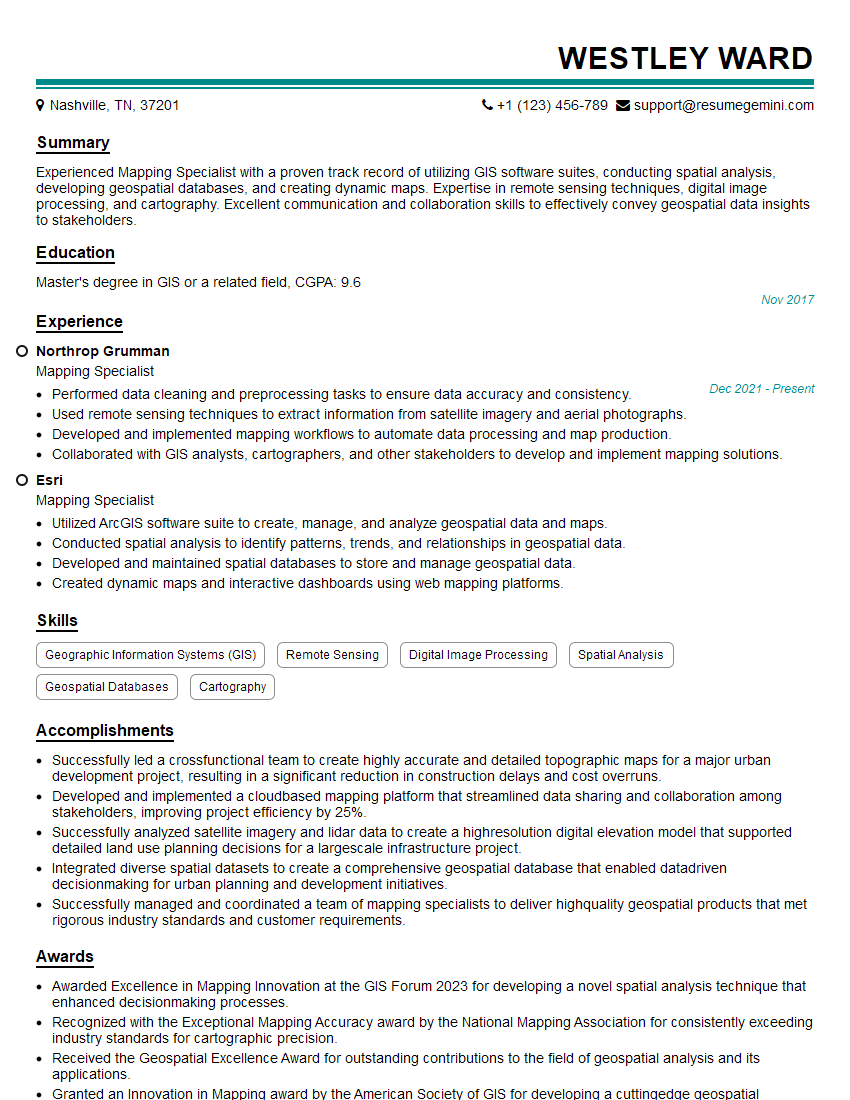
Mastering GIS Analysis and Mapping opens doors to exciting and impactful careers in various fields. A strong foundation in these skills significantly enhances your job prospects and allows you to contribute meaningfully to organizations across sectors. To maximize your chances of landing your dream role, it’s crucial to present your skills effectively. Creating an ATS-friendly resume is paramount. ResumeGemini is a trusted resource to help you build a professional and impactful resume that highlights your unique capabilities. Examples of resumes tailored to GIS Analysis and Mapping are available to guide you. Take the next step towards your successful career transition today!


Explore more articles
Users Rating of Our Blogs
Share Your Experience
We value your feedback! Please rate our content and share your thoughts (optional).
What Readers Say About Our Blog
To the interviewgemini.com Webmaster.
Very helpful and content specific questions to help prepare me for my interview!
Thank you
To the interviewgemini.com Webmaster.
This was kind of a unique content I found around the specialized skills. Very helpful questions and good detailed answers.
Very Helpful blog, thank you Interviewgemini team.