Interviews are more than just a Q&A session—they’re a chance to prove your worth. This blog dives into essential Load Analysis and Capacity Planning interview questions and expert tips to help you align your answers with what hiring managers are looking for. Start preparing to shine!
Questions Asked in Load Analysis and Capacity Planning Interview
Q 1. Explain the difference between load testing, stress testing, and performance testing.
While the terms load testing, stress testing, and performance testing are often used interchangeably, they represent distinct but related activities aimed at evaluating system behavior under various conditions.
- Load Testing: Simulates the expected user load on a system to measure its performance under normal operating conditions. The goal is to verify the system can handle the projected number of concurrent users and transactions without significant performance degradation. Think of it like testing your car’s performance on a highway during rush hour – it’s expected to handle the load, but we want to ensure it does so smoothly.
- Stress Testing: Pushes the system beyond its expected capacity to determine its breaking point. It helps identify the system’s failure thresholds and its behavior under extreme load. This is analogous to testing your car’s engine by pushing it to its maximum RPM – you’re not expecting it to operate consistently there, but you want to know its limits.
- Performance Testing: Encompasses a broader range of tests, including load and stress testing, to evaluate various aspects of system performance, such as response time, throughput, resource utilization, and stability. This is like a comprehensive car inspection – it’s not just about speed or endurance, but also everything from brakes to fuel efficiency.
In essence: Load testing assesses typical performance, stress testing finds breaking points, and performance testing covers a comprehensive analysis of system behavior.
Q 2. Describe your experience with different load testing tools (e.g., JMeter, LoadRunner).
I have extensive experience with both JMeter and LoadRunner, having used them in diverse projects ranging from e-commerce websites to financial transaction processing systems. My experience spans the entire lifecycle, from test planning and script development to execution, analysis, and reporting.
- JMeter: I’ve leveraged JMeter’s open-source nature and flexibility extensively for creating complex load tests involving numerous virtual users and various scenarios. Its ease of scripting and integration with other tools have made it a go-to choice for many projects. For instance, I used JMeter to simulate 10,000 concurrent users accessing an e-commerce platform during a Black Friday sale, identifying performance bottlenecks in the database layer and subsequently optimizing the query performance.
- LoadRunner: I’ve utilized LoadRunner’s more sophisticated features, such as its advanced correlation and parameterization capabilities, for testing complex enterprise applications. Its robust reporting and analysis tools helped pinpoint performance issues that were difficult to identify using simpler tools. One specific application involved using LoadRunner to pinpoint performance limitations on a legacy financial system, ultimately leading to a successful infrastructure upgrade.
Beyond the specifics of each tool, I am proficient in selecting the appropriate tool based on project requirements, budget, and complexity. My approach is always to choose the tool that best aligns with the project goals and resources.
Q 3. How do you identify performance bottlenecks in a system?
Identifying performance bottlenecks requires a systematic approach. I typically employ a combination of techniques, including:
- Monitoring System Resources: Closely monitoring CPU utilization, memory consumption, disk I/O, and network traffic during load tests provides crucial insights. Tools like
top(Linux) and Performance Monitor (Windows) are invaluable. High resource utilization in a specific area often points to a bottleneck. For example, consistently high CPU utilization on the application server could indicate inefficient code or inadequate server resources. - Application Performance Monitoring (APM) Tools: APM tools provide detailed insights into application-level performance, including transaction response times, database queries, and code execution times. They help pinpoint slow database queries, inefficient code sections, or other application-specific issues. For example, APM tools often pinpoint slow database queries or inefficient code sections.
- Profiling Tools: Profiling tools offer granular visibility into code execution, allowing identification of computationally intensive sections that might be contributing to slowdowns. They assist in understanding which code blocks are consuming most of the time.
- Log Analysis: Analyzing application and system logs helps in understanding error rates, exceptions, and other events that might be indicative of performance issues. This provides context around performance issues.
A combined analysis of these data sources paints a clear picture, enabling effective identification of bottlenecks and subsequent optimization strategies.
Q 4. Explain your understanding of queuing theory and its application in capacity planning.
Queuing theory is a mathematical framework for modeling and analyzing systems with waiting lines. In capacity planning, it’s crucial for understanding and predicting system behavior under varying workloads.
Imagine a customer service call center: incoming calls form a queue, waiting to be processed by available agents. Queuing theory helps determine factors such as:
- Average waiting time: How long customers typically wait for assistance.
- Queue length: The average number of calls waiting to be answered.
- Server utilization: How busy the agents are.
These metrics are vital for capacity planning as they allow us to determine the required number of agents (servers) to meet service level objectives (e.g., ensuring an average wait time under 30 seconds). We apply similar principles in IT systems, where requests act as “calls” and servers are the processing units. By analyzing factors like request arrival rates, processing times, and the number of servers, we can predict performance metrics like response times and resource utilization, informing decisions about server provisioning and system upgrades.
The Little’s Law (L = λW) is a cornerstone of queuing theory, stating that the average number of customers in a queue (L) is equal to the arrival rate (λ) multiplied by the average time spent in the system (W). This simple yet powerful law provides a framework for capacity planning.
Q 5. How do you determine the appropriate level of resources for a given application workload?
Determining the appropriate level of resources requires a thorough understanding of the application workload and its performance requirements. It’s an iterative process involving:
- Workload Characterization: Defining the expected number of users, transactions per second, data volume, and other relevant metrics. This often involves analyzing historical data, conducting user surveys, or employing load testing techniques to simulate realistic scenarios.
- Performance Requirements Definition: Establishing Service Level Agreements (SLAs) that specify acceptable response times, error rates, and other performance targets. For example, an e-commerce site might require that 99% of transactions are processed within 2 seconds.
- Resource Estimation: Using performance testing data, capacity planning tools, and queuing theory, we estimate the necessary resources (CPU, memory, disk I/O, network bandwidth) to meet the defined SLAs. This step involves detailed analysis of resource utilization during load testing.
- Capacity Modeling: Developing a capacity model that predicts system performance under different load conditions. This model might use simulation or analytical techniques.
- Resource Provisioning: Based on the capacity model, we provision the necessary hardware and software resources, which might involve scaling servers vertically or horizontally.
- Monitoring and Adjustment: Continuous monitoring of system performance after deployment is vital to identify deviations from expected behaviour and adjust resources as needed.
This iterative approach ensures the system can handle the expected workload and meet the predefined performance requirements.
Q 6. Describe your experience with capacity planning methodologies.
I’m familiar with various capacity planning methodologies, including:
- Top-Down Approach: Starts with high-level business requirements and works down to specific resource needs. This approach is useful for long-term planning and strategic decisions.
- Bottom-Up Approach: Starts with individual application resource requirements and aggregates them to determine overall system needs. This approach is suitable for detailed capacity planning of individual applications or systems.
- Hybrid Approach: Combines both top-down and bottom-up approaches, leveraging the strengths of each. This is often the most effective approach for complex systems.
My choice of methodology depends on the project’s complexity, timeline, and available data. I’ve used all three approaches in various projects, adapting my approach as needed to ensure accurate capacity planning.
Q 7. How do you model and forecast future system capacity needs?
Modeling and forecasting future capacity needs involves a combination of techniques:
- Trend Analysis: Analyzing historical data on resource utilization, user growth, and transaction volumes to identify patterns and project future needs. This involves using statistical methods to extrapolate from past trends.
- Workload Projections: Forecasting future workloads based on business plans, marketing campaigns, seasonal variations, and other factors. This might involve collaboration with business stakeholders to understand anticipated growth.
- Capacity Modeling Tools: Employing specialized software tools that simulate system behavior under projected workloads, providing insights into future resource needs. These tools often incorporate queuing theory and other mathematical models.
- Scenario Planning: Developing different scenarios representing various potential future conditions (e.g., optimistic, pessimistic, most likely) to assess the impact of different factors on capacity requirements. This enables risk mitigation and adaptability.
The accuracy of the forecast depends heavily on the quality and completeness of the input data and the sophistication of the forecasting model. A key aspect is iterative refinement of the forecast based on continuous monitoring and feedback.
Q 8. What are some common performance metrics you track and analyze?
Tracking and analyzing the right performance metrics is crucial for effective load analysis and capacity planning. It’s like having a comprehensive health checkup for your application. I typically focus on a range of metrics, categorized for clarity.
- Resource Utilization: This includes CPU usage, memory consumption (both heap and non-heap), disk I/O, and network bandwidth. High CPU usage might indicate inefficient code or a bottleneck. High memory consumption could signal memory leaks. Slow disk I/O often points to database performance issues. High network bandwidth could imply excessive data transfer or inefficient network communication. I’d use tools to monitor these at both the application and infrastructure levels.
- Transaction Metrics: This covers aspects like response times (the time it takes to complete a user request), throughput (the number of requests processed per second or minute), and error rates. Slow response times directly affect user experience; low throughput suggests scalability limitations; high error rates highlight problems in the application logic or infrastructure.
- Application-Specific Metrics: These are custom metrics tailored to the application’s functionality. For an e-commerce site, it might include metrics like cart abandonment rates, order processing time, or successful checkout rates. These provide insights into specific user workflows and business processes.
- User Experience Metrics: These focus on how users perceive application performance. Key metrics include page load times, perceived latency, and user satisfaction scores (often obtained through surveys or feedback mechanisms). These provide insights into the end-user’s experience.
By closely monitoring these metrics, I can identify bottlenecks, predict potential problems, and ensure the application remains performant under various loads.
Q 9. How do you handle unexpected spikes in traffic or workload?
Unexpected traffic spikes are a common challenge, and preparedness is key. Think of it like preparing for a flash flood – you need a plan to manage the surge. My approach involves a multi-layered strategy:
- Scalability Mechanisms: Leveraging auto-scaling capabilities in cloud environments (like AWS, Azure, or GCP) is crucial. These allow for dynamic resource provisioning based on real-time demand. For example, I’d configure auto-scaling groups to automatically add more server instances when CPU utilization exceeds a predefined threshold.
- Caching Strategies: Implementing effective caching mechanisms (at various layers like CDN, application server, and database) can significantly reduce the load on backend systems. A well-designed caching strategy can serve a significant portion of requests from cache, reducing the strain on your servers.
- Queuing Systems: Utilizing message queues (like RabbitMQ, Kafka) helps to decouple different parts of the application and buffer incoming requests during peak times. This prevents the system from being overwhelmed by sudden bursts of traffic.
- Rate Limiting: This technique restricts the number of requests a user or IP address can make within a specific time frame. It helps protect the application from denial-of-service (DoS) attacks and manages high traffic effectively.
- Monitoring and Alerting: Continuous monitoring with real-time alerts is essential. This allows for proactive intervention and timely mitigation of issues during a spike. I’d set up alerts based on critical metrics, triggering notifications when thresholds are exceeded.
The specific approach depends on the application architecture and the nature of the traffic spike. A combination of these methods provides a robust solution.
Q 10. Explain your experience with monitoring tools and dashboards.
I have extensive experience with a variety of monitoring tools and dashboards, adapting my choice to the specific needs of the project and technology stack. The key is to have a holistic view of the system’s health and performance.
- Application Performance Monitoring (APM): Tools like Dynatrace, New Relic, and AppDynamics provide detailed insights into application performance, including code-level diagnostics and transaction tracing. These are invaluable for identifying performance bottlenecks within the application itself.
- Infrastructure Monitoring: Tools like Prometheus, Grafana, and Datadog monitor the underlying infrastructure (servers, networks, databases) providing metrics on CPU, memory, disk I/O, and network traffic. This helps identify infrastructure-related performance issues.
- Log Management: Tools like Elasticsearch, Fluentd, and Kibana (the ELK stack) are essential for collecting, parsing, and analyzing application and system logs. This is critical for debugging and identifying the root cause of performance problems.
- Custom Dashboards: I frequently create custom dashboards to visualize key performance metrics relevant to the specific application. This allows for tailored monitoring and provides a clear overview of the system’s health.
I prefer using tools that integrate well with each other, allowing for a unified view of the application’s performance. A well-designed dashboard serves as a single source of truth, making it easier to identify and address performance issues quickly.
Q 11. How do you interpret performance test results and identify areas for improvement?
Interpreting performance test results is a systematic process. It’s like detective work – you need to gather clues and connect the dots to identify the root cause of any performance issues.
- Baseline Comparison: The first step is to compare the results against a baseline performance profile. This establishes a benchmark to measure improvements or regressions.
- Bottleneck Identification: I look for metrics that are significantly deviating from expected values (e.g., high CPU utilization, slow response times, high error rates). This points to potential bottlenecks.
- Correlation Analysis: This involves identifying correlations between different metrics. For example, a high CPU utilization might correlate with slow database query times, indicating a database performance issue.
- Profiling and Tracing: Tools like profilers and tracing systems help pinpoint the exact location of bottlenecks within the application code (e.g., slow database queries, inefficient algorithms). This level of detail is necessary for targeted optimization.
- Resource Usage Analysis: Analyzing resource usage (CPU, memory, network, disk I/O) across different components of the system helps identify resource constraints that need to be addressed.
Once the bottlenecks are identified, I prioritize improvements based on their impact on overall performance and user experience. I document my findings and recommendations, providing a clear roadmap for improvements.
Q 12. Describe your experience with different performance tuning techniques.
Performance tuning is an iterative process requiring a deep understanding of the application and its underlying infrastructure. I’ve employed various techniques throughout my career, tailored to specific situations.
- Code Optimization: This includes identifying and optimizing inefficient algorithms, reducing database query times, and minimizing unnecessary I/O operations. Techniques such as using appropriate data structures, caching frequently accessed data, and using efficient algorithms are employed. Profiling tools help identify specific areas needing optimization.
- Database Tuning: This involves optimizing database queries, indexing tables effectively, and tuning database parameters to improve performance. For example, optimizing slow queries by adding appropriate indexes or using prepared statements can significantly improve response times.
- Caching: Implementing caching strategies (e.g., using Redis, Memcached) at various layers of the application can dramatically reduce database load and improve response times. Different caching strategies exist and the selection depends on the application requirements.
- Hardware Upgrades: In some cases, hardware upgrades (e.g., increasing CPU capacity, adding more RAM, or upgrading storage) might be necessary to handle increased workload. This is usually a last resort after all software optimizations have been exhausted.
- Load Balancing: Distributing traffic across multiple servers through load balancers enhances the system’s capacity and resilience to high traffic loads. Load balancing techniques like round-robin or least connections are employed depending on the requirements.
The choice of techniques depends on the specific performance issue and the application’s architecture. It’s often an iterative process, requiring careful monitoring and measurement to validate the effectiveness of each optimization.
Q 13. How do you collaborate with development teams to improve application performance?
Collaboration with development teams is vital for successful performance improvement. It’s not just about fixing problems, but about building performance into the application from the start.
- Early Involvement: I advocate for early involvement in the software development lifecycle (SDLC), participating in design reviews and providing input on architecture and code design choices that can impact performance. This prevents performance issues from creeping in from the beginning.
- Performance Testing Integration: I integrate performance testing into the CI/CD pipeline, enabling early detection of performance regressions. This allows for quick identification and resolution of performance issues before they impact users.
- Knowledge Sharing: I conduct workshops and training sessions for developers on performance best practices, profiling techniques, and optimization strategies. This empowers developers to build high-performance applications.
- Joint Problem Solving: I work closely with developers to identify and resolve performance bottlenecks, leveraging their deep understanding of the application code and my expertise in performance tuning.
- Clear Communication: I ensure clear communication of performance goals, results, and recommendations to developers and stakeholders. Regular updates and reporting on progress are crucial.
Open communication and a shared understanding of performance goals are essential for a successful collaboration. By working as a team, we can build high-performing, scalable, and reliable applications.
Q 14. Explain your experience with cloud-based capacity planning.
Cloud-based capacity planning offers significant advantages over traditional on-premise approaches. It provides flexibility, scalability, and cost efficiency. My experience involves leveraging cloud capabilities for optimal resource allocation and cost optimization.
- Auto-Scaling: I extensively utilize auto-scaling features offered by cloud providers like AWS, Azure, and GCP. This allows for dynamic scaling of resources based on real-time demand, ensuring sufficient capacity during peak loads and minimizing costs during low-demand periods. I carefully configure scaling policies based on performance metrics and cost considerations.
- Right-Sizing Instances: Choosing the appropriate instance types for various components of the application is critical. I analyze resource usage patterns to optimize instance sizing, balancing performance and cost. This involves selecting instances with adequate CPU, memory, and storage based on application requirements and predicted workloads.
- Resource Reservations: For applications with predictable workload patterns, resource reservations can help avoid unexpected costs associated with on-demand pricing. This guarantees sufficient capacity while optimizing costs.
- Cost Optimization Strategies: I regularly review cloud resource usage to identify cost-saving opportunities. This includes optimizing instance sizing, leveraging spot instances where appropriate, and utilizing cost management tools provided by cloud providers.
- Cloud-Native Technologies: Leveraging cloud-native technologies like containers (Docker, Kubernetes) and serverless computing (AWS Lambda, Azure Functions) improves scalability and efficiency. These technologies allow for finer-grained control and optimization of resources.
Effective cloud-based capacity planning requires a deep understanding of cloud provider offerings and the ability to translate application requirements into optimal cloud resource configurations. It’s an ongoing process, requiring regular monitoring and adjustment to maintain performance and cost efficiency.
Q 15. How do you manage capacity in a distributed system?
Managing capacity in a distributed system requires a holistic approach, encompassing proactive planning and reactive adjustments. It’s like managing a sprawling city – you need to understand the flow of traffic (data), ensure sufficient resources (roads, infrastructure), and handle unexpected surges (traffic jams).
- Monitoring: Continuous monitoring of key performance indicators (KPIs) like CPU utilization, memory consumption, network latency, and database query times across all nodes is crucial. Tools like Prometheus, Grafana, and Datadog are invaluable here.
- Horizontal Scaling: Adding more nodes to handle increased load is a cornerstone of distributed system capacity management. This allows for distributing the workload and prevents a single point of failure.
- Load Balancing: Distributing incoming requests across multiple servers prevents overload on any single node. Techniques like round-robin, least connections, and IP hash are commonly used.
- Auto-Scaling: Automatically scaling resources up or down based on real-time demand eliminates the need for manual intervention and ensures optimal resource utilization. Cloud providers like AWS, Azure, and GCP offer robust auto-scaling capabilities.
- Queuing Systems: Implementing message queues (like Kafka or RabbitMQ) decouples components and allows for handling temporary spikes in traffic without overwhelming the system. Requests are queued and processed when resources are available.
- Capacity Planning Models: Employing models like queueing theory helps predict future resource needs based on historical data and projected growth. This allows for proactive capacity planning rather than reactive firefighting.
For example, imagine an e-commerce website during a major sale. By horizontally scaling web servers and using a load balancer, we can distribute the increased traffic, ensuring a smooth user experience. Auto-scaling can dynamically add more servers as needed, and a queuing system can buffer incoming orders if the system momentarily gets overloaded.
Career Expert Tips:
- Ace those interviews! Prepare effectively by reviewing the Top 50 Most Common Interview Questions on ResumeGemini.
- Navigate your job search with confidence! Explore a wide range of Career Tips on ResumeGemini. Learn about common challenges and recommendations to overcome them.
- Craft the perfect resume! Master the Art of Resume Writing with ResumeGemini’s guide. Showcase your unique qualifications and achievements effectively.
- Don’t miss out on holiday savings! Build your dream resume with ResumeGemini’s ATS optimized templates.
Q 16. Explain your understanding of resource contention and how to address it.
Resource contention occurs when multiple processes or threads compete for the same limited resource, like CPU cycles, memory, or I/O bandwidth. Think of it like a traffic jam – multiple cars vying for the same space on the road. This leads to performance degradation, delays, and potentially system instability.
- Identification: Profiling tools and performance monitoring are vital for pinpointing contention points. Analyzing CPU usage, memory profiles, and I/O wait times helps identify bottlenecks.
- Resource Pooling: Creating resource pools and managing access through mechanisms like semaphores or mutexes helps control and limit contention.
- Load Balancing: Distributing the workload across multiple resources effectively reduces contention on any single resource.
- Asynchronous Operations: Utilizing asynchronous programming avoids blocking operations and improves concurrency. This prevents one process from holding up others waiting for the same resource.
- Caching: Caching frequently accessed data reduces the need to access shared resources, significantly lessening contention.
- Database Optimization: Tuning database queries, indexes, and connection pooling can drastically improve performance and reduce contention on the database server.
For instance, if multiple threads are constantly trying to write to the same file, this leads to contention. Using a locking mechanism ensures only one thread can access the file at a time, preventing data corruption and improving overall performance.
Q 17. How do you ensure scalability and availability in your designs?
Scalability and availability are paramount in system design. Scalability refers to the system’s ability to handle increasing workloads, while availability refers to the system’s uptime and accessibility. They are intertwined – a scalable system can better handle unexpected load spikes, enhancing availability.
- Horizontal Scaling: Adding more nodes to distribute the load, as discussed earlier.
- Vertical Scaling: Increasing the resources of existing nodes (CPU, memory, etc.). While easier to implement initially, it has limitations.
- Redundancy: Implementing multiple instances of critical components to ensure high availability in case of failures. This includes redundant servers, databases, and network connections.
- Load Balancing: Distributing incoming requests across multiple instances to prevent overloading any single component.
- Failover Mechanisms: Automatic failover to backup systems in case of component failure is essential for high availability.
- Microservices Architecture: Breaking down the application into smaller, independent services allows for independent scaling and deployment, improving both scalability and availability.
Imagine a social media platform. To handle millions of users, it needs to scale horizontally by adding more web servers and database servers. Redundancy ensures that if one server fails, others can take over, maintaining high availability.
Q 18. Describe your experience with different database performance tuning techniques.
Database performance tuning is a multifaceted skill. My experience encompasses various techniques:
- Query Optimization: Analyzing slow-running queries using tools like EXPLAIN PLAN (for SQL databases) to identify inefficient queries and rewrite them for better performance. Techniques include adding indexes, optimizing joins, and using appropriate data types.
- Indexing: Strategically adding indexes on frequently queried columns drastically improves query performance. Over-indexing can have negative impacts, though, so careful planning is essential.
- Connection Pooling: Efficiently managing database connections reduces the overhead of establishing new connections for each request.
- Caching: Caching frequently accessed data in memory (e.g., using Redis or Memcached) significantly reduces the load on the database.
- Schema Design: Proper database schema design is crucial for efficient data storage and retrieval. Normalization helps prevent data redundancy and improve query performance.
- Database Tuning Parameters: Adjusting various database parameters (buffer pool size, connection limits, etc.) can significantly impact performance. This requires careful understanding of the database system.
For example, I once improved the query performance of a slow-running report by adding a composite index on two critical columns, reducing query execution time from minutes to seconds.
Q 19. How do you handle performance issues in production environments?
Handling performance issues in production requires a methodical approach:
- Monitoring and Alerting: Establish comprehensive monitoring systems with alerts triggered when KPIs exceed predefined thresholds. This allows for early detection of problems.
- Logging and Tracing: Detailed logging and tracing mechanisms help pinpoint the source of performance bottlenecks. Tools like ELK stack or Jaeger are incredibly helpful.
- Profiling: Use profiling tools to identify performance hotspots in the code, database queries, or other components.
- Root Cause Analysis: Investigate the root cause of the performance issue thoroughly. This may involve analyzing logs, metrics, and code to determine the underlying problem.
- Testing and Validation: Before deploying fixes, rigorously test them in a staging environment to ensure they resolve the problem without introducing new issues.
- Rollbacks: Having a rollback plan in place allows for quick reversal of changes if a fix introduces new problems.
A recent example involved a production system experiencing slow response times. Through logging and profiling, we identified a memory leak in a specific component. After addressing the memory leak, thorough testing confirmed the fix, restoring normal performance levels.
Q 20. What are some best practices for capacity planning?
Best practices for capacity planning involve a combination of proactive measures and reactive adjustments:
- Baseline Data Collection: Gather detailed baseline data on current resource usage, traffic patterns, and user behavior.
- Forecasting: Predict future resource needs based on historical data, projected growth, and anticipated events (e.g., seasonal peaks).
- Modeling and Simulation: Employ capacity planning tools or models (like queueing theory) to simulate various scenarios and predict system behavior under different loads.
- Stress Testing: Regularly perform stress tests to identify potential bottlenecks and ensure the system can handle anticipated loads.
- Resource Budgeting: Allocate resources strategically, considering cost optimization and performance requirements.
- Regular Reviews and Adjustments: Continuously review capacity plans, adjusting them based on actual usage and changing requirements. Capacity planning is an iterative process.
For example, planning for a new website launch involves forecasting expected traffic based on marketing campaigns and similar product launches. Stress testing ensures the website can handle anticipated load without crashing.
Q 21. How do you define Service Level Objectives (SLOs) and Service Level Agreements (SLAs)?
Service Level Objectives (SLOs) and Service Level Agreements (SLAs) are critical for defining and managing the performance expectations of a system.
- Service Level Objectives (SLOs): SLOs define the target performance metrics for a service. They are internally focused, setting targets for the team to achieve. Examples include: ‘99.9% uptime’, ‘average response time under 200ms’, ‘error rate below 1%’.
- Service Level Agreements (SLAs): SLAs are formal contracts between a service provider and its customers that define the expected level of service and consequences for not meeting those expectations. SLAs are often based on SLOs but include specific details about penalties or remedies for non-compliance.
Think of it like setting targets for a marathon runner (SLOs) and then creating a contract that outlines the rewards or penalties depending on whether the runner meets those targets (SLA). Clearly defined SLOs and SLAs ensure transparency, accountability, and a focus on delivering a reliable and performant service.
Q 22. How do you use historical data to inform your capacity planning decisions?
Historical data is the cornerstone of effective capacity planning. It provides a factual basis for predicting future demands and avoiding over- or under-provisioning of resources. We use it in several key ways:
Trend Analysis: We analyze historical data, such as CPU utilization, memory usage, network traffic, and database transaction rates, to identify trends and patterns. For example, a consistent upward trend in daily peak CPU utilization indicates a growing need for more processing power. We use tools like time series analysis to uncover these trends even in noisy data.
Seasonality Identification: Many systems experience predictable seasonal variations in load. Analyzing past data helps us anticipate these peaks and troughs, allowing us to proactively adjust capacity to avoid performance degradation during high-demand periods. For instance, an e-commerce site will experience significantly higher traffic during holiday seasons compared to other times of the year.
Performance Benchmarking: Historical data can serve as a baseline for measuring the impact of changes. For example, after implementing a new software update, we compare key performance indicators (KPIs) against historical data to assess whether the changes improved or worsened system performance.
Capacity Planning Modeling: We leverage historical data to calibrate and validate our capacity planning models. By comparing model predictions with actual historical performance, we can refine the models to improve their accuracy.
For example, in a previous role, we used historical web server log data to forecast traffic for a major marketing campaign. By analyzing past campaigns, we were able to accurately predict the peak load and ensure sufficient server capacity was available, preventing a site crash.
Q 23. Explain your experience with different capacity planning models (e.g., linear, exponential).
I’ve worked extensively with various capacity planning models, choosing the appropriate model depends heavily on the observed data and the system’s behavior.
Linear Models: These are suitable when resource consumption increases linearly with the workload. For example, if doubling the number of users consistently doubles the CPU usage, a linear model is appropriate. However, this is rarely true in complex systems.
Exponential Models: These are often more realistic for many systems, especially those with network effects. In these systems, a small increase in workload can lead to a disproportionately larger increase in resource consumption. This is common in distributed systems where communication overhead increases exponentially with the number of nodes.
Non-linear Models: For more complex scenarios, non-linear models like polynomial or logistic regression may be more suitable. They allow for capturing complex relationships between workload and resource consumption. For instance, a database system might experience a sudden spike in resource consumption when reaching a certain threshold of data volume.
Time Series Forecasting Models: These models, such as ARIMA or Prophet, are specifically designed for time-dependent data. They can capture seasonal patterns and trends more effectively than simple linear or exponential models. They are invaluable for accurately forecasting future demand.
The selection of a model often involves experimentation and validation. We typically compare the accuracy of different models using metrics like Mean Absolute Error (MAE) and Root Mean Squared Error (RMSE) against historical data before making a decision.
Q 24. Describe your experience with automated capacity provisioning.
My experience with automated capacity provisioning is extensive. It’s essential for scalability and efficiency in modern cloud environments. I’ve worked with various platforms and tools, including:
Cloud Auto-Scaling: This is a crucial aspect of automated provisioning. Services like AWS Auto Scaling, Azure Auto Scale, and Google Cloud Auto Scaling allow for dynamic scaling of infrastructure based on predefined metrics. For example, automatically adding more web servers when CPU utilization exceeds a certain threshold.
Container Orchestration Platforms: Kubernetes and Docker Swarm enable automated deployment and scaling of containerized applications. They can automatically adjust the number of containers running based on resource demand. This allows for efficient resource utilization and rapid scaling.
Infrastructure as Code (IaC): Tools like Terraform and Ansible allow for automated provisioning and management of infrastructure. This ensures consistency and repeatability in the deployment process and allows for automated scaling based on predefined configurations.
A key aspect of automated capacity provisioning is setting appropriate thresholds and scaling policies. Poorly configured auto-scaling can lead to instability, either by over-provisioning (wasting resources) or under-provisioning (causing performance issues). Effective monitoring and fine-tuning are essential for optimal results.
Q 25. How do you handle conflicting priorities between performance, cost, and time?
Balancing performance, cost, and time is a constant challenge in capacity planning. It requires a structured approach and often involves making trade-offs. I typically employ the following strategy:
Prioritization: Clearly defining the priorities for a given project is crucial. For example, a mission-critical system might prioritize performance over cost, while a less critical system might prioritize cost optimization.
Cost-Benefit Analysis: We evaluate the trade-offs between different options by comparing their costs (e.g., infrastructure, development time) against their benefits (e.g., improved performance, increased scalability). This requires a clear understanding of the business requirements and the impact of different solutions.
Iterative Approach: We often adopt an iterative approach, starting with a minimum viable solution and gradually scaling up capacity as needed. This allows us to test different solutions and refine our approach based on real-world data and feedback.
Modeling and Simulation: Capacity planning models help us simulate the impact of different choices. We can test different scenarios, and this allows us to make informed decisions about resource allocation.
For instance, in one project, we had to balance the need for high performance during peak hours with the desire to minimize costs during off-peak periods. We implemented auto-scaling to adjust capacity dynamically, ensuring high performance during peak hours without over-provisioning during low-demand periods.
Q 26. Explain your experience with different types of load generators.
My experience encompasses a variety of load generators, each with its strengths and weaknesses. The choice depends on the specific requirements of the testing scenario. Some common types include:
Open-source tools: Tools like JMeter, k6, and Gatling are popular choices for their flexibility and open-source nature. They allow for creating sophisticated load tests simulating various user behaviors.
Commercial tools: LoadRunner and WebLOAD offer advanced features like sophisticated scripting capabilities and detailed performance analysis tools.
Cloud-based load testing services: Services like LoadView and BlazeMeter provide on-demand load testing capabilities without requiring the setup and maintenance of local infrastructure. They are particularly helpful for large-scale tests.
Custom-built generators: In some cases, we may need to build custom load generators to simulate specific application behaviors or integrate with specialized testing environments.
When selecting a load generator, factors like the complexity of the application, the scale of the test, the budget, and the technical skills of the team need to be considered. For example, for a simple website, JMeter might be sufficient, while for a complex, distributed application, a commercial tool or cloud-based service may be more suitable.
Q 27. How do you measure and analyze the impact of code changes on system performance?
Measuring and analyzing the impact of code changes on system performance is crucial for ensuring quality and stability. We employ a variety of techniques:
A/B testing: Deploying the new code to a subset of users and comparing its performance with the existing code allows us to assess its impact in a real-world environment.
Synthetic monitoring: Using tools that simulate real-user traffic to monitor key performance indicators (KPIs) before and after the code change provides quantifiable metrics for comparison.
Performance testing: Conducting load tests before and after the code change helps identify any performance regressions or improvements. These tests should cover a range of scenarios, from normal load to peak load.
Profiling tools: Tools that profile the code execution can identify performance bottlenecks and highlight areas for optimization. This provides insight into the root causes of performance issues.
Logging and monitoring: Comprehensive logging and monitoring allow for tracking key metrics and identifying potential issues. This helps us to quickly diagnose problems and pinpoint the root cause of any performance degradation.
The choice of techniques depends on the complexity of the code change and the criticality of the system. A small, localized change may only require synthetic monitoring, while a major architectural change might warrant extensive performance testing and profiling.
Q 28. Describe a challenging capacity planning project you worked on and how you overcame the challenges.
One particularly challenging project involved planning the capacity for a new online gaming platform expected to have millions of concurrent users. The main challenges were:
Uncertain user behavior: Predicting the actual load and usage patterns of a new game is inherently difficult.
Scalability requirements: The system needed to handle massive spikes in concurrent users during game launches and special events.
Real-time performance requirements: The game required very low latency and high availability to provide an enjoyable user experience.
To overcome these challenges, we took a multi-pronged approach:
Phased rollout: We deployed the game in phases, starting with a limited number of users, and gradually increasing the load to monitor the system’s performance and identify any bottlenecks early on. This allowed us to test our capacity planning assumptions and refine our models.
Extensive performance testing: We conducted rigorous load tests using a variety of load generators to simulate various user behavior patterns, including peak loads and stress scenarios.
Automated scaling: We implemented auto-scaling to dynamically adjust the number of servers based on real-time usage patterns. This ensured high availability and performance without over-provisioning.
Continuous monitoring: We set up comprehensive monitoring systems to track key performance indicators and identify any potential issues in real-time. This allowed us to proactively address problems before they impacted users.
Through this combination of strategies, we successfully launched the game and maintained high availability and performance even during peak hours. The project reinforced the importance of a flexible and iterative approach to capacity planning, especially for unpredictable workloads.
Key Topics to Learn for Load Analysis and Capacity Planning Interview
- Understanding System Performance Metrics: Learn to interpret key performance indicators (KPIs) like response time, throughput, and resource utilization. Understand how these metrics relate to user experience and system stability.
- Load Testing Methodologies: Familiarize yourself with various load testing techniques, including stress testing, soak testing, and spike testing. Understand the purpose and application of each method.
- Capacity Planning Models: Explore different capacity planning models and their applicability in various scenarios. This includes understanding queuing theory and its role in predicting system behavior under load.
- Resource Forecasting: Practice forecasting future resource needs based on historical data, projected growth, and anticipated user behavior. Consider different scaling strategies (vertical vs. horizontal).
- Performance Bottleneck Analysis: Develop skills in identifying and analyzing performance bottlenecks using profiling tools and system logs. Learn how to troubleshoot and resolve common performance issues.
- Cloud-Based Capacity Planning: Understand the unique challenges and opportunities presented by cloud-based infrastructure in relation to capacity planning. Explore concepts like auto-scaling and cloud resource management.
- Performance Monitoring and Alerting: Learn about implementing robust performance monitoring systems and setting up alerts to proactively identify potential performance degradation.
- Cost Optimization Strategies: Understand how capacity planning directly impacts infrastructure costs. Learn strategies for optimizing resource utilization and minimizing expenses.
Next Steps
Mastering Load Analysis and Capacity Planning is crucial for career advancement in the ever-evolving world of technology. These skills are highly sought after, demonstrating your ability to build robust, scalable, and cost-effective systems. To significantly boost your job prospects, crafting a compelling and ATS-friendly resume is essential. ResumeGemini can be your trusted partner in this process, providing you with the tools and resources to build a professional resume that highlights your expertise. Examples of resumes tailored to Load Analysis and Capacity Planning are available to help you create a winning application.

Principal Engineer Resume Sample

Reliability Engineer Resume Sample

Systems Engineer Resume Sample

Network Engineer Resume Sample

Solutions Architect Resume Sample

Data Architect Resume Sample
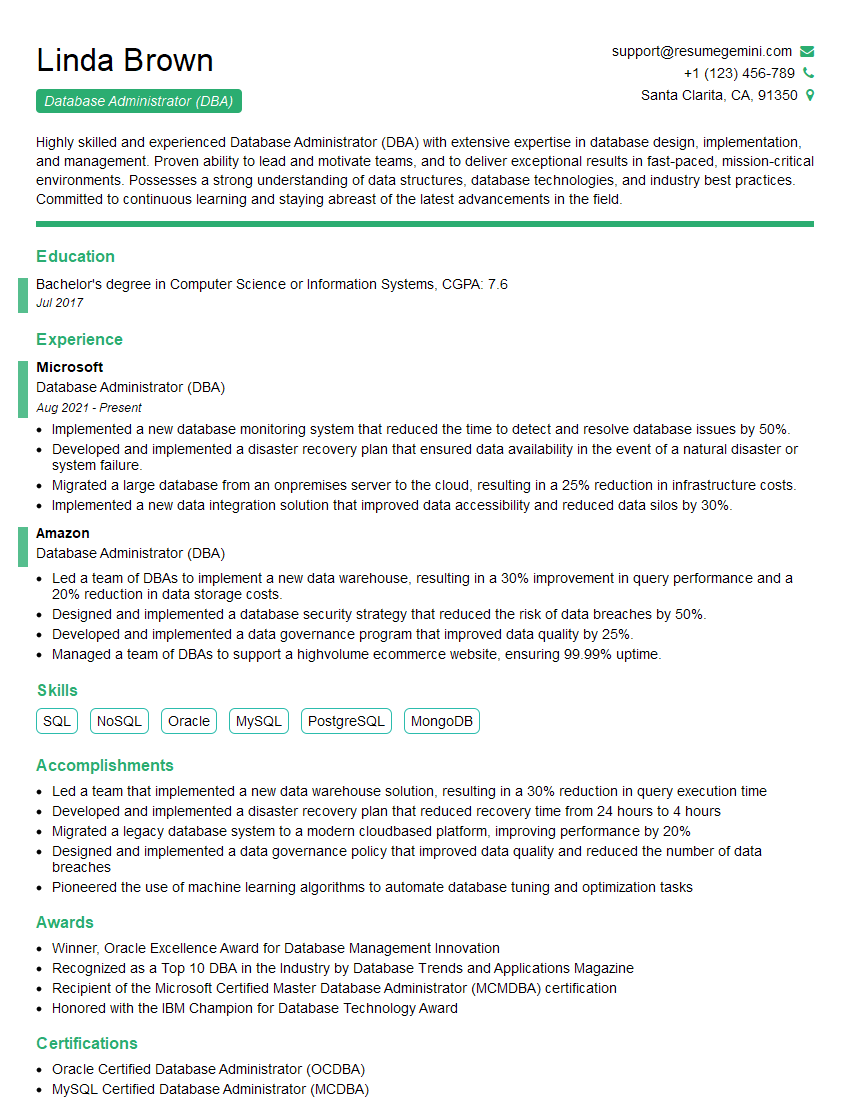
Database Administrator (DBA) Resume Sample
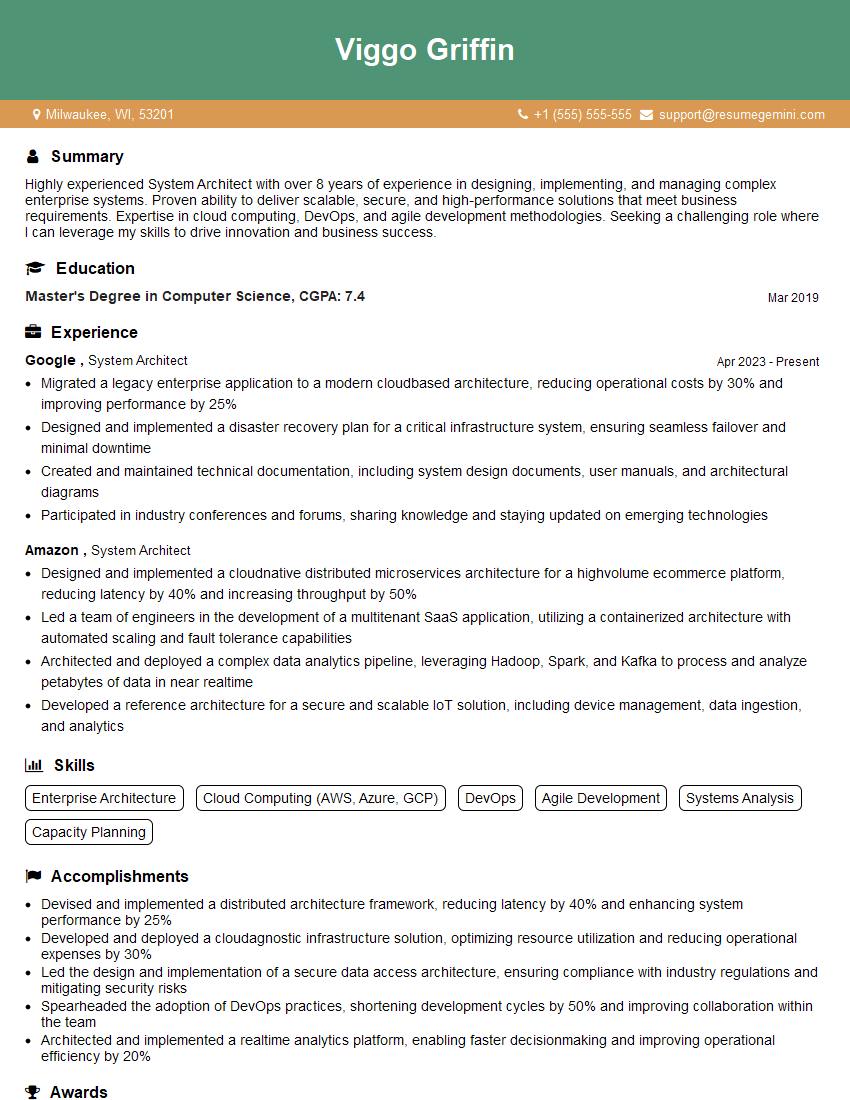
System Architect Resume Sample
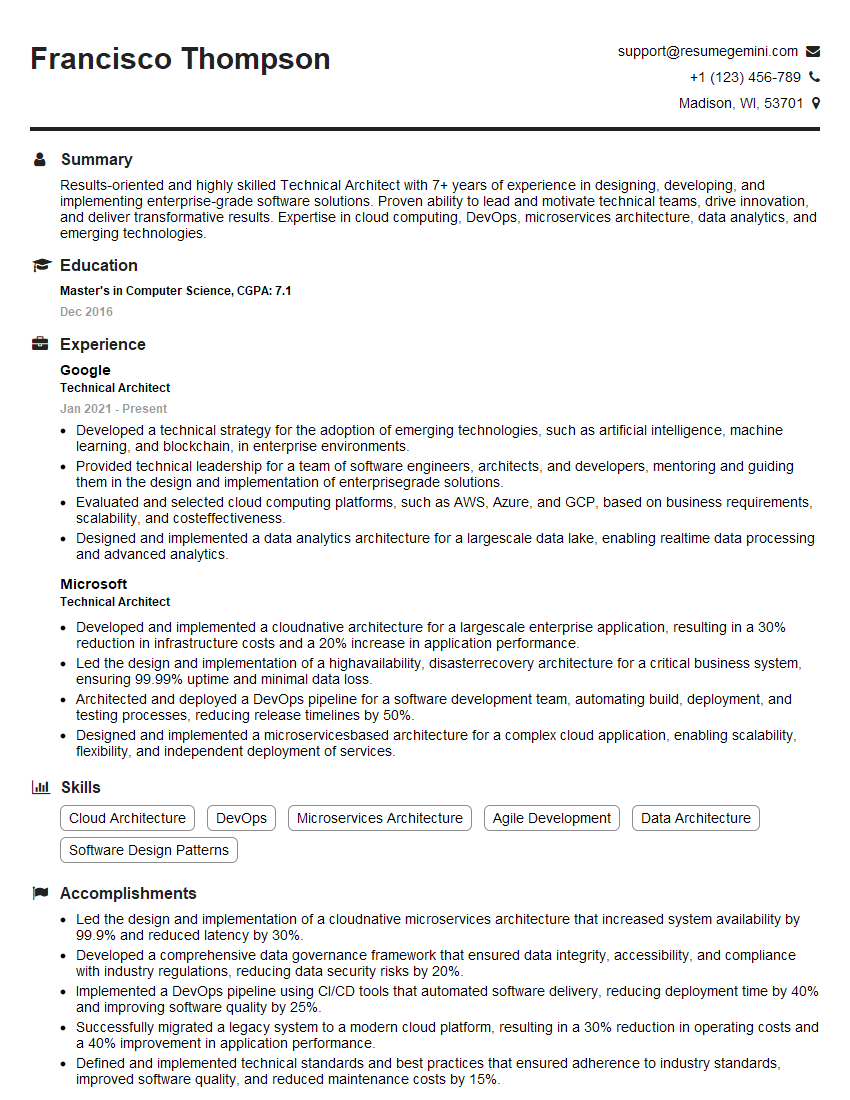
Technical Architect Resume Sample

Infrastructure Architect Resume Sample

IT Manager Resume Sample

DevOps Engineer Resume Sample

Cloud Architect Resume Sample
Explore more articles
Users Rating of Our Blogs
Share Your Experience
We value your feedback! Please rate our content and share your thoughts (optional).
What Readers Say About Our Blog
To the interviewgemini.com Webmaster.
Very helpful and content specific questions to help prepare me for my interview!
Thank you
To the interviewgemini.com Webmaster.
This was kind of a unique content I found around the specialized skills. Very helpful questions and good detailed answers.
Very Helpful blog, thank you Interviewgemini team.