Cracking a skill-specific interview, like one for Using computer-aided design (CAD) software, requires understanding the nuances of the role. In this blog, we present the questions you’re most likely to encounter, along with insights into how to answer them effectively. Let’s ensure you’re ready to make a strong impression.
Questions Asked in Using computer-aided design (CAD) software Interview
Q 1. What CAD software are you proficient in?
I’m proficient in several CAD software packages, including AutoCAD, SolidWorks, and Autodesk Inventor. My expertise spans both 2D and 3D modeling, and I’ve utilized these programs extensively across various projects, from architectural design to mechanical engineering. AutoCAD remains my go-to for precise 2D drafting, while SolidWorks and Inventor are my preferred choices for complex 3D modeling and assembly simulations. My proficiency extends beyond basic functionality; I’m comfortable utilizing advanced features like parametric modeling, surface modeling, and rendering techniques in each platform.
Q 2. Describe your experience with 2D and 3D modeling.
My experience with 2D and 3D modeling is extensive. 2D modeling, primarily using AutoCAD, involves creating precise drawings using lines, arcs, and other geometric primitives. Think of it like sketching with extremely precise digital tools—essential for creating detailed plans, blueprints, and technical drawings. I frequently use 2D modeling for things like creating detailed floor plans for a building or schematics for a circuit board. 3D modeling, using SolidWorks and Inventor, allows me to create fully three-dimensional representations of objects. This involves building up a model from basic shapes or utilizing more advanced techniques like surface modeling to create complex organic forms. I’ve used 3D modeling to design everything from injection-molded plastic parts to entire mechanical assemblies, complete with simulations of movement and stress analysis.
Q 3. Explain the process of creating a detailed drawing from a sketch.
Transforming a sketch into a detailed CAD drawing is a multi-step process. First, I’d carefully scan or digitally photograph the sketch to ensure high resolution and clarity. Then, using the CAD software, I’d trace the key features of the sketch, creating accurate vector representations of the lines and curves. This might involve utilizing tools like splines to capture freehand curves. Next, I’d add dimensions and annotations to the drawing to ensure precise specifications, incorporating any existing dimensions from the sketch or adding them based on my understanding. Finally, I’d thoroughly review the drawing, ensuring all dimensions are accurate and compliant with relevant standards and specifications. For example, if I were translating a hand-drawn design for a custom gear, I’d meticulously ensure all the tooth profiles, diameters, and module are accurately represented in the final CAD drawing.
Q 4. How do you handle revisions and changes in a CAD project?
Handling revisions and changes efficiently is crucial. In most CAD software, revision control features are integrated – version history allows me to track all modifications. I always create a new revision rather than overwriting the previous one. This maintains a history of changes, allowing me to easily revert to previous versions if needed. When collaborating on a project, I use cloud-based solutions for version control allowing multiple users to access and modify the file simultaneously while maintaining a record of who made what changes. Clearly documenting changes, whether through text notes or annotations directly on the drawing, ensures everyone understands the modifications that have been made. For example, if a client requests a modification to the overall dimensions of a component, I’ll create a new revision, update the dimensions, and clearly document the changes in a revision log and on the drawing itself.
Q 5. What are your preferred CAD modeling techniques?
My preferred CAD modeling techniques depend on the project requirements. For mechanical parts with defined features and dimensions, I favor parametric modeling. This approach uses parameters and equations, allowing for easy modification and updates. Changes to one parameter automatically update related dimensions. For organic shapes or freeform designs, I utilize surface modeling, creating complex curves and surfaces. A combination of both techniques is often employed to achieve the best results. For instance, I might design a complex housing for an electronic device using surface modeling for the aesthetic exterior shell and parametric modeling for the precisely engineered internal components and mounting points.
Q 6. How do you manage large CAD files efficiently?
Managing large CAD files efficiently requires a multi-pronged approach. First, I use techniques like simplifying geometry whenever possible. Unnecessary detail can bloat file size. I also utilize data lightweighting strategies, reducing the polygon count in 3D models without impacting the overall visual appearance. Secondly, I organize project files efficiently, structuring them in a clear folder hierarchy to make finding specific elements easy and quick. Finally, I use powerful CAD software capable of handling massive files and employ techniques like referencing external files instead of embedding them within the main file, thereby reducing the overall size of individual files.
Q 7. Describe your experience with CAD data management.
My experience with CAD data management is comprehensive. I’m adept at using product data management (PDM) systems to manage and organize CAD files, ensuring version control, access control, and efficient collaboration. I understand the importance of adhering to consistent naming conventions and file organization to streamline workflows. Experience with PDM systems lets me manage file revisions, track changes made across the design lifecycle, and prevent data loss or corruption. In essence, I view CAD data management as the backbone of any large project, preventing chaos and ensuring everyone is working with the most current, accurate information.
Q 8. How do you ensure accuracy and precision in your CAD work?
Accuracy and precision in CAD are paramount. Think of it like building a house – a millimeter off here and there can lead to major problems! I ensure this through a multi-pronged approach. First, I meticulously define units and tolerances right at the start of a project. This might involve setting up a project template with pre-defined units (e.g., millimeters) and tolerance values (e.g., ±0.1mm). Second, I leverage CAD software’s built-in tools for precise measurements, constraints, and geometric relationships. For example, I heavily rely on constraints (like fixing distances, angles, or making objects parallel/perpendicular) to avoid manual adjustments that can introduce errors. Third, I regularly check my work through visual inspections and using the software’s measurement tools to verify dimensions and ensure components fit together perfectly. Finally, I often utilize design review processes, where another team member checks the model for potential errors. Think of this as a second pair of eyes catching mistakes I might have overlooked.
For instance, when designing a complex mechanical assembly, I would create parametric models where dimensions are driven by variables. This allows me to easily make changes and automatically update related components, minimizing the risk of errors due to manual modifications. Any deviation from the initial design parameters is immediately flagged, ensuring dimensional accuracy.
Q 9. How familiar are you with CAD standards and best practices?
I’m very familiar with industry CAD standards and best practices. This encompasses various aspects, from file naming conventions and layer management to data exchange protocols and drawing annotation. For example, I adhere to ISO standards for dimensioning and tolerancing, ensuring consistency and clarity in my drawings. Layer management is crucial for organization; I use logical layer names (e.g., ’01_Structure’, ’02_Mechanical’, ’03_Electrical’) and adhere to a consistent layering structure. Understanding data exchange protocols – like STEP, DXF, and IGES – is important for smooth collaboration and compatibility with various software and teams. My work always reflects these standards and best practices to ensure compatibility, maintainability, and quality. I understand the importance of version control systems, like those found in platforms such as Autodesk Vault or similar, to track revisions and prevent accidental overwrites. Best practices also include regularly backing up my work to prevent data loss. Imagine losing days’ worth of work due to a computer crash – it’s a nightmare scenario I diligently avoid through proactive file management and backups.
Q 10. Explain your experience with different CAD file formats.
My experience with CAD file formats is extensive. I’m proficient with industry-standard formats like DXF (Drawing Exchange Format), DWG (AutoCAD’s native format), STEP (Standard for the Exchange of Product data), IGES (Initial Graphics Exchange Specification), and STL (Stereolithography). Each format has its strengths and weaknesses. DXF and DWG are versatile and widely compatible but can sometimes lose data during conversion. STEP and IGES are excellent for exchanging 3D models between different CAD systems, ensuring data integrity even across platforms. STL is commonly used in 3D printing and focuses on the surface geometry. I understand the nuances of each format and choose the appropriate one based on the project’s needs and the intended use of the files. For example, if I’m collaborating with a team using a different CAD software, I’ll opt for STEP or IGES to avoid data loss or errors during conversion. For 3D printing, STL is the obvious choice. Having this in-depth knowledge allows me to effectively exchange data with colleagues and other stakeholders, ensuring smooth workflows.
Q 11. Describe your experience with rendering and visualization techniques.
Rendering and visualization are crucial for communicating design intent effectively. I’m experienced with various rendering techniques, from basic wireframe and shaded views to photorealistic rendering using software like Keyshot or V-Ray. I’m also familiar with animation techniques to show the movement of mechanisms or the functionality of a product. The choice of rendering technique depends on the project goals. For a quick design review, a shaded view might suffice, while a photorealistic rendering is more appropriate for marketing materials or client presentations. For example, when designing a new product, I’d use photorealistic rendering to showcase its aesthetics and features in a way that is visually appealing and easy to understand for both technical and non-technical audiences. Animations are helpful when illustrating complex interactions. I know how to adjust lighting, materials, and camera angles to highlight specific features and create compelling visuals. Imagine showcasing a new car design – a simple wireframe wouldn’t do it justice. A high-quality rendering allows clients and stakeholders to fully appreciate the design and understand the features.
Q 12. How do you troubleshoot common CAD issues?
Troubleshooting CAD issues is a daily part of my work. Common issues include file corruption, model inconsistencies, and software glitches. My approach is systematic. First, I identify the nature of the problem. Is it a software error, a problem with the model geometry, or a file issue? Once identified, I attempt to isolate the root cause. For example, if the model is crashing, I might try simplifying it or checking for any geometric errors. If a file is corrupted, I attempt to recover the file using backup copies or software recovery tools. For software-related glitches, updating the software is often a solution, along with restarting the system. If the problem persists, I often search online forums or consult the software’s documentation. In some cases, creating a simplified version of the model helps pinpoint the location of the error. Think of it like debugging a piece of code; it’s an iterative process of identifying, isolating, and resolving the issue.
Q 13. How do you collaborate with other team members using CAD software?
Collaboration is key in CAD work. I utilize several strategies to effectively work with team members. We often employ cloud-based platforms like Autodesk BIM 360 or similar solutions that allow multiple users to access and modify the same CAD model simultaneously. This fosters real-time collaboration and reduces delays. Clear communication is paramount, so we use a combination of regular meetings, email updates, and in-software commenting tools to keep everyone on the same page. I ensure everyone is following the same standards, using consistent naming conventions, and adhering to a structured workflow. Furthermore, we often break down complex projects into smaller, manageable tasks, assigning responsibility to individual team members while maintaining overall project coordination. It’s like a well-orchestrated symphony – each section plays its part, but only when coordinated does the overall piece sound beautiful. This collaboration strategy ensures efficiency and minimizes the risk of conflicts.
Q 14. How do you manage multiple CAD projects simultaneously?
Managing multiple CAD projects simultaneously requires careful planning and organization. I use a project management system to track deadlines, milestones, and task assignments. Prioritization is key – I focus on the most critical projects and tasks first. I also create individual folders for each project, maintaining a clear separation of files and resources. Regular backups are crucial to prevent data loss across multiple projects. Time management is crucial; I allocate specific time blocks for each project, avoiding multitasking and promoting focused work. Think of it like juggling several balls – it requires skill and concentration to keep everything in the air without dropping any. By employing these strategies, I maintain efficiency and ensure timely completion of all projects. I also learn to delegate tasks when possible to streamline workflows and avoid bottlenecks. A well-structured approach is what separates effective project management from potential chaos.
Q 15. What are your strengths and weaknesses as a CAD user?
My greatest strength as a CAD user lies in my proficiency with parametric modeling and my ability to efficiently translate complex design concepts into detailed 3D models. I’m adept at using various CAD software packages, including SolidWorks, AutoCAD, and Fusion 360, and I’m comfortable working with large assemblies and intricate details. I am also a strong problem-solver, quickly identifying and resolving design conflicts. For instance, on a recent project involving the design of a complex robotic arm, I used parametric modeling to quickly iterate through different design options, optimizing reach and weight while maintaining structural integrity.
However, like any skilled professional, I also have areas for continuous improvement. One area I’m actively developing is my proficiency in advanced simulation techniques, particularly within the context of finite element analysis (FEA). While I possess a foundational understanding, I am pursuing further training to expand my capabilities in this area to better predict and mitigate potential design weaknesses before prototyping.
Career Expert Tips:
- Ace those interviews! Prepare effectively by reviewing the Top 50 Most Common Interview Questions on ResumeGemini.
- Navigate your job search with confidence! Explore a wide range of Career Tips on ResumeGemini. Learn about common challenges and recommendations to overcome them.
- Craft the perfect resume! Master the Art of Resume Writing with ResumeGemini’s guide. Showcase your unique qualifications and achievements effectively.
- Don’t miss out on holiday savings! Build your dream resume with ResumeGemini’s ATS optimized templates.
Q 16. Describe your experience with CAD automation techniques.
My experience with CAD automation encompasses a range of techniques aimed at streamlining workflows and increasing efficiency. I’ve extensively used macros and scripts (in languages like VBA for SolidWorks and Python for Fusion 360) to automate repetitive tasks such as creating families of parts, generating detailed drawings, and managing large assemblies. For example, I developed a macro in SolidWorks to automatically generate a series of drawings for different configurations of a product line, eliminating hours of manual work. I also utilize iLogic (SolidWorks) and similar rule-based systems to establish relationships between design parameters, enabling design changes to propagate automatically throughout the model. This ensured consistency and significantly reduced error rates. This automation experience is invaluable, especially when dealing with high-volume production or complex design revisions.
Q 17. Explain your experience with parametric modeling.
Parametric modeling is the cornerstone of my CAD workflow. I’m highly proficient in creating models driven by parameters rather than just geometry. This allows for easy modification and iteration, saving significant time and resources. For instance, imagine designing a custom-sized enclosure. Instead of manually redrawing the entire enclosure for each size variation, parametric modeling allows me to define parameters like length, width, and height. Changing any one parameter instantly updates the entire model, maintaining design consistency. This approach is crucial for rapid prototyping and exploring numerous design variations quickly. I have extensive experience using parametric constraints, equations, and variables to manage complex relationships within my designs, leading to greater flexibility and control over the final product.
Q 18. How do you ensure design feasibility during the CAD process?
Ensuring design feasibility is an integral part of my process and involves a multi-pronged approach. Firstly, I meticulously review design requirements and constraints early in the process. Then, I utilize various CAD tools to perform checks for collisions, interferences, and manufacturability issues. I frequently use section views, exploded views, and interference checks to ensure all components fit together correctly and can be manufactured. Furthermore, I leverage simulations like tolerance analysis (to predict the impact of manufacturing tolerances) and basic stress analysis (to assess basic structural integrity) within the CAD software to identify and rectify potential problems before progressing to more expensive prototyping stages. For example, I recently used tolerance analysis in SolidWorks to identify a potential assembly issue that would have only been detected during physical prototyping, saving the company considerable time and money.
Q 19. How familiar are you with using CAD for manufacturing processes?
My CAD experience extends significantly into manufacturing processes. I’m proficient in creating manufacturing-ready designs, considering aspects like draft angles, tolerances, and material selection for various manufacturing methods such as CNC machining, 3D printing, injection molding, and sheet metal fabrication. I frequently incorporate design for manufacturing (DFM) principles, which helps optimize designs for efficient production, reducing costs and lead times. For example, I have designed parts for injection molding, paying careful attention to wall thickness, draft angles, and ejection mechanisms to ensure a successful manufacturing process and avoid costly design errors.
Q 20. Describe your experience using CAD for simulations or analysis.
I have experience using CAD software for various simulations and analyses, although my expertise is growing. I use built-in capabilities in SolidWorks and Fusion 360 for simple stress and displacement analyses to assess the structural integrity of components. While I haven’t yet worked extensively with sophisticated finite element analysis (FEA) software, I understand its applications and am actively seeking to enhance my skills in this area. My experience in this area includes performing basic kinematic simulations to validate the movement and functionality of mechanisms, ensuring correct operation before physical prototyping. For example, I used SolidWorks’ motion simulation capabilities to analyze the kinematics of a hinge mechanism, optimizing its design for smooth, predictable movement.
Q 21. How do you stay updated on the latest CAD software developments?
Staying current with the latest CAD software developments is paramount. I accomplish this through several methods: I actively participate in online forums and communities dedicated to CAD software, regularly read industry publications and blogs, and attend webinars and workshops offered by software vendors. Additionally, I engage in self-directed learning through online tutorials and training courses, focusing on new features and enhancements. Software updates often include improvements to existing features and introduce innovative tools and capabilities. Keeping up with these advancements is crucial to maintain my competitiveness and enhance my design capabilities.
Q 22. How do you incorporate client feedback into your CAD designs?
Incorporating client feedback is crucial for successful CAD projects. I approach this iteratively, starting with clear communication channels from the outset. This often involves regular meetings and progress updates, utilizing tools like online project management software to track feedback and revisions.
For example, if a client requests a change to the dimensions of a component, I wouldn’t simply alter the model. I’d first discuss the implications of the change – impact on other parts, manufacturing feasibility, material costs, etc. – before implementing it. Once the change is agreed upon, I update the model, create a version history (discussed later), and provide the client with visual representations (renderings, updated drawings) of the revision for their approval. This collaborative approach ensures the final design meets the client’s needs and expectations while considering practical constraints.
Q 23. Explain your experience with creating detailed technical drawings.
Creating detailed technical drawings is fundamental to my CAD workflow. My experience spans various software packages, including AutoCAD, SolidWorks, and Inventor, and encompasses a range of drawing types, from orthographic projections and isometric views to exploded assemblies and detailed sections. I prioritize clarity and precision, ensuring dimensions, tolerances, material specifications, and surface finishes are accurately depicted. I adhere to industry standards (e.g., ASME Y14.5) to guarantee consistency and readability for manufacturing and construction teams.
For instance, when designing a complex mechanical assembly, I create detailed part drawings showing all critical dimensions, tolerances, and annotations. These are then combined into assembly drawings that show the relationship between parts, highlighting critical interfaces and clearances. Furthermore, I generate bills of materials (BOMs) directly from the model to streamline the manufacturing process.
Q 24. How do you ensure consistency and accuracy throughout the design process?
Consistency and accuracy are maintained through a structured design process, leveraging CAD software’s built-in features and best practices. This includes using templates for drawings, establishing a consistent layer structure, and employing parametric modeling techniques wherever possible. Parametric modeling allows for easy modification of designs while maintaining consistency, preventing errors that can arise from manual edits.
For example, I might create a template that automatically includes the company logo, revision history block, and standard title block information on every drawing. Consistent use of layers helps to organize the model and ensures that revisions are applied correctly. Regular quality checks, including both self-reviews and peer reviews, are integral to catching potential inconsistencies early in the design process.
Q 25. What is your experience with version control in CAD projects?
Version control is essential for collaborative projects and managing design iterations. I have extensive experience utilizing both cloud-based systems like Autodesk Vault and local version control within CAD software. This involves saving regular backups, creating versioned files with clear descriptions of changes (e.g., “Revised dimensions per client feedback,” “Added safety feature”), and ensuring that all team members have access to the most current and relevant versions. This minimizes conflicts and allows us to easily revert to previous versions if needed.
Think of it like using Google Docs for text documents, but for 3D models and drawings. Version control ensures that everyone is working with the same updated files and we have a clear audit trail of all changes made throughout the project lifecycle.
Q 26. Describe your experience with creating and managing CAD libraries.
Creating and managing CAD libraries involves organizing reusable components, parts, and symbols for efficient design. My experience includes developing libraries for standardized parts, such as fasteners, connectors, and commonly used sub-assemblies. This reduces design time, improves consistency, and minimizes errors. I use a structured naming convention for library components to make them easily searchable and identifiable. Libraries are carefully managed and regularly updated to reflect changes in designs or standards.
Imagine a toolbox filled with pre-made components – instead of repeatedly designing a standard bolt, you select it from the library. This ensures consistency and saves significant time and effort. This is especially valuable in large or repetitive design projects.
Q 27. How do you optimize CAD models for different purposes?
Optimizing CAD models depends on their intended purpose. For manufacturing, models need to be optimized for manufacturability, considering factors like tooling, material selection, and assembly processes. For analysis, models need to be appropriately detailed for the type of analysis (e.g., finite element analysis (FEA), computational fluid dynamics (CFD)). For visualization, models are often simplified for rendering or animation to reduce file sizes and improve performance.
For example, a model intended for 3D printing needs to consider overhangs and support structures. A model destined for FEA needs a mesh appropriate for the desired accuracy, potentially requiring more detail in critical areas. A model used for a marketing presentation might be simplified and rendered to create visually appealing images.
Q 28. How do you ensure the sustainability and environmental impact is considered in your CAD designs?
Sustainability and environmental impact are increasingly important in design. I incorporate these considerations throughout the design process by selecting environmentally friendly materials, minimizing material usage, optimizing designs for energy efficiency, and considering the end-of-life of the product. This often involves using lifecycle assessment (LCA) tools or consulting with sustainability experts to evaluate design choices.
For example, I might choose recycled materials whenever possible. I’d also analyze the design for potential for disassembly and recyclability at the end of its useful life, promoting a circular economy approach. These considerations are not just environmentally responsible; they can also reduce costs and improve the product’s overall value proposition.
Key Topics to Learn for Using Computer-Aided Design (CAD) Software Interviews
- Software Proficiency: Demonstrate mastery of at least one major CAD software (e.g., AutoCAD, SolidWorks, Revit). Practice creating 2D and 3D models, utilizing various tools and commands effectively.
- Modeling Techniques: Understand and be prepared to discuss different modeling techniques like wireframe, surface, and solid modeling. Be ready to explain when each is appropriate.
- Design Principles: Showcase your understanding of fundamental design principles like dimensioning, tolerances, and creating detailed drawings. Be ready to explain your design choices.
- Drafting and Documentation: Master the creation of professional-quality technical drawings, including sections, details, and annotations. Practice generating accurate and comprehensive documentation.
- Practical Applications: Prepare examples from your projects showcasing your CAD skills in solving real-world design challenges. Be ready to discuss the design process and your problem-solving approach.
- Data Management: Understand the importance of proper file management, version control, and data exchange within a CAD environment.
- Advanced Techniques (depending on role): Depending on the specific job, be prepared to discuss advanced topics like parametric modeling, simulations, rendering, or specific industry-standard practices.
- Troubleshooting and Problem Solving: Be ready to discuss how you handle errors, unexpected results, or complex design challenges in a CAD environment.
Next Steps
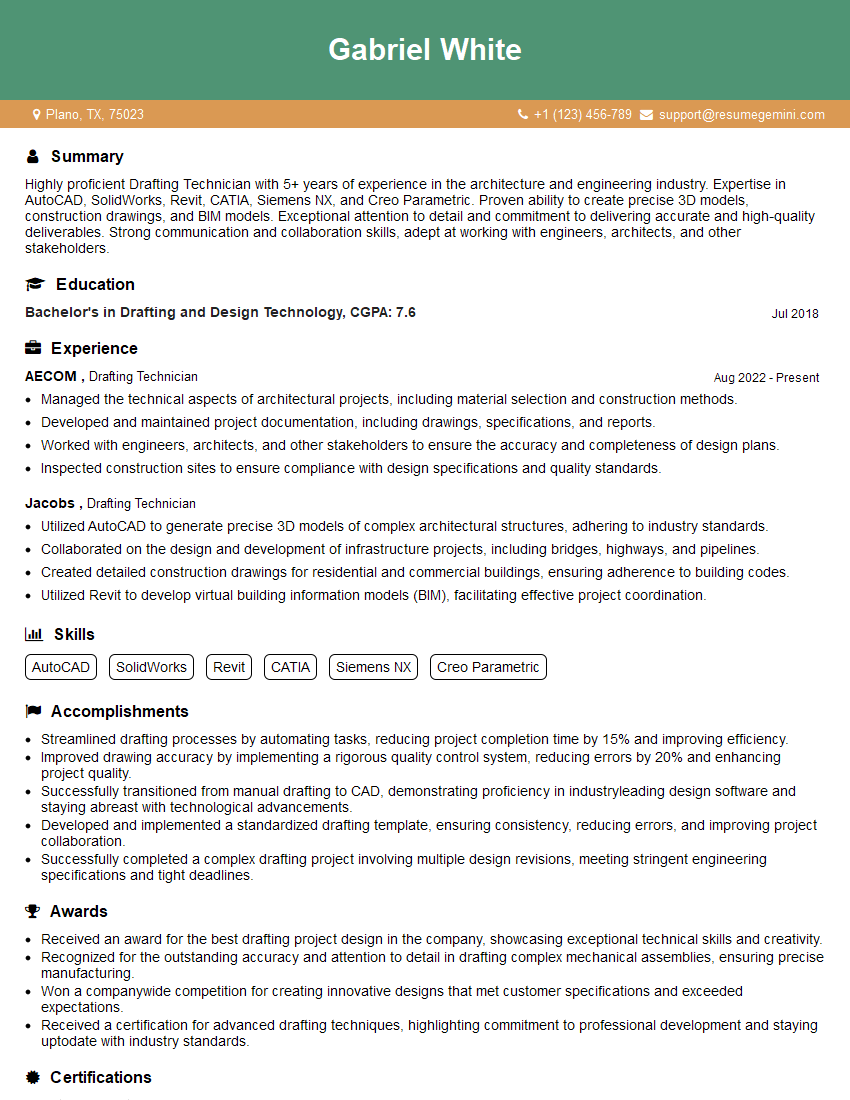
Mastering CAD software is crucial for a successful career in engineering, architecture, design, and many other fields. It opens doors to exciting projects and professional growth opportunities. To increase your chances of landing your dream job, invest time in crafting a strong, ATS-friendly resume that highlights your skills and experience. ResumeGemini is a trusted resource that can help you build a professional resume that stands out. We provide examples of resumes tailored to showcasing CAD software proficiency – use them to inspire your own!



Explore more articles
Users Rating of Our Blogs
Share Your Experience
We value your feedback! Please rate our content and share your thoughts (optional).
What Readers Say About Our Blog
To the interviewgemini.com Webmaster.
Very helpful and content specific questions to help prepare me for my interview!
Thank you
To the interviewgemini.com Webmaster.
This was kind of a unique content I found around the specialized skills. Very helpful questions and good detailed answers.
Very Helpful blog, thank you Interviewgemini team.