Unlock your full potential by mastering the most common PLC Control System Maintenance interview questions. This blog offers a deep dive into the critical topics, ensuring you’re not only prepared to answer but to excel. With these insights, you’ll approach your interview with clarity and confidence.
Questions Asked in PLC Control System Maintenance Interview
Q 1. Explain the different types of PLC programming languages you are familiar with.
PLCs utilize various programming languages to control industrial processes. My experience encompasses several key languages:
- Ladder Logic (LD): This is the most common language, using a graphical representation of electrical relay logic. It’s intuitive and easy to understand, even for those without a strong programming background. Think of it like a wiring diagram, with contacts, coils, and timers represented visually. I frequently use it for simple on/off control and sequential operations. For example, I used LD to program a conveyor system’s start/stop sequence and emergency stop functionality.
- Function Block Diagram (FBD): FBD uses graphical blocks representing functions and their interconnections. It’s well-suited for complex control systems because it visually represents data flow. I’ve utilized FBD to implement PID controllers in temperature regulation systems, where the clear visualization of the control algorithm is crucial.
- Structured Text (ST): This is a high-level language similar to Pascal or C. It’s suitable for complex algorithms and mathematical calculations, offering more flexibility than graphical languages. I used ST to develop a sophisticated control algorithm for a robotic arm’s precise movements, incorporating complex coordinate transformations.
- Instruction List (IL): This is a low-level language using mnemonics to represent PLC instructions. While powerful, it can be less readable than other languages. I primarily use it for specific tasks requiring precise control at the instruction level, particularly when dealing with legacy systems.
- Sequential Function Chart (SFC): SFC is a graphical language used for sequential control applications. It visually represents the steps in a process and the transitions between them, making complex sequences easier to understand and debug. I employed SFC in a project involving a multi-stage manufacturing process, clearly outlining the sequence of operations and dependencies.
Q 2. Describe your experience troubleshooting PLC hardware failures.
Troubleshooting PLC hardware is a systematic process. I begin with visual inspection, checking for obvious issues like loose connections, damaged wires, or burnt components. I then use diagnostic tools provided by the PLC manufacturer. These tools usually include LEDs indicating power and communication status, and software utilities for accessing diagnostic information.
For example, I once encountered a PLC that wasn’t responding. Visual inspection revealed nothing, but using the diagnostic software, I found an error indicating a faulty input module. Replacing the module resolved the problem. Another time, a system was experiencing intermittent failures. Using a multimeter, I discovered a faulty power supply, leading to voltage fluctuations that were causing the problems.
Beyond the basic tools, understanding the system’s architecture is crucial. Knowledge of communication protocols (like Ethernet/IP, Profibus, etc.) helps diagnose network problems, while understanding the I/O configuration helps isolate issues to specific modules. Documentation plays a vital role. Referring to wiring diagrams and I/O lists significantly speeds up troubleshooting.
Q 3. How do you approach diagnosing a faulty PLC program?
Diagnosing faulty PLC programs requires a methodical approach. I begin by reviewing the program’s documentation and understanding its intended functionality. Then, I use the PLC’s debugging tools, such as:
- Watchpoints: Setting watchpoints on specific variables allows monitoring their values during program execution. This helps identify unexpected values or behavior.
- Breakpoints: Similar to watchpoints but halting execution at a specific point, enabling step-by-step analysis of the program flow.
- Force values: Temporarily overriding the values of variables to test different scenarios and isolate problematic sections of the program.
For instance, imagine a conveyor belt not stopping when a sensor detects an object. By setting a watchpoint on the sensor’s input and the conveyor’s motor control variable, I can determine if the sensor is functioning correctly and if the PLC is responding to the sensor input appropriately. If the logic is faulty, stepping through the program with breakpoints helps pinpoint the source of the error. Using force values, I can simulate the sensor triggering and directly control the motor to verify hardware functionality before adjusting the program logic.
This systematic approach, combined with a solid understanding of ladder logic and the control process, significantly improves the efficiency of troubleshooting PLC programs.
Q 4. What are the common causes of PLC communication errors?
PLC communication errors are common and stem from various issues. Here are some frequent causes:
- Network Cabling Problems: Loose, damaged, or incorrectly wired cables are a frequent culprit. A simple visual inspection or a cable tester can identify this.
- Incorrect Network Settings: Mismatched IP addresses, subnet masks, or gateway settings prevent communication between the PLC and other devices.
- Hardware Failures: Faulty network interface cards (NICs) on either the PLC or the connecting device can disrupt communication.
- Communication Protocol Issues: Problems with the communication protocol (e.g., Ethernet/IP, Profibus) can lead to errors. This may involve incorrect configuration settings or compatibility issues between devices.
- Network Congestion: High network traffic from other devices can interfere with PLC communication, particularly on shared networks.
- Power Issues: Inadequate power to network devices can interrupt communications.
Troubleshooting involves checking cables, verifying network configurations, testing network connectivity, and examining the PLC and connecting device logs for error messages. It’s important to systematically isolate the source of the problem. If you are uncertain about the cause, involving a network specialist is beneficial.
Q 5. Explain your experience with PLC ladder logic programming.
My experience with PLC ladder logic programming is extensive. I’ve designed, implemented, and maintained numerous industrial control systems using ladder logic. My proficiency covers a wide range of functionalities, including:
- Basic Logic Gates: AND, OR, NOT, XOR gates for implementing simple decision-making in the control system.
- Timers and Counters: Implementing time-based operations and counting events (e.g., parts produced on a conveyor belt).
- Data Handling: Moving data between memory locations within the PLC, using data registers and manipulating data.
- Mathematical Functions: Performing arithmetic and logical operations on data, essential for process calculations.
- Control Structures: Implementing loops (FOR, WHILE), CASE statements, and conditional logic (IF-THEN-ELSE) for more complex control sequences.
- Analog Input/Output: Reading and processing analog signals (e.g., temperature, pressure) and controlling analog outputs (e.g., valve positions).
I am also proficient in using ladder logic to integrate various sensors, actuators, and other I/O devices, ensuring seamless system operation. For example, I recently developed a ladder logic program to control a filling machine, accurately dispensing liquid based on a setpoint value and monitoring levels using analog sensors and controlling pneumatic valves through digital outputs.
Q 6. Describe your process for backing up and restoring PLC programs.
Backing up and restoring PLC programs is crucial for system reliability and recovery. My process involves several key steps:
- Regular Backups: I establish a schedule for regular backups, typically daily or weekly, depending on the criticality of the system and the frequency of program changes.
- Multiple Backup Locations: Backups are stored in multiple locations to protect against data loss due to hardware failure or accidental deletion. This might include a network drive, a local drive, and external media.
- Version Control: When making significant changes, I use version control to maintain a history of the program. This allows reverting to earlier versions if necessary.
- Backup Method: I employ the PLC’s built-in backup/restore functionality or use third-party software specifically designed for PLC programming. The specific method depends on the PLC manufacturer and its capabilities.
- Documentation: Along with the program backup, I also back up all relevant documentation, such as I/O lists, wiring diagrams, and any specific notes about the program’s logic.
- Restoration Testing: After restoring a backup, I perform thorough testing to ensure everything functions as expected before returning the system to operation.
Following this process ensures system data integrity and facilitates quick recovery in case of failure. This minimizes downtime and prevents data loss. I always test restored programs thoroughly in a simulated environment before deployment to a live system.
Q 7. How do you ensure the safety of PLC systems during maintenance?
Safety is paramount during PLC system maintenance. My approach involves these key practices:
- Lockout/Tagout Procedures: Before any maintenance, I follow strict lockout/tagout (LOTO) procedures to de-energize the equipment, preventing accidental activation and ensuring worker safety. This is crucial to prevent injuries during maintenance operations.
- Risk Assessment: I conduct a risk assessment to identify potential hazards during maintenance. This ensures I have appropriate safety measures in place.
- Safety Equipment: I utilize appropriate personal protective equipment (PPE), such as safety glasses, gloves, and appropriate clothing, depending on the work being performed.
- Emergency Stop Procedures: I’m familiar with the emergency stop procedures for the equipment and ensure they are easily accessible during maintenance.
- Testing Procedures: After maintenance, I rigorously test the system to ensure it functions correctly and safely before returning it to operation. This verifies that the implemented changes don’t introduce safety risks.
- Training and Documentation: I ensure that all team members involved in PLC maintenance are adequately trained in safety procedures and have access to complete and up-to-date documentation.
Adherence to these procedures minimizes risks and ensures a safe working environment for myself and my colleagues. Safety is an ongoing concern, and we regularly review our procedures to enhance them as needed.
Q 8. What are your strategies for preventative maintenance on PLC systems?
Preventative maintenance on PLC systems is crucial for ensuring reliable operation and minimizing downtime. My strategy is built around a proactive, multi-layered approach focusing on both hardware and software.
- Regular Inspections: I conduct visual inspections of the PLC cabinet, checking for loose connections, overheating components, signs of corrosion, and proper ventilation. This includes examining I/O modules, power supplies, and communication cables.
- Firmware Updates: Keeping the PLC firmware up-to-date is essential for patching security vulnerabilities and accessing new features that may improve performance or reliability. I track firmware versions and schedule updates during planned downtime to avoid disruption.
- Environmental Monitoring: PLC cabinets can be susceptible to extreme temperatures and humidity. I ensure proper environmental controls are in place and regularly monitor temperature and humidity levels to prevent damage.
- Backup and Restore Procedures: Regular backups of the PLC program and configuration are essential. I use a version control system to track changes and ensure easy restoration in case of a system failure. I also regularly test the restoration process to verify its effectiveness.
- Preventive Cleaning: Dust accumulation can cause overheating and component failure. Regular cleaning of the PLC cabinet using compressed air (with proper precautions) prevents such issues.
- Predictive Maintenance: Where possible, I leverage data analytics and monitoring tools to predict potential failures before they occur. For example, monitoring temperature sensors on critical components can alert me to impending issues.
For example, in a recent project controlling a packaging line, I implemented a predictive maintenance program by monitoring motor current readings. This early detection allowed for timely maintenance, preventing a costly production halt.
Q 9. Explain your understanding of different PLC communication protocols (e.g., Ethernet/IP, Modbus).
PLC communication protocols enable different devices to exchange data. Understanding these protocols is crucial for integrating PLCs into larger automation systems. Here are a few common ones:
- Ethernet/IP (CIP): This is a common industrial Ethernet protocol, primarily used by Allen-Bradley PLCs. It offers high speed, deterministic communication, and robust error handling. It’s often used for large, complex systems where real-time communication is critical.
- Modbus: A widely adopted serial communication protocol, known for its simplicity and open standard. It’s used across various vendors and is a good choice for simpler applications or when interoperability is a key requirement. It can be implemented using RS-232, RS-485, or TCP/IP. The flexibility makes it very common.
- Profibus: A fieldbus protocol often found in Siemens automation systems, known for its speed and reliability. It’s a robust solution frequently used in demanding industrial settings.
- Profinet: Another prominent Ethernet-based protocol from Siemens that combines the best features of Profibus with Ethernet’s advantages like high bandwidth and longer distances.
Understanding the differences between these protocols involves knowing their data structures, addressing schemes, and error detection mechanisms. For example, while both Ethernet/IP and Modbus use TCP/IP for communication over Ethernet, their data packets and addressing methods differ significantly.
Q 10. How do you handle emergency situations involving PLC system failures?
Handling PLC system failures requires a structured and rapid response. My approach follows these steps:
- Immediate Assessment: First, I identify the nature and extent of the failure. Is it a complete system shutdown, a partial malfunction, or a specific I/O issue? Safeguarding personnel and equipment is the top priority.
- Isolate the Problem: I try to isolate the failed component. Is it the PLC itself, an I/O module, a sensor, or a communication issue? Careful observation, diagnostics tools, and possibly temporarily removing components can help.
- Implement Emergency Procedures: Many systems have emergency shutdown procedures or fallback mechanisms. I’ll engage those if available to minimize production loss or safety hazards.
- Diagnostics and Troubleshooting: Using diagnostics tools embedded in the PLC and external equipment (multimeters, logic analyzers), I identify the root cause of the failure. PLC programming software allows accessing internal diagnostics and error logs.
- Temporary Fix and Repair: Depending on the severity and available resources, I might implement a temporary workaround to restore partial functionality while the permanent repair is underway. This may involve bypassing faulty components or using spare parts.
- Documentation and Reporting: I thoroughly document the failure, the troubleshooting steps taken, the repair actions, and any preventive measures I implement to avoid similar incidents in the future. This is essential for root cause analysis and continuous improvement.
For example, during a recent incident involving a failed sensor on a conveyor system, I quickly identified the faulty sensor using the PLC’s diagnostics. After replacing it, the system was back online within minutes.
Q 11. Describe your experience with HMI (Human-Machine Interface) programming and troubleshooting.
HMIs are critical for human-machine interaction within automation systems. My experience encompasses both programming and troubleshooting.
- HMI Programming: I use various HMI software packages (e.g., FactoryTalk View, WinCC) to design intuitive interfaces for operators. This involves creating screens for monitoring process variables, controlling equipment, and displaying alarms. My focus is on creating clear and efficient interfaces that minimize operator errors. I consider factors like screen layout, color coding, and alarm prioritization.
- HMI Troubleshooting: When HMI issues arise, I systematically investigate the problem using diagnostic tools built into the HMI software. This involves checking communication links between the HMI and the PLC, verifying the HMI program for errors, and ensuring the HMI hardware is functioning correctly. I also look into possible database issues and communication protocol mismatches.
- Alarms and Events: I carefully configure alarm and event systems, ensuring that appropriate notifications are generated for critical situations. This includes setting alarm thresholds, defining alert methods (visual and audible), and logging all alarms for later analysis.
In a recent project, I redesigned the HMI for a complex chemical process. The new interface improved operator efficiency by more than 20% and significantly reduced errors due to improved alarm management and a more intuitive layout.
Q 12. How do you document your PLC maintenance activities?
Thorough documentation is essential for effective PLC maintenance. My documentation practices include:
- Maintenance Logs: I maintain detailed logs of all maintenance activities, including dates, times, tasks performed, parts replaced, and any issues encountered. I use a structured format to ensure consistency and easy retrieval of information.
- PLC Program Version Control: I use version control systems to manage PLC programs, track changes, and facilitate rollback to previous versions if necessary. This is crucial for maintaining a history of program modifications and troubleshooting errors.
- Schematic Diagrams: I maintain up-to-date schematic diagrams of the PLC system, including wiring diagrams, I/O assignments, and communication networks. This aids troubleshooting and future modifications.
- Spare Parts Inventory: I maintain an inventory of spare parts, regularly checking stock levels and ordering new parts as needed. This minimizes downtime during repairs.
- Preventive Maintenance Schedules: I create and maintain schedules for routine inspections and preventative maintenance tasks. This ensures that critical maintenance activities are performed regularly.
All documentation is stored securely and is readily accessible to authorized personnel. I also use a centralized database to manage and share this information, ensuring everyone has the most current and accurate data.
Q 13. Explain your understanding of PLC I/O modules and their configurations.
PLC I/O modules are the interface between the PLC and the external world. They convert signals between the digital world of the PLC and the analog or discrete signals of sensors and actuators. The configuration involves selecting the appropriate modules based on the type and number of inputs and outputs required by the system.
- Digital I/O Modules: These handle on/off signals, typically used for controlling switches, relays, and other discrete devices. Configurations involve assigning addresses to each input and output point.
- Analog I/O Modules: These handle continuous signals, such as temperature, pressure, and flow readings from sensors. Configurations involve setting the input range, scaling factors, and output resolution.
- Specialized I/O Modules: There are specialized modules for specific applications, including communication modules (for connecting to other devices), high-speed counters, pulse-width modulation (PWM) outputs, and more. Each module has specific configuration parameters.
- Addressing and Mapping: The PLC’s I/O points are assigned addresses, and these addresses are mapped to the corresponding physical inputs and outputs on the modules. Incorrect addressing can lead to system malfunction.
- Module Configuration Software: PLC programming software usually includes tools for configuring I/O modules, setting parameters, and troubleshooting issues. This software helps streamline the process and provides valuable diagnostic tools.
For instance, configuring an analog input module for a temperature sensor involves specifying the input voltage range (e.g., 0-10V), the corresponding temperature range (e.g., 0-100°C), and the scaling factor to convert the voltage reading into a temperature value. Misconfiguration here can lead to inaccurate readings.
Q 14. What are your experience with different PLC manufacturers (e.g., Allen-Bradley, Siemens)?
My experience spans multiple PLC manufacturers, each with its own programming languages, hardware architectures, and software tools. This includes extensive work with:
- Allen-Bradley (Rockwell Automation): I’m proficient in Rockwell Automation’s PLC programming software, RSLogix 5000, and their various hardware platforms. I understand their ControlLogix, CompactLogix, and MicroLogix controllers, and the associated I/O modules.
- Siemens: I have significant experience with Siemens PLCs, including their S7-300, S7-400, and S7-1500 series. I’m familiar with their TIA Portal programming environment and their various communication protocols (Profinet, Profibus).
- Mitsubishi: I’m familiar with Mitsubishi PLCs and their GX Works programming software, including experience with their FX and Q series.
The key to working with different manufacturers lies in understanding the underlying principles of PLC programming and control systems. While the specific software and hardware vary, the fundamental concepts of ladder logic, data structures, and communication protocols remain consistent. My approach emphasizes a thorough understanding of these principles, making it easier to adapt to new platforms and manufacturers.
Q 15. Describe your experience with PLC system upgrades and modifications.
PLC system upgrades and modifications are a crucial part of keeping industrial automation systems efficient and up-to-date. This involves carefully analyzing the existing system, understanding its limitations, and planning for improvements. My approach involves several key steps:
- Needs Assessment: Thoroughly understanding the reasons for the upgrade – increased throughput, improved safety, integration of new equipment, etc. For example, an upgrade might be needed to handle increased production demands on a packaging line.
- System Analysis: Detailed review of the current PLC program, hardware components, and I/O configurations. This involves examining ladder logic, creating documentation, and identifying potential bottlenecks or inefficiencies. I’d use tools like PLC programming software and documentation to understand the existing system.
- Design and Planning: Developing a detailed plan for the upgrade, including hardware selection, software modifications, and testing procedures. This stage often includes creating detailed schematics and documenting the changes.
- Implementation: Careful execution of the upgrade plan, including installing new hardware, modifying the PLC program, and testing all functions thoroughly. This often involves working closely with electricians and other technicians. For instance, a migration from an older PLC model to a newer one would require careful wiring and software configuration.
- Testing and Validation: Rigorous testing to ensure the upgraded system operates as expected and meets all safety standards. This includes unit tests, integration tests, and finally, factory acceptance testing.
- Documentation and Handover: Creating updated documentation for the modified system and training personnel on the new system’s operation and maintenance.
For example, I recently upgraded a legacy Allen-Bradley PLC system in a food processing plant. The upgrade involved replacing outdated hardware, migrating the program to a newer platform, and integrating a new high-speed data acquisition system. The project required meticulous planning and execution to minimize downtime and ensure continued production.
Career Expert Tips:
- Ace those interviews! Prepare effectively by reviewing the Top 50 Most Common Interview Questions on ResumeGemini.
- Navigate your job search with confidence! Explore a wide range of Career Tips on ResumeGemini. Learn about common challenges and recommendations to overcome them.
- Craft the perfect resume! Master the Art of Resume Writing with ResumeGemini’s guide. Showcase your unique qualifications and achievements effectively.
- Don’t miss out on holiday savings! Build your dream resume with ResumeGemini’s ATS optimized templates.
Q 16. How do you manage multiple PLC systems in a large industrial setting?
Managing multiple PLC systems in a large industrial setting requires a systematic approach. Think of it like managing a fleet of vehicles – each needs its own maintenance schedule but they all contribute to the overall operation. My strategy involves these key elements:
- Centralized Monitoring System: Using a SCADA (Supervisory Control and Data Acquisition) system to monitor the status and performance of all PLCs in real-time. This provides a single point of view for managing alarms and overall system health. Think of it as a central dashboard for all your PLCs.
- Standardized Procedures: Establishing and enforcing standardized procedures for programming, maintenance, and troubleshooting across all systems. This ensures consistency and makes problem-solving more efficient. A standard approach helps in troubleshooting issues faster, especially when different technicians are involved.
- Version Control and Backup System: Implementing a robust system for version control and regular backups of PLC programs to prevent data loss and facilitate easy restoration in case of failures. This is critical for disaster recovery and efficient maintenance.
- Preventive Maintenance Schedule: Developing and adhering to a preventive maintenance schedule for each PLC to minimize downtime and extend equipment lifespan. This includes regular inspections, cleaning, and component replacements. Imagine a car’s service schedule—PLCs need similar attention.
- Remote Access and Diagnostics: Utilizing remote access capabilities to diagnose and troubleshoot problems remotely, reducing the need for on-site visits. This speeds up issue resolution.
- Documentation: Maintaining comprehensive documentation for each PLC system, including wiring diagrams, program descriptions, and maintenance logs. This makes troubleshooting and upgrades easier in the long run.
In a recent project, I managed over 20 PLCs across a large manufacturing facility using a centralized SCADA system. The system allowed me to monitor performance, diagnose issues, and implement corrective actions efficiently, resulting in significant improvements in overall equipment effectiveness (OEE).
Q 17. Explain your understanding of safety instrumented systems (SIS) related to PLCs.
Safety Instrumented Systems (SIS) are crucial in industrial settings to protect personnel, equipment, and the environment from hazardous events. These systems are independent from the basic process control system and are designed to automatically shut down operations or take mitigating actions in case of dangerous situations. PLCs often play a vital role in SIS implementation.
- Safety PLC: A dedicated PLC, often with separate hardware and power supply, is used to manage the safety functions. This separation ensures that a failure in the main control system doesn’t compromise the safety system.
- Safety Functions: The PLC executes safety functions based on input from sensors and other safety devices. These functions might include emergency shutdowns (ESDs), interlocks, and safety relays. Example: Detecting high temperature and initiating an emergency shutdown.
- Redundancy and Fail-Safe Design: SIS implementations usually involve redundancy to ensure high reliability. For example, using dual-channel PLCs with voting logic to ensure safety even if one channel fails.
- Safety Standards and Certification: Strict adherence to safety standards like IEC 61508 and related standards is mandatory. This includes validation and verification of the safety functions and regular testing.
- SIL Rating: The Safety Integrity Level (SIL) is a quantitative measure of the risk reduction provided by an SIS. Higher SIL ratings represent higher safety integrity.
I’ve worked on several projects where PLCs were integral to SIS implementation, ensuring compliance with strict safety standards. For instance, I helped implement an ESD system in a chemical plant that uses PLCs to monitor critical process parameters and initiate an emergency shutdown in case of deviations from safe operating limits.
Q 18. What are your experience with data acquisition and logging from PLCs?
Data acquisition and logging from PLCs is essential for monitoring system performance, identifying trends, and improving process efficiency. The process typically involves several steps:
- Data Acquisition: Reading data from the PLC using various communication protocols like Modbus, Ethernet/IP, or Profibus. This involves configuring the PLC to allow data access and using appropriate software or hardware interfaces.
- Data Formatting: Converting raw data from the PLC into a usable format. This might involve scaling, unit conversion, and data filtering. For example, converting raw sensor readings to engineering units.
- Data Storage: Storing acquired data in a database or other storage medium. This could be a local database, a cloud-based solution, or a historian system.
- Data Analysis and Visualization: Using data analysis tools to extract insights from the stored data. This often involves creating charts, graphs, and reports to visualize trends and patterns. This helps identify potential issues or areas for improvement.
For example, I’ve used Kepware and Ignition SCADA software to acquire data from various PLC platforms, store it in a historian database, and create dashboards showing key process variables. This allows operators to monitor the process effectively and identify potential issues before they escalate.
I have also worked with systems that use OPC (OLE for Process Control) servers to facilitate data acquisition from diverse PLC brands and other industrial devices.
Q 19. How do you interpret PLC alarm messages and logs?
Interpreting PLC alarm messages and logs is crucial for efficient troubleshooting. It’s like reading the car’s check engine light – you need to understand the code to fix the problem. My approach involves:
- Understanding Alarm Codes: Familiarizing myself with the PLC’s alarm codes and their meanings. Most PLC systems provide documentation or online resources to decode alarm codes. This often requires consulting the PLC manufacturer’s manuals and system documentation.
- Analyzing Alarm History: Reviewing the sequence of events leading up to an alarm, using historical data and system logs. This helps identify the root cause of the problem.
- Correlating Alarms with Process Data: Comparing alarm messages with process data acquired during the same time period. This helps identify the variables related to the alarm.
- Using Diagnostic Tools: Employing built-in PLC diagnostic tools to identify specific hardware or software issues. PLCs often have built-in diagnostics that reveal problems such as communication errors or memory issues.
- Tracing Program Logic: Tracing the program logic to determine how the alarm condition was triggered. This involves stepping through the ladder logic or code to understand the sequence of events.
For instance, a recent project involved a PLC alarm indicating a sensor fault. By reviewing the alarm history and process data, I discovered that the sensor was failing intermittently and had eventually reached a point where it triggered the alarm. Replacing the sensor resolved the issue.
Q 20. Explain your approach to resolving PLC program conflicts.
PLC program conflicts can arise from various sources, such as simultaneous access by multiple programmers, incorrect program merging, or conflicts between different software versions. Resolving these conflicts requires a systematic approach:
- Version Control: Using a version control system (like Git) to track changes and manage multiple versions of the program. This prevents accidental overwriting and simplifies conflict resolution.
- Code Comparison Tools: Utilizing code comparison tools to identify differences between conflicting versions of the program. This helps in pinpointing the specific sections of the code where conflicts exist.
- Merge Functionality: Using the merge functionality of the PLC programming software to integrate changes from different versions of the program. This is done carefully and requires understanding how to resolve conflicting changes manually if necessary.
- Code Review: Having multiple programmers review the merged code to ensure that the changes are correct and don’t introduce new errors. This is a crucial step for quality assurance and verification.
- Thorough Testing: Rigorous testing of the merged program to verify that it operates as expected and doesn’t exhibit unexpected behavior. This includes unit testing and integration testing.
In a recent situation, two programmers were working simultaneously on the same PLC program. Using code comparison and merge tools, we identified and resolved the conflicting changes, ensuring a stable and functional program.
Q 21. How do you ensure the accuracy and reliability of PLC programs?
Ensuring the accuracy and reliability of PLC programs is critical for safe and efficient operation. This involves a multi-layered approach:
- Structured Programming: Following structured programming principles to write clear, concise, and easily maintainable code. This involves using modular design, meaningful variable names, and comments to improve readability and understanding. Think of it as building with well-defined blocks, instead of a random pile of components.
- Code Reviews: Conducting regular code reviews to identify potential errors, improve code quality, and ensure adherence to programming standards. A second pair of eyes helps catch bugs and inconsistencies.
- Testing: Implementing a thorough testing strategy that includes unit testing, integration testing, and system testing. This involves testing individual components, modules, and the entire system to ensure proper functionality and performance.
- Simulation: Using PLC simulation software to test the program in a virtual environment before deploying it to the actual hardware. This helps identify and resolve potential problems early on, without risking downtime.
- Documentation: Maintaining comprehensive documentation of the PLC program, including variable descriptions, function descriptions, and I/O assignments. This simplifies future maintenance and modifications. This is your instruction manual for the PLC system.
- Redundancy: Implementing redundancy where appropriate to enhance system reliability. This might involve using backup PLCs or redundant I/O modules.
For example, in a recent project, we used a combination of structured programming, code reviews, and simulation to create a robust and reliable PLC program for a critical process. This approach minimized the risk of errors and ensured safe and efficient operation.
Q 22. Describe your experience with different PLC hardware architectures.
My experience encompasses a wide range of PLC hardware architectures, from compact modular PLCs suitable for smaller applications to large, redundant systems used in critical infrastructure. I’ve worked extensively with various manufacturers, including Siemens (S7-1200, S7-1500, and S7-400 series), Rockwell Automation (Allen-Bradley ControlLogix and CompactLogix), and Schneider Electric (Modicon M340 and Premium PLCs).
I understand the nuances of different processor architectures, memory types (RAM, ROM, Flash), communication interfaces (Ethernet/IP, Profinet, Modbus TCP/IP, Profibus), and input/output (I/O) module configurations. For example, I’ve worked on projects requiring high-speed counter modules for precise motion control, analog I/O modules for process monitoring, and safety I/O modules for hazardous environments. Understanding these hardware specifics is crucial for efficient troubleshooting and system optimization. I’m familiar with the trade-offs between different architectures, considering factors such as cost, performance, scalability, and maintainability when recommending solutions for new projects.
Furthermore, I’m experienced in troubleshooting hardware failures, including diagnosing faulty I/O modules, power supply issues, and communication problems. My approach involves systematic testing, using diagnostic tools and leveraging my understanding of the underlying hardware architecture to pinpoint the root cause efficiently.
Q 23. What are your experience with PLC simulation software?
I’m proficient in several PLC simulation software packages, primarily using Siemens TIA Portal’s simulation capabilities, Rockwell Automation’s FactoryTalk Logix Emulate, and RSLogix 5000 Emulate. These tools allow me to test and debug PLC programs in a safe, virtual environment before deploying them to physical hardware. This significantly reduces downtime and risk associated with deploying untested code to production systems.
Simulation is invaluable for various tasks, such as verifying program logic, testing complex sequences, and training technicians. For instance, I recently used FactoryTalk Logix Emulate to simulate a robotic cell’s operation, allowing us to identify and fix a timing issue in the control program without interrupting the production line. I can also use these tools to create virtual representations of entire systems, including HMI interfaces and other field devices, ensuring complete system verification before installation.
I find that simulating fault conditions is particularly beneficial. I can intentionally introduce errors (e.g., sensor failures, communication interruptions) to test the program’s robustness and ensure that it responds correctly to unexpected situations. This proactive approach enhances the reliability and resilience of the final system.
Q 24. Explain your understanding of PLC cybersecurity best practices.
PLC cybersecurity is paramount, and my approach centers on a multi-layered defense strategy. This begins with securing the physical access to the PLC and its network infrastructure. This includes measures such as physical security locks, restricted access to control panels, and the use of firewalls to segregate the PLC network from the corporate network.
Beyond physical security, network security is crucial. This involves implementing strong passwords, disabling unnecessary network services, and regularly updating firmware and software to patch known vulnerabilities. I advocate for the use of virtual private networks (VPNs) to secure remote access to PLCs, and strongly advise against using default passwords or easily guessable credentials. Regular network scanning and intrusion detection systems are also essential components of a robust cybersecurity posture.
Furthermore, proper configuration and monitoring are crucial. This includes disabling unnecessary ports, using strong encryption protocols for communication, and implementing access control lists (ACLs) to restrict access to the PLC system. I’m experienced in working with different security protocols, including HTTPS and secure shell (SSH), to protect data transmitted to and from the PLC.
Finally, regular security audits and employee training are essential to maintain a robust security posture. These audits identify weaknesses in the system, and employee training ensures everyone understands and follows security best practices. Think of it like building a castle – you need strong walls, a good moat, and vigilant guards to keep it secure.
Q 25. How do you handle PLC firmware updates and patching?
Handling PLC firmware updates and patching requires a systematic and meticulous approach to minimize downtime and avoid potential issues. Before undertaking any firmware update, I always thoroughly review the release notes and compatibility information provided by the manufacturer. This ensures that the new firmware is compatible with the existing hardware and software components of the system.
I create a comprehensive backup of the existing PLC program and configuration before initiating the update process. This backup acts as a safety net, enabling a quick rollback if any issues arise during the update. A staged deployment approach is often preferred; I might update a system in a controlled test environment first before deploying to production. This allows for validation in a less-risky environment.
During the update process, I carefully monitor the PLC’s status and log files. This helps identify any errors or unexpected behavior. Post-update, I perform rigorous testing to verify the functionality of all system components and ensure that the update has not introduced new issues. This might involve running automated test scripts or manual tests depending on the complexity of the system. Documentation of each step of the process is crucial for auditing and future reference.
Q 26. Describe your experience with PLC network configuration and troubleshooting.
My experience in PLC network configuration and troubleshooting involves a deep understanding of various industrial communication protocols, including Ethernet/IP, Profinet, Modbus TCP/IP, and Profibus. I’m proficient in configuring network devices such as switches, routers, and industrial firewalls, and I understand the importance of network segmentation for security and reliability.
Troubleshooting network issues often involves a systematic approach. I begin by checking basic connectivity using tools like ping and tracert. I then analyze network traffic using protocol analyzers to identify communication errors or bottlenecks. Furthermore, I can use PLC diagnostic tools to check the communication status of individual modules and devices. For instance, I recently resolved a network issue caused by a faulty switch by systematically isolating and replacing network components until the problem was identified and resolved. I am adept at interpreting network diagrams and using them to trace the flow of data and identify potential points of failure.
I’m also familiar with configuring various network settings, such as IP addresses, subnet masks, and default gateways. My experience includes setting up redundant network architectures to ensure high availability and fault tolerance in critical applications. Understanding network topologies (star, ring, mesh) is crucial for optimizing performance and minimizing downtime.
Q 27. What are your experience with using diagnostic tools for PLC systems?
My experience with diagnostic tools for PLC systems is extensive, and I regularly employ a variety of tools depending on the specific PLC manufacturer and the nature of the problem. For Siemens PLCs, I utilize TIA Portal’s diagnostic features, including online monitoring, forced values, and the ability to view error logs. For Rockwell Automation PLCs, I use RSLogix 5000 and FactoryTalk View SE to monitor program execution, I/O status, and alarm conditions. In addition to manufacturer-specific tools, I use general-purpose network monitoring tools like Wireshark to analyze network traffic and identify communication problems.
Beyond software tools, I’m proficient in using hardware diagnostic tools such as multimeters and oscilloscopes to check voltage levels, signal integrity, and wiring continuity. These tools are invaluable for identifying hardware malfunctions such as faulty sensors, damaged wiring, or power supply problems. I always follow a structured troubleshooting process, starting with a visual inspection of the system, followed by checking the PLC’s status and logs, and finally, using hardware diagnostic tools to investigate potential hardware issues. I document all troubleshooting steps meticulously, including observations, measurements, and corrective actions. This ensures that problems can be addressed efficiently and prevents similar issues from recurring.
Moreover, I leverage the PLC’s built-in diagnostic capabilities extensively. Most modern PLCs have extensive self-diagnostic features that provide valuable information about the system’s health and potential problems. This includes error codes, alarm conditions, and runtime statistics. Analyzing this information is often the first step in effective troubleshooting. The combination of software, hardware, and PLC’s self-diagnostic features provide a comprehensive approach for quick and effective fault diagnosis.
Key Topics to Learn for PLC Control System Maintenance Interview
- PLC Programming Languages: Understand the fundamentals of ladder logic, function block diagrams, and structured text. Be prepared to discuss your experience with different PLC programming software packages.
- Troubleshooting and Diagnostics: Practice identifying and resolving common PLC system malfunctions. This includes using diagnostic tools, interpreting error codes, and systematically tracing faults in complex control systems.
- Hardware Components: Demonstrate a solid understanding of PLC hardware architecture, including input/output modules, communication networks (e.g., Ethernet/IP, Profibus), and power supplies. Be prepared to discuss troubleshooting hardware issues.
- Safety and Regulations: Highlight your awareness of relevant safety standards and regulations concerning PLC systems, including lockout/tagout procedures and risk assessments. This demonstrates responsibility and professionalism.
- Preventive Maintenance: Discuss your experience with creating and implementing preventative maintenance schedules, including regular inspections, cleaning, and calibration of PLC components to ensure optimal system performance and longevity.
- Data Acquisition and Analysis: Explain your ability to collect data from PLC systems, analyze trends, and identify potential issues before they become major problems. This demonstrates proactive problem-solving skills.
- Networking and Communication: Describe your experience with configuring and troubleshooting industrial communication networks used with PLCs. This could include topics like network protocols, data transfer rates, and communication diagnostics.
- SCADA Systems Integration: Be ready to discuss your understanding of how PLCs integrate with Supervisory Control and Data Acquisition (SCADA) systems for monitoring and control of industrial processes.
Next Steps
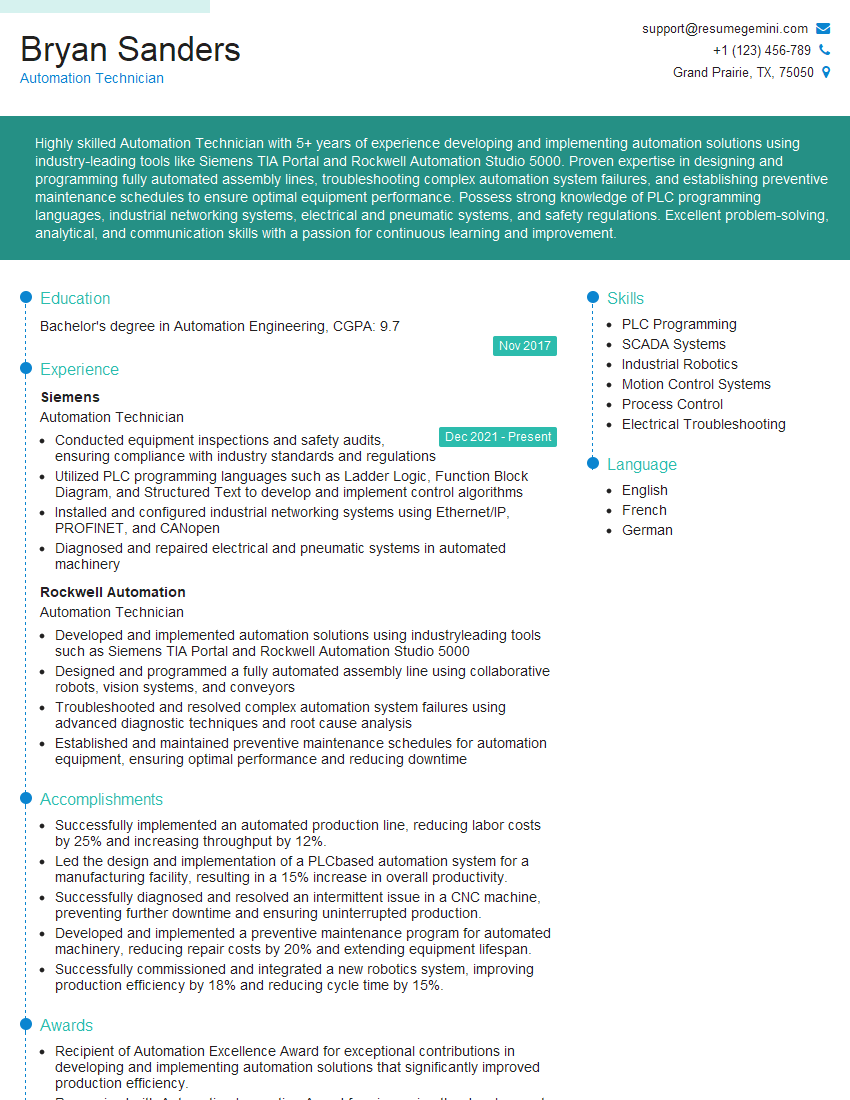
Mastering PLC Control System Maintenance opens doors to exciting career opportunities with increasing responsibility and earning potential. A strong, ATS-friendly resume is crucial to showcasing your skills and experience effectively to potential employers. To build a compelling and impactful resume that highlights your expertise in PLC Control System Maintenance, we encourage you to utilize ResumeGemini. ResumeGemini provides a user-friendly platform to create professional resumes, and we offer examples of resumes tailored specifically to PLC Control System Maintenance professionals to help you get started. Take the next step in your career journey – build a resume that makes you stand out!


Explore more articles
Users Rating of Our Blogs
Share Your Experience
We value your feedback! Please rate our content and share your thoughts (optional).
What Readers Say About Our Blog
To the interviewgemini.com Webmaster.
Very helpful and content specific questions to help prepare me for my interview!
Thank you
To the interviewgemini.com Webmaster.
This was kind of a unique content I found around the specialized skills. Very helpful questions and good detailed answers.
Very Helpful blog, thank you Interviewgemini team.