Unlock your full potential by mastering the most common Raster and Vector Data Analysis interview questions. This blog offers a deep dive into the critical topics, ensuring you’re not only prepared to answer but to excel. With these insights, you’ll approach your interview with clarity and confidence.
Questions Asked in Raster and Vector Data Analysis Interview
Q 1. Explain the difference between raster and vector data.
Raster and vector data are two fundamental ways of representing geographic information in a computer. Think of it like this: raster data is like a photograph – a grid of pixels, each with a value representing something like color or elevation. Vector data, on the other hand, is like a drawing – composed of points, lines, and polygons defined by precise coordinates. Raster data is best for representing continuous phenomena, while vector data is ideal for discrete features.
Raster Data: Imagine a satellite image. Each pixel represents a tiny square on the earth’s surface, and the color of that pixel represents something, like the type of land cover.
Vector Data: Consider a map showing roads. Each road is a line defined by its start and end points, and possibly intermediate points to create curves. Similarly, a lake would be represented as a polygon defined by a series of connected points.
Q 2. What are the advantages and disadvantages of raster and vector data?
Each data type has its own strengths and weaknesses. The best choice depends on your specific needs and the nature of the data.
- Raster Advantages: Simple to understand and visualize; good for representing continuous data like elevation or temperature; readily available from satellite and aerial imagery.
- Raster Disadvantages: Can be large file sizes; resolution limits accuracy; spatial analysis can be computationally intensive.
- Vector Advantages: Precise representation of features; smaller file sizes than equivalent raster data; good for spatial analysis and topology.
- Vector Disadvantages: More complex data structure; not ideal for representing continuous data; rendering can be slower than raster.
Example: A land cover map might be represented as a raster, while a road network would be better suited as vector data. Choosing the wrong type can significantly impact analysis accuracy and efficiency.
Q 3. Describe different types of raster data (e.g., imagery, DEM).
Raster data comes in many forms, all sharing the common characteristic of a grid of cells. Here are some key types:
- Satellite Imagery: Images captured by satellites, offering various spectral bands (e.g., visible, infrared) useful for land cover classification, vegetation analysis, and more. Think Google Earth imagery.
- Aerial Photography: Similar to satellite imagery, but captured from airplanes, typically at higher resolution and often covering smaller areas.
- Digital Elevation Models (DEMs): Represent the elevation of the earth’s surface. Each pixel value represents the height above sea level, allowing for topographic analysis, slope calculations, and 3D visualization.
- Scanned Maps: Rasterized versions of paper maps, often used as a base layer or for historical data. This process converts a vector-based image into a raster.
Each type has unique properties and applications. For instance, a DEM is essential for hydrological modeling, while multispectral satellite imagery allows for crop yield prediction.
Q 4. Describe different types of vector data (e.g., points, lines, polygons).
Vector data uses geometric primitives to represent spatial features. The three basic types are:
- Points: Represent locations, like cities, wells, or GPS coordinates. They’re defined by a single coordinate pair (x, y).
- Lines: Represent linear features like roads, rivers, or pipelines. They’re defined by two or more points, representing the start, end, and any intermediate points along the line.
- Polygons: Represent areas such as lakes, buildings, or land parcels. They’re defined by a closed sequence of points, creating a bounded area.
These basic types can be combined to create more complex features and datasets. For example, a street network can be represented using line features, and the buildings along the street using polygon features. Attributes are commonly associated with these features, adding rich descriptive information to your data.
Q 5. How do you handle spatial data with different projections?
Spatial data often comes in different coordinate reference systems (projections), which define how locations on the curved surface of the Earth are represented on a flat map. It’s crucial to handle these projections correctly to avoid significant errors in spatial analysis and visualization.
The most common approach is to project the data into a common coordinate system before analysis. This involves transforming the coordinates of each feature from its original projection to the target projection. Many Geographic Information Systems (GIS) software packages offer tools to perform this operation. The choice of target projection should consider the area of interest and the type of analysis being performed.
Failing to account for different projections can result in incorrect distances, areas, and overlaps between features. For instance, an overlay between two datasets with different projections might appear as if features overlap when they actually do not.
Q 6. Explain the concept of spatial resolution in raster data.
Spatial resolution in raster data refers to the size of the individual cells (pixels) in the grid. It determines the level of detail captured in the data. A higher spatial resolution means smaller cells and more detail, while a lower spatial resolution means larger cells and less detail.
For example, a satellite image with a 1-meter resolution will show much more detail than an image with a 10-meter resolution. The 1-meter image will be able to distinguish smaller features and changes within the landscape, whereas the 10-meter image will be more generalized.
The choice of spatial resolution depends on the scale of your analysis and the desired level of detail. High resolution data can be very large and computationally intensive, while lower resolution data might not be suitable for fine-scale analyses. Consider this when making decisions about the type of data to use and for what purpose.
Q 7. What is georeferencing and why is it important?
Georeferencing is the process of assigning geographic coordinates (latitude and longitude) to a raster or vector dataset. It essentially connects the data to a real-world location on the Earth.
Why is it important? Without georeferencing, your data is just a collection of numbers or pixels without any geographic context. Georeferencing is crucial for:
- Spatial analysis: To perform operations like overlay, distance calculations, or proximity analysis, your data must have a known location.
- Visualization: To display your data on a map, you need to know where each point, line, or pixel belongs in the real world.
- Data integration: To combine different datasets, they must share a common coordinate system and be georeferenced correctly.
Georeferencing usually involves identifying control points (points with known coordinates in both the dataset and a reference map) and using software to transform the dataset’s coordinates to match the reference map’s coordinate system. The accuracy of georeferencing depends on the number and quality of the control points.
Q 8. Describe common spatial analysis techniques used with raster data (e.g., overlay, classification).
Raster data analysis involves manipulating gridded datasets. Common techniques include:
- Overlay Analysis: Combining multiple raster layers to create a new layer reflecting the combined information. For example, overlaying a land-use layer with a slope layer could identify areas suitable for development (flat land with suitable land use).
- Classification: Assigning each cell in a raster to a specific class based on its value or combination of values. This is used frequently in remote sensing, for instance, classifying pixels in a satellite image into different land cover types (forest, water, urban) based on spectral signatures.
- Reclassification: Changing the values within a raster dataset to a different set of values. Imagine reclassifying a elevation raster to show only high-elevation areas above a certain threshold.
- Spatial Filtering: Applying mathematical filters to smooth, sharpen, or enhance raster data, reducing noise. Think of blurring a satellite image to remove minor variations or sharpening it to highlight edges.
- Neighborhood Operations: Performing calculations on a pixel and its surrounding pixels (neighbors). Examples include calculating average elevation within a 3×3 window to reduce the effect of individual outlier measurements.
These techniques are crucial in fields like environmental monitoring, urban planning, and precision agriculture. For instance, a farmer might overlay soil moisture data with yield data to optimize irrigation strategies.
Q 9. Describe common spatial analysis techniques used with vector data (e.g., buffering, overlay).
Vector data analysis focuses on manipulating geographic features represented as points, lines, and polygons. Common techniques include:
- Buffering: Creating a zone around a feature at a specified distance. Think of creating a buffer zone around a river to delineate a flood-prone area or around a protected habitat to define a conservation zone.
- Overlay Analysis: Combining multiple vector layers, much like raster overlay. This is extremely important in spatial analysis, and includes operations like:
- Union: Combining all features from the input layers creating a new layer which combines features from all input layers
- Intersection: Finding the overlapping areas between features in different layers, identifying areas where two or more criteria are met (e.g., areas where a proposed road intersects a protected wetland).
- Difference: Identifying areas that are unique to a particular layer. For example, finding the parts of a city that are outside the zoning restriction area.
- Symmetic Difference: Finding areas which are unique to either of the input layers.
- Spatial Joins: Linking attributes from one vector layer to another based on spatial relationships (e.g., linking census data to polygon shapefile for analysis based on district-wise statistics).
- Network Analysis: Analyzing pathways and connectivity within a network (e.g., finding the shortest route between two points on a road network).
These are fundamental to tasks like urban planning (analyzing proximity to services), transportation route optimization and site selection.
Q 10. How do you perform spatial joins between raster and vector data?
Performing spatial joins between raster and vector data involves linking attribute information from a vector layer to pixels in a raster layer based on their spatial location. This is typically done by:
- Extraction: Extract raster values for each vector feature (e.g., extracting the average elevation within each polygon).
- Zonal Statistics: Calculating summary statistics of raster values within each vector zone (e.g., calculating the mean precipitation within each watershed polygon).
Many GIS software packages offer tools for this. You specify the vector layer (containing the polygons or points) and the raster layer (containing the data). The software then determines which raster cells fall within each vector feature and computes statistics. For example, a city might overlay a population density raster with a vector layer of census tracts to calculate the average population density for each tract, providing valuable demographic insights.
Q 11. Explain the concept of topology in vector data.
Topology in vector data refers to the spatial relationships between features. It defines how features connect and share boundaries, ensuring data integrity and consistency. Key topological relationships include:
- Connectivity: How lines connect to form networks (e.g., roads intersecting).
- Contiguity: How polygons share boundaries, maintaining consistent area calculations and preventing sliver polygons.
- Overlap: Identifying areas where features spatially overlap, crucial for resolving errors and maintaining data accuracy.
Think of it like a well-organized map. Topology ensures that roads connect properly at intersections, polygons don’t overlap inconsistently, and there are no gaps in the data that could lead to analytical errors. This is critical for accurate spatial analysis and data modelling.
Q 12. What are some common file formats for raster and vector data?
Common file formats include:
- Raster:
.tif(GeoTIFF),.img(ERDAS IMAGINE),.asc(ASCII grid) - Vector:
.shp(Shapefile – a collection of files, including .shp, .shx, .dbf),.geojson,.gml(Geography Markup Language),.kml(Keyhole Markup Language)
The choice of format depends on the application and specific needs of the project. GeoTIFF is a popular choice for its support for georeferencing and metadata, while Shapefiles are widely used but are not truly a single file format as they comprise multiple files.
Q 13. How do you handle missing data in raster and vector datasets?
Handling missing data is crucial for accurate analysis. Methods include:
- Raster: NoData values are frequently used to represent missing data. These can be handled by:
- Removal: Removing areas with NoData entirely from the analysis.
- Interpolation: Estimating missing values using nearby cells (see next question). Common methods include IDW, kriging, spline.
- Substitution: Replacing NoData with a constant value (e.g., mean, median, 0).
- Vector: Missing attributes are typically represented by blanks or NULL values in the attribute table. These can be handled by:
- Exclusion: Excluding records with missing attributes from analysis.
- Imputation: Filling missing attribute values using statistical methods or neighbouring values.
The best approach depends on the dataset, the amount of missing data, and the type of analysis being performed. It’s critical to document how missing data is handled to ensure transparency and reproducibility.
Q 14. What is spatial interpolation and why is it used?
Spatial interpolation estimates values at unsampled locations based on known values at nearby locations. It is used because often we don’t have data everywhere we need it. For example, we might have elevation measurements at scattered points but need a continuous elevation surface.
Common methods include:
- Inverse Distance Weighting (IDW): Values are weighted inversely by their distance from the unsampled point. Closer points have a stronger influence.
- Kriging: A geostatistical method that considers spatial autocorrelation (the correlation between values at different locations). It’s more complex but often provides more accurate results.
- Spline Interpolation: Fits a smooth surface through the known data points.
The choice of method depends on factors like the nature of the data, the spatial distribution of the data points and the level of accuracy required. Interpolation is frequently used in creating Digital Elevation Models (DEMs), predicting environmental variables (like temperature or rainfall), and filling gaps in data sets.
Q 15. What are common methods for spatial interpolation?
Spatial interpolation is the process of estimating the values of a variable at unsampled locations based on its known values at nearby sampled locations. Think of it like filling in the gaps on a map where you only have data points at certain spots. Several methods exist, each with its own strengths and weaknesses:
Inverse Distance Weighting (IDW): This is a simple and commonly used method. It assumes that the value at an unsampled location is a weighted average of the values at nearby sampled locations, with weights inversely proportional to the distance. Closer points have a stronger influence. It’s easy to understand and implement but can be sensitive to outliers and produce unrealistic results near the edges of the data.
Kriging: This geostatistical method considers both the distance and spatial autocorrelation (the correlation between values at different locations) to estimate values. It provides not only an interpolated surface but also measures of uncertainty. Kriging is more complex but produces better results in many cases, especially when the spatial autocorrelation is strong. There are different types of Kriging like Ordinary Kriging and Universal Kriging, each suited for different data characteristics.
Spline Interpolation: This method fits a smooth surface through the known data points. It’s good for creating visually appealing surfaces but might not always accurately reflect the underlying spatial process. Different types of splines (e.g., thin-plate splines) offer varying degrees of smoothness and flexibility.
Nearest Neighbor: This is the simplest method, assigning the value of the nearest sampled location to the unsampled location. It’s computationally efficient but produces a discontinuous surface with abrupt changes.
The choice of method depends on the specific application, the characteristics of the data (e.g., presence of outliers, spatial autocorrelation), and the desired level of accuracy and smoothness.
Career Expert Tips:
- Ace those interviews! Prepare effectively by reviewing the Top 50 Most Common Interview Questions on ResumeGemini.
- Navigate your job search with confidence! Explore a wide range of Career Tips on ResumeGemini. Learn about common challenges and recommendations to overcome them.
- Craft the perfect resume! Master the Art of Resume Writing with ResumeGemini’s guide. Showcase your unique qualifications and achievements effectively.
- Don’t miss out on holiday savings! Build your dream resume with ResumeGemini’s ATS optimized templates.
Q 16. What are the challenges of working with large raster datasets?
Working with large raster datasets presents several challenges due to their sheer size and the computational resources required to process them. These challenges include:
Storage: Large rasters require significant disk space, potentially exceeding the capacity of standard hard drives. Cloud storage solutions are often necessary.
Processing Time: Analyzing a large raster can take a considerable amount of time, even with powerful computers. This necessitates the use of efficient algorithms and parallel processing techniques.
Memory Management: Loading the entire raster into memory can be impossible for very large datasets. Techniques like tiled processing (working with smaller sections of the raster at a time) and out-of-core processing (reading and writing data to disk as needed) are essential.
Data Visualization: Displaying and manipulating a large raster can be slow and cumbersome. Techniques like data reduction (e.g., resampling to a coarser resolution) or visualization of subsets of the data are often required.
Software Limitations: Some software packages might have limitations in handling extremely large rasters, requiring the use of specialized GIS software or libraries capable of handling large datasets.
Efficient data management strategies, including compression techniques, database integration, and the use of specialized GIS software, are crucial to overcome these challenges.
Q 17. Explain the concept of a DEM (Digital Elevation Model).
A Digital Elevation Model (DEM) is a digital representation of the Earth’s terrain surface. It’s a 3D model showing the elevation (height) of the land at various points. Imagine a detailed, digital topographic map. DEMs are created from various sources, including:
LiDAR (Light Detection and Ranging): A remote sensing technique that uses lasers to measure distances to the ground, providing highly accurate elevation data.
Photogrammetry: Using overlapping aerial photographs to create 3D models, a more cost-effective method compared to LiDAR.
Surveys: Ground-based measurements taken with GPS or other surveying instruments.
DEMs are fundamental in various applications, from hydrological modeling to urban planning and visualization. They are typically represented as raster datasets where each cell contains an elevation value. Different DEMs have varying resolutions (cell size) and accuracy levels.
Q 18. How do you perform analysis using DEM data?
DEM data allows for a wide array of analyses. Here are some common examples:
Slope and Aspect Calculation: Deriving slope steepness and direction of the terrain using spatial analysis functions. This is crucial for understanding erosion patterns, wildlife habitat suitability, and infrastructure planning.
Hillshade Creation: Generating shaded relief images which greatly enhance the visual interpretation of the terrain. This provides a sense of relief and three-dimensionality.
Watershed Delineation: Identifying drainage basins and flow paths to better understand hydrological processes, critical for flood modeling and water resource management.
Volume Calculation: Estimating the volume of earthwork needed for construction projects or determining the volume of water in reservoirs.
Viewshed Analysis: Determining which areas are visible from a given point, useful for site selection, military applications, and environmental impact assessments.
These analyses are often performed using GIS software with specialized spatial analysis tools. The specific tools and methods used depend on the chosen software and project needs. For example, ArcGIS offers a comprehensive suite of spatial analysis tools for DEM analysis, while QGIS provides similar functionality with open-source alternatives.
Q 19. What are the differences between different types of coordinate systems?
Coordinate systems define the location of points on the Earth’s surface. There are two main types:
Geographic Coordinate Systems (GCS): These use latitude and longitude to specify locations. Latitude measures north-south position relative to the equator, while longitude measures east-west position relative to the prime meridian. GCS is a spherical coordinate system and uses a spheroid (a mathematical representation of the Earth) to approximate its shape. WGS84 is a popular GCS.
Projected Coordinate Systems (PCS): These transform the curved surface of the Earth onto a flat plane. This projection introduces distortions, so the choice of projection is crucial for minimizing distortion in specific areas. Different projections are better suited for different shapes and purposes. Examples include UTM (Universal Transverse Mercator), State Plane Coordinate Systems, and Albers Equal-Area Conic.
The key difference is that GCS represents locations on a sphere, while PCS represents them on a plane, each introducing its own set of advantages and disadvantages. The choice depends on the project’s scope and the nature of the analysis.
Q 20. How do you select appropriate coordinate systems for a project?
Selecting the appropriate coordinate system is critical for accurate spatial analysis. Consider these factors:
Project Extent: For large areas, a projected coordinate system that minimizes distortion across that area is preferred. For smaller areas, a local projected coordinate system or even a geographic coordinate system might suffice.
Type of Analysis: Area calculations require an equal-area projection to minimize area distortion. Distance measurements might benefit from projections that preserve distances.
Data Sources: Use the coordinate system of your existing data sources whenever possible to avoid unnecessary transformations and potential errors. If data comes from multiple sources with different coordinate systems, a common coordinate system needs to be selected for compatibility.
Software Compatibility: Ensure that the chosen coordinate system is supported by the GIS software being used.
Often a compromise is necessary. No single projection is perfect, so the goal is to choose one that minimizes distortion for the specific area and type of analysis.
Q 21. What is a spatial index and why is it important for efficient query processing?
A spatial index is a data structure that speeds up spatial queries (e.g., finding all points within a certain distance of a given location). Imagine trying to find a specific house in a large city without a street map; it would take forever. A spatial index acts as that street map. It organizes spatial data in a way that allows for efficient searching.
Common spatial indexing methods include:
R-trees: These tree-like structures partition space into hierarchical bounding boxes, making it faster to locate objects within a specific area.
Quadtrees: These recursively divide space into quadrants, useful for handling point data and raster data.
Grid Indexes: These divide space into a regular grid, offering efficient searching for points within grid cells.
Without a spatial index, searching for features within a large dataset would require examining every single feature, which is computationally expensive. A spatial index drastically improves query performance by eliminating the need to search through the entire dataset.
In professional settings, spatial indexes are crucial for real-time applications like navigation systems, location-based services, and environmental monitoring, where rapid data retrieval is paramount.
Q 22. Describe the process of creating a thematic map from raster data.
Creating a thematic map from raster data involves transforming raw pixel values into meaningful representations of geographic phenomena. Think of it like painting a picture using satellite imagery – each pixel’s color or value represents something, and we use that to create a visually appealing and informative map.
- Data Preprocessing: This often involves correcting for geometric distortions and atmospheric effects, ensuring the data is accurately representing reality. For example, we might orthorectify satellite imagery to remove distortions caused by terrain.
- Data Classification: We assign pixel values to thematic classes. This could involve simple methods like equal interval classification (dividing the range of pixel values into equal intervals), quantile classification (assigning equal numbers of pixels to each class), or more sophisticated methods such as natural breaks (Jenks) classification which identifies clusters of values. Imagine categorizing land cover into ‘forest,’ ‘urban,’ ‘water’ based on the spectral signature of each pixel.
- Symbology and Visualization: We assign colors or patterns to the classes. A color ramp, for instance, might represent elevation from blue (low) to red (high). Careful selection of symbology is crucial for clear communication. Consider using a visually distinct color palette for easy interpretation.
- Map Layout and Annotation: Finally, we create a map with a title, legend, scale bar, and potentially a north arrow. We might also overlay vector data, such as roads or boundaries, for context. Good map design maximizes clarity and impact. For example, including a scale bar helps users understand the real-world distances represented in the map.
Q 23. Describe the process of creating a thematic map from vector data.
Creating a thematic map from vector data is similar, but instead of working with pixels, we deal with features like points, lines, and polygons. Think of it like drawing a map by hand, where each object has a specific attribute and location.
- Data Preparation: This involves ensuring the data is clean and consistent. We might need to clean up geometry errors or correct attribute inconsistencies. Consider merging similar features or addressing data overlap.
- Attribute Selection: We choose the attribute (or attributes) we wish to represent thematically. For example, we might map population density using the ‘population’ attribute of polygons representing census tracts, or we might show the locations of hospitals with points containing ‘hospital’ attributes.
- Symbology and Classification: We assign symbols to the attribute values. For quantitative data, we might use graduated symbols (e.g., larger circles for larger population) or color-coded features based on class intervals. For categorical data, we assign distinct symbols or colors to each category. For example, different colors representing different soil types.
- Map Composition: Finally, we create the map, including a title, legend, scale bar, and north arrow. Careful layout and clear symbology are critical for easy understanding.
Q 24. What is data reclassification and why is it used?
Data reclassification is the process of changing the values of raster or vector data to new values. Imagine you have a land cover dataset with hundreds of pixel values representing various types of vegetation. Reclassification simplifies this into broader categories making analysis more manageable.
Why is it used?
- Data Simplification: Reducing the number of classes to make the data easier to interpret and analyze. For example, merging multiple vegetation types into ‘forest’ and ‘grassland’ classes.
- Data Standardization: Converting data from one classification scheme to another. This is crucial when combining data from different sources.
- Suitability Analysis: Creating binary (yes/no) maps based on criteria. For instance, identifying areas suitable for development based on elevation, slope, and soil type.
Example: A raster dataset has pixel values representing elevation (0-1000m). We can reclassify this into three classes: low elevation (0-333m), medium elevation (334-666m), and high elevation (667-1000m).
Q 25. How do you assess the accuracy of geospatial data?
Assessing geospatial data accuracy involves examining both the positional and attribute accuracy. It’s like checking the dimensions and labels of a meticulously drawn blueprint.
- Positional Accuracy: This refers to how well the geographic location of features is represented. Methods include comparing the data to high-precision ground control points or using Root Mean Square Error (RMSE) to quantify deviations. We might use GPS data or survey data as a reference.
- Attribute Accuracy: This measures the correctness of data attributes. For instance, in a land use map, are the land use categories correctly assigned? This can involve field checks, comparison to authoritative data, or using statistical measures of accuracy such as overall accuracy and user’s/producer’s accuracy.
- Completeness: Are all the relevant features present in the dataset? Missing data can lead to inaccurate analysis.
- Logical Consistency: Do the data relationships make sense? For example, do roads connect to intersections appropriately? Inconsistencies can highlight issues in data collection or processing.
The approach depends on the data type and intended use. For example, highly accurate data may be required for infrastructure projects compared to exploratory data analysis.
Q 26. Explain the concept of metadata in geospatial data.
Metadata in geospatial data is descriptive information about the data itself. It’s like a label on a food package providing information about its contents, origin, and expiration date.
Metadata includes:
- Data Source: Where did the data come from (e.g., satellite sensor, survey, crowdsourcing)?
- Data Acquisition Date: When was the data collected?
- Spatial Reference System: What coordinate system is used?
- Data Quality: Information about accuracy, completeness, and any known limitations.
- Data Processing Steps: What transformations or corrections have been applied?
- Contact Information: Who can you contact for more information?
Metadata is crucial for understanding the data’s limitations and ensuring proper use. It facilitates data discovery, reuse, and ensures consistency in analysis.
Q 27. What are some common GIS software packages?
Several GIS software packages are available, each with its strengths and weaknesses. The choice often depends on project requirements, budget, and user experience.
- ArcGIS: A powerful and widely-used commercial package, known for its comprehensive tools and extensive functionalities. It’s ideal for large-scale projects and complex analyses.
- QGIS: A free and open-source alternative, gaining increasing popularity for its powerful functionalities and wide user base. It offers a cost-effective solution for a range of GIS tasks.
- GRASS GIS: Another free and open-source GIS, renowned for its strengths in raster analysis and environmental modelling.
- Google Earth Engine: A cloud-based platform that provides access to massive datasets and advanced analytical capabilities. It’s particularly useful for processing large volumes of satellite imagery.
Each package has specific strengths, and the best option often depends on the individual needs and preferences of the user and the project at hand.
Q 28. Describe your experience with scripting in GIS (e.g., Python, R)
I have extensive experience with scripting in GIS using Python, leveraging libraries such as geopandas and rasterio for vector and raster analysis. My skills encompass automation of repetitive tasks, data cleaning, and sophisticated spatial analysis that would be impractical by manual methods.
Example Python Code (using geopandas):
import geopandas as gpd
data = gpd.read_file('shapefile.shp')
data['area'] = data.geometry.area
print(data)
This code reads a shapefile, calculates the area of each polygon, and adds it as a new column to the dataframe. This kind of automation would be very time-consuming manually.
I have used Python extensively for automating map creation, conducting spatial joins and overlays, performing batch processing of large datasets, and developing custom tools. I find that combining GIS software with Python provides an unparalleled level of flexibility and efficiency.
Key Topics to Learn for Raster and Vector Data Analysis Interview
- Raster Data Fundamentals: Understanding raster data structures (grids, pixels), data types (e.g., GeoTIFF, JPEG), and spatial resolution. Practical application: Interpreting remotely sensed imagery for land cover classification.
- Vector Data Fundamentals: Understanding vector data structures (points, lines, polygons), spatial relationships (topology), and common file formats (e.g., Shapefile, GeoJSON). Practical application: Analyzing road networks for transportation planning.
- Data Preprocessing: Techniques for cleaning, transforming, and preparing raster and vector data for analysis. This includes georeferencing, projection transformations, and handling missing data. Practical application: Ensuring data accuracy and consistency for reliable analysis.
- Spatial Analysis Techniques (Raster): Mastering techniques like overlay analysis, spatial interpolation, image classification, and change detection. Practical application: Monitoring deforestation using time-series satellite imagery.
- Spatial Analysis Techniques (Vector): Understanding techniques like spatial joins, buffer analysis, network analysis, and proximity analysis. Practical application: Identifying areas within a certain distance of a specific feature (e.g., proximity analysis for emergency response planning).
- Data Visualization and Cartography: Effectively communicating spatial data through maps and charts using GIS software. Practical application: Creating compelling visualizations to present analysis results to stakeholders.
- Geospatial Databases and Data Management: Understanding principles of managing and querying geospatial data in databases (e.g., PostGIS). Practical application: Efficiently storing and retrieving large datasets for analysis.
- Problem-Solving and Algorithm Design: Applying computational thinking to solve spatial problems using appropriate algorithms and data structures. Practical application: Developing efficient solutions for complex geospatial tasks.
Next Steps
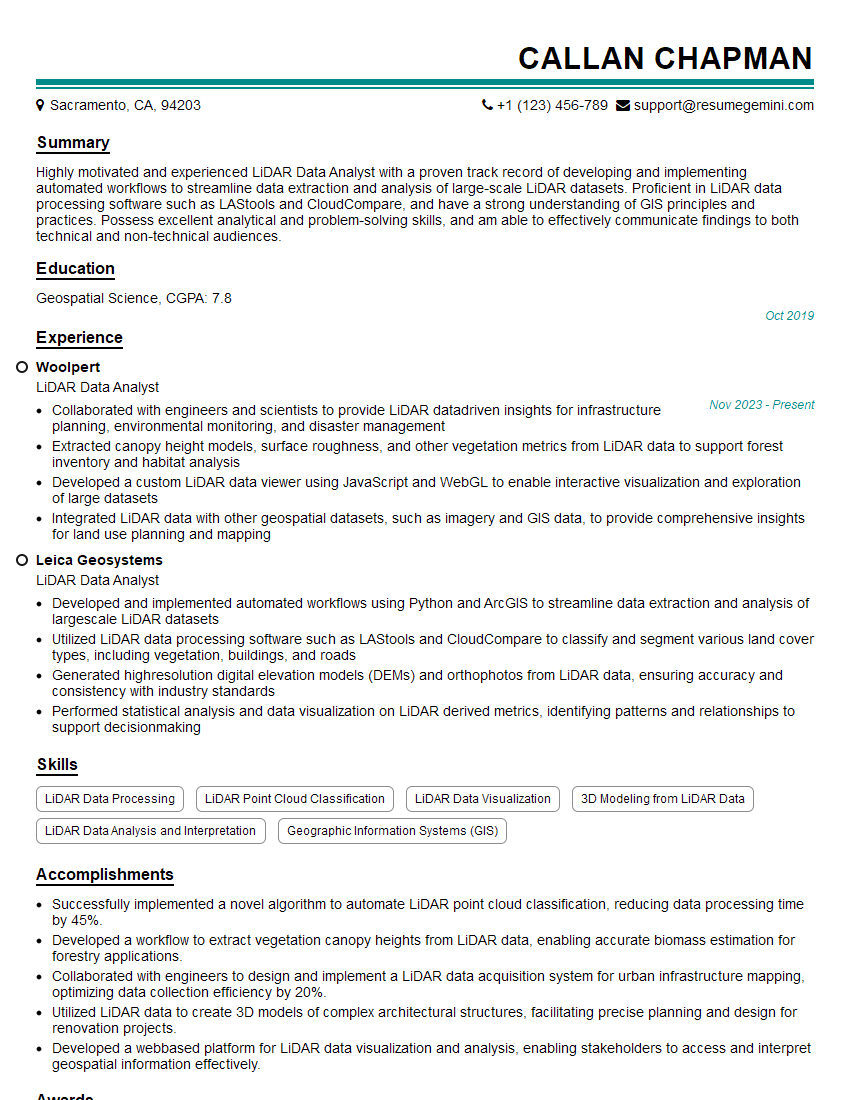
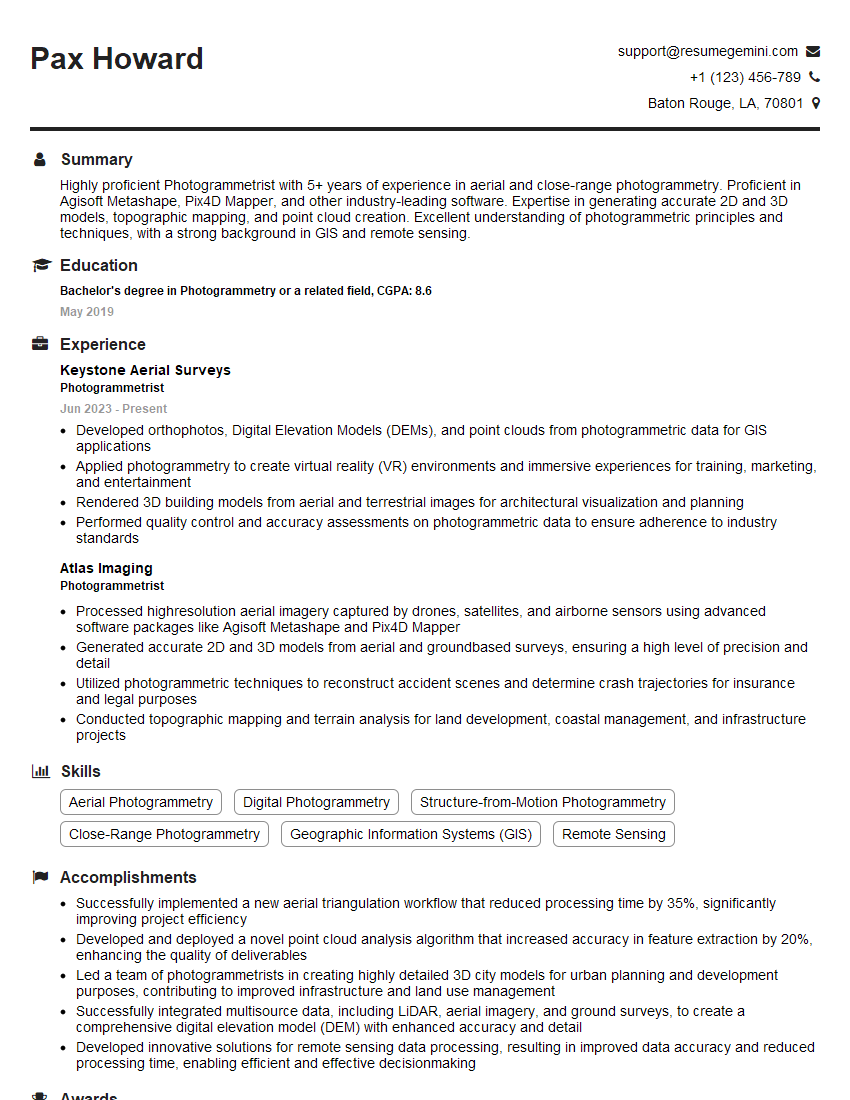
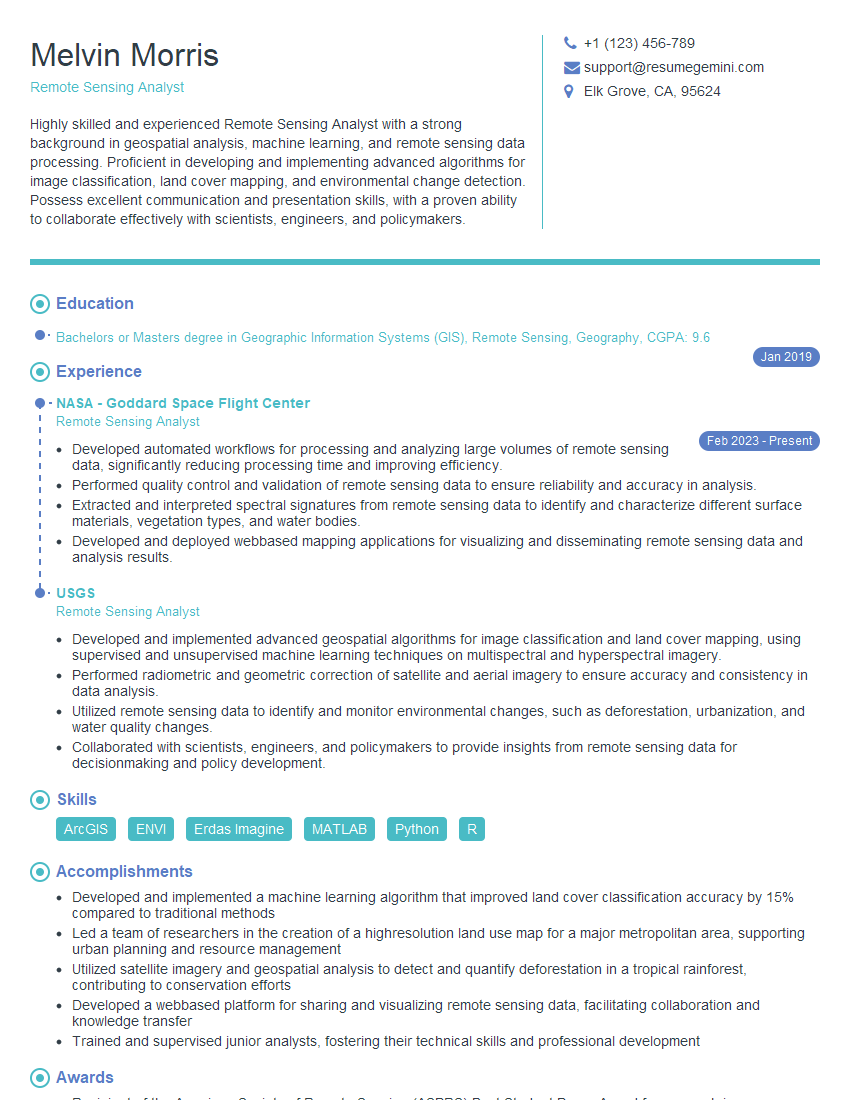
Mastering Raster and Vector Data Analysis opens doors to exciting careers in GIS, remote sensing, environmental science, and many more fields. A strong understanding of these techniques is highly sought after by employers. To increase your chances of landing your dream job, focus on crafting an ATS-friendly resume that highlights your skills and experience effectively. ResumeGemini is a trusted resource that can help you build a professional and impactful resume. We provide examples of resumes tailored to Raster and Vector Data Analysis to guide you through the process. Make your skills shine – invest in your career success today!

Explore more articles
Users Rating of Our Blogs
Share Your Experience
We value your feedback! Please rate our content and share your thoughts (optional).
What Readers Say About Our Blog
To the interviewgemini.com Webmaster.
Very helpful and content specific questions to help prepare me for my interview!
Thank you
To the interviewgemini.com Webmaster.
This was kind of a unique content I found around the specialized skills. Very helpful questions and good detailed answers.
Very Helpful blog, thank you Interviewgemini team.