The thought of an interview can be nerve-wracking, but the right preparation can make all the difference. Explore this comprehensive guide to Screen Room Operation interview questions and gain the confidence you need to showcase your abilities and secure the role.
Questions Asked in Screen Room Operation Interview
Q 1. Describe your experience with various video switching systems.
My experience with video switching systems spans a wide range of technologies, from traditional hardware-based switchers like those from Ross Video and ATEM, to software-based solutions like vMix and OBS Studio. I’m proficient in operating both, understanding their unique strengths and weaknesses. Hardware switchers, for instance, offer low latency and exceptional reliability, crucial for live broadcasts where even a fraction of a second delay can be problematic. Software switchers, on the other hand, provide greater flexibility and often integrate seamlessly with other production tools, offering a more cost-effective solution for smaller productions. I’ve worked extensively with both types in various scenarios, from large-scale studio productions to smaller, more intimate events. For example, in a recent corporate event, we used an ATEM Television Studio switcher for its robust performance and ease of integration with our cameras and graphics system. For a smaller online event, we opted for vMix, which allowed us to efficiently manage multiple video sources, graphics, and streaming platforms.
Q 2. Explain the process of routing video signals within a screen room.
Routing video signals in a screen room is a meticulously orchestrated process. It begins with the various sources, which could include cameras, video players, graphics generators, and even computer feeds. Each source connects to an input on the video switcher. The switcher acts as the central nervous system, allowing the operator to select and route signals to the outputs. These outputs typically feed monitors within the control room, large screen displays in the venue itself, and recording or streaming devices. Consider a news broadcast scenario: The director might switch between different cameras (Camera A, Camera B, Camera C) covering the news anchor and the guest. Each camera’s feed is an input, and the director uses the switcher’s controls to select the desired input to be displayed on the main output. Beyond the switcher, video routing may involve signal distribution amplifiers to send the signal to multiple destinations simultaneously, and converters to ensure compatibility between different video formats and resolutions. Proper signal management, including correct cabling and connection, is paramount to avoid signal loss and ensure high-quality output.
Q 3. How do you troubleshoot common audio/video issues in a live broadcast environment?
Troubleshooting audio/video issues in a live broadcast environment requires a systematic approach. My process typically involves:
- Identify the problem: Pinpoint the affected area – is it the audio, video, or both? Is it impacting a single source, or the entire broadcast?
- Isolate the source: Systematically check each component of the signal chain. For example, if there’s video loss, I’d verify camera power, cable connections, switcher settings, and the monitor’s input.
- Use diagnostic tools: Employ waveform monitors, vectorscopes, and audio meters to visually assess signal quality and identify issues like audio clipping or video dropouts.
- Substitute components: A quick way to narrow down the problem is by swapping out potentially faulty components with known good ones. For example, if a microphone isn’t working, try a different one.
- Consult documentation: Refer to the manuals of various equipment to understand their specific settings and troubleshooting guides.
- Collaborate with the team: Effective communication with other team members like engineers and technicians is crucial. They might have insights into potential issues based on their monitoring of the systems.
For example, during a recent live stream, we experienced sudden audio dropouts. By systematically checking the audio mixer, the cable connections and then ultimately the computer which was producing the audio, we discovered a driver conflict that we resolved by restarting the machine.
Q 4. What are your experiences with different video formats and resolutions?
I have extensive experience with various video formats and resolutions, including SD (Standard Definition), HD (High Definition) in various flavours like 720p and 1080i/p, and even some experience with 4K UHD. Understanding the differences between these formats is essential for ensuring compatibility within the production workflow and meeting the requirements of the target platform (broadcast television, streaming, etc.). For instance, up-converting SD footage to HD might introduce artifacts, while working with 4K requires more powerful hardware and bandwidth. I’ve successfully managed projects requiring the seamless integration of different formats and resolutions, adjusting settings on cameras, switchers, and processing equipment to avoid visual inconsistencies. In a recent production, we had a mixture of HD and 4K cameras. I had to carefully manage the routing and scaling to ensure a consistent high-quality output to the broadcasting station which was only equipped to handle HD.
Q 5. Describe your experience with graphics insertion and manipulation.
My experience with graphics insertion and manipulation includes utilizing various software and hardware solutions. I’m comfortable using character generators (CGs) to create lower thirds, on-screen graphics, and other visual elements. I also possess experience with graphics systems that allow for real-time manipulation of graphics within the live production environment, using keyers and compositing techniques to overlay graphics onto video feeds. This often involves understanding chroma keying (greenscreen/bluescreen) and luma keying techniques for seamless integration. For example, in a corporate presentation, I used a CG to create dynamic lower thirds displaying the speaker’s name and title, which were easily updated throughout the presentation using a software interface. My understanding extends to utilizing still stores and graphics playback systems for pre-rendered graphics and animated sequences.
Q 6. How familiar are you with various audio mixing consoles and their functionalities?
I’m familiar with a range of audio mixing consoles, from smaller, compact mixers suitable for small events to large-format consoles used in professional broadcast studios. My experience includes Yamaha, Soundcraft, and Allen & Heath consoles. I understand the functionalities of different sections, including channel inputs, equalization (EQ), dynamics processing (compressors, gates, expanders), aux sends, and busses. I understand how to route audio signals, adjust levels, and apply effects for optimal sound quality. A key skill is understanding the principles of audio gain staging to avoid clipping and distortion. Furthermore, I am experienced with digital audio workstations (DAWs) and their integration with audio mixing consoles for more complex productions. For instance, in a recent musical performance, I utilized a Yamaha digital console for managing the multiple microphones and instrument inputs, applying EQ and compression to create a well-balanced and dynamic mix.
Q 7. Explain your understanding of broadcast standards and regulations.
My understanding of broadcast standards and regulations encompasses a wide range, including aspects related to video formats (resolution, frame rate, aspect ratio), audio levels (loudness metering, peak levels), and closed captioning requirements. I am aware of regional regulations and their impact on broadcast content and transmission. This includes knowledge of technical standards (like SMPTE and ITU recommendations) and legal requirements concerning content appropriateness and copyright. I’m familiar with regulations surrounding the use of copyrighted material and the importance of obtaining necessary licenses and clearances. Moreover, I understand the role of compliance monitoring and the potential consequences of non-compliance. For example, I understand the importance of adhering to loudness standards (like LUFS) to avoid exceeding limits which would lead to poor listening experience or regulatory penalties. Staying updated on the evolving broadcast landscape and related guidelines is a continuous part of my professional development.
Q 8. How do you prioritize tasks in a fast-paced, high-pressure screen room environment?
Prioritizing tasks in a screen room is all about understanding the critical path. Think of it like air traffic control – some planes (tasks) need immediate attention to avoid collisions (missed deadlines or technical issues), while others can wait in a holding pattern. I use a combination of methods:
- Urgency/Importance Matrix: I categorize tasks based on their urgency and importance. High urgency/high importance tasks, like resolving a live broadcast issue, take priority. Low urgency/low importance tasks, like updating software documentation, can wait.
- Visual Task Boards: Kanban boards or similar visual tools help me track the progress of multiple tasks simultaneously. This gives me a clear overview and allows for easy re-prioritization as circumstances change.
- Communication and Collaboration: Open communication with the production team is essential. Knowing their needs and deadlines allows me to proactively address potential bottlenecks and prioritize accordingly. For instance, if the director needs a specific camera angle urgently, that overrides other tasks.
In a high-pressure situation, staying calm and methodical is key. I focus on one task at a time, ensuring it’s completed correctly before moving on to the next, minimizing errors and ensuring a smooth workflow.
Q 9. Describe your experience with remote control systems and automation.
I’ve extensive experience with various remote control systems, from simple joystick-based controllers for cameras to sophisticated software-based automation systems for entire studios. My experience spans different protocols such as VISCA, Pelco, and Ethernet-based control. I’m comfortable setting up and troubleshooting these systems.
For example, in a recent project, we implemented an automated system using a scripting language like Python to control multiple cameras, switchers, and audio mixers simultaneously. This automated sequences for different segments of a show, improving efficiency and consistency. We also integrated this automation with a central control system which allowed us to monitor the status and remotely adjust settings if needed.
Automation also brings the benefit of repeatable sequences. This is crucial for live news broadcasts where certain camera shots and audio mixes need to occur at precise moments for each news segment.
Q 10. How do you maintain the quality and consistency of the video and audio signals?
Maintaining consistent video and audio quality involves a multi-faceted approach, starting with the source signals.
- Signal Monitoring: Constant monitoring of video and audio levels using waveform monitors, vectorscopes, and audio meters is crucial. This helps identify problems like dropouts, excessive noise, or clipping before they affect the broadcast.
- Calibration and Testing: Regular calibration of all equipment ensures consistent signal levels and color accuracy. We perform routine tests to verify the entire signal path is working optimally.
- Signal Processing: Using tools like noise reduction, color correction, and audio equalization helps improve the overall quality of the signals. However, it’s crucial to use these tools judiciously, avoiding artifacts.
- Redundancy: Implementing redundant systems, like backup generators and video/audio sources, minimizes downtime in case of equipment failure. This is especially important for live broadcasts.
Think of it like baking a cake: the quality of the ingredients (source signals) is vital, but the baking process (signal processing) and proper tools (monitoring equipment) determine the final outcome.
Q 11. Explain your understanding of signal flow diagrams.
Signal flow diagrams are essential for understanding how audio and video signals travel through a system. They visually represent the path of a signal from its source to its destination, highlighting key equipment and connections. A well-designed diagram is crucial for troubleshooting, system design, and training.
For example, a typical diagram might show the path of a camera signal going through a switcher, then to a video processor, before finally being output to a broadcast transmitter. Each component will be represented by a block, with arrows showing the direction of the signal flow. These diagrams also often include signal level information and connections types.
They’re like a road map for the signal, making it easy to identify potential bottlenecks or points of failure. For instance, if we encounter a problem, the diagram helps quickly pinpoint the problem area (a faulty cable, for instance, or an incorrectly configured router).
Q 12. Describe your experience working with various monitoring equipment.
My experience encompasses a wide range of monitoring equipment, including:
- Waveform Monitors: Used to check video signal levels, luminance, and chrominance.
- Vectorscopes: Provide precise color information, ensuring accurate color reproduction.
- Audio Meters: Monitor audio levels, preventing clipping or excessive noise.
- Multiviewers: Display multiple video sources simultaneously, providing a comprehensive overview of the production.
- Spectrum Analyzers: Used to identify and troubleshoot RF interference.
I’m proficient in interpreting the data from these devices, allowing for proactive problem-solving and ensuring optimal signal quality. For instance, a sudden drop in audio levels shown on the audio meter might indicate a problem with a microphone or audio cable, allowing for a prompt intervention before the issue impacts the broadcast.
Q 13. How do you ensure the security and integrity of the broadcast signals?
Ensuring signal security and integrity involves several layers of protection.
- Access Control: Restricting physical and network access to equipment and systems using passwords, key cards, and network security measures is fundamental. This prevents unauthorized access and tampering.
- Encryption: Encrypting video and audio signals during transmission prevents eavesdropping. This is especially crucial for sensitive broadcasts.
- Signal Monitoring and Redundancy: Continuous monitoring of signal quality and strength helps quickly detect and address potential security breaches or signal integrity issues. Redundant systems ensure backup capabilities in case of failures or attacks.
- Regular Audits and Updates: Regular audits of security protocols and software updates are essential to maintain robust security and prevent vulnerabilities.
Imagine a bank vault – multiple layers of security (access control, encryption, monitoring) are needed to ensure the safety of the assets (broadcast signals).
Q 14. Explain your familiarity with different types of video codecs.
My familiarity with video codecs encompasses a wide range, from older standards to the latest advancements. I understand the trade-offs between compression efficiency, resolution, and quality associated with each codec.
- H.264 (AVC): A widely used codec offering a good balance between compression and quality. It’s versatile and supported by most devices.
- H.265 (HEVC): Provides significantly better compression efficiency than H.264, allowing for higher resolution or lower bitrates. However, it is computationally more demanding.
- VP9: An open-source codec developed by Google, known for its excellent compression and quality.
- AV1: A royalty-free codec offering high-quality compression. It is increasingly being adopted for online streaming and broadcasting.
The choice of codec often depends on the application and available bandwidth. For instance, a high-definition broadcast might use H.265 for its compression efficiency, while a live stream with limited bandwidth might opt for H.264 to ensure smooth playback.
Q 15. How do you handle unexpected technical issues during a live broadcast?
Handling unexpected technical issues during a live broadcast requires a calm, methodical approach and a strong understanding of the system. My first step is always to identify the problem quickly and accurately. This often involves checking the obvious – are the cables connected? Is the power on? Is there a signal? Then, I’ll utilize monitoring tools to pinpoint the source of the issue. For example, if audio is lost, I’ll check audio meters and routing to see if the problem is with the microphone, mixer, or connection to the broadcast system.
Once identified, I’ll prioritize a solution based on the severity of the impact. A minor glitch might be temporarily masked, whereas a major issue might necessitate a switchover to a backup system. Having pre-planned contingencies is crucial here. For example, we might have a backup camera ready to go, or pre-recorded content that can fill the gap while troubleshooting.
Effective communication is essential. I’ll immediately alert the director and technical team, providing updates clearly and concisely. Transparency is key to maintaining a smooth workflow and keeping everyone informed. Finally, once the issue is resolved, I’ll document the problem and solution, aiding future preventative maintenance.
For instance, during a live music performance, we once experienced a sudden loss of video from the main camera. Quickly, we switched to a secondary camera feed, then swiftly diagnosed the issue as a faulty cable. While the technical team replaced the cable, the show continued with minimal interruption thanks to pre-planned redundancies and clear communication.
Career Expert Tips:
- Ace those interviews! Prepare effectively by reviewing the Top 50 Most Common Interview Questions on ResumeGemini.
- Navigate your job search with confidence! Explore a wide range of Career Tips on ResumeGemini. Learn about common challenges and recommendations to overcome them.
- Craft the perfect resume! Master the Art of Resume Writing with ResumeGemini’s guide. Showcase your unique qualifications and achievements effectively.
- Don’t miss out on holiday savings! Build your dream resume with ResumeGemini’s ATS optimized templates.
Q 16. Describe your experience with IP-based video systems.
I have extensive experience with IP-based video systems, working with both contribution and distribution workflows. I’m proficient in configuring and troubleshooting networks, using protocols like SRT, NDI, and Zixi. These protocols allow for robust, low-latency transmission of high-quality video over IP networks, offering significant advantages over traditional SDI-based systems.
Understanding IP network infrastructure and its implications for video is critical. This includes managing network bandwidth, addressing quality of service (QoS) issues, and securing the network against unauthorized access. I’ve worked with various IP video encoders and decoders, including those from manufacturers such as [mention specific brands if comfortable], and am comfortable with the setup and management of these devices within the network.
The flexibility and scalability of IP-based systems are major benefits. For example, we were able to seamlessly integrate remote contributors into a recent production using NDI, improving accessibility and reducing the cost of physical infrastructure.
Q 17. How do you collaborate effectively with other members of the broadcast team?
Effective collaboration is the cornerstone of successful broadcasting. I believe in proactive communication and open feedback. I prioritize clear and concise communication with the director, technical director, producers, and other crew members, both before and during the broadcast. This might involve using headset comms, dedicated messaging systems, or even simple visual cues depending on the environment.
My approach involves regular pre-production meetings to discuss the technical requirements and workflow. During the broadcast, I’m always attentive to cues and instructions from the director, adjusting the screen feeds accordingly. I also proactively alert the team of potential issues or changes that might affect the broadcast. I see myself as part of a team, and my actions reflect a commitment to supporting the overall vision.
For example, during a fast-paced news broadcast, anticipating the director’s needs and seamlessly adjusting the graphics or camera feeds based on subtle cues is crucial. It requires constant communication and a shared understanding of the overall broadcast plan.
Q 18. What are your experiences with video playback devices and servers?
My experience with video playback devices and servers is comprehensive. I’ve worked with various media servers, ranging from smaller, standalone units to large-scale systems capable of managing terabytes of content. This includes experience with both file-based and tape-based systems.
I am familiar with the operating procedures and troubleshooting techniques for these devices. This includes understanding file formats, metadata handling, playlist creation, and dealing with potential issues like media errors or playback glitches. I am also comfortable with the integration of these servers into larger broadcast workflows. For instance, I understand how to manage playlists and ensure seamless transitions between different video clips or segments.
In one instance, we used a high-end media server to manage a large library of video clips for a documentary program, ensuring flawless playback and efficient retrieval of specific segments during editing and broadcasting.
Q 19. How familiar are you with character generators and lower-third graphics?
I’m highly proficient with character generators (CGs) and lower-third graphics. I understand how to create and integrate these elements seamlessly into a broadcast workflow. I can create dynamic lower thirds, including names, titles, and locations, using various CG software packages. I’m also familiar with the various methods for integrating these graphics into video switchers and other broadcast equipment.
My skills encompass not just the technical aspects but also the creative considerations. I understand the importance of readability, branding consistency, and overall visual appeal. I can create graphics that align with the overall aesthetic of the program while providing essential information clearly and effectively.
I frequently utilize CG software to create engaging and informative lower-thirds for news broadcasts, sporting events, and other live programs, ensuring that the graphics enhance the viewing experience without being distracting.
Q 20. Explain your understanding of video compression techniques.
Video compression is essential for efficient storage and transmission of video data. I understand the trade-offs between compression ratio, quality, and bitrate. I’m familiar with various codecs, including H.264, H.265 (HEVC), and potentially newer codecs like VVC. The choice of codec often depends on factors such as the desired quality, available bandwidth, and processing power.
H.264, for example, is a widely used codec known for its balance between compression efficiency and computational complexity. H.265 offers higher compression ratios at similar quality levels, but typically requires more processing power. Understanding these differences is crucial for making informed decisions about video encoding and streaming parameters.
In practice, I use my knowledge of compression techniques to optimize video quality for different distribution methods. This might involve adjusting the bitrate and resolution to suit the requirements of various platforms and networks.
Q 21. How do you perform routine maintenance and preventative measures on equipment?
Routine maintenance and preventative measures are crucial for ensuring reliable broadcast operations. My approach involves a combination of regular checks, cleaning, and preventative replacements. This includes regular inspection of cables for wear and tear, ensuring proper ventilation around equipment to prevent overheating, and performing software updates.
I also follow manufacturer-recommended maintenance schedules for different pieces of equipment, performing tasks like cleaning optical connectors or calibrating monitors. Furthermore, I maintain detailed logs of all maintenance activities, which aids in tracking equipment history and predicting potential future issues.
Proactive maintenance not only prevents equipment failures during live broadcasts but also extends the lifespan of the equipment, saving on potential replacement costs. For example, regular cleaning of SDI connectors significantly reduces signal degradation and ensures a robust signal path.
Q 22. How do you manage multiple video sources and displays simultaneously?
Managing multiple video sources and displays simultaneously in a screen room operation relies heavily on a robust video routing system and a well-defined workflow. Think of it like a sophisticated traffic controller for video signals. We use hardware such as matrix switchers or software-based solutions that allow us to select and route various video inputs (cameras, computers, graphics, etc.) to different outputs (monitors, projectors, encoders for streaming).
For example, in a live news broadcast, we might have several cameras feeding live footage, a graphics computer displaying lower thirds, and a computer feeding a news ticker. The switcher allows us to seamlessly transition between these sources and send the chosen feed to the main program monitor, as well as potentially separate feeds to monitors for directors and other crew members. This often involves using a control panel for direct selection of sources or pre-programmed sequences to facilitate quick transitions. A good understanding of the switcher’s capabilities and effective pre-planning is crucial for avoiding confusion and delays during live operations.
Q 23. Describe your experience using broadcast automation software.
My experience with broadcast automation software is extensive. I’ve worked with various systems, including [mention specific software names e.g., Grass Valley Ignite, Ross Video Overdrive], to automate complex tasks such as switching between cameras, playing pre-recorded clips, triggering graphics, and managing audio levels. These systems dramatically increase efficiency and precision, reducing the chance of human error during live productions.
One specific example involved using automation software to create a pre-programmed sequence for a sporting event. The system was configured to automatically switch cameras based on the game’s action, cue graphics showing scores and statistics, and play highlight reels at opportune moments. This allowed the director to focus on the overall narrative rather than getting bogged down in manual operations. The automation software also provided detailed logging, allowing for post-event analysis and quality control.
Q 24. What is your experience with quality control procedures and monitoring?
Quality control is paramount in broadcast environments. My approach involves a multi-layered strategy, starting with pre-production checks of equipment and signal integrity, continuing through meticulous monitoring during the live broadcast, and concluding with post-production review of recordings.
Pre-production checks include ensuring cameras are properly calibrated, audio levels are set correctly, and network connectivity is robust. During the broadcast, we continuously monitor picture quality (resolution, sharpness, color balance), audio levels (avoiding distortion or dropouts), and the overall signal strength to identify any issues promptly. Post-production review involves scrutinizing the recorded footage for any technical flaws or noticeable errors. This might include checking for audio sync issues, examining picture quality for artifacts, or reviewing for any unintended cuts or mistakes.
Q 25. How do you troubleshoot network connectivity issues impacting video transmission?
Troubleshooting network connectivity issues impacting video transmission requires a systematic approach. I start by identifying the affected equipment and the type of network used (e.g., IP-based, SDI). Then, I use a combination of diagnostic tools and techniques to pinpoint the problem.
My troubleshooting steps typically involve: checking cable connections; verifying network settings (IP addresses, subnet masks, etc.); using network monitoring tools (like ping, traceroute) to identify network bottlenecks or outages; examining network switch logs; and testing alternate network paths if available. In some cases, coordination with the IT department might be necessary to resolve larger network-wide problems. A deep understanding of network protocols (e.g., TCP/IP, UDP) and network hardware is critical for effective troubleshooting in this context.
Q 26. Describe your experience with emergency procedures in a broadcast environment.
Emergency procedures in a broadcast environment are designed to ensure the safety of personnel and the continuation of the broadcast whenever possible, even during unforeseen disruptions. We have established protocols for handling various emergencies, including power failures, equipment malfunctions, and unexpected events during live broadcasts.
For instance, in case of a power failure, we have backup generators to maintain operation. If a camera fails, we have a procedure for switching to a backup camera or alternative coverage. If an unforeseen event happens on-air, we have strategies to smoothly transition to a pre-planned alternative segment or insert an emergency announcement. Regular drills and training are crucial to ensuring everyone is comfortable with and proficient in these procedures. A clear chain of command and effective communication are paramount during these types of situations.
Q 27. What is your experience with integrating various video sources, such as cameras and computers?
Integrating various video sources is a core aspect of screen room operation. We routinely integrate cameras (both studio and remote), computers (for graphics, presentations, and lower thirds), and other video devices (such as video players and media servers) using a combination of hardware and software.
The process often involves configuring signal converters to match video formats and resolutions, ensuring correct audio embedding, and configuring the video switcher to properly route the signals. For example, we might need to convert an HDMI signal from a computer to an SDI signal compatible with our broadcast equipment. Or we might use a dedicated audio mixer to manage multiple audio sources and embed the mixed audio into the video signals. Careful planning and understanding of signal flows are crucial for seamless integration.
Q 28. How do you handle the pressure of live broadcasting and deadlines?
Live broadcasting is inherently high-pressure, with tight deadlines and the potential for unexpected problems. My experience has taught me the importance of proactive planning, meticulous preparation, and efficient teamwork. A calm demeanor under pressure is essential.
To handle the pressure, I focus on detailed preparation beforehand, ensuring all equipment is tested and configured correctly, and all personnel are briefed on their roles and responsibilities. During the broadcast, clear communication among the team and a proactive approach to problem-solving are key to mitigating stress. I also believe in taking breaks and maintaining a positive attitude, understanding that a calm and focused approach is crucial in achieving a successful broadcast.
Key Topics to Learn for Screen Room Operation Interview
- Understanding Screen Room Technology: Familiarize yourself with the various types of screen room technologies, their functionalities, and limitations. Explore different camera systems, audio setups, and control interfaces commonly used.
- Workflow and Procedures: Master the standard operating procedures for a screen room, including setup, operation, troubleshooting, and post-production tasks. Understand the importance of efficient workflow for optimal results.
- Technical Troubleshooting: Develop a strong understanding of common technical issues that might arise during a screen room operation, such as audio/video synchronization problems, lighting difficulties, and software malfunctions. Practice your problem-solving skills in identifying and resolving these issues.
- Health and Safety Protocols: Become familiar with all relevant health and safety regulations and procedures specific to screen room operation, including equipment safety, ergonomic considerations, and emergency protocols.
- Client Communication & Collaboration: Practice effective communication techniques to collaborate with clients, directors, and other team members during screen room sessions. This includes active listening and clear articulation of technical details.
- Software Proficiency: Gain hands-on experience with the software and applications commonly used in screen room operations. This could include video editing software, streaming platforms, and remote collaboration tools.
- Quality Control & Assurance: Understand the importance of maintaining high quality standards in screen room operation. Learn techniques for monitoring audio and video quality, ensuring proper lighting, and detecting and correcting errors.
Next Steps
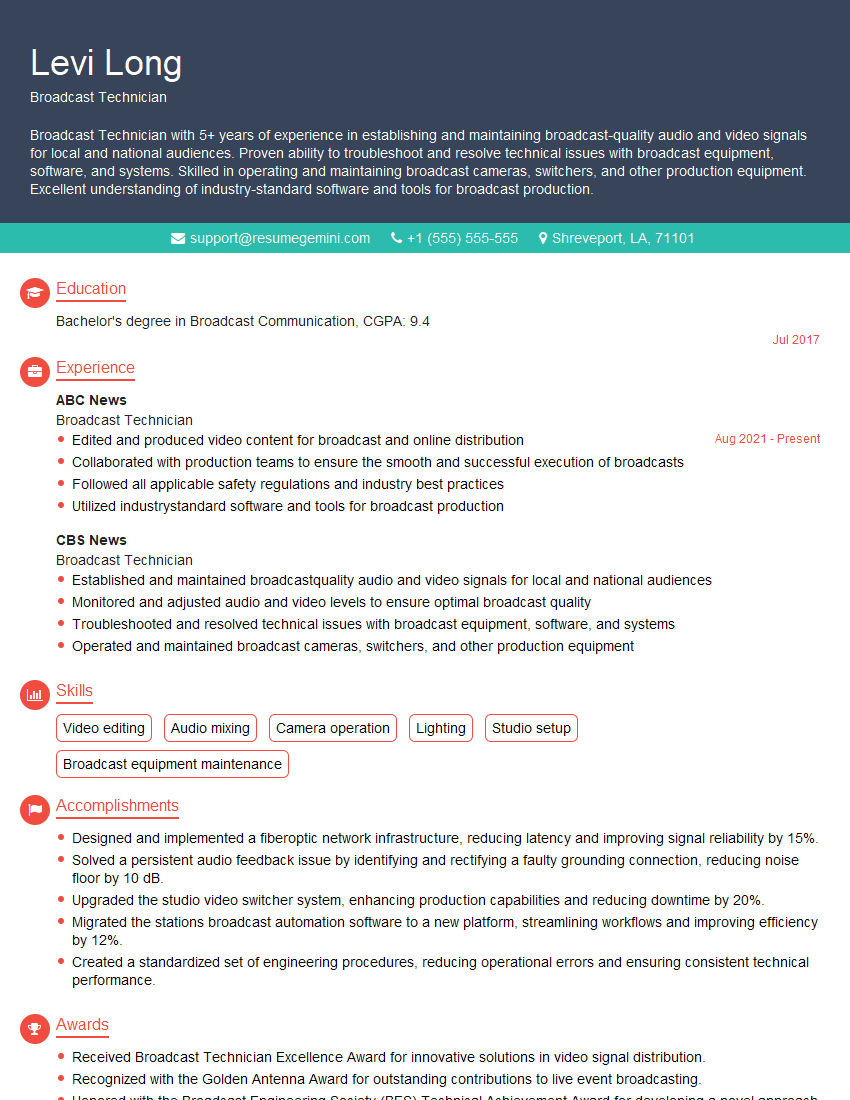
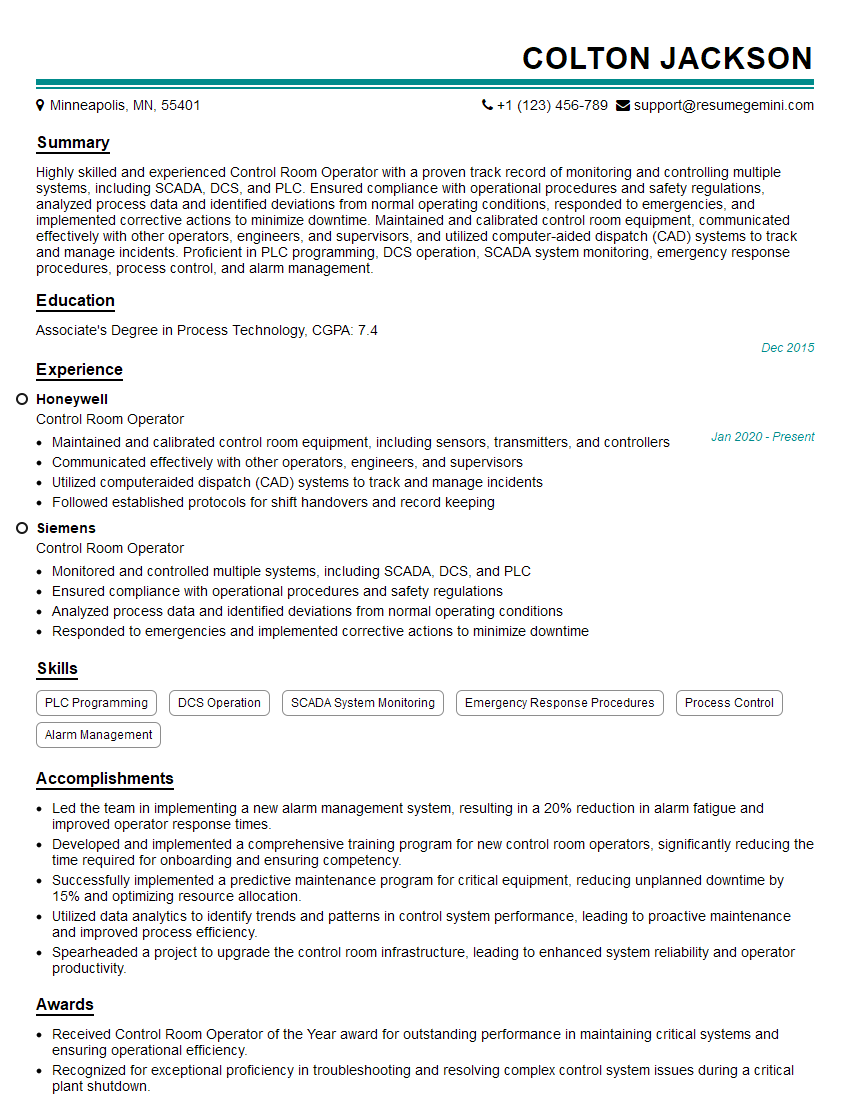
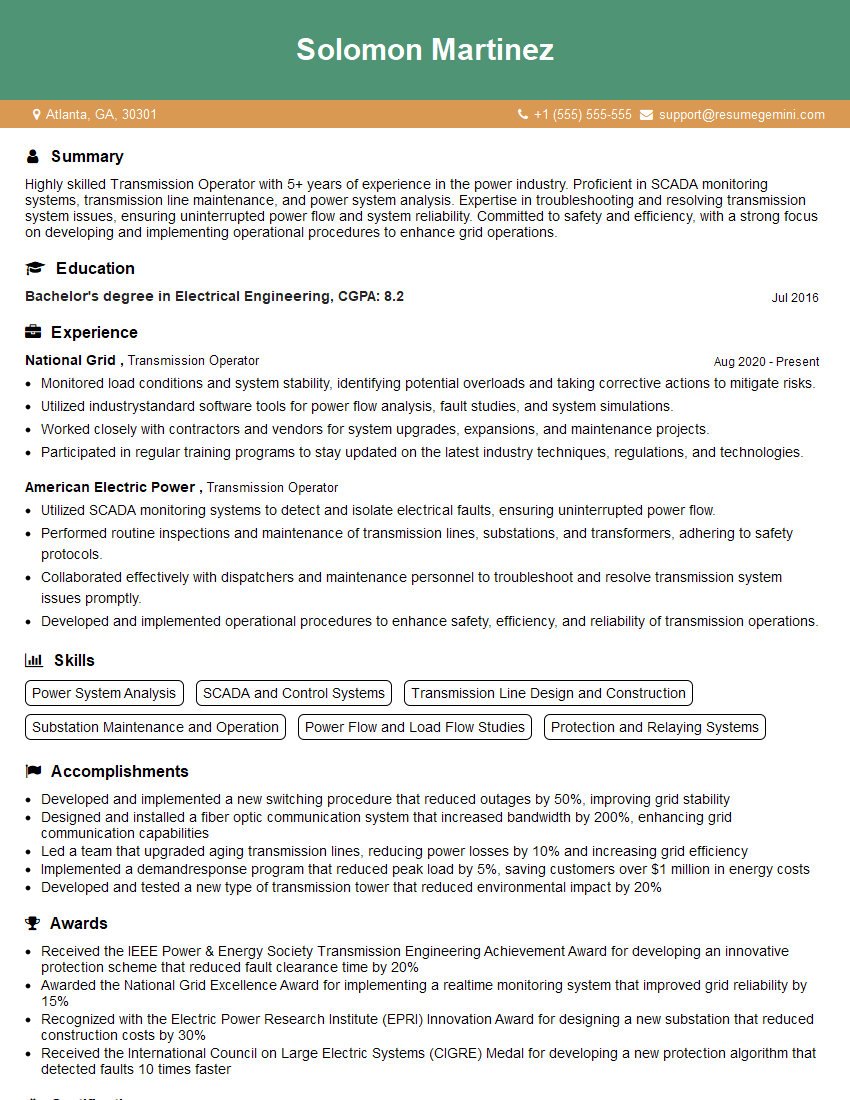
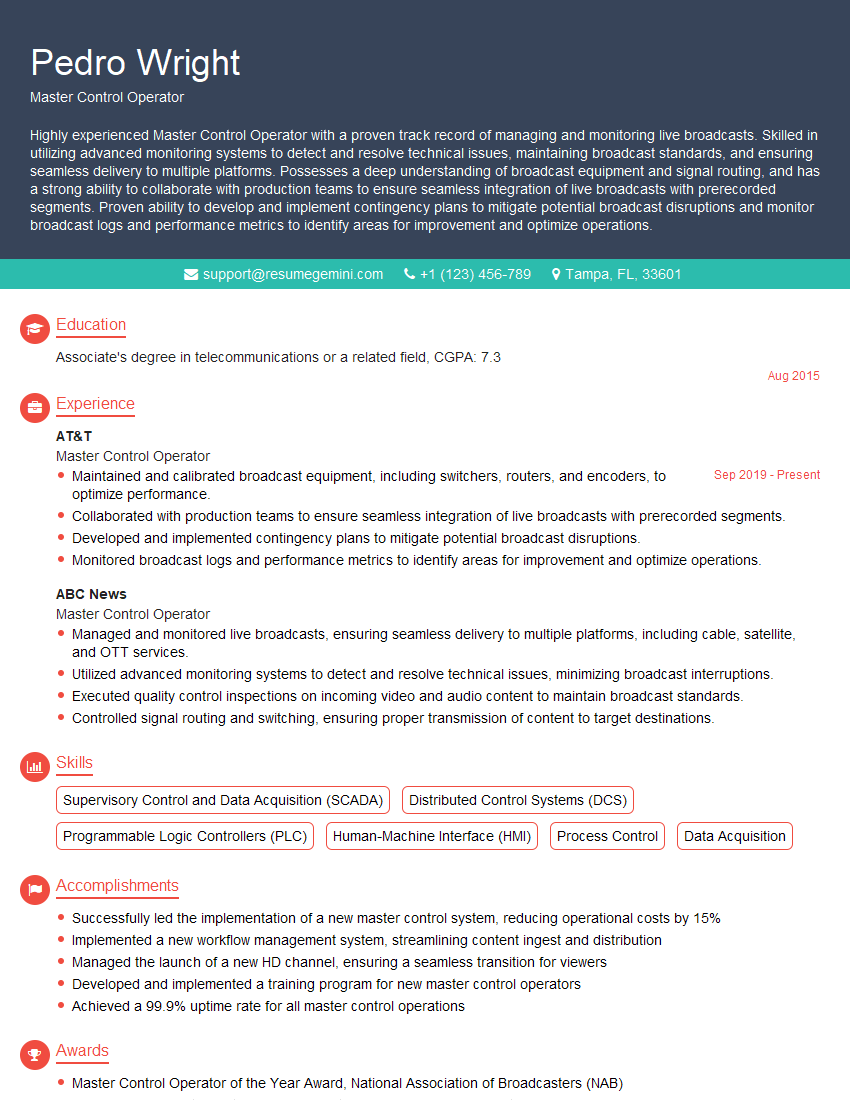
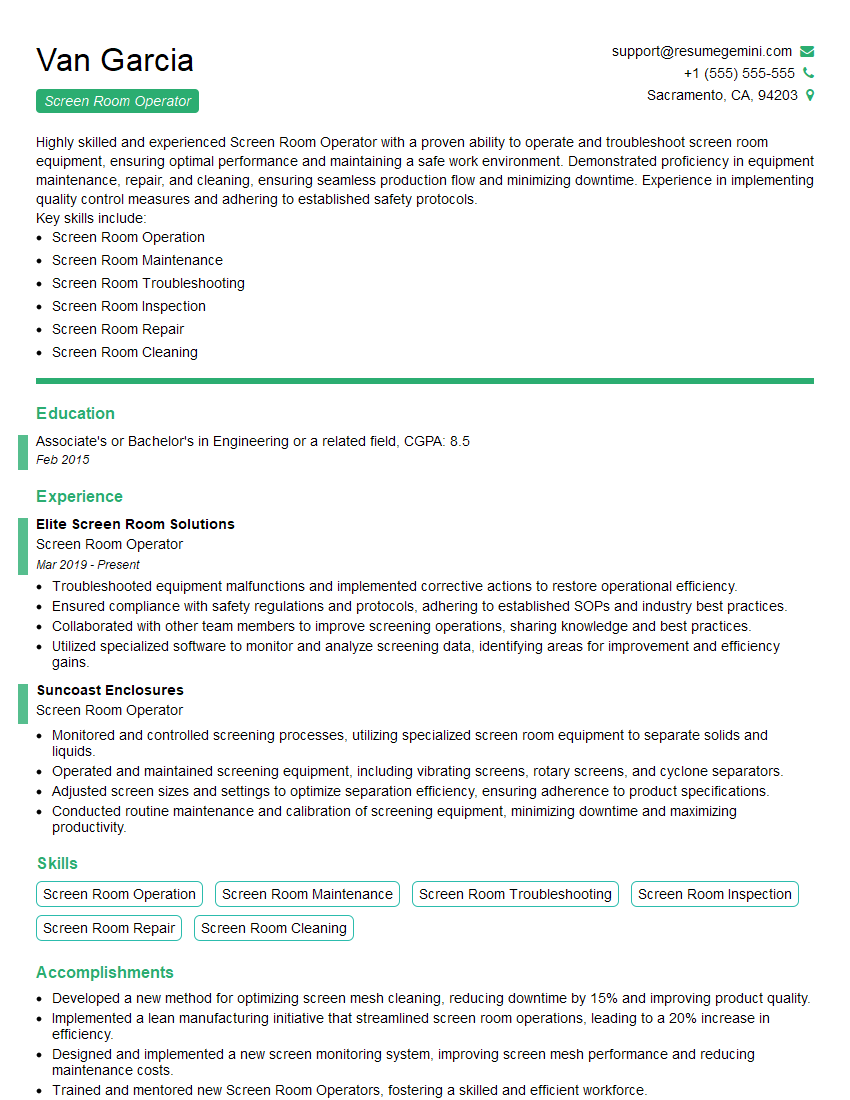
Mastering Screen Room Operation opens doors to exciting career opportunities in the rapidly growing media and entertainment industries. A strong understanding of these technologies positions you for advancement and higher earning potential. To maximize your job prospects, create an ATS-friendly resume that highlights your skills and experience effectively. ResumeGemini is a trusted resource that can help you build a professional and impactful resume. Examples of resumes tailored to Screen Room Operation are provided to guide you.

Explore more articles
Users Rating of Our Blogs
Share Your Experience
We value your feedback! Please rate our content and share your thoughts (optional).
What Readers Say About Our Blog
To the interviewgemini.com Webmaster.
Very helpful and content specific questions to help prepare me for my interview!
Thank you
To the interviewgemini.com Webmaster.
This was kind of a unique content I found around the specialized skills. Very helpful questions and good detailed answers.
Very Helpful blog, thank you Interviewgemini team.