Interviews are opportunities to demonstrate your expertise, and this guide is here to help you shine. Explore the essential Backup and Recovery Solutions interview questions that employers frequently ask, paired with strategies for crafting responses that set you apart from the competition.
Questions Asked in Backup and Recovery Solutions Interview
Q 1. Explain the difference between full, incremental, and differential backups.
The terms ‘full,’ ‘incremental,’ and ‘differential’ backups describe different strategies for copying data. Think of it like taking photos of a constantly changing scene.
- Full Backup: This is like taking a brand-new photo of the entire scene. It copies all data from the source to the backup location. It’s the most comprehensive but also the slowest and requires the most storage space. It’s usually performed less frequently, perhaps weekly or monthly, serving as the foundation for other backup types.
- Incremental Backup: This is like only taking photos of what’s changed since the last photo. It copies only the data that has changed since the last full or incremental backup. This is much faster and more space-efficient than a full backup but requires a full backup and all previous incremental backups to restore data completely.
- Differential Backup: This is similar to incremental, but it copies only the data that has changed since the last full backup. This means that each differential backup is larger than the previous incremental backup, but it’s still faster and more space-efficient than a full backup and only requires the last full backup for a complete restore.
Example: Imagine you have a database. A full backup copies the entire database. An incremental backup after that would only copy the new records or modified rows. A differential backup after the full backup would copy all changes since the full backup, regardless of how many incremental backups have occurred in between.
Q 2. Describe your experience with different backup technologies (e.g., tape, disk, cloud).
My experience spans various backup technologies. I’ve worked extensively with tape, disk, and cloud solutions, each offering unique advantages and disadvantages.
- Tape: I’ve utilized tape libraries for large-scale archival backups, particularly for long-term retention needs. They offer cost-effective storage for less frequently accessed data but are slower for retrieval. Tape is a good solution for regulatory compliance, where data must be retained for many years.
- Disk: Disk-based backups, often using network-attached storage (NAS) or storage area networks (SAN), provide faster backup and restore times compared to tape. This is ideal for critical systems requiring quick recovery. I’ve extensively used disk backups in virtualized environments, leveraging snapshots and replication features for enhanced resilience.
- Cloud: Cloud-based backup solutions are my go-to for many clients. Services like AWS S3, Azure Blob Storage, and Google Cloud Storage offer scalability, durability, and offsite redundancy, minimizing the risk of data loss due to physical disasters. I’ve integrated these services with various backup software to automate backups and implement robust recovery strategies. Cloud solutions also often include features like versioning and lifecycle management for easier data management.
My selection of technology always depends on the client’s specific needs, considering factors like budget, recovery time objectives (RTOs), recovery point objectives (RPOs), regulatory requirements, and data volume.
Q 3. What are the key components of a Disaster Recovery Plan (DRP)?
A comprehensive Disaster Recovery Plan (DRP) involves several key components working in harmony. Think of it as a detailed emergency response plan specifically for your IT infrastructure.
- Risk Assessment: Identifying potential threats, such as natural disasters, cyberattacks, or hardware failures.
- Recovery Time Objective (RTO) and Recovery Point Objective (RPO): Defining acceptable downtime and data loss, respectively.
- Backup and Recovery Strategy: Detailing the methods, frequency, and location of backups, as well as the recovery procedures. This includes specifying which backup type (full, incremental, differential) will be used and how often.
- Recovery Site Selection: Choosing a primary and secondary location for recovery operations, such as a hot site, warm site, or cold site, depending on the RTO and RPO.
- Testing and Validation: Regularly testing the DRP to ensure its effectiveness. Drills and simulations are vital.
- Communication Plan: Establishing clear communication channels and procedures during a disaster to keep stakeholders informed.
- Training and Documentation: Providing comprehensive training to personnel and maintaining detailed documentation of the DRP.
A well-defined DRP minimizes disruption and speeds up recovery in the event of a disaster, protecting business continuity.
Q 4. How do you ensure the integrity and recoverability of your backups?
Ensuring backup integrity and recoverability is paramount. I employ a multi-layered approach that includes:
- Verification Checks: After each backup, I perform verification checks to ensure the integrity of the backup data. This can involve checksum verification or comparing the size of the backup to the expected size.
- Regular Testing: Periodic full or partial restorations are performed to verify the recoverability of the backups. This confirms that the backups are valid and can be restored successfully.
- Backup Rotation Policy: A well-defined backup rotation policy ensures that backups are retained for the necessary duration, meeting compliance requirements and enabling recovery from older incidents.
- Encryption: Data encryption protects backups from unauthorized access, particularly important for sensitive data. Encryption ensures data confidentiality, even if the backup is compromised.
- Versioning and Deduplication: Utilizing backup software features like versioning (keeping multiple copies of backups) and deduplication (removing redundant data) optimizes storage and ensures data availability.
This combination of techniques gives me confidence in the validity and restorability of the backups, minimizing the risk of data loss.
Q 5. What are your preferred methods for testing backups and recovery procedures?
Testing is critical, and I utilize several methods:
- Full Restore Testing: Periodically restoring a full backup to a separate environment (test server, virtual machine) ensures complete recovery capability. This validates the integrity of the full backup image.
- Partial Restore Testing: Restoring individual files or folders from backups verifies selective recovery functionality. This is particularly useful for testing granular recovery capabilities.
- Synthetic Full Backup Testing: If full restores are resource intensive, I might test restore time and validity of incremental or differential backups against the most recent full backup, effectively testing the full backup indirectly.
- Tabletop Exercises: Simulating a disaster scenario without actually performing a restore helps identify potential weaknesses in the DRP and communication procedures.
The frequency of testing depends on the criticality of the data and the complexity of the backup and recovery system. For critical systems, more frequent testing (e.g., monthly or even weekly) is necessary.
Q 6. Explain the concept of Recovery Time Objective (RTO) and Recovery Point Objective (RPO).
RTO and RPO are crucial metrics for defining acceptable downtime and data loss. Think of them as setting your recovery goals.
- Recovery Time Objective (RTO): This is the maximum acceptable downtime for a system after an outage. It’s the timeframe within which services must be restored. For example, an RTO of 4 hours means the system must be operational again within 4 hours of a failure. The lower the RTO, the more robust the DRP needs to be.
- Recovery Point Objective (RPO): This is the maximum acceptable data loss in the event of a disaster. It defines the point in time to which data must be recovered. For example, an RPO of 1 hour means that the maximum acceptable data loss is 1 hour’s worth of data. The lower the RPO, the more frequent the backups must be.
These metrics are critical for designing a recovery strategy that aligns with business requirements and risk tolerance. A company handling financial transactions will likely have much lower RTOs and RPOs than a blog.
Q 7. How do you handle backup failures and data loss incidents?
Backup failures and data loss are serious events demanding immediate action. My approach is systematic and involves:
- Immediate Investigation: Identify the root cause of the failure. Was it a hardware issue, software bug, human error, or a network problem? Log analysis and monitoring tools are crucial here.
- Data Recovery Attempt: Utilize alternate backups or recovery mechanisms. If a primary backup fails, a secondary backup or a previous version might be used.
- Communication: Inform stakeholders, including management and users, about the incident and the ongoing recovery efforts. Transparency is crucial.
- Root Cause Analysis (RCA): After initial recovery, a thorough RCA determines the underlying cause to prevent future occurrences. This might involve system upgrades, process improvements, or staff training.
- Documentation: All steps taken during the incident, including the cause, recovery actions, and lessons learned, should be meticulously documented.
- Prevention Measures: Implement changes to prevent similar incidents. This might involve upgrading hardware, improving backup processes, or enhanced monitoring.
The key is to respond swiftly, recover data as quickly as possible, and learn from the experience to enhance resilience.
Q 8. What are your experiences with backup scheduling and automation?
Backup scheduling and automation are crucial for ensuring data protection without manual intervention. Think of it like setting your alarm clock – you don’t have to think about it, it just happens. My experience involves designing and implementing robust schedules using various tools, considering factors like Recovery Time Objective (RTO) and Recovery Point Objective (RPO). RTO defines how quickly you need to recover data after an outage, while RPO specifies the maximum acceptable data loss. For example, a critical database might require an RPO of 15 minutes and an RTO of 1 hour, necessitating frequent backups. Less critical systems could have a more relaxed schedule. I’ve utilized scripting (e.g., PowerShell, Python) to automate backup tasks, ensuring consistency and reducing human error. I leverage features within backup software to define differential and incremental backup strategies, optimizing storage space and backup time. This means we only back up changes since the last full or incremental backup, significantly reducing the storage footprint and time taken for backups.
- Full Backups: Copying the entire dataset – infrequent but essential for a complete restore.
- Incremental Backups: Copying only the data changed since the last backup (full or incremental).
- Differential Backups: Copying data changed since the last full backup. This is a balance between full and incremental.
In one project, I automated weekly full backups and daily incremental backups for a large financial institution’s server infrastructure, resulting in a 70% reduction in backup storage space and a 50% decrease in backup time.
Q 9. Describe your experience with various backup software (e.g., Veeam, Commvault, NetBackup).
I have extensive experience with leading backup solutions, including Veeam, Commvault, and NetBackup. Each has its strengths: Veeam excels in VMware and Hyper-V virtualization environments, offering fast and reliable backups and efficient recovery. Commvault’s strength lies in its comprehensive data management capabilities, including backup, archiving, and eDiscovery. NetBackup is a mature and robust solution, ideal for large-scale enterprise environments with diverse data sources. I’ve successfully implemented and managed each in different contexts, adapting my approach to the specific needs of the client and their infrastructure. For instance, with Veeam, I’ve leveraged its direct storage integration to bypass network bottlenecks, leading to significant speed improvements in backup and recovery processes. With Commvault, I’ve developed sophisticated policies to manage the backup and retention of vast amounts of data while optimizing storage costs. With NetBackup, I’ve used its robust reporting and monitoring capabilities to ensure ongoing performance and system health.
Q 10. How do you manage backup storage capacity and costs?
Managing backup storage capacity and costs requires a multi-pronged approach. Think of it as managing your household budget: you need to track spending, find cost-effective solutions, and plan for the future. I employ several strategies:
- Data Deduplication and Compression: These technologies significantly reduce storage space requirements, as explained further in the next answer.
- Backup Lifecycle Management: This involves defining retention policies that dictate how long backups are stored, based on data criticality. Old backups can be tiered to cheaper storage or deleted altogether after they meet the defined retention.
- Cloud Storage Integration: Utilizing cloud storage for long-term archiving of less frequently accessed backups can be very cost-effective.
- Storage Optimization: Utilizing features like backup storage deduplication and compression reduce the amount of space backups occupy.
- Regular Capacity Planning: Projecting future storage needs based on data growth trends allows proactive scaling of storage resources, preventing unexpected costs.
For example, in one project, I implemented a tiered storage approach, moving older backups to cheaper cloud storage, resulting in a 60% reduction in overall storage costs.
Q 11. Explain your understanding of data deduplication and compression in backups.
Data deduplication and compression are essential for efficient backup storage management. Imagine you’re writing a novel – deduplication removes repeated sentences or paragraphs, while compression shrinks the overall size of the manuscript. Deduplication identifies and removes redundant data blocks, storing only one copy. Compression reduces the size of the data by encoding it more efficiently. Both significantly decrease the amount of storage space consumed by backups, lowering costs and improving backup and restore times. Many modern backup solutions incorporate both these techniques. The level of deduplication and compression employed often depends on the type of data being backed up; for example, virtual machine backups usually benefit greatly from deduplication as they tend to contain many repeated blocks. Some backup solutions will perform deduplication at the source, reducing network traffic, while others perform it on the backup target.
Q 12. What is your experience with offsite backup solutions and disaster recovery sites?
Offsite backup solutions and disaster recovery (DR) sites are crucial for business continuity. Imagine having a safe deposit box for your most valuable documents – that’s what an offsite backup provides. My experience includes designing and implementing various offsite strategies, ranging from simple cloud-based backups to fully redundant DR sites. I’ve worked with cloud providers like AWS, Azure, and Google Cloud for offsite storage, leveraging their scalability and security features. In projects requiring higher availability and RTO/RPO targets, I’ve helped organizations establish dedicated DR sites, mirroring their critical systems. This includes planning for network connectivity, replication technologies, and testing procedures to ensure a seamless failover in case of a disaster. The chosen solution depends on several factors, including budget, data criticality, recovery time requirements, and regulatory compliance. A key aspect is regular testing of the DR plan to ensure it functions as expected under pressure. The goal is to minimize the downtime and data loss in the event of a disaster.
Q 13. How do you ensure the security and confidentiality of your backups?
Ensuring the security and confidentiality of backups is paramount. Think of it as securing a vault containing your most valuable assets; you wouldn’t leave it unlocked! My approach involves a multi-layered strategy:
- Encryption: Employing encryption both in transit (during data transfer) and at rest (while data is stored) protects backups from unauthorized access. This is a fundamental aspect, ensuring that even if backups are compromised, the data remains unreadable without the correct encryption key.
- Access Control: Restricting access to backup data using role-based access controls (RBAC) and strong authentication mechanisms prevents unauthorized users from viewing or modifying backups.
- Regular Security Audits: Conducting periodic security audits and vulnerability assessments helps identify and address any potential security weaknesses in the backup infrastructure.
- Backup Integrity Verification: Regularly verifying the integrity of backups through checksums or other verification methods confirms data hasn’t been tampered with.
- Compliance Adherence: Implementing and maintaining compliance with relevant data protection regulations (e.g., GDPR, HIPAA) is crucial for safeguarding sensitive data.
I’ve worked with clients to implement robust security measures, including encryption using AES-256 and multi-factor authentication, ensuring compliance with industry best practices and regulatory requirements.
Q 14. Describe your experience with virtual machine backups (e.g., VMware, Hyper-V).
Virtual machine (VM) backups are a specialized area where I have considerable experience. VM backups are different from traditional backups because they deal with entire virtual machine images. Working with VMware and Hyper-V environments, I’ve leveraged tools such as Veeam, VMware vCenter, and Microsoft Hyper-V Manager to implement efficient and reliable backup strategies. My approach involves agentless backups, where the backup is performed without installing agents inside the guest operating systems, reducing complexity and improving backup speeds. I also utilize technologies like Changed Block Tracking (CBT) which significantly reduces the amount of data that needs to be backed up in incremental backups. I have a strong understanding of storage snapshots and their role in ensuring minimal disruption to production VMs during the backup process. Moreover, I’ve designed and implemented recovery plans that allow for rapid recovery of VMs in case of failures, including testing these plans regularly to verify their effectiveness. This ensures business continuity and minimal downtime in the event of a VM failure.
Q 15. What is your experience with backup encryption and key management?
Backup encryption is crucial for protecting sensitive data at rest. I have extensive experience implementing and managing various encryption methods, including AES-256 bit encryption, which is considered industry-standard. My experience covers both software-based encryption (integrated within backup software) and hardware-based encryption (using dedicated encryption devices). Key management is equally vital; it involves the secure generation, storage, rotation, and revocation of encryption keys. I’ve worked with various key management solutions, including centralized key management systems, which offer strong audit trails and access controls, ensuring only authorized personnel can access decryption keys. For example, in a recent project for a financial institution, we implemented a key rotation policy that automatically rotated encryption keys every 90 days, significantly enhancing security. This involved integrating our backup solution with their existing key management infrastructure to maintain strict compliance with regulatory requirements.
I’m also proficient in managing key escrow solutions, ensuring business continuity in the event of key loss or compromise, while adhering to strict regulatory guidelines about data access.
Career Expert Tips:
- Ace those interviews! Prepare effectively by reviewing the Top 50 Most Common Interview Questions on ResumeGemini.
- Navigate your job search with confidence! Explore a wide range of Career Tips on ResumeGemini. Learn about common challenges and recommendations to overcome them.
- Craft the perfect resume! Master the Art of Resume Writing with ResumeGemini’s guide. Showcase your unique qualifications and achievements effectively.
- Don’t miss out on holiday savings! Build your dream resume with ResumeGemini’s ATS optimized templates.
Q 16. Explain your understanding of backup retention policies.
Backup retention policies define how long backups are kept and which types of backups are retained. They are critical for compliance, disaster recovery, and data governance. The policy needs to consider factors such as regulatory requirements (e.g., HIPAA, GDPR), business needs (e.g., RTO, RPO), and storage costs. I’ve developed and implemented retention policies for various organizations, ranging from simple, short-term backups for less critical data to complex, multi-tiered retention strategies for mission-critical applications. For instance, a recent project involved establishing a policy where full backups were kept for one year, incremental backups for 30 days, and differential backups for 90 days, with a separate archive for long-term retention of critical data. This approach optimized storage space and ensured compliance with the client’s regulatory obligations. Each policy is carefully tailored to the client’s specific requirements and risk tolerance, factoring in the legal and business implications of data loss.
Q 17. How do you monitor and report on backup performance and health?
Monitoring and reporting on backup performance and health are essential for proactive problem-solving and ensuring data protection. I utilize a combination of built-in monitoring tools provided by backup software and external monitoring systems to gain a comprehensive overview. Key metrics include backup job success rates, backup times, storage utilization, and error rates. Dashboards provide a real-time view of the backup infrastructure’s status. For instance, I might use tools that send alerts if a backup job fails or if storage space is nearing capacity. These alerts enable immediate remediation of problems, preventing data loss. Reports are generated regularly, often daily or weekly, summarizing backup performance and identifying potential issues, providing an audit trail for compliance purposes. These reports are vital for identifying trends and enabling capacity planning.
Q 18. How do you handle different backup environments (e.g., physical, virtual, cloud)?
Handling diverse backup environments requires a flexible and adaptable approach. I possess significant experience with physical, virtual, and cloud environments. For physical servers, I utilize agent-based or agentless backup solutions, depending on the specific needs and server configurations. For virtual environments (VMware, Hyper-V), I leverage dedicated backup solutions optimized for virtual machine backups, allowing for efficient snapshots and granular recovery options. In cloud environments (AWS, Azure, GCP), I utilize cloud-native backup services or cloud-compatible backup solutions, which provide scalability, cost-effectiveness, and integration with other cloud services. I can design a unified backup strategy that effectively manages all these diverse environments, integrating them into a central management console for easier monitoring and reporting, regardless of where the data resides. A consistent approach is essential for ensuring that data protection policies are enforced uniformly across all environments.
Q 19. Describe your experience with backup replication and failover.
Backup replication and failover are critical for ensuring business continuity and disaster recovery. Replication creates copies of backups in a secondary location, providing redundancy in case of primary site failure. Failover is the process of switching over to the replicated backup in case of an outage. I’ve implemented various replication strategies, including synchronous and asynchronous replication, choosing the most appropriate method based on factors such as recovery time objectives (RTO) and recovery point objectives (RPO). For example, a financial institution may require synchronous replication to minimize data loss, while a less critical application might use asynchronous replication to optimize network bandwidth. Failover procedures are meticulously planned and tested through regular drills to ensure smooth transition in the event of a disaster. These procedures are documented in detail and regularly reviewed and updated to reflect changes in the infrastructure.
Q 20. How do you prioritize backups in a multi-tiered environment?
Prioritizing backups in a multi-tiered environment is essential for ensuring that critical data is protected first. I use a tiered approach, prioritizing backups based on factors such as the criticality of the data, recovery time objectives (RTO), and recovery point objectives (RPO). Tier 1 would typically consist of mission-critical applications, requiring the most frequent and fastest backups. Tier 2 would encompass important but less critical applications, and Tier 3 would be for less critical systems or data. This prioritization approach ensures that the most valuable data is protected first, minimizing downtime in the event of an incident. Backup schedules and resource allocation reflect these priorities. I also use deduplication and compression to reduce storage needs, especially for less critical data to maximize efficiency and cost optimization.
Q 21. Explain your experience with different backup architectures (e.g., 3-2-1 rule).
I have extensive experience with various backup architectures. The 3-2-1 rule is a widely accepted best practice: 3 copies of data, on 2 different media types, with 1 copy offsite. This ensures data protection against various failure scenarios. However, I also work with more sophisticated architectures based on the specific requirements. For instance, I might implement a multi-cloud backup strategy, distributing backups across multiple cloud providers for enhanced redundancy and resilience against regional outages. Or I might utilize a hybrid cloud approach, combining on-premises backups with cloud-based backups for optimized cost and security. Understanding the trade-offs between cost, performance, and recovery capabilities is crucial when designing a suitable backup architecture. Each design should be tailored to the unique needs of the organization, taking into account factors such as budget, regulatory requirements, and business continuity plans.
Q 22. How do you ensure compliance with relevant data protection regulations (e.g., GDPR, HIPAA)?
Ensuring compliance with data protection regulations like GDPR and HIPAA is paramount in backup and recovery. It’s not just about having backups; it’s about having a robust, auditable, and compliant process. This involves several key steps:
- Data Minimization and Purpose Limitation: We only back up data necessary for business operations and strictly adhere to the principle of purpose limitation, ensuring data isn’t retained longer than required by law or business need.
- Data Encryption: Both data at rest (on backup media) and data in transit (during backup and restore) must be encrypted using strong, industry-standard encryption algorithms. This protects data from unauthorized access.
- Access Control: Strict access control measures are implemented, limiting access to backup data only to authorized personnel with a legitimate business need, using role-based access control (RBAC).
- Data Retention Policies: We establish clear data retention policies, specifying how long different data types are kept, aligning with regulatory requirements and business needs. This ensures we don’t retain data longer than necessary.
- Incident Response Plan: A comprehensive incident response plan outlines steps to take in case of a data breach or loss, including reporting procedures, notification protocols, and recovery strategies, adhering to the specific reporting requirements of each regulation.
- Regular Audits and Monitoring: We conduct regular audits and monitoring of our backup and recovery systems to ensure compliance and identify potential weaknesses. This includes reviewing logs, access controls, and backup success rates.
- Documentation: Meticulous documentation of all processes, configurations, and compliance measures is crucial for audits and demonstrating compliance.
For example, with HIPAA, we would meticulously track and document all access to Protected Health Information (PHI) in our backup systems. For GDPR, we would focus on data subject rights, ensuring individuals can exercise their rights to access, rectification, erasure, and restriction of processing of their data.
Q 23. Explain your approach to troubleshooting backup issues.
My approach to troubleshooting backup issues is systematic and methodical. I follow a structured process:
- Identify the Problem: Start by clearly defining the issue. Is it a complete backup failure, a partial failure, or a restore failure? What are the error messages?
- Gather Information: Collect relevant logs from the backup application, the operating system, and any relevant network devices. Check the backup schedule and configuration.
- Isolate the Cause: Analyze the collected information to pinpoint the root cause. Is it a network issue, a storage problem, a software bug, or a configuration error? Consider factors like storage space, network connectivity, and application compatibility.
- Test and Verify: Before implementing a fix, test it thoroughly in a non-production environment to prevent further disruptions. This could involve testing a backup or restore on a smaller dataset.
- Implement the Solution: Apply the tested solution to the production environment. This might involve updating software, resolving network connectivity issues, or reconfiguring the backup application.
- Monitor and Prevent Recurrence: After resolving the issue, monitor the system closely to ensure it remains stable. Implement preventive measures to avoid similar issues in the future. This could include capacity planning, automated alerts, and improved monitoring tools.
For example, if a backup fails due to insufficient storage space, I’d immediately address that by allocating additional space or deleting unnecessary files. If a network connectivity issue is causing failures, I’d investigate the network infrastructure and ensure sufficient bandwidth and reliable connectivity during backup windows.
Q 24. How do you document and maintain your backup and recovery processes?
Documentation and maintenance of backup and recovery processes are crucial for efficiency and compliance. My approach involves:
- Process Documentation: Detailed documentation of all backup and recovery procedures, including steps, timelines, responsibilities, and contact information. This is often done using a Wiki or a document management system.
- Configuration Management: Keeping meticulous records of all backup software and hardware configurations, including version numbers, settings, and network configurations. This ensures consistency and reproducibility.
- Testing Documentation: Documenting all tests performed on the backup and recovery system, including test plans, results, and any issues encountered. This provides evidence of system reliability.
- Recovery Plans: Creating comprehensive recovery plans for different disaster scenarios, including timelines, procedures, and roles and responsibilities. This ensures a swift and organized recovery process in the event of a failure.
- Version Control: Using version control to track changes made to backup scripts, configurations, and documentation. This enables easy rollback to previous versions if needed.
- Regular Reviews and Updates: Regularly reviewing and updating all documentation to reflect changes in technology, processes, or regulatory requirements. This ensures the documentation remains relevant and accurate.
Using a combination of diagrams, checklists, and written procedures allows for easy understanding and efficient troubleshooting. This ensures that anyone familiar with the documentation can perform backups and recoveries effectively.
Q 25. Describe a situation where a backup failed. How did you resolve it?
In a previous role, a full database backup failed repeatedly due to a faulty network storage device. The error logs initially pointed to general connection issues, but after investigating further, I discovered that the storage device’s hardware was failing. It was intermittently dropping connections and corrupting data during the backup process.
Here’s how I resolved it:
- Identified the faulty device: Through extensive log analysis and network monitoring, I pinpointed the faulty network-attached storage (NAS) device as the source of the failure.
- Isolated the issue: To prevent further disruptions, I immediately replaced the NAS device with a spare device from our disaster recovery site.
- Performed the backup: I immediately initiated the database backup using the replacement NAS device. This ensured that there were no further data loss incidents.
- Investigated the root cause: Following the successful backup, I thoroughly investigated the root cause of the failure, including checking the device’s hardware diagnostics. I also contacted the vendor to confirm the hardware failure.
- Implemented preventive measures: Following the incident, I implemented several preventive measures including:
- More robust monitoring of the NAS device’s health metrics.
- Regular hardware checks.
- Increased backup redundancy by adding additional storage devices.
- Improved alerting systems for backup failures.
This experience reinforced the importance of having a robust disaster recovery plan in place and the need for regular testing and maintenance of backup infrastructure.
Q 26. What are some common challenges in backup and recovery, and how do you address them?
Common challenges in backup and recovery include:
- Data Growth: Rapid data growth can strain storage capacity and backup times. This is addressed through efficient storage solutions like deduplication, compression, and cloud storage.
- Limited Bandwidth: Insufficient network bandwidth can slow down backups, especially with large datasets. This can be mitigated through optimizing backup windows, off-peak backups, and potentially using faster network connections.
- Application Compatibility: Incompatibilities between backup software and applications can lead to backup failures. This requires careful selection of backup software and thorough testing of compatibility.
- Complexity of Modern IT Infrastructure: The complexity of modern environments with multiple VMs, containers, and cloud services presents unique challenges. This needs well-defined workflows and automated backup solutions.
- Recovery Time Objectives (RTOs) and Recovery Point Objectives (RPOs): Meeting stringent RTOs and RPOs requires careful planning, efficient backup strategies, and potentially specialized technologies like replication or near-real-time backup solutions.
I address these by using a combination of strategies: adopting efficient storage technologies, optimizing backup windows, using automated backup solutions, employing robust monitoring and alerting systems, and regular testing and refinement of backup and recovery plans. Proactive capacity planning and leveraging cloud-based storage are also key.
Q 27. How do you stay up-to-date with the latest advancements in backup and recovery technologies?
Staying current with advancements in backup and recovery is vital. My approach involves:
- Industry Publications and Blogs: I regularly read industry publications, blogs, and white papers from leading vendors and experts to stay informed about new technologies and best practices.
- Vendor Training and Certifications: Participating in vendor-provided training programs and pursuing relevant certifications keeps me up-to-date on the latest features and capabilities of specific backup solutions.
- Conferences and Webinars: Attending industry conferences and webinars exposes me to new ideas, emerging trends, and networking opportunities with other professionals.
- Online Communities: Engaging in online forums and communities allows me to share knowledge, ask questions, and learn from the experiences of others.
- Hands-on Experience: Testing and implementing new technologies in non-production environments is critical for practical understanding and identifying potential issues.
This continuous learning approach ensures I’m equipped to implement the most effective and efficient solutions for my clients’ needs.
Q 28. What are your salary expectations for this role?
My salary expectations for this role are in the range of $XXX,XXX – $YYY,YYY per year, depending on the specific responsibilities, benefits package, and overall compensation structure. I am confident that my skills and experience align well with this position and that my contribution would justify this compensation.
Key Topics to Learn for Backup and Recovery Solutions Interview
- Backup Strategies & Architectures: Understanding different backup types (full, incremental, differential), backup methodologies (image-based, file-level), and common backup architectures (3-2-1 rule, cloud-based backups).
- Recovery Processes & Testing: Mastering the recovery process from different backup types, including granular recovery. Experience with recovery time objective (RTO) and recovery point objective (RPO) calculations and testing methodologies is crucial.
- Data Deduplication & Compression: Understanding the benefits and techniques of data deduplication and compression for efficient backup storage and reduced network bandwidth usage. Familiarize yourself with various algorithms and their trade-offs.
- Disaster Recovery Planning: Develop a strong understanding of disaster recovery planning, including business continuity planning, failover and failback procedures, and disaster recovery testing.
- Backup Software & Tools: Familiarity with leading backup software solutions (e.g., Veeam, Commvault, Rubrik) and their features. Experience with scripting and automation for backup tasks is highly valuable.
- Storage Technologies: Knowledge of different storage technologies relevant to backup and recovery (e.g., SAN, NAS, cloud storage) and their implications for performance and cost.
- Security Considerations: Understanding security best practices for backups, including encryption, access control, and data security policies. Experience with securing backups in cloud environments is a plus.
- Troubleshooting & Problem Solving: Practice diagnosing and resolving common backup and recovery issues. Be prepared to discuss your approach to troubleshooting complex problems.
Next Steps
Mastering Backup and Recovery Solutions is essential for a successful and rewarding career in IT. Proficiency in this area demonstrates critical skills highly valued by employers, opening doors to advanced roles and increased earning potential. To maximize your job prospects, it’s crucial to present your skills effectively through a well-crafted, ATS-friendly resume. We strongly encourage you to use ResumeGemini to build a professional and impactful resume. ResumeGemini provides a user-friendly platform and offers examples of resumes tailored to Backup and Recovery Solutions roles, helping you showcase your expertise effectively and land your dream job.
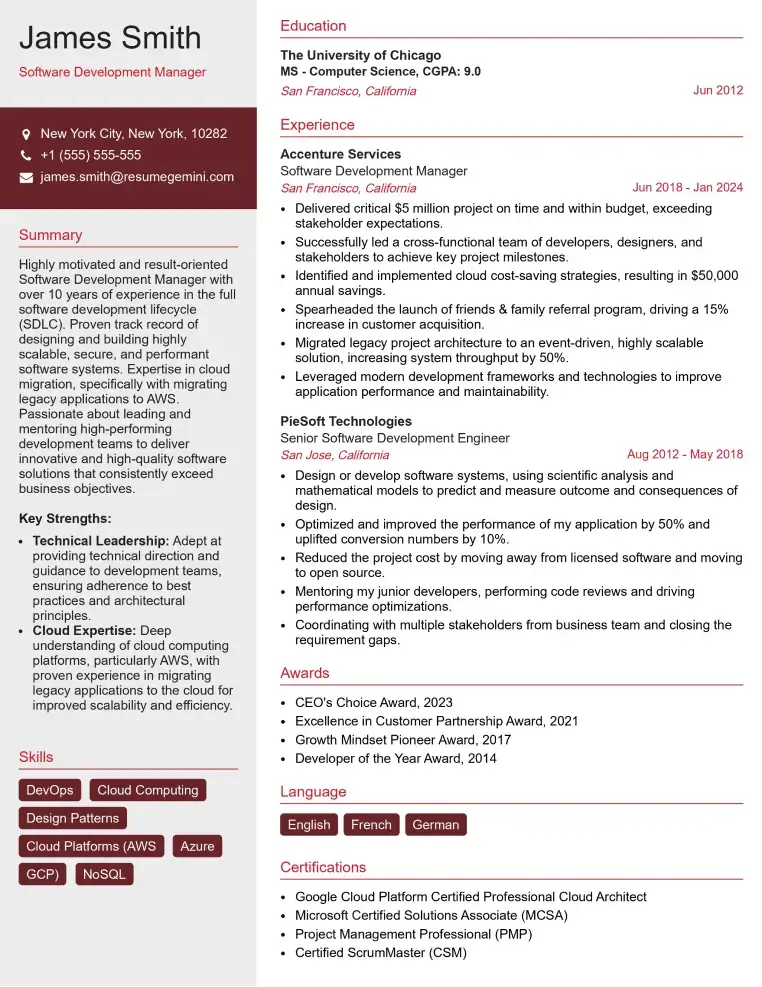
Check Out Resume Samples at ResumeGemini
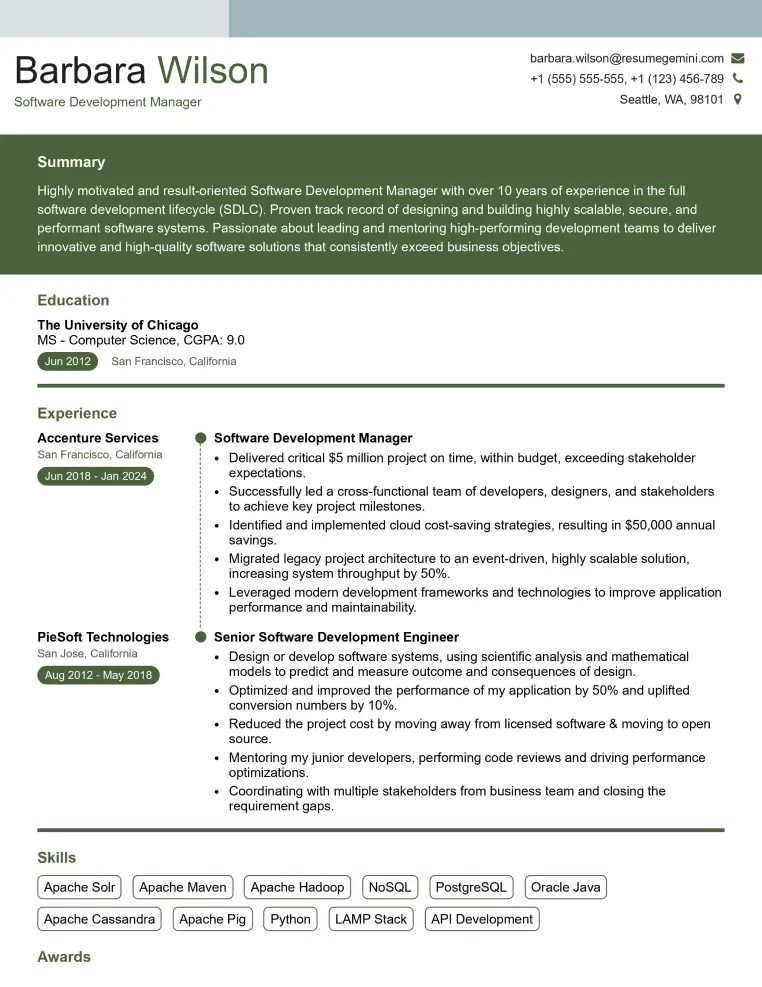
Check Out Resume Samples at ResumeGemini
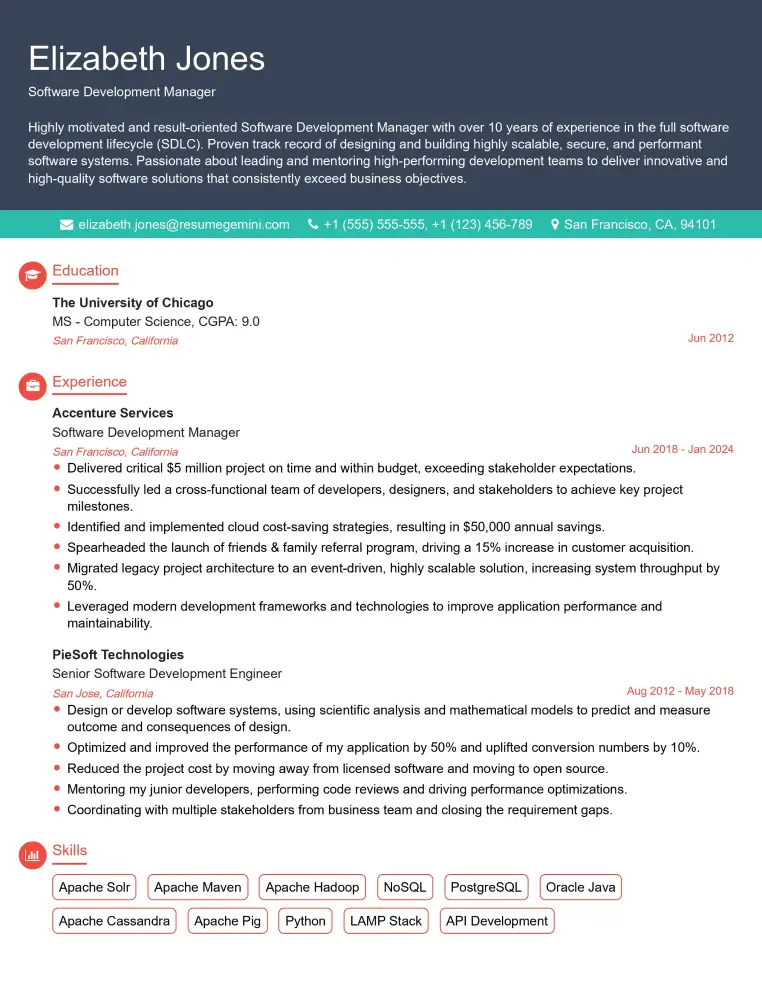
Check Out Resume Samples at ResumeGemini

Check Out Resume Samples at ResumeGemini
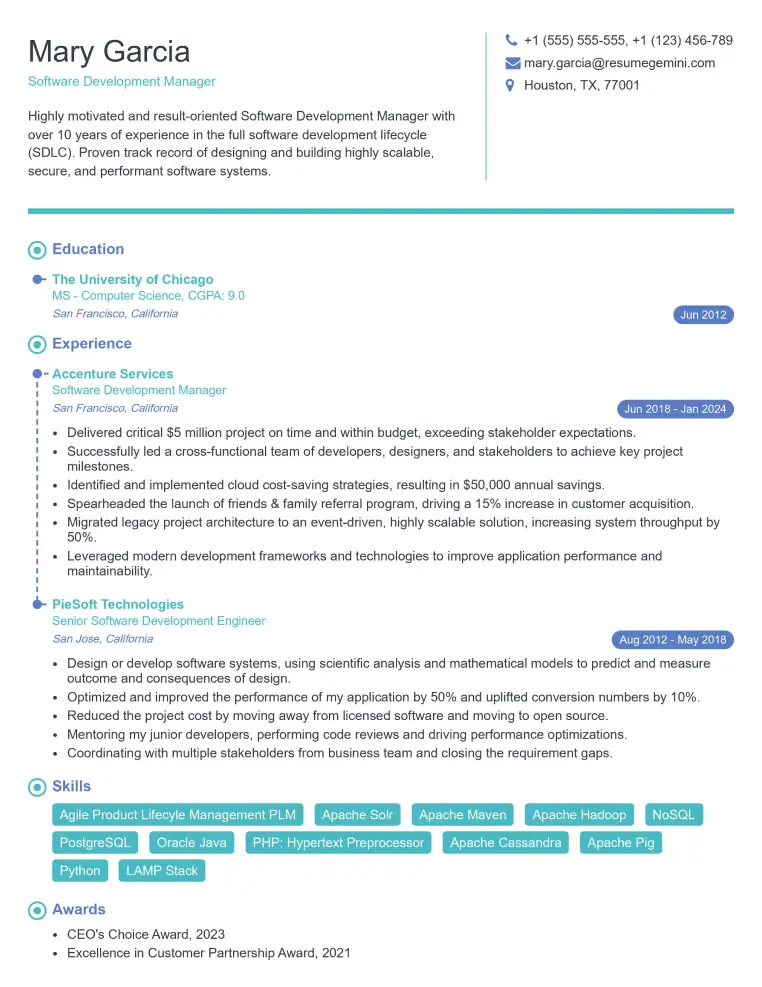
Check Out Resume Samples at ResumeGemini
Check Out Resume Samples at ResumeGemini
Check Out Resume Samples at ResumeGemini
Explore more articles
Users Rating of Our Blogs
Share Your Experience
We value your feedback! Please rate our content and share your thoughts (optional).
What Readers Say About Our Blog
To the interviewgemini.com Webmaster.
Very helpful and content specific questions to help prepare me for my interview!
Thank you
To the interviewgemini.com Webmaster.
This was kind of a unique content I found around the specialized skills. Very helpful questions and good detailed answers.
Very Helpful blog, thank you Interviewgemini team.