Unlock your full potential by mastering the most common DCS and HMI Interface interview questions. This blog offers a deep dive into the critical topics, ensuring you’re not only prepared to answer but to excel. With these insights, you’ll approach your interview with clarity and confidence.
Questions Asked in DCS and HMI Interface Interview
Q 1. Explain the difference between DCS and PLC systems.
While both Distributed Control Systems (DCS) and Programmable Logic Controllers (PLCs) are used for industrial automation, they differ significantly in scale, complexity, and application. Think of a PLC as a powerful, single-brain managing a smaller, localized process like a single machine or a small production line. A DCS, on the other hand, is a more sophisticated, distributed network of controllers managing a much larger, complex process across an entire plant or facility.
- Scale: PLCs control smaller, simpler processes; DCSs handle larger, more complex processes.
- Redundancy: DCSs typically incorporate high levels of redundancy for enhanced reliability, which is less common in smaller PLC applications.
- Cost: DCS systems are generally more expensive to implement and maintain than PLC systems.
- Applications: PLCs are commonly used in manufacturing, packaging, and machine control, while DCSs are used in large-scale operations like chemical plants, power plants, and refineries.
For instance, a PLC might control a single bottling machine on a production line, while a DCS would manage the entire bottling plant, including multiple machines, inventory control, and environmental monitoring.
Q 2. Describe your experience with HMI design principles and best practices.
My HMI design philosophy centers on creating intuitive and efficient interfaces that prioritize operator safety and process efficiency. I adhere to established best practices, focusing on:
- Clarity and Simplicity: Using clear, concise labels, consistent color schemes, and a logical layout to avoid operator confusion.
- Data Visualization: Employing effective charts, graphs, and trend displays to present critical process data in a readily understandable format. I believe in using different visualization tools for different purposes; a bar chart may suit one situation, while a line graph might be better suited for another.
- Alarm Management: Designing a clear and hierarchical alarm system to prevent alarm flooding and ensure critical alerts are prioritized. The goal is to provide only the most relevant information to prevent ‘alarm fatigue’.
- User Roles and Permissions: Implementing appropriate access controls to limit user interaction to only necessary functions, thereby enhancing security and safety.
- Ergonomics: Designing the HMI for ease of use, considering screen size, resolution, and placement to reduce operator strain.
- Usability Testing: Regularly conducting user testing to validate design effectiveness and make iterative improvements. This is crucial to ensure the design actually meets the operator’s needs and expectations.
In a recent project, we implemented an HMI for a chemical plant that reduced operator response time to critical alarms by 15% through a redesigned alarm system and improved data visualization. This improvement was achieved by using color-coding and prioritizing alarms based on severity.
Q 3. What are the common communication protocols used in DCS and HMI systems?
DCS and HMI systems employ a variety of communication protocols depending on the specific hardware and software involved. Some of the most common include:
- Modbus: A widely used, open protocol for serial communication, often used for simple data acquisition and control. It’s known for its simplicity and reliability.
- Profibus: A fieldbus protocol commonly used in industrial automation, providing high-speed communication for a wide range of devices.
- Ethernet/IP: A popular Ethernet-based industrial communication protocol offering high bandwidth and robust networking capabilities. It supports various levels of determinism for real-time process control.
- OPC UA (Unified Architecture): A platform-independent standard that provides a secure and interoperable way for different systems to exchange data. It is designed for both simple and complex communications.
- PROFINET: A real-time industrial Ethernet protocol that often complements Siemens systems, offering advanced diagnostics and integration capabilities.
The choice of protocol often depends on factors such as speed requirements, distance limitations, and the need for interoperability between different vendor equipment.
Q 4. How do you troubleshoot a DCS system alarm?
Troubleshooting a DCS system alarm is a systematic process. It involves a methodical approach to isolate and address the root cause. My approach typically includes:
- Identify the Alarm: Note the specific alarm message, timestamp, and affected process area. Use the HMI’s alarm history functionality to access this information.
- Review Alarm History and Trends: Analyze historical data to determine the duration of the alarm and any preceding events. Trends can provide insights into process deviations prior to the alarm.
- Check Field Devices: Verify the status of sensors, actuators, and other field devices associated with the alarmed process variable using the HMI or directly at the field device (if safe).
- Inspect Process Values: Examine related process variables to pinpoint any abnormalities that may be contributing to the alarm.
- Verify Controller Logic: If the issue persists, review the controller logic within the DCS to rule out programming errors or configuration problems.
- Consult DCS Documentation: Refer to the DCS system documentation, including manuals, schematics, and process flow diagrams, for a better understanding of the system architecture and to aid in diagnostics.
- Escalate as Needed: If the problem remains unresolved, escalate it to a senior technician or engineer with more specialized knowledge of the DCS system.
During a recent incident, a seemingly simple level alarm in a tank was traced back to a faulty pressure sensor downstream, causing an inaccurate level measurement. The alarm history and trend data was key in quickly identifying this root cause.
Q 5. Explain the concept of redundancy in DCS systems.
Redundancy in DCS systems is a critical design feature that ensures high availability and system reliability. It involves implementing multiple, independent components that can take over in case of failure in another component. This approach significantly minimizes downtime and prevents catastrophic failures. Redundancy can be implemented at various levels:
- Controller Redundancy: Multiple controllers monitor and control the same process variable. If one controller fails, the other automatically takes over. This is achieved by using a voting mechanism to ensure consistency in control action.
- I/O Redundancy: Redundant input/output modules provide duplicate pathways for data acquisition and control signals. This prevents disruption if a module fails.
- Network Redundancy: Multiple network paths provide alternative communication routes between controllers, I/O modules, and the HMI, mitigating the impact of network outages.
- Power Supply Redundancy: Uninterruptible Power Supplies (UPS) and redundant power feeds guarantee uninterrupted power supply to critical system components.
Redundancy ensures that the system is self-healing in the event of component failures. Think of it as having a backup system always ready to take over, analogous to having a spare tire in a car.
Q 6. Describe your experience with different HMI software platforms.
Throughout my career, I’ve gained experience with several leading HMI software platforms, including:
- Wonderware InTouch: A robust and versatile platform with extensive capabilities for building complex and user-friendly HMIs.
- Siemens WinCC: A widely used platform for industrial automation, known for its seamless integration with Siemens PLCs and DCS systems.
- Rockwell Automation FactoryTalk View SE: Another popular platform that offers strong integration with Rockwell Automation PLCs and offers excellent features for data visualization.
- AVEVA InTouch: Highly adaptable platform well-suited for diverse applications and scalable.
My experience encompasses developing HMIs for various industries, using these platforms to create interfaces that are both intuitive and efficient. The selection of platform often depends on the overall automation system architecture and client preferences, though common factors such as scalability and ease of maintenance heavily influence the choice.
Q 7. How do you ensure the security of a DCS/HMI system?
Security in DCS/HMI systems is paramount to prevent unauthorized access, data breaches, and potential safety hazards. A multi-layered security approach is crucial, including:
- Network Segmentation: Isolating the DCS/HMI network from the corporate network and other less critical systems to limit the impact of a potential breach. Firewalls are used to further restrict network traffic.
- Access Control: Implementing strong password policies and role-based access control to restrict access to authorized personnel only. Using multi-factor authentication provides an added layer of security.
- Intrusion Detection/Prevention Systems (IDS/IPS): Monitoring network traffic for suspicious activity and blocking malicious attempts to access the system.
- Regular Software Updates: Keeping all system software and firmware up-to-date to patch known vulnerabilities.
- Security Audits: Conducting regular security audits to identify and address potential weaknesses in the system’s security posture.
- Data Encryption: Encrypting data both in transit and at rest to protect sensitive information from unauthorized access.
Implementing these measures creates a robust security framework, analogous to a fortress with multiple defensive layers, to protect the DCS/HMI system and prevent security incidents.
Q 8. What is your experience with database integration in DCS/HMI systems?
Database integration in DCS/HMI systems is crucial for storing, retrieving, and analyzing process data. This allows for historical trending, reporting, and advanced analytics. My experience spans several database systems, including SQL Server, Oracle, and even some NoSQL solutions for specific applications. I’ve worked with both direct connections (using OPC or similar protocols) and indirect methods (e.g., using a middleware system to translate data between the DCS and the database).
For instance, in one project, we integrated a DCS with a SQL Server database to store real-time process data every second. This data was then used to generate daily reports on production efficiency and identify potential bottlenecks. Another project involved using a historian (a specialized database for time-series data) to archive years of process data for regulatory compliance and long-term trend analysis. In each case, careful consideration was given to data security and efficient data handling.
I’m proficient in designing database schemas tailored to the specific needs of the process, ensuring efficient data storage and retrieval. I also have experience with data cleansing and validation procedures to maintain data integrity.
Q 9. Explain your understanding of process control loops.
A process control loop is a closed-loop system that automatically regulates a process variable to maintain it at a desired setpoint. Think of it like a thermostat controlling room temperature. It consists of several key components: a sensor measuring the process variable (e.g., temperature, pressure, level), a controller comparing the measured value to the setpoint and calculating a correction, and a final control element (e.g., valve, heater) that adjusts the process to achieve the setpoint.
The controller uses a control algorithm (like PID – Proportional-Integral-Derivative) to determine the necessary correction. Proportional action adjusts the output in proportion to the error, integral action addresses persistent offsets, and derivative action anticipates future changes. These loops are fundamental to automation, ensuring stable and efficient operation of industrial processes.
For example, in a chemical reactor, a temperature control loop would use a thermocouple (sensor) to measure the temperature, a PID controller to calculate the necessary heating or cooling, and a valve to adjust the flow of coolant or heating medium. Understanding these loops is essential for troubleshooting and optimizing process performance.
Q 10. Describe your experience with configuring and commissioning DCS systems.
My experience in configuring and commissioning DCS systems involves a structured approach, from initial design to final validation. I’m familiar with various DCS platforms (e.g., Rockwell Automation, Siemens, Honeywell).
The process typically begins with understanding the process requirements, creating input/output (I/O) lists, and defining the control strategies. This involves working with process engineers to develop detailed process descriptions and selecting the appropriate hardware and software components. The configuration phase involves setting up the I/O points, configuring the controllers, and creating the control loops within the DCS software. Commissioning includes testing each component, verifying the control algorithms, and performing loop tuning to optimize the system’s performance. This often involves working closely with instrumentation technicians and electrical engineers to ensure proper hardware integration.
In one project, we commissioned a new DCS for a large refinery. We followed a phased approach, starting with a small section of the plant and gradually expanding to the entire system. This minimized downtime and allowed for thorough testing at each stage. We also implemented a rigorous testing protocol, including functional tests, safety tests, and simulations to ensure the system’s reliability and safety.
Q 11. How do you handle system upgrades and migrations in DCS and HMI environments?
System upgrades and migrations in DCS and HMI environments require careful planning and execution to minimize downtime and avoid data loss. My approach involves several key steps:
- Assessment: Thoroughly evaluating the current system, identifying its limitations, and determining the requirements for the upgrade or migration.
- Planning: Developing a detailed project plan with timelines, resources, and risk mitigation strategies. This includes creating a comprehensive backup and restore plan.
- Testing: Conducting rigorous testing in a simulated environment to verify the functionality of the upgraded or migrated system.
- Phased Rollout: Implementing the upgrade or migration in phases to minimize disruption to operations.
- Training: Providing adequate training to operators and maintenance personnel on the new system.
- Validation: Verifying that the upgraded or migrated system meets all performance and safety requirements.
A key aspect is thorough documentation throughout the entire process. This allows for smooth transitions and easier troubleshooting down the line. I’ve managed several migrations from legacy systems to modern platforms, ensuring minimal disruption to the plant’s production.
Q 12. What are the different types of HMI displays and when would you use each?
HMI displays come in various types, each suited for different needs. Some common types include:
- Trend Displays: Show historical process data, allowing operators to see trends and identify patterns over time. These are crucial for identifying potential problems and making informed decisions. Example: Monitoring the temperature of a reactor over the last 24 hours.
- Process Overview Displays: Provide a high-level view of the entire process, showing the status of critical parameters. This gives operators a quick overview of the plant’s condition. Example: A schematic diagram showing the status of various pumps, valves, and tanks.
- Detailed Equipment Displays: Show detailed information about specific equipment, including alarms, operating parameters, and diagnostic information. Example: A detailed display for a specific pump showing its flow rate, pressure, and vibration levels.
- Alarm Summary Displays: Provide a consolidated list of active alarms, allowing operators to quickly identify and address critical issues. Example: A list of all high-temperature alarms in a section of the plant.
- Graphic Displays: Use interactive graphics to represent the process, making it easier for operators to understand and interact with the system. Example: A piping and instrumentation diagram (P&ID) with interactive elements.
The choice of display depends on the specific needs of the operator and the process being monitored. Often, a combination of these display types is used to provide a comprehensive view of the process.
Q 13. Describe your experience with scripting or programming within an HMI context.
I have extensive experience with scripting and programming within HMI contexts, primarily using scripting languages provided by the HMI platform such as VBA, C#, or Python (often through add-ons or APIs). This allows for customized functionality and automation.
For example, I’ve used scripting to create custom alarm notifications that email specific personnel based on the severity of the alarm. I’ve also created custom data analysis tools within the HMI that calculate key performance indicators (KPIs) and display them in real-time. In another instance, I used scripting to automate repetitive tasks, such as data logging and report generation. I’m also proficient in using scripting languages to integrate the HMI with other systems (like MES, LIMS or ERP systems).
// Example VBA script to trigger an email notification Sub SendEmailAlarm(alarmMessage As String) ' Code to send an email using Outlook object End Sub
Scripting significantly enhances the HMI’s capabilities, offering flexibility and efficiency in handling data and automating tasks.
Q 14. How do you manage multiple alarms and events in a DCS system?
Managing multiple alarms and events in a DCS system is crucial for efficient operation and safety. An effective strategy includes:
- Alarm Prioritization: Categorizing alarms based on severity and impact on the process. This helps operators focus on the most critical alarms first.
- Alarm Filtering and Suppression: Implementing mechanisms to filter out nuisance alarms or temporarily suppress alarms during planned maintenance.
- Alarm Acknowledgment and History: Ensuring that alarms are properly acknowledged and a detailed history of alarms is maintained for analysis and troubleshooting.
- Alarm Reporting and Trending: Generating reports on alarm frequency and duration to identify trends and potential issues.
- Alarm Management Software: Utilizing dedicated alarm management software to organize and analyze alarm data, and to optimize alarm systems (reducing nuisance alarms, avoiding alarm floods).
In a complex system with hundreds or thousands of alarms, a structured approach and efficient alarm management software are critical to prevent alarm fatigue and ensure timely response to critical events. A well-designed alarm system is paramount to safety and operational efficiency.
Q 15. Explain your understanding of historical data archiving in DCS systems.
Historical data archiving in Distributed Control Systems (DCS) is crucial for process optimization, troubleshooting, regulatory compliance, and trend analysis. It involves the systematic storage and retrieval of process data over extended periods. This data, typically including measurements from sensors, actuator commands, and alarm events, is stored in a database, often a historian system, separate from the real-time DCS database. The key is to balance the need for detailed data with storage capacity and retrieval speed.
Consider a large chemical plant. Archiving production parameters like temperature, pressure, and flow rates allows engineers to identify inefficiencies, optimize process settings, and understand the root causes of past incidents. For example, if a reactor overheated, archived data can pinpoint the exact sequence of events leading to the incident, enabling preventative measures.
Several factors influence the design of a historical data archiving system:
- Data retention policy: Determining how long data needs to be stored (e.g., regulatory requirements may mandate years of data storage).
- Data compression techniques: Reducing storage space needed while maintaining data integrity.
- Data access and retrieval: Ensuring efficient access to historical data for analysis and reporting using tools like HMI trend displays and advanced analytics software.
- Data security and backup: Protecting data from loss or unauthorized access.
Effective archiving systems utilize databases optimized for time-series data and provide mechanisms for data reduction and efficient querying.
Career Expert Tips:
- Ace those interviews! Prepare effectively by reviewing the Top 50 Most Common Interview Questions on ResumeGemini.
- Navigate your job search with confidence! Explore a wide range of Career Tips on ResumeGemini. Learn about common challenges and recommendations to overcome them.
- Craft the perfect resume! Master the Art of Resume Writing with ResumeGemini’s guide. Showcase your unique qualifications and achievements effectively.
- Don’t miss out on holiday savings! Build your dream resume with ResumeGemini’s ATS optimized templates.
Q 16. What are the common challenges in integrating DCS and HMI systems?
Integrating DCS and HMI systems presents several challenges. One major issue is data communication – ensuring seamless and reliable data exchange between the two systems. Different communication protocols (e.g., OPC UA, Modbus) can create compatibility problems. Another challenge lies in real-time performance; the HMI needs to respond quickly to changes in the DCS, requiring efficient data handling. Furthermore, security is crucial: access control and data encryption are essential to prevent unauthorized access or manipulation of process data.
For example, integrating an older DCS with a modern HMI might require custom gateways or middleware to bridge the communication protocol gaps. Also, a poorly designed HMI interface can overload the DCS, causing delays or even system crashes. Security breaches could lead to process upsets, equipment damage, or even safety hazards.
These challenges can be addressed through careful planning, selecting compatible systems and communication protocols, implementing robust security measures, and employing thorough testing during the integration process.
Q 17. How do you ensure data integrity in a DCS/HMI system?
Data integrity in a DCS/HMI system is paramount for reliable operations and decision-making. This involves ensuring that data is accurate, complete, consistent, and trustworthy throughout its lifecycle. This is achieved through a multi-layered approach.
- Redundancy and Failover: Implementing redundant hardware and software components ensures continuous data acquisition even during failures. Failover mechanisms automatically switch to backup systems, minimizing downtime.
- Data Validation and Error Checking: Implementing checks and balances within the system to detect and correct errors, including range checks, plausibility checks, and data consistency checks.
- Audit Trails: Maintaining detailed logs of all data changes, access attempts, and system events. These logs allow for tracking and investigation of any anomalies.
- Secure Communication Protocols: Using encryption and authentication to protect data from unauthorized access and tampering.
- Regular Data Backups: Creating regular backups of the entire system, including historical data, to protect against data loss due to hardware failures or cyberattacks.
Imagine a power plant where inaccurate temperature readings could lead to a catastrophic failure. Robust data integrity measures are absolutely essential to prevent such scenarios.
Q 18. Describe your approach to testing and validation of DCS/HMI systems.
Testing and validation of DCS/HMI systems is a critical phase involving rigorous procedures to ensure the systems meet functional and safety requirements. It typically follows a phased approach.
- Unit Testing: Testing individual components (e.g., software modules, I/O devices) to verify their functionality.
- Integration Testing: Testing the interaction between different components to ensure seamless communication and data flow.
- System Testing: Testing the entire system as a whole to validate its functionality and performance under various conditions.
- User Acceptance Testing (UAT): Involving end-users in testing to ensure the system meets their requirements and is user-friendly.
- Simulation Testing: Using simulation tools to test the system’s response to various scenarios, including normal operation, faults, and emergencies.
A comprehensive test plan is essential, outlining test cases, expected results, and acceptance criteria. Automated testing tools can significantly improve efficiency and reduce the risk of human error. Thorough documentation of test results is also crucial for demonstrating compliance with standards and regulations.
Q 19. Explain your experience with different types of input and output devices used in DCS systems.
My experience encompasses a wide range of input and output (I/O) devices commonly used in DCS systems. These devices are essential for connecting the DCS to the physical process.
- Analog I/O: These devices measure or control continuous variables, such as temperature, pressure, and flow rate. Examples include thermocouples, pressure transmitters, and control valves.
- Digital I/O: These devices handle discrete signals, such as on/off switches, limit switches, and relay outputs. They are used for monitoring and controlling discrete events.
- Smart I/O: These devices have integrated intelligence, performing some data processing locally before sending data to the DCS, reducing the DCS’s processing load. Examples include smart flow meters and smart actuators.
- Fieldbus communication: Modern DCS systems utilize fieldbus protocols (e.g., PROFIBUS, Foundation Fieldbus) which allow efficient communication with multiple I/O devices over a single network.
In one project, I worked with a system that used a combination of analog pressure sensors, digital level switches, and smart flow meters communicating through a PROFIBUS network. Understanding the characteristics and capabilities of these different devices is critical for designing a reliable and efficient DCS system.
Q 20. How do you handle system failures and recovery procedures in DCS systems?
Handling system failures and implementing effective recovery procedures are critical in DCS environments to minimize downtime and prevent safety incidents. This involves a combination of preventative measures and reactive strategies.
- Redundancy and Failover: Implementing redundant hardware and software components to ensure continued operation during component failures. Automatic failover mechanisms switch to backup systems seamlessly.
- Alarm Management: A comprehensive alarm system provides timely alerts about system anomalies and potential failures. Clear and concise alarm messages facilitate rapid response to critical situations.
- Emergency Shutdown Systems (ESD): ESD systems automatically shut down the process in case of hazardous situations, preventing major accidents. Regular testing and maintenance of ESD systems are crucial.
- System Monitoring and Diagnostics: Tools for continuous system monitoring, detecting potential problems, and diagnosing failures promptly.
- Detailed recovery procedures: Documented procedures for recovering from different types of failures, guiding operators and maintenance personnel through the steps required to restore normal operations.
In a refinery, for example, a well-defined recovery procedure for a power outage, involving automatic switchover to a backup generator and a step-by-step process for restarting critical systems, can minimize disruption and prevent hazards.
Q 21. Describe your experience with HMI graphics design and user interface development.
My experience in HMI graphics design and user interface (UI) development focuses on creating intuitive and efficient interfaces that effectively communicate process information to operators. It involves careful consideration of human factors, usability principles, and visual design.
I utilize various HMI software packages to design screens displaying key process parameters, alarms, and trends in a clear and concise manner. My approach emphasizes:
- Clear and Concise Visualizations: Using appropriate graphics, colors, and symbols to represent process data accurately and avoid information overload.
- Intuitive Navigation: Designing an easy-to-navigate interface allowing operators to quickly access relevant information.
- Effective Alarm Management: Developing a clear and effective alarm system with different priority levels, minimizing nuisance alarms and ensuring timely attention to critical events.
- User-Centered Design: Considering the specific needs and tasks of operators during design, ensuring the interface is efficient and user-friendly.
- Accessibility: Designing the HMI to be accessible to all users, including those with disabilities.
In a recent project, I designed an HMI for a wastewater treatment plant. By employing clear color-coding for different process stages, simplified navigation, and an efficient alarm system, I created an interface that enhanced operators’ situational awareness and improved operational efficiency.
Q 22. What is your experience with different HMI visualization techniques?
My experience encompasses a wide range of HMI visualization techniques, focusing on creating intuitive and efficient interfaces for operators. I’ve worked extensively with various approaches, including:
- Traditional mimic diagrams: These provide a visual representation of the process equipment, using symbols and graphics to reflect the real-world layout. For example, I’ve designed mimic diagrams for chemical plants, showing tanks, pumps, and pipes with their corresponding status indicators.
- Trend graphs and charts: Essential for monitoring process variables over time, these allow operators to quickly identify trends and anomalies. I’ve implemented real-time data plotting for temperature, pressure, and flow rate monitoring, enabling early detection of deviations from setpoints.
- Advanced graphical displays: These leverage 3D modeling and advanced animation to provide a more immersive and interactive experience. For instance, I created a 3D model of an oil refinery for a client, allowing operators to visualize the entire process flow and pinpoint potential issues more effectively.
- Data dashboards: Designed to present key performance indicators (KPIs) and critical process parameters in a concise and easily digestible format. I’ve built dashboards that highlight critical alarms, energy consumption, and production yields.
Selecting the right visualization technique depends on the complexity of the process, the operator’s expertise, and the specific objectives of the HMI. I always prioritize clarity, conciseness, and ease of use.
Q 23. Explain your experience with alarm management and prioritization strategies.
Effective alarm management is crucial for safe and efficient plant operation. My approach involves a multi-layered strategy:
- Alarm prioritization: I use techniques like alarm flooding avoidance to prevent operators from being overwhelmed by unnecessary alerts. This involves assigning severity levels (e.g., critical, major, minor) based on the potential impact on safety and production. For example, a high-pressure alarm in a reactor would have a higher priority than a minor temperature deviation in a storage tank.
- Alarm rationalization: This involves systematically reviewing existing alarms to eliminate redundant, unnecessary, or poorly configured alerts. I’ve used tools and methodologies to analyze alarm history, identifying frequent nuisance alarms and recommending improvements to alarm logic.
- Alarm acknowledgment and response: The HMI should provide clear instructions and tools for operators to acknowledge and respond to alarms effectively. I’ve designed systems with features like automatic escalation procedures for critical alarms and detailed alarm history logging for traceability and analysis.
- Alarm suppression: This feature allows temporary silencing of alarms under specific conditions, preventing unnecessary disruptions. However, its implementation requires careful consideration to prevent masking of genuine issues.
I’ve also worked with systems that incorporate advanced alarm analysis software, which provides insights into alarm trends, identifies root causes, and helps optimize alarm thresholds for better performance.
Q 24. How do you optimize the performance of a DCS/HMI system?
Optimizing DCS/HMI performance requires a holistic approach. Key strategies include:
- Efficient data handling: Minimizing unnecessary data transfers and using efficient data compression techniques can significantly improve response times. For instance, implementing data filtering and reducing the frequency of data updates for less critical parameters can enhance system performance.
- Network optimization: A well-designed network architecture with adequate bandwidth and minimal latency is essential for optimal performance. This includes using appropriate network protocols and hardware, optimizing network configurations and employing network segmentation to isolate critical components.
- Hardware upgrades: If the existing hardware is insufficient, upgrading to more powerful processors, faster network interfaces, and larger memory capacity can drastically improve system responsiveness and handling of large datasets.
- Software optimization: This might involve regularly updating the DCS/HMI software to benefit from performance improvements and bug fixes. It also includes streamlining HMI graphics and scripts to ensure efficient operation.
- Client-server architecture: Using a client-server architecture where data processing is offloaded from the client to the server improves the client’s responsiveness and reduces strain on the client hardware.
Regular performance monitoring and benchmarking are crucial to identify bottlenecks and track the effectiveness of optimization efforts.
Q 25. Describe your understanding of cybersecurity threats in industrial control systems.
Cybersecurity threats to industrial control systems (ICS) are a significant concern. My understanding encompasses various attack vectors and mitigation strategies. These include:
- Network attacks: These include denial-of-service (DoS) attacks, unauthorized access attempts, and malware infections that could disrupt operations or compromise sensitive data. Implementing firewalls, intrusion detection systems (IDS), and intrusion prevention systems (IPS) are critical for protection.
- Phishing and social engineering: These attacks target human operators, attempting to gain access credentials or install malicious software. Robust security awareness training and multi-factor authentication (MFA) are crucial defenses.
- Hardware vulnerabilities: Outdated or poorly secured hardware devices can serve as entry points for attackers. Regular patching and updates, as well as secure device management practices, are necessary.
- Software vulnerabilities: Outdated software and poorly designed applications can contain exploitable weaknesses. Regular software updates and penetration testing can help identify and mitigate vulnerabilities.
Implementing a comprehensive cybersecurity program is essential. This includes regular risk assessments, security policies, and incident response plans. The principle of defense in depth, employing multiple layers of security controls, is key to mitigating the risks.
Q 26. What is your experience with virtualisation in DCS/HMI systems?
Virtualization plays an increasingly important role in DCS/HMI systems, offering several benefits. My experience includes working with virtualized environments for:
- Reduced hardware costs: Virtualization allows multiple DCS/HMI instances to run on a single physical server, reducing the need for dedicated hardware.
- Improved scalability and flexibility: Virtual machines can be easily created, migrated, and scaled to meet changing needs. This is beneficial during periods of high demand or when deploying new applications.
- Enhanced disaster recovery and business continuity: Virtual machines can be easily backed up and restored, reducing downtime in the event of a hardware failure or other disaster. This improved resilience is particularly important in critical industrial environments.
- Simplified system maintenance and upgrades: Virtualized environments make it easier to patch and upgrade systems with minimal disruption to operations.
However, virtualization also introduces specific cybersecurity considerations. Proper network segmentation, access controls, and regular security audits are critical to maintain the integrity and security of the virtualized environment.
Q 27. Explain your understanding of different control strategies (PID, cascade, feedforward, etc.)
Different control strategies are employed to regulate process variables and maintain desired operating conditions. My understanding encompasses several key techniques:
- PID Control (Proportional-Integral-Derivative): This is a widely used feedback control algorithm that adjusts the controller output based on the error between the setpoint and the measured process variable. It consists of three terms: proportional (immediate response), integral (eliminates steady-state error), and derivative (anticipates future error).
- Cascade Control: This involves using two or more controllers in a hierarchical structure, where the output of one controller acts as the setpoint for another. This improves control accuracy and reduces the impact of disturbances.
- Feedforward Control: This anticipates disturbances based on measurable inputs and adjusts the controller output proactively. This is often used in conjunction with feedback control to improve overall performance and stability.
- Ratio Control: Maintains a constant ratio between two or more process variables. For instance, maintaining a constant fuel-to-air ratio in a combustion process.
- Advanced control strategies: These include model predictive control (MPC), adaptive control, and fuzzy logic control, offering greater control precision and adaptability to complex process dynamics.
The choice of control strategy depends on the process characteristics, control objectives, and the availability of measurement and actuation systems. I’ve implemented and tuned various control strategies across numerous industrial applications, always prioritizing stability, accuracy, and robustness.
Key Topics to Learn for DCS and HMI Interface Interview
- DCS Fundamentals: Understanding Distributed Control Systems architecture, including hardware components (PLCs, RTUs, I/O modules), communication protocols (e.g., Modbus, Profibus), and system redundancy.
- HMI Principles: Mastering Human-Machine Interface design principles, focusing on ergonomics, intuitive navigation, and effective alarm management for optimal operator performance and safety.
- Process Control Strategies: Familiarize yourself with various control loops (PID, cascade, feedforward), process variables, and their impact on overall system performance. Practice analyzing control schemes and troubleshooting potential issues.
- SCADA Systems: Explore the integration of DCS and SCADA systems, understanding data acquisition, historical trending, and reporting capabilities. Be prepared to discuss the advantages and disadvantages of various SCADA platforms.
- Networking and Cybersecurity: Understand the networking infrastructure supporting DCS and HMI systems. Discuss common cybersecurity threats and mitigation strategies to ensure system integrity and data protection.
- Troubleshooting and Diagnostics: Develop your problem-solving skills by practicing scenario-based troubleshooting. Learn to effectively utilize alarm systems, historical data, and diagnostic tools to identify and resolve issues in DCS and HMI environments.
- Industry Standards and Regulations: Become familiar with relevant industry standards and regulations (e.g., ISA, IEC) impacting DCS and HMI design, implementation, and operation.
- Practical Applications: Be prepared to discuss real-world applications of DCS and HMI in various industries, such as oil & gas, manufacturing, power generation, and water treatment.
Next Steps
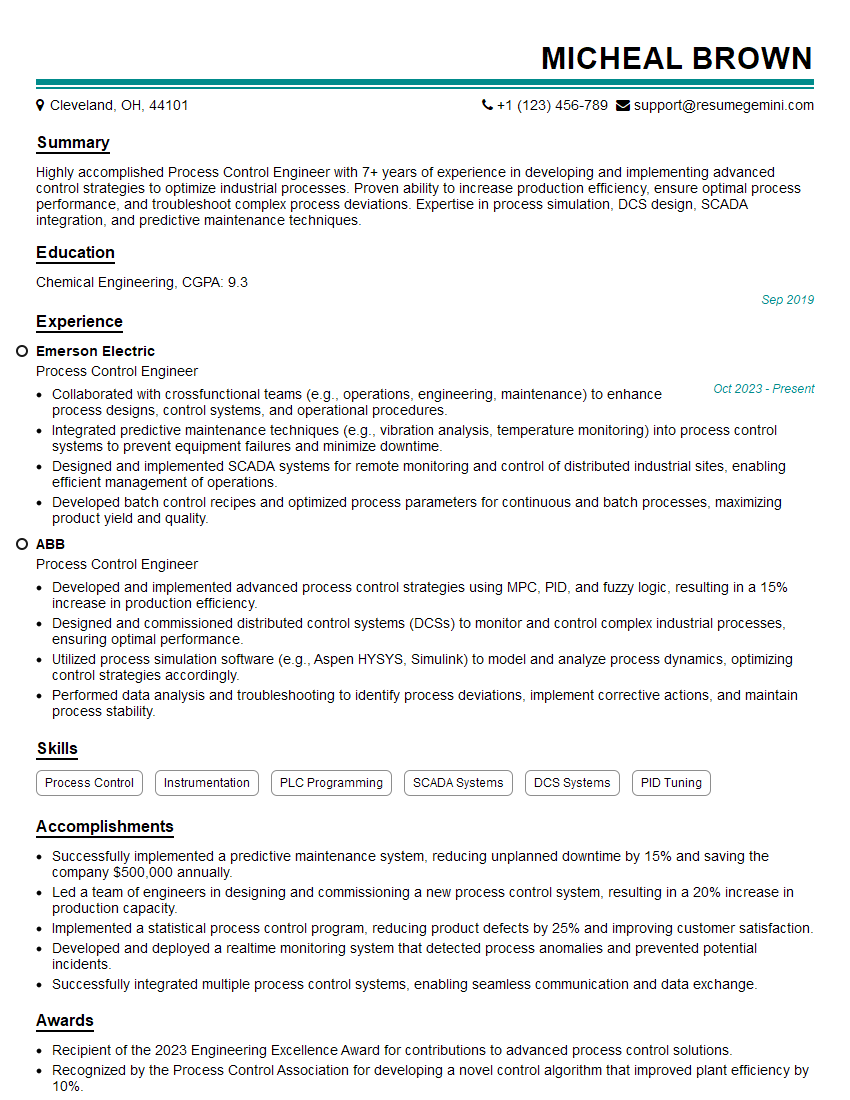
Mastering DCS and HMI Interface skills significantly enhances your career prospects in automation and process control. These in-demand skills open doors to challenging and rewarding roles with excellent growth potential. To maximize your chances of landing your dream job, invest time in creating a compelling and ATS-friendly resume that highlights your expertise. ResumeGemini is a trusted resource to help you build a professional resume that stands out. We provide examples of resumes tailored specifically to DCS and HMI Interface roles to help guide you in the process.



Explore more articles
Users Rating of Our Blogs
Share Your Experience
We value your feedback! Please rate our content and share your thoughts (optional).
What Readers Say About Our Blog
To the interviewgemini.com Webmaster.
Very helpful and content specific questions to help prepare me for my interview!
Thank you
To the interviewgemini.com Webmaster.
This was kind of a unique content I found around the specialized skills. Very helpful questions and good detailed answers.
Very Helpful blog, thank you Interviewgemini team.