Feeling uncertain about what to expect in your upcoming interview? We’ve got you covered! This blog highlights the most important Earth Engine interview questions and provides actionable advice to help you stand out as the ideal candidate. Let’s pave the way for your success.
Questions Asked in Earth Engine Interview
Q 1. Explain the architecture of Google Earth Engine.
Google Earth Engine (GEE) boasts a unique cloud-based architecture designed for massive geospatial data processing. Imagine it as a massive library filled with satellite imagery, elevation data, and other geographic information, all readily accessible through a powerful programming interface. At its core, GEE utilizes a client-server model. The client-side, where you write your code using JavaScript, interacts with the server-side, which houses the enormous data catalog and performs the computationally intensive tasks.
The server-side is built on a distributed computing infrastructure, leveraging Google’s globally distributed data centers. This allows GEE to handle terabytes of data with remarkable speed and efficiency. The system is highly scalable, meaning it can seamlessly adapt to handle varying workloads and dataset sizes. This underlying infrastructure ensures that even complex analyses involving massive datasets are executed effectively without burdening the user’s local machine. Finally, GEE utilizes a sophisticated data management system to organize and quickly access the vast amounts of data. This system is optimized for speed and efficiency, contributing significantly to GEE’s overall performance.
Q 2. Describe the difference between imageCollection and Image objects in Earth Engine.
In Earth Engine, both Image and ImageCollection objects represent geospatial data, but they differ significantly in their structure and how they’re used. Think of an Image as a single snapshot, like a single satellite image taken at a specific time. It contains data for a specific geographic area and represents one moment in time. An ImageCollection, on the other hand, is a collection of these individual Image objects, like a time-lapse video. It might contain images from different dates, sensors, or even different satellite platforms, all organized together.
For example, a single Landsat 8 image of a region would be an Image. However, if you want to analyze changes over time, you would use an ImageCollection containing many Landsat 8 images collected over several years. You would then use functions like map() to perform operations on each image within the collection.
// Example: Accessing a single band from an Image var image = ee.Image('LANDSAT/LC08/C01/T1_SR/LC08_044034_20140318'); var redBand = image.select('B4'); // Example: Accessing bands from an ImageCollection var collection = ee.ImageCollection('LANDSAT/LC08/C01/T1_SR') .filterBounds(ee.Geometry.Point([-122.26, 37.87])); // San Francisco var redBands = collection.map(function(image){return image.select('B4')});Q 3. How do you handle large datasets in Earth Engine efficiently?
Handling large datasets in Earth Engine efficiently is paramount. GEE’s architecture is inherently designed for this; however, efficient coding practices are crucial. The key lies in leveraging server-side processing and avoiding unnecessary data transfers. Instead of downloading massive datasets to your local machine, Earth Engine allows you to perform computations directly on the server.
- Client-side filtering: Reduce the dataset size before processing it. Use
filterDate(),filterBounds(), and other filtering functions to select only the necessary data for your analysis. Think of this as focusing your search in the library before pulling out books. - Reduce computation: Optimize your algorithms to minimize unnecessary calculations. Use efficient functions and avoid redundant operations.
- Reduce resolution: If the level of detail isn’t critical, reduce image resolution. This will significantly reduce processing time and storage.
- Parallel Processing: Earth Engine handles parallel processing automatically, enabling efficient operation on large datasets without requiring user intervention.
- Use appropriate data types: Choosing suitable data types (e.g., int8 instead of float32 where appropriate) conserves memory and improves performance.
By effectively utilizing these strategies, you can tackle even the most substantial datasets within GEE without encountering performance bottlenecks.
Q 4. What are the common data types used in Earth Engine?
Earth Engine supports several common data types, each serving specific purposes in geospatial analysis. The most fundamental are:
ee.Image: Represents a raster dataset, like satellite imagery or elevation data. Each pixel holds a value.ee.ImageCollection: A collection ofee.Imageobjects, often representing time-series data.ee.Feature: Represents vector data, such as points, lines, or polygons, commonly used for geographic locations or boundaries.ee.FeatureCollection: A collection ofee.Featureobjects, representing sets of vector features.ee.Geometry: Represents geometric shapes like points, lines, polygons, used to define spatial regions of interest.- Numeric types (
int8,int16,int32,float32, etc.): Used to store pixel values within images. Selecting appropriate types optimizes memory usage.
Understanding these data types is essential for writing efficient and effective Earth Engine scripts.
Q 5. Explain the concept of map algebra in Earth Engine and provide an example.
Map algebra in Earth Engine refers to performing mathematical operations on raster datasets (images). It’s like using a calculator for entire maps at once. Imagine blending several layers of satellite imagery to extract more information than any single layer could provide. You combine, subtract, multiply, or perform other calculations on corresponding pixels from different images. This allows you to derive new insights and create new datasets reflecting complex relationships.
For example, let’s say you have NDVI (Normalized Difference Vegetation Index) data and rainfall data for a region. You could use map algebra to determine the relationship between vegetation health and rainfall patterns.
// Example: Calculate NDVI and then multiply it by rainfall. Assume you have an 'ndvi' and 'rainfall' image. var ndviRainfall = ndvi.multiply(rainfall); This simple multiplication creates a new image where each pixel’s value represents the product of NDVI and rainfall in that specific location, highlighting areas where both vegetation and rainfall are high. Map algebra is a cornerstone of remote sensing analysis in Earth Engine.
Q 6. How do you perform image classification in Earth Engine?
Image classification in Earth Engine involves assigning pixels in an image to different categories or classes. This is fundamental in tasks like land cover mapping, identifying vegetation types, or detecting urban areas. You use algorithms to categorize pixels based on their spectral signatures and other characteristics. The process typically involves these steps:
- Data preparation: Select suitable image data, potentially including multiple spectral bands, indices, or other features.
- Training data selection: Identify representative samples of each class within your image. This forms the basis for training the classifier.
- Classifier selection: Choose an appropriate classification algorithm such as supervised classifiers (e.g., Random Forest, Support Vector Machine, etc.) or unsupervised classifiers (e.g., k-means). The choice depends on the nature of your data and the available training data.
- Classifier training: Train the selected classifier using your training data. This involves teaching the algorithm to distinguish between different classes based on their spectral properties.
- Classification: Apply the trained classifier to the entire image to assign each pixel to a class.
- Accuracy assessment: Evaluate the accuracy of the classification using independent validation data.
Earth Engine offers a rich set of tools and algorithms to perform these steps efficiently and effectively. For example, you can use the ee.Classifier module for various classification algorithms, making the process remarkably streamlined for large-scale projects.
Q 7. Describe different methods for reducing dimensionality in Earth Engine.
Reducing dimensionality in Earth Engine is crucial when dealing with high-dimensional data, such as hyperspectral imagery with numerous spectral bands. This reduces redundancy and computational cost without losing significant information. Several methods are commonly employed:
- Principal Component Analysis (PCA): PCA transforms the original data into a new set of uncorrelated variables (principal components) that capture most of the variance in the data. This is like distilling the essence of your data into fewer, more informative components. You might retain only the top few components that represent the majority of the information, effectively reducing dimensionality.
- Band Selection: This involves strategically selecting only the most relevant bands based on their correlation with the phenomenon you’re studying. This is a simpler approach compared to PCA but requires domain knowledge to select informative bands.
- Feature Extraction: Derive new features from existing bands through calculations. For instance, creating indices like NDVI or EVI condenses multi-band information into single bands. This can effectively reduce dimensionality while retaining relevant information.
The choice of dimensionality reduction technique depends on the specific dataset and application. For hyperspectral data, PCA is often preferred, while band selection might be suitable for simpler datasets with a clear understanding of band relevance.
Q 8. How do you handle cloud cover in satellite imagery using Earth Engine?
Cloud cover is a significant challenge when working with satellite imagery because clouds obscure the Earth’s surface. In Earth Engine, we tackle this using several strategies. The most common involves using the image.mask() function in conjunction with a cloud mask. Many satellite image collections provide pre-computed cloud masks (e.g., Landsat’s QA bands). We can use these masks to identify cloudy pixels and effectively remove them from our analysis.
For example, if we have a Landsat image collection and a cloud probability band, we can create a cloud mask like this:
var cloudThreshold = 10; // Adjust this threshold based on your needsvar cloudMask = image.select('cloudProbability').lt(cloudThreshold);image = image.updateMask(cloudMask);This code selects the cloud probability band, creates a mask where values are below the threshold (meaning less cloudy), and then applies that mask to the image. Pixels flagged as cloudy are effectively set to zero or ‘no data’. More sophisticated approaches might involve using multiple cloud detection algorithms or combining different data sources for improved accuracy. For instance, we could incorporate a blue band threshold to detect shadows often associated with clouds, further refining our mask.
Beyond masking, we can also employ techniques like compositing. By creating a composite image (e.g., median or mosaic) across multiple dates, we can statistically reduce the impact of clouds by selecting the clearest images from a time series.
Q 9. Explain the use of different indexing methods in Earth Engine.
Earth Engine uses various indexing methods to access and manipulate data efficiently. The most common are:
- Spatial Indexing: This is crucial for searching and retrieving data based on geographic location. Earth Engine utilizes a spatial index built on its underlying data storage, allowing for fast queries using geometries (points, lines, polygons).
- Temporal Indexing: Earth Engine’s temporal indexing lets us select data based on date ranges. This is crucial for time-series analysis where we may only want to access images from a specific period. We can filter collections by date using
.filterDate(). - Attribute Indexing: This lets you filter image collections or tables based on metadata properties. For example, if you have a Landsat collection with metadata including ‘sun_elevation’, you can filter for images with a sun elevation above a certain threshold using
.filterMetadata().
These indexing methods work in conjunction, providing a robust mechanism to swiftly access the relevant subset of data from Earth Engine’s massive datasets. Imagine searching a massive library; spatial indexing is like going to the right shelf (geographic area), temporal indexing narrows it to the right section (time period), and attribute indexing helps you pick the exact book (image with specific properties).
Q 10. How do you perform time-series analysis in Earth Engine?
Time-series analysis in Earth Engine involves studying changes in a given area over time. This is often done using satellite imagery data. The process typically involves several steps:
- Data Selection: Choose the relevant satellite image collection based on your study’s spatial and temporal resolution needs (e.g., Landsat, Sentinel-2).
- Filtering: Use Earth Engine’s filtering capabilities to select images based on date ranges, cloud cover, and other relevant metadata (e.g.,
.filterDate(),.filterMetadata()). - Pre-processing: This could include cloud masking, atmospheric correction, or other image processing steps depending on data quality and analytical goals.
- Temporal Reduction: Methods like calculating mean, median, or mode values across multiple images for each time step can reduce the temporal resolution to make visualization and analysis easier (e.g.,
.reduce(ee.Reducer.median())). - Analysis: This could involve calculating vegetation indices (NDVI, EVI), change detection using methods like image differencing, or regression analysis to model trends over time.
- Visualization: Charting or mapping the results to visualize trends and changes.
For example, monitoring deforestation over a decade might involve selecting Landsat images, masking clouds, calculating NDVI for each image, and then charting the median NDVI values over time for a specific area. Earth Engine’s capabilities enable complex time-series analyses, providing invaluable insights in fields like environmental monitoring and agriculture.
Q 11. What are the advantages and disadvantages of using Earth Engine?
Earth Engine offers several advantages but also comes with limitations.
- Advantages:
- Scalability: Earth Engine’s cloud-based infrastructure allows for processing massive datasets effortlessly.
- Accessibility: The platform is free and open to everyone with an internet connection, democratizing access to geospatial data and processing power.
- Vast Data Catalog: It hosts a massive collection of satellite imagery and geospatial datasets.
- Powerful JavaScript API: Earth Engine’s JavaScript API provides a flexible and efficient way to interact with data and execute analyses.
- Disadvantages:
- Internet Dependency: Analysis requires an active internet connection.
- Learning Curve: The JavaScript API and the platform’s concepts require time and effort to master.
- Computational Limits: While powerful, there are limits on the computational resources available for each user.
- Data Availability: Not all geospatial data is available on the platform.
In essence, Earth Engine provides unparalleled processing power and data access, but success requires a willingness to learn the platform and adapt to its constraints. It’s a powerful tool, but not a magic bullet.
Q 12. How do you visualize data in Earth Engine?
Earth Engine offers various ways to visualize data. The main methods are:
- Interactive Map Visualization: The most common method is using the Earth Engine Code Editor’s built-in map visualization. You add layers representing your processed data (images, tables) to the map. You can adjust the visualization parameters (e.g., color palettes, band combinations) directly within the editor.
- Charts: Earth Engine allows the creation of charts displaying time-series data or statistical summaries of your results. This is particularly useful for visualizing temporal trends or spatial patterns.
- Exporting Images/Tables: You can export processed data to your Google Drive as images, GeoTIFFs, or tables in various formats (e.g., CSV, GeoJSON). These exported files can then be visualized using other GIS software (QGIS, ArcGIS).
For example, after calculating NDVI, you could add the NDVI image as a layer to the map using a suitable color palette to visualize vegetation health across a region. Or, if monitoring changes over time, you could create a chart showing the NDVI trends for a specific point.
Q 13. Explain your experience with different Earth Engine algorithms.
My Earth Engine experience includes extensive use of a wide array of algorithms. I’m proficient in:
- Image Classification: I’ve worked extensively with supervised and unsupervised classification techniques, such as support vector machines (SVM), random forests, and k-means clustering, for land cover mapping and other applications. This often involves feature engineering using spectral indices or texture analysis.
- Change Detection: I’m experienced in using image differencing, regression analysis, and other techniques to detect changes in land cover, urban expansion, or other phenomena over time. I’ve used this for deforestation monitoring and urban growth analysis.
- Time-Series Analysis: I regularly use techniques like calculating temporal means, medians, trends, and anomalies from satellite imagery time series to monitor vegetation dynamics, drought conditions, or other environmental factors. This involves filtering and reducing large datasets.
- Geospatial Analysis: My skills encompass spatial statistics and proximity analysis, which I’ve applied to tasks such as measuring distances to infrastructure, calculating buffer zones, and identifying areas of high population density.
These algorithms are not used in isolation; I often combine them to address complex research questions. For instance, a project might involve classifying land cover using supervised classification, then monitoring changes in those classified areas over time using time-series analysis.
Q 14. How do you export data from Earth Engine?
Exporting data from Earth Engine is crucial for sharing your results or using them in other applications. The process typically involves these steps:
- Specify the Data: Select the image, table, or feature collection you wish to export.
- Choose the Export Method: Earth Engine offers different export options depending on the data type and your needs. Common options include:
Export.image.toDrive(): exports image to Google Drive as GeoTIFF or other formatsExport.table.toDrive(): exports tables to Google Drive as CSV, GeoJSON or other formatsExport.table.toCloudStorage(): exports tables directly to Google Cloud Storage- Define Export Parameters: Specify parameters such as file format, region of interest, scale (resolution), and file name.
- Initiate the Export: Run the export task in Earth Engine. The processing can take time depending on the data size and server load. You’ll get a task ID that lets you monitor its progress.
It’s critical to ensure your export parameters are correctly set to avoid generating excessively large files or files with undesired resolutions. For example, specifying a smaller region of interest or a coarser scale can significantly reduce export time.
Q 15. Describe your experience with Earth Engine’s JavaScript API.
My experience with Earth Engine’s JavaScript API is extensive. I’ve used it for a wide range of geospatial analysis tasks, from deforestation monitoring to crop yield prediction. I’m comfortable working with all aspects of the API, from importing and manipulating imagery and vector data to implementing complex algorithms and visualizing results. Think of the JavaScript API as the core language of Earth Engine; it allows you to directly interact with the massive datasets and processing power Google provides. I’ve built numerous applications leveraging its capabilities, including interactive dashboards and automated workflows. For instance, I developed a system that automatically detects changes in wetland areas using time-series analysis of Landsat imagery, entirely within the JavaScript API environment. This involved intricate image processing, masking, and classification techniques, all seamlessly executed within the Earth Engine platform.
For example, a common task is importing an image collection:
var imageCollection = ee.ImageCollection('LANDSAT/LC08/C01/T1_SR');This line of code fetches the Landsat 8 collection. From there, you can perform filtering, reduction, and visualization using various functions within the API. My familiarity extends to utilizing advanced features like client-side rendering for interactive map visualizations and server-side processing for computationally intensive tasks.
Career Expert Tips:
- Ace those interviews! Prepare effectively by reviewing the Top 50 Most Common Interview Questions on ResumeGemini.
- Navigate your job search with confidence! Explore a wide range of Career Tips on ResumeGemini. Learn about common challenges and recommendations to overcome them.
- Craft the perfect resume! Master the Art of Resume Writing with ResumeGemini’s guide. Showcase your unique qualifications and achievements effectively.
- Don’t miss out on holiday savings! Build your dream resume with ResumeGemini’s ATS optimized templates.
Q 16. How do you manage data storage and costs in Earth Engine?
Managing data storage and costs in Earth Engine is crucial for efficient and sustainable projects. Earth Engine’s pay-as-you-go model is inherently cost-effective because you only pay for the compute resources you consume. However, careful planning is vital to avoid unexpected expenses.
- Minimize Data Export: The most significant cost driver is exporting data. Instead of downloading massive datasets, I prioritize processing data within Earth Engine. Results are then exported only as necessary, often in a reduced format like a summary statistic or a smaller subset of the original data.
- Efficient Algorithm Design: Writing optimized code is paramount. Using appropriate reduction methods, avoiding unnecessary loops, and leveraging built-in functions can significantly reduce processing time and therefore cost. For example, using
ee.Reducer.mean()instead of iterating through individual pixels to calculate the average is far more efficient. - Data Filtering and Subsetting: Before initiating any processing, I meticulously filter datasets based on specific criteria – such as date range, geographic area, and cloud cover – to reduce the volume of data processed. This significantly cuts down on computation time and expenses.
- Task Monitoring: Regularly monitoring task progress and costs allows for early intervention if unexpected resource usage is detected. Earth Engine’s monitoring tools provide insights into processing time and cost estimations, allowing for proactive adjustments.
By following these strategies, I’ve successfully managed to keep project costs low while still achieving the desired level of analysis accuracy and detail.
Q 17. Explain how to create custom functions in Earth Engine.
Creating custom functions in Earth Engine is fundamental for extending its capabilities and performing complex analyses tailored to specific needs. These functions can be simple calculations or encompass sophisticated image processing algorithms. They enhance code reusability and readability.
To illustrate, let’s say we need a function to calculate the Normalized Difference Vegetation Index (NDVI):
var calculateNDVI = function(image) { var red = image.select('B4'); var nir = image.select('B5'); return image.expression('(nir - red) / (nir + red)', { 'nir': nir, 'red': red }).rename('NDVI');};This function takes an image as input, selects the red and near-infrared bands, calculates the NDVI using an expression, and renames the resulting band. We can then apply this function to an entire image collection:
var ndviCollection = imageCollection.map(calculateNDVI);This approach is far more efficient and organized than repeating the NDVI calculation for each image individually. Custom functions can incorporate conditional statements, loops, and other programming constructs to handle complex logic. For instance, I’ve created functions that incorporate cloud masking procedures and atmospheric correction techniques, greatly enhancing the quality and reliability of my analysis.
Q 18. Describe your experience with Earth Engine’s Python API.
While highly proficient in the JavaScript API, I also possess experience with Earth Engine’s Python API. It offers a different programming paradigm, leveraging the familiar syntax and libraries of Python. This is particularly beneficial for users already comfortable with Python’s scientific computing ecosystem, especially those using libraries like NumPy and Pandas. The Python API provides a similar level of access to Earth Engine’s capabilities, allowing for efficient data processing and analysis. I’ve found it particularly useful for tasks involving extensive data manipulation and analysis requiring the power of Python libraries like scikit-learn for machine learning applications within the Earth Engine environment.
For example, importing a Python Earth Engine library and accessing image collections is straightforward:
import ee ee.Initialize() imageCollection = ee.ImageCollection('LANDSAT/LC08/C01/T1_SR')This is analogous to the JavaScript example but utilizes the Python interface. The workflow for data manipulation and visualization remains largely similar, albeit with the syntactic differences between JavaScript and Python. The ability to integrate with the broader Python ecosystem for pre- and post-processing steps significantly extends the flexibility and analytical power within Earth Engine workflows.
Q 19. How do you handle errors and debugging in Earth Engine?
Effective error handling and debugging are essential for any Earth Engine project. Earth Engine’s APIs, both JavaScript and Python, offer mechanisms for identifying and resolving issues. The primary method involves careful examination of error messages. These messages are generally quite informative, pinpointing the source of the problem, be it incorrect function arguments, missing data, or computational errors.
- Logging and Print Statements: Strategically placed print statements within functions are invaluable for monitoring the data flow and identifying intermediate results. This helps to isolate the problematic section of the code. For instance, printing the size and properties of an image object can reveal unexpected data characteristics.
- Earth Engine’s Code Editor: The Earth Engine code editor includes a debugger that allows setting breakpoints, stepping through code, and inspecting variables. This capability is especially useful when dealing with more complex scripts.
- Testing and Incremental Development: Developing scripts incrementally, testing individual components and functions thoroughly before integrating them into the larger workflow, minimizes the risk of cascading errors. Breaking down a complex task into smaller, manageable units significantly aids debugging.
- Community Resources: Earth Engine has a vibrant online community and extensive documentation, which often provides insights into resolving common errors and debugging techniques. Searching for specific error messages often yields solutions from other users encountering similar challenges.
A combination of these strategies significantly enhances the effectiveness of debugging and troubleshooting within the Earth Engine environment.
Q 20. How do you work with different coordinate reference systems in Earth Engine?
Working with different coordinate reference systems (CRS) is vital in Earth Engine as datasets often come in various projections. Earth Engine handles CRS automatically in many cases, but explicit management is crucial for accurate results and spatial analysis. A CRS defines how geographic coordinates are mapped to locations on the Earth’s surface. Understanding and managing them is essential for ensuring spatial consistency.
.reproject()method: This is the primary tool for changing the projection of an image or feature. It allows the conversion to different CRS, including widely used projections like UTM, WGS84, and Albers Equal Area. For example, to reproject an image to a specific UTM zone:var reprojectedImage = image.reproject({crs: 'EPSG:32610', scale: 30});This line converts the image to UTM zone 10 and sets the resolution (scale) to 30 meters.
- CRS Definitions: Earth Engine utilizes EPSG codes (e.g., ‘EPSG:4326’ for WGS84) to identify coordinate reference systems. Ensuring consistency in these codes across different layers and datasets is paramount.
- Spatial Operations: When conducting spatial operations like overlays or joins between datasets with different CRS, the system usually performs automatic reprojection to a common CRS, but it is often prudent to explicitly set the projection to avoid unexpected behavior.
- Visualization: When visualizing data, the map’s CRS should be carefully considered. Choosing an appropriate projection can impact the visual representation of your data.
Careful attention to CRS throughout the workflow guarantees the accuracy and validity of the spatial analysis. Inconsistent CRS can lead to significant errors in distances, areas, and overlay operations. So, I always check and manage them explicitly whenever I’m using multiple datasets with varying projections.
Q 21. Explain the process of creating a time-lapse animation in Earth Engine.
Creating a time-lapse animation in Earth Engine is a powerful way to visualize changes over time. This involves processing a collection of images, often satellite imagery, and generating an animated sequence showcasing temporal dynamics.
Here’s a breakdown of the process:
- Import Image Collection: Begin by importing the relevant image collection containing imagery for the desired time period, such as Landsat or Sentinel data. This step involves specifying the collection ID and potentially applying filters to reduce data volume.
- Data Preprocessing: Often, preprocessing is necessary. This might involve cloud masking, atmospheric correction, or other image enhancement techniques to improve the quality and consistency of the imagery used in the animation.
- Image Selection and Preparation: Choose the relevant bands for the animation and ensure they are consistently scaled or normalized across the entire collection to create a smooth transition between images. For example, you might select vegetation indices (NDVI) for vegetation monitoring or true-color composites for visualization of land cover changes.
- Animation Creation: Earth Engine’s visualization tools are instrumental in creating the animation. The
.animate()method is used on the prepared image collection, with options for frame rate, loop settings, and region of interest. Specific parameters will control the appearance of the animation, including the smoothness and visual quality. - Exporting the Animation: Once the animation is generated within Earth Engine, it’s exported as a GIF or MP4 video file using the designated Earth Engine export functions. This step will likely require setting the output file parameters and the desired resolution.
This process enables visualization of changes in deforestation, urban sprawl, glacier retreat, or other phenomena that evolve over time. I’ve used time-lapse animations extensively to present project findings effectively and communicate complex spatiotemporal patterns to both technical and non-technical audiences.
Q 22. How do you perform change detection analysis using Earth Engine?
Change detection in Earth Engine leverages the vast temporal archive of satellite imagery. The core idea is to compare images from different times to identify differences, indicating changes on the Earth’s surface. This is often done by creating image difference, ratio, or other indices.
For example, to detect deforestation, you might compare Landsat images from 1990 and 2020. A simple approach involves subtracting the 2020 image from the 1990 image (after appropriate preprocessing like cloud masking and atmospheric correction). Areas with significant negative values would suggest a reduction in vegetation, indicating potential deforestation. More sophisticated techniques involve using change detection algorithms like the Normalized Difference Vegetation Index (NDVI) difference, which is more robust to atmospheric variations.
Here’s a simplified code example illustrating the image differencing approach:
var image1 = ee.Image('LANDSAT/LT05/C01/T1_SR/LT05_044034_19900620'); //Example Image 1
var image2 = ee.Image('LANDSAT/LT05/C01/T1_SR/LT05_044034_20200620'); //Example Image 2
var difference = image2.subtract(image1);
display.centerObject(image1,10);
Beyond simple differencing, you can employ techniques like post-classification comparison (classifying images separately then comparing the classifications), or using unsupervised classification methods like clustering to identify changed areas. The choice of method depends heavily on the specific application, the nature of the expected changes, and the available data.
Q 23. How do you integrate Earth Engine with other GIS software?
Earth Engine integrates seamlessly with various GIS software through several methods. The most common approach involves exporting data from Earth Engine. You can export image data as GeoTIFFs, which are readily importable into ArcGIS, QGIS, or other GIS packages. Similarly, vector data like points, lines, or polygons representing features of interest can be exported as shapefiles or other common formats.
Alternatively, Earth Engine’s JavaScript API can be used within custom scripts or plugins for some GIS applications, enabling dynamic interaction between the cloud-based processing power of Earth Engine and the visualization and analytical capabilities of the desktop software. This enables advanced workflows where you might perform preprocessing or complex analysis in Earth Engine and then bring the results into your desktop GIS for further analysis, visualization, or integration with other datasets.
For instance, you could calculate NDVI values in Earth Engine, export them as a raster layer, and then use this layer in ArcGIS to perform spatial analysis and overlay it with other geographic datasets such as population density to assess environmental impacts.
Q 24. Describe a challenging Earth Engine project you’ve worked on and your solution.
One particularly challenging project involved mapping glacier retreat in the Himalayas over several decades using Landsat imagery. The primary challenges were the high cloud cover prevalent in the region, the complex terrain, and the significant temporal variations in snow cover, which can confound the detection of actual glacier ice loss.
Our solution involved a multi-faceted approach. First, we employed a rigorous cloud masking technique using multiple bands and indices to minimize the impact of cloud cover. We combined various cloud masking algorithms and manually refined the masks where necessary. Second, we developed a time-series analysis using a modified NDSI (Normalized Difference Snow Index) to differentiate between snow and glacier ice. We employed a median composite approach to reduce the impact of individual cloudy or noisy images. Third, to account for variations in snow cover, we focused on periods of minimal snow cover to enhance the accuracy of our glacier mapping. Finally, we incorporated digital elevation models (DEMs) to accurately delineate glacier boundaries and filter out non-glacial areas. The resulting glacier extent maps provided a high-resolution, accurate assessment of glacier change over time.
Q 25. How do you ensure the accuracy and validity of your Earth Engine analysis?
Ensuring accuracy and validity is paramount in Earth Engine analysis. This involves a multi-pronged strategy. First, careful data selection is critical. Understanding the limitations of the data used (e.g., spatial and temporal resolution, sensor characteristics, atmospheric effects) is essential for interpreting the results correctly.
Second, rigorous preprocessing is necessary. This includes cloud masking, atmospheric correction, and geometric correction to minimize errors in the data. The choice of preprocessing techniques should align with the characteristics of the sensor data and the specific application.
Third, validation is crucial. This involves comparing the results obtained from Earth Engine analysis with independent data sources, such as ground truth data, field measurements, or results from other established studies. Accuracy assessment metrics such as overall accuracy, producer’s accuracy, and user’s accuracy can provide quantitative measures of the reliability of the results.
Finally, documenting every step of the process, including data sources, preprocessing steps, analytical methods, and validation results is crucial for transparency and reproducibility. This ensures that the analysis can be reviewed and verified by others, increasing confidence in the validity of the findings.
Q 26. Explain your understanding of Earth Engine’s computational capabilities.
Earth Engine boasts impressive computational capabilities built around Google’s cloud infrastructure. It offers massive parallel processing power, allowing for the rapid analysis of petabytes of geospatial data. This means that tasks that would take months or years on a single machine can be completed in hours or days using Earth Engine’s serverless computing environment.
The platform handles the complexities of data storage, retrieval, and processing, allowing users to focus on the analysis itself rather than dealing with infrastructure management. It supports a wide range of algorithms and functions tailored for geospatial data processing, including image transformations, classification, change detection, and spatial analysis. This provides a flexible and powerful environment for various geospatial tasks.
Furthermore, Earth Engine’s scalable nature allows users to process datasets of varying sizes efficiently. Whether you’re working with a small dataset or a global-scale dataset, the platform adapts to handle the computational demands effectively. The system automatically manages the resources needed based on the task’s complexity, providing a seamless user experience.
Q 27. Describe your experience using Earth Engine for a specific application (e.g., deforestation monitoring, urban planning).
I’ve extensively used Earth Engine for deforestation monitoring in the Amazon rainforest. This involved using Landsat and Sentinel-2 time series to detect forest cover changes over several decades. The primary objective was to identify areas experiencing deforestation and assess its temporal dynamics.
My workflow involved cloud masking, creating composite images for each year, and then calculating indices such as NDVI and NDFI (Normalized Difference Forest Index) to track vegetation changes. I employed a change detection method that compared indices between years, identifying pixels exhibiting significant changes in vegetation cover.
The results generated maps showing deforestation rates and spatial patterns over time, which were then used to analyze deforestation drivers and to inform conservation strategies. The use of Earth Engine’s powerful tools was indispensable in managing the large volumes of satellite imagery and the ability to perform complex computations effectively and efficiently.
Key Topics to Learn for Earth Engine Interview
- Data Handling and Import: Understanding how to import, manage, and manipulate various datasets within Earth Engine (e.g., Landsat, Sentinel, MODIS). Explore different import methods and data formats.
- Image Processing and Analysis: Mastering fundamental image processing techniques like filtering, masking, classification, and index calculations. Practice applying these to real-world scenarios such as land cover change detection or deforestation monitoring.
- Geospatial Analysis: Become proficient in using Earth Engine’s tools for vector data analysis, including spatial joins, overlays, and buffer creation. Understand the application of these techniques for tasks such as analyzing proximity to infrastructure or calculating areas of interest.
- Time-Series Analysis: Develop skills in analyzing time-series data for monitoring changes over time. Learn how to create and interpret charts and graphs visualizing trends and patterns from satellite imagery.
- JavaScript API Proficiency: Gain a strong understanding of the Earth Engine JavaScript API. Practice writing efficient and well-structured code for performing complex geospatial analyses. Focus on error handling and code optimization.
- Algorithm Design and Optimization: Learn how to design efficient algorithms for processing large datasets within the Earth Engine environment. Explore techniques for reducing computation time and memory usage.
- Visualization and Presentation: Develop the ability to effectively visualize your results using charts, maps, and other data representations. Practice communicating complex findings clearly and concisely.
- Earth Engine’s computational environment: Understand the architecture and limitations of the platform, including aspects like processing speed and data storage.
Next Steps
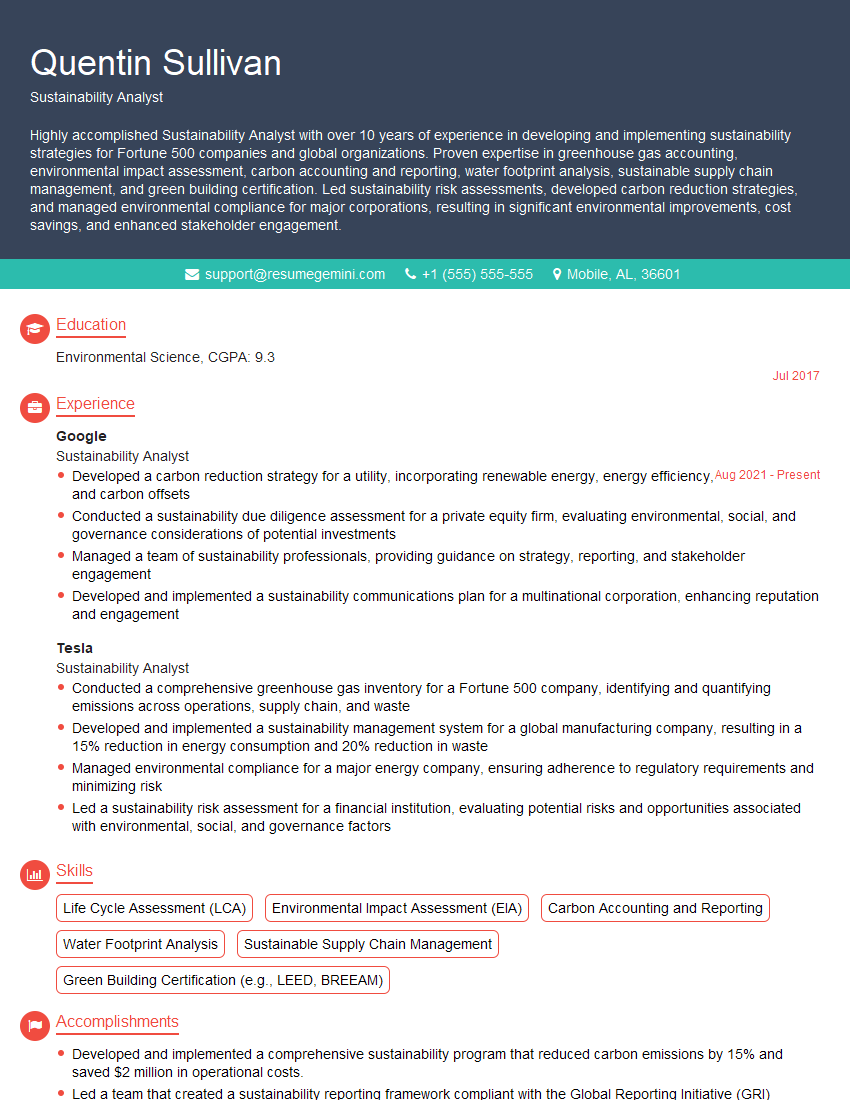
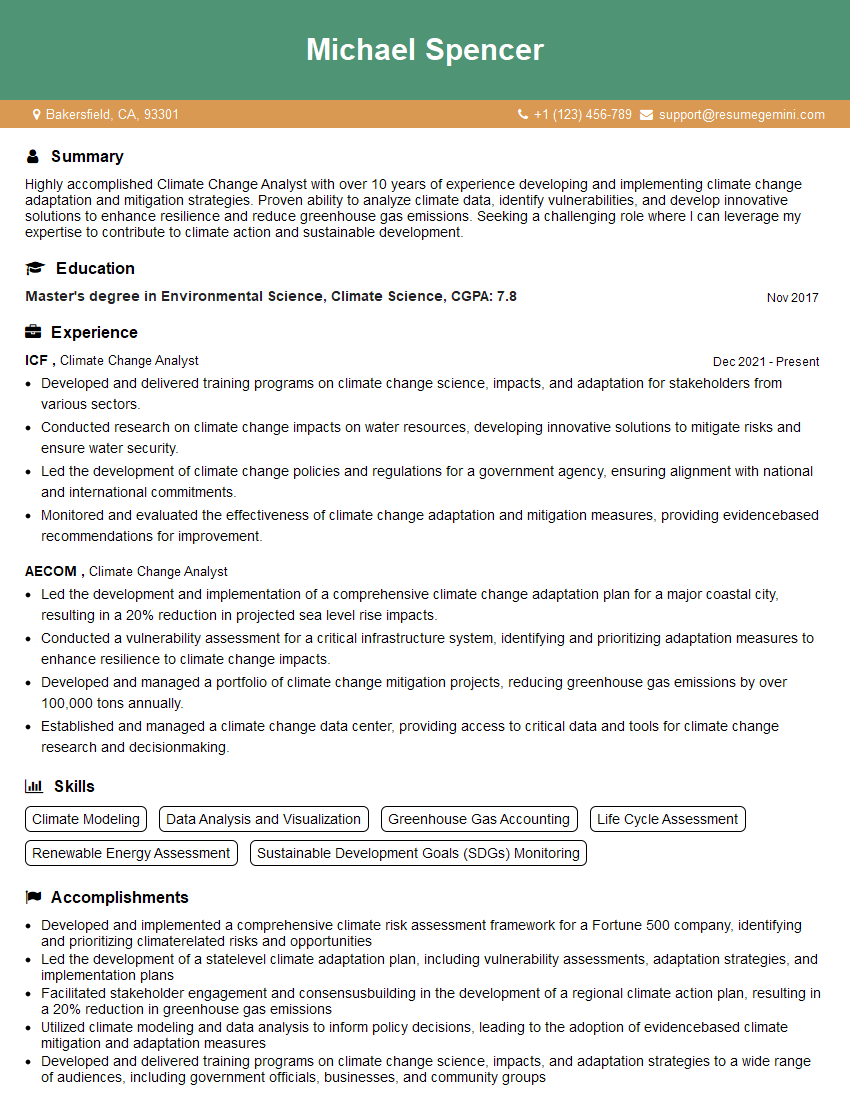
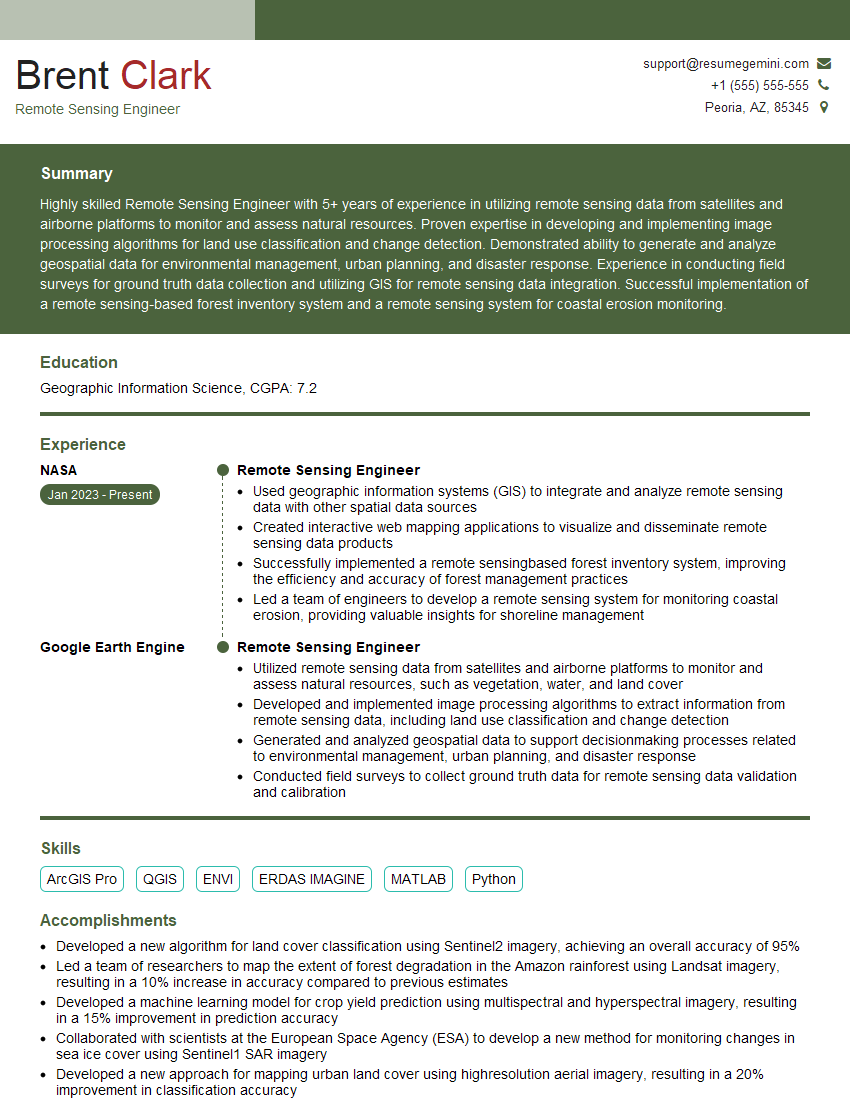
Mastering Earth Engine significantly enhances your career prospects in fields like remote sensing, environmental science, and GIS. Demonstrating proficiency with this powerful platform sets you apart from other candidates. To maximize your job search success, creating a strong, ATS-friendly resume is crucial. We highly recommend using ResumeGemini to craft a professional and impactful resume that highlights your Earth Engine skills. ResumeGemini provides resources and examples of resumes specifically tailored to Earth Engine roles, ensuring your application stands out.



Explore more articles
Users Rating of Our Blogs
Share Your Experience
We value your feedback! Please rate our content and share your thoughts (optional).
What Readers Say About Our Blog
To the interviewgemini.com Webmaster.
Very helpful and content specific questions to help prepare me for my interview!
Thank you
To the interviewgemini.com Webmaster.
This was kind of a unique content I found around the specialized skills. Very helpful questions and good detailed answers.
Very Helpful blog, thank you Interviewgemini team.