Unlock your full potential by mastering the most common Facility with Maps, GPS, and other Navigation Tools interview questions. This blog offers a deep dive into the critical topics, ensuring you’re not only prepared to answer but to excel. With these insights, you’ll approach your interview with clarity and confidence.
Questions Asked in Facility with Maps, GPS, and other Navigation Tools Interview
Q 1. Explain the difference between latitude and longitude.
Latitude and longitude are coordinates that specify the location of any point on Earth. Think of it like a grid system draped over the globe.
Latitude measures the distance north or south of the Equator, ranging from 0° at the Equator to 90° at the North and South Poles. Lines of latitude are parallel to each other and are called parallels. For example, 40°N indicates a location 40 degrees north of the Equator.
Longitude measures the distance east or west of the Prime Meridian (which runs through Greenwich, England), ranging from 0° to 180° east and west. Lines of longitude converge at the poles and are called meridians. For instance, 75°W represents a location 75 degrees west of the Prime Meridian.
Together, latitude and longitude create a unique coordinate pair for every location on Earth. For example, the coordinates 34.0522° N, 118.2437° W pinpoint a location near Los Angeles.
Q 2. Describe the various types of map projections and their applications.
Map projections are methods of transforming the three-dimensional surface of the Earth onto a two-dimensional map. Since it’s impossible to flatten a sphere without distortion, all projections involve some degree of compromise. Different projections prioritize different properties, leading to various types:
- Cylindrical Projections (e.g., Mercator): Imagine wrapping a cylinder around the globe. These preserve direction but distort area greatly at higher latitudes, making Greenland appear much larger than it actually is. Useful for navigation because directions are accurately represented.
- Conical Projections (e.g., Albers): Imagine placing a cone over part of the globe. These are good for mid-latitude regions, minimizing distortion in area and shape within the cone’s area of contact. They are often used for regional mapping.
- Planar Projections (e.g., Stereographic): Imagine a plane touching the globe at a point. These are useful for mapping polar regions, but distortion increases rapidly away from the point of tangency. Useful for aviation charts focusing on polar areas.
- Compromise Projections (e.g., Robinson): These projections balance distortions in shape, area, scale, and direction. They are visually appealing but don’t perfectly preserve any single property. Often used for world maps.
The choice of projection depends heavily on the intended use of the map. Navigation requires accurate directions, while thematic mapping might prioritize accurate area representation.
Q 3. What are the limitations of GPS technology?
GPS technology, while incredibly useful, has limitations:
- Signal Obstruction: Buildings, trees, and even heavy atmospheric conditions can block GPS signals, leading to inaccurate positioning or complete signal loss. Think of being in a dense city or a deep canyon.
- Multipath Error: Signals can bounce off surfaces (buildings, mountains) before reaching the receiver, causing delays and inaccuracies in position estimations. The GPS receiver might ‘see’ a signal that has taken a longer, reflected path, causing an error in location.
- Atmospheric Effects: The ionosphere and troposphere can affect the speed of GPS signals, introducing errors in distance calculations and affecting position accuracy.
- Satellite Geometry (GDOP): The geometric arrangement of the satellites being used can affect accuracy. Poor satellite geometry can lead to larger positioning errors.
- Receiver Limitations: The quality of the GPS receiver itself plays a significant role. Low-cost receivers may have less sensitivity and poorer accuracy than high-precision ones.
Q 4. How does GPS work?
GPS (Global Positioning System) relies on a constellation of satellites orbiting Earth. These satellites transmit timed signals. A GPS receiver on the ground receives signals from at least four satellites. By measuring the time it takes for signals to travel from the satellites to the receiver, the receiver can calculate the distance to each satellite. This process is called trilateration. With distances from three satellites, the receiver can pinpoint a location on the surface of a sphere. With data from a fourth satellite, the receiver can determine the precise three-dimensional coordinates (latitude, longitude, and altitude).
In essence, it’s like determining your location using the intersection of multiple circles whose radii are the distances from each satellite to your location.
Q 5. What are some common sources of error in GPS measurements?
Several factors contribute to errors in GPS measurements:
- Atmospheric Delays: Signals travel slower through the ionosphere and troposphere than expected, leading to timing inaccuracies and positional errors.
- Multipath Errors: Reflected signals arrive later than the direct signal, creating false distance measurements.
- Satellite Clock Errors: Slight inaccuracies in the atomic clocks aboard the satellites can affect timing calculations.
- Receiver Noise: Interference from other electronic signals can affect the quality of the received GPS signal.
- Orbital Errors: Slight variations in satellite orbits can lead to small positional errors.
- Obstructions: Buildings, trees, or other obstacles blocking the line-of-sight to the satellites will lead to signal loss or weakening of the signal.
Q 6. How would you handle a situation where GPS signal is lost?
Losing a GPS signal requires a multi-pronged approach. The best strategy is preventative, using multiple navigation methods to avoid over-reliance on GPS alone.
If the GPS signal is lost:
- Utilize alternative navigation methods: Consult a paper map, compass, or other backup navigational tools. Knowing how to read a map and use a compass is vital in these situations.
- Identify landmarks: Use visual landmarks to establish your approximate location. This can be cross-referenced with the map if available.
- Seek assistance: If you are unsure of your location or if safety is a concern, seek help from other people, emergency services or local authorities.
- Wait for signal reacquisition: In many cases, the GPS signal will eventually be reacquired. Moving to a more open area might improve the signal.
Prior planning, such as carrying a paper map and compass and knowing how to use them, is essential for mitigating the effects of GPS signal loss.
Q 7. Explain the concept of georeferencing.
Georeferencing is the process of assigning geographic coordinates (latitude and longitude) to points on an image or map. This allows you to accurately place the image or map within a geographic context. Think of it as ‘ground-truthing’ a picture or drawing, placing it accurately on the earth.
For example, a scanned historical map might be georeferenced by identifying landmarks on both the map and in a modern GIS (Geographic Information System). By matching these landmarks’ coordinates, the software can calculate a transformation to align the map with the real-world coordinates. This enables the integration of the historical map with other geospatial data.
Georeferencing is crucial for integrating various data sources, such as satellite imagery, aerial photographs, and scanned maps, into a unified geographic framework. It facilitates the analysis and interpretation of spatial information, allowing for accurate measurements, overlays, and spatial analysis.
Q 8. What are different types of map scales?
Map scales represent the ratio between a distance on a map and the corresponding distance on the ground. Think of it like a miniature model of the real world. There are three main types:
- Representative Fraction (RF): This is a ratio expressed as a fraction (e.g., 1:100,000 or 1/100,000). This means 1 unit on the map equals 100,000 of the same units on the ground. It’s precise and universally understood.
- Verbal Scale: This uses words to describe the ratio (e.g., ‘1 inch represents 1 mile’). It’s easy to understand intuitively but lacks the precision of RF.
- Graphic Scale: This is a visual representation using a bar scale. You measure a distance on the map, align it with the bar scale, and read the corresponding ground distance. This is useful because it remains accurate even if the map is enlarged or reduced.
For example, a map with a scale of 1:24,000 means that 1 inch on the map equals 24,000 inches (or 2000 feet) on the ground. Choosing the appropriate scale is critical; a large-scale map (like 1:10,000) shows more detail over a smaller area, while a small-scale map (like 1:1,000,000) shows a larger area with less detail.
Q 9. What is a GIS and what are its applications?
A Geographic Information System (GIS) is a powerful system designed to capture, store, manipulate, analyze, manage, and present all types of geographical data. It’s more than just a map; it’s a database linked to location. Imagine it as a supercharged spreadsheet where each entry has a precise location on Earth.
GIS applications are incredibly diverse. In urban planning, it can help optimize traffic flow, identify areas for development, or assess the impact of new infrastructure. In environmental management, it assists in monitoring deforestation, tracking wildlife, or predicting natural disaster impact zones. Businesses use it for site selection, logistics optimization, and market analysis. Even in archaeology, GIS helps map ancient settlements and analyze their spatial relationships. The possibilities are practically limitless.
For example, a city might use GIS to analyze crime patterns, identifying hotspots requiring increased police presence. Or an environmental agency could overlay pollution data with population density to determine areas at greatest risk.
Q 10. How do you interpret topographic maps?
Topographic maps depict the Earth’s surface, including its shape and features, using contour lines. These lines connect points of equal elevation. Understanding topographic maps involves interpreting these contour lines and other symbols.
Interpreting Contour Lines: Closely spaced contour lines indicate steep slopes; widely spaced lines show gentler slopes. Contour lines never cross (except in the rare case of an overhanging cliff). A closed circle represents a hilltop, while a closed circle with hachure marks (short lines) signifies a depression or sinkhole.
Other Map Symbols: Topographic maps also use various symbols to represent features such as roads, rivers, buildings, and vegetation. These symbols are usually found in a legend or key provided on the map.
Example: Imagine you’re hiking and encounter a series of closely packed contour lines. You know immediately that you’re facing a steep climb. Conversely, if you see widely spaced contour lines, you can anticipate a more gradual incline.
Q 11. Describe your experience with different mapping software (e.g., ArcGIS, QGIS).
I have extensive experience with both ArcGIS and QGIS, two leading GIS software packages. ArcGIS is a robust, commercially licensed platform known for its advanced analytical capabilities and extensive toolset. I’ve used it extensively for spatial analysis, data management, and cartography in various projects, including creating complex map layouts for environmental impact assessments and analyzing demographic data to understand population distribution patterns. My expertise includes creating and managing geodatabases, performing spatial joins and overlays, and utilizing geoprocessing tools.
QGIS, a free and open-source alternative, is incredibly versatile and powerful. I’ve used it for tasks ranging from creating thematic maps to performing spatial statistics, particularly when working with large datasets or needing flexibility in customization. Its plugin architecture allows for extensive extension of its capabilities. I’ve found QGIS especially beneficial for prototyping and experimentation due to its open nature and community support.
Q 12. Explain your proficiency in using various GPS devices.
My experience with GPS devices encompasses various types, from handheld units to integrated vehicle navigation systems. I’m proficient in using GPS receivers to collect precise location data, working with different coordinate systems (WGS84, UTM, etc.), understanding GPS accuracy limitations (dilution of precision), and troubleshooting common issues like signal interference.
I’ve used GPS devices for fieldwork, including surveying land boundaries, collecting environmental data in remote areas, and tracking vehicle movements for logistical purposes. I understand the importance of properly configuring GPS settings for the specific application and the need for post-processing to improve accuracy. This includes applying corrections from differential GPS (DGPS) or other techniques to minimize errors.
Q 13. How do you ensure accuracy in mapping data?
Ensuring accuracy in mapping data is paramount. It involves a multi-faceted approach. First, data sources must be carefully evaluated for their reliability and accuracy. This includes assessing the precision of the original data collection methods (e.g., GPS accuracy, survey techniques) and the potential for errors in data processing and handling.
Secondly, rigorous quality control checks are essential at every stage, from data acquisition to final map production. This may involve comparing data from multiple sources, identifying and correcting outliers, and using statistical methods to evaluate data consistency.
Thirdly, the use of appropriate tools and techniques is crucial. Using high-precision GPS, applying corrections (like DGPS), and utilizing advanced spatial analysis tools can significantly enhance accuracy. Furthermore, metadata documenting data sources, processing steps, and limitations should be meticulously maintained for transparency and future reference. Finally, regular calibration and maintenance of equipment are vital for sustained accuracy.
Q 14. Describe your experience with data visualization techniques related to maps and location data.
My proficiency in data visualization extends to employing a range of techniques to effectively communicate location-based information. This includes creating various map types such as choropleth maps (showing data variation using color), dot density maps (representing density of points), and isopleth maps (showing lines of equal value). I also utilize cartographic techniques to enhance map readability, selecting appropriate symbology, color palettes, and labels for the intended audience.
Beyond static maps, I have experience creating interactive web maps using platforms like Leaflet or ArcGIS Online, allowing for dynamic exploration and analysis of spatial data. For example, I’ve developed web maps that allow users to query data, zoom to specific areas, and view different layers of information. I’m also skilled in creating three-dimensional visualizations to represent spatial relationships in a more immersive way, leveraging tools and software that facilitate the generation of 3D maps and models. This is especially useful for conveying complex spatial patterns or for creating more engaging presentations.
Q 15. What is the difference between vector and raster data?
Vector and raster data are two fundamental ways to represent geographic information. Think of it like this: a raster is like a photograph – a grid of pixels, each with a specific color or value. A vector is like a drawing – composed of points, lines, and polygons defined by coordinates.
- Raster Data: Represents geographic features as a grid of cells (pixels). Each cell contains a value representing a particular attribute, such as elevation, land cover, or temperature. Examples include satellite imagery and aerial photographs. They are great for representing continuous phenomena but can become very large and lose detail when zoomed.
- Vector Data: Represents geographic features as points, lines, or polygons. Each feature has its own location and attributes, described by coordinates. Examples include road networks, building footprints, and administrative boundaries. They are scalable and maintain their detail at any zoom level but can be more complex to manage.
The choice between vector and raster depends on the application. If you need fine detail and scalability (like mapping roads), vector is best. If you need to show continuous phenomena like temperature or elevation, raster is usually the better choice.
Career Expert Tips:
- Ace those interviews! Prepare effectively by reviewing the Top 50 Most Common Interview Questions on ResumeGemini.
- Navigate your job search with confidence! Explore a wide range of Career Tips on ResumeGemini. Learn about common challenges and recommendations to overcome them.
- Craft the perfect resume! Master the Art of Resume Writing with ResumeGemini’s guide. Showcase your unique qualifications and achievements effectively.
- Don’t miss out on holiday savings! Build your dream resume with ResumeGemini’s ATS optimized templates.
Q 16. How do you manage large geospatial datasets?
Managing large geospatial datasets requires a strategic approach involving both hardware and software solutions. Simply storing terabytes of data on a single hard drive isn’t feasible or efficient.
- Database Management Systems (DBMS): PostGIS (an extension for PostgreSQL) and other spatial DBMS are essential. They provide efficient storage, indexing, and querying capabilities for large geospatial data. Using spatial indexes dramatically speeds up searches.
- Cloud Computing: Services like Amazon S3, Google Cloud Storage, and Azure Blob Storage offer scalable and cost-effective storage for massive datasets. These platforms often integrate well with cloud-based GIS platforms.
- Data Compression and Formats: Using efficient data formats like GeoTIFF (for raster) and shapefiles (for vector) and employing compression techniques can significantly reduce storage space and improve processing speed. Lossless compression is preferred to maintain data integrity.
- Data Partitioning and Tiling: Dividing large datasets into smaller, manageable tiles simplifies processing and allows for parallel processing to drastically reduce processing times.
- Data Processing Frameworks: Tools like GDAL/OGR provide command-line utilities for geospatial data manipulation, conversion, and processing, which can be automated for large-scale operations.
For example, when working with satellite imagery covering a large area, I would tile the imagery into manageable chunks, store them in cloud storage, and then use a distributed processing framework to perform analysis on each tile.
Q 17. Describe your experience with spatial analysis techniques.
My experience with spatial analysis encompasses a wide range of techniques, applied to diverse projects. I’ve extensively utilized:
- Buffering: Creating zones around features (e.g., finding all houses within 1km of a school).
- Overlay Analysis: Combining layers (e.g., finding areas where forests overlap with floodplains).
- Network Analysis: Analyzing distances and travel times on a network (e.g., finding the shortest route for a delivery service).
- Spatial Interpolation: Estimating values at unsampled locations (e.g., predicting rainfall based on scattered rain gauge measurements).
- Geostatistics: Analyzing spatial autocorrelation and uncertainty (e.g., modeling the spatial distribution of soil properties).
In one project, I used network analysis to optimize the placement of charging stations for electric vehicles, minimizing travel time between charging points and maximizing coverage of a city. In another, I used overlay analysis to assess the vulnerability of infrastructure to flooding by combining flood hazard maps with asset locations.
Q 18. How would you identify and correct errors in spatial data?
Identifying and correcting errors in spatial data is a crucial step in ensuring the reliability of any analysis. This often involves a multi-step process.
- Visual Inspection: Carefully examining the data using GIS software to identify obvious errors like misaligned features or topology errors.
- Data Validation: Applying checks to ensure data conforms to specified rules (e.g., checking if building footprints overlap).
- Spatial Consistency Checks: Ensuring that features are spatially consistent (e.g., lines connecting properly or polygons closing correctly).
- Attribute Validation: Examining attribute data for inconsistencies or errors (e.g., ensuring that all fields are populated correctly).
- Error Correction Techniques: Employing tools and techniques specific to the type of error, which might involve manual editing, automated algorithms, or referring back to original data sources.
For instance, if I find buildings overlapping in a dataset, I’d use editing tools to adjust the boundaries and ensure correct topology. If there’s a discrepancy between attribute data and spatial locations, I might need to cross-reference it with other data sources or ground truth data.
Q 19. How do you ensure data quality in mapping projects?
Ensuring data quality is paramount in mapping projects. It impacts the reliability and usefulness of the resulting maps and analyses.
- Data Source Evaluation: Carefully selecting data sources based on their reliability, accuracy, and metadata.
- Metadata Management: Creating and maintaining comprehensive metadata describing the data’s origin, accuracy, and limitations.
- Data Cleaning and Preprocessing: Removing or correcting errors and inconsistencies before analysis.
- Quality Control Checks: Implementing regular quality control procedures throughout the project lifecycle.
- Accuracy Assessment: Evaluating the accuracy of the final product through comparisons with ground truth data or other high-quality datasets.
A key part of this is establishing clear quality standards at the beginning of the project and maintaining documentation throughout the process. This allows for traceability and facilitates problem-solving.
Q 20. What are the ethical considerations in handling geospatial data?
Ethical considerations in handling geospatial data are critical, particularly concerning privacy, security, and bias.
- Privacy: Geospatial data can often be linked to individuals, requiring careful anonymization or aggregation to protect personal information. Understanding and adhering to privacy regulations (like GDPR) is vital.
- Security: Protecting geospatial data from unauthorized access or modification is critical, especially data containing sensitive information (e.g., infrastructure locations, military installations).
- Bias and Representation: Data collection methods and interpretations can introduce bias, leading to inaccurate or unfair representations of certain groups or areas. Addressing this requires careful consideration of data sources and representation techniques.
- Transparency and Accessibility: Making data and methodologies transparent and accessible promotes accountability and trust. Open data initiatives are important in this regard.
- Data Ownership and Use Rights: Respecting data ownership rights and licenses is crucial. Clearly understanding who owns the data and how it can be used is vital to avoid legal and ethical issues.
For example, when mapping sensitive locations like hospitals, it’s crucial to balance the need for public access to information with the need to protect patient privacy. This often involves carefully selecting the level of detail presented.
Q 21. Explain your experience with different coordinate systems.
My experience with coordinate systems spans various projections and datums. Understanding coordinate systems is fundamental to geospatial work, as it dictates how locations are represented on a map.
- Geographic Coordinate Systems (GCS): These systems use latitude and longitude to define locations on the Earth’s surface. WGS 84 is a commonly used GCS.
- Projected Coordinate Systems (PCS): These systems project the Earth’s curved surface onto a flat plane, resulting in distortions. Different projections minimize different types of distortion (area, shape, distance). Examples include UTM (Universal Transverse Mercator) and State Plane Coordinate Systems.
- Datums: Datums define the reference surface used for coordinate systems. Different datums use slightly different models of the Earth’s shape, leading to discrepancies in coordinates.
I’ve worked with numerous coordinate systems in projects, converting between them as needed. For example, when analyzing data from multiple sources, I frequently have to reproject data to a common coordinate system to ensure accurate spatial analysis. Ignoring differences in coordinate systems can lead to significant errors in spatial analysis. In a recent project integrating data from different national surveys, this was crucial for accuracy.
Q 22. How do you utilize mapping tools for route optimization?
Route optimization using mapping tools involves finding the most efficient path between two or more points, considering factors like distance, time, traffic, and road conditions. I utilize various techniques depending on the complexity of the task. For simpler routes, I leverage the built-in route optimization features of applications like Google Maps or similar services. These tools often employ algorithms like Dijkstra’s algorithm or A* search to find the shortest path. For more complex scenarios involving multiple stops, delivery routes, or specific time windows, I often use dedicated route optimization software. These programs allow me to input constraints, such as delivery deadlines or vehicle capacity, and generate optimized routes that minimize overall travel time and cost. For example, in a previous role, I optimized delivery routes for a logistics company, reducing their fuel consumption by 15% by carefully considering traffic patterns and delivery time windows.
A key aspect of route optimization is understanding the limitations of the tools. GPS data, for instance, can be affected by signal interference, leading to inaccuracies. I always account for potential errors by adding buffer times and visually inspecting the suggested routes.
Q 23. Describe your experience with real-time tracking systems.
My experience with real-time tracking systems is extensive. I’ve worked with various systems, from simple GPS trackers on vehicles to sophisticated asset tracking solutions using IoT devices. These systems provide continuous location updates, allowing for monitoring of assets in real-time. I’m proficient in interpreting the data generated by these systems, using it for purposes such as fleet management, security, and delivery monitoring. For example, I used a real-time tracking system to monitor the location of construction equipment during a large-scale project. This allowed us to optimize equipment usage and quickly respond to any potential equipment theft.
Understanding the data limitations is crucial. Real-time tracking is subject to signal strength and network availability issues. Therefore, I always consider potential gaps in data and implement strategies to ensure reliable monitoring, such as using redundant tracking methods or implementing data backup systems.
Q 24. How do you integrate GPS data with other data sources?
Integrating GPS data with other data sources is a crucial part of my work. GPS data provides location information, but when combined with other data, its value increases exponentially. For instance, I often integrate GPS data with weather data to predict potential delays or route disruptions. I also integrate it with traffic data to dynamically adjust routes based on real-time traffic conditions. Combining GPS data with asset information (e.g., type of vehicle, cargo capacity) enables more efficient fleet management.
The integration process usually involves using GIS software or programming languages like Python with libraries like GeoPandas. The data needs to be properly formatted and spatially referenced before integration. For example, I’ve integrated GPS data from delivery trucks with customer order information and delivery time windows to create optimized delivery schedules. This improved delivery efficiency and customer satisfaction significantly.
Q 25. Explain your experience with cartographic design principles.
Cartographic design principles are fundamental to effectively communicating geographic information. I understand the importance of map design elements like symbology, labeling, and color schemes in creating clear and understandable maps. I’m proficient in creating maps that are both aesthetically pleasing and functionally informative. This includes selecting appropriate map projections to minimize distortion and using effective visual hierarchies to highlight key information.
For example, I recently designed a series of maps for a city planning project. I carefully selected colors and symbols to represent different land use types, ensuring that the maps were easy to understand and interpret, even for individuals without cartographic expertise. I also considered the target audience and their level of geographic knowledge when designing the maps, prioritizing clarity and ease of comprehension.
Q 26. What are some common file formats used in GIS?
GIS (Geographic Information System) uses a variety of file formats. Some of the most common include:
Shapefiles (.shp): A widely used vector format storing geometric location and attribute data.GeoJSON (.geojson): A text-based format, becoming increasingly popular due to its openness and ease of use.GeoTIFF (.tif, .tiff): A raster format commonly used for satellite imagery and elevation data.KML/KMZ (.kml, .kmz): Keyhole Markup Language, often used for visualizing geographic data in Google Earth.Geodatabase (.gdb): A proprietary format from Esri, offering efficient management of complex spatial data.
The choice of format depends on the specific application and data type. For instance, raster data like satellite images are typically stored in GeoTIFF format, while vector data like road networks are often stored in Shapefiles or GeoJSON.
Q 27. How do you stay updated with the latest advancements in GPS and mapping technologies?
Staying updated in the rapidly evolving field of GPS and mapping technologies is crucial. I achieve this through a combination of methods. I regularly attend conferences and workshops related to GIS and GPS technologies. I subscribe to industry publications and online journals and actively participate in online forums and communities dedicated to geographic information systems.
I also follow prominent researchers and organizations in the field and make it a point to explore newly released mapping software and tools. This allows me to quickly adapt my skills to use the latest advancements in the field, incorporating new techniques and technologies into my workflow. The constant learning allows me to remain at the forefront of industry best practices and to effectively solve increasingly complex spatial problems.
Q 28. Describe a time you had to solve a complex navigation problem.
During a large-scale infrastructure project, we encountered a significant challenge in accurately mapping underground utilities. The existing maps were outdated and incomplete, leading to a high risk of damaging critical underground infrastructure during excavation. This posed a serious safety and cost risk to the project.
To solve this, I implemented a multi-pronged approach. First, I used ground-penetrating radar (GPR) to create a high-resolution map of underground utilities. Then, I integrated this data with the existing (albeit incomplete) utility maps using GIS software. I meticulously compared and reconciled the discrepancies between the two datasets, using advanced spatial analysis techniques to identify areas of conflict and uncertainty. Finally, I created a series of detailed maps showing the precise locations of all identified utilities, which were used to guide excavation and prevent damage.
This project highlighted the importance of careful data integration, advanced spatial analysis, and collaboration with other engineering disciplines in solving complex navigation problems. The result was a significantly safer and more cost-effective construction process.
Key Topics to Learn for Facility with Maps, GPS, and other Navigation Tools Interview
- Map Reading & Interpretation: Understanding various map types (topographic, road, nautical), symbols, scales, and projections. Practical application: Explaining how you would use a topographic map to navigate unfamiliar terrain.
- GPS Technology Fundamentals: Knowing how GPS works (satellites, triangulation), understanding GPS accuracy limitations, and common GPS errors. Practical application: Describing your experience troubleshooting GPS signal loss or inaccuracies.
- Navigation Software & Apps: Familiarity with various navigation apps (Google Maps, Waze, etc.), their features, and how to utilize them effectively for route planning, traffic avoidance, and location sharing. Practical application: Explaining how you optimized a route using a navigation app for a specific task (e.g., shortest distance, fastest time, avoiding tolls).
- Route Planning & Optimization: Developing efficient routes considering factors like distance, time, traffic, and road conditions. Practical application: Describing a scenario where you planned an optimal route for a delivery or transportation task.
- Emergency Procedures & Safety: Understanding safety protocols related to navigation, such as using backup navigation methods, being aware of potential hazards, and handling emergencies. Practical application: Describing how you would handle a situation involving GPS failure in a remote location.
- Data Analysis & Interpretation: Using navigation data (e.g., route history, speed data) to analyze efficiency, identify trends, and make informed decisions. Practical application: Explaining how you used navigation data to improve the efficiency of a delivery route.
Next Steps
Mastering facility with maps, GPS, and other navigation tools is crucial for many roles requiring efficient travel, logistical planning, or field work. It demonstrates valuable problem-solving skills and technical aptitude. To enhance your job prospects, create an ATS-friendly resume that effectively showcases these skills. ResumeGemini is a trusted resource for building professional resumes that get noticed. They offer examples of resumes tailored to highlight expertise in Facility with Maps, GPS, and other Navigation Tools, ensuring your qualifications shine.

Dispatch Manager Resume Sample

Fleet Manager Resume Sample
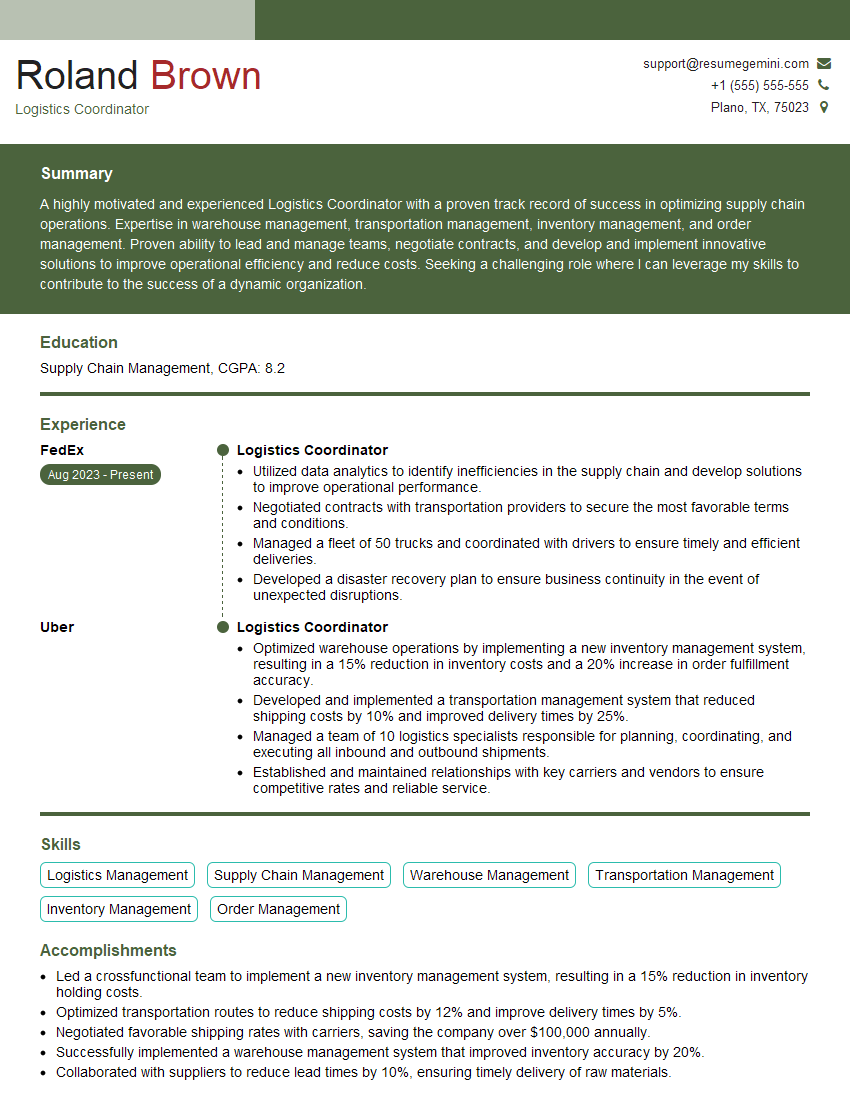
Logistics Coordinator Resume Sample
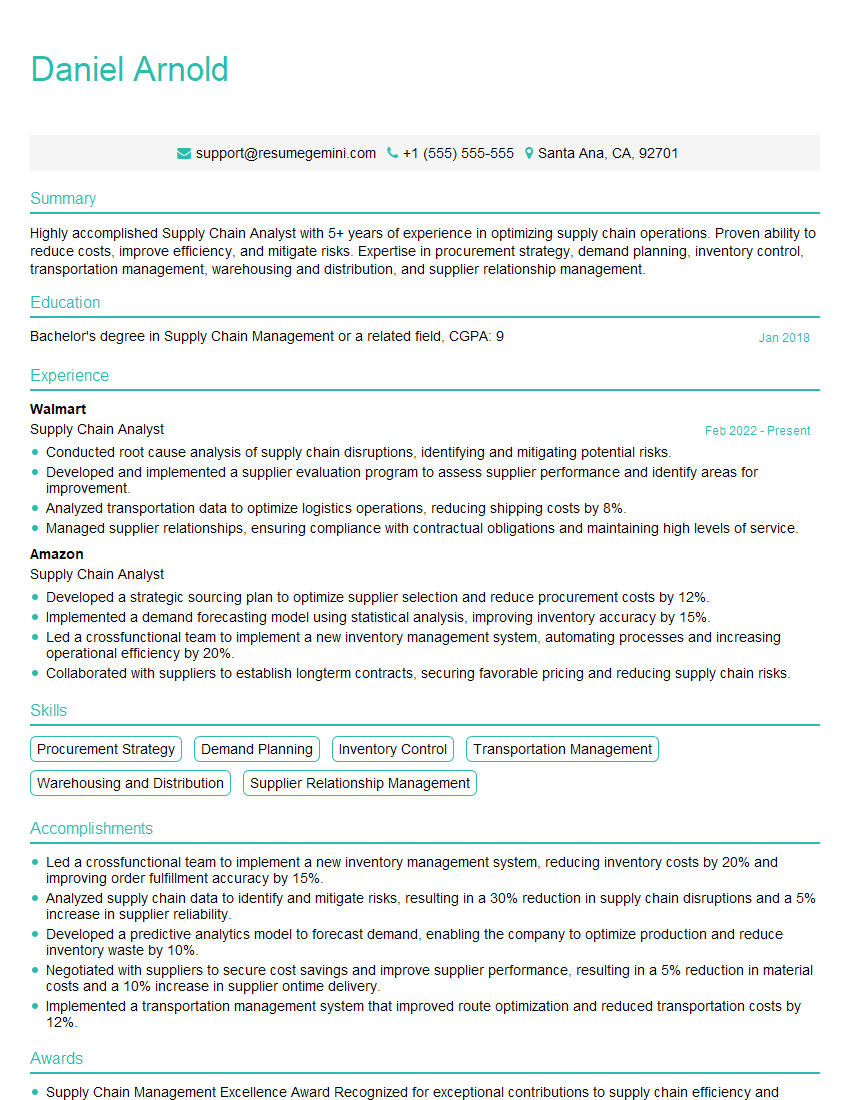
Supply Chain Analyst Resume Sample

Cartographer Resume Sample
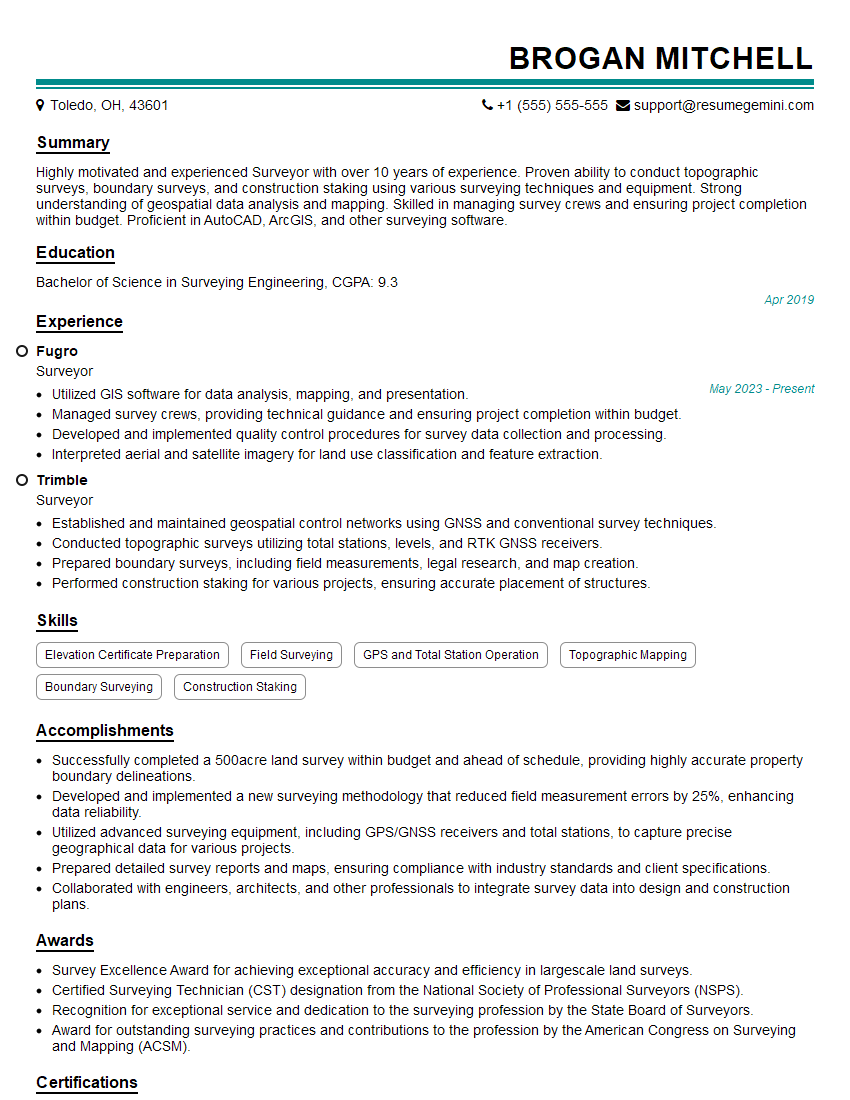
Surveyor Resume Sample
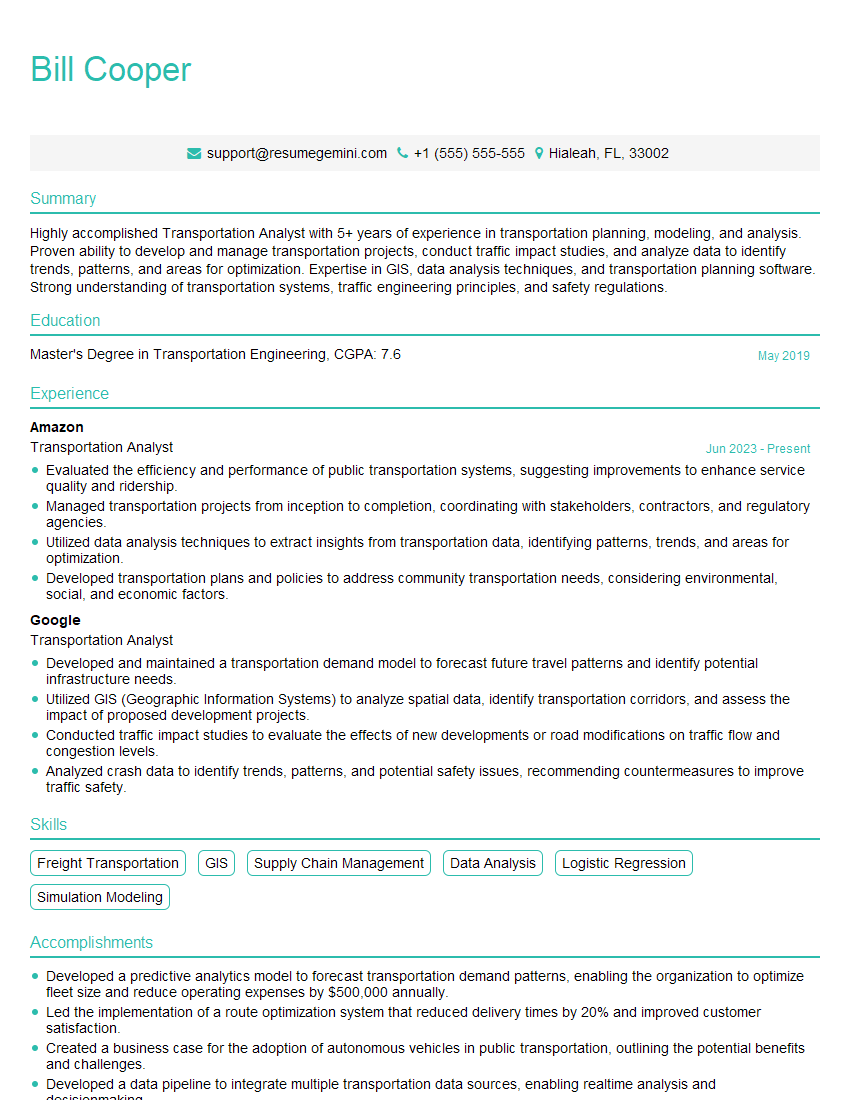
Transportation Analyst Resume Sample
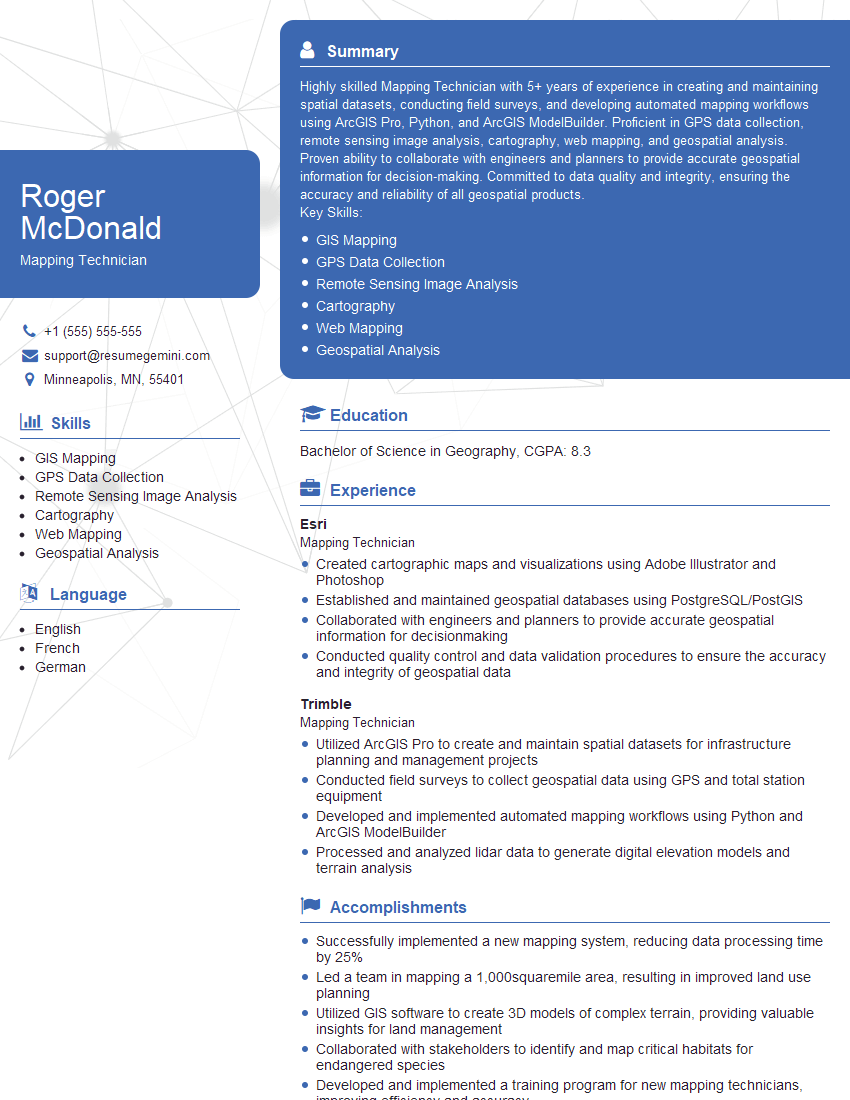
Mapping Technician Resume Sample

Remote Sensing Specialist Resume Sample
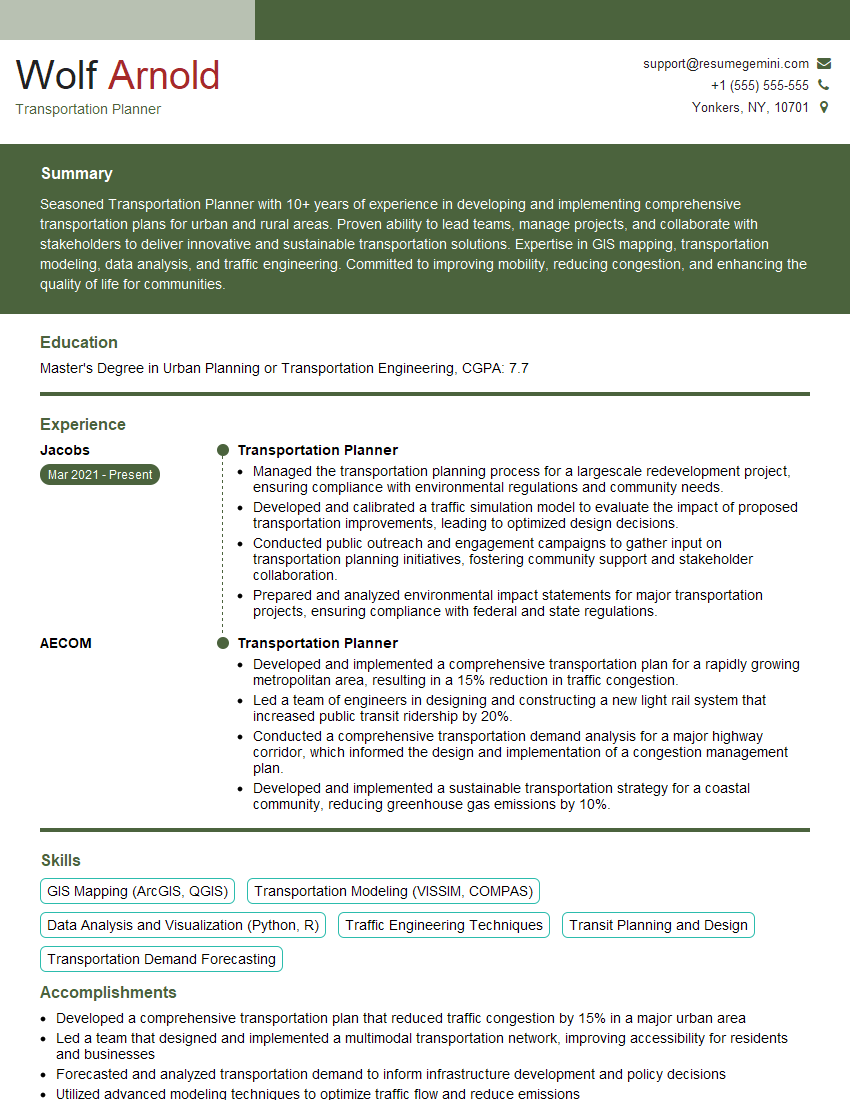
Transportation Planner Resume Sample
Explore more articles
Users Rating of Our Blogs
Share Your Experience
We value your feedback! Please rate our content and share your thoughts (optional).
What Readers Say About Our Blog
To the interviewgemini.com Webmaster.
Very helpful and content specific questions to help prepare me for my interview!
Thank you
To the interviewgemini.com Webmaster.
This was kind of a unique content I found around the specialized skills. Very helpful questions and good detailed answers.
Very Helpful blog, thank you Interviewgemini team.