The right preparation can turn an interview into an opportunity to showcase your expertise. This guide to PLC/DCS Troubleshooting interview questions is your ultimate resource, providing key insights and tips to help you ace your responses and stand out as a top candidate.
Questions Asked in PLC/DCS Troubleshooting Interview
Q 1. Explain the difference between a PLC and a DCS.
PLCs (Programmable Logic Controllers) and DCSs (Distributed Control Systems) are both industrial automation systems, but they differ significantly in their scale, complexity, and application. Think of a PLC as a powerful, single-brain controller for smaller, simpler processes like a single machine on a factory floor. A DCS, on the other hand, is a network of interconnected controllers managing large, complex, and often geographically dispersed processes, such as an entire refinery or power plant.
- Scale: PLCs handle smaller applications with fewer I/O points, while DCSs manage large-scale processes with thousands of I/O points.
- Redundancy: DCSs inherently incorporate high levels of redundancy for safety and reliability, whereas redundancy in PLCs is often an add-on feature.
- Complexity: DCSs are designed for sophisticated control algorithms and advanced process management capabilities. PLCs typically employ simpler control strategies.
- Cost: PLCs are generally less expensive than DCSs, making them suitable for smaller-scale applications.
For example, a PLC might control a single packaging machine, while a DCS would manage the entire production line, including multiple packaging machines, material handling systems, and quality control checkpoints.
Q 2. Describe your experience troubleshooting PLC ladder logic programs.
My experience with PLC ladder logic troubleshooting spans over a decade, encompassing various industrial settings. I’ve tackled issues ranging from simple logic errors to complex timing and sequencing problems. My approach is systematic and involves a combination of careful code review, simulation, and on-site diagnostics. I begin by thoroughly understanding the intended functionality of the program. Then, I use the PLC’s diagnostic tools to identify any active faults or errors. This often involves examining status bits, timers, counters, and other internal variables to pinpoint the source of the problem. If the issue is not immediately apparent, I will step through the ladder logic code, either through the PLC’s programming software or using online monitoring tools. This allows me to trace the flow of signals and identify any unexpected states or outputs.
For instance, I once worked on a project where a conveyor belt system was malfunctioning due to a timing issue. By carefully analyzing the ladder logic and using the PLC’s timer registers, I identified that a timer was not being properly reset, causing the system to halt prematurely. Correcting this logic error resolved the issue.
Q 3. How do you diagnose and resolve communication errors in a PLC/DCS system?
Diagnosing communication errors in PLC/DCS systems requires a methodical approach, starting with the simplest checks and progressing to more complex investigations. My strategy usually begins with:
- Verifying physical connections: Checking cables, connectors, and network interfaces for physical damage or loose connections. This often involves using a multimeter to test cable continuity and signal integrity.
- Checking communication settings: Ensuring that the communication parameters (baud rate, parity, etc.) are correctly configured on both the PLC/DCS and the communicating device. This includes verifying IP addresses and subnet masks in networked systems.
- Testing network connectivity: Using ping or other network diagnostic tools to determine if there are any network connectivity issues.
- Analyzing communication logs: Examining the PLC/DCS’s communication logs to identify any error messages or unusual activity. These logs often provide valuable clues about the cause of the communication failure.
- Using diagnostic tools: Employing specialized communication diagnostic tools that can analyze the communication signals and identify problems, such as faulty nodes or network congestion.
A real-world example involved a manufacturing plant experiencing intermittent communication problems between their DCS and a remote sensor. After systematically checking the connections and communication settings, I discovered a faulty network switch. Replacing the switch immediately restored communication.
Q 4. What are the common causes of I/O module failures?
I/O module failures are common occurrences in PLC/DCS systems. Several factors can contribute to these failures:
- Environmental factors: Extreme temperatures, humidity, and vibration can damage I/O modules, especially those not adequately protected.
- Electrical surges: Power surges or lightning strikes can fry I/O modules if they lack sufficient protection. This is where surge protection devices become crucial.
- Short circuits: Short circuits in the wiring or connected devices can damage I/O modules.
- Overloads: Exceeding the I/O module’s current or voltage rating can lead to failure.
- Component degradation: Over time, components within I/O modules can degrade, leading to malfunctions or failures.
Troubleshooting involves visually inspecting the modules for damage, checking the wiring for shorts or open circuits, and testing the I/O signals with appropriate instruments. In some cases, a replacement module might be the only solution.
Q 5. Explain your approach to troubleshooting a PLC program that is causing unexpected machine behavior.
When a PLC program causes unexpected machine behavior, a structured troubleshooting approach is vital. My process typically follows these steps:
- Reproduce the problem: First, carefully document the conditions under which the problem occurs to ensure consistent reproduction. This often includes specific machine states, input values, and timing.
- Gather data: Collect data from the PLC, such as input and output values, internal variables, timers, and counters. This involves using the PLC’s diagnostic tools or employing data logging capabilities.
- Analyze the ladder logic: Scrutinize the program logic, paying close attention to sections related to the observed malfunction. Often, a seemingly minor logic error can lead to significant issues.
- Simulate the problem: If possible, simulate the problematic section of the code using a PLC simulation tool to isolate the issue and experiment with corrective measures without risking damage to equipment.
- Implement and test fixes: After identifying the root cause, make necessary changes to the program. Thoroughly test the modifications to ensure the problem is resolved and that no new issues are introduced.
For example, I once debugged a system where a robot arm was moving incorrectly. Through systematic analysis of the PLC program and associated sensor data, I found that a small error in the coordinate transformation calculation was causing the misalignment.
Q 6. How do you use diagnostic tools to identify PLC/DCS faults?
Diagnostic tools are indispensable for efficient PLC/DCS fault identification. These tools range from basic built-in PLC features to sophisticated software packages. Here are some examples:
- PLC’s built-in diagnostics: Most PLCs offer diagnostic functions such as status bits, error logs, and online monitoring capabilities. These allow real-time observation of I/O states, internal variables, and program execution.
- Programming software: PLC programming software often incorporates powerful debugging features, like stepping through code, setting breakpoints, and monitoring variables.
- Specialized diagnostic software: Advanced software packages provide more comprehensive diagnostics, including network analysis, communication monitoring, and performance assessment.
- Oscilloscope and multimeter: These instruments are crucial for checking signal integrity, detecting electrical faults, and analyzing analog signals.
- Logic analyzers: These specialized tools can capture and analyze digital signals, providing a detailed view of the data flow within the system.
Effective use of these tools demands a deep understanding of the system’s architecture and the PLC/DCS programming language. The key is to use the right tool for the job, as a systematic approach helps pinpoint the fault quickly and efficiently.
Q 7. Describe your experience with different PLC programming languages (e.g., Ladder Logic, Function Block Diagram).
My experience encompasses a wide range of PLC programming languages. I am proficient in Ladder Logic, the most common language in industrial automation, as well as Function Block Diagram (FBD), Structured Text (ST), and Instruction List (IL). Each language has its strengths and weaknesses, and the best choice depends on the specific application and programmer preference.
- Ladder Logic: This graphical programming language is intuitive and easy to learn, particularly for those with a background in electrical engineering. It represents logic using ladder diagrams, making it well-suited for simple control tasks.
- Function Block Diagram (FBD): FBD uses graphical blocks to represent functions and their interconnections. This approach is particularly effective for complex systems with modular designs, enabling reusable components and easier program organization.
- Structured Text (ST): ST is a high-level text-based language similar to Pascal or C. It offers a high degree of flexibility and is well-suited for complex algorithms and data manipulation tasks.
- Instruction List (IL): IL is a low-level assembly-like language. It provides direct control over the PLC’s internal operations but can be less readable and more difficult to maintain than other languages.
I find that selecting the appropriate programming language significantly impacts the efficiency and maintainability of the control system. I regularly switch between these languages based on the project’s complexity and requirements. For example, I’d use Ladder Logic for simple on/off control, while FBD or ST might be more appropriate for complex motion control systems or sophisticated process control applications.
Q 8. How do you handle a situation where multiple alarms are occurring simultaneously in a DCS system?
When a DCS system throws multiple alarms simultaneously, it’s like a fire alarm going off in a large building – you need a systematic approach to avoid chaos. The first step is to prioritize based on severity and impact. We typically use alarm prioritization schemes built into the DCS system itself, often categorized as critical, major, minor, and warning. I start by focusing on the critical alarms, which usually point to immediate safety hazards or significant production losses.
Next, I utilize the DCS’s alarm summary and historical trending capabilities. This allows me to identify any common causes or patterns amongst the alarms. Are they all related to a specific process unit or area? This helps isolate the problem area and narrow down potential causes. For example, a sudden surge in pressure could trigger multiple high-pressure alarms across different parts of the system.
Once the most critical alarms are addressed, I systematically work my way down the priority list. Root cause analysis is crucial. I’d use various diagnostic tools, including process trend analysis, loop testing, and checking of input/output signals, to pinpoint the root cause. Often, addressing a single underlying issue can resolve multiple cascading alarms. Proper documentation of each step, including corrective actions and follow-up, is paramount to prevent recurrence. Thorough documentation also enables seamless handover to other technicians and aids in future troubleshooting efforts.
Q 9. What are your strategies for prioritizing troubleshooting tasks in a critical production environment?
In a critical production environment, prioritizing troubleshooting is akin to triage in a hospital. We must address the most life-threatening issues first. My strategy hinges on a combination of factors: Safety, Production Impact, and Urgency. Safety always comes first. Any alarm related to safety interlocks or hazardous conditions takes immediate precedence. Next, I consider the production impact. An issue that halts an entire production line needs immediate attention, while a minor deviation impacting only a small part of the process can wait.
I use a matrix-based approach, prioritizing tasks based on their impact on safety and production. This allows for a structured and visible approach, ensuring transparency with the production team and operators. I leverage the DCS’s alarm management system to track and monitor active alarms and their severity. In addition, regular communication and collaboration with operations personnel is key for understanding the full extent of the issue and its immediate impact on the production line.
While tackling the high-priority issues, I simultaneously investigate less urgent problems, gathering data and performing preliminary diagnostics. This allows me to efficiently schedule tasks for later resolution, minimizing downtime and optimizing maintenance schedules. Tools like work order management systems help track progress and allocate resources effectively.
Q 10. Explain your understanding of safety interlocks and their role in PLC/DCS systems.
Safety interlocks are critical safety features in PLC/DCS systems, acting like fail-safes to prevent hazardous conditions. They’re essentially automated safety switches that stop or prevent dangerous operations. Imagine a machine that operates with high voltage. A safety interlock would ensure that the power is automatically cut off if the safety guard is opened. These interlocks operate based on various sensors and input signals, ensuring that dangerous actions can’t happen if certain conditions are not met.
In PLC/DCS systems, these safety mechanisms are often implemented using various hardware and software components. Hardware interlocks might involve mechanical switches and sensors, while software interlocks use logic within the PLC/DCS program to ensure safe operation. A common example is an emergency stop button, which triggers immediate shutdown of the process via a hard-wired connection to the PLC.
My experience involves troubleshooting scenarios where interlocks have failed to activate or have triggered unexpectedly. Identifying such failures often involves examining the interlock’s wiring, checking sensor inputs, validating the PLC program logic, and reviewing safety documentation. Regular testing and maintenance of safety interlocks are crucial to ensure their proper functioning and prevent potential accidents.
Q 11. How do you document your troubleshooting process and findings?
Documentation is the cornerstone of effective troubleshooting. I maintain detailed records throughout the entire process. This includes a structured approach, utilizing a standardized format for clarity and consistency. For instance, I’d start with a description of the problem, including timestamps, affected systems, and observed symptoms. The next step is outlining the troubleshooting steps taken, including specific tests performed, data collected, and the outcomes of those tests.
I use a combination of digital and physical methods for documentation. My preferred methods include logging into the DCS system’s historical data to save diagnostic logs and trends. I document my findings in a structured report using a word processor, possibly including screenshots of HMI screens or PLC program snippets. I also maintain a logbook with handwritten notes during the process, especially useful when dealing with intermittent or unpredictable issues. My detailed notes also include the root cause analysis and the corrective actions taken, along with any preventive measures implemented to prevent recurrence.
Using a structured approach ensures that my colleagues and supervisors can easily understand the process and context of the incident. It also provides valuable information for future analysis, training purposes, and continuous improvement of the system. Effective documentation contributes to the ongoing improvement of the overall maintenance and safety procedures.
Q 12. Describe your experience with HMI (Human Machine Interface) troubleshooting.
HMI troubleshooting often involves detective work. Issues can range from simple display problems (e.g., incorrect values or missing data) to complex communication failures. I approach HMI troubleshooting systematically. First, I verify the basic aspects: Is the HMI powered on and connected properly? Are the network connections stable? I also check the HMI configuration settings and make sure they are consistent with the underlying PLC/DCS system. Incorrect settings in the HMI can lead to displaying wrong data, or no data at all.
Next, I’d investigate the communication pathway between the HMI and the PLC/DCS. Are there any network errors or communication timeouts? I’d use diagnostic tools to monitor the communication traffic, checking for lost packets or other anomalies. For example, a slow communication response could be caused by network congestion or faulty network components. The use of network diagnostic tools and tracing the communication path from the HMI to the controller help to pin-point bottlenecks or communication failures.
If communication is verified to be okay, I check the HMI application logic itself – the screens, scripts, alarms, etc. – to ensure the data visualization and alarm behavior align with the expectations. This might involve reviewing the HMI configuration files and code, and performing some test actions within the HMI to verify the data display is correct. Addressing errors in logic or configuration could often resolve any HMI related display issues.
Q 13. How familiar are you with different communication protocols used in industrial automation (e.g., Profibus, Ethernet/IP, Modbus)?
I’m proficient in several industrial communication protocols, including Profibus, Ethernet/IP, and Modbus. Understanding these protocols is essential for effective troubleshooting. Each has its strengths and weaknesses. For example, Profibus is a fieldbus system commonly used in process automation, known for its determinism and reliability in real-time applications. Ethernet/IP is a more modern protocol based on Ethernet, offering high bandwidth and flexibility. Modbus is a widely used and simple serial protocol, often found in legacy systems.
My experience includes diagnosing communication issues related to these protocols, such as packet loss, addressing conflicts, baud rate mismatches, and incorrect cabling. Troubleshooting often involves using network analyzers and protocol analyzers to inspect communication traffic and identify the root cause. For instance, analyzing Modbus communication with a protocol analyzer would reveal specific error codes, which directly pinpoint the source of the communication failure. In Ethernet/IP networks, diagnostic tools provide information on packet loss, network latency, and device health, which can help troubleshoot communication-related problems.
Knowledge of these protocols extends beyond simply understanding their functionality – it involves practical experience in using diagnostic tools and working with various network devices. This helps quickly identify the problem, which can significantly reduce the downtime for any critical applications.
Q 14. How do you identify and resolve analog input/output issues?
Troubleshooting analog I/O issues requires a methodical approach. I start by verifying the basic connections: are the wires correctly connected? Are there any obvious signs of damage to the wiring or connectors? I then check the voltage and current levels at both the input and output sides. This often involves using a multimeter to measure the actual signals. A significant deviation from the expected values suggests a problem with the sensor, actuator, or wiring.
Next, I look at the configuration within the PLC/DCS system. Are the input/output ranges set correctly? Are there any scaling or offset issues that might be affecting the readings? This often requires reviewing the PLC/DCS configuration files and the HMI displays of the analog values. Incorrectly configured scaling could result in faulty readings of analog values.
If the hardware and configuration look fine, I investigate the possibility of noise or interference affecting the analog signals. This could be caused by electromagnetic interference (EMI) or ground loops. Proper grounding and shielding techniques are important to mitigate this type of issue. Using isolation amplifiers can sometimes solve the noise problems. Systematic testing, including signal tracing and the use of diagnostic tools, often helps pinpoint the cause of analog input/output problems. Addressing the identified problems and carefully documenting the solution is essential for resolving issues permanently and also provides good record keeping.
Q 15. Explain your experience with PLC/DCS hardware replacement and maintenance.
PLC and DCS hardware replacement and maintenance is a crucial aspect of ensuring reliable process automation. My experience spans various manufacturers, including Siemens, Rockwell Automation, and Schneider Electric. This involves everything from preventative maintenance, such as regularly inspecting connections and cleaning I/O modules, to reactive maintenance like troubleshooting and replacing faulty components.
For instance, I once had to replace a faulty analog input module on a Siemens PLC controlling a chemical process. Before replacement, I thoroughly documented the existing configuration, including the scaling and alarm settings. After replacing the module, I meticulously verified the new module’s configuration, ensuring seamless integration and preventing any process disruptions. This included performing calibration checks using known input signals to ensure accurate readings. I also understand the importance of following lockout/tagout procedures for safety during these operations.
Beyond module replacement, I’m proficient in repairing power supplies, replacing communication cables, and handling issues with backplanes. I’m also experienced in updating firmware and software versions, ensuring compatibility and maximizing system performance. This often includes generating comprehensive reports detailing work performed and preventative maintenance schedules for future planning.
Career Expert Tips:
- Ace those interviews! Prepare effectively by reviewing the Top 50 Most Common Interview Questions on ResumeGemini.
- Navigate your job search with confidence! Explore a wide range of Career Tips on ResumeGemini. Learn about common challenges and recommendations to overcome them.
- Craft the perfect resume! Master the Art of Resume Writing with ResumeGemini’s guide. Showcase your unique qualifications and achievements effectively.
- Don’t miss out on holiday savings! Build your dream resume with ResumeGemini’s ATS optimized templates.
Q 16. How do you approach troubleshooting a complex system with multiple interconnected PLCs and DCSs?
Troubleshooting a complex system requires a systematic approach. I utilize a structured methodology that starts with a clear understanding of the symptoms. This involves gathering information from various sources – operator logs, alarm history, and process data. Think of it like detective work, where each clue points you closer to the root cause.
My approach involves:
- Isolate the problem: Start by identifying the specific area exhibiting the fault. Is it a single PLC, a section of the DCS, or a communication link? I often use a top-down approach, starting with the highest level and working my way down.
- Data analysis: Examine historical data logs to identify trends or patterns that might suggest the cause. This often involves analyzing process variables, alarm events, and PLC tag values.
- Check communication: Network issues are a common culprit. I’d use diagnostic tools to check communication links between PLCs, DCS, and other devices. This might involve checking network cables, switches, and routers.
- Examine PLC/DCS program: Once the area is isolated, I’d carefully review the PLC/DCS program logic to identify potential flaws or inconsistencies. Simulation tools can be used at this point.
- Modular testing: I isolate sections of the control system for testing. This may involve temporarily bypassing certain components or using test instruments to measure signals.
- Documentation: Throughout the process, detailed documentation is crucial, including observations, test results, and corrective actions taken. This is essential for future troubleshooting and preventative maintenance.
For example, in a large refinery, a sudden shutdown was traced to a communication failure between a DCS and a PLC controlling a critical process unit. By systematically checking the network, I identified a faulty network switch causing data loss. Replacing the switch quickly resolved the issue and prevented significant production losses.
Q 17. Describe your experience with data logging and analysis in PLC/DCS systems.
Data logging and analysis is critical for optimizing process efficiency, identifying potential problems early, and ensuring regulatory compliance. My experience includes configuring data historians, extracting relevant data, and using various analytical tools to draw meaningful insights. I’m proficient with various SCADA systems, including those from Rockwell Automation and Siemens.
I’ve worked on projects requiring real-time data analysis for immediate process adjustments. For example, I implemented a system where abnormal temperature spikes in a reactor triggered automatic alarms and initiated corrective actions. This prevented potential safety hazards and production losses. I’m also experienced with setting up historical trending using tools like Aspen InfoPlus.21 to detect long-term patterns and optimize control parameters. This data is also crucial in regulatory compliance reporting.
Furthermore, I’m skilled in using statistical process control (SPC) techniques to detect shifts in process variables, allowing for proactive maintenance or adjustments. The data may also be used for identifying areas for improvement to increase efficiency and reduce waste. This could involve comparing actual performance to theoretical models or benchmarks.
Q 18. How do you ensure data integrity and security in a PLC/DCS system?
Ensuring data integrity and security in a PLC/DCS system is paramount. This involves a multi-layered approach that addresses both physical and cyber security aspects.
Physical security includes measures like:
- Access control: Restricting physical access to the control room and equipment. Using keycard systems and physical security measures.
- Environmental protection: Protecting the equipment from extreme temperatures, humidity, and dust. This prevents malfunctions and data corruption.
- Redundancy and backup: Implementing redundant systems and regular data backups to prevent data loss in case of hardware failure. These backups must be kept offline and ideally in a separate location.
Cybersecurity requires a proactive approach including:
- Network segmentation: Isolating the process control network from the corporate network to prevent unauthorized access. Using firewalls and intrusion detection systems.
- Regular software updates: Installing security patches and updates promptly to address known vulnerabilities. Following established change management processes for system updates.
- User access management: Implementing strong password policies and role-based access control to prevent unauthorized access and modifications. Employing multi-factor authentication for increased security.
- Intrusion detection and prevention: Implementing security monitoring systems that detect and respond to unauthorized access attempts. Regularly reviewing security logs for any suspicious activity. Using network monitoring tools to identify and address anomalies.
Ignoring these measures can have serious consequences, ranging from minor process upsets to complete system failures and potential safety risks. A robust security strategy is crucial for protecting both operational integrity and the overall safety of personnel and the environment.
Q 19. What are the common causes of process control instability?
Process control instability can stem from various sources, often interacting in complex ways. Here are some common causes:
- Poorly tuned controllers: Incorrect PID controller settings (proportional, integral, derivative) leading to oscillations, overshoot, or sluggish response.
- Process disturbances: External factors like changes in feedstock quality, ambient temperature, or equipment malfunctions affecting the process variables.
- Measurement errors: Inaccurate sensor readings due to calibration issues, sensor drift, or noisy signals. These errors mislead the controller.
- Actuator problems: Malfunctioning valves, pumps, or other final control elements unable to deliver the required control action correctly. This is like having a car with faulty brakes.
- Model mismatch: The control system’s mathematical model doesn’t accurately reflect the actual process dynamics, leading to unexpected behavior.
- Non-linear processes: Many industrial processes are non-linear, meaning their response isn’t directly proportional to the input. Simple linear controllers may not be adequate.
- Process interactions: Multiple control loops interacting in unexpected ways, leading to instability in one or more loops.
- Dead time: Delays in the process response due to transportation lags or other factors. These create significant challenges for controllers.
Identifying the root cause requires careful observation, data analysis, and a systematic troubleshooting process. It’s like diagnosing an illness – you need to gather symptoms and apply knowledge to pinpoint the cause.
Q 20. How do you use PID controllers to maintain process stability?
PID (Proportional-Integral-Derivative) controllers are the workhorse of process control, aiming to maintain a process variable at a setpoint. They achieve this by adjusting a manipulated variable (e.g., valve position) based on the error between the setpoint and the measured process variable.
- Proportional (P) action: The controller output is proportional to the error. A larger error results in a larger control action. This is like adjusting the thermostat – the more the temperature deviates, the harder the heater works.
- Integral (I) action: The controller sums up past errors, eliminating any persistent offset between the setpoint and the measured variable. This addresses drift and ensures the system reaches the setpoint eventually.
- Derivative (D) action: The controller anticipates future errors based on the rate of change of the error. This helps reduce overshoot and oscillations.
The three terms (P, I, D) are tuned to achieve the optimal balance between speed of response, stability, and accuracy. The tuning parameters (Kp, Ki, Kd) need to be carefully adjusted based on the process dynamics and the desired performance. Different tuning methods, such as Ziegler-Nichols, exist to assist in this process. Overly aggressive tuning can cause instability, while overly conservative settings result in sluggish responses.
For example, in a temperature control loop, a high proportional gain might cause rapid temperature fluctuations (oscillations) around the setpoint, while a high integral gain might lead to slow response and significant offset. Proper tuning is critical for preventing undesirable effects.
Q 21. Explain your experience with loop tuning and optimization.
Loop tuning and optimization are iterative processes aimed at maximizing the performance of individual control loops within a PLC/DCS system. This goes beyond simply making the loop stable; it’s about achieving the best possible performance within the constraints of the process and equipment.
My experience includes using various tuning methods, including Ziegler-Nichols, Cohen-Coon, and advanced techniques based on process models. I use both manual and automated tuning methods depending on the complexity of the process and the available tools. Automated tuning can significantly speed up the process, especially in complex systems with multiple interacting loops. However, manual tuning often provides better control by incorporating knowledge of the process and equipment.
The optimization process frequently involves analyzing the performance of the loops using metrics like:
- Setpoint tracking accuracy: How closely does the controlled variable follow the desired setpoint?
- Overshoot: How much does the controlled variable exceed the setpoint before settling?
- Rise time: How quickly does the controlled variable reach the setpoint?
- Settling time: How long does it take for the controlled variable to settle within a specified tolerance of the setpoint?
I also take into account factors like process constraints, safety limits, and the impact on other loops within the system. After tuning, I conduct thorough testing and validation to ensure that the modifications improve overall system performance and stability without introducing unwanted side effects. I often document the tuning procedures, including the method used, the resulting parameters, and the observed performance improvements. This documentation allows for better maintenance and future modifications.
Q 22. How do you manage and resolve conflicts between different control loops?
Resolving conflicts between control loops often involves understanding the priorities and interactions between different process variables. Imagine a system controlling both temperature and pressure in a reactor; if a sudden pressure surge occurs, the pressure control loop might temporarily override the temperature control loop to maintain safety. This is managed through proper loop tuning, cascade control, and selecting the correct control strategy.
Loop Tuning: Incorrectly tuned loops can lead to oscillations or sluggish responses, causing conflicts. Proper tuning (using methods like Ziegler-Nichols or others) ensures each loop responds optimally without interfering excessively with others.
Cascade Control: This is used when one loop (e.g., temperature) directly affects another (e.g., valve position). The primary loop (temperature) sets a setpoint for the secondary loop (valve), prioritizing the main process variable.
Control Strategy Selection: The choice between feedforward, feedback, or combined control strategies significantly influences loop interactions. For example, feedforward control can anticipate disturbances and prevent conflicts before they arise.
Prioritization: In some cases, a clear priority must be established. For instance, safety interlocks might temporarily override normal operation to prevent hazardous conditions.
Troubleshooting involves analyzing loop performance data (trends, alarms), checking control algorithm parameters, and verifying sensor and actuator functionality. Simulation can be invaluable in testing different control strategies before implementing them in the real process.
Q 23. Describe your understanding of redundancy and failover mechanisms in PLC/DCS systems.
Redundancy and failover are crucial for ensuring high availability and safety in PLC/DCS systems. Redundancy means having duplicate components (PLCs, I/O modules, network devices) so that if one fails, the other seamlessly takes over. Failover is the automatic switching to the redundant component. Think of it like having a backup generator for your home – if the primary power fails, the backup kicks in.
Several methods achieve redundancy:
Hot Standby Redundancy: The backup system continuously monitors the primary system, taking over immediately upon failure. This is ideal for critical applications where downtime cannot be tolerated.
Cold Standby Redundancy: The backup system is inactive until the primary system fails. Startup takes longer, but it is simpler to implement.
Dual-Processor Systems: Some PLCs have two processors working in parallel, comparing their outputs and automatically failing over to the healthy one if a discrepancy is detected.
Failover mechanisms typically involve hardware and software components working together. Specialized communication protocols and watchdog timers monitor the system’s health and initiate the failover process. Proper configuration and testing are critical to ensure seamless transitions during failures.
Q 24. What are your strategies for preventing future PLC/DCS failures?
Preventing PLC/DCS failures involves a multi-faceted approach combining proactive maintenance, robust design, and operator training. It’s like regularly servicing your car to prevent breakdowns.
Regular Maintenance: This includes preventative checks, calibrations, and replacements of components based on manufacturers’ recommendations. This reduces the chance of failures due to wear and tear.
Robust System Design: Proper engineering design, incorporating redundancy and fault tolerance, is key. Using high-quality components and adhering to industry best practices minimize risks.
Proper Programming Practices: Well-structured, documented, and tested PLC programs are less prone to errors. Following coding standards ensures maintainability and reduces the risk of introducing bugs.
Environmental Protection: Protecting the equipment from harsh conditions (temperature, humidity, vibration) extends its lifespan and prevents premature failures.
Operator Training: Skilled operators can identify potential issues before they escalate into major problems. Training should cover safe operating procedures, troubleshooting techniques, and emergency responses.
Regular Audits and Reviews: Conducting periodic safety audits and reviewing system performance helps identify vulnerabilities and potential areas for improvement.
Q 25. How do you stay up-to-date with the latest advancements in PLC/DCS technology?
Staying current in the rapidly evolving PLC/DCS landscape requires a proactive approach. Think of it as continuous professional development for your technical skills.
Vendor Training: Manufacturers regularly offer training courses on their latest hardware and software. This provides hands-on experience and in-depth knowledge.
Industry Conferences and Webinars: Attending industry events, webinars, and online courses exposes you to new technologies and best practices. It’s also a great way to network with other professionals.
Professional Organizations: Joining organizations like ISA (International Society of Automation) provides access to resources, publications, and networking opportunities within the field.
Trade Publications and Journals: Reading industry publications keeps you informed about the latest developments, research findings, and new products.
Online Resources: Many online platforms offer tutorials, documentation, and forums dedicated to PLC/DCS technologies.
Q 26. Describe a time you had to troubleshoot a particularly challenging PLC/DCS problem. What was the root cause and how did you resolve it?
I once encountered a situation where a crucial process variable was consistently drifting, leading to unstable operation and near misses. The system controlled a large distillation column, and the temperature in a critical section was gradually increasing despite controller adjustments. Initial troubleshooting pointed towards sensor issues, but replacements didn’t solve the problem.
After carefully reviewing the process data and analyzing the control logic, I discovered a subtle bug in the software. A small arithmetic error in the calculation of a control parameter caused a slow but steady drift in the setpoint. This error was masked by the controller’s integral action, making it difficult to detect. The root cause was a coding error during a previous software update that hadn’t been adequately tested.
The resolution involved correcting the code error, rigorously testing the modified logic in a simulated environment, and carefully deploying the update to the live system. Post-implementation monitoring confirmed stability, eliminating the drift and ensuring safe operation.
Q 27. What safety precautions do you take when working with PLC/DCS systems?
Safety is paramount when working with PLC/DCS systems. My safety precautions are based on a layered approach, similar to how a multi-layered security system protects valuable assets. It’s not just about following procedures, it’s about fostering a safety-first mindset.
Lockout/Tagout Procedures: Always follow strict lockout/tagout procedures before performing any maintenance or repair work. This ensures that the equipment is de-energized and isolated to prevent accidental activation.
Personal Protective Equipment (PPE): Wearing appropriate PPE, such as safety glasses, gloves, and steel-toe boots, is mandatory. This protects against potential hazards like electrical shocks, chemical spills, or falling objects.
Risk Assessment: Conduct thorough risk assessments before starting any work, identifying potential hazards and developing mitigation strategies.
Emergency Procedures: Familiarity with emergency shutdown procedures and knowing the location of safety equipment is crucial.
Following Safety Regulations: Adherence to all relevant safety regulations, industry standards (like IEC 61508 for functional safety), and company policies is non-negotiable.
Regular Training and Competency Assessments: Maintaining a high level of competency through ongoing training, ensures that personnel are equipped to handle safety-critical tasks and identify potential hazards.
Key Topics to Learn for PLC/DCS Troubleshooting Interview
- Understanding PLC/DCS Architecture: Grasp the fundamental components, communication protocols (e.g., Ethernet/IP, Profibus), and hardware/software interactions within a PLC/DCS system. This forms the bedrock for effective troubleshooting.
- Ladder Logic/Function Block Diagrams: Develop proficiency in reading and interpreting PLC programs. Practice identifying common programming structures and their impact on system behavior. Real-world application: Analyze a program to diagnose a faulty output.
- Troubleshooting Methodologies: Learn systematic approaches like the 5 Whys, fault tree analysis, and root cause analysis. These structured methods help you efficiently pinpoint problems and prevent recurrence. Application: Use these techniques to isolate the source of a production line stoppage.
- Sensor and Actuator Diagnostics: Understand how to test and diagnose issues with input and output devices. Familiarize yourself with common sensor types, their limitations, and how to interpret their signals. Practical Application: Troubleshoot a malfunctioning level sensor in a process tank.
- Process Control Fundamentals: Gain a solid grasp of PID control loops, process variables, and control strategies. Understanding the underlying process is crucial for effective troubleshooting. Application: Tune a PID controller to optimize a process variable.
- Safety Systems and Interlocks: Learn about safety-related systems (e.g., emergency shutdowns, safety instrumented systems) and their integration with the PLC/DCS. This knowledge is critical for safe and reliable operation. Application: Analyze a safety system’s response to a simulated emergency scenario.
- Data Acquisition and Analysis: Practice analyzing historical and real-time data from the PLC/DCS to identify trends, anomalies, and potential problems. Real-world application: Use historical data to predict and prevent equipment failures.
- Communication Network Troubleshooting: Understand how to diagnose communication issues between PLCs, DCS systems, and other field devices. This often involves analyzing network traffic and configurations. Application: Isolate and resolve a communication failure between a PLC and an HMI.
Next Steps
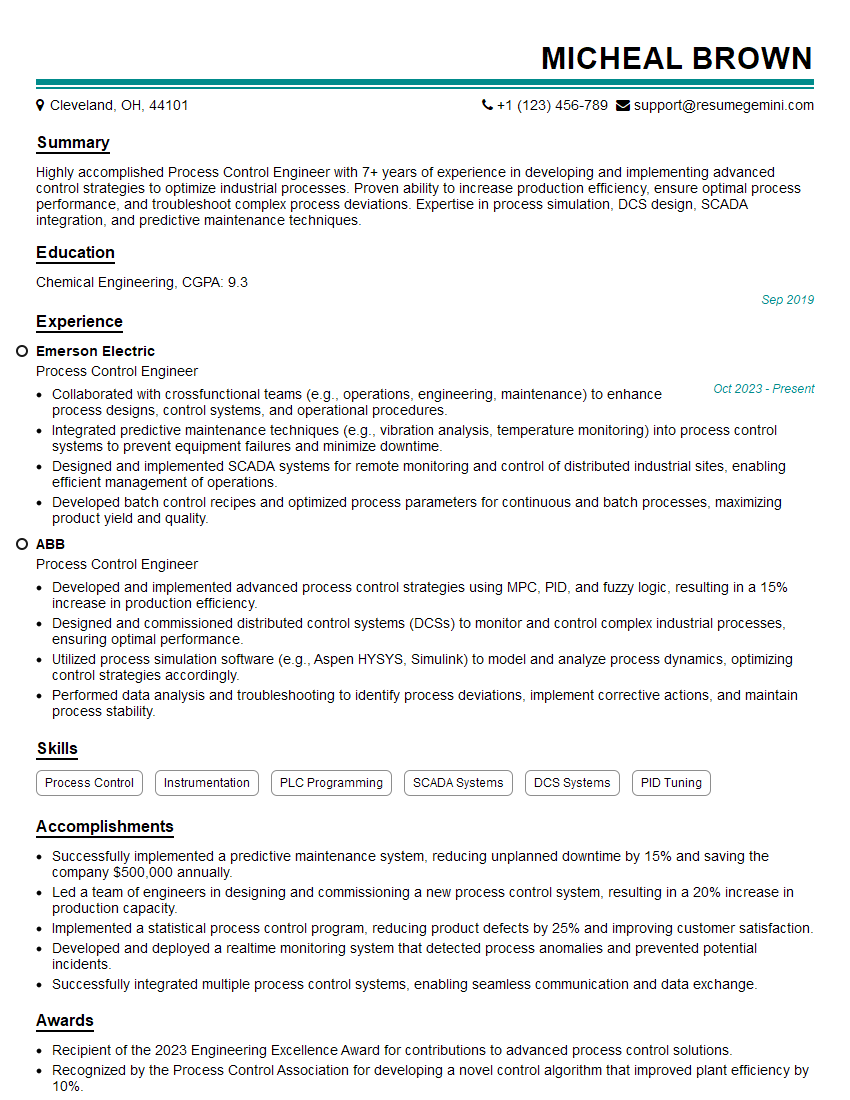
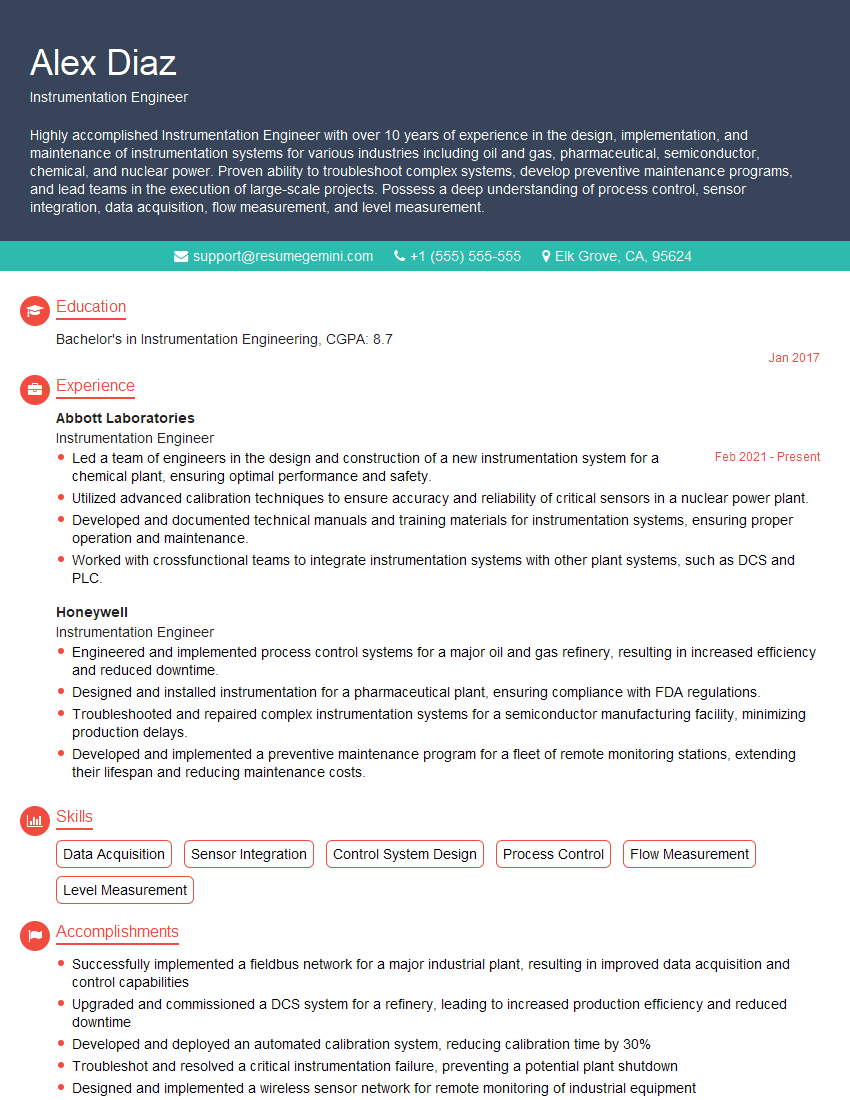
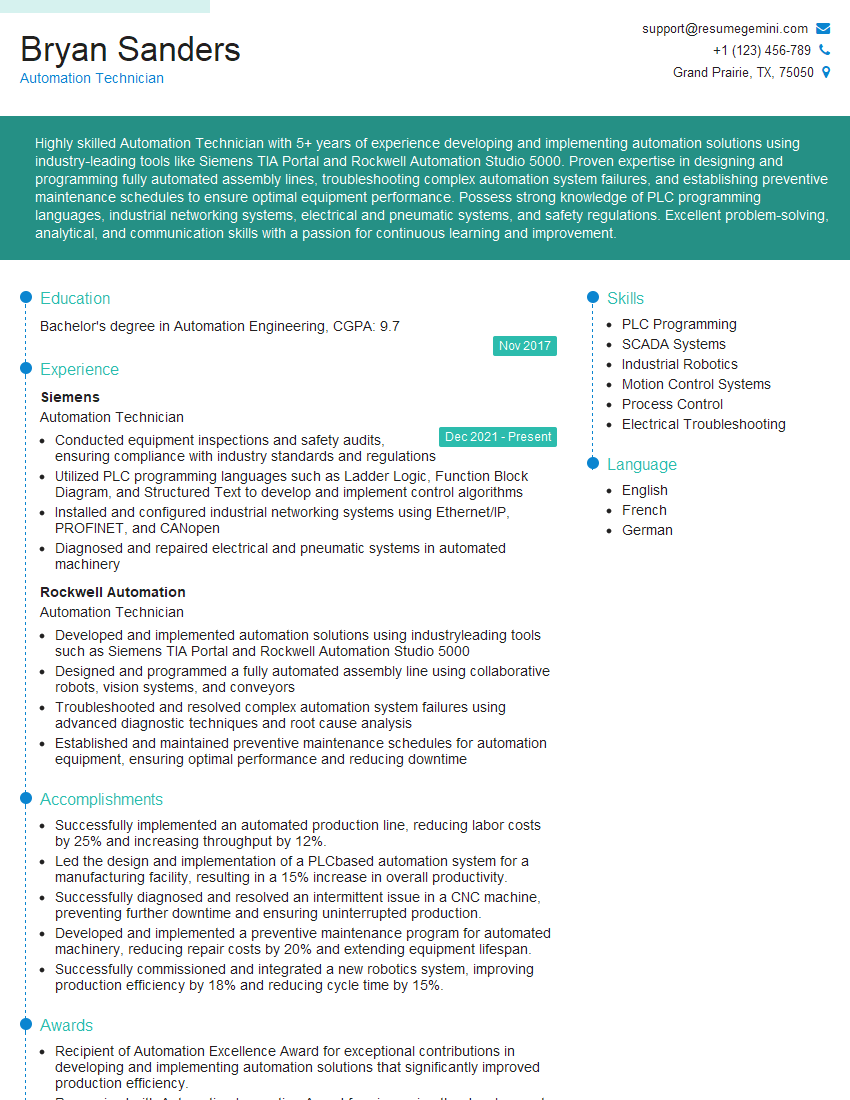
Mastering PLC/DCS troubleshooting significantly enhances your career prospects, opening doors to higher-paying roles and greater responsibility within the automation industry. A well-crafted, ATS-friendly resume is vital for showcasing your skills and experience effectively to potential employers. ResumeGemini is a trusted resource that can help you build a professional resume that stands out. They provide examples of resumes tailored to PLC/DCS troubleshooting to guide you in highlighting your unique qualifications. Invest the time to create a powerful resume; it’s a key step in your career advancement.


Explore more articles
Users Rating of Our Blogs
Share Your Experience
We value your feedback! Please rate our content and share your thoughts (optional).
What Readers Say About Our Blog
To the interviewgemini.com Webmaster.
Very helpful and content specific questions to help prepare me for my interview!
Thank you
To the interviewgemini.com Webmaster.
This was kind of a unique content I found around the specialized skills. Very helpful questions and good detailed answers.
Very Helpful blog, thank you Interviewgemini team.