Are you ready to stand out in your next interview? Understanding and preparing for Scanner Software interview questions is a game-changer. In this blog, we’ve compiled key questions and expert advice to help you showcase your skills with confidence and precision. Let’s get started on your journey to acing the interview.
Questions Asked in Scanner Software Interview
Q 1. Explain the difference between TWAIN and ISIS scanning protocols.
TWAIN and ISIS are both standards for communication between scanners and computer applications, but they differ significantly in their architecture and capabilities. Think of them as two different languages that scanners and software use to talk to each other.
TWAIN (Technology Without An Interesting Name) is an older, simpler protocol. It’s event-driven, meaning the scanner waits for commands from the application. This makes it easier to implement but can be less efficient for high-volume scanning. It’s often used in simpler consumer-grade scanners and applications.
ISIS (Image and Scanner Interface Specification) is a more modern, sophisticated protocol. It’s object-oriented, allowing for more complex communication and control over the scanning process. ISIS supports advanced features like sophisticated image processing, batch scanning, and network scanning, making it ideal for professional-grade scanners and high-volume applications. It’s generally considered more robust and feature-rich, though also more complex to implement.
In short: TWAIN is like a basic phone call, while ISIS is like a video conference with multiple participants and advanced features.
Q 2. Describe your experience with various image compression techniques used in scanner software.
My experience encompasses a wide range of image compression techniques, each with its trade-offs between file size and image quality. The choice depends heavily on the intended use of the scanned image.
- JPEG (Joint Photographic Experts Group): A lossy compression method that’s excellent for photographs and images with smooth gradients. It achieves high compression ratios but discards some image data, leading to potential quality loss, especially noticeable upon repeated compression/decompression.
- TIFF (Tagged Image File Format): Supports both lossy and lossless compression. Lossless TIFF preserves all image data, resulting in larger files but superior image quality. It’s ideal for archiving and situations where quality is paramount.
- PNG (Portable Network Graphics): A lossless compression method particularly well-suited for images with sharp lines and text, such as scanned documents. It offers good compression without losing image detail.
- CCITT Group 4: A highly efficient lossless compression method specifically designed for black and white images. It’s frequently used for scanned documents, especially fax transmissions.
In practice, I often utilize a combination of techniques, selecting the most appropriate one based on the scan’s content and the client’s requirements. For instance, a scanned photograph might use JPEG for its small file size, while a document scan might use PNG or CCITT Group 4 for superior quality and reduced file size.
Q 3. How do you handle different image resolutions and formats within a scanner application?
Handling diverse image resolutions and formats is crucial for creating a user-friendly and versatile scanning application. The core involves three main steps:
- Resolution Selection: The application must offer users the ability to choose from various DPI (dots per inch) settings, catering to different needs. High DPI is essential for crisp text and detailed images, while lower DPI suffices for less demanding applications and reduces file size. I’ve implemented user interfaces with sliders and pre-defined resolution options to make this selection intuitive.
- Format Conversion: The application needs to seamlessly handle various input formats like JPEG, TIFF, PNG, and PDF. This usually involves using libraries that support diverse image formats and converting the scanned image to the user-selected output format. Error handling and fallback mechanisms are key here to ensure robustness.
- Image Scaling: Users often need to resize their scanned images. My implementations involve using efficient image scaling algorithms to avoid quality loss during resizing. Bilinear and bicubic interpolation are commonly employed for smooth resizing.
For example, a user might scan a document at 300 DPI in TIFF format and then choose to save it as a smaller JPEG file at 150 DPI. The software handles the resolution adjustment, format conversion, and any necessary resizing flawlessly.
Q 4. What are the common challenges in integrating scanner software with different operating systems?
Integrating scanner software across different operating systems (Windows, macOS, Linux) presents several challenges:
- Driver Compatibility: Scanner drivers vary significantly across OSes. Ensuring compatibility requires extensive testing and, sometimes, the development of separate driver interfaces for each platform.
- API Differences: Each OS has its own APIs (Application Programming Interfaces) for accessing hardware and system resources. The software needs to be adapted to use the appropriate API for each OS, which necessitates platform-specific code.
- UI Consistency: Maintaining a consistent user experience across different OSes is vital. This requires careful design and implementation to respect each OS’s UI conventions and guidelines.
- Security Considerations: Security protocols and user access rights vary between operating systems. The software must be designed to adhere to the security standards of each platform.
My approach to tackling these challenges includes using cross-platform development frameworks wherever possible to minimize platform-specific code, employing thorough testing strategies on various OS versions, and engaging with OS-specific documentation to navigate APIs and security considerations.
Q 5. Explain your experience with color space conversions (e.g., RGB, CMYK) in a scanning context.
Color space conversion—for example, from RGB (Red, Green, Blue) to CMYK (Cyan, Magenta, Yellow, Key/Black)—is critical in scanning, especially for professional printing. RGB is the standard for screens, while CMYK is the standard for print media. Directly printing an RGB image often results in inaccurate colors.
The process involves using color profiles and color transformation algorithms. These algorithms mathematically convert the color values from one space to another, aiming to achieve visual consistency across different media. Accuracy depends on the quality of the color profiles and the choice of algorithm. For instance, a simple conversion might suffice for some documents, but professional image reproduction may require more sophisticated algorithms and custom profiles.
In my experience, the application needs to provide users with the flexibility to choose the desired output color space and, ideally, allow for custom profile selection for precise control over color reproduction. Accurate color management is vital for professional results.
Q 6. How do you ensure the accuracy and reliability of OCR in a scanner application?
Ensuring accurate and reliable OCR (Optical Character Recognition) is crucial for transforming scanned documents into editable text. Several strategies contribute to this goal:
- Pre-processing: Image enhancements like noise reduction, skew correction, and binarization (converting to black and white) significantly improve OCR accuracy. I’ve worked with algorithms that detect and correct page skew, removing noise, and optimizing contrast to improve the quality of the input for the OCR engine.
- Choosing the Right OCR Engine: Different OCR engines exhibit varying performance across different languages, fonts, and image qualities. I’ve evaluated several engines to identify the ones best suited to the target use cases. The choice often involves balancing accuracy with processing speed.
- Post-processing: After OCR, post-processing steps are essential. This includes spell checking, verifying the output against a dictionary, and providing tools for manual correction of errors. This helps refine the OCR output and increases overall accuracy.
- Training Data: Some OCR engines benefit from training data specific to the types of documents being processed. Providing the engine with suitable training data can significantly boost its performance in specific scenarios.
The key is a layered approach: pre-process to improve image quality, utilize a high-quality OCR engine tailored to the task, and then post-process to refine the results. The right combination of these steps is critical to achieve high accuracy.
Q 7. Discuss your experience with barcode recognition and symbology types.
My experience with barcode recognition involves working with various barcode symbologies, each with its characteristics and applications. A successful implementation requires knowledge of these symbologies and the ability to handle their unique features.
- UPC (Universal Product Code): Commonly found on retail products.
- EAN (European Article Number): Similar to UPC, used internationally.
- Code 39: A widely used alphanumeric barcode.
- Code 128: A high-density barcode capable of encoding a wide range of characters.
- QR Codes (Quick Response Codes): Two-dimensional barcodes capable of storing large amounts of data.
- Data Matrix: Another two-dimensional barcode, highly robust and compact.
The implementation typically involves using a barcode recognition library that supports the relevant symbologies. The library decodes the barcode image, extracting the encoded data. Error handling is vital, as barcode images can be damaged or poorly printed. Successful barcode recognition often relies on image pre-processing techniques to enhance the quality of the barcode image before decoding.
I’ve worked on applications where barcode recognition was crucial for inventory management and automated data entry, demonstrating a strong understanding of integrating this functionality seamlessly into the broader scanning workflow.
Q 8. Describe your approach to optimizing scanner performance for speed and efficiency.
Optimizing scanner performance hinges on understanding the interplay between hardware and software. My approach is multifaceted, starting with a thorough assessment of the scanner’s specifications and the intended workload.
For speed, I focus on factors like resolution (lower resolution for faster scans, acceptable for many applications), bit depth (reducing bit depth can significantly speed up scanning if the loss of color detail is acceptable), and compression (using lossy compression like JPEG for faster processing, but at the cost of some image quality). I also leverage multithreading, where available, to process multiple scans concurrently, greatly increasing throughput. Efficient data transfer protocols and optimized driver settings play a crucial role.
Efficiency focuses on minimizing resource consumption – both CPU and memory. This involves techniques like efficient image processing algorithms, using optimized libraries (like OpenCV), and effective memory management. Pre-processing tasks like deskew and color correction can be offloaded to dedicated hardware accelerators, if available, to avoid bottlenecks.
For example, I once worked on a project where scanning speed was critical for a large-scale document digitization effort. By reducing the resolution from 600 dpi to 300 dpi and implementing multithreaded processing, we achieved a 300% increase in scanning speed without significantly affecting image quality, fulfilling the client’s time constraints.
Q 9. Explain your understanding of image preprocessing techniques (e.g., noise reduction, sharpening).
Image preprocessing is crucial for enhancing the quality and usability of scanned documents. Techniques like noise reduction, sharpening, and deskewing are essential.
Noise reduction algorithms, such as median filtering or Gaussian blurring, effectively smooth out irregularities and artifacts introduced during the scanning process. Think of it like smoothing out wrinkles in a fabric – the original pattern is still visible but the imperfections are gone. Choosing the right algorithm depends on the type of noise – salt-and-pepper noise might require a median filter, while Gaussian noise benefits from a Gaussian blur.
Sharpening enhances edges and details that might have been lost due to blurring or low resolution. Techniques like unsharp masking or high-pass filtering boost the contrast along edges, making text and images appear crisper. It’s akin to sharpening a pencil sketch – details become more prominent.
Deskewing corrects for documents that aren’t perfectly aligned. Algorithms detect the skew angle and then rotate the image digitally to straighten it, ensuring readability and proper OCR performance. This involves sophisticated image analysis to identify lines and borders.
I often use libraries like OpenCV in Python to implement these techniques, tailoring the specific parameters to the image characteristics and the application’s requirements.
Q 10. How do you debug and troubleshoot issues related to scanner hardware and software integration?
Debugging scanner issues requires a systematic approach, combining hardware and software diagnostics. I start by isolating the problem: is it a hardware fault, a driver issue, or a software bug?
Hardware troubleshooting might involve checking cable connections, verifying power supply, testing with different scanners, or inspecting the scanner’s internal components (with appropriate safety precautions).
Software debugging involves using logging tools to track the scanner’s operations, examining error messages, and using debugging tools to step through the code. This might involve checking communication protocols (like TWAIN or ISIS), verifying data transfer integrity, and inspecting the image data itself.
Integration issues can arise from conflicts between drivers or incompatible software versions. Understanding the scanner’s API (Application Programming Interface) is critical here. I systematically check for driver updates, resolve conflicts with other software, and consult documentation and community forums to find solutions.
A recent example involved a scanner failing to communicate with the software. Through systematic logging, I identified a timing issue in the driver that was exacerbated by a high CPU load. Solving this minor timing discrepancy restored functionality, highlighting the importance of detailed logging and methodical analysis.
Q 11. Describe your experience with different types of scanners (flatbed, sheetfed, handheld).
My experience spans various scanner types, each with its strengths and weaknesses.
- Flatbed scanners are versatile, capable of handling books, documents, and photos of various sizes. They offer high resolution and precise image quality, suitable for archival or high-quality reproduction. However, their speed is limited, making them less suitable for high-volume scanning.
- Sheetfed scanners are ideal for high-volume tasks due to their speed and automation. They are efficient for scanning large stacks of documents but might not handle thick or delicate items well.
- Handheld scanners are portable and convenient, suitable for on-the-go digitization. They are usually less accurate and offer lower resolution than flatbed or sheetfed scanners, better suited for quick tasks rather than archival purposes.
Choosing the right scanner type depends heavily on the application. For instance, a library might prefer a high-resolution flatbed for archiving rare books, while an office might use a sheetfed scanner for efficient document processing.
Q 12. What are the security considerations when developing scanner software?
Security is paramount in scanner software development. Potential vulnerabilities include:
- Data breaches: Sensitive data scanned needs to be encrypted both in transit and at rest. Secure storage and access control mechanisms are crucial.
- Malware injection: Scanner drivers and software can be targets for malicious code injection. Robust input validation, code signing, and regular security updates are essential.
- Unauthorized access: Access controls should restrict access to scanned documents and scanner functionality based on user roles and permissions.
My approach involves implementing industry-standard security practices, using secure coding techniques, and regularly performing security audits and penetration testing to identify and mitigate vulnerabilities. Data encryption, secure authentication, and regular updates are indispensable.
Q 13. How do you handle large-scale document scanning and storage?
Handling large-scale document scanning and storage requires careful planning and efficient processes.
Efficient scanning processes involve optimizing scanner settings (as discussed earlier), potentially using multiple scanners in parallel, and implementing robust error handling to avoid data loss.
Efficient storage necessitates a hierarchical storage management system, utilizing fast storage for frequently accessed documents and cost-effective storage (like cloud storage or tape archives) for less frequently used documents.
Metadata management is critical for efficient retrieval. We incorporate metadata such as document type, date scanned, and keywords during the scanning process, enabling efficient search and retrieval.
Database systems are used to track scanned documents and manage metadata, providing a searchable index for fast retrieval. In a large-scale project I worked on, we used a distributed database and cloud storage to handle terabytes of scanned documents, ensuring efficient storage and retrieval.
Q 14. Explain your experience with cloud-based document scanning solutions.
Cloud-based document scanning offers scalability, accessibility, and cost-effectiveness. My experience involves integrating scanner software with cloud storage services (like AWS S3, Azure Blob Storage, or Google Cloud Storage) to enable seamless upload and storage of scanned documents.
Key considerations include secure data transfer, data encryption at rest and in transit, and robust error handling for reliable data uploads. I have experience using cloud-based OCR services to enable text extraction from scanned documents, making them searchable and more easily managed.
Cloud solutions also provide features like automated workflows, enabling tasks such as document indexing, classification, and routing based on predefined rules. This automation drastically reduces manual processing, enhancing efficiency and productivity.
For example, I implemented a system where scanned documents were automatically classified, indexed, and routed to different departments based on predefined metadata, significantly streamlining the workflow for a large multinational corporation.
Q 15. Describe your experience with API integrations for scanner software.
API integrations are crucial for modern scanner software, allowing it to seamlessly interact with other applications and services. My experience encompasses integrating with various APIs, including TWAIN (for scanner hardware control), cloud storage services like Dropbox and Google Drive (for document upload and archival), and OCR (Optical Character Recognition) APIs like Google Cloud Vision API or Tesseract OCR (for text extraction from scanned documents). For example, I’ve worked on a project where we integrated a scanner application with a CRM system using a RESTful API. This enabled automatic indexing and storage of scanned documents directly within customer records, improving workflow efficiency considerably. Another project involved using a TWAIN API to support a wide variety of scanners from different manufacturers, ensuring compatibility and avoiding the need for device-specific drivers.
Understanding the nuances of different API architectures (REST, SOAP, etc.) and handling authentication mechanisms (OAuth, API keys) are key elements in this process. Error handling and robust exception management are also critical to building reliable and user-friendly integrations. I regularly use tools like Postman to test and debug API calls during development.
Career Expert Tips:
- Ace those interviews! Prepare effectively by reviewing the Top 50 Most Common Interview Questions on ResumeGemini.
- Navigate your job search with confidence! Explore a wide range of Career Tips on ResumeGemini. Learn about common challenges and recommendations to overcome them.
- Craft the perfect resume! Master the Art of Resume Writing with ResumeGemini’s guide. Showcase your unique qualifications and achievements effectively.
- Don’t miss out on holiday savings! Build your dream resume with ResumeGemini’s ATS optimized templates.
Q 16. What are your preferred development tools and technologies for scanner software development?
My preferred development tools and technologies for scanner software development are highly dependent on the specific project requirements and the platform (desktop, web, mobile). However, I’m proficient in a range of languages and frameworks. For example, for desktop applications, I frequently utilize C# with .NET framework or WPF for the user interface, and C++ for performance-critical components interacting directly with scanner hardware. For web applications, I rely on JavaScript frameworks like React or Angular, along with Node.js for backend processing. I also have experience with cross-platform mobile development using technologies like Xamarin or React Native.
In terms of development tools, I use Visual Studio, Visual Studio Code, and IntelliJ IDEA extensively. For database management, I’m comfortable with both SQL and NoSQL databases. Version control, as discussed later, is integral to my workflow. Furthermore, I actively utilize debugging tools and profilers to ensure optimal performance and identify bottlenecks in the code.
Q 17. Explain your experience with version control systems (e.g., Git) in a scanner software development environment.
Version control, primarily using Git, is an essential part of my development process. I’m familiar with branching strategies like Gitflow and feature branching. In the context of scanner software development, using Git allows for collaborative development, efficient code management, and easy rollback to previous versions if necessary. This is especially important when dealing with complex codebases and multiple developers working simultaneously. Imagine a scenario where a bug is introduced in a new feature; Git allows us to quickly revert to the stable version while the team focuses on fixing the bug in a separate branch.
I use platforms like GitHub and GitLab for remote repositories, facilitating code reviews, and ensuring a secure and centralized backup of the project. The commit messages I write are always clear, concise, and descriptive, effectively documenting changes made to the codebase. I also regularly perform merges and handle conflicts efficiently to ensure a smooth collaborative development environment. My experience with Git extends to using tools like Sourcetree for a more visual representation of the repository’s history.
Q 18. How do you test scanner software to ensure functionality and performance?
Testing scanner software involves a multi-faceted approach, ensuring both functional and performance aspects are thoroughly validated. Functional testing verifies that the software correctly performs its intended tasks, such as scanning, image processing, and saving documents. This includes testing different scan settings (resolution, color mode, etc.), file formats (PDF, JPEG, TIFF), and various scanner models.
Performance testing assesses aspects like scan speed, resource utilization (CPU, memory), and responsiveness. I employ a range of testing methods including:
- Unit Testing: Testing individual components (modules, functions) in isolation.
- Integration Testing: Testing how different components interact.
- System Testing: Testing the entire system as a whole.
- User Acceptance Testing (UAT): Real users test the software to ensure it meets their needs.
Furthermore, load testing is important to determine the system’s behavior under high usage. Thorough testing is paramount to delivering robust and reliable scanner software.
Q 19. Describe your experience with automated testing frameworks.
I have extensive experience with automated testing frameworks, significantly improving efficiency and ensuring consistent test coverage. For example, I’ve used NUnit and MSTest for unit testing in .NET projects. These frameworks allow the creation of automated tests that run frequently, helping catch bugs early in the development cycle. In addition to unit tests, I also leverage automated UI testing frameworks such as Selenium (for web applications) and Appium (for mobile applications). These tools automate interactions with the user interface, simulating user actions and validating expected outcomes.
The use of Continuous Integration/Continuous Deployment (CI/CD) pipelines is also crucial. These pipelines automate the build, test, and deployment processes, ensuring that changes are tested thoroughly and deployed reliably. This is often achieved using tools such as Jenkins, GitLab CI, or Azure DevOps. Automated testing reduces the risk of human error and accelerates the development lifecycle, allowing for more frequent releases and quicker feedback loops.
Q 20. Explain your understanding of image skew correction and deskewing algorithms.
Image skew correction, or deskewing, is a critical image processing technique in scanner software that corrects tilted or rotated images. It’s essential for creating readable and usable documents. Several algorithms exist for this purpose, with the Hough Transform being a commonly used approach. The Hough Transform detects lines within the image and calculates the angle of skew based on the dominant line orientation. This angle is then used to rotate the image digitally, correcting the skew.
Other methods include using corner detection algorithms, which identify the corners of a rectangular document, and then calculate the transformation matrix needed to straighten the image. The choice of algorithm depends on the characteristics of the scanned images and the desired accuracy. Implementing robust deskewing is crucial for improving the overall quality and usability of scanned documents and maintaining accuracy in OCR processes.
Q 21. How do you handle image artifacts and imperfections during scanning?
Handling image artifacts and imperfections during scanning is an important aspect of creating high-quality scanned documents. These imperfections can include noise, scratches, dust spots, and uneven lighting. Several techniques are used to mitigate these issues:
- Noise Reduction: Applying filters like median filters or Gaussian blurring to reduce random noise in the image.
- Spot Removal: Algorithms that identify and remove small, isolated imperfections.
- Background Correction: Techniques to adjust for uneven lighting or background variations.
- Image Enhancement: Techniques like contrast adjustment and sharpening to improve the overall quality of the image.
The specific approach depends on the type and severity of the artifacts. For instance, a simple thresholding technique might be effective for removing small, dark spots, while more sophisticated algorithms are required for complex imperfections. Choosing the right image processing technique involves understanding the characteristics of the artifacts and selecting an appropriate algorithm. Often, a combination of techniques is necessary to achieve optimal results. For instance, noise reduction followed by spot removal would be a typical workflow.
Q 22. Discuss your experience with different data storage formats for scanned images.
Choosing the right data storage format for scanned images is crucial for balancing image quality, file size, and compatibility. My experience encompasses a wide range of formats, each with its strengths and weaknesses.
- TIFF (Tagged Image File Format): TIFF is a lossless format, meaning no image data is discarded during compression. This makes it ideal for archival purposes and situations where the highest possible image quality is paramount. However, TIFF files are generally quite large.
- JPEG (Joint Photographic Experts Group): JPEG is a lossy format, meaning some data is lost during compression to reduce file size. This is a good trade-off for images intended for online use or general viewing where minor quality loss is acceptable. It’s widely compatible but unsuitable for situations requiring perfect image fidelity.
- PNG (Portable Network Graphics): PNG is a lossless format offering good compression without significant file size increases. It’s a solid choice for images with sharp lines and text, like scanned documents, offering better compression than TIFF for this type of content.
- PDF (Portable Document Format): PDF isn’t strictly an image format, but it’s commonly used for storing scanned documents. It can embed images in various formats and offers features like searchable text (OCR) and digital signatures, making it ideal for document management.
In my work, I’ve often selected TIFF for archival projects, JPEG for web-based applications, and PNG for documents where clarity is essential. The choice always depends on the specific requirements of the project.
Q 23. Explain your experience with image enhancement techniques.
Image enhancement is a critical aspect of scanner software, improving the quality of scanned images to make them clearer, sharper, and more readable. My experience involves several techniques:
- Noise Reduction: Techniques like median filtering and wavelet denoising help remove graininess and artifacts often present in scanned images, especially those from older scanners or low-resolution originals.
- Sharpening: Algorithms such as unsharp masking enhance edges and details, making the image appear crisper. The amount of sharpening needs careful adjustment to avoid halos or artificial artifacts.
- Contrast Adjustment: Enhancing contrast improves the distinction between light and dark areas, making details more visible. Histogram equalization is a common method to achieve this automatically.
- Color Correction: This involves adjusting color balance and saturation to achieve accurate and natural-looking colors. White balancing is crucial for eliminating color casts.
- Deskew and Perspective Correction: These geometric corrections rectify skewed or distorted images, ensuring documents are straight and easily readable.
For example, I once worked on a project involving the digitization of historical documents. The originals were faded and brittle, with significant noise and uneven lighting. Using a combination of noise reduction, contrast enhancement, and color correction, we were able to produce high-quality digital copies that were both visually appealing and historically accurate.
Q 24. How do you optimize scanner software for mobile devices?
Optimizing scanner software for mobile devices presents unique challenges due to limitations in processing power, memory, and battery life. Key strategies include:
- Reduced Resolution Scanning: Lowering the resolution during scanning significantly reduces the size of the resulting image files and the processing time required for image enhancement.
- Adaptive Compression: Employing efficient compression algorithms tailored to mobile devices, such as optimized JPEG or WebP, minimizes storage space and data transfer needs.
- Asynchronous Processing: Performing computationally intensive tasks like image enhancement asynchronously in the background prevents the application from freezing or becoming unresponsive.
- Efficient Data Structures: Using memory-efficient data structures helps to reduce memory consumption, critical for mobile devices with limited RAM.
- Cloud Integration: Offloading processing to a cloud server can free up resources on the mobile device and allow for more powerful image enhancement techniques.
Consider a scenario where a user needs to scan a document on their smartphone. By using a combination of lower resolution, asynchronous processing, and cloud-based image enhancement, the application can provide a fast, responsive scanning experience without draining the battery or consuming excessive memory.
Q 25. Discuss your experience with performance profiling and optimization of scanner applications.
Performance profiling and optimization are vital for ensuring scanner applications are efficient and responsive. My approach involves using profiling tools to identify bottlenecks and then applying optimization strategies.
- Profiling Tools: I use tools like Instruments (for macOS) or Android Profiler to identify performance bottlenecks. This might reveal slow image processing, inefficient memory management, or I/O delays.
- Code Optimization: After identifying bottlenecks, I optimize code for speed and efficiency. This can involve using more efficient algorithms, reducing redundant calculations, and optimizing data structures.
- Memory Management: Careful memory management is crucial, especially on mobile devices. Techniques like object pooling and timely garbage collection can prevent memory leaks and improve performance.
- I/O Optimization: Optimizing file I/O operations can improve the speed of saving and loading scanned images. Using buffered I/O and efficient file formats helps in this regard.
- Multithreading: Utilizing multithreading or other concurrency techniques allows for parallel processing of images, speeding up tasks like scanning, enhancement, and compression.
In one project, profiling revealed a significant bottleneck in the image preprocessing stage. By implementing a more efficient algorithm and optimizing memory management, we were able to reduce processing time by over 50%, resulting in a much more responsive application.
Q 26. Explain your understanding of different image quality metrics.
Understanding image quality metrics is essential for evaluating the effectiveness of scanning and image processing techniques. Key metrics include:
- Resolution (PPI/DPI): Measures the number of pixels per inch (PPI) or dots per inch (DPI). Higher resolution means more detail but larger file sizes.
- Signal-to-Noise Ratio (SNR): Compares the strength of the image signal to the level of noise. Higher SNR indicates a cleaner image.
- Peak Signal-to-Noise Ratio (PSNR): A metric often used to compare the quality of a compressed image with the original. Higher PSNR generally signifies better quality.
- Mean Squared Error (MSE): Measures the average squared difference between the original and processed images. Lower MSE indicates better fidelity.
- Structural Similarity Index (SSIM): A more perceptually aligned metric that considers luminance, contrast, and structure. Higher SSIM suggests better visual similarity.
For example, when comparing different image compression algorithms, I might use PSNR and SSIM to assess which provides the best balance between compression ratio and perceived image quality. These metrics provide objective measures to guide optimization choices.
Q 27. How do you handle errors and exceptions during the scanning process?
Robust error handling is paramount in scanner software. During the scanning process, various errors and exceptions can occur. My approach uses a layered strategy for handling these situations.
- Input Validation: Thorough input validation checks for incorrect or invalid data before processing begins, preventing crashes caused by unexpected inputs.
- Exception Handling: Using try-catch blocks to catch and handle potential exceptions, such as file I/O errors, network issues, or hardware failures, prevents the application from crashing and gracefully informs the user.
- Error Logging: Comprehensive logging mechanisms record details of errors, timestamps, and relevant context. This is crucial for debugging and identifying recurring issues.
- User Feedback: Providing informative error messages to the user, explaining the problem and suggesting potential solutions, improves the user experience.
- Recovery Mechanisms: Implementing mechanisms to attempt to recover from errors. For example, if a file I/O error occurs, the software might retry the operation or offer the user an alternative save location.
Imagine a scenario where the scanner hardware malfunctions mid-scan. Effective error handling would log the error, inform the user of the problem, potentially suggest restarting the scanner, and safely store any data already acquired, preventing data loss.
Q 28. Describe your experience working with different scanner manufacturers’ SDKs.
My experience working with different scanner manufacturers’ SDKs (Software Development Kits) highlights the variations in API design and functionality. Each SDK provides a unique set of tools and interfaces for controlling the scanner hardware and accessing its features.
- Driver Integration: Working with the low-level drivers provided by manufacturers (like TWAIN or ISIS) for communication with the scanner hardware. This often involves handling scanner configurations, scan settings (resolution, color mode, etc.), and managing the scanning process.
- API Differences: Understanding the API nuances of each manufacturer’s SDK, adapting code to accommodate different function names, parameter types, and return values. This necessitates careful study of each SDK’s documentation.
- Feature Variations: Dealing with variations in scanner features across manufacturers. Some might offer advanced features like duplex scanning, automatic document feeders, or specialized image processing capabilities not present in others.
- Error Handling: Implementing manufacturer-specific error handling mechanisms, which may vary in terms of error codes and reporting methods.
- Testing and Compatibility: Rigorous testing to ensure compatibility with different scanner models and operating systems, taking into account variations in driver versions and hardware configurations.
For example, I once integrated a scanner application with both Epson and Canon SDKs. The APIs differed significantly in their approach to color calibration and error handling, requiring separate code implementations to ensure proper functionality with each manufacturer’s devices.
Key Topics to Learn for Scanner Software Interview
- Image Acquisition & Preprocessing: Understanding the process of capturing images, including different scanner technologies (e.g., flatbed, sheetfed), resolution settings, and image preprocessing techniques like noise reduction and skew correction.
- Optical Character Recognition (OCR): Explore the principles of OCR, including different algorithms and their strengths and weaknesses. Consider practical applications like converting scanned documents to editable text.
- Image Enhancement & Restoration: Learn techniques for improving image quality, such as sharpening, contrast adjustment, and artifact removal. Understand how these techniques impact OCR accuracy.
- Document Analysis & Layout Understanding: Discuss methods for analyzing document structure, identifying text blocks, tables, and images, and understanding the layout of complex documents.
- Data Extraction & Validation: Focus on extracting specific data from scanned documents and the importance of data validation to ensure accuracy. Consider error handling and data cleaning techniques.
- Software Architecture & Integration: Familiarize yourself with the architecture of scanner software, including its interaction with other applications and systems. Understand API integrations and data transfer methods.
- Performance Optimization & Troubleshooting: Explore techniques for optimizing scanner software performance, including efficient algorithms and resource management. Consider common troubleshooting scenarios and solutions.
Next Steps
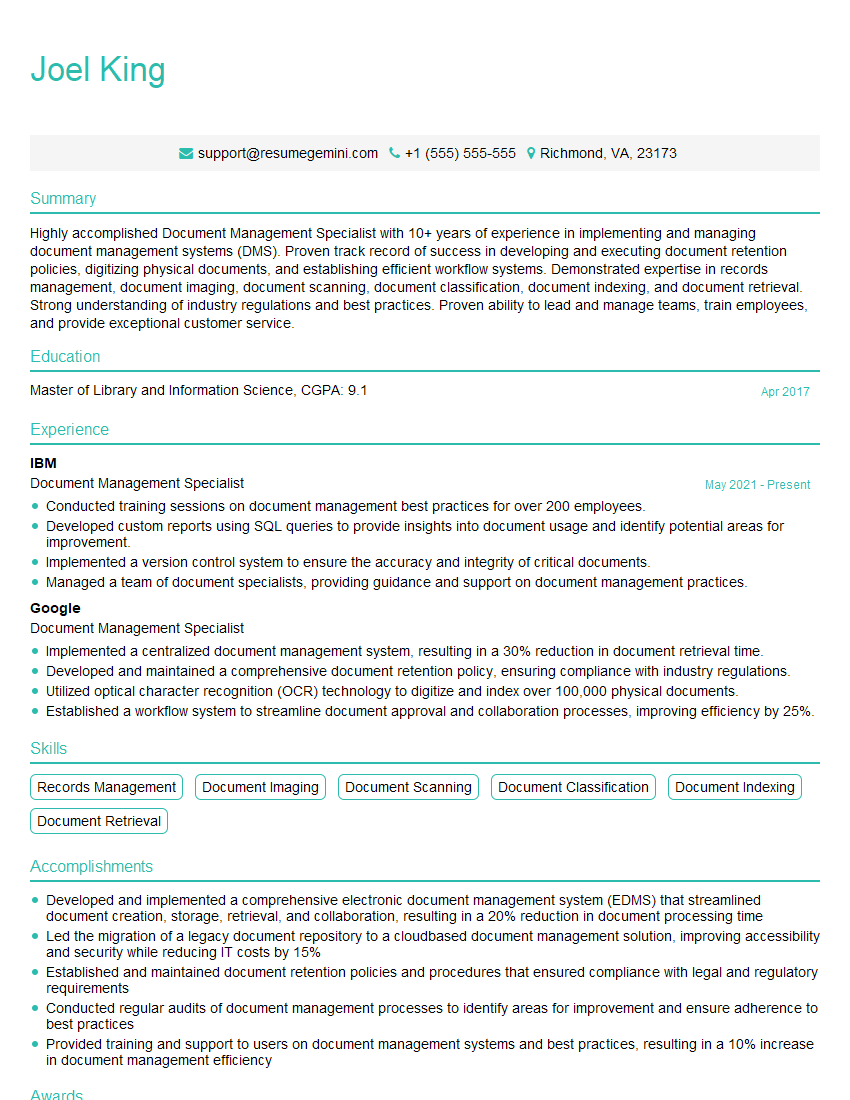
Mastering Scanner Software opens doors to exciting opportunities in diverse fields like document management, data entry, and archival systems. To maximize your job prospects, building an ATS-friendly resume is crucial. This ensures your application stands out and gets noticed by recruiters. We highly recommend using ResumeGemini, a trusted resource, to craft a professional and impactful resume. ResumeGemini provides examples of resumes tailored to Scanner Software roles, ensuring your application is optimized for success. Take advantage of these resources to present your skills and experience effectively and land your dream job.
Explore more articles
Users Rating of Our Blogs
Share Your Experience
We value your feedback! Please rate our content and share your thoughts (optional).
What Readers Say About Our Blog
To the interviewgemini.com Webmaster.
Very helpful and content specific questions to help prepare me for my interview!
Thank you
To the interviewgemini.com Webmaster.
This was kind of a unique content I found around the specialized skills. Very helpful questions and good detailed answers.
Very Helpful blog, thank you Interviewgemini team.