Feeling uncertain about what to expect in your upcoming interview? We’ve got you covered! This blog highlights the most important Screen Room Maintenance interview questions and provides actionable advice to help you stand out as the ideal candidate. Let’s pave the way for your success.
Questions Asked in Screen Room Maintenance Interview
Q 1. Describe your experience troubleshooting common projection system malfunctions.
Troubleshooting projection system malfunctions requires a systematic approach. I begin by identifying the symptom – is the image blurry, flickering, completely dark, displaying color issues, or showing other artifacts? This helps pinpoint the likely source of the problem. For example, a blurry image might indicate a focus issue with the projector lens, a loose connection, or even a problem with the projector’s internal components. A completely dark screen, on the other hand, could suggest a power supply problem, a burned-out lamp, or a faulty connection.
My process typically involves:
- Visual Inspection: Checking all cables, connections, and the projector itself for any obvious damage or loose connections. I’ll also inspect the lamp to ensure it’s properly seated and functioning.
- Signal Path Verification: Tracing the signal from the source (computer, Blu-ray player, etc.) to the projector to ensure the signal is passing through without interruption. This often involves checking cables and input selection on the projector.
- Testing Different Inputs: If the problem persists, trying different input sources (e.g., different HDMI cables or devices) helps determine if the issue lies with the source or the projector itself.
- Lamp Diagnostics: Checking the projector’s lamp hours and replacing it if necessary. A failing lamp is a common cause of dimming or image quality problems. I always follow manufacturer guidelines for lamp replacement.
- Advanced Diagnostics (if necessary): In more complex cases, I may use the projector’s internal diagnostic tools or consult service manuals to perform more in-depth troubleshooting.
For instance, I once encountered a situation where a projection system was displaying a flickering image. After systematically checking the power supply and cables, I discovered a loose connection within the projector’s internal circuitry, which was fixed by resoldering the connection.
Q 2. Explain the process of cleaning and maintaining a projection screen.
Cleaning and maintaining a projection screen is crucial for optimal image quality and longevity. The process varies slightly depending on the screen material (e.g., fixed frame, retractable, motorized), but the general principles remain the same.
Cleaning Process:
- Preparation: Always power down the projector and screen before cleaning. Turn off the lights in the room to assess the level of soiling. Choose a clean, soft cloth (microfiber is ideal). Avoid harsh chemicals or abrasive cleaners, as they can damage the screen surface.
- Dusting: Start by gently dusting the screen with a dry microfiber cloth, removing loose dirt and debris. For retractable screens, gently wipe them down with a microfiber cloth, working from top to bottom. For large screens or those in hard to reach places, consider a telescopic duster.
- Spot Cleaning: If there are stubborn stains or marks, lightly dampen a clean microfiber cloth with distilled water (avoid tap water which may leave residue). Gently wipe the affected area, using minimal pressure. Never saturate the screen with water. Allow the screen to air dry completely before use.
- Post-Cleaning Inspection: After cleaning, check for any streaks, residue, or remaining dirt. Use a dry microfiber cloth to buff the screen to a sheen.
Maintenance: Regular dusting is vital to prevent the accumulation of dirt and dust. For motorized screens, occasionally run the motor to ensure smooth operation. Inspect the casing for any damage or signs of wear and tear. Always refer to the manufacturer’s instructions for specific cleaning and maintenance guidelines.
Q 3. What are the key safety precautions when working with high-intensity projection lamps?
High-intensity projection lamps operate at extremely high temperatures and pose several safety hazards. Protecting yourself and others is paramount.
Key Safety Precautions:
- Allow Sufficient Cooling Time: Never touch the lamp or its housing immediately after turning off the projector. The lamp remains extremely hot for a considerable time and can cause severe burns. Consult the projector’s manual for the recommended cooling-off period.
- Wear Appropriate Protective Gear: Use safety glasses to protect your eyes from potential fragments in the unlikely event of a lamp shattering, and gloves to prevent accidental burns during handling.
- Proper Handling Techniques: Follow the manufacturer’s instructions meticulously when handling and replacing lamps. Never force any components. Use the provided tools if they’re supplied and wear gloves.
- Ventilation: Ensure proper ventilation around the projector to prevent overheating. Never obstruct the projector’s ventilation openings.
- Disposal: Projection lamps contain mercury, a hazardous material. Follow proper disposal guidelines set by local authorities or the lamp manufacturer. Do not dispose of it in regular trash.
I always emphasize the importance of adhering to these precautions. A slight lapse in judgement can result in serious injury or damage.
Q 4. How do you perform preventative maintenance on a screen room’s audio-visual equipment?
Preventative maintenance on a screen room’s audio-visual equipment extends its lifespan and ensures reliable performance. It involves regular checks and cleaning to minimize downtime and maintain optimal image and sound quality.
Preventative Maintenance Procedures:
- Regular Inspections: Conduct visual inspections of all equipment, checking for loose connections, cable damage, signs of overheating, or physical damage. Pay close attention to the projector, screen, sound system, and control system.
- Cleaning: Regularly clean the projector’s vents, lenses, and casing, using appropriate cleaning solutions (as per manufacturer’s instructions). Dust and clean the screen as discussed previously. Clean speaker grilles to prevent dust buildup affecting sound quality.
- Software Updates: Update the projector’s firmware, control system software, and any associated software as recommended by the manufacturer. Updates frequently include bug fixes and performance improvements.
- Cable Management: Maintain organized and well-routed cables to reduce the risk of tripping hazards and damage. Proper cable management also ensures signal integrity.
- Calibration: Periodically recalibrate the projector for optimal color balance and image sharpness.
- Testing: Regularly test all components to ensure they’re functioning correctly. This may include checking the audio levels and verifying input/output signal pathways.
For example, regularly cleaning the projector’s air vents prevents overheating and extends the lamp life. This simple action significantly impacts the operational efficiency and overall cost of operation.
Q 5. What types of projection systems are you familiar with (e.g., DLP, LCD, laser)?
I am proficient with several types of projection systems, each with its strengths and weaknesses.
- DLP (Digital Light Processing): This technology uses tiny mirrors to reflect light, creating the image. It’s known for its high contrast ratio and sharp images but can sometimes exhibit the “rainbow effect” for some viewers.
- LCD (Liquid Crystal Display): This technology uses liquid crystals to control the light passing through, creating the image. It generally offers good color accuracy and a smoother image, although black levels might not be as deep as with DLP.
- Laser Phosphor: Laser projection technology uses lasers to illuminate phosphor, resulting in bright and vivid images with an extended lifespan compared to traditional lamps. It often provides superior color and contrast.
- LED: LED projection systems utilize LEDs as light sources, often resulting in a smaller, more energy-efficient projector. Image quality can vary greatly depending on the implementation.
My experience spans various applications, from small home theater setups to large-scale professional installations. Understanding the nuances of each technology is key to providing appropriate solutions and maintenance strategies.
Q 6. Describe your experience with different screen materials and their maintenance requirements.
Different screen materials have unique characteristics affecting image quality and maintenance needs.
- Fixed Frame Screens: These are typically made of a stretched fabric or matte white surface and offer a rigid, stable viewing surface. Maintenance is relatively straightforward – usually involving dusting and occasional spot cleaning.
- Retractable Screens: These roll up and down into a casing, offering convenience. Careful handling is essential to prevent damage to the screen material or the mechanism. Regular cleaning and lubrication of the motor (for motorized screens) are recommended.
- Motorized Screens: These screens are operated by a motor and provide automated deployment and retraction. Regular maintenance includes checking the motor operation, lubrication, and ensuring smooth movement.
- Ambient Light Rejecting (ALR) Screens: These specialized screens are designed to minimize ambient light washout, greatly improving image quality in rooms with uncontrolled lighting. The delicate surface requires gentle cleaning to avoid scratching or damaging the light rejecting layer.
My experience working with various screen materials has taught me the importance of choosing the right screen for the specific application and understanding its maintenance requirements to ensure optimal performance.
Q 7. How do you diagnose and resolve issues with screen calibration and image quality?
Diagnosing and resolving issues with screen calibration and image quality involves a methodical approach.
Troubleshooting Steps:
- Visual Inspection: Begin by visually inspecting the image for any obvious problems, such as incorrect color balance, uneven brightness, geometric distortions (e.g., pincushioning or keystone effect), or blurring. Note the specific issues you observe.
- Projector Settings: Check the projector’s settings, including aspect ratio, brightness, contrast, color temperature, and sharpness. Resetting the projector to default settings can often resolve simple calibration issues.
- Input Source Settings: Verify the settings on the input source device (e.g., computer, Blu-ray player) to ensure the correct resolution and output format are selected.
- Calibration Tools: Utilize professional calibration tools (e.g., colorimeters) to accurately measure and adjust color temperature, gamma, and other parameters. This is ideal for achieving optimal image quality.
- Geometric Adjustments: Use the projector’s keystone correction to rectify any geometric distortions, ensuring a square and properly aligned image.
- Lens Focus: Make sure the projector’s lens is properly focused for a sharp image. This is crucial for optimal clarity. Also make sure the image is centred.
- Environmental Factors: Consider environmental factors that could affect image quality, such as ambient light levels, room temperature, and screen material properties.
For example, I once had to calibrate a projector in a conference room where uneven brightness was a problem. After thorough inspection and adjustment of the projector settings, and the addition of light-absorbing curtains, the problem was resolved.
Q 8. Explain your experience with audio system setup and troubleshooting in a screen room.
My experience with audio system setup and troubleshooting in screen rooms spans over ten years. I’ve worked with a variety of systems, from simple 5.1 surround sound setups to complex, multi-zone audio environments incorporating Dolby Atmos and DTS:X. Setup involves meticulous speaker placement, calibration using professional tools like a sound level meter and an audio test disc, and ensuring proper impedance matching. Troubleshooting typically involves identifying the source of the problem – whether it’s a faulty speaker, a wiring issue, a problem with the receiver or amplifier, or even a software glitch in the control system. I systematically check each component, using diagnostic tools and my ear to pinpoint the issue. For example, I once diagnosed a distorted sound in a home theater by tracing a faulty connection in the subwoofer cable, rather than jumping to the conclusion that the subwoofer itself was malfunctioning.
I’m proficient in using professional audio test equipment, including spectrum analyzers and signal generators, to ensure optimal performance and identify subtle issues that may impact the overall listening experience.
Q 9. What is your experience with different control systems used in screen rooms?
I’m familiar with a wide range of control systems used in screen rooms, from basic infrared (IR) remotes to sophisticated Crestron, Control4, and AMX systems. My experience includes programming and troubleshooting these systems. IR systems are simple and cost-effective but lack the flexibility of more advanced solutions. Crestron, Control4, and AMX systems allow for centralized control of all aspects of the screen room – lighting, audio, video, screen projection, shades, and even climate control. This integration simplifies operation and provides a more seamless user experience. For instance, I’ve configured Crestron systems to automatically dim the lights, lower the screen, and initiate the movie playback with a single button press. Troubleshooting these systems often involves reviewing system logs, using programming software to debug scripts, and testing network connectivity. I’ve found that meticulous documentation is key to understanding complex control system configurations and streamlining troubleshooting procedures.
Q 10. How do you handle emergency repairs or breakdowns in a screen room?
Emergency repairs are handled with a calm, methodical approach. My first step is to assess the situation and ensure the safety of everyone involved. For instance, if there’s a power surge or a short circuit, I will disconnect power immediately before proceeding. Then, I focus on identifying the problem quickly. Is it a projector malfunction, a blown fuse, a problem with the screen or audio? I have a well-stocked toolkit for common repairs, including spare fuses, lamps, and cables. For critical issues needing specialized knowledge or parts, I have a network of reliable vendors and technicians that I can contact immediately. I prioritize getting the screen room back up and running as quickly as possible, keeping the client informed every step of the way. I once had to replace a projector lamp during a critical client presentation – I had a spare lamp on hand and completed the replacement in under 10 minutes, preventing significant disruption.
Q 11. Describe your process for documenting maintenance tasks and repairs.
My documentation process is thorough and systematic. I maintain a digital database, using software like Microsoft Excel or a dedicated CMMS (Computerized Maintenance Management System), to record all maintenance tasks and repairs. Each entry includes the date, time, the equipment involved, the nature of the problem, the steps taken to solve the issue, the parts used (with serial numbers), and the labor hours spent. This system allows for easy tracking of maintenance history, predicting potential failures, and simplifying future troubleshooting. I also take photos or videos during the repair process to document the problem and the solution. This visual record is particularly helpful for complex or unusual issues. This detailed approach ensures a clear audit trail and facilitates efficient future maintenance planning.
Q 12. How familiar are you with different types of screen room ventilation systems?
I’m familiar with various screen room ventilation systems. These range from simple window-mounted units to complex HVAC (Heating, Ventilation, and Air Conditioning) systems specifically designed for media rooms. Understanding the ventilation system is vital as it affects image quality and overall comfort. Simple systems often struggle to manage heat from projectors, while sophisticated HVAC systems offer precise temperature and humidity control, preventing condensation on screens and keeping equipment operating optimally. I can assess existing systems, identify inefficiencies, and recommend improvements to maintain a comfortable and optimal viewing environment. For instance, I might suggest adding a dedicated exhaust fan for heat dissipation or recommend installing a dehumidifier to control moisture levels in rooms prone to condensation.
Q 13. What are the common causes of image distortion in projection systems?
Image distortion in projection systems stems from several common causes. These include incorrect keystone correction (resulting in trapezoidal distortion), misalignment of the projector lens, improper focus, screen wrinkles or imperfections, and issues with the projector itself (e.g., a faulty lens or internal components). Environmental factors such as temperature fluctuations can also affect image clarity. Diagnosing image distortion begins with a visual inspection of the setup. I will then adjust keystone correction, focus, and lens position systematically to eliminate distortion. If the issue persists, I’ll investigate the projector’s internal settings and check for any hardware malfunctions. If the screen is the culprit, professional cleaning or replacement might be necessary.
Q 14. How do you maintain optimal image brightness and contrast?
Maintaining optimal image brightness and contrast involves a multi-faceted approach. First, I ensure the projector lamp is clean and at its optimal brightness level. Regular lamp replacement is crucial, as they lose brightness over time. Proper room lighting control is essential; excessive ambient light washes out the image. This requires calibrated lighting systems, possibly incorporating motorized shades or blinds, which can create a true ‘dark room’ environment. Screen material plays a key role; different screens offer varying levels of gain (brightness amplification). Calibrating the projector’s settings using professional tools, including colorimeters, is the final crucial step to optimize contrast and fine-tune color accuracy for the specific screen and viewing environment. This precise approach ensures the best possible viewing experience.
Q 15. What software or tools do you use for monitoring and managing screen room systems?
Monitoring and managing screen room systems requires a multifaceted approach, often involving a combination of software and hardware tools. For example, I frequently use Crestron control systems, which offer centralized management of various aspects of the screen room, including projectors, audio systems, lighting, and even environmental controls like temperature and humidity. These systems allow for real-time monitoring of equipment status, scheduling of events, and remote troubleshooting. In addition to Crestron, I’m proficient with AMX control systems, which provide similar functionalities and are often preferred in larger, more complex installations. For dedicated projector monitoring, software like the manufacturer’s own monitoring utilities (e.g., those provided by Barco, Christie, or NEC) provide detailed insights into lamp life, filter conditions, and potential errors. Finally, a robust network monitoring system, like those offered by SolarWinds or PRTG, is critical for proactive identification of network issues that could impact the screen room’s performance.
Career Expert Tips:
- Ace those interviews! Prepare effectively by reviewing the Top 50 Most Common Interview Questions on ResumeGemini.
- Navigate your job search with confidence! Explore a wide range of Career Tips on ResumeGemini. Learn about common challenges and recommendations to overcome them.
- Craft the perfect resume! Master the Art of Resume Writing with ResumeGemini’s guide. Showcase your unique qualifications and achievements effectively.
- Don’t miss out on holiday savings! Build your dream resume with ResumeGemini’s ATS optimized templates.
Q 16. Explain your understanding of different color spaces and their impact on image quality.
Understanding color spaces is fundamental to achieving high-quality image reproduction in a screen room. Color spaces define the range of colors that can be represented digitally. The most common color spaces are sRGB (used for web and general-purpose images), Adobe RGB (a wider gamut often used by photographers), and DCI-P3 (the standard color space for digital cinema). The impact on image quality is significant. sRGB has a relatively narrow gamut, meaning it can’t display as many colors as the other two. Adobe RGB has a broader gamut, offering richer and more saturated colors. DCI-P3, designed specifically for cinema, boasts the widest gamut of the three, resulting in incredibly vibrant and accurate colors. Selecting the appropriate color space depends on the source material and the display capabilities of the projector. For instance, using a wider gamut color space like DCI-P3 with a projector that can’t accurately reproduce those colors will lead to inaccurate, possibly oversaturated or clipped, images. Proper color space management involves profiling the projector and using appropriate color management tools to ensure the intended colors are faithfully reproduced.
Q 17. How do you ensure the safety and security of screen room equipment?
Ensuring the safety and security of screen room equipment is paramount. This involves multiple layers of protection. Physically, the room itself should be secured with access control systems, limiting entry to authorized personnel only. Equipment should be properly grounded to prevent electrical hazards. Regular inspections should be conducted to identify and address potential hazards like frayed cables or damaged equipment. From a security standpoint, access to control systems should be password-protected and regularly updated. Projector firmware should be kept current to patch any known security vulnerabilities. A robust network security infrastructure, including firewalls and intrusion detection systems, is essential to prevent unauthorized access or cyberattacks that could compromise the system’s integrity. Furthermore, a comprehensive maintenance log helps track repairs and upgrades, contributing to the overall safety and security of the screen room environment.
Q 18. Describe your experience with digital cinema projection systems.
My experience with digital cinema projection systems is extensive. I’ve worked with various manufacturers, including Barco, Christie, and NEC, installing, maintaining, and troubleshooting their systems in a wide range of venues. This includes everything from large-scale commercial cinemas to smaller, dedicated screening rooms. My expertise encompasses the entire system, from the projector itself to the media servers and the digital cinema package (DCP) playback. I’m familiar with the intricacies of image processing, color calibration, and ensuring consistent image quality. I understand the importance of proper alignment and focus, lens calibration, and the use of specialized calibration tools to optimize the projector’s performance and provide a consistently stunning viewing experience. Furthermore, I’m well-versed in the protocols and standards related to digital cinema distribution and playback.
Q 19. How do you troubleshoot audio synchronization issues in a screen room?
Troubleshooting audio synchronization issues in a screen room requires a systematic approach. The first step is to isolate the source of the problem. Is the issue specific to certain media files, or is it consistent across all sources? I start by checking the audio settings on the media player or server to ensure the correct audio delay is set. Next, I’ll examine the audio routing to rule out issues with cabling, connectors, or the audio processing equipment itself. If the problem persists, I’ll check for any digital audio workstation (DAW) settings that might be introducing delays. Using a digital oscilloscope or audio analyzer could provide valuable data about the delay. Sometimes, the issue lies within the projector’s audio processing or the speakers themselves. A careful inspection of the equipment’s specifications, along with precise measurements, can pin-point this. If all else fails, I use specialized testing equipment like a professional audio delay measurement device to diagnose the problem and make the necessary adjustments to achieve perfect synchronization.
Q 20. What is your experience with replacing projector lamps?
Replacing projector lamps is a routine task, but it requires careful attention to safety and procedure. Before starting, I always ensure the projector is completely powered off and allowed to cool down. I then follow the manufacturer’s instructions precisely. This typically involves accessing the lamp housing, carefully removing the old lamp (often involving securing the lamp and following correct disposal practices for environmentally friendly recycling), and then installing the new lamp, ensuring it’s correctly seated and aligned. The critical aspects involve handling the lamp carefully to avoid damage (as projector lamps contain mercury), and accurately aligning it within the projector to prevent uneven illumination or image distortion. After installation, I would run a test sequence to confirm the lamp is functioning correctly and then reset the lamp hours counter in the projector’s settings.
Q 21. Explain your process for testing and calibrating a projector.
Testing and calibrating a projector is a crucial process for optimizing image quality. I typically use a combination of test patterns and professional calibration tools. First, I check the projector’s basic functionality, ensuring that it is displaying the image correctly, with proper brightness and color. Then, I use test patterns (like those provided with calibration software such as CalMAN) to check for geometry distortions, such as pincushion or barrel distortion, and correct them using the projector’s controls if needed. Color calibration is the most critical step. Using a colorimeter or spectrophotometer, I measure the projector’s color output and adjust the settings (e.g. RGB gain and offset) to match a specific target color space (like DCI-P3 or Rec.709) using software. This involves making subtle adjustments to achieve accurate color reproduction and optimal gamma levels. Finally, I perform a uniformity test, checking for inconsistencies in brightness across the screen. The entire process is documented, and all adjustments are meticulously recorded for future reference. Regular calibration ensures consistent high image quality and avoids issues such as color drift over time.
Q 22. How do you manage multiple tasks and prioritize maintenance requests?
Managing multiple tasks in screen room maintenance requires a structured approach. I use a combination of techniques, including prioritizing requests based on urgency and impact. For instance, a malfunctioning projection system during a crucial presentation takes precedence over a minor screen adjustment. I utilize project management tools to track tasks, deadlines, and resource allocation. This allows me to efficiently juggle multiple requests, ensuring timely completion and minimizing downtime.
- Prioritization Matrix: I employ a matrix that categorizes tasks based on urgency (high, medium, low) and importance (high, medium, low). This helps me quickly identify critical tasks requiring immediate attention.
- Scheduling and Time Blocking: I dedicate specific time slots for different tasks, preventing task switching and improving focus. This is especially important for complex maintenance that might require several hours of uninterrupted work.
- Regular Check-Ins: I schedule regular check-ins with clients or stakeholders to update them on progress, discuss any emerging issues, and adjust priorities as needed.
This systematic approach ensures efficient task management and minimizes the risk of overlooking critical maintenance needs.
Q 23. Describe your experience with working with different types of cables and connectors.
My experience encompasses a wide range of cables and connectors commonly used in screen rooms, including:
- HDMI Cables: I’m proficient in troubleshooting issues related to different versions of HDMI (e.g., HDMI 1.4, 2.0, 2.1), understanding their bandwidth capabilities and ensuring optimal signal transmission for high-resolution displays.
- DVI Cables: I can identify and repair issues with DVI cables, including recognizing single-link and dual-link variants and their respective resolutions.
- DisplayPort Cables: I’m familiar with DisplayPort’s capabilities for high-bandwidth digital content transmission and can troubleshoot connectivity problems related to this technology.
- Fiber Optic Cables: I’ve worked with fiber optic cables for long-distance signal transmission in large screen rooms, understanding their advantages in terms of signal quality and distance coverage.
- Audio Cables: I have experience with various audio connectors like XLR, RCA, and 3.5mm jacks, ensuring proper audio integration within the screen room setup.
I’m also knowledgeable about different connector types and their functionalities. For instance, understanding the differences between male and female connectors and proper grounding techniques is crucial for safe and reliable connections.
Q 24. What are the common causes of overheating in projection systems?
Overheating in projection systems is a significant concern that can lead to component failure and reduced lifespan. Common causes include:
- Insufficient Ventilation: Poor airflow around the projector can cause a buildup of heat, leading to overheating. This is often due to improper placement, blocked vents, or dust accumulation.
- Dust Accumulation: Dust acts as an insulator, trapping heat and preventing efficient cooling. Regular cleaning is essential to prevent overheating.
- Faulty Cooling Fan: A malfunctioning or failing cooling fan significantly impairs the projector’s ability to dissipate heat.
- Ambient Temperature: High ambient temperatures in the screen room can exacerbate the risk of overheating, especially during extended use.
- Overuse or Continuous Operation: Prolonged use without adequate cooling breaks can also lead to overheating.
- Internal Component Failure: Faulty components within the projector itself, such as the lamp or power supply, can generate excessive heat.
Regular maintenance, including cleaning and fan checks, is key to preventing overheating and extending the lifespan of your projection system.
Q 25. How familiar are you with health and safety regulations related to screen room maintenance?
I am thoroughly familiar with health and safety regulations related to screen room maintenance. This includes:
- Electrical Safety: I am aware of the risks associated with working with high-voltage equipment and adhere strictly to lockout/tagout procedures to prevent accidental shocks or injuries.
- Ergonomics: I follow ergonomic principles to prevent strain and injuries during lifting, carrying, or prolonged periods of work, often using lifting equipment for heavy components.
- Working at Heights: When working on elevated equipment, I utilize appropriate safety measures such as harnesses and fall protection.
- Fire Safety: I am aware of fire hazards associated with electrical equipment and have a clear understanding of emergency procedures.
- Personal Protective Equipment (PPE): I consistently use appropriate PPE such as safety glasses, gloves, and dust masks to protect against potential hazards.
Staying compliant with all relevant safety regulations is paramount in ensuring a safe working environment for myself and others.
Q 26. Describe your experience with remote diagnostics and troubleshooting.
I have extensive experience with remote diagnostics and troubleshooting, leveraging tools such as remote desktop software and network monitoring utilities. I can access and analyze system logs, monitor performance metrics, and remotely guide users through troubleshooting steps. This minimizes on-site visits, saving time and resources while enabling rapid issue resolution.
For example, recently I remotely diagnosed a connectivity issue in a client’s screen room. By accessing the system remotely, I identified a faulty network cable and guided the client through replacing it, resolving the problem without needing to travel to the location. This approach greatly improved response time and reduced overall downtime.
My skills in remote diagnostics and troubleshooting significantly improve efficiency and reduce downtime for clients.
Q 27. How do you stay updated on the latest technologies and advancements in screen room equipment?
Staying current with the latest technologies is crucial in this field. I actively engage in several strategies:
- Industry Publications and Websites: I regularly read industry publications, journals, and websites dedicated to projection technology, audio-visual equipment, and screen room design.
- Trade Shows and Conferences: Attending industry trade shows and conferences allows me to network with professionals and learn about new products and innovations firsthand.
- Manufacturer Websites and Documentation: I consult manufacturer websites for updates on firmware, software, and technical specifications of equipment I frequently work with.
- Online Courses and Webinars: I participate in online courses and webinars to stay updated on the latest advancements in screen room technology and best practices.
- Professional Networks: I actively participate in professional networks and online forums to discuss current trends and challenges with other screen room maintenance professionals.
This multifaceted approach ensures I’m always up-to-date with the latest technological advancements and best practices, allowing me to offer the most effective and efficient services to my clients.
Q 28. Describe a time you had to deal with a challenging screen room maintenance issue and how you resolved it.
One challenging issue involved a large screen room with a complex multi-projector setup. During a critical presentation, one projector suddenly displayed a distorted image with significant color anomalies. Initial troubleshooting pointed to a potential projector malfunction. However, after a thorough examination, I discovered that the problem wasn’t the projector itself but a faulty video matrix switch that was distributing the signals. The switch had an internal processing error that was affecting the signal to only one projector.
My solution involved first isolating the issue by systematically testing the video matrix switch and confirming the projector was working properly using a direct connection. Then, given the urgency, I had to replace the faulty video matrix switch on site using a backup unit that was luckily available in our inventory. The presentation was resumed with minimal delay. This experience highlighted the importance of redundant systems, thorough diagnostic techniques, and a well-stocked inventory of spare parts for mission-critical environments.
Key Topics to Learn for Screen Room Maintenance Interview
- Screen Room Components & Functionality: Understanding the intricacies of screen room equipment, including projectors, screens, audio systems, control systems, and lighting. This includes knowing how each component interacts within the overall system.
- Troubleshooting & Diagnostics: Developing practical skills in identifying and resolving common technical issues, such as projector malfunctions, audio problems, screen calibration issues, and control system errors. Practice diagnosing problems systematically.
- Preventive Maintenance Procedures: Mastering routine maintenance tasks, including cleaning, calibration, inspection, and minor repairs to prevent major failures and prolong equipment lifespan. Understanding preventative maintenance schedules is crucial.
- Safety Protocols & Regulations: Familiarity with safety regulations and procedures related to handling equipment, working at heights, and maintaining a safe work environment. This includes understanding electrical safety and proper handling of chemicals.
- Calibration & Adjustment Techniques: Gaining expertise in calibrating projectors, screens, and audio systems to achieve optimal performance. Understanding color accuracy, aspect ratio, and sound equalization is key.
- Documentation & Reporting: Developing strong record-keeping skills to maintain detailed logs of maintenance activities, repairs, and troubleshooting steps. Efficient reporting is vital for effective maintenance management.
- System Integration & Networking: Understanding how screen room systems integrate with other building technologies, such as control systems and network infrastructure. Knowing basic networking principles is beneficial.
Next Steps
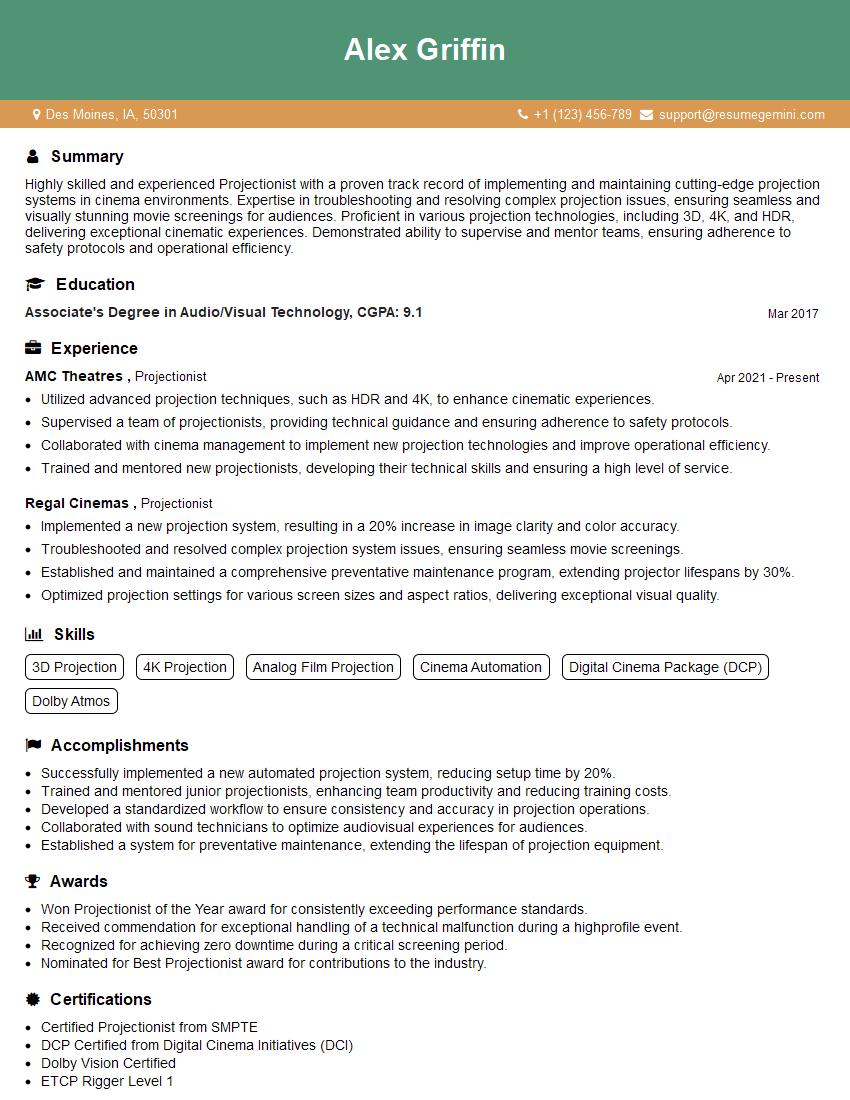
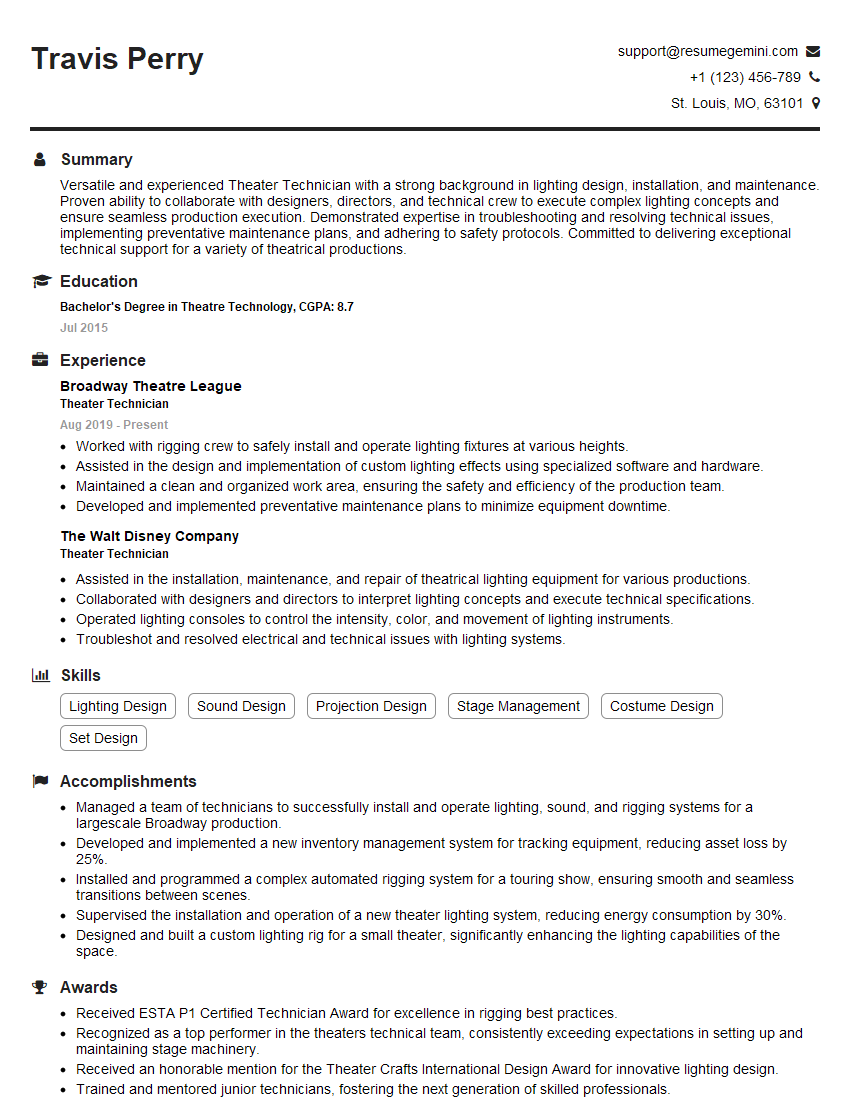
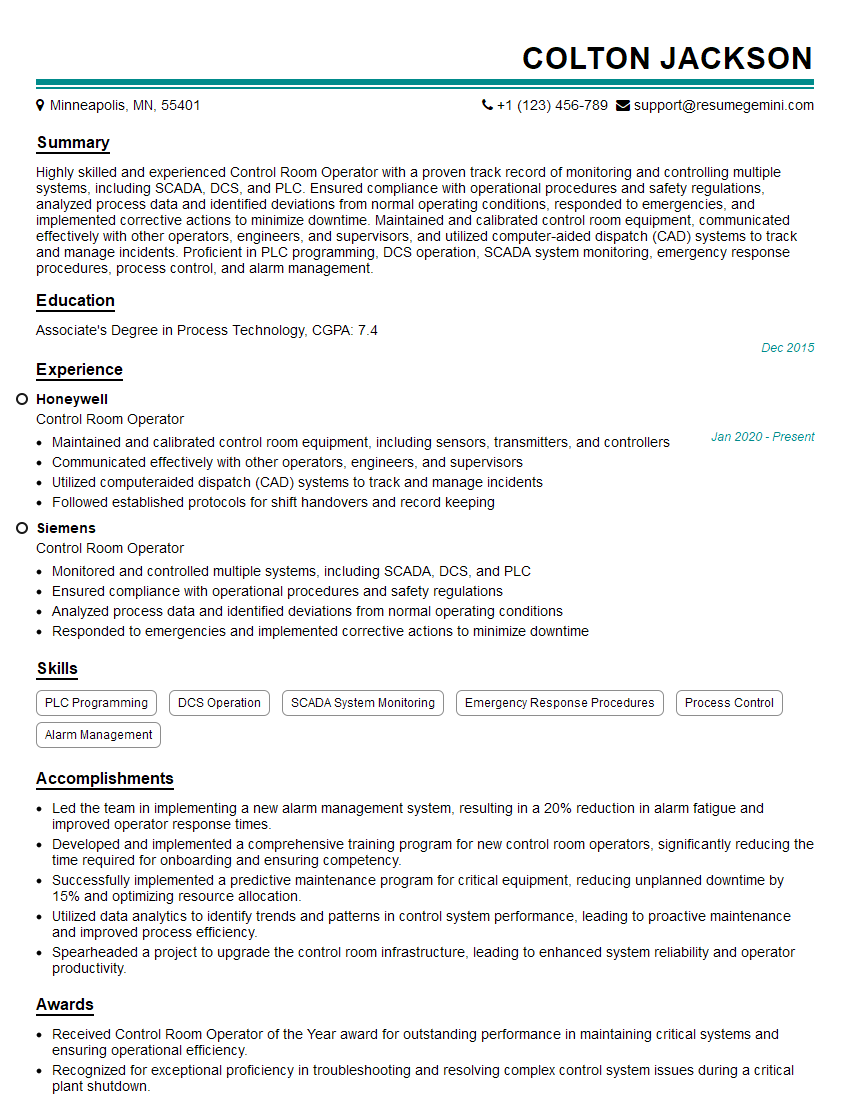
Mastering Screen Room Maintenance opens doors to exciting career opportunities in the AV industry, offering potential for advancement and specialization. A strong resume is your key to unlocking these opportunities. Creating an ATS-friendly resume is crucial for getting your application noticed by recruiters. We recommend using ResumeGemini, a trusted resource for building professional and effective resumes. ResumeGemini provides examples of resumes tailored to Screen Room Maintenance, ensuring your application stands out from the competition.
Explore more articles
Users Rating of Our Blogs
Share Your Experience
We value your feedback! Please rate our content and share your thoughts (optional).
What Readers Say About Our Blog
To the interviewgemini.com Webmaster.
Very helpful and content specific questions to help prepare me for my interview!
Thank you
To the interviewgemini.com Webmaster.
This was kind of a unique content I found around the specialized skills. Very helpful questions and good detailed answers.
Very Helpful blog, thank you Interviewgemini team.