Interviews are more than just a Q&A session—they’re a chance to prove your worth. This blog dives into essential Scripting Languages (Python, PowerShell) interview questions and expert tips to help you align your answers with what hiring managers are looking for. Start preparing to shine!
Questions Asked in Scripting Languages (Python, PowerShell) Interview
Q 1. Explain the difference between Python lists and tuples.
Both lists and tuples are used to store sequences of items in Python, but they differ fundamentally in their mutability. Think of a list as a flexible shopping list – you can add or remove items easily. A tuple, on the other hand, is like a fixed contract; once created, its contents cannot be changed.
- Lists: Mutable, ordered sequences of items. Defined using square brackets
[]. Allowing for modifications like appending, inserting, or deleting elements after creation. - Tuples: Immutable, ordered sequences of items. Defined using parentheses
(). Their contents cannot be altered once defined. This immutability provides data integrity.
Example:
list_example = [1, 2, 'apple', 3.14]tuple_example = (1, 2, 'apple', 3.14)You can modify list_example but attempting to change tuple_example will result in an error. In scenarios requiring data integrity, tuples are preferred, while lists are better suited for dynamic collections.
Q 2. How do you handle exceptions in Python?
Python’s exception handling mechanism uses try-except blocks to gracefully manage errors. The try block contains code that might raise an exception, and the except block handles the exception if it occurs.
Example:
try: result = 10 / 0 # This will raise a ZeroDivisionErrorexcept ZeroDivisionError: print("Error: Division by zero!")This prevents the program from crashing. You can also specify multiple except blocks to catch different exception types, or use a generic except Exception to catch all exceptions. finally blocks, optionally added, execute regardless of whether an exception occurred – useful for cleanup tasks like closing files.
In a professional setting, robust exception handling is crucial. Imagine a web application; without it, a simple database error could bring down the entire system. Proper error handling ensures application stability and allows for informative error messages to users or logs for debugging.
Q 3. What are iterators and generators in Python?
Iterators and generators are powerful tools for efficiently processing sequences of data in Python. They allow us to traverse through data without loading everything into memory at once, which is especially beneficial when dealing with large datasets.
- Iterators: Objects that implement the iterator protocol (
__iter__and__next__methods). They provide a way to access elements sequentially. Think of it as a cursor moving through a database recordset. - Generators: A simpler way to create iterators using functions. They use the
yieldkeyword, which pauses execution and returns a value, allowing the generator to resume from where it left off later. This avoids creating the entire sequence in memory.
Example (Generator):
def even_numbers(limit): num = 0 while num <= limit: yield num num += 2for num in even_numbers(10): print(num)This generator yields even numbers up to 10 without storing all of them in memory simultaneously. This improves memory efficiency and makes working with large datasets much more practical.
Q 4. Describe different ways to achieve polymorphism in Python.
Polymorphism allows objects of different classes to respond to the same method call in their own specific way. In Python, this is achieved primarily through:
- Duck Typing: Python doesn't enforce strict type checking. If an object has the required methods, it can be used interchangeably, regardless of its class. This is the most common form of polymorphism in Python.
- Inheritance: Subclasses can override methods from their parent classes, providing specialized behavior for the same method name. This is a more structured approach than duck typing.
- Method Overloading (limited): While Python doesn't directly support method overloading (multiple methods with the same name but different parameters), you can achieve similar functionality using default arguments or variable-length argument lists (
*args,**kwargs).
Example (Inheritance):
class Animal: def speak(self): print("Generic animal sound")class Dog(Animal): def speak(self): print("Woof!")class Cat(Animal): def speak(self): print("Meow!")animal = Animal()dog = Dog()cat = Cat()animal.speak() # Output: Generic animal sounddog.speak() # Output: Woof!cat.speak() # Output: Meow!
Each class has its unique implementation of speak(), demonstrating polymorphism.
Q 5. What are decorators in Python and how are they used?
Decorators are a powerful feature in Python that allows you to modify or enhance functions and methods in a concise and readable way without modifying their core functionality. They're essentially wrappers that add functionality before or after the original function's execution.
Example:
import timedef elapsed_time(func): def f_wrapper(*args, **kwargs): t_start = time.time() result = func(*args, **kwargs) t_elapsed = time.time() - t_start print(f"Execution time: {t_elapsed:.4f} seconds") return result return f_wrapper@elapsed_timedef my_function(): time.sleep(1)my_function()@elapsed_time is the decorator syntax. It applies the elapsed_time function as a wrapper to my_function, adding execution time logging without directly changing my_function's code. Decorators are commonly used for logging, access control, timing, and more.
Q 6. Explain the concept of garbage collection in Python.
Python employs garbage collection to automatically manage memory. It's a process that reclaims memory occupied by objects that are no longer referenced by the program. This prevents memory leaks and simplifies development, as you don't need to manually free memory.
Python uses a reference counting garbage collector primarily. Each object keeps track of how many references point to it. When the reference count drops to zero, the object is considered unreachable and its memory is released. A cyclical garbage collector handles situations where objects reference each other in a cycle, even if they're not accessible from the main program.
Imagine a library book. When you borrow it (reference it), the library keeps track. When you return it (no more references), the library can put it back on the shelf (free the memory). The cyclical garbage collector handles the situation where books refer to each other (e.g., a book referencing another in its bibliography) yet are otherwise not checked out. Python's garbage collection helps prevent memory issues in large applications, ensuring smooth and efficient program execution.
Q 7. What are the different data types in PowerShell?
PowerShell's data types are richer than many scripting languages, supporting a wide range of data structures and types tailored for system administration tasks.
- String: Textual data, enclosed in single or double quotes (e.g.,
"Hello"). - Integer: Whole numbers (e.g.,
10,-5). - Floating-Point Number: Numbers with decimal points (e.g.,
3.14,-2.5). - Boolean: Represents true or false values (
$true,$false). - Array: Ordered collection of items, defined with parentheses or using the array operator
@()(e.g.,@(1,2,3)). - Hashtable: Key-value pairs, similar to dictionaries in Python (e.g.,
@{Name="John";Age=30}). - DateTime: Represents dates and times (e.g.,
Get-Date). - PSCustomObject: Allows creating custom objects with properties and methods, similar to classes in other languages.
PowerShell's type system is dynamic, meaning variables aren't explicitly typed; PowerShell infers the type based on the assigned value. This flexibility makes scripting easier, but careful consideration is necessary to avoid unexpected type-related errors.
Q 8. Explain the difference between `Get-ChildItem` and `Get-Item` in PowerShell.
Both Get-ChildItem and Get-Item are PowerShell cmdlets used to retrieve items, but they differ in scope. Think of it like searching for files: Get-Item is like searching for a specific file by its full path, while Get-ChildItem is like searching a directory for all files and subdirectories within it.
Get-Item retrieves a single item, specified by its path. If the item doesn't exist, it throws an error. It's perfect when you know exactly what you're looking for.
Get-Item C:\Windows\System32\notepad.exeGet-ChildItem, on the other hand, retrieves a collection of items within a specified location. This includes files, directories, and other items. You can use wildcards for flexible searches.
Get-ChildItem C:\Windows\System32\*.exe #Gets all .exe files in System32 Get-ChildItem C:\Users #Gets all folders under UsersIn short: Use Get-Item for retrieving a single, known item, and Get-ChildItem for retrieving multiple items from a directory.
Q 9. How do you work with arrays and hashtables in PowerShell?
PowerShell handles arrays and hashtables, fundamental data structures, with ease. Arrays are ordered lists of items, while hashtables are key-value pairs, much like dictionaries in other languages.
Arrays: Arrays are created using the @() operator or simply by listing items within parentheses.
$myArray = @(1,2,3,'hello','world') $myArray2 = 1,2,3 #Another way to create arrayYou access array elements using their index (starting from 0):
$myArray[0] # Accesses the first element (1)Hashtables: Hashtables are created using the @{} operator or with the [ordered] keyword for preserving insertion order.
$myHashTable = @{Name = 'John'; Age = 30; City = 'New York'} $orderedHashTable = [ordered]@{Name='Alice';Age=25;City='London'}Access elements using their keys:
$myHashTable['Name'] # Accesses the value associated with the key 'Name' ('John')Both arrays and hashtables are extensively used in scripts for storing and manipulating data, whether it's a list of files, user information, or configuration settings.
Q 10. Describe how to create and manage PowerShell functions.
PowerShell functions are reusable blocks of code, enhancing script organization and maintainability. They're analogous to functions in other programming languages, promoting modularity and reducing redundancy.
Creating Functions: Use the function keyword followed by the function name, parameters (optional), and the code block within curly braces.
function Greet-User { param( [string]$name ) Write-Host "Hello, $name!" }Managing Functions:
- Parameters: Define parameters within
param()to accept input. You can specify data types (e.g.,[string],[int]) for validation. - Return Values: Functions return values using the
returnkeyword. If noreturnis specified, the last evaluated expression is implicitly returned. - Scope: Variables declared within a function have local scope, unless declared as global using the
$global:prefix. - Function Aliases: You can create aliases for functions using the
Set-Aliascmdlet.
Example with Return Value:
function Add-Numbers { param( [int]$num1, [int]$num2 ) return $num1 + $num2 } $sum = Add-Numbers -num1 5 -num2 10 Write-Host "Sum: $sum"Functions are crucial for creating well-structured and maintainable PowerShell scripts, enabling code reuse and simplifying complex tasks.
Q 11. How do you handle errors and exceptions in PowerShell?
Robust error handling is vital for reliable PowerShell scripts. PowerShell uses try...catch blocks to gracefully manage exceptions. Think of it as a safety net for your code.
try { # Code that might throw an error Get-Item C:\path\to\nonexistent\file.txt } catch { # Handle the error Write-Error "Error: $_.Exception.Message" # Take corrective actions like logging, retrying or alerting } finally { # Code that always executes (cleanup, etc) Write-Host "Cleanup complete" }The try block contains the code that might generate an exception. The catch block handles exceptions, providing details about the error using the $_.Exception automatic variable. The finally block (optional) executes regardless of whether an exception occurred, often used for cleanup actions (like closing files).
Besides try...catch, you can use the -ErrorAction common parameter with cmdlets to control error handling. For instance, -ErrorAction SilentlyContinue suppresses error messages, while -ErrorAction Stop halts script execution on errors.
Effective error handling ensures scripts are resilient to unexpected situations and helps pinpoint the source of problems during development and production.
Q 12. Explain the concept of pipelining in PowerShell.
Pipelining is a cornerstone of PowerShell's power, enabling the chaining of cmdlets to create efficient workflows. Imagine an assembly line where each cmdlet performs a specific step, passing the results to the next.
Cmdlets output objects, which are then passed as input to the next cmdlet in the pipeline using the pipe symbol (|). This allows for processing data in a sequential, streamlined manner.
Get-ChildItem C:\Windows\System32 | Where-Object {$_.Extension -eq ".exe"} | Measure-ObjectIn this example:
Get-ChildItemretrieves files in theSystem32directory.Where-Objectfilters the results to select only.exefiles.Measure-Objectcounts the number of remaining files.
Pipelining drastically simplifies complex tasks and enhances readability by breaking down large operations into manageable, interconnected steps. It's a fundamental concept for any PowerShell user.
Q 13. How do you use cmdlets to manage Active Directory in PowerShell?
PowerShell, with the Active Directory module, provides a powerful command-line interface for managing Active Directory. Cmdlets like Get-ADUser, Set-ADUser, Get-ADGroup, and New-ADObject are your primary tools.
Example: Finding users
Get-ADUser -Filter * -Properties Name, SamAccountName, Enabled | Select-Object Name, SamAccountName, EnabledThis retrieves all users, selecting only their Name, SamAccountName, and Enabled properties. The -Filter parameter allows for flexible searching.
Example: Modifying user properties
Set-ADUser -Identity "user1" -Enabled $falseThis disables the user account named "user1".
Important Considerations:
- Permissions: You must have appropriate Active Directory permissions to perform these operations.
- Module Import: Ensure the Active Directory module (
ActiveDirectory) is imported:Import-Module ActiveDirectory - Error Handling: Always incorporate error handling (
try...catch) to gracefully manage potential issues such as network problems or insufficient permissions.
These cmdlets provide a comprehensive set of commands for managing users, groups, computers, and organizational units within Active Directory, significantly improving administrative efficiency.
Q 14. What are PowerShell modules and how do you import them?
PowerShell modules are collections of cmdlets, functions, providers, and other resources that extend PowerShell's functionality. Think of them as add-on toolkits for specific tasks. They're analogous to libraries in other programming languages.
Importing Modules: The primary way to use a module is to import it using the Import-Module cmdlet:
Import-Module ActiveDirectory # Imports the Active Directory module Import-Module AzureRM.Profile #Imports Azure module (example)Once imported, the cmdlets and functions within the module become available for use in your current PowerShell session. If you need to use a module frequently, you can add it to your PowerShell profile so it automatically loads when you start PowerShell.
Finding Modules: You can find available modules using the Get-Module cmdlet. You can install modules through PowerShellGet.
Get-Module -ListAvailable #Lists available modules Install-Module #Installs a module Modules are essential for expanding PowerShell's capabilities to manage diverse systems and applications. They provide a structured way to access specialized tools, simplifying complex administration tasks.
Q 15. Explain the difference between `ForEach-Object` and `ForEach` in PowerShell.
Both ForEach-Object and ForEach in PowerShell iterate over collections, but they differ significantly in their approach and capabilities. Think of ForEach as a simple loop, while ForEach-Object is a more powerful pipeline operator.
ForEach: This cmdlet iterates over an array or collection element by element. It's straightforward and best suited for simple iterations where you don't need advanced processing. It operates directly on the collection within the current scope.$numbers = 1, 2, 3, 4, 5 ForEach ($number in $numbers) { Write-Host "Number: $number" }ForEach-Object: This is a pipeline operator. It processes each element of a collection individually, passing it to a script block (a block of PowerShell code enclosed in curly braces{}). This allows for significantly more complex operations on each element. It's ideal for transforming or filtering data within a pipeline.$numbers = 1, 2, 3, 4, 5 $squaredNumbers = $numbers | ForEach-Object { $_ * $_ } Write-Host $squaredNumbers
In essence, ForEach is for simple looping, while ForEach-Object provides a much more flexible and powerful way to process collections within a PowerShell pipeline, enhancing code readability and enabling complex data manipulations.
Career Expert Tips:
- Ace those interviews! Prepare effectively by reviewing the Top 50 Most Common Interview Questions on ResumeGemini.
- Navigate your job search with confidence! Explore a wide range of Career Tips on ResumeGemini. Learn about common challenges and recommendations to overcome them.
- Craft the perfect resume! Master the Art of Resume Writing with ResumeGemini's guide. Showcase your unique qualifications and achievements effectively.
- Don't miss out on holiday savings! Build your dream resume with ResumeGemini's ATS optimized templates.
Q 16. How do you use regular expressions in Python?
Python uses the re module for regular expression operations. Regular expressions (regex or regexp) are powerful tools for pattern matching within strings. They allow you to search, extract, and manipulate text based on specified patterns.
Here's a breakdown of common usage:
Importing the module:
import reCompiling a pattern: This step is optional but improves performance for repeated use of the same pattern.
pattern = re.compile(r"\d{3}-\d{3}-\d{4}") # Matches phone numbers like 123-456-7890Searching for a match:
text = "My phone number is 555-123-4567." match = pattern.search(text) # Finds the first match if match: print(match.group(0)) # Prints the matched substringFinding all matches:
text = "Numbers: 123-456-7890 and 987-654-3210" matches = pattern.findall(text) # Finds all matches print(matches)Replacing matches:
new_text = pattern.sub("(XXX)", text) # Replaces all matches with (XXX) print(new_text)
Remember to escape special characters within your regular expression pattern using a backslash (\). Python's re module offers a comprehensive range of functions for complex pattern matching and manipulation tasks, essential for text processing and data extraction in various applications.
Q 17. How do you use regular expressions in PowerShell?
PowerShell provides several cmdlets for working with regular expressions. The most common is -match, which is used for pattern matching, and -replace, which performs replacements based on patterns. These cmdlets work directly within the PowerShell pipeline.
-matchoperator: This operator checks if a string matches a regular expression pattern. It returns$trueor$false, and populates the automatic variable$Matcheswith the matched substrings if successful.$text = "My phone number is 555-123-4567." if ($text -match "\d{3}-\d{3}-\d{4}") { Write-Host "Match found: $($Matches[0])" }-replaceoperator: This operator replaces substrings matching a regular expression with a specified replacement string.$text = "My phone number is 555-123-4567." $newText = $text -replace "(\d{3})-(\d{3})-(\d{4})", "$1-$2-XXXX" #Replaces the last four digits with XXXX Write-Host $newText
PowerShell's integration of regular expressions within its pipeline structure makes them incredibly powerful for data manipulation and filtering tasks, streamlining scripting for administrators and developers.
Q 18. Describe your experience with version control systems (Git).
I have extensive experience using Git for version control in both personal and professional projects. I'm proficient in using the command line interface and also comfortable with GUI clients like Sourcetree and GitHub Desktop. My experience encompasses the entire Git workflow.
Branching and Merging: I routinely use branching strategies, such as Gitflow, to manage features, bug fixes, and releases independently. I understand the importance of clean merges and resolving conflicts effectively.
Committing and Pushing: I write clear and concise commit messages that accurately reflect the changes made. I regularly push my changes to remote repositories, ensuring code is backed up and accessible to collaborators.
Pulling and Rebasing: I'm comfortable with both pulling and rebasing strategies for integrating changes from remote branches, always prioritizing a clean and linear project history.
Collaboration: I have experience working with distributed teams using Git, effectively resolving merge conflicts and collaborating on shared codebases. I understand the importance of proper code reviews using pull requests.
GitHub/GitLab/Bitbucket: I'm proficient with using popular Git hosting platforms like GitHub, GitLab, and Bitbucket. I understand the use of issues, pull requests, and other collaborative features.
In short, I consider Git an essential tool for software development and am confident in my ability to use it effectively to manage codebases of varying sizes and complexities.
Q 19. Explain your experience with different testing frameworks (unit testing, integration testing).
My experience with testing frameworks spans both unit and integration testing, using different frameworks depending on the project requirements and language used.
Unit Testing (Python): I've extensively used the
unittestframework in Python for writing unit tests. I understand the importance of testing individual units of code in isolation to ensure functionality and prevent regressions. I follow best practices like Test-Driven Development (TDD) where appropriate, writing tests before the code itself.Unit Testing (PowerShell): While PowerShell doesn't have a dedicated unit testing framework as robust as Python's
unittest, I leverage Pester, a popular testing framework for PowerShell, which allows me to create and run unit tests for PowerShell scripts and functions.Integration Testing: For integration testing, I typically use a combination of techniques depending on the application's architecture and the technologies involved. This might involve using tools like REST clients to test API integrations or writing custom scripts to verify the interaction between different components of a system. I understand the importance of testing the interaction between different modules or services to ensure that they work together correctly.
I'm a strong advocate for thorough testing throughout the software development lifecycle. I know that writing well-structured tests saves time and resources in the long run by catching bugs early and preventing regressions. My testing philosophy is to write tests that are clear, concise, and easy to maintain. I strive to achieve high test coverage, using a mix of unit and integration tests to cover as many scenarios as possible.
Q 20. Describe your experience with CI/CD pipelines.
My experience with CI/CD pipelines involves designing, implementing, and maintaining automated processes to build, test, and deploy software. I'm familiar with various tools and platforms, including Jenkins, Azure DevOps, and GitHub Actions.
Jenkins: I've used Jenkins to create pipelines for building, testing, and deploying applications across various environments, utilizing its plugin ecosystem for integrating with other tools.
Azure DevOps: I've leveraged Azure DevOps' built-in CI/CD capabilities to manage pipelines for projects hosted on Azure, integrating with testing frameworks and deployment strategies.
GitHub Actions: I'm experienced in using GitHub Actions to create automated workflows directly within the GitHub repository, streamlining the development and deployment process.
My approach to CI/CD emphasizes automation, reliability, and traceability. I prioritize creating pipelines that are easy to understand, maintain, and extend. I focus on incorporating robust testing throughout the pipeline to ensure that only high-quality code is deployed. I've worked on projects with different deployment strategies, from simple deployments to more complex scenarios involving blue-green deployments and canary releases. Understanding the specifics of each environment and applying the appropriate strategies is critical to a successful CI/CD implementation.
Q 21. How would you write a Python script to automate a repetitive task?
Let's say you need to automate the process of renaming a large number of files in a directory, adding a prefix to each filename. Here's a Python script to accomplish this:
import os import re def add_prefix_to_filenames(directory, prefix): for filename in os.listdir(directory): base, ext = os.path.splitext(filename) # Separate filename from extension new_filename = prefix + base + ext os.rename(os.path.join(directory, filename), os.path.join(directory, new_filename)) # Example usage directory_path = "/path/to/your/directory" # Replace with your directory prefix_to_add = "prefix_" add_prefix_to_filenames(directory_path, prefix_to_add) This script iterates through each file in the specified directory, adds the prefix, and renames the file. Error handling (like checking if the directory exists) could be added to make it more robust. This is a simple example but illustrates the basic principle of using Python for automation. The power of Python lies in its extensive libraries; you can adapt this concept to a vast array of tasks using modules for interacting with databases, sending emails, web scraping, and much more.
Q 22. How would you write a PowerShell script to manage system configurations?
PowerShell excels at managing system configurations due to its tight integration with the Windows operating system. A script for this purpose would typically involve several key steps: retrieving the current configuration, modifying settings, and verifying changes. Let's imagine we want to configure Windows Firewall rules. We might first retrieve the existing rules:
Get-NetFirewallRuleThis cmdlet returns all existing rules. We can then filter this output to find specific rules or create new ones using New-NetFirewallRule. For example, to allow inbound traffic on port 80:
New-NetFirewallRule -DisplayName "Allow HTTP" -Direction Inbound -Protocol TCP -Port 80 -Action AllowAfter creating or modifying rules, it's crucial to test the changes. We could use Test-NetConnection to verify network connectivity, or other cmdlets depending on the specific configuration being managed. Finally, the script should incorporate error handling (try...catch blocks) to gracefully manage potential issues and provide informative logging for easier troubleshooting. This could involve writing to an event log or a text file.
A more complex example might involve managing group policy settings, using cmdlets like Get-GPO and Set-GPLink. The key is to break down the task into smaller, manageable steps, leveraging PowerShell's cmdlets for efficient system interaction.
Q 23. Explain your approach to debugging complex scripts.
Debugging complex scripts requires a systematic approach. I typically start by reproducing the error consistently. This often involves simplifying the script to isolate the problematic section. Then, I employ a multi-pronged strategy:
PowerShell's debugging tools: Setting breakpoints using
Set-PSBreakpointallows me to step through the script line by line, inspecting variables and their values at each stage. TheWrite-Hostcmdlet is incredibly useful for inserting temporary output statements to track variable values at various points in the execution.Logging: Strategic logging, either to the console or to a log file, helps track the script's progress and identify the point of failure. This is especially valuable for asynchronous or long-running scripts.
Error handling: Robust
try...catchblocks are essential for catching exceptions and providing informative error messages, including details about the error type and location.Rubber duck debugging: Explaining the code line by line to an inanimate object (like a rubber duck!) can surprisingly reveal logical errors that might have been overlooked.
For particularly intricate problems, I might use a debugger like Visual Studio Code with its PowerShell extension, which offers more advanced features like call stack analysis. The goal is to be methodical, patient, and to leverage the available tools effectively.
Q 24. How do you optimize the performance of your scripts?
Optimizing script performance involves several techniques, focusing on minimizing resource consumption and streamlining execution. Consider these approaches:
Efficient data handling: Avoid unnecessary data loading. For instance, use filtering and pipelining to process only the data required rather than loading entire datasets into memory. PowerShell's pipeline is optimized for this.
Algorithm selection: Choose appropriate algorithms for sorting, searching, and other operations. For instance, a well-chosen algorithm could dramatically improve performance for large datasets.
Caching: Store frequently accessed data in memory to avoid repeated reads from slower storage (like disk or network). This can significantly speed up repeated operations.
Parallel processing: For tasks that can be broken down, use PowerShell's parallel processing capabilities (e.g.,
ForEach-Object -Parallel) to leverage multi-core processors, reducing overall execution time.Code profiling: Use profiling tools to identify performance bottlenecks. This helps pinpoint areas for optimization, and ensures we focus on the most impactful changes.
For example, instead of looping through a large array and processing each item individually, consider using pipeline operators to perform operations in parallel and filter to minimize loop iterations.
Q 25. Describe a challenging scripting project you've worked on and how you overcame the challenges.
One challenging project involved automating the deployment and configuration of hundreds of virtual machines in a cloud environment. The challenge stemmed from the need for highly customized configurations for each VM, dynamic scaling based on workload, and robust error handling to prevent downtime. The initial approach used a series of individual scripts, leading to management difficulties. To overcome this, I developed a modular architecture using PowerShell functions and modules. Each function handled a specific aspect of VM management (creation, configuration, deployment, monitoring), making the process far more manageable. The use of parameters within the functions allowed for the dynamic configuration of each VM. Furthermore, I implemented comprehensive logging and error handling, ensuring all deployment steps were recorded and potential issues were addressed promptly. This approach greatly improved maintainability and reduced the risk of deployment errors. The use of a centralized configuration file also simplified the management of numerous VMs and settings. This project demonstrated the importance of modular design, robust error handling, and efficient configuration management in large-scale scripting projects.
Q 26. Explain your experience working with different APIs.
I have extensive experience interacting with various APIs, primarily using RESTful APIs. My approach involves understanding the API's documentation thoroughly to grasp the available endpoints, request methods (GET, POST, PUT, DELETE), and data formats (JSON, XML). I usually start by creating simple test scripts to validate the API’s functionality before integrating it into larger projects. PowerShell offers cmdlets like Invoke-WebRequest and ConvertFrom-Json that are particularly useful for making API calls and handling JSON responses. For example, to retrieve data from a REST API endpoint:
$response = Invoke-WebRequest -Uri "https://api.example.com/data" -Method Get$data = ConvertFrom-Json -InputObject $response.ContentError handling is crucial when working with APIs; network issues or API rate limits can disrupt operations. I consistently implement appropriate error handling techniques to gracefully manage these scenarios. Experience with different APIs (e.g., Azure APIs, AWS APIs, REST APIs for various services) has taught me the importance of adapting to varying authentication mechanisms (API keys, OAuth) and data structures. The use of dedicated API client libraries for specific platforms can increase development efficiency, and I prioritize utilizing these where appropriate.
Q 27. What are some best practices for writing maintainable and readable scripts?
Writing maintainable and readable scripts is paramount for long-term success. Key best practices include:
Meaningful variable names: Use descriptive names that clearly indicate the purpose of each variable. Avoid cryptic abbreviations.
Consistent formatting: Adopt a consistent coding style, including indentation, spacing, and commenting. PowerShell uses consistent indentation.
Comments: Add comments to explain complex logic or non-obvious code sections. Aim to explain why the code does something rather than merely what it does.
Modular design: Break down large scripts into smaller, reusable functions. This enhances readability and simplifies debugging.
Error handling: Implement thorough error handling using
try...catchblocks to gracefully manage exceptions and prevent script crashes.Version control: Use a version control system (like Git) to track changes and revert to previous versions if necessary. This is crucial for collaborative projects.
Documentation: Provide clear documentation explaining the script's purpose, usage, and parameters. This is critical for others (and your future self!) to understand the script.
By following these best practices, you create scripts that are easier to understand, modify, debug, and maintain, ultimately leading to increased efficiency and reduced frustration.
Key Topics to Learn for Scripting Languages (Python, PowerShell) Interview
- Fundamental Data Structures: Understanding lists, dictionaries (Python), hashtables (PowerShell), and their efficient use in various scenarios.
- Control Flow and Logic: Mastering conditional statements (if-else, switch), loops (for, while), and exception handling for robust script development.
- File I/O and System Interaction: Working with files, reading and writing data, and interacting with the operating system (e.g., command execution, registry access in PowerShell).
- Modules and Libraries: Exploring and utilizing relevant modules/libraries in both Python (e.g., requests, pandas) and PowerShell (e.g., Active Directory module) to enhance functionality.
- Object-Oriented Programming (OOP) Concepts (Python): Grasping core OOP principles like classes, objects, inheritance, and polymorphism for building modular and reusable code.
- Pipelines and Cmdlets (PowerShell): Understanding the power of PowerShell's pipeline for chaining commands and effectively using cmdlets for efficient system administration.
- Regular Expressions: Mastering regular expressions for pattern matching and text manipulation, a crucial skill in both languages.
- Debugging and Troubleshooting: Developing effective strategies for identifying and resolving errors in scripts, including using debuggers and logging techniques.
- Practical Application: Think about how you've used these concepts to solve real-world problems. Be prepared to discuss projects where you demonstrated these skills.
- Algorithm Design and Optimization: Demonstrate your ability to design efficient algorithms and optimize script performance for better scalability.
Next Steps
Mastering scripting languages like Python and PowerShell significantly enhances your career prospects across various IT roles, opening doors to automation, DevOps, system administration, and data science. To maximize your job search success, crafting an ATS-friendly resume is crucial. ResumeGemini is a trusted resource to help you build a professional and impactful resume that showcases your skills effectively. Examples of resumes tailored to highlight Python and PowerShell expertise are available through ResumeGemini, helping you present your qualifications compellingly to potential employers. Take the next step towards your dream career – build your winning resume today!

Data Analyst Resume Sample

Data Scientist Resume Sample

Software Engineer Resume Sample

Network Engineer Resume Sample

Automation Engineer Resume Sample

Infrastructure Engineer Resume Sample

Web Developer Resume Sample

System Administrator Resume Sample
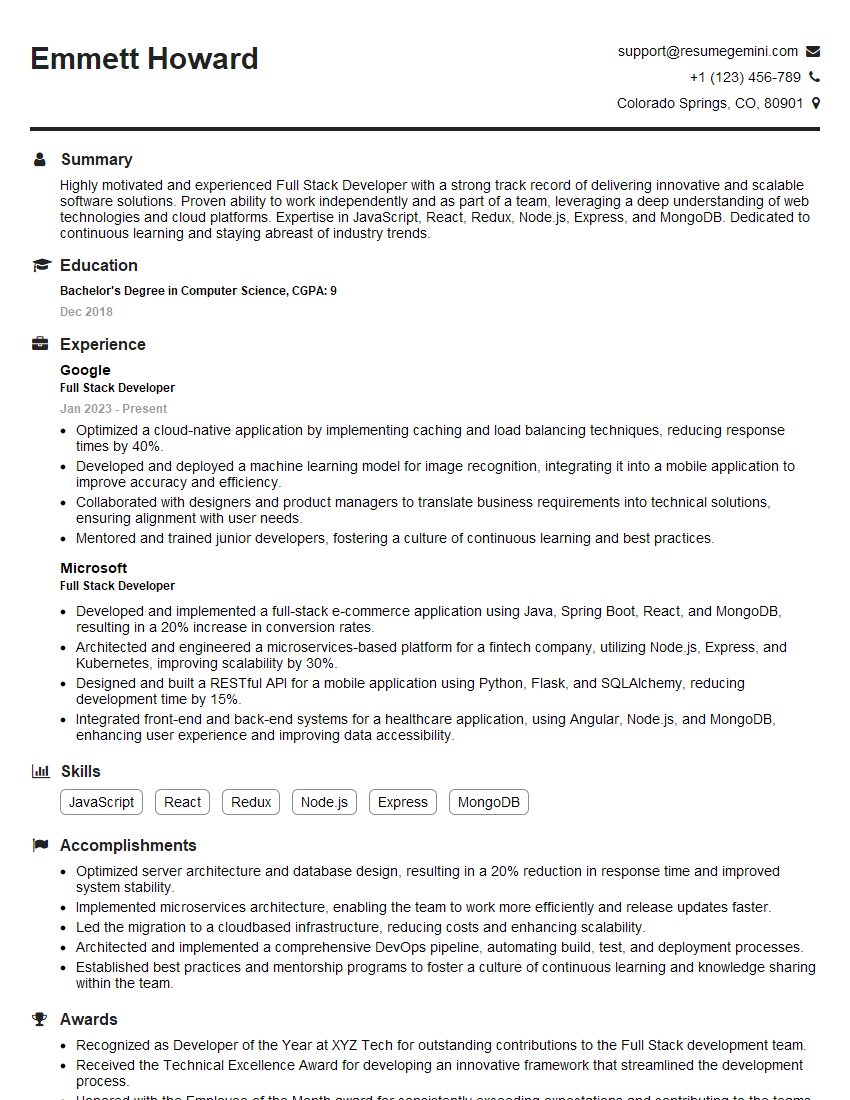
Full Stack Developer Resume Sample

Database Administrator Resume Sample

DevOps Engineer Resume Sample

Machine Learning Engineer Resume Sample

Cloud Engineer Resume Sample
Explore more articles
Users Rating of Our Blogs
Share Your Experience
We value your feedback! Please rate our content and share your thoughts (optional).
What Readers Say About Our Blog
To the interviewgemini.com Webmaster.
Very helpful and content specific questions to help prepare me for my interview!
Thank you
To the interviewgemini.com Webmaster.
This was kind of a unique content I found around the specialized skills. Very helpful questions and good detailed answers.
Very Helpful blog, thank you Interviewgemini team.