Preparation is the key to success in any interview. In this post, we’ll explore crucial Security Patching interview questions and equip you with strategies to craft impactful answers. Whether you’re a beginner or a pro, these tips will elevate your preparation.
Questions Asked in Security Patching Interview
Q 1. Explain the difference between a vulnerability and an exploit.
Think of a vulnerability as a weakness in a system’s defenses – a crack in the wall. An exploit is the tool or technique used to take advantage of that weakness – someone using a crowbar to get through that crack. A vulnerability is a potential problem; an exploit is the actual act of causing harm.
For example, a software bug that allows unauthorized access to sensitive data is a vulnerability. A malicious script that uses that bug to steal that data is an exploit. One is the flaw, the other is the malicious use of the flaw.
Q 2. Describe the process of a typical security patching lifecycle.
The security patching lifecycle is a continuous process ensuring systems are protected. It typically involves these stages:
- Vulnerability Identification: Regularly scanning systems, using vulnerability scanners and threat intelligence feeds, to detect potential weaknesses.
- Patch Assessment: Evaluating the severity and risk associated with each identified vulnerability. This includes understanding the potential impact on the system and business operations.
- Patch Testing: Before deploying a patch to production environments, it’s crucial to test it in a controlled environment (like a staging or development server) to ensure it doesn’t introduce new issues or break existing functionality.
- Patch Deployment: Deploying the patch to production systems, often in a phased rollout to minimize disruption. This might involve using a patch management system to automate the process.
- Validation and Verification: After deployment, verifying that the patch has successfully resolved the vulnerability and the system is operating as expected. This often involves post-patch vulnerability scanning.
- Monitoring and Reporting: Continuously monitoring for any new vulnerabilities or unexpected issues related to the patch. Regular reporting on the patching status and effectiveness is essential.
Q 3. What are the different types of security patches?
Security patches come in various forms, addressing different types of vulnerabilities:
- Security Updates: These are broad updates addressing multiple vulnerabilities or improving security features. They often bundle various fixes.
- Hotfixes: These are emergency patches released quickly to address critical, actively exploited vulnerabilities. They typically address a single, severe issue.
- Service Packs: A collection of patches and updates released at intervals, often incorporating multiple hotfixes and security updates into a single package.
- Kernel Patches: These target the core operating system components. Changes to the operating system kernel itself.
- Driver Patches: Address vulnerabilities within device drivers, software that allows communication between the operating system and hardware components.
- Application Patches: These target vulnerabilities within specific applications, like web browsers or database software.
Q 4. How do you prioritize security patches?
Prioritizing security patches is critical. A common approach is using a risk-based model, considering factors like:
- Severity: How significant is the vulnerability? A critical vulnerability (e.g., remote code execution) needs immediate attention.
- Exploitability: How easy is it for attackers to exploit the vulnerability? A vulnerability that’s easily exploited should be addressed first.
- Impact: What’s the potential damage if the vulnerability is exploited? Loss of sensitive data, system downtime, or financial damage should be considered.
- Business Criticality: How critical is the affected system or application to business operations? Applications supporting core business functions need higher priority.
A scoring system can combine these factors to create a prioritized list. Common scoring systems include CVSS (Common Vulnerability Scoring System).
Q 5. What is a patch management system, and how does it work?
A patch management system (PMS) is software that automates the process of identifying, assessing, deploying, and managing security patches across an organization’s IT infrastructure. It acts as a central hub to streamline patching efforts.
Here’s how a PMS typically works:
- Discovery: The PMS scans the network to identify all assets (servers, workstations, etc.) requiring patching.
- Vulnerability Assessment: It automatically checks for known vulnerabilities on each asset, often integrating with vulnerability databases.
- Patch Deployment: The system downloads and installs approved patches on the identified assets, often scheduling deployments during off-peak hours.
- Reporting and Monitoring: It provides comprehensive reports on patching status, compliance, and any errors encountered during deployment.
Imagine it like a well-organized supply chain for patches, ensuring timely and efficient distribution.
Q 6. Explain the concept of ‘zero-day’ vulnerabilities.
A ‘zero-day’ vulnerability is a security flaw that is unknown to the software vendor or security community until it’s exploited in the wild by attackers. Since it’s ‘day zero’ of its discovery, there is no patch available yet to fix it.
This poses a significant risk because attackers can leverage the vulnerability before it’s identified, making immediate mitigation challenging. Detecting and responding to zero-day attacks often relies on monitoring systems for suspicious activity and employing security technologies like intrusion detection/prevention systems.
Q 7. How do you handle patching in a production environment to minimize downtime?
Patching production environments requires careful planning to minimize downtime. Strategies include:
- Phased Rollout: Deploying patches to a small subset of servers first (e.g., a pilot group) to test for any unexpected issues before rolling it out to the entire environment. This allows for quick identification and resolution of potential problems in a limited scope.
- Blue/Green Deployment: Setting up two identical production environments (blue and green). The patch is deployed to the ‘green’ environment, and after successful testing, traffic is switched from the ‘blue’ to the ‘green’ environment, minimizing downtime.
- Rollback Plan: Having a clear plan to revert to the previous system configuration if the patch causes problems. This ensures a quick recovery and limits the impact of any issues.
- Off-Peak Deployment: Scheduling patch deployments during off-peak hours or periods of low system usage to reduce disruption to users. It’s important to coordinate with the business and other IT teams to establish these windows.
- Automated Patching: Using a patch management system to automate the patching process as much as possible. This helps to standardize and improve the efficiency of patching deployments.
Thorough planning, testing, and a well-defined rollback process are vital for minimizing downtime and ensuring the smooth application of patches to production environments.
Q 8. What are the common challenges in security patching?
Security patching, while crucial, presents several challenges. Imagine patching a large aircraft – it requires precision and careful planning. Similarly, in IT, the complexity increases with the number of systems and the diversity of software. Common hurdles include:
- Downtime and disruption: Applying patches often necessitates system restarts or temporary service outages, impacting productivity.
- Testing and validation: Thorough testing is essential to ensure the patch doesn’t introduce new problems or negatively affect existing functionality. Imagine a patch for a banking system – any failure is unacceptable.
- Compatibility issues: Patches might not be compatible with all hardware or software versions, leading to conflicts. This is like trying to fit a square peg into a round hole.
- Patch deployment complexity: Deploying patches across a large, heterogeneous network can be technically challenging and time-consuming, requiring automation and skilled personnel.
- Security risks during patching: The patching process itself can introduce vulnerabilities if not managed correctly, creating a window of opportunity for attackers.
- Resource constraints: Adequate staffing, budget, and tools are needed for effective patching, something many smaller organizations struggle with.
- Keeping up with the volume: The sheer number of patches released regularly for various software makes it difficult to prioritize and manage them effectively.
Q 9. How do you verify the successful implementation of a patch?
Verifying successful patch implementation is like checking your car’s oil after an oil change. You need to confirm the patch was applied correctly and that it’s working as expected. Here’s a multi-pronged approach:
- Automated checks: Patch management tools typically provide reports confirming patch installation on target systems. We can look at logs showing successful installation and timestamps.
- Vulnerability scans: Post-patch vulnerability scans identify any remaining vulnerabilities, ensuring the patch addressed the intended weaknesses. We’d use a tool like Nessus or OpenVAS for this.
- System functionality testing: Manually verifying the functionality of critical applications and services after patching ensures no regressions have occurred. This might involve running key business processes and ensuring they operate as expected.
- Baseline comparisons: Comparing system configurations before and after patching identifies any unintended changes. This helps to rule out any side effects the patch may have introduced.
A combination of these methods ensures a comprehensive verification process. For instance, we might use automated checks to initially confirm installations, then conduct vulnerability scans to look for remaining vulnerabilities, and finally conduct functional testing to see if everything still works as expected.
Q 10. What is the role of vulnerability scanning in the patching process?
Vulnerability scanning is like a security inspection for your building – it identifies potential weaknesses before they can be exploited. In the patching process, it plays a vital role in:
- Identifying vulnerabilities: Vulnerability scanners pinpoint security holes in your systems and software, indicating which patches are needed.
- Prioritization: By identifying critical vulnerabilities, it helps prioritize which patches to deploy first, focusing on those with the highest potential impact.
- Verification: Post-patch scanning confirms if the patches have successfully mitigated the identified vulnerabilities, ensuring the patching process was effective.
- Compliance: Regular scanning helps demonstrate compliance with security regulations and standards which require regular vulnerability assessments.
For example, a vulnerability scan might reveal a known exploit in an outdated version of Apache. This informs us which specific Apache patch is needed and enables us to prioritize its deployment.
Q 11. Describe your experience with different patch management tools.
I have extensive experience with several patch management tools, each with its strengths and weaknesses. I’ve worked with:
- Microsoft System Center Configuration Manager (SCCM): A robust solution for managing Windows environments, offering powerful automation capabilities but can be complex to configure.
- Tanium: Known for its speed and efficiency in deploying patches across large and complex networks, especially useful in situations requiring rapid response to critical vulnerabilities.
- ManageEngine Patch Manager Plus: A cost-effective solution suitable for smaller organizations, providing comprehensive patching capabilities.
- Puppet and Chef: These configuration management tools offer strong patching capabilities as part of broader infrastructure automation strategies.
My experience allows me to select the most appropriate tool based on the organization’s size, infrastructure, and budget, always considering factors like ease of use, scalability, and integration with existing security tools.
Q 12. How do you handle emergency patches?
Handling emergency patches requires a rapid response, much like a fire drill. Think of it as a crisis management situation. Steps include:
- Rapid assessment: Quickly assessing the severity and impact of the vulnerability is critical. This is the ‘damage control’ stage.
- Prioritized deployment: Immediately deploying the emergency patch to affected systems, often bypassing the standard change management process to minimize exposure.
- Communication: Keeping stakeholders informed throughout the process is crucial, preventing panic and ensuring coordinated efforts.
- Monitoring: Closely monitoring systems after deployment to detect any unintended consequences, allowing for quick remediation.
- Post-incident analysis: Following up with a thorough review to identify any lessons learned and improve future emergency response.
For example, a zero-day exploit requiring an immediate response would necessitate rapid patch deployment, monitoring for any problems, and a post-incident analysis to refine our response procedures.
Q 13. How do you ensure compliance with security patching policies?
Ensuring compliance with security patching policies is similar to maintaining a clean and organized house—regular checks and proactive measures are key. Key strategies include:
- Centralized patch management: Using a centralized patch management system provides visibility and control, allowing you to track patch deployment status and identify any non-compliant systems.
- Automated patching: Automating the patching process minimizes human error and ensures timely deployment, reducing the chance of systems falling behind on updates.
- Regular audits: Conducting regular audits to verify compliance with patching policies and identify any areas for improvement, much like an annual home inspection.
- Role-based access control: Implementing robust access control to prevent unauthorized changes to system configurations and ensure only authorized personnel deploy patches.
- Reporting and documentation: Maintaining detailed logs and reports, demonstrating compliance to auditors and management.
Regular reporting helps track metrics, and any deficiencies are addressed promptly. This ensures we meet organizational, regulatory, and industry best practice requirements.
Q 14. What are the key metrics you use to measure the effectiveness of your patching strategy?
Measuring the effectiveness of a patching strategy is like tracking the progress of a construction project – key metrics provide insights into its success. I track:
- Patch deployment rate: Percentage of systems successfully patched within a defined timeframe, indicating efficiency.
- Vulnerability remediation rate: How quickly identified vulnerabilities are addressed, measuring responsiveness.
- Mean time to patch (MTTP): Average time taken to deploy a patch, reflecting the speed and efficiency of the process.
- Patch success rate: Percentage of patches successfully applied without causing any issues, indicating quality.
- Number of unpatched vulnerabilities: Tracks the number of critical and high-risk vulnerabilities that remain unpatched, highlighting areas requiring attention.
- Compliance rate: Percentage of systems meeting defined patch compliance requirements.
Regularly monitoring these metrics helps identify trends, pinpoint areas of improvement, and demonstrate the effectiveness of our patching strategy to stakeholders.
Q 15. How do you communicate security patching updates to stakeholders?
Communicating security patching updates effectively is crucial for minimizing disruption and maximizing buy-in. My approach involves a multi-layered strategy tailored to different stakeholder groups.
- Executive Summaries: For senior management, I provide concise summaries highlighting the critical vulnerabilities addressed, the potential impact of not patching, and the timeline for deployment. I focus on the business risks and the cost-benefit analysis.
- Technical Briefings: For IT teams, I offer more detailed information on the specific vulnerabilities, the patches themselves (including version numbers and relevant KB articles), and the deployment plan. This includes potential downtime and mitigation strategies.
- End-User Communications: For end-users, communication focuses on the benefits of the update – improved security, performance enhancements, and reduced risk of malware. I use clear, concise language, avoiding technical jargon. We might use email announcements, internal newsletters, or even short videos.
- Automated Notifications: We leverage automated systems to send timely reminders and updates on patch status, proactively addressing any potential issues.
For example, in a recent project involving a critical zero-day vulnerability, I prepared a concise executive summary outlining the potential financial losses if left unpatched, a detailed technical briefing for the IT team, and a simple email to end-users explaining the importance of the update and its minimal disruption to their workflow.
Career Expert Tips:
- Ace those interviews! Prepare effectively by reviewing the Top 50 Most Common Interview Questions on ResumeGemini.
- Navigate your job search with confidence! Explore a wide range of Career Tips on ResumeGemini. Learn about common challenges and recommendations to overcome them.
- Craft the perfect resume! Master the Art of Resume Writing with ResumeGemini’s guide. Showcase your unique qualifications and achievements effectively.
- Don’t miss out on holiday savings! Build your dream resume with ResumeGemini’s ATS optimized templates.
Q 16. Explain the difference between a hot fix and a service pack.
Hotfixes and service packs are both used to address software vulnerabilities or bugs, but they differ significantly in scope and deployment.
- Hotfix: A hotfix is a single, targeted fix for a specific, critical issue. It’s released quickly to address an urgent problem, often a security vulnerability that poses an immediate threat. Think of it like a quick band-aid on a serious wound. Deployment is typically immediate and doesn’t require extensive testing.
- Service Pack: A service pack is a cumulative collection of updates, patches, and enhancements released periodically. It addresses multiple issues, both security and functionality-related, rolled into one package. It undergoes more rigorous testing before release. Think of a service pack as a comprehensive overhaul – fixing multiple things at once, improving performance and overall stability.
Imagine a car – a hotfix is like fixing a flat tire urgently while a service pack is like taking the car to a mechanic for a full service, including oil changes, tire rotations, and fixing several smaller problems.
Q 17. Describe your experience with automated patch deployment.
I have extensive experience with automated patch deployment using tools like SCCM (System Center Configuration Manager), WSUS (Windows Server Update Services), and Ansible. My experience encompasses the entire lifecycle – from planning and configuration to monitoring and reporting.
- Planning: This involves defining target systems, testing environments, and rollout schedules, ensuring compatibility and minimal disruption.
- Configuration: Setting up the chosen tool to manage the updates, define target groups, and implement approval workflows. This step is crucial to secure and control the updates to a specific environment.
- Deployment: Automated tools allow for phased rollouts, minimizing risks, and providing detailed logs for troubleshooting. We frequently use pilot deployments to test the patches in a controlled environment before deploying to production.
- Monitoring: Post-deployment monitoring allows us to track success rates, identify failures, and proactively address issues.
- Reporting: Generating comprehensive reports on patch deployment status, highlighting successes and failures to continuously improve our strategy.
For instance, in one project, we used Ansible to automate patch deployment across hundreds of servers, drastically reducing deployment time from days to hours and ensuring consistency across our infrastructure.
Q 18. How do you handle patch deployment failures?
Patch deployment failures are inevitable, so having a robust strategy for handling them is crucial. My approach involves a multi-step process:
- Immediate Investigation: The first step is to quickly identify the root cause of the failure, using the automated tools’ logs to find clues.
- Isolation and Containment: Isolate the affected systems to prevent further damage and limit the impact of the failure. This might involve rolling back the patch or temporarily disconnecting the system.
- Troubleshooting: Based on the root cause identified in step one, implement appropriate remedies. This can range from re-attempting the patch after addressing any identified compatibility or dependency issues, to manual intervention in exceptional cases.
- Documentation and Communication: Document the entire process including root cause, remedial actions taken, and lessons learned. Communicate transparently with relevant stakeholders, providing regular updates.
- Prevention: Incorporate learnings from the failure into future deployments. This can involve refining our testing process, improving communication, or enhancing the automation tools.
For example, in a recent failure caused by a missing dependency, we enhanced our automation script to proactively check for dependencies before initiating the patch deployment, preventing future occurrences of this issue.
Q 19. What is the importance of change management in security patching?
Change management is paramount in security patching because it ensures a controlled and predictable process, minimizing risks and maximizing successful deployments. It provides a structured approach to managing changes to the IT environment, including security patches.
- Risk Assessment: A formal risk assessment is conducted to identify potential problems associated with patching – downtime, application incompatibility, etc. This allows us to plan for mitigations.
- Planning and Scheduling: Patches are scheduled for deployment in a controlled manner, considering factors like business hours and system dependencies. We often utilize change windows to ensure minimal impact on ongoing operations.
- Testing and Validation: Thorough testing in a staging environment prior to production deployment verifies compatibility and functionality.
- Communication and Approval: Formal communication of the planned changes is critical, ensuring all stakeholders are informed. Approvals are obtained before proceeding with the deployment.
- Post-Deployment Review: After deployment, a post-implementation review assesses the success of the patch and identifies areas for improvement.
By following a robust change management process, we avoid unplanned downtime, reduce the risk of errors, and ensure that the patching process doesn’t introduce new vulnerabilities or negatively affect business operations.
Q 20. How do you handle patching for legacy systems?
Patching legacy systems presents unique challenges. These systems often lack support from vendors, utilize outdated technologies, and may be incompatible with modern patching tools. My approach combines careful evaluation and risk mitigation:
- Risk Assessment and Prioritization: Prioritize patching based on the criticality of the system and the severity of the vulnerabilities. Focus on addressing the most critical issues first.
- Manual Patching: Manual patching may be necessary for systems that cannot be patched through automated tools. This requires meticulous planning and thorough testing to minimize disruptions.
- Virtualization: If possible, virtualizing legacy systems allows for easier patching and rollback options in a contained environment.
- Third-Party Support: Seek out third-party vendors or specialized companies that may offer patching solutions for older systems.
- Decommissioning: For systems with no practical patching options and high risk, consider decommissioning if appropriate.
- Security Hardening: Implement compensating security controls, like firewalls and intrusion detection systems, to mitigate risks while a legacy system is awaiting patching or decommissioning.
For example, for a particularly critical but outdated system, we chose to virtualize it, apply manual patches, and implemented strict network segmentation to mitigate the security risks until a suitable replacement could be found.
Q 21. How do you mitigate the risks associated with patching?
Mitigating the risks associated with patching involves a proactive, multi-faceted approach focusing on testing, planning and communication:
- Thorough Testing: Always test patches in a non-production environment before deploying to production systems. This minimizes the risk of unexpected issues or incompatibilities.
- Phased Rollout: Implement phased rollouts to a subset of systems first to identify and address potential problems before deploying to the entire infrastructure.
- Rollback Plan: Develop a rollback plan to revert to the previous software version if a patch causes problems. This is crucial for minimizing downtime and preventing further issues.
- Monitoring and Alerting: Monitor systems closely after patch deployment for any unexpected behavior. Set up alerts to notify you of any potential problems.
- Communication: Keep stakeholders informed throughout the process. This includes sharing the patch deployment plan, updates on progress, and any issues encountered.
- Regular Training: Provide regular training to IT staff on best practices for patch management, enabling them to quickly identify and handle any arising situations.
By combining these strategies, we create a robust approach that limits the risks associated with patching while ensuring the timely deployment of necessary security updates.
Q 22. What are some common security patching best practices?
Security patching best practices revolve around minimizing vulnerabilities while maximizing operational efficiency. It’s a balance between security and availability.
- Prioritization: Implement a robust vulnerability management system to prioritize patches based on criticality (severity and exploitability) and impact. Focus on high-risk vulnerabilities first.
- Testing: Always test patches in a controlled environment (like a staging or development server) before deploying them to production systems. This prevents unexpected disruptions.
- Automation: Automate the patching process as much as possible using tools and scripts to reduce manual errors and save time. This includes automated patch scanning, deployment, and verification.
- Communication: Establish clear communication channels to inform stakeholders about upcoming patches and any potential downtime. Transparency is crucial.
- Change Management: Follow a formal change management process, documenting all changes and approvals. This ensures accountability and traceability.
- Regular Scanning: Regularly scan systems for vulnerabilities using vulnerability scanners to identify any missing patches or new threats. This is proactive threat hunting.
- Patch Rollback Plan: Have a well-defined rollback plan in place in case a patch causes unexpected issues. Knowing how to quickly revert changes is crucial.
- Inventory Management: Maintain an accurate inventory of all software and hardware to ensure that all systems receive necessary patches.
Think of it like regular car maintenance: You wouldn’t ignore a critical engine problem; similarly, ignoring critical security patches can expose your systems to significant risk.
Q 23. Explain the concept of a ‘patch window’.
A ‘patch window’ is a scheduled time frame during which organizations apply security patches to their systems. It’s a crucial aspect of risk management, allowing for planned downtime and reducing the disruption to services.
For example, a company might have a monthly patch window on the first Sunday of each month from 1 AM to 5 AM. During this period, they deploy all necessary patches, minimizing the impact on business operations. The length of the window depends on the number of systems needing patching and the complexity of the patches themselves.
Patch windows require careful planning and coordination, ensuring all systems are correctly updated. This also offers an opportunity to perform other maintenance tasks during the same window, optimizing resource allocation.
Q 24. How do you address the issue of ‘patch fatigue’ within an organization?
Patch fatigue refers to the challenge of managing the sheer volume of security patches that need to be applied regularly. It leads to delayed patching, increased vulnerability, and operational inefficiencies.
Addressing patch fatigue requires a multi-pronged approach:
- Prioritization: Focus on critical patches first, using a risk-based approach. Prioritize patches impacting mission-critical systems or those with known exploits.
- Automation: Automate as much of the patch deployment and management process as possible using tools that can streamline patch deployment and reporting.
- Centralized Patch Management: Implement a centralized patch management system to manage updates for all systems from a single console. This reduces administrative overhead.
- Improved Communication: Communicate patch deployments effectively to reduce the perceived burden on IT staff. Highlight the benefits of patching and why it is important.
- Regular Training: Regularly train staff on the importance of timely patching and how it impacts security posture.
- Third-Party Tools: Leverage third-party vulnerability management tools that intelligently scan for vulnerabilities and provide streamlined patch application recommendations. They may also integrate with your patching tools.
Think of it like information overload. We need to make the process manageable and transparent to avoid the overwhelming feeling of ‘patch fatigue’ among the team.
Q 25. How do you stay updated on the latest security vulnerabilities and patches?
Staying updated on security vulnerabilities and patches requires a proactive and multi-faceted approach.
- Vulnerability Databases: Regularly consult vulnerability databases such as the National Vulnerability Database (NVD), CVE Details, and vendor-specific security advisories.
- Security Newsletters and Blogs: Subscribe to security newsletters and blogs from reputable sources like security companies and researchers. This ensures you are aware of the emerging threats and vulnerabilities.
- Security Information and Event Management (SIEM) Systems: Utilize SIEM systems that monitor for potential threats and often include vulnerability alerts and patching recommendations.
- Vendor Security Advisories: Subscribe to security advisories from software and hardware vendors. They often directly announce updates for known vulnerabilities impacting their products.
- Threat Intelligence Platforms: Consider using threat intelligence platforms to gather and analyze threat data from various sources, improving threat awareness.
- Security Conferences and Training: Attend security conferences and training sessions to learn about the latest threats and best practices.
Staying informed is an ongoing process; treat it like continuous learning in the ever-evolving landscape of cybersecurity.
Q 26. Describe a situation where a security patch caused an unexpected problem. How did you resolve it?
In one instance, we applied a critical patch for a web server application, and it resulted in the application becoming unresponsive. The root cause was an incompatibility between the patch and a third-party plugin.
Here’s how we resolved it:
- Immediate Rollback: We immediately rolled back the patch to restore service availability. Our rollback plan was critical here.
- Root Cause Analysis: We conducted a thorough investigation to identify the root cause. We found that the patch had inadvertently broken compatibility with a specific third-party plugin crucial to the application’s functionality.
- Testing and Validation: Before deploying the patch again, we tested the patch thoroughly in a non-production environment with the third-party plugin installed. This validation step was essential.
- Resolution: We worked with the third-party vendor to obtain an updated plugin compatible with the patched application. Once this was available, we tested it and then deployed it along with the patch to production.
- Communication: We proactively communicated the issue and resolution to stakeholders. This was vital to maintain trust and transparency.
This experience highlighted the importance of thorough testing, a robust rollback plan, and clear communication during incidents involving security patches.
Q 27. What are your preferred methods for testing patches before deployment?
My preferred methods for testing patches before deployment are multi-layered to ensure thoroughness:
- Unit Testing: Test individual components of the patch to ensure they function correctly and don’t introduce new vulnerabilities.
- Integration Testing: Test the interaction between the patched components and other system components to avoid compatibility issues.
- System Testing: Test the patch in a complete system environment that mirrors the production environment as closely as possible. This helps identify issues in a realistic context.
- Regression Testing: Perform regression testing to ensure that the patch doesn’t negatively affect existing functionality after it’s applied.
- Security Scanning: Scan the patched system for any new vulnerabilities introduced after the patch is applied. Utilize automated tools to do this.
- User Acceptance Testing (UAT): Involve end-users in testing the patch to identify any usability issues or other unforeseen problems from a business perspective.
I often use a combination of automated testing tools and manual testing to ensure comprehensive coverage. This ensures that patches are thoroughly tested and validated before release to production, minimizing disruption and risks.
Key Topics to Learn for Security Patching Interview
- Vulnerability Management Lifecycle: Understanding the complete cycle from vulnerability discovery to remediation, including risk assessment and prioritization.
- Patch Management Strategies: Exploring different approaches like centralized patching, phased rollouts, and emergency patching, and their practical implications.
- Patching Tools and Technologies: Familiarizing yourself with various tools used for vulnerability scanning, patch deployment, and system configuration management.
- Security Auditing and Compliance: Knowing how patching fits into broader security compliance frameworks (e.g., NIST, ISO 27001) and how to demonstrate adherence.
- Risk Assessment and Prioritization: Understanding how to assess the criticality of vulnerabilities and prioritize patching efforts based on risk and impact.
- Change Management Processes: Knowing how to effectively integrate patching into existing IT change management processes to minimize disruption.
- Automation and Scripting: Exploring the use of scripting and automation tools to streamline patching processes and improve efficiency.
- Incident Response and Post-Patch Analysis: Understanding how patching relates to incident response, and how to analyze the effectiveness of patching efforts after an incident.
- Testing and Validation: The importance of thorough testing before and after patching to ensure system stability and functionality.
Next Steps
Mastering security patching is crucial for advancing your career in cybersecurity. It demonstrates a strong understanding of practical security and your commitment to proactive risk management. To significantly boost your job prospects, creating an ATS-friendly resume is essential. This ensures your qualifications are effectively communicated to hiring managers and Applicant Tracking Systems. We highly recommend using ResumeGemini to craft a compelling and professional resume that showcases your expertise. ResumeGemini provides helpful tools and, importantly, examples of resumes tailored to Security Patching roles, giving you a distinct advantage in the job market.

Compliance Officer Resume Sample

Security Analyst Resume Sample

Security Consultant Resume Sample

Information Security Manager Resume Sample

Network Security Engineer Resume Sample

Security Architect Resume Sample

Systems Administrator Resume Sample
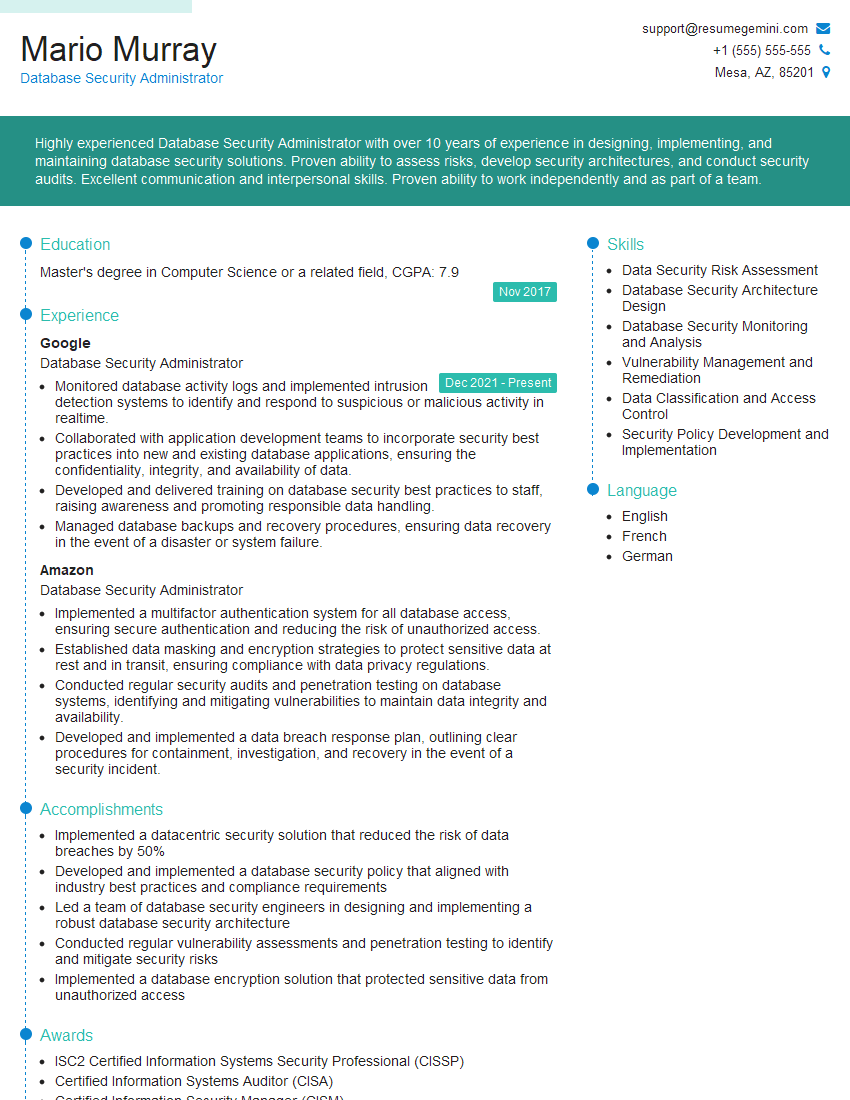
Database Security Administrator Resume Sample

IT Manager Resume Sample

IT Security Specialist Resume Sample
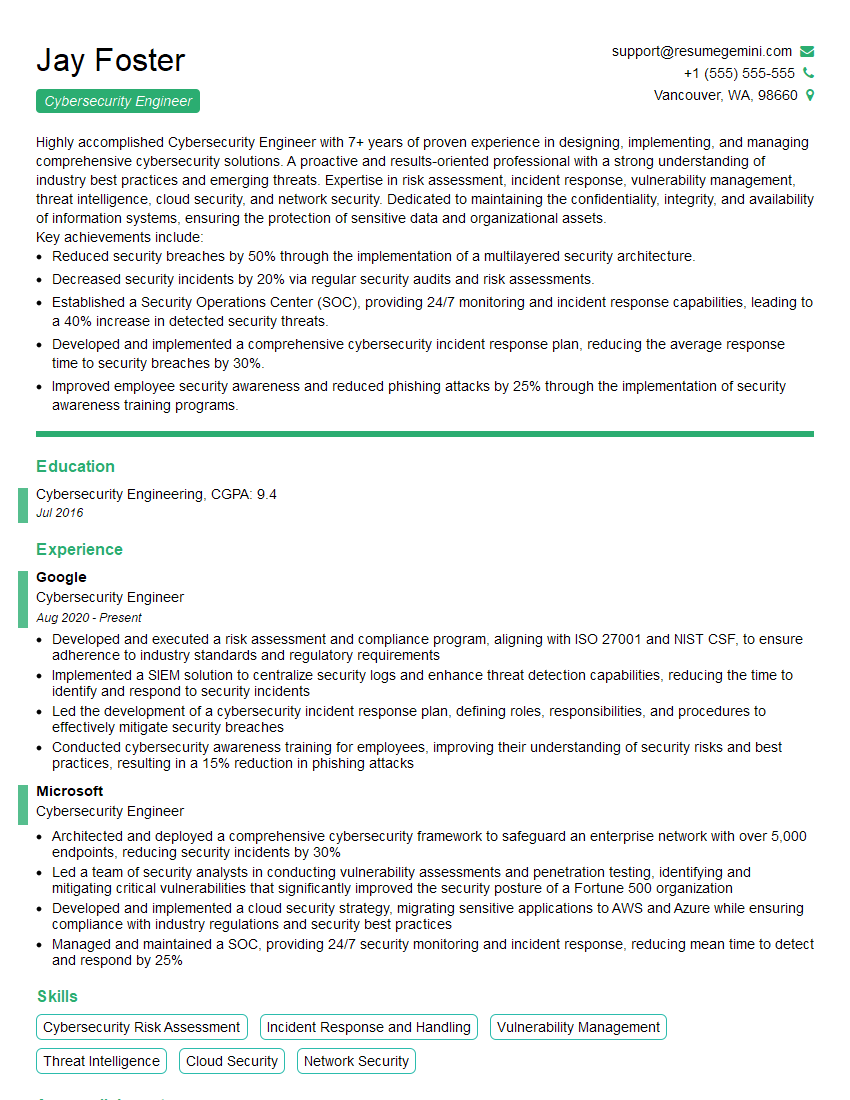
Cybersecurity Engineer Resume Sample
Explore more articles
Users Rating of Our Blogs
Share Your Experience
We value your feedback! Please rate our content and share your thoughts (optional).
What Readers Say About Our Blog
To the interviewgemini.com Webmaster.
Very helpful and content specific questions to help prepare me for my interview!
Thank you
To the interviewgemini.com Webmaster.
This was kind of a unique content I found around the specialized skills. Very helpful questions and good detailed answers.
Very Helpful blog, thank you Interviewgemini team.