Preparation is the key to success in any interview. In this post, we’ll explore crucial Simulation Software (e.g., VISSIM, CORSIM, TransCad) interview questions and equip you with strategies to craft impactful answers. Whether you’re a beginner or a pro, these tips will elevate your preparation.
Questions Asked in Simulation Software (e.g., VISSIM, CORSIM, TransCad) Interview
Q 1. Explain the difference between microscopic and macroscopic traffic simulation.
Microscopic and macroscopic traffic simulations differ fundamentally in their approach to modeling individual vehicles. Microscopic simulation models the behavior of each vehicle individually, considering factors like driver behavior, vehicle characteristics, and interactions between vehicles. Think of it like watching a traffic jam unfold – you see each car’s movements and decisions. Macroscopic simulation, on the other hand, treats traffic as a continuous flow, focusing on aggregate measures like density, speed, and flow. It’s like looking at a traffic map and seeing the overall congestion levels rather than individual vehicles.
In essence, microscopic models provide more detail and realism, allowing for a deeper understanding of individual vehicle behavior and the impact of specific design elements. However, they are computationally more intensive and require more detailed input data. Macroscopic models are less computationally demanding and offer a good overview of traffic patterns, but they sacrifice detail in their representation of individual vehicle behavior.
Example: Imagine simulating the impact of a new traffic light. A microscopic simulation would show how each vehicle reacts to the light, potentially identifying bottlenecks due to driver behavior. A macroscopic simulation would simply show the overall changes in speed and flow at that intersection.
Q 2. What are the key input parameters for a VISSIM simulation?
Key input parameters for a VISSIM simulation can be broadly categorized into:
- Network Data: This includes the road network geometry (lane configuration, speed limits, and intersections), including all the nodes and links. This data is often imported from GIS software.
- Demand Data: This defines the traffic entering the network. This is typically in the form of origin-destination (OD) matrices which specify the number of vehicles traveling between different zones during the simulation period. You might also input vehicle types and their distributions.
- Vehicle Characteristics: This includes parameters that define how vehicles behave. For example, car-following models dictate how vehicles maintain safe following distances, and lane-changing models describe how vehicles change lanes. The detailed parameters depend on the selected car-following and lane-changing models.
- Control Parameters: These define the behavior of traffic control devices, such as traffic signals (signal timing plans), roundabouts, or ramp meters.
- Pedestrian and Public Transportation Data (Optional): VISSIM allows the simulation of pedestrians and public transport. Appropriate data is needed if you include these elements in the model.
The accuracy of the VISSIM simulation heavily depends on the quality and completeness of these input parameters. Inaccurate or incomplete data will lead to inaccurate simulation results.
Q 3. How do you calibrate a CORSIM model?
Calibrating a CORSIM model involves adjusting model parameters to ensure the simulated traffic conditions match real-world observations. This is an iterative process aiming to minimize the difference between simulated and observed traffic variables.
The process typically involves these steps:
- Data Collection: Collect field data on traffic flow, speed, and density at various locations within the study area. This might involve using loop detectors, video cameras, or other traffic monitoring devices.
- Initial Model Setup: Build a CORSIM model of the study area based on available network and demand data.
- Parameter Adjustment: Compare the simulated results with the field data. Based on this comparison, adjust various parameters in the CORSIM model, such as car-following parameters, turning movements, or speed distributions. This often involves trial-and-error, guided by your engineering judgment.
- Model Evaluation: Assess the goodness-of-fit between the simulated and observed data using statistical measures, such as mean absolute error or root mean square error. If the fit isn’t satisfactory, repeat steps 2 and 3.
- Sensitivity Analysis (Optional): Perform sensitivity analysis to determine which parameters have the most significant impact on the simulation results. This helps focus calibration efforts on the most critical parameters.
The calibration process is not always straightforward, and achieving a perfect match between simulated and observed data may not always be possible. The goal is to achieve a reasonable level of agreement that allows for reliable simulation outputs.
Q 4. Describe the process of validating a TransCad model.
Validating a TransCad model confirms that the model accurately represents the real-world system. It’s about checking whether the model’s behavior aligns with reality, unlike calibration, which focuses on matching specific observed data. Validation goes beyond simple data matching; it’s about testing the model’s ability to predict outcomes under different scenarios.
The validation process often involves these steps:
- Define Validation Metrics: Identify key performance indicators (KPIs) for validating the model, such as network travel times, volumes, and speeds at specific locations.
- Scenario Testing: Test the model under different scenarios to assess its predictive ability. These scenarios might include changes in traffic demand, network configuration, or control strategies.
- Comparison with Historical Data: Compare the model’s predictions with historical data. If the model can accurately reproduce past events, it increases confidence in its ability to predict future behavior.
- Expert Review: Seek feedback from transportation experts to assess the model’s reasonableness and identify potential flaws.
- Documentation: Document the validation process, including the chosen validation metrics, the results of the scenario tests, and any limitations of the model.
A well-validated TransCad model will provide credible results that can inform decision-making processes. However, it is crucial to remember that any model is only an approximation of reality.
Q 5. What are the limitations of using microscopic traffic simulation?
While microscopic simulation provides detailed insights, it does have limitations:
- Computational Intensity: Simulating individual vehicles can be computationally expensive, especially for large networks or long simulation periods. This might limit the scale or complexity of the simulations you can undertake.
- Data Requirements: Microscopic models need extensive data on vehicle characteristics, driver behavior, and network details. Collecting and preparing this data can be a time-consuming and costly endeavor.
- Calibration and Validation Challenges: Calibrating and validating microscopic models can be more complex due to the large number of parameters involved. Achieving a high level of accuracy can be difficult and requires expertise.
- Model Complexity: The detail can make understanding the output and isolating the impact of specific factors more difficult than with macroscopic models.
- Software Cost and Expertise: Specialist software is needed, and skilled users are required to set up and interpret the simulations effectively.
Therefore, the decision of whether to use microscopic or macroscopic simulation involves a careful consideration of the project objectives, available resources, and the desired level of detail. Sometimes, a hybrid approach might be the most suitable.
Q 6. How do you handle data inconsistencies in your simulation input?
Handling data inconsistencies in simulation input requires a methodical approach. It’s crucial to identify and address inconsistencies before they propagate through the model and lead to unreliable results.
Here’s a step-by-step strategy:
- Data Cleaning and Preprocessing: This is the first step, involving checks for missing values, outliers, and obvious errors. Techniques like data imputation (filling in missing values) or outlier removal might be used, but always document these actions.
- Data Validation: Check the consistency of data across different datasets. For example, ensure that link lengths in the network data match the lengths implied in the OD matrix.
- Data Reconciliation: If inconsistencies are detected, use available information to resolve them. This might involve cross-referencing with other data sources or making reasonable assumptions based on professional judgment. This step requires a deep understanding of the data and its context.
- Sensitivity Analysis: After addressing inconsistencies, conduct sensitivity analysis to assess the impact of the corrections or assumptions on the simulation results. This will reveal the robustness of the results to data uncertainties.
- Documentation: Keep meticulous records of the data cleaning, validation, and reconciliation process. This is essential for transparency and reproducibility of the simulation results.
Addressing data inconsistencies is often an iterative process. Be prepared to revisit steps 1-4 to ensure the integrity of the input data.
Q 7. Explain the concept of network loading in transportation simulation.
Network loading in transportation simulation is the process of assigning traffic demand to the network. This involves distributing the traffic flow from origins to destinations through the network’s links and nodes. It’s essentially how you populate your simulated network with vehicles based on your predicted or observed traffic patterns.
The process generally involves:
- Defining Origin-Destination (OD) Matrix: This matrix specifies the number of trips between different zones in the network. This is often the starting point and might be derived from traffic counts, surveys, or travel demand models.
- Trip Assignment: Algorithms are used to assign the trips in the OD matrix to specific routes within the network. The algorithm used impacts the realism of the simulation. Common assignment techniques include all-or-nothing, proportional, and stochastic user equilibrium.
- Link Loading: Once trips are assigned to routes, the traffic volume on each link in the network is calculated, considering the assigned trips.
- Simulation Iteration: Network loading often occurs iteratively within a simulation (particularly in dynamic traffic assignment). The network loading results influence the simulation, which in turn influences further traffic assignment, making it more realistic.
Accurate network loading is critical for obtaining realistic simulation results. The choice of assignment method significantly impacts the outcome, particularly the level of congestion predicted.
Q 8. What are some common performance indicators (KPIs) used in traffic simulation?
Key Performance Indicators (KPIs) in traffic simulation are crucial for evaluating the effectiveness of transportation system designs or improvements. They provide quantifiable metrics to assess various aspects of traffic flow and performance. Common KPIs include:
- Average Speed: The average speed of vehicles within a defined area or network segment. A lower average speed often indicates congestion.
- Average Travel Time: The average time taken by vehicles to travel between two points. This is highly sensitive to congestion and signal timing.
- Total Delay: The total amount of time vehicles spend waiting, either due to congestion or signal control. A high total delay directly impacts efficiency and fuel consumption.
- Queue Length: The length of vehicles waiting at intersections or bottlenecks. Longer queues indicate potential capacity issues.
- Level of Service (LOS): A qualitative measure that describes the operational characteristics of a traffic stream, typically ranging from A (free flow) to F (highly congested). LOS is often based on speed, density, and delay.
- Vehicle Density: The number of vehicles per unit length of roadway. High density indicates potential congestion.
- Saturation Flow Rate: The maximum number of vehicles that can pass through an intersection per unit of time under saturated conditions (i.e., when all phases are green). This is key in signal optimization.
- Intersection Control Delay: The delay experienced by vehicles at an intersection due to signal timing and control.
For example, in a simulation of a proposed highway widening project, we’d analyze changes in average travel time and total delay to demonstrate the project’s effectiveness in reducing congestion. Similarly, optimizing signal timings at an intersection can be evaluated by measuring the reduction in total delay and queue length.
Q 9. How do you deal with unexpected errors or crashes during a simulation run?
Unexpected errors during simulation runs are unfortunately common. My approach involves a structured troubleshooting process:
- Identify the Error: Carefully examine the error message. Simulation software often provides detailed logs that pinpoint the location and nature of the problem. This could be related to input data errors, model inconsistencies, or software bugs.
- Check Input Data: Verify the accuracy and completeness of input data, including network geometry, traffic demand, and control strategies. Inconsistent or missing data is a frequent source of errors. I meticulously check for data type mismatches, missing links in the network, and unreasonable values.
- Review Model Structure: Examine the simulation model for inconsistencies or logical flaws. Sometimes, issues stem from incorrect model configurations or unintended interactions between different model components. This may involve reviewing the network topology, signal timing plans, and vehicle behavior settings.
- Simplify the Model: If the error persists, try simplifying the model to isolate the problem. For instance, run a smaller segment of the network or eliminate certain features to identify the source of the issue.
- Consult Documentation and Support: The simulation software’s documentation often provides solutions for common errors. If the problem remains, contacting technical support is the next step. They can provide expert advice and identify software bugs.
- Incremental Testing: After resolving the error, I implement changes incrementally, thoroughly testing each step to prevent future errors.
For instance, I once encountered an error in VISSIM related to an incorrect definition of a specific vehicle type. By systematically checking the vehicle definition parameters, I identified the problem and corrected it, preventing the simulation from crashing.
Q 10. Describe your experience with different types of traffic detectors and their integration with simulation models.
My experience with traffic detectors and their integration into simulation models is extensive. Various detector types provide different data for model calibration and validation. These include:
- Loop Detectors: These are inductive loops embedded in the pavement that detect the presence and speed of vehicles. They are highly reliable and provide accurate data on flow, occupancy, and speed. In simulation, data from loop detectors is used to calibrate the traffic demand models and validate the simulation results.
- Video Detectors: Cameras and image processing software analyze video footage to extract traffic information. They offer more comprehensive information than loop detectors, including vehicle classification and trajectory data. This can be integrated into simulation models for more accurate representation of traffic flow.
- Radar Detectors: Radar-based detectors measure speed and flow using radio waves. These can be used in areas where loop detectors are not feasible, such as highways.
- GPS Data: Data from GPS devices in vehicles can provide detailed information on vehicle trajectories, speed, and travel time. This is becoming increasingly important for calibrating large-scale traffic simulations. We use this data often for validating route choice models and assessing overall system performance.
Integrating this data involves importing the detector data into the simulation software and using it to calibrate model parameters, such as vehicle behavior and traffic demand. I often use statistical methods to compare simulated and observed data, adjusting model parameters until a good fit is achieved. This calibration process is crucial for ensuring that the simulation accurately represents real-world traffic conditions.
Q 11. How do you ensure the accuracy and reliability of your simulation results?
Ensuring accuracy and reliability is paramount. My strategies include:
- Data Validation and Calibration: I rigorously validate all input data against reliable sources (e.g., traffic counts, maps, census data). Then I calibrate the simulation model using real-world traffic data from detectors or other sources, ensuring the model accurately reflects observed traffic patterns.
- Sensitivity Analysis: I conduct sensitivity analyses to determine how variations in input parameters affect simulation results. This helps identify critical parameters requiring careful calibration and reduces uncertainty in the outputs.
- Verification and Validation: Verification focuses on ensuring the simulation model accurately represents the intended design. Validation involves comparing simulation results with real-world observations to assess the model’s accuracy. I perform both types of testing extensively.
- Peer Review: I actively seek feedback from colleagues and subject matter experts to identify potential errors or biases in the model and results. A second set of eyes can often catch details I missed.
- Documentation: I maintain detailed documentation of the simulation model, input data, and analysis methods. This is crucial for reproducibility and transparency, ensuring that others can understand and scrutinize the work.
For example, in one project, I identified a discrepancy between simulated and observed travel times. Through a thorough investigation, I found a minor error in the input network data. Correcting this error significantly improved the accuracy of the simulation results.
Q 12. Explain your experience with sensitivity analysis in traffic simulation.
Sensitivity analysis is critical in traffic simulation. It helps determine which input parameters have the most significant influence on the simulation results. This is usually done through ‘what-if’ scenarios. I employ several techniques:
- One-at-a-Time (OAT) Method: This involves systematically changing one input parameter at a time while keeping others constant and observing the effect on the output KPIs. It’s simple but can be computationally expensive for models with many parameters.
- Design of Experiments (DOE): DOE methods, such as factorial designs, allow for efficient exploration of parameter space, particularly useful with many input variables. They help identify interactions between parameters.
- Regression Analysis: After running simulations with different parameter settings, regression analysis can be used to quantify the relationship between input parameters and output KPIs. This helps in understanding the relative importance of each parameter.
For instance, in a project involving signal timing optimization, I used a factorial design to analyze the impact of cycle length and green split on average delay. This allowed me to identify the optimal signal timings that minimized delay and improved traffic flow.
Q 13. What are some common challenges you face when working with large-scale transportation networks?
Large-scale transportation networks present unique challenges:
- Computational Demands: Simulating large networks requires significant computational resources and time. Techniques like parallel processing and model simplification are often necessary.
- Data Management: Gathering, processing, and managing large datasets for calibration and validation can be complex. Efficient data management strategies and tools are essential.
- Model Complexity: Large-scale models can become very intricate, increasing the risk of errors and making debugging challenging. Modular model building helps manage complexity.
- Calibration Difficulty: Calibrating large models can be difficult due to the high dimensionality of the parameter space. Advanced calibration techniques are needed.
- Data Availability: Obtaining comprehensive data for such networks can be challenging due to data scarcity or lack of uniform data collection practices.
To address these, I utilize efficient algorithms, parallel processing capabilities of simulation software, and modular model development to reduce complexity and computational requirements. Data management is handled using databases and scripting tools to ensure data integrity and efficient processing.
Q 14. How do you communicate complex simulation results to non-technical audiences?
Communicating complex simulation results to non-technical audiences requires clear, concise, and visually appealing presentations. I use several strategies:
- Visualizations: I use charts, graphs, and maps to present key findings visually. For example, I might use a map to show the areas most impacted by congestion or a bar chart to compare average travel times before and after an intervention.
- Simple Language: I avoid technical jargon and explain concepts using simple language and analogies. Instead of saying ‘saturation flow rate,’ I might say ‘the maximum number of cars that can pass through an intersection in a given time.’
- Storytelling: I frame the results within a narrative, focusing on the key takeaways and their implications. This makes the information more relatable and engaging.
- Focus on Key Findings: I avoid overwhelming the audience with too much detail. I focus on the most important findings and their implications for decision-making.
- Interactive Elements: If appropriate, I incorporate interactive elements such as animations or demonstrations to make the presentation more dynamic and engaging.
For example, when presenting results to city council members, I would focus on the impact of a proposed traffic improvement project on travel times, congestion levels, and air quality, using easy-to-understand visuals to illustrate the benefits.
Q 15. Describe your experience with different types of traffic control strategies and their representation in simulation software.
My experience encompasses a wide range of traffic control strategies, from simple signal timing plans to complex adaptive control systems. In simulation software like VISSIM, CORSIM, and TransCad, these strategies are represented through various modules and parameters. For instance, a fixed-time signal plan is defined by specifying cycle length, green splits, and offset for each phase. This can be easily implemented by inputting the timing data directly into the software. More sophisticated strategies, like actuated control, require defining detector locations and logic rules within the simulation environment. In VISSIM, for example, this is often done using the ‘detector’ and ‘controller’ objects, allowing for the simulation of real-world adaptive signal control systems. I’ve worked with various optimization algorithms embedded in these software packages to fine-tune these strategies, such as minimizing delays or improving queue lengths.
I’ve also modeled more advanced control systems like adaptive traffic control (ATC) and coordinated traffic signal systems (CTSS). These require more complex modeling, often involving external data feeds and algorithms. For example, when modeling ATC, I’d incorporate real-time traffic data (e.g., from loop detectors) into the simulation to dynamically adjust signal timings. In a project involving a CTSS for a major city intersection, I used TransCad’s optimization tools to determine optimal signal timings across multiple intersections, minimizing overall network congestion.
- Fixed-time control: Simple, easy to implement, but inflexible.
- Actuated control: Responsive to real-time traffic demands, but requires detector data.
- Adaptive control: Optimizes signal timings based on various factors, such as traffic volume, queue lengths, and incidents. Requires sophisticated algorithms and real-time data.
Career Expert Tips:
- Ace those interviews! Prepare effectively by reviewing the Top 50 Most Common Interview Questions on ResumeGemini.
- Navigate your job search with confidence! Explore a wide range of Career Tips on ResumeGemini. Learn about common challenges and recommendations to overcome them.
- Craft the perfect resume! Master the Art of Resume Writing with ResumeGemini’s guide. Showcase your unique qualifications and achievements effectively.
- Don’t miss out on holiday savings! Build your dream resume with ResumeGemini’s ATS optimized templates.
Q 16. How do you optimize the efficiency of your simulation workflow?
Optimizing my simulation workflow involves a multi-pronged approach focusing on efficiency and accuracy. First, I ensure I have a well-defined problem statement and clear objectives before starting. This guides my model development and data collection efforts. Then, I meticulously plan the model structure, utilizing hierarchical modeling where appropriate (e.g., network aggregation for larger areas). This reduces computational burden without compromising accuracy. I extensively use the built-in validation tools in each software package to ensure the model accurately reflects real-world conditions. For instance, in VISSIM, I leverage the speed-flow curves comparison feature to verify the accuracy of my calibration against empirical data.
Next, efficient data management is critical. I use well-organized data structures and leverage scripting capabilities (e.g., Python with VISSIM’s COM interface) to automate repetitive tasks such as input data preparation, simulation execution, and result analysis. In CORSIM, the use of batch processing capabilities is invaluable for running multiple scenarios rapidly. This drastically reduces the manual workload and ensures consistent processing across scenarios. Finally, I regularly review and refine my workflow, incorporating feedback from the analyses and adopting new tools or techniques to further enhance efficiency. Think of it like refining a recipe – you start with a good base, experiment with additions and adjustments, and ultimately find the most effective approach.
Q 17. Explain your experience with scenario planning and analysis using simulation software.
Scenario planning and analysis is core to my work. It allows us to explore the ‘what-if’ scenarios and evaluate the effectiveness of different interventions. For example, I might compare the impacts of different traffic management strategies (e.g., adding bus lanes, implementing signal timing adjustments) on overall network performance using various simulation software packages. I often employ a structured approach, defining a baseline scenario and then creating various alternative scenarios based on specific changes. This process usually includes detailed documentation of each scenario and its parameters to ensure reproducibility and consistency.
The process involves defining key performance indicators (KPIs) such as average speed, travel time, queue length, and level of service to quantify the performance of each scenario. After running the simulations, I perform comparative analysis, generating charts, graphs, and tables to visualize the results and draw meaningful conclusions. For instance, in a recent project evaluating the impact of a new light rail system, I used VISSIM to compare travel times and congestion levels under various scenarios (with and without the new rail system), which helped stakeholders make informed decisions regarding project implementation.
Sensitivity analysis plays a critical role. This involves systematically varying input parameters (e.g., traffic demand, signal timings) to assess their influence on the outcomes. This helps to identify the most influential factors and quantify uncertainties in the simulation results.
Q 18. What are some advanced features of VISSIM, CORSIM, or TransCad that you are familiar with?
I’m proficient in several advanced features across these software packages. In VISSIM, I’ve extensively used the microscopic simulation capabilities to model individual vehicle behaviors, including car-following models and lane-changing strategies. The ability to customize these behaviors is essential for accurate representation of diverse traffic conditions. I’ve also utilized VISSIM’s API to integrate external data sources and automate various tasks. For example, I’ve written scripts to import GPS trajectory data to validate simulation outputs and calibrate the model against real-world driving patterns.
In CORSIM, I’ve worked with the advanced features for macroscopic modeling and network-level analysis. The ability to simulate large-scale networks with different levels of detail is critical for regional transportation planning. I’ve utilized CORSIM’s various traffic assignment algorithms to analyze traffic flows under different demand scenarios. Additionally, I have experience with the integration of public transit components in CORSIM, allowing for comprehensive analysis of multimodal transport networks.
TransCad’s strength lies in its data management and network analysis capabilities. I’ve used it to manage and process large datasets, including GIS data and traffic counts. The software’s optimization routines have been invaluable for solving complex transportation problems, such as network design and traffic signal optimization. The ability to integrate various data sources and apply different analysis methods has improved the overall accuracy and effectiveness of my models.
Q 19. How do you incorporate pedestrian and bicycle movements in your simulations?
Incorporating pedestrian and bicycle movements is crucial for realistic and comprehensive traffic simulations. In VISSIM, for example, I utilize the pedestrian and bicycle modules to define their routes, movement behaviors, and interactions with vehicles. This includes specifying pedestrian crossing points, defining walking speeds, and configuring conflict resolution algorithms at intersections. Realistic modeling of pedestrian and bicycle behavior involves using appropriate microsimulation models and calibration with real-world data, like pedestrian counts and speeds.
The level of detail can range from simple, aggregate models to sophisticated individual-based models. For example, in a simulation of a downtown area, I might use individual-based models to accurately simulate pedestrian flows around congested areas and crossings. In a larger-scale model of an entire city, a more aggregate approach might be sufficient, balancing realism and computational efficiency. I also incorporate relevant factors, such as pedestrian crossing times, signal timings, and geometry of the space, to accurately reflect real-world conditions. For validation, I’ve used observed pedestrian crossing data to calibrate simulation models. The goal is always to make sure the simulated pedestrian and cyclist movements are as realistic as possible.
Q 20. How do you account for public transport in your traffic models?
Public transport plays a vital role in many transportation systems, and accurate representation within traffic models is essential. The methods for incorporating public transport vary significantly depending on the software and the level of detail required. In VISSIM, for example, I’ve modeled buses as individual vehicles following predefined routes and schedules. I can customize their behavior (e.g., dwell times at stops, passenger boarding and alighting), enhancing model realism. This involves inputting bus routes, schedules, and passenger demand data to define bus operations within the simulated network.
For larger-scale networks, I might utilize a more aggregate approach where bus routes are represented as flows on the network. CORSIM, for instance, offers the capability to simulate public transport networks at a macroscopic level. This allows us to analyze the impact of public transit on overall network performance without the computational burden of detailed microsimulation of individual vehicles. In some cases, I’ve integrated data from transit agencies’ Automatic Vehicle Location (AVL) systems to provide real-time data for more accurate simulation of bus movements.
Regardless of the approach, accurate modeling of public transit often involves detailed understanding of its operational characteristics, including routes, schedules, passenger demand, and vehicle capacity.
Q 21. Describe your experience with using external data sources (e.g., GPS data) to improve simulation accuracy.
Using external data sources like GPS data is crucial for improving the accuracy and realism of traffic simulations. I’ve used GPS trajectory data from various sources (e.g., probe vehicles, smartphone apps) to improve the accuracy of my simulations. This data provides rich information about real-world vehicle movements, including speed, location, and route choices. The primary use is for model calibration and validation. By comparing the simulated vehicle trajectories with the observed GPS data, I can identify areas where the model doesn’t accurately represent real-world conditions. This allows iterative refinement of model parameters, like car-following behavior or lane-changing models.
In addition to calibration, I use GPS data to estimate traffic demand more accurately. Traditional methods often rely on traffic counts, which might not capture the complete picture. GPS data provides a more comprehensive view of traffic patterns and volumes. This is particularly useful when modeling large networks or areas with limited traditional traffic count data. Finally, GPS data can be used to assess the performance of the simulation itself, especially in dynamic and time-varying environments.
However, processing and integrating large volumes of GPS data requires specialized techniques and software. This includes data cleaning, filtering, and aggregating data to match the simulation’s spatial and temporal resolution. It’s like assembling a large jigsaw puzzle – each piece (GPS point) needs to be carefully placed to form a complete picture (accurate simulation).
Q 22. What is your approach to model calibration and validation?
Model calibration and validation are crucial steps in ensuring the reliability and accuracy of any simulation model. Calibration involves adjusting model parameters to match observed data, while validation confirms the model’s ability to accurately predict real-world behavior. My approach is iterative and involves several key stages:
- Data Collection: This is paramount. I meticulously gather comprehensive data on traffic flows, speeds, and turning movements from various sources, including field observations, traffic counts, and existing datasets. The quality of this data directly impacts the model’s accuracy.
- Preliminary Calibration: I begin with initial parameter estimates based on literature values and expert judgment. Then, I use simulation software’s built-in calibration tools, often involving optimization algorithms, to iteratively adjust parameters until the simulated outputs closely match the observed data. Metrics like mean absolute error (MAE) and root mean square error (RMSE) are crucial in assessing the calibration’s effectiveness.
- Sensitivity Analysis: I conduct a sensitivity analysis to identify which parameters have the most significant impact on the model’s outputs. This helps focus calibration efforts on the most influential factors. For example, in VISSIM, I might systematically vary parameters like driver behavior models and vehicle interaction parameters, observing their effect on key performance indicators (KPIs).
- Validation: Once calibrated, the model is validated using a separate dataset that wasn’t used for calibration. This independent dataset allows us to assess the model’s ability to generalize and predict accurately under different conditions. This process usually involves comparing simulated and observed data and determining if the difference falls within an acceptable range.
- Documentation: Thorough documentation of the entire calibration and validation process is essential. This includes all data sources, calibration procedures, and validation results. This ensures transparency and reproducibility of the results.
For instance, in a recent project involving CORSIM, I used a combination of automatic calibration routines and manual adjustments, guided by sensitivity analysis results, to successfully replicate observed traffic patterns at a busy intersection. The validated model was then used to accurately assess the impact of different traffic management strategies.
Q 23. How do you handle uncertainty and randomness in your simulation models?
Uncertainty and randomness are inherent in transportation systems. I address these using several techniques:
- Stochastic Modeling: I incorporate stochastic elements into the model, such as random variations in driver behavior, arrival times, and route choices. This is often achieved through the use of probability distributions (e.g., normal, exponential) to model these uncertainties. For instance, in VISSIM, the random behavior of individual vehicles is represented by parameters governing acceleration, deceleration, and lane changing behaviour.
- Monte Carlo Simulation: To assess the impact of uncertainty, I use Monte Carlo simulations. This involves running the simulation multiple times with different random inputs, creating a distribution of outputs. This helps quantify the range of potential outcomes and assess the risk associated with different scenarios. For example, I can assess the range of possible delays at a bottleneck under different traffic demands using Monte Carlo simulation, along with confidence intervals.
- Sensitivity Analysis (revisited): As mentioned earlier, sensitivity analysis identifies the most influential parameters. Focusing on these parameters in the stochastic modeling and Monte Carlo process allows me to efficiently manage the computational burden.
- Data-Driven Approaches: Where possible, I leverage data-driven techniques to better capture uncertainty in inputs. For instance, I might use historical traffic data to inform the probability distributions used for arrival rates or trip generation.
A recent project involved simulating the effect of an autonomous vehicle deployment on traffic flow. By incorporating stochasticity in AV behavior (e.g., using a probability distribution for their reaction time) and performing Monte Carlo simulations, we obtained a more realistic and robust estimate of the impacts, including confidence intervals around the key performance indicators.
Q 24. Explain your experience with different types of traffic assignment models.
I have extensive experience with various traffic assignment models, each with its strengths and limitations:
- All-or-Nothing Assignment: This simplest model assigns all traffic to the shortest path. While computationally efficient, it’s unrealistic as it doesn’t account for capacity constraints or route choice variability.
- Stochastic User Equilibrium (SUE): This model incorporates probabilistic route choice behavior, acknowledging that travelers don’t always choose the shortest path, and it better reflects real-world traffic patterns. Logit models are frequently employed in SUE assignments.
- User Equilibrium (UE): A deterministic model where all users select routes with equal travel times (or generalized cost) resulting in a stable flow equilibrium.
- System Optimum (SO): This model aims to minimize the total system travel time, which is a theoretical optimal but may not reflect individual traveler behaviour.
The choice of model depends heavily on the specific application and available data. For example, when analyzing a large-scale network, a SUE model is often preferred for its better reflection of reality, whereas an all-or-nothing model might be sufficient for quick preliminary assessments or small networks. My experience involves using these models within simulation packages like TransCad and integrating them with other modules to provide a complete network modelling solution.
Q 25. What programming languages or scripting skills do you possess relevant to transportation simulation?
My programming skills are essential for enhancing the capabilities of traffic simulation software. I’m proficient in:
- Python: I use Python extensively for data pre-processing, post-processing, analysis, and automation of simulation tasks. Libraries like
pandas,numpy, andmatplotlibare frequently used for data manipulation, analysis, and visualization. I can also use Python to interface with VISSIM, CORSIM, and TransCad through their APIs. - MATLAB: MATLAB is useful for numerical computation, particularly when dealing with advanced statistical analysis or optimization techniques during model calibration.
- VBA (Visual Basic for Applications): I use VBA to automate tasks within TransCad, improving efficiency in data management and model building.
Example: A recent project involved automating the generation of input files for VISSIM based on different traffic scenarios. I wrote a Python script to read data from a spreadsheet, create the necessary VISSIM network and demand files, run the simulations, and extract the results, significantly reducing manual effort and improving reproducibility.
# Example Python snippet for data processing import pandas as pd data = pd.read_csv('traffic_data.csv') # ... data processing and VISSIM API interaction ...Q 26. Describe your experience in developing and implementing customized simulation models to address specific transportation problems.
I have extensive experience in developing and implementing custom simulation models. A significant project involved modeling the impact of a proposed Bus Rapid Transit (BRT) system on a city’s traffic network. This required:
- Customizing the Network: I meticulously created a detailed model of the existing network within VISSIM, incorporating the proposed BRT lanes, bus stops, and dedicated signaling systems. This involved importing GIS data and accurately representing the geometric features of the streets and intersections.
- Developing BRT Logic: I developed custom logic within VISSIM to simulate the BRT’s operation, including bus signaling prioritization, passenger boarding and alighting, and bus route scheduling. This required understanding and modeling the interaction between the BRT system and the general traffic flow.
- Calibration and Validation: I calibrated and validated the model using existing traffic data and field observations. This included adjusting parameters related to bus speeds, passenger behavior, and traffic signal timings.
- Scenario Analysis: The model was used to conduct various scenario analyses, evaluating the BRT’s effectiveness under different operating conditions (e.g., varying levels of bus frequency, passenger demand, and traffic volume).
The results provided valuable insights into the BRT’s potential benefits and challenges, supporting decision-making in the project’s planning and implementation.
Q 27. How do you stay updated on the latest advancements in traffic simulation software and techniques?
Staying current in this rapidly evolving field is crucial. My strategies include:
- Attending Conferences and Workshops: I regularly participate in conferences like the TRB Annual Meeting and other relevant transportation engineering events to learn about the latest advancements in simulation software and methodologies.
- Reading Peer-Reviewed Journals and Publications: I actively follow publications like Transportation Research Part C and other leading transportation research journals to stay informed about new research findings and best practices.
- Online Courses and Webinars: I utilize online resources, such as those offered by software vendors and universities, to enhance my understanding of new simulation tools and techniques.
- Networking with Professionals: I engage with other professionals in the field through online forums and professional organizations to share knowledge and learn about new developments.
- Following Industry News and Blogs: I stay updated with the latest news and announcements from simulation software vendors and relevant industry blogs.
Q 28. Describe a time you had to troubleshoot a complex simulation problem. What was the solution?
During a project using CORSIM, I encountered a situation where the simulation was experiencing excessively long run times, slowing down the entire analysis process. After initial troubleshooting steps, I found that the problem was linked to a specific network configuration related to how the signal timing was defined for a very complex intersection. The original configuration was creating excessive computational calculations during simulation.
My solution was a multi-pronged approach:
- Profiling the Code: I used CORSIM’s built-in profiling tools to identify the bottlenecks in the simulation execution, which pinpointed the problematic intersection.
- Simplifying the Intersection Logic: I carefully analyzed the signal timing plan for this intersection. By slightly simplifying the logic (without significantly impacting the accuracy of the simulation), the computational load was reduced dramatically. This was primarily accomplished by optimizing the signal timing groups within the intersection model.
- Optimization and Parallelization: Where appropriate, and after verifying the simplification didn’t impact accuracy, I explored the possibility of parallelization to distribute the computational load among multiple cores.
- Model Verification: After the optimization, I rigorously tested and verified that the simulation results remained consistent with the original model’s outputs before the changes.
This resolved the issue and the simulation run time was reduced by over 70%, significantly improving the efficiency of the entire analysis process. It highlighted the importance of understanding the underlying mechanisms of the simulation software and the need for systematic debugging and optimization procedures.
Key Topics to Learn for Simulation Software (e.g., VISSIM, CORSIM, TransCad) Interview
- Model Calibration and Validation: Understanding the process of calibrating your simulation model to real-world data and validating its accuracy. This includes exploring different calibration techniques and assessing the goodness of fit.
- Scenario Planning and Analysis: Learning how to design and run different scenarios within the software to analyze the impact of various changes (e.g., traffic signal timings, lane additions, pedestrian crossings) on overall system performance.
- Data Input and Management: Mastering the import and export of data, understanding different data formats, and ensuring data integrity for accurate simulation results.
- Network Design and Modeling: Gaining proficiency in building and editing transportation networks within the chosen software, including road networks, intersections, and pedestrian pathways. Understanding different network representations and their implications.
- Performance Measures and Analysis: Knowing how to extract and interpret key performance indicators (KPIs) such as travel time, speed, delay, queue length, and level of service. Being able to effectively communicate these findings.
- Advanced Features and Techniques: Exploring advanced features offered by the specific software, such as agent-based modeling, microscopic simulation, or specific functionalities related to transit modeling or pedestrian behavior.
- Problem-Solving and Troubleshooting: Developing the ability to identify and solve common issues encountered during model building and simulation runs, demonstrating a practical understanding of the software’s limitations and potential errors.
Next Steps
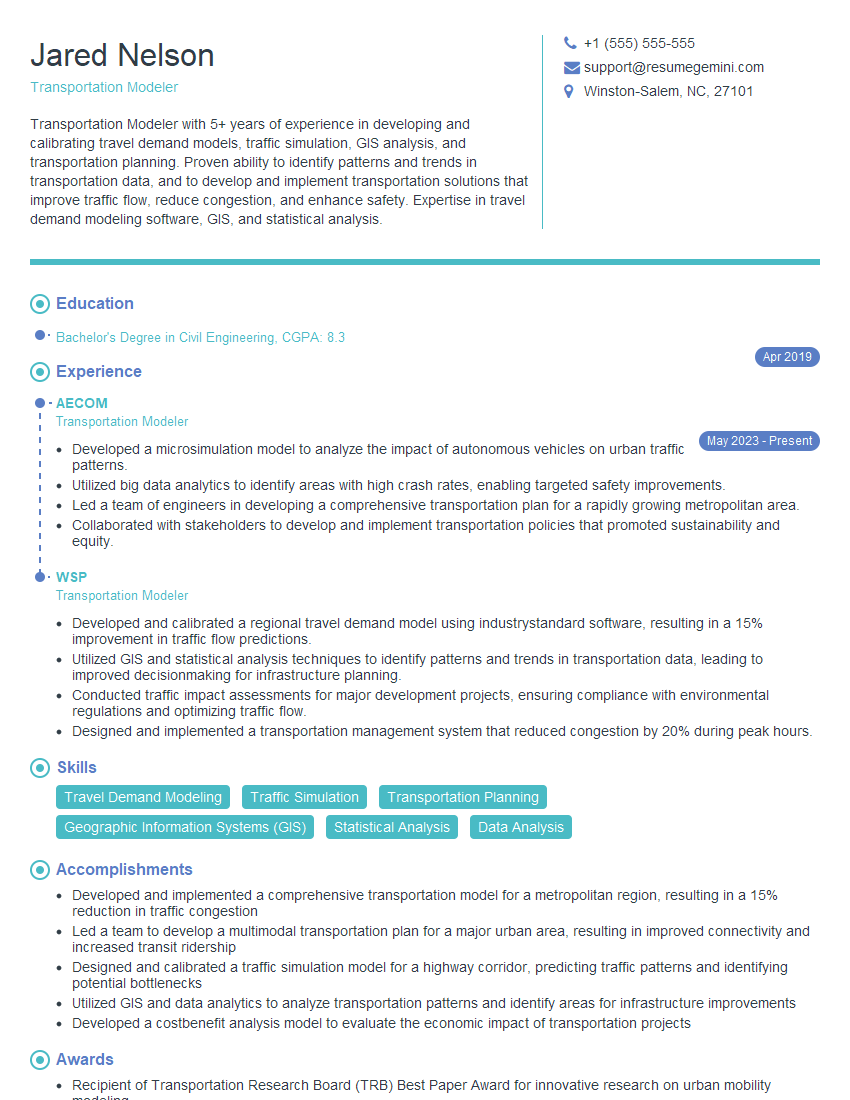
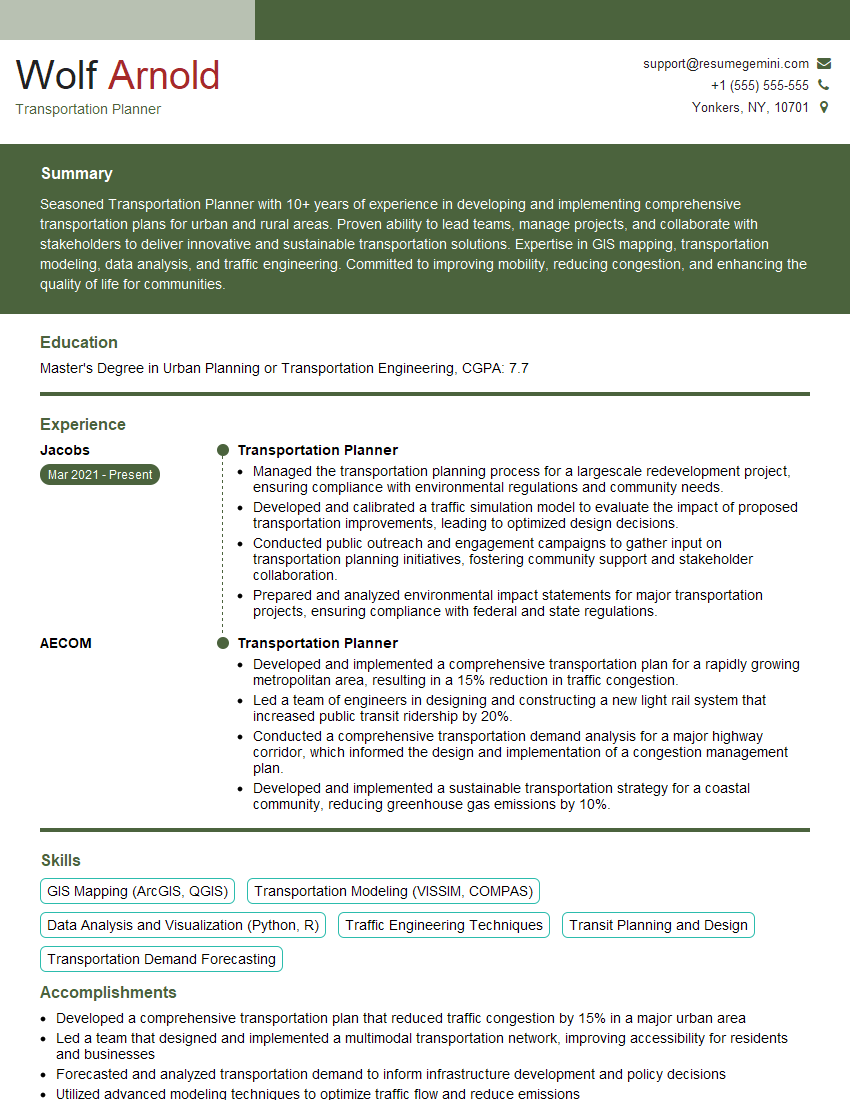
Mastering simulation software like VISSIM, CORSIM, or TransCad is crucial for career advancement in transportation planning and engineering. Proficiency in these tools significantly enhances your problem-solving skills and opens doors to exciting opportunities. To maximize your job prospects, focus on creating an ATS-friendly resume that highlights your key skills and accomplishments. ResumeGemini is a trusted resource to help you build a professional and impactful resume that stands out to recruiters. Examples of resumes tailored to Simulation Software expertise (VISSIM, CORSIM, TransCad) are available to guide you. Let ResumeGemini help you showcase your abilities and secure your dream job!


Explore more articles
Users Rating of Our Blogs
Share Your Experience
We value your feedback! Please rate our content and share your thoughts (optional).
What Readers Say About Our Blog
To the interviewgemini.com Webmaster.
Very helpful and content specific questions to help prepare me for my interview!
Thank you
To the interviewgemini.com Webmaster.
This was kind of a unique content I found around the specialized skills. Very helpful questions and good detailed answers.
Very Helpful blog, thank you Interviewgemini team.