Interviews are more than just a Q&A session—they’re a chance to prove your worth. This blog dives into essential System Monitoring and Analysis interview questions and expert tips to help you align your answers with what hiring managers are looking for. Start preparing to shine!
Questions Asked in System Monitoring and Analysis Interview
Q 1. Explain the difference between monitoring and observability.
Monitoring and observability are closely related but distinct concepts. Think of it like this: monitoring is like having a dashboard showing your car’s speed and fuel level – you see specific metrics. Observability, on the other hand, is like having a mechanic who can diagnose problems based on various indicators, even if they’re not explicitly displayed on the dashboard. You might not know *why* the car is running poorly, but the mechanic can investigate deeper to understand the root cause.
More formally, monitoring involves proactively collecting predefined metrics from a system to track its health and performance. It’s reactive; you’re watching for specific, pre-defined things to go wrong. Observability, however, is the ability to understand the internal state of a system from external outputs. It’s proactive; you can diagnose issues even without knowing what to specifically look for. Observability relies on collecting logs, traces, and metrics to provide a holistic view of the system’s behavior. It allows you to answer the question: “What happened?” even if you didn’t specifically monitor that metric.
In essence, monitoring is a subset of observability. You can have monitoring without observability, but true observability requires more comprehensive data collection and analysis.
Q 2. Describe your experience with various monitoring tools (e.g., Prometheus, Grafana, Datadog, Nagios).
I have extensive experience with several prominent monitoring tools. My experience includes:
- Prometheus: I’ve used Prometheus extensively for its powerful querying capabilities and its ability to scrape metrics from various applications and services. I leveraged its pull model, creating custom exporters for specific applications where standard exporters were not readily available. For instance, I built a custom exporter to monitor a legacy application that lacked built-in metrics, allowing us to gain visibility into its resource usage and overall health.
- Grafana: I’ve used Grafana to create intuitive and insightful dashboards visualizing metrics collected by Prometheus and other sources. I’m adept at creating custom visualizations, setting up alerts, and managing access control to ensure different teams had appropriate levels of access to relevant data. I particularly appreciate Grafana’s flexibility in handling different data sources.
- Datadog: My experience with Datadog encompasses its comprehensive monitoring capabilities, encompassing metrics, logs, and traces. I’ve used Datadog’s APM (Application Performance Monitoring) features to pinpoint performance bottlenecks within applications and identify root causes of slowdowns. I’ve also implemented Datadog’s automated alerting system, using its powerful anomaly detection features to proactively identify issues before they impact users.
- Nagios: While more traditional, Nagios provided a strong foundation in understanding core monitoring concepts. I used Nagios extensively for infrastructure monitoring, configuring it to check network devices, services, and application availability. This experience helped me understand the importance of thresholds, alert escalation, and the critical role monitoring plays in overall system stability.
Across these tools, I’m comfortable with the complexities of metric collection, data visualization, alert management, and integrating these tools into a robust and scalable monitoring infrastructure.
Q 3. How do you handle alert fatigue?
Alert fatigue is a significant problem in monitoring. It occurs when an excessive number of alerts desensitizes engineers, leading to missed critical alerts. My approach to combating alert fatigue involves a multi-pronged strategy:
- Improve Alerting Strategies: This involves carefully selecting metrics to monitor, setting appropriate thresholds, and implementing effective deduplication and aggregation techniques. Instead of alerting on individual server issues, for example, aggregate alerts across multiple servers to avoid a flood of alerts during a distributed system failure. Contextual information is key; alerts should provide clear information about the problem.
- Prioritize Alerts: Employ a severity-based alerting system, categorizing alerts into critical, warning, and informational levels. This focuses attention on the most significant problems first.
- Use Alerting Suppression: Implement suppression mechanisms for expected events, such as scheduled maintenance or known issues during specific time windows. This greatly reduces unnecessary noise.
- Implement On-Call Rotations: Distribute the on-call responsibility among team members, reducing individual burnout and ensuring adequate coverage.
- Continuous Improvement: Regular review of alerts, identification of false positives and unnecessary alerts, and refinement of thresholds are essential steps. A well-defined process for managing and resolving alerts is critical.
Ultimately, the goal is to move from a culture of reactive firefighting to a more proactive approach, anticipating and preventing issues before they escalate.
Q 4. What metrics are most critical to monitor for a web application?
Critical metrics for a web application can be broadly categorized:
- Performance Metrics: These include response times (e.g., page load time, API call latency), throughput (requests per second), error rates, and resource usage (CPU, memory, disk I/O) of the application servers and databases.
- Availability Metrics: This includes uptime, error rates, and successful transaction rates. Monitoring availability ensures the application is accessible to users. A simple metric such as uptime percentage is important.
- User Experience Metrics: These often involve monitoring user engagement, such as bounce rate, session duration, and conversion rates. Tools like Google Analytics are often used to collect this data.
- Infrastructure Metrics: Monitoring of network traffic, latency, and bandwidth, ensuring the underlying infrastructure can support the application’s needs.
- Database Metrics: Monitoring query performance, connection pool usage, and database server resource consumption are essential to ensuring database health and responsiveness.
The specific metrics to monitor will depend on the application’s architecture, functionality, and business objectives. A well-defined Service Level Objective (SLO) is a great way to start identifying critical metrics.
Q 5. Explain your experience with setting up and managing monitoring dashboards.
Setting up and managing monitoring dashboards is a crucial aspect of effective system monitoring. My experience involves:
- Defining Requirements: I start by understanding the needs of different stakeholders – developers, operations, and business users – to determine the key performance indicators (KPIs) and metrics each group needs to track.
- Data Source Integration: I integrate various data sources, such as Prometheus, Datadog, or custom exporters, into the chosen dashboarding tool (typically Grafana). This might involve using the tool’s built-in integrations or developing custom scripts to collect and format data.
- Dashboard Design: I design dashboards with a focus on clarity, readability, and actionable insights. I use appropriate visualizations (graphs, charts, tables) to effectively communicate performance data. Overly complicated dashboards are ineffective; simple, focused dashboards work best.
- Alerting and Notifications: I configure alerts based on defined thresholds and integrate them with notification systems (e.g., email, PagerDuty). Alerts should be relevant and targeted to the appropriate team members.
- Maintenance and Updates: I regularly review and maintain dashboards, ensuring data accuracy, relevant metrics, and ongoing effectiveness. This often involves adding new metrics, modifying thresholds, and adjusting visualizations as the system and requirements evolve.
Ultimately, well-designed dashboards empower teams to proactively identify and resolve issues, ensuring optimal system performance and user experience.
Q 6. How do you identify bottlenecks in a system?
Identifying bottlenecks requires a systematic approach. I typically follow these steps:
- Collect Performance Data: Gather comprehensive metrics from various components of the system, including CPU, memory, disk I/O, network traffic, and application-specific metrics. Tools like Prometheus, Datadog, or even simple system commands provide this data.
- Analyze Resource Usage: Examine resource utilization patterns to identify components consistently operating at or near capacity. High CPU utilization on a particular server, for instance, might indicate a bottleneck.
- Examine Application Logs and Traces: Review application logs and traces to correlate performance issues with specific application events. Slow database queries, for instance, could be revealed through query tracing.
- Profiling: Use profiling tools to analyze application code and identify performance hotspots. This could reveal inefficient algorithms or sections of code consuming excessive resources.
- Network Analysis: Analyze network traffic to identify network congestion or latency issues that might be impacting application performance.
Often, bottlenecks aren’t isolated to a single component. It’s common to find interconnected bottlenecks; identifying the root cause might require iterative analysis, focusing on the component with the highest resource utilization and then digging deeper to understand the cause of that high utilization.
Q 7. Describe your process for troubleshooting system performance issues.
My troubleshooting process for system performance issues is iterative and data-driven:
- Gather Information: Start by collecting relevant data – error logs, system metrics (CPU, memory, disk I/O), and network statistics. The more information available, the easier it becomes to pinpoint the issue.
- Identify the Problem: Analyze the collected data to pinpoint the source of the performance degradation. This might involve identifying slow queries, excessive resource usage by a particular process, or network latency.
- Reproduce the Issue: If possible, attempt to reproduce the issue to ensure that the root cause is identified reliably. This might involve load testing or recreating the scenario that triggered the problem.
- Test Solutions: Once a potential root cause is identified, test solutions to ensure the fix resolves the issue and doesn’t introduce new problems. This might involve code changes, configuration adjustments, or infrastructure upgrades.
- Monitor for Recurrence: After implementing a solution, carefully monitor the system to ensure the problem does not recur. Long-term monitoring prevents the issue from resurfacing.
This process is not strictly linear. It often involves going back and forth between steps as new insights are gained. Documenting each step and findings is crucial for efficient troubleshooting and preventing similar issues in the future.
Q 8. What are some common causes of system outages?
System outages, those frustrating times when our systems go down, have a variety of root causes. Think of it like a complex machine – if one part fails, the whole thing can grind to a halt. Common causes fall into several categories:
- Hardware failures: This includes failing hard drives, RAM issues, power supply problems, and network equipment malfunctions. Imagine a car engine seizing up – the vehicle is useless until the engine is repaired.
- Software bugs: Unforeseen errors in the code can lead to crashes, data corruption, or resource exhaustion. This is like a miscalculation in a complex formula, leading to an incorrect outcome.
- Network issues: Problems with internet connectivity, routing, or DNS resolution can prevent users from accessing systems. This is similar to a road closure, preventing you from reaching your destination.
- Security breaches: Cyberattacks, such as Distributed Denial-of-Service (DDoS) attacks or malware infections, can cripple systems. This is like a thief disabling your car’s security system.
- Human error: Accidental misconfigurations, incorrect updates, or even simple mistakes by administrators can lead to outages. A simple typo can have disastrous consequences.
- Resource exhaustion: Systems can crash if they run out of CPU, memory, or disk space. This is like a car running out of fuel – it simply stops working.
Effective monitoring practices, proactive maintenance, and robust disaster recovery plans are crucial to mitigating these risks.
Q 9. How do you ensure the accuracy and reliability of monitoring data?
Ensuring the accuracy and reliability of monitoring data is paramount. It’s like having a trustworthy weatherman – you need to know you can rely on their predictions. We achieve this through several key strategies:
- Redundancy and Failover Mechanisms: We implement multiple monitoring agents and sensors, so if one fails, others continue to collect data. Think of it as having backup systems in place.
- Data Validation and Verification: We employ checks and balances within the monitoring system to identify and flag anomalous data points. This includes cross-referencing data from multiple sources and using statistical methods to detect outliers.
- Regular Calibration and Testing: We regularly test and calibrate our monitoring tools to ensure they provide accurate readings. This is similar to calibrating laboratory equipment for scientific accuracy.
- Alert Threshold Tuning: We carefully set alert thresholds to avoid false positives and ensure that only significant events trigger alerts. This minimizes alert fatigue and focuses our attention on real problems.
- Secure Data Transmission: We use secure protocols and encryption to protect the integrity and confidentiality of monitoring data, safeguarding against data tampering or unauthorized access.
- Data Storage and Archiving: Data is stored in a robust and reliable manner, allowing us to analyze historical trends and patterns. This facilitates root-cause analysis and capacity planning.
By combining these methods, we build a strong foundation for trustworthy monitoring, enabling informed decision-making and proactive problem resolution.
Q 10. Explain your experience with log analysis and correlation.
Log analysis and correlation are crucial for understanding system behavior and identifying the root cause of issues. Think of logs as a system’s diary, recording every event. Log analysis is like deciphering that diary to understand what happened.
My experience includes using tools like Splunk, ELK stack (Elasticsearch, Logstash, Kibana), and Graylog to collect, parse, and analyze logs from various sources – servers, applications, network devices, etc. I’m proficient in using regular expressions to filter and extract relevant information. For example, I might use a regular expression like /ERROR.*database/ to identify all error messages related to a database.
Log correlation involves connecting seemingly disparate log entries to reveal patterns and underlying problems. For instance, correlating a high CPU utilization log with a database error log might indicate a poorly performing database query impacting the overall system performance. I employ various techniques, including time-series analysis and pattern matching, to effectively correlate logs and pinpoint the root cause of incidents. This allows us to move from reacting to issues to proactively identifying and mitigating potential problems.
Q 11. Describe your experience with capacity planning and forecasting.
Capacity planning and forecasting are crucial for ensuring that our systems can handle current and future demands. It’s like planning for the growth of a city – you need to anticipate future needs and adjust infrastructure accordingly.
My experience involves analyzing historical resource usage data (CPU, memory, disk I/O, network bandwidth) to predict future resource needs. I use various techniques, including trend analysis, forecasting models (e.g., ARIMA), and simulation to predict future resource requirements. I also incorporate business projections and anticipated growth in user base or workload to fine-tune the forecasts. For example, if we anticipate a significant increase in website traffic during a holiday season, we would adjust server capacity to ensure optimal performance and avoid outages.
The results of capacity planning inform decisions on infrastructure upgrades, scaling strategies (vertical or horizontal), and resource allocation. It helps us avoid bottlenecks, ensure smooth operation, and optimize cost-effectiveness.
Q 12. How do you prioritize alerts and incidents?
Prioritizing alerts and incidents is crucial, especially in high-pressure situations. It’s like a doctor triaging patients in an emergency room – the most critical cases get immediate attention.
My approach involves a multi-faceted strategy:
- Severity Levels: We categorize alerts based on their severity (critical, major, minor, warning). Critical alerts, like a complete system outage, get immediate attention. Minor alerts, like a minor performance dip, can be addressed later.
- Impact Analysis: We assess the impact of each alert on business operations. Alerts impacting critical business functions get prioritized over those with minimal impact.
- Automated Response: Where feasible, we automate responses to certain alerts, freeing up human resources to focus on more complex issues. For example, automatically restarting a failed service.
- Escalation Procedures: We have clearly defined escalation procedures to ensure timely involvement of appropriate personnel. This ensures that the right people are working on the right problems.
- Root Cause Analysis: Once an incident is resolved, we conduct a thorough root cause analysis to understand the underlying problem and implement preventive measures. This prevents similar incidents from occurring in the future.
By combining these approaches, we ensure that our response to incidents is efficient, effective, and minimizes downtime.
Q 13. What are your preferred methods for documenting monitoring procedures?
Effective documentation is vital for maintaining and improving monitoring procedures. It’s like having a well-organized recipe book – you need clear instructions to follow consistently.
My preferred methods include:
- Wiki-based documentation: Using a collaborative platform like Confluence or internal wikis allows for easy updates and version control. This is great for maintaining a central repository of knowledge, accessible to everyone.
- Runbooks and Playbooks: Detailed step-by-step guides for resolving common incidents. This helps standardize responses and ensure consistent handling of issues.
- Configuration Management Databases (CMDB): Storing and managing configuration details of all monitored systems, including hardware, software, and network details. This makes it easy to understand the system landscape and pinpoint problems.
- Monitoring dashboards and reports: Visualizing key metrics and performance indicators, allowing for quick assessment of system health. Dashboards serve as a snapshot of current system health, whereas reports provide deeper historical context.
- Automated documentation: Leveraging tools that automatically generate documentation from configurations and code. This helps to avoid manual documentation and maintain consistency.
Clear, concise, and readily accessible documentation is essential for effective collaboration and knowledge transfer, which improves efficiency and reduces downtime.
Q 14. Explain your understanding of different monitoring approaches (e.g., agent-based, agentless).
Different monitoring approaches offer various advantages and disadvantages. Think of it like choosing the right tool for a specific job.
- Agent-based monitoring: This involves installing software agents on the target systems. These agents collect data locally and send it to a central monitoring server. Think of it like having a spy inside the system collecting information.
- Agentless monitoring: This approach monitors systems remotely without installing agents. It typically relies on network protocols (SNMP, WMI) to collect data. Think of it like an outside observer using sensors to collect information.
Agent-based monitoring provides more detailed and granular data, allowing for deep insights into system performance and health. However, it requires agent installation and maintenance on every monitored system.
Agentless monitoring is easier to deploy, as no agents need to be installed. However, it might provide less detailed data and may be limited by network accessibility. For example, you might use agentless monitoring to check the network status of a device but use agent-based monitoring to check the CPU utilization of that same device. The best approach often depends on the specific requirements, the type of system, and security considerations. Often, a hybrid approach combining both agent-based and agentless methods is the most effective solution.
Q 15. Describe your experience with infrastructure as code (IaC) and its role in monitoring.
Infrastructure as Code (IaC) is the practice of managing and provisioning infrastructure through code instead of manual processes. This dramatically improves consistency, reproducibility, and scalability. In monitoring, IaC plays a crucial role by enabling automated deployment and configuration of monitoring tools themselves. Imagine trying to manually install and configure monitoring agents across hundreds of servers – it’s a nightmare! With IaC, using tools like Terraform or Ansible, we define the monitoring infrastructure in code. This means we can easily replicate our monitoring setup across different environments (development, testing, production) and make changes consistently. For example, adding a new monitoring agent to a server group only requires a code change and a subsequent deployment, rather than manual configuration on each server. This ensures uniformity and reduces human error.
Furthermore, IaC allows us to version control our monitoring infrastructure, enabling easy rollback to previous configurations if necessary. This is particularly useful for troubleshooting incidents or managing unexpected issues. We can also use IaC to integrate monitoring tools with other parts of our infrastructure, such as logging and alerting systems, creating a cohesive and automated monitoring ecosystem.
Career Expert Tips:
- Ace those interviews! Prepare effectively by reviewing the Top 50 Most Common Interview Questions on ResumeGemini.
- Navigate your job search with confidence! Explore a wide range of Career Tips on ResumeGemini. Learn about common challenges and recommendations to overcome them.
- Craft the perfect resume! Master the Art of Resume Writing with ResumeGemini’s guide. Showcase your unique qualifications and achievements effectively.
- Don’t miss out on holiday savings! Build your dream resume with ResumeGemini’s ATS optimized templates.
Q 16. How do you integrate monitoring tools with your CI/CD pipeline?
Integrating monitoring tools into a CI/CD pipeline is crucial for achieving continuous feedback and ensuring system health throughout the software development lifecycle. The basic approach involves using the CI/CD system to trigger the deployment and configuration of monitoring agents alongside the application deployment. This ensures that monitoring is always in place. Think of it like this: if you’re baking a cake, you wouldn’t just bake it and hope it tastes good; you’d check the temperature throughout the process. Similarly, monitoring throughout deployment provides insight into the system’s health.
Specifically, we can use tools like Jenkins, GitLab CI, or Azure DevOps to run scripts that deploy monitoring agents, configure dashboards, and trigger initial health checks upon application deployment. For instance, a script could automatically add the newly deployed application’s metrics to the monitoring system’s dashboard. This integration also allows for automated alerts when the application deployment fails or shows signs of instability. This enables rapid identification and resolution of issues, minimizing downtime and improving overall system reliability.
Example (pseudocode):
stage('Deploy and Monitor') {
  steps {
    sh 'deploy_application.sh'
    sh 'deploy_monitoring_agent.sh'
    sh 'configure_monitoring_dashboard.sh'
  }
}
Q 17. What are your experiences with synthetic monitoring?
Synthetic monitoring involves using automated scripts or agents to simulate real user interactions with the application or system to proactively identify issues before real users experience them. This is akin to having a robot use your application and report back on its experience. Unlike real user monitoring (RUM) which relies on real user data, synthetic monitoring provides controlled and predictable measurements.
My experience with synthetic monitoring includes using tools like Datadog Synthetics, which allow us to create automated tests that verify aspects like website availability, API response times, and transaction flows. This enables early detection of potential problems, such as slow response times or server outages, and allows for quicker troubleshooting before impacting end users. For instance, we can schedule synthetic tests to run frequently, verifying that specific API calls are returning expected results within acceptable timeframes. If a test fails, it triggers an alert, allowing us to investigate and fix the problem before real users are affected.
Q 18. How do you handle large-scale monitoring events?
Handling large-scale monitoring events requires a robust and scalable monitoring infrastructure. This is often achieved through distributed monitoring systems that can handle high volumes of data and alerts. Key strategies include:
- Alerting thresholds and aggregation: Instead of alerting on every minor fluctuation, we define meaningful thresholds and aggregate similar alerts. For example, instead of alerting on each individual server experiencing high CPU usage, we aggregate alerts at the application or service level.
- Alert correlation and deduplication: Many seemingly separate alerts often indicate a single root cause. Correlation and deduplication techniques help identify the root cause and avoid alert storms. Imagine a system outage causing a cascade of alerts from different components; correlation helps consolidate these into a single, actionable alert.
- Automated response and remediation: For non-critical alerts, automation plays a vital role. Automated scripts can automatically scale resources, restart services, or perform other corrective actions based on pre-defined rules.
- Effective dashboards and visualization: Visualizing data effectively is key to understanding the overall system health during large-scale events. Well-designed dashboards provide a clear picture of the situation, allowing for quick identification of the most critical issues.
Additionally, using effective on-call rotations and a well-defined incident management process helps manage the human aspect during these events. Communication and collaboration are key to ensuring a quick and efficient response.
Q 19. Explain your familiarity with different types of monitoring alerts (e.g., threshold-based, anomaly detection).
Different types of monitoring alerts offer various advantages. Choosing the right alert type is crucial for effective monitoring.
- Threshold-based alerts: These are triggered when a metric exceeds a predefined threshold. They are simple to implement and understand, but can generate false positives if thresholds aren’t carefully tuned. For example, an alert might trigger if CPU usage exceeds 80% for 5 minutes. A critical factor is setting sensible thresholds to avoid alert fatigue.
- Anomaly detection alerts: These use machine learning or statistical methods to identify deviations from established baselines. They are more sophisticated and better at detecting unusual patterns that threshold-based alerts might miss. For instance, an anomaly detection system might identify a sudden spike in error rates, even if it doesn’t cross a predefined threshold. However, they require careful configuration and training to avoid false positives.
- Event-based alerts: These are triggered by specific events, such as failed login attempts, system crashes, or application errors. They offer more context and can be helpful in troubleshooting specific incidents. However, the sheer volume of possible events requires careful selection.
A robust monitoring system often employs a combination of these alert types to provide comprehensive coverage and minimize false positives.
Q 20. How do you ensure data security and privacy in your monitoring systems?
Data security and privacy are paramount in monitoring systems. We must ensure that sensitive data collected through monitoring is protected from unauthorized access and use. Key strategies include:
- Data encryption: Encrypting data both in transit and at rest is crucial to protect data from interception or unauthorized access. This includes encrypting data stored in databases, logs, and other storage systems.
- Access control: Implementing robust access control mechanisms, such as role-based access control (RBAC), ensures that only authorized personnel can access monitoring data. This limits who can view sensitive system information.
- Data anonymization and aggregation: Anonymizing or aggregating data can reduce the risk of exposing sensitive information. For example, instead of storing individual user IDs, we might use aggregated metrics, preserving privacy while maintaining meaningful insights.
- Regular security audits and penetration testing: Regular audits and penetration tests help identify vulnerabilities and weaknesses in the monitoring system. This proactive approach helps to maintain security.
- Compliance with regulations: Adhering to relevant data privacy regulations, such as GDPR or CCPA, is crucial to ensure compliance and protect user data. This requires understanding the legal requirements in specific jurisdictions and configuring the monitoring system accordingly.
It’s crucial to treat security as an ongoing process, constantly evaluating and updating security measures to adapt to evolving threats.
Q 21. Explain your experience with automating monitoring tasks.
Automating monitoring tasks significantly improves efficiency and reduces manual effort. Examples include:
- Automated alert management: Automating alert routing, filtering, and escalation based on severity and predefined rules. This ensures that alerts are promptly routed to the right personnel.
- Automated provisioning and configuration of monitoring agents: Using IaC to automate the deployment and configuration of monitoring agents, as previously discussed.
- Automated report generation: Scheduling automated reports to provide regular insights into system health and performance. This eliminates the need for manual report creation.
- Automated capacity planning: Using monitoring data to automatically adjust resource allocation based on demand. This avoids performance bottlenecks and ensures system stability.
- Automated incident response: Automating responses to certain types of incidents, such as automatically restarting failed services or scaling resources. This helps minimize downtime and improve system resilience.
Automating these tasks helps to avoid errors, improve consistency, and frees up personnel to focus on higher-level tasks. Tools like Ansible, Chef, Puppet, and custom scripts play a key role in automating these processes.
Q 22. Describe your experience with using A/B testing to improve monitoring efficiency.
A/B testing in system monitoring involves comparing the efficiency of two different monitoring approaches to identify which performs better. This could involve testing different alert thresholds, comparing the performance of different monitoring tools, or evaluating the effectiveness of different visualization techniques. For example, we might test whether using a more aggressive threshold for CPU utilization alerts (A) results in fewer false positives compared to a more conservative threshold (B). We would carefully measure the number of true positives (correctly identifying critical issues), false positives (unnecessary alerts), and false negatives (missed critical issues) for both approaches. The results inform decisions on optimal monitoring parameters. In a previous role, we A/B tested two different dashboard designs. Version A used a more traditional tabular layout while version B used a more visually intuitive graphical representation. After a two-week trial period, gathering data on response time to incidents and user satisfaction surveys, we found that version B significantly improved team efficiency by reducing the time taken to identify performance bottlenecks and resulting in quicker resolution of issues.
Q 23. How do you ensure scalability and high availability of your monitoring systems?
Ensuring scalability and high availability in monitoring systems is crucial. This is achieved through a combination of architectural choices and operational practices. Architecturally, we employ distributed systems, using technologies like Kubernetes or Docker Swarm to orchestrate monitoring agents and dashboards. This allows for horizontal scaling – adding more nodes as needed to handle increased workload. Data redundancy is ensured through techniques like replication and sharding across multiple databases. We use load balancers to distribute traffic evenly among monitoring components to prevent bottlenecks. High availability is maintained through redundant infrastructure, with failover mechanisms built into the design. For instance, if one monitoring server fails, another immediately takes over. We also employ techniques like health checks and automated self-healing capabilities to swiftly resolve minor issues before they impact overall availability. Implementing robust logging and alerting systems also allows for proactive identification and resolution of potential problems.
Q 24. Describe a time when you had to resolve a critical system performance issue. What was your approach?
During a major website launch, our application servers experienced a sudden and significant spike in latency, resulting in widespread user complaints and impacting business operations. My approach involved a systematic investigation using the following steps:
- Immediate triage: First, I focused on isolating the problem by analyzing real-time monitoring dashboards, which indicated a saturation of database connections.
- Data analysis: I then drilled down into detailed logs and metrics from our monitoring system (e.g., application logs, database performance metrics) to understand the root cause. This revealed that an inefficient SQL query was causing a bottleneck.
- Root cause analysis: Working with the development team, we identified and corrected the inefficient query.
- Implementation and validation: The corrected query was quickly deployed to the production environment. We closely monitored the system to verify the fix’s effectiveness, using both automated alerting and manual checks.
- Post-mortem analysis: Finally, we conducted a post-mortem review to identify preventative measures for future incidents. This included suggestions for more granular monitoring of database connection usage and more stringent code review processes.
The quick resolution minimized the impact on our users and demonstrated the importance of real-time monitoring and effective incident response procedures.
Q 25. What is your experience with using various scripting languages (e.g., Python, Bash) for automation in monitoring?
I have extensive experience using Python and Bash for monitoring automation. Python is particularly well-suited for complex tasks involving data analysis and manipulation. For instance, I’ve used Python to create custom scripts that collect metrics from various sources, perform calculations, and generate reports. Here’s a simple example of a Python script that checks CPU utilization:
import psutil

 cpu_percent = psutil.cpu_percent(interval=1)
if cpu_percent > 80:
    print("CPU utilization is high!")
Bash is ideal for simpler automation tasks, particularly those involving system administration. I’ve used Bash to automate tasks such as generating alerts based on log file analysis, automatically restarting services, and managing cron jobs for scheduled tasks. For example, a simple Bash script could check disk space and trigger an alert if it falls below a certain threshold.
Q 26. Explain your familiarity with different database monitoring techniques.
Database monitoring techniques vary depending on the database system (e.g., MySQL, PostgreSQL, Oracle, MongoDB). Common approaches include:
- Performance Monitoring: Tracking metrics like query execution time, CPU usage, memory consumption, and I/O operations.
- Resource Utilization: Observing resource usage such as CPU, memory, and disk I/O to detect bottlenecks.
- Connection Monitoring: Monitoring the number of active connections, connection wait times, and connection errors to ensure database availability and performance.
- Log Analysis: Analyzing database logs to identify errors, slow queries, and other issues.
- Replication and High Availability Monitoring: For databases using replication, monitoring the replication lag and status to ensure high availability.
Specific tools vary but often include vendor-specific monitoring solutions alongside general-purpose monitoring systems that integrate with databases via APIs. The choice depends on the scale and complexity of the database environment and the desired level of detail in monitoring.
Q 27. How would you design a monitoring system for a new microservices architecture?
Designing a monitoring system for a microservices architecture requires a distributed approach. The key is to monitor each microservice individually and then aggregate the data to get an overall system view. Here’s a proposed design:
- Individual Service Monitoring: Each microservice would incorporate its own monitoring capabilities, perhaps using lightweight agents or sidecar proxies. These would collect metrics such as CPU usage, memory consumption, request latency, and error rates.
- Centralized Log Aggregation: All logs from individual microservices are aggregated into a centralized logging system, enabling efficient log analysis and correlation.
- Distributed Tracing: Implement distributed tracing to follow requests as they flow through multiple microservices, identifying performance bottlenecks across service boundaries.
- Metrics Aggregation and Visualization: A central dashboard aggregates and visualizes metrics from all microservices, providing a holistic view of the system’s health and performance. This dashboard would be highly customizable and allow for filtering and drilling down into specific services or metrics.
- Alerting and Notifications: An alert system is configured to notify the operations team of critical events, such as service failures, high error rates, or exceeding defined thresholds. Alerting could be configured at both the individual service level and system-wide level.
The chosen technologies will depend on specific requirements, but solutions like Prometheus, Grafana, and Elasticsearch are popular choices for components of this architecture.
Key Topics to Learn for System Monitoring and Analysis Interview
- System Performance Metrics: Understanding key performance indicators (KPIs) like CPU utilization, memory usage, disk I/O, and network latency. Practical application: Analyzing these metrics to identify bottlenecks and optimize system performance.
- Monitoring Tools and Technologies: Familiarity with various monitoring tools (e.g., Nagios, Zabbix, Prometheus, Datadog) and their functionalities. Practical application: Choosing the right tool for specific monitoring needs and configuring alerts for critical events.
- Log Analysis and Troubleshooting: Skills in interpreting system logs to diagnose and resolve issues. Practical application: Utilizing log analysis tools to pinpoint the root cause of system failures and performance degradation.
- Alerting and Incident Management: Designing effective alerting systems to proactively identify and address problems. Practical application: Creating and implementing escalation procedures to ensure timely resolution of critical incidents.
- Data Visualization and Reporting: Presenting monitoring data effectively through dashboards and reports. Practical application: Creating insightful visualizations to communicate system health and performance trends to stakeholders.
- Security Monitoring and Threat Detection: Understanding security-related metrics and identifying potential security breaches. Practical application: Implementing security monitoring tools and procedures to protect systems from threats.
- Cloud Monitoring: Experience with monitoring cloud-based infrastructure (AWS, Azure, GCP). Practical application: Utilizing cloud-specific monitoring tools and best practices to ensure optimal performance and security in cloud environments.
- Automation and Scripting: Automating monitoring tasks using scripting languages (e.g., Python, Bash). Practical application: Automating report generation, alert escalation, and system remediation.
Next Steps
Mastering System Monitoring and Analysis is crucial for career advancement in IT, opening doors to specialized roles with higher earning potential and greater responsibility. To maximize your job prospects, focus on building an ATS-friendly resume that highlights your skills and experience effectively. ResumeGemini is a trusted resource to help you craft a professional and impactful resume. We offer examples of resumes tailored to System Monitoring and Analysis roles to help you get started. Invest time in building a strong resume; it’s your first impression with potential employers.

Data Center Manager Resume Sample

Principal Engineer Resume Sample

Security Engineer Resume Sample

Network Engineer Resume Sample

Automation Engineer Resume Sample

Solutions Architect Resume Sample

Infrastructure Engineer Resume Sample

System Administrator Resume Sample
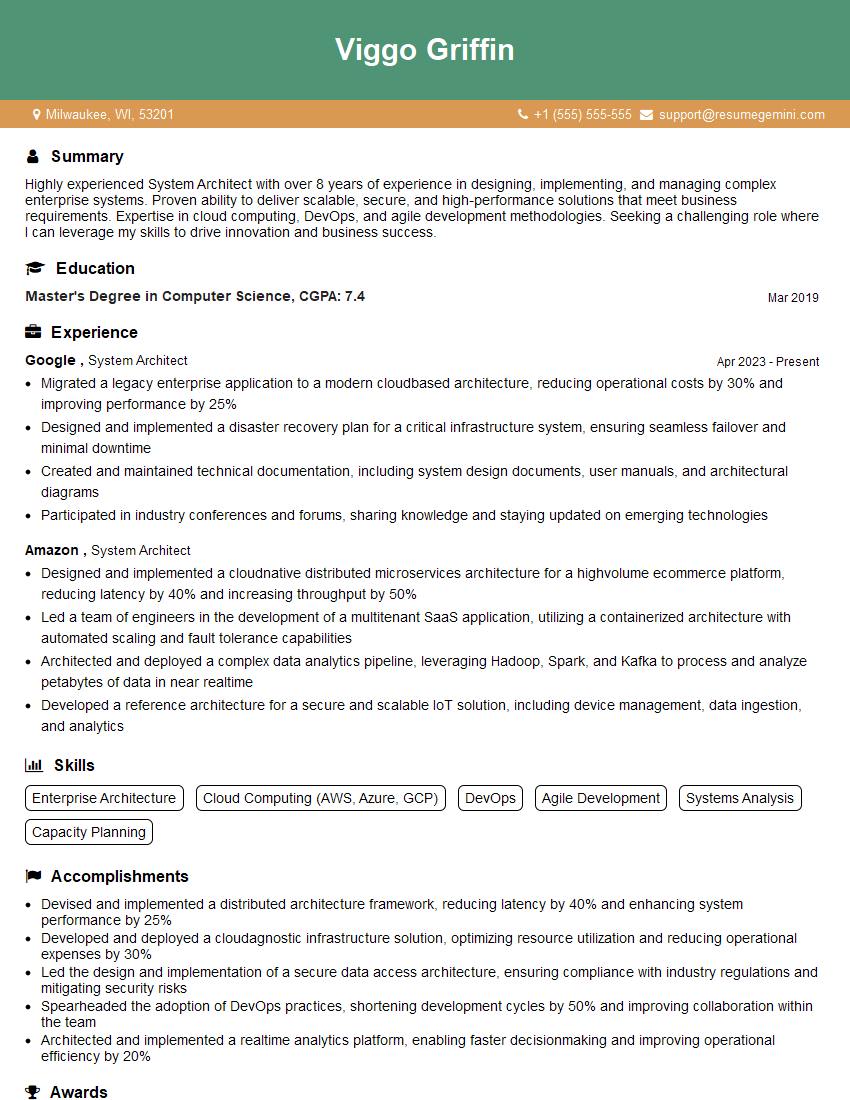
System Architect Resume Sample

IT Manager Resume Sample

Database Administrator Resume Sample

Technical Lead Resume Sample

DevOps Engineer Resume Sample

Cloud Engineer Resume Sample
Explore more articles
Users Rating of Our Blogs
Share Your Experience
We value your feedback! Please rate our content and share your thoughts (optional).
What Readers Say About Our Blog
To the interviewgemini.com Webmaster.
Very helpful and content specific questions to help prepare me for my interview!
Thank you
To the interviewgemini.com Webmaster.
This was kind of a unique content I found around the specialized skills. Very helpful questions and good detailed answers.
Very Helpful blog, thank you Interviewgemini team.